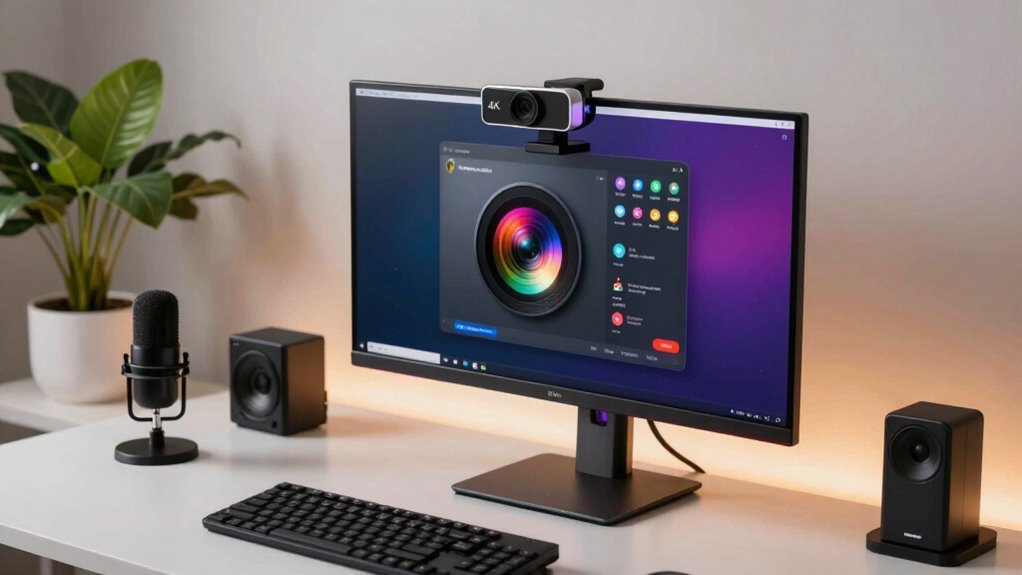

For most streamers, I’d start with the Logitech MX Brio, which pairs a familiar webcam setup with 4K capture and useful image controls. The Elgato Facecam 4K is a stronger fit for creators who want fine-grained camera control and 4K60, while the EMEET PIXY stands apart with AI-powered pan-and-tilt framing. Choosing a 4K webcam for streaming means balancing image control, autofocus, framing flexibility, audio, and how much setup you want to manage. A higher-resolution label alone doesn’t guarantee a better-looking stream; lighting, frame rate, and platform settings matter too. Read on for the full breakdown and a guide to matching the camera to your setup.

Get the latest gadgets delivered free with Prime
- Fast, free delivery on millions of items
- Prime Video, Amazon Music and more included
- Member-only deals all year
Complete the kit



Key Takeaways
- The MX Brio is the most balanced starting point: it offers a straightforward webcam format with image controls, while the Elgato Facecam 4K is better for creators who want more control over a studio-style image.
- 4K60 and 4K resolution are different buying priorities: the Elgato Facecam 4K specifically highlights 4K60, while many other options focus on 4K capture without that same stated frame-rate emphasis.
- Dual-camera designs solve a framing problem, not just an image-quality problem: the EMEET PIXY and dual-camera C60E are aimed at creators who want extra camera movement or wide-and-telephoto framing options.
- Autofocus appears across many EMEET models: PDAF is featured on the NOVA, C60E, S600, and C960, so buyers should compare their framing, audio, and camera designs rather than treating autofocus alone as a deciding factor.
- Built-in microphones and privacy features are convenient, but not substitutes for a streaming setup: several Acer, AOC, Philips, EMEET, and BALILA models add these features; dedicated lighting and an external mic may matter more for a polished broadcast.
| Logitech Brio Ultra HD 4K Webcam |  | Best for Flexible Framing | Resolution: Up to 4K UHD at 30 fps | Digital zoom: 5x | Field of view: 65°, 78°, or 90° diagonal | VIEW ON AMAZON | See Our Full Breakdown |
| EMEET PIXY Dual-Camera AI PTZ 4K Webcam |  | Best for Movement and Auto-Tracking | Sensor: 1/2.55-inch Sony sensor | Resolution: 4K | Autofocus: PDAF and AI autofocus; 0.2-second focusing | VIEW ON AMAZON | See Our Full Breakdown |
| Elgato Facecam 4K 4K60 Studio Webcam DSLR-Like Control |  | Best for High-Frame-Rate Video | Resolution: UHD 3840 × 2160 | Frame rate: Up to 60 fps at 4K | Sensor: 1/1.8-inch Sony STARVIS 2 CMOS | VIEW ON AMAZON | See Our Full Breakdown |
| EMEET NOVA 4K Webcam with PDAF Autofocus and Dual Microphones |  | Best for Straightforward Desk Streaming | Resolution: Up to 4K UHD at 30 fps | Autofocus: PDAF | Field of view: 73° | VIEW ON AMAZON | See Our Full Breakdown |
| EMEET C60E 4K Webcam with PDAF Autofocus |  | Best Plug-and-Play Pick | Resolution: 4K at 30 fps | Sensor: 1/2.8-inch CMOS | Autofocus: PDAF | VIEW ON AMAZON | See Our Full Breakdown |
| Logitech MX Brio Ultra HD 4K Webcam, Graphite |  | Best for Flexible Stream Quality | Maximum resolution: 4K at 30 fps | 1080p frame rate: 60 fps | Connectivity: USB-C | VIEW ON AMAZON | See Our Full Breakdown |
| EMEET S600 4K Webcam with Sony Sensor and PDAF Autofocus |  | Best Compact Autofocus Pick | Sensor: Sony CMOS, 1/2.55 inch | Maximum resolution: 4K (3840 × 2160) at 30 fps | 1080p frame rate: 60 fps | VIEW ON AMAZON | See Our Full Breakdown |
| EMEET C960 4K Webcam with PDAF Autofocus and Dual Microphones |  | Best for Simple Desktop Streaming | Maximum resolution: 4K (2160p) at 30 fps | Default resolution: 1080p | Autofocus: PDAF | VIEW ON AMAZON | See Our Full Breakdown |
| EMEET C60E Dual-Camera 4K Webcam for Streaming, Wide-Angle & Telephoto |  | Best for Switching Between Wide and Close-Up Shots | Camera system: Dual 1/2.8-inch CMOS sensors: wide-angle and telephoto | Maximum video: True 4K | Zoom: Up to 11× hybrid zoom; disabled in 4K, 60 fps, or YUY2 modes | VIEW ON AMAZON | See Our Full Breakdown |
| BALILA S900 4K Webcam with Auto Light Adjustment and Dual Microphones |  | Best for Broad Framing and Port Flexibility | Maximum resolution: 4K at 30 fps | 1080p frame rate: 60 fps | Field of view: 77° | VIEW ON AMAZON | See Our Full Breakdown |
| Acer A640 4K Webcam with AI Noise-Canceling Microphone |  | Best for Streamers Who Switch Between 4K Detail and 60 fps | Sensor: Sony CMOS, 1/2.8-inch | Video modes: 4K at 30 fps; 2K and 1080p at 60 fps | Focus: PDAF autofocus | VIEW ON AMAZON | See Our Full Breakdown |
| Acer 4K Webcam for PC/Mac – All-Metal Unibody, Sony 1/2″ Sensor, PDAF, Dual Noise-Reduction Mics, Magnetic Privacy Cover, USB-C |  | Best for Low-Light Image Quality | Sensor: Sony CMOS, 1/2-inch | Resolution: UHD 4K | Focus: PDAF autofocus | VIEW ON AMAZON | See Our Full Breakdown |
| AOC 4K Webcam with Noise-Reducing Microphone and Privacy Cover |  | Best for Flexible Desk Framing | Model: AC310 | Resolution: 4K UHD | Focus: Autofocus | VIEW ON AMAZON | See Our Full Breakdown |
| Philips 4K Webcam with Microphone and Privacy Shutter |  | Best for Simple Plug-and-Play Streaming | Model: SPL6418 | Resolution: 4K (3840 pixels) | Sensor: CMOS | VIEW ON AMAZON | See Our Full Breakdown |
| 4k webcam for streaming | Connectivity | Compatibility | Microphones | Resolution |
|---|---|---|---|---|
| Logitech Brio Ultra HD 4K Webc | USB-A and USB-C | Windows, Mac, ChromeOS | Dual omnidirectional, noise-canceling | Up to 4K UHD at 30 fps |
| EMEET PIXY Dual-Camera AI PTZ | USB 2.0 USB-C cable and USB-C to USB-A adapter | Windows 10 or later (64-bit, not ARM); macOS 10.14 or later | 3-mic array with 3 sound modes | 4K |
| Elgato Facecam 4K 4K60 Studio | USB-C | — | — | UHD 3840 × 2160 |
| EMEET NOVA 4K Webcam with PDAF | USB 2.0 Type-A | Windows 10/11, macOS 10.14+, Android TV 7.0+ | 2 built-in omnidirectional microphones; pickup range up to 8 feet | Up to 4K UHD at 30 fps |
| EMEET C60E 4K Webcam with PDAF | — | Windows 10/11 and macOS 10.14+ | 2 built-in microphones; recommended pickup distance up to 8 ft | 4K at 30 fps |
| Logitech MX Brio Ultra HD 4K W | USB-C | Windows, macOS, Chrome OS, Linux | Dual noise-reducing microphones | — |
| EMEET S600 4K Webcam with Sony | USB | Windows 10/11, macOS 10.14 and above, Linux, Android TV 7.0 and above | Dual noise-canceling | — |
| EMEET C960 4K Webcam with PDAF | USB-A | Windows 7/10/11, macOS 10.14 and above, Android TV 7.0 and above, Linux | Dual omnidirectional | — |
| EMEET C60E Dual-Camera 4K Webc | USB 2.0 Type-A | Windows 10/11 (64-bit), macOS 10.14 and above, Android TV 7.0 and above; Chrome OS not fully supported | Dual omnidirectional | — |
| BALILA S900 4K Webcam with Aut | USB-A; USB-C adapter included | Windows, macOS, Linux, Android | Dual built-in omnidirectional | — |
| Acer A640 4K Webcam with AI No | USB; USB-A to USB-C adapter included | Personal computers, Switch 2, Zoom, Teams, and Twitch | — | — |
| Acer 4K Webcam for PC/Mac | USB-C; adapter included | — | Dual high-sensitivity microphones with noise reduction | UHD 4K |
| AOC 4K Webcam with Noise-Reduc | USB-C; USB-A adapter included | — | — | 4K UHD |
| Philips 4K Webcam with Microph | USB | Windows and macOS | — | 4K (3840 pixels) |
More Details on Our Top Picks
Logitech Brio Ultra HD 4K Webcam
The Brio is the most adaptable fixed webcam in this group for streamers who switch between a tight head-and-shoulders view and a wider desk shot. Its three selectable fields of view give you more framing options than the fixed 73° EMEET NOVA and C60E, while autofocus and 4K at 30 fps suit a clear, steady presenter feed. RightLight 3 with HDR can help manage changing exposure, such as daylight shifting across a room, and the privacy shutter is useful when the stream ends. The tradeoff is that 4K tops out at 30 fps, so it cannot match the Elgato Facecam 4K’s 60 fps motion capture. Its built-in microphones are convenient, but dedicated streaming audio remains a better fit for a polished broadcast.
Pros:- 4K video capture at up to 30 fps
- Three selectable fields of view for varied framing
- RightLight 3 with HDR adjusts exposure in changing light
- Includes dual microphones and an attachable privacy shutter
Cons:- 4K frame rate is limited to 30 fps
- Digital zoom can crop the image rather than provide optical reach
- Built-in microphones may not meet the audio needs of a polished stream
Best for: Streamers who want to adjust their camera framing for different scenes without moving the webcam.
Not ideal for: Fast-moving gaming or action streamers who want 4K at 60 fps, or creators who need pan-and-tilt tracking.
- Resolution:Up to 4K UHD at 30 fps
- Digital zoom:5x
- Field of view:65°, 78°, or 90° diagonal
- Focus:Autofocus
- Microphones:Dual omnidirectional, noise-canceling
- Connectivity:USB-A and USB-C
- Compatibility:Windows, Mac, ChromeOS
- Special features:RightLight 3, HDR, Windows Hello support, attachable privacy shutter
Our verdict“Choose the Brio if flexible framing and exposure controls matter more than 4K60 or automated subject tracking.”
EMEET PIXY Dual-Camera AI PTZ 4K Webcam
The PIXY is the movement-focused pick: its AI tracking and motorized pan-and-tilt help keep a presenter in view while they move around a desk or teaching space. That makes it a different proposition from the stationary Logitech Brio, which offers several fixed framing angles but cannot follow a subject. PDAF and AI autofocus are designed to reacquire focus quickly, while gesture controls and presets can make framing changes easier during a live session. The compromises are practical: a tripod is sold separately, and 4K at 30 fps uses a fixed field of view, limiting how much framing flexibility you get at that setting. Its three microphone modes add options, but streamers who rely on close, controlled voice audio may still want a separate microphone.
Pros:- AI tracking with 310° pan and 180° tilt
- 4K sensor paired with PDAF and AI autofocus
- Three microphone modes for different recording environments
- Gesture control and customizable framing presets
Cons:- Tripod is sold separately
- 4K at 30 fps has a fixed field of view
- Does not support Windows Hello
Best for: Presenters, instructors, and demonstrators who move around during streams and want the camera to follow them.
Not ideal for: Stationary desktop streamers who do not need tracking, or Windows Hello users seeking that sign-in feature.
- Sensor:1/2.55-inch Sony sensor
- Resolution:4K
- Autofocus:PDAF and AI autofocus; 0.2-second focusing
- Pan and tilt:310° pan; 180° tilt
- Viewing angle:73°
- Microphones:3-mic array with 3 sound modes
- Connectivity:USB 2.0 USB-C cable and USB-C to USB-A adapter
- Compatibility:Windows 10 or later (64-bit, not ARM); macOS 10.14 or later
Our verdict“Pick the PIXY if keeping a moving presenter framed matters more than simple setup or variable 4K framing.”
Elgato Facecam 4K 4K60 Studio Webcam DSLR-Like Control
For streamers who prioritize motion detail and image control, the Facecam 4K has the clearest advantage here: it supports 4K at 60 fps, while the Logitech Brio and EMEET NOVA are limited to 30 fps at 4K. Its Sony STARVIS 2 sensor, Prime Lens, HDR, and uncompressed video support make it a stronger fit for creators shaping a studio look through Camera Hub, including those who want to use standard 49 mm lens filters. That control comes with more demands: a computer needs enough capacity to handle a 4K60 stream, and there is no built-in microphone. Unlike the Brio, this is not an all-in-one webcam for quick calls; plan on a separate audio setup and a capable streaming system.
Pros:- 4K video at up to 60 fps
- Sony STARVIS 2 sensor and Prime Lens design
- Camera Hub software offers extensive image controls
- Supports HDR, uncompressed video, and standard 49 mm lens filters
Cons:- No built-in microphone
- 4K60 streaming requires a capable computer
- USB-C connectivity may require an adapter on systems without a suitable port
Best for: Studio streamers with a capable computer, a separate microphone, and a preference for 4K60 motion detail and manual image control.
Not ideal for: New streamers seeking a simple all-in-one camera, or anyone whose computer struggles with high-resolution video processing.
- Resolution:UHD 3840 × 2160
- Frame rate:Up to 60 fps at 4K
- Sensor:1/1.8-inch Sony STARVIS 2 CMOS
- Lens:Prime Lens; 49 mm maximum focal length
- Aperture:f/2.8
- Focus:Automatic and manual
- Connectivity:USB-C
- Special features:HDR, uncompressed video, Camera Hub controls, 49 mm filter support
Our verdict“Choose the Facecam 4K for motion-rich 4K60 streaming if you already have a separate microphone and a computer that can handle it.”
EMEET NOVA 4K Webcam with PDAF Autofocus and Dual Microphones
The NOVA suits a fixed desk setup where a streamer wants 4K at 30 fps, autofocus, and basic onboard audio without the tracking hardware or image controls of the PIXY and Facecam 4K. Its PDAF autofocus and automatic light correction handle common on-camera adjustments, while the adjustable stand and tripod socket give you more placement options than a simple fixed clip. The physical privacy cover is another practical touch for a camera that stays on the monitor. There is a setup catch: it defaults to 1080p, so you must switch to 4K in camera software or a compatible app. Its 73° view is fixed, unlike the Brio’s selectable angles, and the built-in microphones are better suited to quiet, close-range use than demanding streaming audio.
Pros:- Captures up to 4K UHD at 30 fps
- PDAF autofocus and automatic light correction
- Dual built-in microphones and a physical privacy cover
- Adjustable stand with a 1/4-inch tripod mount
Cons:- Defaults to 1080p and requires software or a compatible app to enable 4K
- Fixed 73° field of view limits framing options compared with the Logitech Brio
- Built-in microphones work best in quiet settings with the mic unobstructed
Best for: Desk-based streamers who want a 4K webcam with autofocus, a privacy cover, and built-in microphones.
Not ideal for: Creators who need adjustable framing, dependable audio in a noisy room, or 4K to be active without changing settings.
- Resolution:Up to 4K UHD at 30 fps
- Autofocus:PDAF
- Field of view:73°
- Microphones:2 built-in omnidirectional microphones; pickup range up to 8 feet
- Connectivity:USB 2.0 Type-A
- Cable length:1.5 m
- Adjustments:360° horizontal rotation, 15° vertical adjustment, 180° adjustable stand
- Compatibility:Windows 10/11, macOS 10.14+, Android TV 7.0+
Our verdict“Choose the NOVA for a mostly stationary desk stream if you are comfortable switching its default resolution to 4K.”
EMEET C60E 4K Webcam with PDAF Autofocus
The C60E is the uncomplicated 4K option for creators who want a webcam they can position on a monitor or tripod without adding tracking features or elaborate controls. It records 4K at 30 fps, uses PDAF autofocus, and includes automatic light correction, so the basics are covered for a fixed presenter shot. Its flexible stand and 1/4-inch tripod mount make placement less restrictive than a webcam that only clips onto a screen. Compared with the EMEET NOVA, the listed feature set is similar; the C60E’s lighter weight is useful for repositioning, but it still has a fixed 73° field of view and defaults to USB 2.0 Type-A connectivity. There is no Wi-Fi or Bluetooth, and the separate tripod is not included.
Pros:- 4K video capture at 30 fps
- PDAF autofocus and automatic light correction
- Dual microphones and a physical privacy cover
- Flexible stand and 1/4-inch tripod mounting support
Cons:- Fixed 73° field of view
- USB 2.0 Type-A connection with no Wi-Fi or Bluetooth
- Tripod is sold separately
Best for: Streamers who want a simple USB webcam with flexible monitor or tripod positioning and do not need motorized tracking.
Not ideal for: Creators who need a wide or adjustable shot, wireless connections, 4K60, or a tripod included in the box.
- Resolution:4K at 30 fps
- Sensor:1/2.8-inch CMOS
- Autofocus:PDAF
- Field of view:73°
- Microphones:2 built-in microphones; recommended pickup distance up to 8 ft
- Connection:USB 2.0 Type-A
- Mounting:360° horizontal rotation, ±15° vertical tilt, 180° adjustable stand, 1/4-inch tripod mount
- Compatibility:Windows 10/11 and macOS 10.14+
Our verdict“Pick the C60E for a straightforward, repositionable 4K desk camera if a fixed view and wired USB connection fit your setup.”
Logitech MX Brio Ultra HD 4K Webcam, Graphite
The MX Brio suits streamers who want to choose between 4K at 30 fps for detail and 1080p at 60 fps for smoother motion. Its AI-enhanced image adjustments can help keep a face visible when room lighting is uneven, while manual controls offer more say over the picture than simpler plug-and-play picks such as the BALILA S900. Dual noise-reducing microphones are useful for a clean casual setup, though dedicated streaming audio still calls for a separate mic. Show Mode adds a practical way to share desk items, and the privacy cover makes the camera easier to leave mounted. The tradeoff is USB-C connectivity and a relatively substantial body; the lighter EMEET S600 is easier to move between setups. Choose the MX Brio for control and versatility, not a tiny travel camera.
Pros:- Offers both 4K at 30 fps and 1080p at 60 fps for different streaming priorities.
- AI image adjustments and manual controls provide flexibility in challenging lighting.
- Dual noise-reducing microphones help limit background sound in a basic setup.
- Privacy cover and Show Mode add useful camera and desk-sharing features.
Cons:- USB-C connection may require an adapter on setups with only USB-A ports.
- Its 13.12-ounce weight and 5.5-inch dimensions make it less compact than the EMEET S600.
- Built-in microphones may not satisfy streamers who need polished broadcast audio.
Best for: Streamers who switch between detailed 4K scenes and smoother 1080p gameplay or talking-head video, and want manual image controls.
Not ideal for: Buyers seeking the lightest webcam, USB-A-only connectivity, or a camera intended for wet or outdoor use.
- Maximum resolution:4K at 30 fps
- 1080p frame rate:60 fps
- Connectivity:USB-C
- Focus:Autofocus
- Microphones:Dual noise-reducing microphones
- Compatibility:Windows, macOS, Chrome OS, Linux
- Weight:13.12 oz
- Features:Privacy cover, Show Mode, manual image controls
Our verdict“Choose the MX Brio if you want adaptable 4K or 60 fps streaming with more image control than a basic webcam provides.”
EMEET S600 4K Webcam with Sony Sensor and PDAF Autofocus
The S600 packs PDAF autofocus and a Sony 1/2.55-inch sensor into a webcam weighing just 3.52 ounces, making it a strong match for compact streaming desks or portable setups. It records at 4K 30 fps or 1080p 60 fps, like the Logitech MX Brio, but adds a choice of framing only at 1080p: its field of view can narrow from 73° to 40°. That can help a solo streamer avoid showing a cluttered room without moving the camera. In 4K, however, the view stays fixed at 73°, so it offers less framing flexibility at maximum resolution. Automatic light adjustment, dual noise-canceling microphones, and a built-in privacy cover make setup straightforward; EMEETLINK provides optional tweaks rather than requiring software for basic use. Chrome OS support may vary, and Windows Hello is unavailable.
Pros:- Compact 3.52-ounce body suits small desks and portable rigs.
- PDAF autofocus and automatic light adjustment help maintain a clear image as conditions change.
- Supports 4K at 30 fps and 1080p at 60 fps.
- Adjustable 40°–73° field of view at 1080p helps tighten the composition.
Cons:- Field of view is fixed at 73° when streaming in 4K.
- Compatibility may vary across Chrome OS devices and versions.
- Does not support Windows Hello.
Best for: Solo streamers with limited desk space who want a lightweight 4K camera, quick autofocus, and adjustable 1080p framing.
Not ideal for: Chrome OS users who need confirmed broad compatibility, Windows Hello users, or streamers who need adjustable framing while recording in 4K.
- Sensor:Sony CMOS, 1/2.55 inch
- Maximum resolution:4K (3840 × 2160) at 30 fps
- 1080p frame rate:60 fps
- Autofocus:PDAF
- Field of view:73° at 4K; adjustable from 40° to 73° at 1080p
- Microphones:Dual noise-canceling
- Connectivity:USB
- Weight:3.52 oz
- Compatibility:Windows 10/11, macOS 10.14 and above, Linux, Android TV 7.0 and above
Our verdict“Pick the S600 for a small, lightweight streaming setup where autofocus and flexible 1080p framing matter more than 4K crop control.”
EMEET C960 4K Webcam with PDAF Autofocus and Dual Microphones
The C960 is a straightforward choice for a fixed streaming station: it provides PDAF autofocus, automatic light correction, a 73° view, and a USB-A connection. Its key quirk is that video defaults to 1080p; reaching 4K requires a setting change in camera software or a compatible app. That extra step matters more here than on the EMEET S600, whose listed modes make the 4K and 60 fps options clearer. Once configured, the C960 supports 4K at 30 fps, while the built-in privacy cover and dual omnidirectional microphones help keep a basic setup self-contained. Its 360° horizontal and 15° vertical adjustment make positioning less restrictive, and a tripod thread offers another mounting option. There is no wireless connection, so this is best treated as a wired desk camera, not a flexible mobile streaming tool.
Pros:- Supports up to 4K at 30 fps after selecting the appropriate software or app setting.
- PDAF autofocus and automatic light correction support a clear image as conditions change.
- USB-A plug-and-play setup, privacy cover, and dual microphones suit a basic desk rig.
- 360° horizontal adjustment and a 1/4-inch tripod thread add mounting flexibility.
Cons:- Video defaults to 1080p, so streamers must change settings to use 4K.
- Fixed 73° field of view offers less framing flexibility than the EMEET S600 at 1080p.
- Wired USB-A connection provides no wireless setup option.
Best for: Desktop streamers who use USB-A, want autofocus and a tripod-mount option, and are comfortable selecting 4K in software.
Not ideal for: Buyers who want 4K enabled by default, wireless connectivity, or adjustable framing beyond a fixed 73° view.
- Maximum resolution:4K (2160p) at 30 fps
- Default resolution:1080p
- Autofocus:PDAF
- Field of view:73°
- Microphones:Dual omnidirectional
- Connectivity:USB-A
- Mounting:360° horizontal adjustment, 15° vertical adjustment, 1/4-inch tripod thread
- Weight:4.8 oz
- Compatibility:Windows 7/10/11, macOS 10.14 and above, Android TV 7.0 and above, Linux
Our verdict“Choose the C960 for a no-frills USB-A desk camera if you are willing to switch its default video setting to 4K.”
EMEET C60E Dual-Camera 4K Webcam for Streaming, Wide-Angle & Telephoto
The C60E is the most production-oriented pick here: its wide-angle and telephoto cameras let a streamer shift between a room view and closer framing, with up to 11× hybrid zoom and PDAF autofocus. That gives it a different role from the single-camera Logitech MX Brio, which offers manual image control but not this dual-view setup. Remote and EMEET STUDIO controls also let users adjust the camera without reaching across the desk, while RGB lighting adds a visible status cue. The main limitation is mode dependence: zoom is disabled in 4K, 60 fps, or YUY2 modes. Buyers seeking a zoom-driven stream will need to choose among those settings rather than expect every feature at once. Chrome OS is not fully supported, and the USB 2.0 Type-A connection is a more basic link than the MX Brio’s USB-C.
Pros:- Dual wide-angle and telephoto cameras support different shot types from one webcam.
- Up to 11× hybrid zoom and PDAF autofocus aid close-up framing.
- Remote and EMEET STUDIO controls allow adjustments without touching the camera.
- RGB lighting provides a visible status cue during streaming.
Cons:- Zoom is unavailable in 4K, 60 fps, and YUY2 video modes.
- Chrome OS is not fully supported, and Windows Hello is unavailable.
- USB 2.0 Type-A connection is less flexible for setups built around USB-C.
Best for: Streamers who switch between a wide desk or room shot and closer subject framing, and want remote camera controls.
Not ideal for: Creators who need zoom while recording in 4K or 60 fps, Chrome OS users, or buyers who need Windows Hello.
- Camera system:Dual 1/2.8-inch CMOS sensors: wide-angle and telephoto
- Maximum video:True 4K
- Zoom:Up to 11× hybrid zoom; disabled in 4K, 60 fps, or YUY2 modes
- Focus:PDAF autofocus
- Connectivity:USB 2.0 Type-A
- Microphones:Dual omnidirectional
- Controls and lighting:Remote control, EMEET STUDIO software, RGB lighting
- Compatibility:Windows 10/11 (64-bit), macOS 10.14 and above, Android TV 7.0 and above; Chrome OS not fully supported
- Dimensions:2.09 × 2.87 × 2.09 in
Our verdict“Pick the C60E if your stream benefits from wide and close-up views, and you can accept that zoom cannot run in every video mode.”
BALILA S900 4K Webcam with Auto Light Adjustment and Dual Microphones
The S900 stands out for streamers who want a slightly broader composition: its 77° field of view takes in more of a desk than the 73° EMEET C960 or S600. It supports 4K at 30 fps and 1080p at 60 fps, so creators can favor detail or smoother motion, and automatic light adjustment can help in rooms without controlled lighting. The included USB-C adapter is a practical advantage for switching between USB-A and USB-C computers, unlike the C960’s USB-A connection. The tradeoff is limited control detail in the supplied information: actual resolution depends on the streaming app or software, so the 4K label alone does not guarantee a 4K stream. Dual omnidirectional microphones make it usable without extra audio gear, but serious streamers may still prefer a dedicated microphone.
Pros:- Supports 4K at 30 fps and 1080p at 60 fps for detail or smoother motion.
- 77° field of view captures a broader scene than the 73° EMEET C960.
- USB-A connection and included USB-C adapter support more computer port setups.
- Automatic light adjustment and dual built-in microphones support a simple streaming rig.
Cons:- Actual resolution can depend on the software or streaming app.
- No Windows Hello facial recognition support.
- A 77° field of view may show more background than some solo streamers want.
Best for: Streamers who want a wider seated shot, both 4K and 1080p60 modes, and an included adapter for different computer ports.
Not ideal for: Creators who need guaranteed 4K output across every app, Windows Hello, or a narrow field of view for a tightly controlled background.
- Maximum resolution:4K at 30 fps
- 1080p frame rate:60 fps
- Field of view:77°
- Sensor:CMOS, 1/2.5 inch
- Microphones:Dual built-in omnidirectional
- Connectivity:USB-A; USB-C adapter included
- Compatibility:Windows, macOS, Linux, Android
- Weight:7.04 oz
Our verdict“Choose the S900 if you want broad framing and flexible USB-A or USB-C hookup, but check your streaming app’s resolution settings before relying on 4K.”
Acer A640 4K Webcam with AI Noise-Canceling Microphone
The A640’s clearest streaming advantage is its choice of capture modes: 4K at 30 fps for detailed, composed shots or 1080p at 60 fps when smoother motion matters more. Its PDAF autofocus and Sony 1/2.8-inch sensor support quick focus changes, while AI noise cancellation can help keep voice audio clearer in a busy room. Compared with the Acer 4K Webcam with its larger 1/2-inch sensor, the A640 offers more explicit high-frame-rate options, but its smaller sensor may be less forgiving in dim light. Automatic exposure and low-light adjustments can help, though they do not replace good lighting. The privacy shutter is useful between streams; there are no built-in speakers, so this is a camera-and-mic setup rather than a complete desktop audio solution.
Pros:- Offers 4K at 30 fps and 1080p at 60 fps for different streaming styles
- PDAF autofocus supports quick focus changes
- AI noise cancellation can reduce distracting background sound
- Includes a physical privacy shutter and automatic exposure and low-light adjustment
Cons:- The 1/2.8-inch sensor is smaller than the 1/2-inch sensor in the other Acer model
- Best image quality still depends on adequate lighting
- No built-in speakers
Best for: Streamers who alternate between detailed 4K scenes and smoother 1080p gameplay or movement, and want a webcam mic with noise cancellation.
Not ideal for: Creators streaming in consistently dim rooms or anyone seeking a larger-sensor image, built-in speakers, or 4K capture above 30 fps.
- Sensor:Sony CMOS, 1/2.8-inch
- Video modes:4K at 30 fps; 2K and 1080p at 60 fps
- Focus:PDAF autofocus
- Microphone:AI noise cancellation
- Connectivity:USB; USB-A to USB-C adapter included
- Image adjustments:Automatic low-light correction and exposure adjustment
- Privacy:Sliding privacy shutter
- Weight:4.64 ounces
- Compatibility:Personal computers, Switch 2, Zoom, Teams, and Twitch
Our verdict“Choose the A640 if you want one webcam for detailed 4K scenes and smoother 1080p streaming, but favor the larger-sensor Acer model for a stronger low-light setup.”
Acer 4K Webcam for PC/Mac – All-Metal Unibody, Sony 1/2″ Sensor, PDAF, Dual Noise-Reduction Mics, Magnetic Privacy Cover, USB-C
Among these four, this Acer has the strongest stated case for streamers who cannot fully control their lighting: its 1/2-inch Sony sensor is larger than the A640’s 1/2.8-inch sensor, and the listing specifies an f/1.8 aperture. Those details point toward a better chance of retaining useful image detail in less-than-ideal room light, though a lamp or key light remains helpful. PDAF autofocus supports fast refocusing, while dual noise-reduction microphones and an aluminum unibody make it a more substantial desk camera than the simpler Philips SPL6418. The tradeoff is flexibility: the provided specs list UHD 4K but do not state alternate frame-rate modes, unlike the A640’s 1080p at 60 fps option. It also uses USB-C, so older USB-A-only computers need the included adapter.
Pros:- Large 1/2-inch Sony CMOS sensor is a strong fit for less-controlled lighting
- PDAF autofocus supports quick, accurate focusing
- Dual high-sensitivity microphones include noise reduction
- Aluminum unibody and magnetic privacy cover add a sturdy, practical design
Cons:- No built-in lighting is listed to help brighten a dim streaming setup
- USB-C connection may require the included adapter on older computers
- The provided specifications do not state alternate resolution or frame-rate modes
Best for: Streamers working in a home office with inconsistent lighting who want a larger sensor, autofocus, and built-in noise-reduction microphones.
Not ideal for: Creators who need specified high-frame-rate modes, built-in lighting, or a direct USB-A connection without an adapter.
- Sensor:Sony CMOS, 1/2-inch
- Resolution:UHD 4K
- Focus:PDAF autofocus
- Aperture:f/1.8
- Field of view:83 degrees
- Microphones:Dual high-sensitivity microphones with noise reduction
- Connectivity:USB-C; adapter included
- Body and privacy:All-aluminum unibody with magnetic privacy cover
- Weight:50 g
Our verdict“Pick this Acer for its larger sensor and solid construction if lighting is your main concern, but choose the A640 if you need a clearly specified 1080p 60 fps mode.”
AOC 4K Webcam with Noise-Reducing Microphone and Privacy Cover
The AOC AC310 suits streamers who adjust their camera position or framing often: its mount supports 180-degree tilt and 360-degree swivel, giving more control over the shot than the fixed privacy cover and basic setup described for the Philips SPL6418. Autofocus and automatic light correction handle routine changes in distance and brightness, while the built-in noise-reducing microphone keeps the setup simple. It connects through USB-C and includes a USB-A adapter, which makes it easier to use across newer and older computers than the USB-C-only Acer model. There is one notable uncertainty for people planning a wide desk or group shot: the listed field of view conflicts, with 80 degrees in the title and description but 90 degrees elsewhere. I would not choose it when precise framing width is a must.
Pros:- Adjustable mount offers 180-degree tilt and 360-degree swivel
- 4K UHD video with autofocus and automatic light correction
- Built-in noise-reducing microphone simplifies a basic streaming setup
- USB-C connection includes a USB-A adapter
Cons:- Field-of-view information conflicts between 80 and 90 degrees
- Provided product details do not specify frame rates or sensor size
- The built-in microphone may not replace a dedicated streaming mic for voice-focused content
Best for: Solo streamers who reposition their webcam during broadcasts and want tilt-and-swivel adjustment with plug-and-play USB connectivity.
Not ideal for: Creators who need a reliably specified field of view for a fixed scene, or who require detailed frame-rate and sensor information before buying.
- Model:AC310
- Resolution:4K UHD
- Focus:Autofocus
- Field of view:Listed as 80 degrees in the title and description, and 90 degrees elsewhere
- Movement:180-degree tilt and 360-degree swivel
- Microphone:Built-in noise-reducing microphone
- Connectivity:USB-C; USB-A adapter included
- Privacy:Sliding lens cover
- Dimensions:2.5 × 2.5 × 3.5 inches
Our verdict“Choose the AOC if flexible camera positioning matters more than precise published framing specs, and prefer the Philips for a simpler fixed setup.”
Philips 4K Webcam with Microphone and Privacy Shutter
The Philips SPL6418 is the straightforward pick here: it lists 4K resolution, autofocus, a built-in microphone, and a physical privacy shutter, without adding setup choices that could complicate a basic desktop stream. Compared with the AOC AC310, it has less documented flexibility—the AOC specifies an adjustable tilt-and-swivel mount and automatic light correction—so the Philips makes more sense for a stable, head-and-shoulders camera position than frequent reframing. Its plug-and-play USB connection and Windows and macOS compatibility suit creators who want a simple start, but the product details do not state frame rates, sensor size, or microphone noise reduction. The listed three-month warranty is also short beside what many buyers may expect from a regular streaming camera. For a more demanding image or audio setup, the Acer models give clearer feature advantages.
Pros:- Captures video at 4K resolution
- Autofocus supports routine changes in distance
- Built-in microphone avoids requiring a separate mic for basic use
- Physical privacy shutter and plug-and-play USB setup
Cons:- The provided specs do not state frame rates or sensor size
- No microphone noise-reduction feature is listed
- Warranty is limited to three months
Best for: New streamers using a Windows or Mac computer who want a basic 4K webcam with a built-in mic and a physical privacy cover.
Not ideal for: Streamers who need specified 60 fps capture, detailed low-light performance, adjustable framing, or a longer stated warranty.
- Model:SPL6418
- Resolution:4K (3840 pixels)
- Sensor:CMOS
- Focus:Autofocus
- Connectivity:USB
- Microphone:Built-in
- Privacy:Physical shutter
- Compatibility:Windows and macOS
- Warranty:3 months
Our verdict“Choose the Philips for a simple fixed webcam setup, but opt for the AOC if adjustable framing or automatic light correction matters more.”

How We Picked
I ranked these webcams for the needs of live streaming, weighing more than the headline resolution. The main criteria were stated capture and frame-rate capabilities, focus behavior, framing options, useful image controls, microphone and privacy features, and how directly each design supports a practical desk setup. I also considered whether a webcam’s special feature solves a real streaming need: 4K60 for motion, PTZ for changing composition, or a privacy cover for regular calls between broadcasts.
The order reflects the balance of those factors, not a claim that every listed feature produces the same result across rooms, computers, or streaming platforms. The Logitech MX Brio ranks first as a broadly capable choice; the Elgato Facecam 4K moves ahead for buyers who prioritize 4K60 and camera control. Specialized dual-camera models follow for creators with particular framing needs, while simpler webcam designs make more sense for straightforward streaming and calls. I give less weight to features that matter only in narrow setups, and I treat a built-in microphone as a convenience rather than a replacement for dedicated audio.
| 4k webcam for streaming | Focus |
|---|---|
| Logitech Brio Ultra HD 4K Webc | Autofocus |
| EMEET PIXY Dual-Camera AI PTZ | — |
| Elgato Facecam 4K 4K60 Studio | Automatic and manual |
| EMEET NOVA 4K Webcam with PDAF | — |
| EMEET C60E 4K Webcam with PDAF | — |
| Logitech MX Brio Ultra HD 4K W | Autofocus |
| EMEET S600 4K Webcam with Sony | — |
| EMEET C960 4K Webcam with PDAF | — |
| EMEET C60E Dual-Camera 4K Webc | PDAF autofocus |
| BALILA S900 4K Webcam with Aut | — |
| Acer A640 4K Webcam with AI No | PDAF autofocus |
| Acer 4K Webcam for PC/Mac | PDAF autofocus |
| AOC 4K Webcam with Noise-Reduc | Autofocus |
| Philips 4K Webcam with Microph | Autofocus |
Factors to Consider When Choosing 4k Webcam For Streaming
Before choosing a model, match the webcam’s strengths to your stream format and desk setup. These factors can matter more than the 4K label, especially if your software, lighting, or connection limits what the camera can deliver.
Choose Frame Rate for the Motion You Stream
Resolution describes image detail, while frame rate affects how fluid motion appears. A 4K60 option such as the Elgato Facecam 4K may suit fast gestures, product demos, or energetic streams better than a camera whose listed strengths center on 4K capture alone. Check that your streaming software, computer, connection, and platform can handle the settings you plan to use. Many creators broadcast at a lower resolution even when capturing in 4K, so the camera may serve as a flexible source rather than a direct 4K output. Don’t pay for frame-rate headroom if your stream format and content won’t use it.
Treat Lighting as Part of the Camera Purchase
A 4K sensor can reveal detail, but it also makes poor lighting and distracting background texture easier to notice. Before upgrading a webcam, decide whether your image problem comes from the camera or from a dim, unevenly lit room. Auto light adjustment, as listed for the BALILA S900, can help with changing conditions, but it cannot create soft, flattering light from a dark room. A small key light may improve a stream more than moving from one 4K webcam to another. Leave room in your setup plan for lighting, particularly if you stream after dark.
Pick Autofocus or Fixed Framing Around Your Habits
Autofocus is useful when you move, hold products near the lens, or alternate between sitting positions. PDAF appears on several EMEET models in this lineup, but autofocus is not automatically better for every broadcast: focus shifts can distract viewers when you remain at a desk. Think about how often objects enter the frame and whether you want the camera to follow them. For a stable talking-head shot, consistent framing may matter more than frequent focus adjustments. Test the intended camera distance and background before relying on autofocus as the fix for a poorly planned composition.
Buy Framing Flexibility Only If You’ll Use It
PTZ and dual-camera designs address specific composition needs. The EMEET PIXY’s AI PTZ approach may suit a creator who moves around a workspace, while the dual-camera C60E offers a different path for switching between wide and telephoto views. These options can add versatility, but they also introduce setup choices that a fixed webcam avoids. If you stream from one seated position, a dependable fixed frame may be simpler and less distracting. Sketch your usual shots before choosing a moving or multi-view camera; otherwise, flexibility can become complexity without changing the finished stream.
Plan Audio Separately From Video
Built-in microphones can simplify a first setup and provide backup audio, but they sit near the camera and may capture room noise, keyboard sounds, and reflections. Models listing dual microphones or noise reduction offer convenience, not the same placement options as a headset or dedicated microphone. Consider how far you sit from the webcam and whether your room has fan, street, or computer noise. For a polished stream, clear voice audio often matters more than small differences in webcam detail. If you already own a good mic, prioritize video controls and compatibility instead of choosing by microphone claims alone.
Check Compatibility, Mounting, and Privacy Before Buying
A webcam has to work smoothly with your computer, streaming software, and physical setup. Confirm the connection type, operating-system support, and whether the camera’s controls are available in the software you plan to use. Check how it mounts on your monitor or tripod and whether its cable can reach without crossing your workspace. Privacy shutters and covers can make a camera easier to leave connected between sessions, but their designs vary. Sorting out these practical details before purchase can prevent a capable 4K camera from becoming awkward to position or control.
Frequently Asked Questions
Should I choose 4K60 or a webcam that only emphasizes 4K resolution?
Choose 4K60 if your content includes quick movement, frequent gestures, or product handling and your computer and software can support the added workload. For a mostly stationary talking-head stream, a camera focused on 4K capture may be sufficient, particularly if your broadcast will be delivered at a lower resolution. The Elgato Facecam 4K is the clearest match in this lineup for buyers specifically seeking 4K60. Check the camera’s supported modes and your streaming platform’s output limits before deciding. A higher frame rate is useful only when the rest of your setup can take advantage of it.
Will a 4K webcam make my stream look sharper on every platform?
No. The final image depends on the camera setting, streaming software, computer performance, upload connection, and the platform’s video handling. Some creators capture in 4K and stream at a lower resolution to give themselves room to crop or reframe. Others may find that their platform or connection makes a 4K broadcast impractical. A good light source and stable focus can improve perceived image quality more than selecting the highest available resolution. Check your planned output settings before paying extra for capture modes you won’t use.
Is a dual-camera webcam worth it if I stream from a desk?
It can be useful if you regularly switch between a presenter view and a close-up of products, or need wide and telephoto compositions without repositioning a single camera. The EMEET PIXY and dual-camera C60E address different versions of that need. If you stay seated and use one consistent frame, the extra camera flexibility may not change your stream enough to justify the added setup. Write down the shots you use in a typical broadcast and see whether one camera can cover them. If it can, a simpler webcam may be easier to manage.
Can I rely on a webcam’s built-in microphones for streaming?
You can use them to get started, for backup audio, or for streams where convenience matters more than voice polish. Built-in microphones are close to the camera rather than your mouth, so room echo, fans, and keyboard noise can become more noticeable. Features such as dual microphones or noise reduction may help with certain noise, but they do not remove the effect of mic distance and room acoustics. If viewers need to hear speech clearly, compare an external USB microphone or headset as part of your setup. Let audio quality, not a microphone feature label, decide whether the built-in option is enough.
What should a beginner prioritize over 4K specs?
A beginner should prioritize easy setup, reliable compatibility, a usable mounting position, and a frame that works with the available lighting. A complex PTZ or dual-camera design can add options, but also creates more controls to learn. If the stream is mostly a fixed shot, a straightforward webcam may leave more attention for audio, lighting, and the broadcast itself. Check whether you can adjust exposure, focus, and framing without installing software you won’t use. Once the rest of the setup is stable, it becomes easier to tell whether higher frame rates or more camera flexibility would help.
Conclusion
Best overall: I’d choose the Logitech MX Brio for a balanced 4K streaming setup with a straightforward webcam format. Best premium for image control and motion: the Elgato Facecam 4K is the better fit if 4K60 and hands-on camera control are your priorities. Best for flexible framing: consider the EMEET PIXY for AI PTZ movement or the dual-camera C60E when wide and telephoto views fit your content. Best value-minded or beginner choice: compare the simpler EMEET NOVA, C960, AOC, and Philips options around the controls, privacy features, and audio conveniences you’ll actually use. For a specific need, the Acer models bring different combinations of sensor, build, microphone, and privacy features; choose based on your desk setup and audio plan. My final advice: match the camera to your shot and streaming workflow first, then spend on extra resolution or flexibility only when it solves a real limitation.
Halloween Picks

Fun Costumes Creepy Twin Boys Halloween Animatronic

12.2 ft Halloween Inflatable Outdoor Decoration – Giant Pumpkin

12.5-Foot Lighted Halloween Inflatable Archway
As an affiliate, we earn on qualifying purchases.