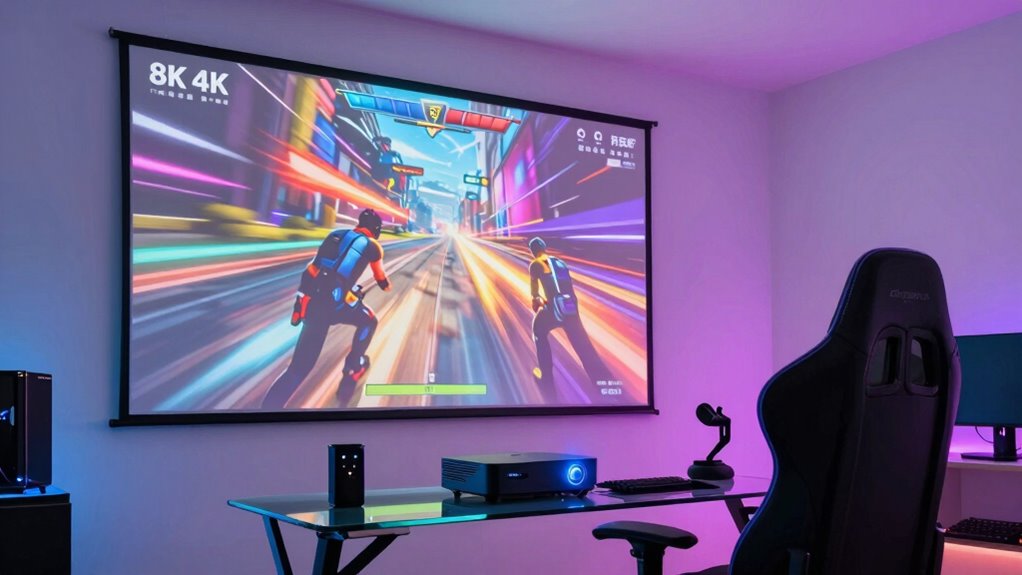
For a 4K projector for gaming with low latency, my best overall pick is the BenQ TK700, which prioritizes responsive play alongside 4K HDR entertainment. The BenQ X500i stands out for gamers who need a short-throw setup, while the ViewSonic PX701-4K is a simpler alternative for buyers focused on core gaming performance. These options differ in room placement, smart features, portability, and the balance between gaming response and cinematic extras. A projector’s 4K label alone does not tell you how quickly it responds or whether it fits your room. Read on for the full breakdown and the tradeoffs that matter before you choose.

Get the latest gadgets delivered free with Prime
- Fast, free delivery on millions of items
- Prime Video, Amazon Music and more included
- Member-only deals all year
Complete the kit



Key Takeaways
- The BenQ TK700 is the clearest all-round gaming choice in this lineup, while the BenQ X500i is more compelling when a short-throw layout solves a real placement problem.
- ViewSonic PX701-4K favors a straightforward gaming-focused brief; buyers wanting more portability or integrated smart features should compare the Hisense M2 Pro and Google TV model instead.
- The XGIMI HORIZON 20 and Hisense M2 Pro emphasize RGB triple-laser features, but buyers should weigh those broader entertainment strengths against their priority for a responsive gaming path.
- Placement changes the shortlist: the X500i’s short-throw design is distinct from the more conventional setups represented by the TK700 and PX701-4K.
- Smart features and gaming responsiveness are separate buying questions; built-in Google TV or portability may simplify entertainment, but they do not replace checking game-mode latency and console compatibility.
| BenQ TK700 4K HDR Gaming and Home Entertainment Projector |  | Best Balanced Pick | Native resolution: 3840 × 2160 | Display technology: DLP | Brightness: 3,200 lumens | VIEW ON AMAZON | See Our Full Breakdown |
| XGIMI HORIZON 20 4K RGB Triple Laser Home Projector |  | Best for High-Refresh Gaming | Native resolution: 3840 × 2160 | Display technology: RGB triple laser | Brightness: 3,200 ISO lumens | VIEW ON AMAZON | See Our Full Breakdown |
| ViewSonic PX701-4K UHD DLP Projector |  | Best Value for Low-Latency Specs | Resolution: 3840 × 2160 | Display type: DLP | Brightness: 3,200 ANSI lumens | VIEW ON AMAZON | See Our Full Breakdown |
| Hisense M2 Pro 4K UHD Triple Laser Smart Portable Projector |  | Best Portable Triple-Laser Pick | Resolution: 4K UHD | Light source: Triple laser | Brightness: 1,300 ANSI lumens | VIEW ON AMAZON | See Our Full Breakdown |
| 4K Smart Projector with Google TV, 2300 ANSI Lumens, Wi-Fi 6, Bluetooth, NFC Casting, and Dolby Audio |  | Best for Easy Setup and Streaming | Native resolution: 4K support listed; native resolution not specified as 4K | Maximum display resolution: 3840 × 2160 | Display type: LCD | VIEW ON AMAZON | See Our Full Breakdown |
| BenQ X500i 4K HDR Short-Throw Gaming Projector |  | Best for Low-Latency Gaming in Smaller Rooms | Native resolution: 3840 × 2160 | Brightness: 2,200 lumens | Display type: LED | VIEW ON AMAZON | See Our Full Breakdown |
| 4k projector for gaming low latency | Brightness | Native resolution | Contrast ratio | Connectivity |
|---|---|---|---|---|
| BenQ TK700 4K HDR Gaming and H | 3,200 lumens | 3840 × 2160 | 10,000:1 | HDMI, USB 2.0 Type A |
| XGIMI HORIZON 20 4K RGB Triple | 3,200 ISO lumens | 3840 × 2160 | 100,000:1 | — |
| ViewSonic PX701-4K UHD DLP Pro | 3,200 ANSI lumens | — | — | Dual HDMI, USB-A |
| Hisense M2 Pro 4K UHD Triple L | 1,300 ANSI lumens | — | — | — |
| 4K Smart Projector with Google | 2,300 ANSI lumens | 4K support listed; native resolution not specified as 4K | 23,000:1 | HDMI ARC/CEC, USB, VGA, 3.5mm jack, Wi-Fi 6, Bluetooth, NFC |
| BenQ X500i 4K HDR Short-Throw | 2,200 lumens | 3840 × 2160 | 3000:1 | HDMI, Wi-Fi, eARC |
More Details on Our Top Picks
BenQ TK700 4K HDR Gaming and Home Entertainment Projector
The BenQ TK700 is a straightforward choice for buyers who want specified 4K resolution, HDR10, and a bright 3,200-lumen image without relying on a smart platform. That brightness gives it flexibility for rooms that are not fully dark, while its tabletop design and 6.8-pound weight make placement less involved than a permanent ceiling-mounted setup. Compared with the ViewSonic PX701-4K, the TK700’s supplied specifications do not state a gaming refresh rate or input-lag figure, so I would favor ViewSonic for buyers prioritizing documented fast-response performance. The TK700 makes more sense for a mixed-use setup where 4K movies and gaming share equal billing. Its main compromise is the standard-throw lens: unlike the short-throw BenQ X500i, it needs more distance from the screen, which can limit placement in smaller rooms.
Pros:- Specified 3840 × 2160 resolution with HDR10 support
- 3,200-lumen brightness suits more than fully dark rooms
- HDMI and USB connectivity for common source devices
- Three-year manufacturer warranty
Cons:- Standard-throw design requires more placement distance than the BenQ X500i
- Supplied specs do not state refresh rate or input lag, making gaming responsiveness harder to compare
- Maximum listed light-source life is 4,000 hours
Best for: Gamers who also watch movies and have enough room to place a standard-throw projector at the required distance.
Not ideal for: Players who need a documented low input-lag figure or short-throw placement for a compact gaming room.
- Native resolution:3840 × 2160
- Display technology:DLP
- Brightness:3,200 lumens
- Contrast ratio:10,000:1
- HDR:HDR10
- Connectivity:HDMI, USB 2.0 Type A
- Dimensions and weight:12.28 × 9.69 × 4.33 inches; 6.8 pounds
- Warranty:3 years
Our verdict“Choose the TK700 for bright, mixed-use 4K projection if you have room for standard throw and do not need a stated low-latency figure.”
XGIMI HORIZON 20 4K RGB Triple Laser Home Projector
For buyers focused on responsiveness, the XGIMI HORIZON 20 has the clearest stated gaming credentials in this group: 1ms input lag and refresh rates up to 240Hz. Those figures make it a stronger spec-sheet fit for fast play than the BenQ TK700, whose supplied data does not include latency or refresh-rate details. The triple-laser engine, 3,200 ISO lumens, and support for Dolby Vision and HDR10+ also make it a more feature-rich movie projector than the gaming-focused numbers alone suggest. Google TV and Harman Kardon speakers can reduce the need for extra streaming and audio gear. The tradeoff is that its feature set may be more than a buyer needs, while the supplied information gives no lamp-life figure. Its two-year warranty is also shorter than the BenQ TK700’s three years.
Pros:- Specified 1ms input lag and refresh rates up to 240Hz
- 4K resolution with a bright RGB triple-laser light source
- Dolby Vision and HDR10+ support
- Google TV and Harman Kardon speakers are built in
Cons:- Two-year warranty is shorter than the BenQ TK700’s three-year coverage
- Supplied specifications do not list light-source lifespan
- Its smart and cinematic features may add complexity for buyers focused only on gaming latency
Best for: Competitive or fast-action gamers who want a stated 1ms input lag and up to 240Hz, plus built-in streaming for shared home use.
Not ideal for: Buyers who want a longer stated warranty, a simpler gaming-only projector, or a documented light-source lifespan before choosing.
- Native resolution:3840 × 2160
- Display technology:RGB triple laser
- Brightness:3,200 ISO lumens
- Refresh rate:Up to 240Hz
- Input lag:1ms
- Contrast ratio:100,000:1
- HDR formats:Dolby Vision, HDR10+
- Smart TV and audio:Google TV; Harman Kardon speakers
- Warranty:2 years
Our verdict“Pick the HORIZON 20 if low-latency, high-refresh gaming is your priority and you also want an all-in-one streaming setup.”
ViewSonic PX701-4K UHD DLP Projector
The ViewSonic PX701-4K makes the gaming case with numbers buyers can compare directly: 4.2ms input lag and a 240Hz refresh rate. That gives it a more clearly documented fast-play profile than the BenQ TK700, while its 3,200 ANSI lumens and 4K UHD resolution suit large-screen gaming in a room with some ambient light. Auto keystone, four-corner adjustment, and 1.1× optical zoom provide placement flexibility, though they do not change its core stationary character. The XGIMI HORIZON 20 lists an even lower 1ms input lag and adds built-in Google TV, so it is the stronger feature-rich choice for buyers who want both. The ViewSonic’s appeal is a more focused gaming setup, but you need a suitable fixed placement or mount, and the listed light-source life is 6,000 hours.
Pros:- Specified 4.2ms input lag and 240Hz refresh rate
- 4K UHD resolution with HDR/HLG support
- 3,200 ANSI lumens for bright projection
- Auto keystone, four-corner adjustment, and 1.1× optical zoom aid setup
Cons:- Stationary placement or a suitable mount is needed
- XGIMI HORIZON 20 lists a lower 1ms input lag
- Listed light-source life is 6,000 hours
Best for: Console and PC gamers who want specified low input lag, high refresh rate, and bright 4K projection for a dedicated fixed setup.
Not ideal for: Gamers who need a portable projector, built-in smart TV features, or the lowest stated latency in this lineup.
- Resolution:3840 × 2160
- Display type:DLP
- Brightness:3,200 ANSI lumens
- Refresh rate:240Hz
- Input lag:4.2ms
- HDR support:HDR/HLG
- Optical zoom:1.1×
- Connectivity:Dual HDMI, USB-A
- Light-source life:6,000 hours
Our verdict“Choose the PX701-4K for a fixed gaming setup when you want documented 4.2ms input lag and 240Hz without prioritizing built-in streaming.”
Hisense M2 Pro 4K UHD Triple Laser Smart Portable Projector
The Hisense M2 Pro suits gamers who want a projector they can move between rooms rather than leave installed. Its triple-laser light source, Dolby Vision, optical zoom, and 65–200-inch projection range give it useful flexibility for both games and video. Compared with the fixed-installation ViewSonic PX701-4K, the Hisense is the more adaptable option, but the ViewSonic provides stated gaming figures of 240Hz and 4.2ms input lag that the supplied M2 Pro details do not. Its 1,300 ANSI lumens also call for a darker room than the 3,200-lumen BenQ TK700. VIDAA adds access to streaming apps, including Netflix, but buyers seeking a projector primarily for competitive gaming should not treat the general claim of responsive gaming as a substitute for a stated latency measurement. Active-shutter 3D also requires separate compatible glasses.
Pros:- Portable design with a 65–200-inch projection range
- Triple-laser light source and Dolby Vision support
- Optical zoom can adjust image size while preserving sharpness
- VIDAA provides streaming access, including Netflix
Cons:- 1,300 ANSI lumens are best suited to low-light environments
- Supplied specs do not state input lag or refresh rate, unlike the ViewSonic PX701-4K
- Active-shutter 3D requires DLP-Link glasses
Best for: Gamers who move their setup between rooms and want portable 4K projection, Dolby Vision, and built-in streaming for dim environments.
Not ideal for: Competitive players who need a published input-lag or refresh-rate figure, or anyone gaming in a bright room.
- Resolution:4K UHD
- Light source:Triple laser
- Brightness:1,300 ANSI lumens
- Projection size:65–200 inches
- Optical zoom ratio:1.0–1.3:1
- Operating system:VIDAA
- HDR format:Dolby Vision
- 3D support:Active shutter 3D; DLP-Link glasses required
Our verdict“Choose the M2 Pro for movable, dim-room gaming and entertainment, but favor the ViewSonic PX701-4K if verified latency figures matter most.”
4K Smart Projector with Google TV, 2300 ANSI Lumens, Wi-Fi 6, Bluetooth, NFC Casting, and Dolby Audio
This projector is aimed at buyers who value convenient setup and streaming more than verified gaming performance. ToF autofocus, auto keystone, and screen alignment reduce manual adjustment, while Google TV, Wi-Fi 6, and 38W Dolby Digital Plus speakers make it a flexible shared-room entertainment option. But its 4K claim needs careful reading: the supplied data says 4K supported and lists 3840 × 2160 as maximum display resolution, while native resolution is not specified as 4K. That makes it a less certain choice for buyers seeking true native 4K than the BenQ TK700 or ViewSonic PX701-4K. It also lacks a stated input-lag or refresh-rate figure, unlike the ViewSonic and XGIMI HORIZON 20. I would shortlist it for easy setup and broad connections, not competitive low-latency gaming.
Pros:- ToF autofocus, auto keystone, and screen alignment simplify setup
- Google TV and Wi-Fi 6 support built-in streaming and wireless use
- 38W Dolby Digital Plus speakers reduce the need for separate audio equipment
- Multiple wired and wireless connection options, including HDMI ARC/CEC and NFC
Cons:- Native resolution is not specified as 4K; the listing describes 4K support and decoding
- No input-lag or refresh-rate figure is supplied, unlike the ViewSonic PX701-4K
- Bluetooth version differs between the supplied description and specifications
Best for: Casual gamers and households who want automatic image setup, Google TV, flexible placement, and built-in speakers for general entertainment.
Not ideal for: Competitive gamers or buyers who require confirmed native 4K resolution and published input-lag and refresh-rate figures.
- Native resolution:4K support listed; native resolution not specified as 4K
- Maximum display resolution:3840 × 2160
- Display type:LCD
- Brightness:2,300 ANSI lumens
- Contrast ratio:23,000:1
- Audio:38W Dolby Digital Plus speakers
- Connectivity:HDMI ARC/CEC, USB, VGA, 3.5mm jack, Wi-Fi 6, Bluetooth, NFC
- Mounting options:Ceiling, floor, tabletop, tripod, or wall
- Light-source lifespan:Up to 100,000 hours
Our verdict“Pick this model for easy setup and streaming in a casual gaming room, not when native 4K or measured low latency is a requirement.”
BenQ X500i 4K HDR Short-Throw Gaming Projector
The BenQ X500i pairs native 4K resolution with a short-throw design, so a large gaming image can fit in rooms where a longer-throw projector may be awkward to place. Its standout gaming spec is 4.2 ms response time, with refresh rates up to 240 Hz at 1080p; that makes it a stronger fit for fast play than a projector chosen mainly for streaming convenience. The resolution tradeoff matters: 240 Hz is limited to 1080p, so that mode prioritizes motion speed over 4K detail. Compared with the ViewSonic PX701-4K, the X500i offers a more compact-room-friendly throw and built-in Android TV, but its 2,200 lumens may be less suited to rooms with substantial ambient light. Its 10 W speaker is convenient for casual play, not a substitute for a fuller gaming or home-theater sound system.
Pros:- 4.2 ms response time and support for refresh rates up to 240 Hz at 1080p
- Short-throw ratio helps produce a large image with less room depth
- Native 3840 × 2160 resolution with HDR support
- Built-in Android TV and eARC simplify streaming and external audio connections
Cons:- The 240 Hz mode is limited to 1080p rather than 4K
- 2,200 lumens may be limiting in rooms with strong ambient light
- Built-in 10 W speaker is modest for immersive gaming or home theater
Best for: Competitive console or PC gamers who want low response time and a large screen in a smaller room, plus built-in streaming for everyday use.
Not ideal for: Gamers who require 4K at 240 Hz, play in a brightly lit room, or expect the built-in speaker to deliver immersive, room-filling audio.
- Native resolution:3840 × 2160
- Brightness:2,200 lumens
- Display type:LED
- Throw ratio:0.69–0.83
- Gaming refresh rate:Up to 240 Hz at 1080p
- Response time:4.2 ms
- Contrast ratio:3000:1
- Maximum image size:300 inches
- Connectivity:HDMI, Wi-Fi, eARC
Our verdict“Choose the X500i for responsive gaming and a big image in a compact room, but skip it if 4K high-refresh play or powerful built-in audio is a requirement.”

How We Picked
I ranked these projectors around the needs implied by low-latency 4K gaming: a gaming-oriented feature set, the ability to connect common consoles, and practical fit for a real room. I also considered setup flexibility, smart and portable features, and whether a model’s strengths serve gaming directly or mainly broaden its entertainment use. Because the product names alone do not establish a comparable measured input-lag figure, I do not claim a millisecond ranking; buyers should verify the specified latency at their target resolution and refresh rate before purchase.
The BenQ TK700 leads as the most balanced gaming-first choice, with the BenQ X500i next for buyers who need short-throw placement. The ViewSonic PX701-4K follows as a more direct, uncomplicated option. The XGIMI HORIZON 20 and Hisense M2 Pro bring triple-laser or portable-entertainment appeal, while the Google TV projector offers convenience but less clearly defined gaming credentials from the listed specifications. That order reflects fit for responsive play, not a claim that one projector wins every room or use case.
| 4k projector for gaming low latency | Connectivity | Display type |
|---|---|---|
| BenQ TK700 4K HDR Gaming and H | HDMI, USB 2.0 Type A | — |
| XGIMI HORIZON 20 4K RGB Triple | — | — |
| ViewSonic PX701-4K UHD DLP Pro | Dual HDMI, USB-A | DLP |
| Hisense M2 Pro 4K UHD Triple L | — | — |
| 4K Smart Projector with Google | HDMI ARC/CEC, USB, VGA, 3.5mm jack, Wi-Fi 6, Bluetooth, NFC | LCD |
| BenQ X500i 4K HDR Short-Throw | HDMI, Wi-Fi, eARC | LED |
Factors to Consider When Choosing 4k Projector For Gaming Low Latency
Choosing a gaming projector means matching the image pipeline and room layout to the games you play, not just shopping by resolution. These checks help separate a genuinely suitable gaming setup from one that looks appealing on a spec sheet but adds compromises once connected.
Check Input Lag at Your Actual Resolution and Refresh Rate
Input lag figures are only useful when they match the way you plan to play. A number measured at a lower resolution or different refresh rate may not apply to 4K gaming, so check the exact mode and whether game mode is required. Also look for notes about image processing, since extra enhancement can add delay. If you play competitive shooters or rhythm games, prioritize a verified low-latency mode over smart-TV extras. For slower single-player games, a modest response tradeoff may be acceptable if the projector improves placement or picture flexibility.
Match the Projector to Your Seating and Throw Distance
Before comparing brightness or color claims, measure the distance from the intended projector position to the screen and decide how large an image you want. A short-throw design can help in a compact room or where people might cross the beam, but it will not suit every mounting position. Standard-throw models need more distance and a stable location, which can be difficult in shared spaces. Avoid assuming digital keystone correction is a harmless substitute for correct placement; it can affect image quality and may add processing. Use the manufacturer’s throw information to check the fit before choosing a model.
Decide Which Gaming Features You Will Actually Use
Resolution, HDR, high refresh support, and low latency describe different parts of the experience. A 4K label does not automatically mean a projector accepts every console signal at 4K and a high refresh rate, nor that HDR will look equally strong in every room. Check the supported input formats and the behavior of game mode, including which picture features it disables. If you mostly play on a console, confirm its output options against the projector’s inputs rather than relying on broad marketing language. PC players should also check compatibility with their graphics card and preferred refresh settings.
Treat Room Light and Screen Size as Part of the Gaming Setup
A projector’s image can look very different on a large screen in a lit room than it does in a darkened space. More screen area spreads available light over a wider image, so an ambitious screen size may reduce perceived brightness and make dark scenes harder to read. Ambient light also affects contrast, which can matter in games with shadowed environments and small visual cues. Consider curtains, wall color, and viewing time alongside the projector’s brightness specification. Buyers often get a better result by adjusting screen size to the room than by choosing a projector on a headline brightness figure alone.
Choose Between Built-In Smart Features and a Separate Source
Smart platforms can make streaming and casual viewing easier, but gaming consoles and PCs remain the more relevant sources for play. If you already use a console or streaming device, built-in apps may add little value and should not outweigh verified gaming performance. A portable projector can be useful when it moves between rooms, though frequent relocation can make alignment and cable management part of every session. Check how many suitable HDMI inputs are available if you plan to connect multiple devices. Keep audio in mind too: built-in speakers simplify setup, while external audio can mean additional cables and equipment.
Spend More Only for a Feature That Fixes Your Constraint
Paying extra makes sense when a higher-end feature solves a specific problem, such as short-throw placement, portability, or a broader entertainment role. It is less persuasive when the upgrade adds features you will not use but leaves your gaming signal path unchanged. Compare the full setup cost as well: screen, mount, cables, and audio can matter as much as the projector itself. For a dedicated gaming room, prioritize response behavior and installation fit before lifestyle features. For a shared living room, flexibility and ease of use may justify choosing differently from a competitive player.
Frequently Asked Questions
Can I assume a 4K projector will have low input lag?
No. 4K describes image resolution, not how long the projector takes to display a signal. Input lag can differ by resolution, refresh rate, and picture mode, so check a reliable measurement or manufacturer specification for the exact gaming mode you intend to use. Look for whether the stated result applies to 4K input rather than a reduced-resolution mode. If the information is unclear, contact the manufacturer before buying instead of treating a gaming label as proof of low latency.
Should I choose the BenQ TK700 or the BenQ X500i for a console setup?
Start with your room, not the model names. The TK700 is my balanced gaming-first pick, while the X500i’s defining advantage is its short-throw orientation for setups where the projector must sit closer to the screen. Measure the available distance and desired image size, then confirm each model’s supported console signal modes and latency figures. If both fit the room, choose based on which verified gaming mode and installation details better match your play. A short throw is not automatically a gaming-performance upgrade.
Is a triple-laser projector the better choice for gaming?
Not by itself. Triple-laser design can be a reason to compare a model for its entertainment and color capabilities, but it does not establish input lag or compatibility with a preferred gaming signal. In this lineup, the XGIMI HORIZON 20 and Hisense M2 Pro offer triple-laser appeal, while the BenQ TK700 and X500i are more clearly positioned around gaming use. Check independent latency measurements and the exact supported modes before treating laser technology as a reason to pick one for play. Choose it for gaming only if its response and setup also meet your needs.
Will a portable or smart projector work well as my main gaming display?
It can, if its gaming response, input support, and placement all suit your routine. Portability helps when you move the projector between spaces, while built-in streaming can reduce the need for a separate media device. Those features do not guarantee low latency, so verify the relevant game-mode measurements before making it your primary display. Also account for repeat setup: moving a projector can mean realigning the image and reconnecting cables. For a fixed competitive setup, a gaming-focused model may be the more direct choice.
What should I verify before buying a projector for competitive games?
Confirm input lag at the resolution and refresh rate you will use, plus whether the projector can accept that signal from your console or PC. Check whether enabling low-latency mode disables HDR or other picture processing you care about. Measure throw distance and screen size so setup limits do not force image adjustments. Review connection needs, including how many HDMI devices you plan to leave connected. If competitive response is the priority, do not rely on generic claims such as gaming-ready without mode-specific evidence.
Conclusion
Best overall: I recommend the BenQ TK700 for buyers who want a balanced, gaming-first 4K projector. Best for short-throw needs: the BenQ X500i suits a room where projector distance is the main constraint. Best value-minded gaming pick: consider the ViewSonic PX701-4K if a straightforward setup matters more than portability or integrated smart features, while checking its current gaming-mode specifications. Best for beginners: the Google TV projector may appeal if built-in entertainment convenience is a priority, but verify its latency before making it your gaming display. Best for portable or broader entertainment use: compare the Hisense M2 Pro and XGIMI HORIZON 20, then choose based on placement and confirmed gaming performance. My final rule is simple: buy for measured response and room fit first, then treat 4K, smart features, and laser technology as deciding factors only when they serve your setup.