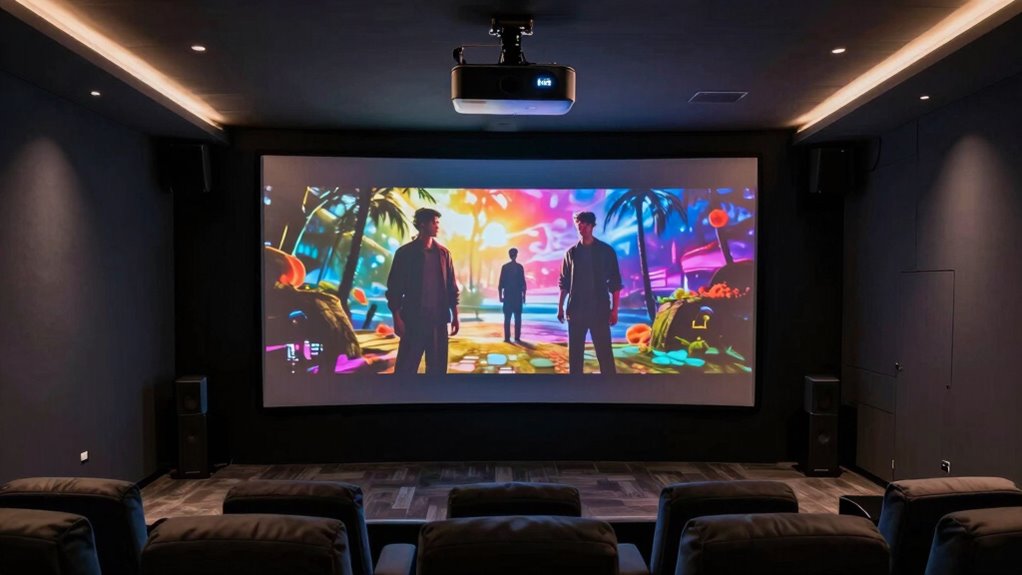

A premium 4K HDR home theater projector has to balance picture quality with room fit, setup, and the kind of light output your screen actually needs. My best overall pick is the Epson Home Cinema LS11000, pairing laser illumination with a strong home-cinema feature set. The Sony VPL-XW5000ES stands out for native 4K detail, while the BenQ W4100i is a smart alternative for buyers who want an integrated streaming-focused setup. The main tradeoffs are native versus pixel-shifted 4K, laser versus lamp illumination, and theater-room contrast versus brightness for rooms with ambient light. Read on for the full comparison and advice on matching a projector to your space.

Get the latest gadgets delivered free with Prime
- Fast, free delivery on millions of items
- Prime Video, Amazon Music and more included
- Member-only deals all year
Complete the kit



Key Takeaways
- The Epson LS11000 is the most balanced dedicated-theater choice in this lineup, while the Sony VPL-XW5000ES and BRAVIA models appeal to buyers who put native 4K imaging higher on the list.
- Native 4K and pixel-shifted 4K are different value propositions: Sony’s native-4K options prioritize fine detail, while several Epson and ViewSonic models aim to deliver a capable 4K-style image at a broader range of budgets.
- Room conditions can outweigh resolution claims. The ViewSonic LS740-4K’s high brightness and the Optoma GT1090HDR’s short-throw design address practical placement and light challenges better than a dark-room-first premium model.
- Laser models suit frequent viewing and flexible use by avoiding routine lamp replacement, but their higher-end image features only pay off if the screen, seating distance, and room support them.
- Smart features are not a substitute for theater performance. The X9 Pro and BenQ W4100i bring streaming convenience, while buyers seeking a permanent cinema installation should give greater weight to image control, throw geometry, and light management.
| ViewSonic PX701-4K UHD DLP Projector |  | Best for Fast-Paced Gaming | Resolution: 3840 × 2160 | Display type: DLP | Brightness: 3,200 ANSI lumens | VIEW ON AMAZON | See Our Full Breakdown |
| Epson Home Cinema LS6000 4K HDR Laser Projector |  | Best for Flexible Premium Theater Installations | Display technology: 4K Display Technology, 3-chip 3LCD | Light source: Laser array | Color and white brightness: 3,400 lumens each | VIEW ON AMAZON | See Our Full Breakdown |
| Epson Home Cinema 2350 4K PRO-UHD Smart Streaming Projector | 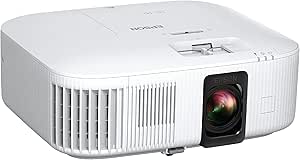 | Best for Built-In Streaming | Native resolution: 3840 × 2160 | Display type: LCD, 3-chip 3LCD | Brightness: 2,800 lumens | VIEW ON AMAZON | See Our Full Breakdown |
| X9 Pro Smart Projector with VIDAA OS, 4K Decoding, Dolby Audio, Wi-Fi 6, and Auto Focus |  | Best for Easy, All-in-One Setup | Native resolution: 1080p | Video decoding: 4K | Brightness: 920 ISO lumens | VIEW ON AMAZON | See Our Full Breakdown |
| ViewSonic LS740-4K 4K UHD Laser Projector, 5,000 ANSI Lumens |  | Best for Bright Rooms and Large Screens | Native resolution: 3840 × 2160 | Brightness: 5,000 ANSI lumens | Light source: Laser phosphor | VIEW ON AMAZON | See Our Full Breakdown |
| Epson Home Cinema 5050UB 4K PRO-UHD 3-Chip 3LCD Projector with HDR |  | Best for Bright, Color-Rich 3LCD Viewing | Projection technology: 4K PRO-UHD pixel shifting, 3-chip 3LCD | Native resolution: 4096 × 2160 pixels | Maximum display resolution: 1920 × 1080p | VIEW ON AMAZON | See Our Full Breakdown |
| BenQ W4100i 4K HDR Smart Home Theater Projector |  | Best for Built-In Streaming and Color Accuracy | Native resolution: 3840 × 2160 | Brightness: 3,200 lumens | Color coverage: 100% DCI-P3 | VIEW ON AMAZON | See Our Full Breakdown |
| 4K Smart Projector with 2400 ANSI Lumens, HDR10+, and eARC |  | Best for All-in-One Convenience | Native resolution: 1920 × 1080 | 4K support: 4K UHD decoding | HDR: HDR10+ | VIEW ON AMAZON | See Our Full Breakdown |
| Sony VPL-XW5000ES Native 4K HDR Laser Home Theater Projector |  | Best for Native 4K Detail | Native resolution: 3840 × 2160 | Display technology: LCoS | Brightness: 2,000 lumens | VIEW ON AMAZON | See Our Full Breakdown |
| Epson Home Cinema LS11000 4K HDR Laser Projector |  | Best for Flexible Installation and Gaming | Display technology: 3-chip 3LCD | Resolution: 4K, 8.29 million on-screen pixels | Light source: Laser | VIEW ON AMAZON | See Our Full Breakdown |
| Optoma UHZ36 4K UHD Laser HDR Home Theater Projector |  | Best for Bright, Flexible 4K Viewing | Resolution: 3840 x 2160 | Display type: DLP | Brightness: 3,500 lumens | VIEW ON AMAZON | See Our Full Breakdown |
| Epson Home Cinema 3800 4K PRO-UHD 3LCD Projector |  | Best for Rainbow-Free Color | Projection technology: 3-chip 3LCD with pixel shifting | Resolution: 3840 × 2160 | Brightness: 3,000 lumens, color and white | VIEW ON AMAZON | See Our Full Breakdown |
| Optoma GT1090HDR Short Throw Laser Home Theater Projector |  | Best for Small Rooms and Lights-On Viewing | Native resolution: 1920 × 1080 | Maximum input resolution: 3840 × 2160 | Brightness: 4,200 lumens | VIEW ON AMAZON | See Our Full Breakdown |
| Sony BRAVIA Projector 8 4K HDR Laser Home Theater Projector (VPL-XW6100ES), Black | 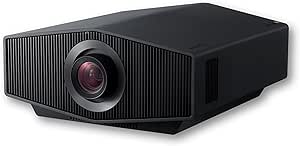 | Best Premium Native 4K Cinema Pick | Model: VPL-XW6100ES | Native resolution: 3840 x 2160 | Display type: Laser | VIEW ON AMAZON | See Our Full Breakdown |
| Sony BRAVIA Projector 7 Native 4K HDR Laser Home Theater Projector (VPL-XW5100ES), White |  | Best for 4K 120 Hz Gaming | Model: VPL-XW5100ES | Native resolution: 3840 x 2160 | Display type: Laser | VIEW ON AMAZON | See Our Full Breakdown |
| 4k hdr home theater projector premium | Brightness | Native resolution |
|---|---|---|
| ViewSonic PX701-4K UHD DLP Pro | 3,200 ANSI lumens | — |
| Epson Home Cinema LS6000 4K HD | — | — |
| Epson Home Cinema 2350 4K PRO- | 2,800 lumens | 3840 × 2160 |
| X9 Pro Smart Projector with VI | 920 ISO lumens | 1080p |
| ViewSonic LS740-4K 4K UHD Lase | 5,000 ANSI lumens | 3840 × 2160 |
| Epson Home Cinema 5050UB 4K PR | 2,600 lumens | 4096 × 2160 pixels |
| BenQ W4100i 4K HDR Smart Home | 3,200 lumens | 3840 × 2160 |
| 4K Smart Projector with 2400 A | 2,400 ANSI lumens; three brightness modes | 1920 × 1080 |
| Sony VPL-XW5000ES Native 4K HD | 2,000 lumens | 3840 × 2160 |
| Epson Home Cinema LS11000 4K H | — | — |
| Optoma UHZ36 4K UHD Laser HDR | 3,500 lumens | — |
| Epson Home Cinema 3800 4K PRO- | 3,000 lumens, color and white | — |
| Optoma GT1090HDR Short Throw L | 4,200 lumens | 1920 × 1080 |
| Sony BRAVIA Projector 8 4K HDR | 2,700 lumens | 3840 x 2160 |
| Sony BRAVIA Projector 7 Native | Up to 2,200 lumens | 3840 x 2160 |
More Details on Our Top Picks
ViewSonic PX701-4K UHD DLP Projector
The PX701-4K is the gaming-focused pick in this group: its 240Hz refresh rate and 4.2ms input lag prioritize responsive play, while 3,200 ANSI lumens help keep a large image visible in rooms that aren’t fully dark. Its 4K UHD resolution and HDR/HLG support also cover movie nights, but this is less of a flexible, long-term theater installation than the Epson LS6000. The Epson adds a laser light source, lens shift, and eARC; the ViewSonic counters with a much faster stated refresh rate and simpler image adjustments. Auto keystone and four-corner correction can help with placement, though they don’t make this stationary projector portable. The listed 6,000-hour light-source life is another tradeoff beside laser options such as the ViewSonic LS740-4K.
Pros:- 4K UHD resolution with HDR and HLG support
- 240Hz refresh rate and 4.2ms stated input lag suit fast gaming
- 3,200 ANSI lumens support a bright, large-screen image
- Auto keystone and four-corner adjustment help with setup
Cons:- Listed light-source life is 6,000 hours, shorter than the LS740-4K’s stated laser life
- Stationary design is less suited to buyers who need a portable projector
- No lens shift is listed, limiting installation flexibility compared with the LS6000
Best for: Console and PC gamers who want a large 4K image, very low stated input lag, and a high refresh rate for fast-moving games.
Not ideal for: Buyers planning a permanent premium theater who prioritize laser longevity, extensive lens placement flexibility, or eARC audio connectivity.
- Resolution:3840 × 2160
- Display type:DLP
- Brightness:3,200 ANSI lumens
- Refresh rate:240Hz
- Input lag:4.2ms
- HDR support:HDR/HLG
- Maximum image size:300 inches
- Connectivity:Dual HDMI, USB-A
Our verdict“Choose the PX701-4K if gaming responsiveness matters more than laser longevity and theater-installation flexibility.”
Epson Home Cinema LS6000 4K HDR Laser Projector
The LS6000 is the strongest fit here for a dedicated room where installation flexibility and consistent brightness matter as much as gaming. Its 3-chip 3LCD engine supplies 3,400 lumens of both color and white brightness, while the laser light source and broad manual lens shift make it better suited to a carefully positioned theater than the more gaming-oriented PX701-4K. It supports refresh rates up to 120Hz, ALLM, and input lag below 20ms, so it can handle games, though the ViewSonic’s 240Hz and 4.2ms figures are more compelling for competitive play. eARC and Bluetooth 6.0 broaden audio options, but Bluetooth is limited to optional two-channel streaming, and the lens shift must be adjusted physically. This is the most installation-minded pick, not the simplest grab-and-play option.
Pros:- 3-chip 3LCD engine with 3,400 lumens of color and white brightness
- Laser light source and manual lens shift support a permanent theater setup
- Up to 120Hz refresh rate, ALLM, and input lag below 20ms support gaming
- Two HDMI ports include one with eARC, plus Bluetooth 6.0
Cons:- Manual lens shift requires physical adjustment during setup
- Bluetooth audio is limited to optional two-channel streaming
- Less responsive on paper for competitive gaming than the PX701-4K
Best for: Home theater buyers planning a fixed installation who want a laser light source, substantial lens shift, bright color and white output, and modern gaming support.
Not ideal for: Competitive gamers focused on the lowest stated input lag or buyers who want automatic lens adjustment and unrestricted Bluetooth audio streaming.
- Display technology:4K Display Technology, 3-chip 3LCD
- Light source:Laser array
- Color and white brightness:3,400 lumens each
- Dynamic contrast ratio:800,000:1
- HDR formats:HDR, HDR10, HLG
- Refresh rate:Up to 120Hz
- Input lag:Below 20ms
- Lens shift:±21% horizontal, ±59% vertical
- HDMI:2 ports; one supports eARC
Our verdict“Pick the LS6000 for a flexible, laser-based theater installation rather than a gaming-first setup.”
Epson Home Cinema 2350 4K PRO-UHD Smart Streaming Projector
The Home Cinema 2350 makes the most sense for buyers who want streaming built into the projector instead of building a system around separate components. Android TV, Wi-Fi, and a 10-watt speaker give it a convenient living-room role, while 3-chip 3LCD technology and HDR10/HLG support make it a more theater-oriented choice than the X9 Pro, whose native resolution is 1080p. The Epson’s listed 4K PRO-UHD enhancement and 2,800 lumens make it a useful all-around option, but its setup and illumination are less ambitious than the laser-equipped LS6000. Vertical lens shift adds placement help, and input lag under 20ms is suitable for casual gaming. Streaming depends on a wireless connection, and Bluetooth audio is limited to content played through Android TV, so a separate setup may suit buyers seeking broader connectivity.
Pros:- Android TV provides built-in access to streaming apps
- 3-chip 3LCD technology supports vivid color without rainbowing
- HDR10 and HLG support, with 4K PRO-UHD resolution enhancement
- Vertical lens shift and Bluetooth audio add placement and sound options
Cons:- Streaming requires a wireless connection of 5 Mbps or faster
- Bluetooth audio is limited to content played through Android TV
- Less installation flexibility and a lower listed brightness than the LS6000
Best for: Living-room movie watchers who want Android TV streaming, built-in sound, HDR support, and a projector that can also handle casual gaming.
Not ideal for: Dedicated theater buyers seeking a laser light source, extensive lens adjustment, or the strongest stated brightness in this lineup.
- Native resolution:3840 × 2160
- Display type:LCD, 3-chip 3LCD
- Brightness:2,800 lumens
- HDR support:HDR10, HLG
- Contrast ratio:35,000:1
- Smart platform:Android TV
- Speaker:10 watts
- Input lag:Under 20ms
- Connectivity:HDMI, Wi-Fi, Bluetooth audio
Our verdict“Choose the Home Cinema 2350 if built-in streaming and straightforward living-room use matter more than laser performance or advanced installation flexibility.”
X9 Pro Smart Projector with VIDAA OS, 4K Decoding, Dolby Audio, Wi-Fi 6, and Auto Focus
The X9 Pro is the convenience-first option, not a true 4K theater projector. It accepts and decodes 4K video, but its native resolution is 1080p, so it cannot match the detail of the Epson LS6000 or the PX701-4K. Its appeal is a ready-to-use package: VIDAA OS, live TV channels, automatic focus, keystone correction, obstacle avoidance, and screen fitting reduce setup work. The dual 20-watt speakers, Wi-Fi 6, Bluetooth 5.4, and AirPlay 2 add flexibility for casual viewing. At 920 ISO lumens, however, it is better suited to a controlled-light room than a bright space or a buyer pursuing premium HDR performance. Buyers who put ease and built-in audio ahead of native 4K should look here; dedicated home theater shoppers should choose a higher-resolution alternative.
Pros:- Automatic focus, keystone correction, obstacle avoidance, and screen fitting simplify setup
- VIDAA OS includes streaming apps and live TV channels
- Two 20-watt speakers with Dolby Audio provide substantial built-in sound
- Wi-Fi 6, Bluetooth 5.4, and AirPlay 2 support flexible connections
Cons:- Native resolution is 1080p; 4K video is decoded rather than displayed at native 4K
- 920 ISO lumens are less suited to rooms with significant ambient light than brighter options
- Available connection and warranty details are not fully specified
Best for: Casual viewers who want an easy-to-position smart projector with built-in streaming, strong onboard speaker output, and automatic setup features.
Not ideal for: Buyers seeking native 4K detail, a bright image for rooms with substantial ambient light, or a premium theater picture comparable to the LS6000.
- Native resolution:1080p
- Video decoding:4K
- Brightness:920 ISO lumens
- HDR support:HDR10
- Operating system:VIDAA OS
- Speakers:2 × 20 W with Dolby Audio
- Wireless connectivity:Wi-Fi 6, Bluetooth 5.4
- Casting and smart home:AirPlay 2 and HomeKit
- Setup features:Auto focus, 6D keystone correction, obstacle avoidance, auto screen fit
Our verdict“Choose the X9 Pro for automated setup and built-in entertainment, but skip it if native 4K image detail is a requirement.”
ViewSonic LS740-4K 4K UHD Laser Projector, 5,000 ANSI Lumens
The LS740-4K is the lineup’s brightness and installation-flexibility pick. Its 5,000 ANSI lumens and 4K UHD resolution make it a stronger candidate for large images or rooms where controlling light is difficult than the LS6000, which lists 3,400 lumens. The laser light source is rated for up to 20,000 hours, and the 1.6x optical zoom, keystone controls, and four-corner adjustment provide more placement options than the gaming-oriented PX701-4K. It also supports 360-degree projection and includes Golf Mode, making it useful beyond conventional movie rooms. The tradeoff is that this model’s feature set leans toward installation versatility and brightness rather than detailed home-theater connectivity: the listed ports are HDMI, USB-A, and 3.5mm audio, with no eARC or smart platform specified.
Pros:- 5,000 ANSI lumens support a bright image on large screens
- 4K UHD resolution paired with a laser phosphor light source
- Up to 20,000 hours of stated light-source life
- 1.6x optical zoom, keystone and four-corner adjustment, and 360-degree projection
Cons:- Stationary projector design is not suited to portable viewing
- No smart platform or eARC connection is listed
- Its brightness and installation features take priority over the PX701-4K’s stated gaming response
Best for: Home theater owners with a large screen or less controllable ambient light who want high brightness, laser longevity, and flexible ceiling installation.
Not ideal for: Buyers who need built-in streaming, eARC audio, or a projector designed primarily around low-latency competitive gaming.
- Native resolution:3840 × 2160
- Brightness:5,000 ANSI lumens
- Light source:Laser phosphor
- Light-source life:Up to 20,000 hours
- Throw ratio:1.4–2.24
- Optical zoom:1.6x
- Maximum image size:300 inches
- Contrast ratio:3,000,000:1
- Additional features:Golf Mode, 360-degree projection, portrait mode, IP6X-rated sealed optical engine
Our verdict“Pick the LS740-4K for a bright, flexible laser installation, especially when screen size or room light matters more than built-in smart features.”
Epson Home Cinema 5050UB 4K PRO-UHD 3-Chip 3LCD Projector with HDR
The Epson Home Cinema 5050UB is a fit for buyers who want a large, colorful home-theater image and value its 3-chip 3LCD design and 2,600-lumen brightness. Its pixel-shifted 4K PRO-UHD approach differs from the Sony VPL-XW5000ES, which provides native 4K resolution; the Sony is the clearer match for shoppers prioritizing native 4K detail. Epson counters with strong stated color and white brightness and support for screens up to 300 inches, which can help keep a big image vivid in a dedicated room. The tradeoff is a confusing resolution listing: the product data calls out 4K enhancement but lists maximum display resolution as 1920 × 1080p. I’d verify source and signal compatibility before buying, especially for HDR, which depends on compatible external devices.
Pros:- 3-chip 3LCD displays the full RGB color signal for each frame.
- 2,600 lumens of color and white brightness suit large-screen home theaters.
- Supports image sizes up to 300 inches.
- Full 10-bit color processing supports HDR content.
Cons:- Pixel-shifted 4K PRO-UHD is not the same as the Sony VPL-XW5000ES’s native 4K resolution.
- Listed maximum display resolution of 1920 × 1080p makes the 4K signal and output details unclear.
- HDR performance depends on compatible third-party devices.
Best for: Home-theater buyers who prefer a bright, color-forward 3LCD image on a large screen and are comfortable with pixel-shifted 4K enhancement.
Not ideal for: Viewers who require confirmed native 4K input and display specifications, or who want built-in streaming rather than HDMI-connected sources.
- Projection technology:4K PRO-UHD pixel shifting, 3-chip 3LCD
- Native resolution:4096 × 2160 pixels
- Maximum display resolution:1920 × 1080p
- HDR processing:Full 10-bit color processing
- Brightness:2,600 lumens
- Contrast ratio:Up to 1,000,000:1
- Image size:50–300 inches
- Mounting:Front, rear, or ceiling
Our verdict“Choose the 5050UB for a bright, color-rich 3LCD theater image, but pick the Sony VPL-XW5000ES if native 4K is your priority.”
BenQ W4100i 4K HDR Smart Home Theater Projector
The BenQ W4100i brings together 4K UHD resolution, factory-calibrated color and Android TV with Netflix, so it suits buyers who want fewer external boxes in a premium theater setup. Its stated 100% DCI-P3 coverage is a meaningful differentiator for color-rich HDR films, while 3,200 lumens gives it more listed brightness than the Sony VPL-XW5000ES. The Sony, in turn, offers native 4K with a laser light source rated for 20,000 hours; the BenQ’s supplied specs do not identify its light-source type or lifespan. A 1.3× zoom and 2D lens shift give installers useful placement flexibility, though this remains a 13.4-pound stationary projector rather than a portable option. I’d choose it for calibrated color and integrated streaming, not for buyers who need known long-term software support.
Pros:- 4K UHD resolution with HDR-PRO.
- Factory-calibrated color with 100% DCI-P3 coverage.
- Android TV includes Netflix.
- 2D lens shift and 1.3× zoom ease placement in a fixed theater.
Cons:- Stationary design is less suited to rooms where the projector must move often.
- Software update support date is unknown.
- Unlike the Sony VPL-XW5000ES, the supplied specifications do not state a light-source type or rated operating life.
Best for: Home-theater owners who want 4K HDR, wide-gamut calibrated color, and Netflix access without relying on a separate streaming device.
Not ideal for: Buyers who need a portable projector, a documented long-life laser source, or certainty about future software updates.
- Native resolution:3840 × 2160
- Brightness:3,200 lumens
- Color coverage:100% DCI-P3
- HDR:HDR-PRO
- Zoom:1.3×
- Installation adjustment:2D lens shift
- Streaming:Android TV with Netflix
- Weight:13.4 pounds
Our verdict“Pick the W4100i if calibrated wide-gamut color and built-in Netflix matter more than a specified laser lifespan.”
4K Smart Projector with 2400 ANSI Lumens, HDR10+, and eARC
This smart projector is the most self-contained pick here: it combines built-in streaming apps, Wi-Fi 6, autofocus and dual 38W speakers, reducing the number of add-ons needed for casual movie nights. But its 4K claim needs careful reading: it supports 4K UHD decoding while its native and maximum display resolution are both 1920 × 1080. That makes it a different proposition from the BenQ W4100i, which lists native 3840 × 2160 resolution, or the Sony VPL-XW5000ES with native 4K. HDR10+ and eARC add useful format and audio connectivity support, but they do not change the projector’s stated 1080p output. Its flexible mounting and ToF autofocus are convenient; its own description warns against outdoor daylight use.
Pros:- Built-in streaming apps and Wi-Fi 6 reduce reliance on external devices.
- Dual 38W speakers with Dolby Audio provide substantial onboard sound.
- ToF autofocus and a motorized lens cover add setup convenience.
- Multiple mounting options suit ceiling, tabletop, floor, tripod, or wall placement.
Cons:- Native and maximum display resolution are 1920 × 1080 despite 4K decoding support.
- Not recommended for outdoor daylight use.
- Compared with the BenQ W4100i and Sony VPL-XW5000ES, it does not provide listed native 4K resolution.
Best for: Buyers who want a flexible, easy-to-set-up projector with built-in apps and strong onboard audio, and who accept native 1080p output.
Not ideal for: Premium-theater shoppers who expect a native 4K image, or anyone planning regular viewing in daylight or other bright conditions.
- Native resolution:1920 × 1080
- 4K support:4K UHD decoding
- HDR:HDR10+
- Brightness:2,400 ANSI lumens; three brightness modes
- Audio:Dual 38W speakers with Dolby Audio
- Connectivity:Wi-Fi 6, two-way Bluetooth, HDMI, USB, AV, 3.5 mm audio, Ethernet
- HDMI features:eARC and CEC
- Focus:ToF autofocus
- Image size:Up to 300 inches
Our verdict“Choose this model for convenient streaming and built-in audio, not for a premium native-4K home theater.”
Sony VPL-XW5000ES Native 4K HDR Laser Home Theater Projector
The Sony VPL-XW5000ES is the clearest fit for buyers who want native 4K resolution from a dedicated home-theater projector. Its LCoS imaging and laser light source distinguish it from the pixel-shifting Epson Home Cinema 5050UB: Sony lists 3840 × 2160 native resolution, while Epson’s 4K PRO-UHD approach uses pixel shifting and has a conflicting 1080p maximum-display listing. The Sony’s 2,000 lumens are lower than the BenQ W4100i’s 3,200, so I’d favor a controlled-light room over a space where ambient light routinely washes out the image. A laser rated for up to 20,000 hours also avoids frequent lamp replacement. Gaming support is a plus, with low input lag at 4K 60 Hz and 2K 120 Hz, but sources must connect over HDMI and the unit is designed for fixed installation.
Pros:- Native 3840 × 2160 resolution delivers true 4K image detail.
- Laser light source is rated for up to 20,000 hours.
- 95% DCI-P3 color gamut supports wide-gamut viewing.
- Low input lag supports gaming at 4K 60 Hz and 2K 120 Hz.
Cons:- 2,000 lumens is lower than the BenQ W4100i’s listed 3,200 lumens.
- Stationary design is intended for a fixed installation.
- Requires HDMI-connected source devices rather than offering built-in streaming.
Best for: Dedicated-theater owners who prioritize native 4K detail, a long-life laser light source, and low-lag gaming support.
Not ideal for: Buyers who need a movable projector, built-in streaming, or more listed brightness for a room with substantial ambient light.
- Native resolution:3840 × 2160
- Display technology:LCoS
- Brightness:2,000 lumens
- Light source:Laser, rated for up to 20,000 hours
- Color gamut:95% DCI-P3
- Input lag:Under 21 ms at 4K 60 Hz; under 13 ms at 2K 120 Hz
- Connectivity:HDMI
- Mounting:Ceiling mount
Our verdict“Choose the Sony for native 4K and long-life laser projection in a fixed, light-controlled theater.”
Epson Home Cinema LS11000 4K HDR Laser Projector
The Epson Home Cinema LS11000 balances a large-screen theater picture with features that make a permanent setup easier to position and useful for gaming. Its motorized lens shift, zoom, and focus offer more installation adjustment than the W4100i’s listed 2D lens shift and 1.3× zoom, while 120Hz refresh and input lag below 20ms suit fast-moving games. Its 3-chip 3LCD laser system lists 2,500 lumens of both color and white brightness and supports HDR10+, HDR10, HDR, and HLG. Compared with the Sony VPL-XW5000ES, Epson supplies more listed brightness and more flexible lens adjustments; Sony specifies native 4K and a 20,000-hour laser life, details not stated for this Epson. Large-screen performance still depends on having the room and installation space to use it well.
Pros:- 3-chip 3LCD laser projection provides 2,500 lumens of color and white brightness.
- HDR support includes HDR10+ and HLG.
- Motorized lens shift, zoom, and focus simplify installation adjustments.
- 120Hz refresh and input lag below 20ms suit gaming.
Cons:- Large-screen performance depends on having room for a suitable installation.
- Unlike the Sony VPL-XW5000ES specifications, the supplied data does not state a native 3840 × 2160 resolution or rated laser lifespan.
- A fixed home-theater projector is less convenient for buyers who need portability.
Best for: Home-theater and gaming-room owners who need motorized placement adjustments, broad HDR format support, and high-refresh gaming.
Not ideal for: Buyers with limited mounting space, or shoppers who specifically want a clearly stated native 3840 × 2160 resolution and laser-life rating.
- Display technology:3-chip 3LCD
- Resolution:4K, 8.29 million on-screen pixels
- Light source:Laser
- Color and white brightness:2,500 lumens each
- HDR formats:HDR, HDR10, HDR10+, HLG
- Dynamic contrast ratio:1,200,000:1
- Lens shift:±47% horizontal, ±96% vertical
- Refresh rate and input lag:Up to 120Hz; below 20ms
- Connectivity:Dual HDMI ports; one with eARC
Our verdict“Choose the LS11000 for installation flexibility and gaming features, but favor the Sony if native 4K resolution and a stated laser-life rating are your priorities.”
Optoma UHZ36 4K UHD Laser HDR Home Theater Projector
The Optoma UHZ36 pairs 4K UHD resolution with 3,500 lumens, making it a strong fit for rooms where full blackout conditions are hard to achieve. Its laser source is rated for up to 30,000 hours, and Filmmaker Mode offers a more faithful presentation than motion smoothing when you want to preserve a film’s intended look. Compared with the Sony BRAVIA Projector 8, the Optoma has more stated brightness and a longer-rated light-source life, while the Sony offers native 4K panels and a wide color gamut. The UHZ36’s DLP design and MEMC give it a different balance of detail and motion handling, but its 10.4-pound body is less convenient to move, and the listed light-source warranty is limited to one year or 20,000 hours. Its 15W speaker is handy, though a dedicated sound system suits a theater better.
Pros:- 4K UHD resolution with HDR support
- 3,500-lumen output suits rooms that are not fully dark
- Laser light source rated for up to 30,000 hours
- Filmmaker Mode and MEMC offer distinct viewing options
Cons:- Listed light-source warranty is limited to one year or 20,000 hours
- At 10.4 pounds, it is less convenient to move between rooms
- Built-in 15W speaker is unlikely to replace a dedicated theater sound system
Best for: Viewers who want a bright 4K HDR laser projector for a multipurpose room and value long light-source life.
Not ideal for: Buyers prioritizing native 4K panel technology, a generous light-source warranty, or a lightweight projector for frequent relocation.
- Resolution:3840 x 2160
- Display type:DLP
- Brightness:3,500 lumens
- Contrast ratio:1,500,000:1
- Light-source life:Up to 30,000 hours
- Maximum image size:300 inches
- Connectivity:HDMI, USB, RCA
- Built-in speaker:15W
Our verdict“Choose the UHZ36 for bright, flexible 4K HDR viewing and long laser life, but not if native 4K panels or stronger light-source warranty coverage are priorities.”
Epson Home Cinema 3800 4K PRO-UHD 3LCD Projector
The Epson Home Cinema 3800 is a compelling pick for viewers who prefer 3LCD color and want to avoid the rainbow artifacts some people notice with single-chip DLP projectors. Its 3,000 lumens of both color and white brightness help maintain vivid images in a room that is not completely dark, while flexible lens shift makes placement less fussy than a fixed-position setup. The 3800 uses pixel shifting rather than native 4K panels, so it is not the same kind of 4K implementation as the Sony BRAVIA Projector 8. In return, it adds active 3D support, Bluetooth, and dual 10W speakers. Those speakers are useful for casual viewing, but a proper theater setup will benefit from separate audio. This model also uses a lamp-based design rather than the laser sources in the Optoma UHZ36 and Sony options.
Pros:- 3-chip 3LCD design avoids single-chip DLP rainbow effects
- 3,000 lumens of color and white brightness
- Lens shift provides more flexibility when positioning the projector
- Supports full 10-bit HDR and active 3D
Cons:- Uses pixel shifting rather than native 4K panels
- Built-in stereo speakers are limited for a dedicated home theater
- Lamp-based design lacks the stated long-life laser source of the Optoma UHZ36 and Sony models
Best for: Movie fans sensitive to DLP rainbow effects who want bright 3LCD color, lens-shift placement flexibility, and active 3D support.
Not ideal for: Buyers who want native 4K panels or a laser light source with a long rated operating life.
- Projection technology:3-chip 3LCD with pixel shifting
- Resolution:3840 × 2160
- Brightness:3,000 lumens, color and white
- Contrast ratio:Up to 100,000:1
- HDR:Full 10-bit HDR support
- HDMI:HDMI 2.0, 18 Gbps
- Built-in speakers:Dual 10W stereo speakers
- Maximum image size:300 inches
Our verdict“Pick the Epson 3800 if rainbow-free 3LCD color and flexible placement matter more to you than native 4K panels or a laser light source.”
Optoma GT1090HDR Short Throw Laser Home Theater Projector
The Optoma GT1090HDR earns its place for room constraints, not native 4K detail. Its 0.50:1 short-throw ratio lets it form a large image from close to the screen, while 4,200 lumens help when the room cannot be fully darkened. It accepts 4K HDR input, but its native resolution is 1920 × 1080, so it cannot match the fine detail of the 4K UHD Optoma UHZ36 or the native 4K Sony BRAVIA projectors. That distinction matters most with large screens and close seating. Laser life rated for up to 30,000 hours reduces routine light-source replacement, and auto keystone plus four-corner correction can help with awkward placement. Those correction tools add flexibility, but they do not turn its 1080p output into 4K. Buyers wanting 3D also need to source glasses separately.
Pros:- Short 0.50:1 throw ratio suits rooms with limited projector-to-screen distance
- Bright 4,200-lumen output supports viewing with some room light
- Laser light source rated for up to 30,000 hours
- HDR10, HLG, auto keystone, and four-corner correction are supported
Cons:- Native resolution is 1920 × 1080 despite accepting 4K input
- 3D glasses are sold separately
- Its strengths suit room flexibility more than a premium native-4K theater setup
Best for: Viewers with a small or awkwardly arranged room who need a bright short-throw projector and can accept 1080p native resolution.
Not ideal for: Dedicated 4K home theater buyers who want native 4K image detail, especially on a large screen or from close seating.
- Native resolution:1920 × 1080
- Maximum input resolution:3840 × 2160
- Brightness:4,200 lumens
- Throw ratio:0.50:1
- Contrast ratio:300,000:1
- Light-source life:Up to 30,000 hours
- Maximum image size:301.4 inches
- Features:HDR10, HLG, 3D-ready, auto keystone, four-corner correction
Our verdict“Choose the GT1090HDR when short-throw placement and brightness come first, but skip it if native 4K detail is the reason you are shopping.”
Sony BRAVIA Projector 8 4K HDR Laser Home Theater Projector (VPL-XW6100ES), Black
The Sony BRAVIA Projector 8 is the lineup’s clearest choice for buyers who put native 4K cinema detail and wide color ahead of portability or maximum brightness. Its 3840 × 2160 SXRD panel, XR Processor, and 95% DCI-P3 color gamut are designed to preserve fine image detail and rich color in a dedicated theater. Compared with the brighter Optoma UHZ36, the Sony has a lower stated output at 2,700 lumens, so it is better matched to controlled lighting than to a multipurpose room with daylight. The laser source is rated for 20,000 hours, shorter than the Optoma’s stated 30,000 hours, but the Sony offers lens settings for up to three screen formats. Its stationary build and 380-watt power draw make it a considered permanent installation, not a casual room-to-room projector.
Pros:- Native 3840 × 2160 SXRD resolution
- 95% DCI-P3 color gamut supports a wide range of color
- Laser light source rated for up to 20,000 hours
- Stores lens settings for up to three screen formats
Cons:- 2,700-lumen output is lower than the Optoma UHZ36 and GT1090HDR
- Stationary design is not suited to frequent relocation
- Listed power consumption is 380 watts
Best for: Dedicated theater owners seeking native 4K detail, broad HDR color, and stored lens settings for multiple screen formats.
Not ideal for: Buyers who need high brightness for a room with ambient light, want a portable projector, or prioritize lower power consumption.
- Model:VPL-XW6100ES
- Native resolution:3840 x 2160
- Display type:Laser
- Brightness:2,700 lumens
- Light-source life:20,000 hours
- Color gamut:95% DCI-P3
- Connectivity:HDMI
- Wattage:380 watts
Our verdict“Choose the BRAVIA Projector 8 for a permanent, light-controlled theater built around native 4K and wide color, rather than a brighter or more portable setup.”
Sony BRAVIA Projector 7 Native 4K HDR Laser Home Theater Projector (VPL-XW5100ES), White
The Sony BRAVIA Projector 7 stands apart by pairing native 4K with 4K input at up to 120 Hz and input lag under 12 ms at that refresh rate. That makes it the most gaming-focused choice here, while its XR Processor, HDR support, and laser source also suit movie viewing. Compared with the BRAVIA Projector 8, it has lower stated brightness at up to 2,200 lumens and lacks the listed 95% DCI-P3 figure and stored lens formats, so the Projector 8 is the more theater-oriented option in the Sony pair. The Projector 7’s 120 Hz support is its clear reason to choose it, especially for fast-moving games. It remains a stationary, HDMI-connected setup, and its 20,000-hour laser rating does not distinguish it from the Projector 8 on rated light-source life.
Pros:- Native 3840 × 2160 resolution
- Accepts 4K input at up to 120 Hz
- Input lag under 12 ms at 4K 120 Hz
- Laser light source rated for up to 20,000 hours
Cons:- Up to 2,200 lumens is lower than the other listed Optoma models
- Stationary design is less suited to moving between rooms
- One-year warranty is specified
Best for: Console and PC gamers building a dedicated 4K projection setup who want 120 Hz input and low stated input lag.
Not ideal for: Buyers focused on maximum brightness, a portable setup, or the Sony Projector 8’s listed wide-gamut and multi-format lens features.
- Model:VPL-XW5100ES
- Native resolution:3840 x 2160
- Display type:Laser
- Brightness:Up to 2,200 lumens
- Input support:4K at up to 120 Hz
- Input lag:Under 12 ms at 4K 120 Hz; under 21 ms at 4K 60 Hz
- Color gamut:Up to 95% DCI-P3
- Light-source life:Up to 20,000 hours
Our verdict“Pick the BRAVIA Projector 7 for native 4K gaming at 120 Hz; choose the Projector 8 instead if your priority is a more cinema-focused feature set.”

How We Picked
I compared these projectors around the decisions that shape a premium home theater: image detail and HDR handling, brightness for the intended room, contrast potential, and the practical flexibility to place and focus the image. I also weighed illumination type, connectivity and smart features, setup demands, and the likely upkeep burden. A high lumen figure alone did not earn a top position; brightness is useful only when it suits the screen and room rather than washing out a dark-room image.
The ranking favors projectors that offer a convincing mix of cinema performance, everyday usability, and installation flexibility. Dedicated-room models lead when their image capabilities justify the investment, while lower-cost, smart, bright, or short-throw options earn distinct places for solving specific buyer problems. Native 4K, pixel-shifted 4K, and 4K decoding are treated as different approaches, not interchangeable labels. Because the lineup spans entry-level and high-end models, a lower-ranked product may still be the better choice for a buyer whose room or setup fits its strengths.
Factors to Consider When Choosing 4k Hdr Home Theater Projector Premium
Choosing a premium projector is less about finding the biggest spec number and more about deciding what your room can support. I would start with the screen and installation plan, then compare image priorities and everyday use. These factors help prevent paying for performance that your space cannot show.
Match Throw Distance and Screen Size Before Choosing a Model
Projectors need a suitable distance from the screen to produce the image size you want, and this requirement can rule out a model before image quality enters the discussion. Measure the intended lens position, screen width, and any obstacles such as ceiling beams or lights. A short-throw design can solve a tight-room placement problem, but it is not automatically the best choice for a conventional theater installation. Buyers often pick a screen size first and discover that the projector cannot fill it from their planned mount. Check the manufacturer’s throw range and lens-shift options against your actual room dimensions, not a rough estimate. If placement flexibility matters, spend on optics and installation features rather than assuming digital correction will preserve the picture equally well.
Treat Room Light and Screen Choice as One Decision
Brightness needs depend on both ambient light and screen size; the same projector can look lively on a modest screen and less convincing on a very large one. In a dark, light-controlled room, contrast and black-level performance may matter more than chasing maximum output. A brighter model can be useful for shared rooms or daytime viewing, but stray light still reduces perceived contrast. Buyers sometimes try to fix a bright room by buying the most powerful projector, when curtains or a suitable screen may improve the result more effectively. Consider whether you can darken the room and how often you will watch with lights on before narrowing the shortlist. Choose a screen surface that suits the projector’s output and the seating arrangement rather than treating the screen as an afterthought.
Understand What 4K Means on Each Projector
Native 4K imaging uses a panel with 4K resolution, while pixel-shifting designs create a detailed image by rapidly moving pixels; some products instead accept a 4K signal and process it for a lower-resolution imaging system. These approaches can differ in visible detail, cost, and how much benefit you see from your seating position. A large screen and close seating make fine detail easier to notice, while a smaller image viewed from farther away can narrow the practical gap. HDR support also does not guarantee the same result across models, because tone mapping, contrast, and available light output affect how highlights and shadow detail appear. Avoid choosing from the “4K” label alone: check the imaging method and read how the projector handles HDR sources. If most viewing is streamed content at typical seating distances, room fit and contrast may matter more than native resolution.
Choose Laser or Lamp Around Your Viewing Habits
Laser illumination is attractive for frequent use because it avoids regular lamp replacement and can make a projector simpler to live with over time. Lamp-based models may still suit buyers who watch occasionally and want to direct more of the budget toward the image or installation. Neither light source removes the need to plan for ventilation, access, and the manufacturer’s maintenance guidance. A common mistake is to compare only the initial purchase and ignore how many hours the projector will run each week. Think about whether the projector will serve as an everyday display or a dedicated movie-night device. If it will run for long sessions often, lower routine maintenance can be worth more than a small difference in headline brightness.
Separate Streaming Convenience From Theater Performance
Built-in smart systems can reduce cable clutter and make casual viewing easier, but their app support and interfaces may not match a dedicated streaming device. External players can be replaced or upgraded independently, which is useful if your viewing services change. Check the inputs and audio connections against your existing receiver, sound system, and sources before buying. An eARC connection can simplify audio routing, but compatibility across devices and settings still matters. Buyers sometimes pay extra for a smart platform they will not use, or assume that smart features make an entry-level projector equivalent to a dedicated cinema model. Decide whether a single-box setup is a priority or whether you would rather choose a projector for image and installation performance first.
Spend More Only When Your Room Can Show the Difference
Premium native-4K and advanced laser models make the most sense when you have a large screen, controlled lighting, and a stable installation that lets their image quality come through. In a room with bright walls, a modest screen, or frequent daytime viewing, those advantages may be less visible than better light control or a brighter placement-friendly model. A low-cost projector can also be the wrong economy if its throw range forces a poor mount or its image cannot suit your screen. Set priorities in order: room compatibility, image characteristics, then convenience features. Buyers should leave space in the plan for a screen, mount, cabling, and audio rather than spending the entire budget on the projector. Paying more is justified when it solves a real limitation in your setup, not just because the model sits higher in a product range.
Frequently Asked Questions
Is native 4K worth choosing over pixel-shifted 4K for a home theater?
Native 4K is most compelling when you use a large screen, sit relatively close, and want fine detail to be a leading priority. Pixel-shifted models can still produce a detailed image and may make more sense when budget, brightness, or other room features matter more. The difference is less likely to dominate at smaller image sizes or longer seating distances. Compare the projector’s imaging method alongside contrast, HDR handling, and lens flexibility instead of treating resolution as the only quality measure. In this roundup, Sony’s native-4K models suit detail-focused buyers, while several Epson and ViewSonic choices offer different balances.
Can a premium 4K projector work in a room that is not fully dark?
Yes, but ambient light lowers perceived contrast and can make dark scenes look flatter, even on a bright projector. A brighter option can help in a multipurpose room, but it cannot fully overcome light falling on the screen. Dark curtains, careful screen selection, and controlling nearby light sources can matter as much as a higher lumen specification. Think about your usual viewing time and whether you can make the room darker before choosing a model. For regular daytime use, prioritize practical brightness and placement; for movies after dark, contrast and image control deserve more weight.
Should I buy a projector with built-in streaming apps or use an external streamer?
Built-in apps are convenient if you want fewer devices and a simpler setup, as with smart-focused choices in this lineup. An external streamer can offer a familiar interface and can be replaced without changing the projector. Either route requires checking how audio reaches your receiver or soundbar, especially if you rely on eARC or other connected devices. App availability and software support can also change over time, so avoid making the entire purchase decision around a single platform. If image performance is your main goal, choose the projector first and add a streaming device if needed.
What should I measure before buying a home theater projector?
Measure the distance from the planned lens position to the screen, the desired screen width, and the available mounting height. Note obstacles that could block the light path, plus the location of power and source cables. Then confirm that the projector’s throw range and lens-shift capability support the placement without relying on image correction as a substitute for proper alignment. Also check seating distance and room light, since these affect screen size and the image characteristics that matter most. If you cannot move the mount or screen, prioritize projector geometry before comparing extra features.
When does a laser projector make more sense than a lamp model?
A laser model is a strong fit for frequent viewing, longer sessions, or buyers who want to avoid routine lamp replacement. A lamp projector can remain a sensible choice if it will be used occasionally and its image and installation features fit the room. Compare the expected viewing pattern, maintenance guidance, and ventilation needs rather than assuming one light source always produces a better picture. Laser models in this roundup span different room and performance goals, so the light source alone does not identify the right pick. Put illumination type alongside throw, brightness, and image priorities in your decision.
Conclusion
For a balanced dedicated theater, I recommend the Epson Home Cinema LS11000 as best overall. Buyers focused on native 4K detail should look to the Sony VPL-XW5000ES, while the Sony BRAVIA Projector 8 and Projector 7 are the best premium options for shoppers prioritizing flagship native-4K laser models. For a more accessible step into 4K-style home cinema, the Epson Home Cinema 3800 is my best value pick; the Epson Home Cinema 2350 makes a friendly choice for beginners who want smart streaming convenience. If your room is tight, consider the Optoma GT1090HDR for short-throw placement, and if ambient light is a bigger concern, compare the ViewSonic LS740-4K. Match the projector to your room and screen before choosing by resolution label alone.
Halloween Picks
halloween
As an affiliate, we earn on qualifying purchases.