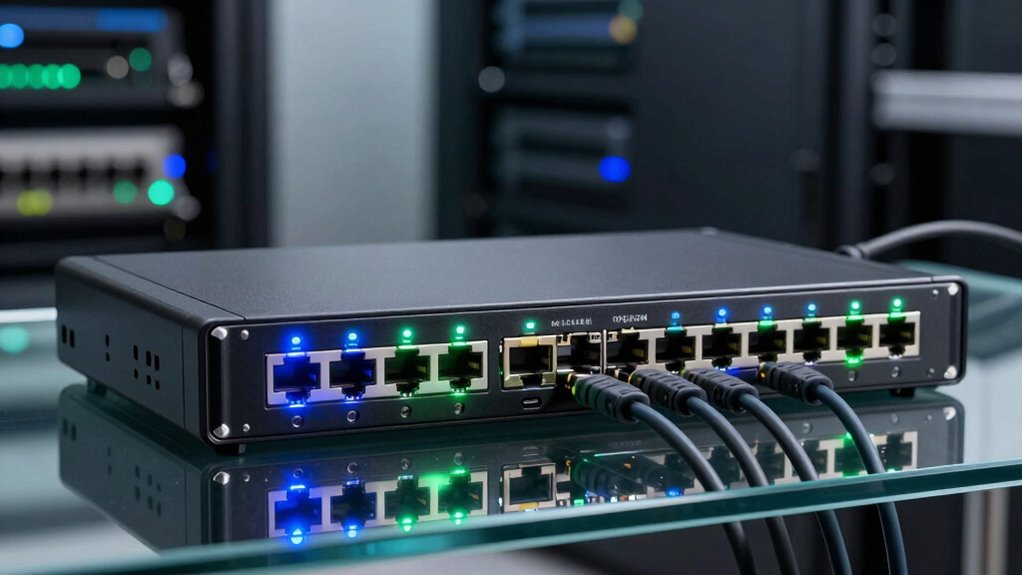

For an 8-port 10GbE network switch, I’d start with the TP-Link TL-SX1008 as the best overall fit for buyers who want eight copper ports and straightforward setup. The TP-Link Omada SX3008F is a stronger match for managed fiber networks, while the NETGEAR GS108MX makes more sense when multi-gigabit connections are enough and 10GbE is needed on fewer links. The main tradeoff is between simple RJ45 connectivity, quieter or more specialized SFP+ fiber setups, and management features that add control but require more network knowledge. PoE support and compatibility with existing cabling also affect which switch will work in your setup. Read on for the full comparison and guidance on choosing the right eight-port switch for your network.

Get the latest gadgets delivered free with Prime
- Fast, free delivery on millions of items
- Prime Video, Amazon Music and more included
- Member-only deals all year
Complete the kit



Key Takeaways
- The TP-Link TL-SX1008 is the clearest general-purpose choice among these picks for buyers who want eight 10GbE-capable RJ45 ports without managed-network complexity.
- The Omada SX3008F and SODOLA SFP+ model serve a different kind of network: their fiber-oriented ports and management features suit infrastructure with compatible transceivers, fiber links, or advanced configuration needs.
- Not every eight-port option provides eight 10GbE copper ports. The GS108MX is multi-gigabit with a more limited 10GbE arrangement, and several listed switches combine RJ45 and SFP+ ports.
- PoE is a separate buying requirement, not a given. The HPE 5400R item is a chassis module with PoE+ and MACsec, not a conventional standalone switch, so it fits an existing compatible HPE system rather than most direct replacements.
- The most useful shortlist depends on the network already in place: match port type, link speed, management needs, PoE requirements, and cabling before comparing model names.
| GigaPlus 8-Port 10Gb Ethernet Unmanaged Switch |  | Best for an All-RJ45 10Gb Upgrade | Ports: 8 | Port interface: RJ45 | Supported speeds: 10G, 5G, 2.5G, 1G, 100M | VIEW ON AMAZON | See Our Full Breakdown |
| NETGEAR GS108MX 8-Port Unmanaged Multi-Gigabit Ethernet Switch |  | Best for a Single 10G Uplink | Ports: 8 x 1Gbps Ethernet; 1 x 10G/Multi-Gigabit Ethernet | Interface: RJ45 | Switch type: Unmanaged | VIEW ON AMAZON | See Our Full Breakdown |
| YuanLey 8-Port 5Gbps Multi-Gigabit Ethernet Switch |  | Best for 5Gb Networks | Ports: 8 RJ45 | Supported speeds: 5Gbps, 2.5Gbps, 1Gbps, 100Mbps | Switching capacity: 80Gbps | VIEW ON AMAZON | See Our Full Breakdown |
| UGREEN 8-Port Unmanaged 10Gb Ethernet Switch |  | Best for Mixed RJ45 and SFP+ Cabling | Ports: 8 | Port configuration: 4 x 10Gb RJ45; 4 x 10Gb SFP+ | Data transfer rate: 10Gbps | VIEW ON AMAZON | See Our Full Breakdown |
| NICGIGA 8-Port 10Gb Ethernet Unmanaged Switch |  | Best for Rack-Ready Copper Connections | Ports: 8 RJ45 | Supported speeds: 10G, 5G, 2.5G, 1G, 100M | Switching capacity: 160Gbps | VIEW ON AMAZON | See Our Full Breakdown |
| Ztyuav 8-Port Unmanaged 10Gb Ethernet Switch with 6 RJ45 and 2 SFP+ Ports |  | Best for Mixed Copper and Fiber Connections | Ports: 8 total: 6 RJ45 and 2 SFP+ | Port speeds: 1Gbps, 2.5Gbps, and 10Gbps | Switching bandwidth: Up to 160Gbps | VIEW ON AMAZON | See Our Full Breakdown |
| TP-Link Omada SX3008F 8-Port 10G SFP+ L2+ Managed Switch |  | Best for Managed SFP+ Networks | Ports: 8 SFP+ | Port speed: 10Gbps | Switching capacity: Non-blocking switching capacity | VIEW ON AMAZON | See Our Full Breakdown |
| HPE 5400R 8-Port Multi-Gigabit PoE+ v3 zl2 Module with MACsec |  | Best for Existing HPE 5400R Chassis | Ports: 8 RJ45 | Supported speeds: 1, 2.5, 5, and 10Gbps | PoE: PoE+ | VIEW ON AMAZON | See Our Full Breakdown |
| 8-Port 10Gb Ethernet Switch with 6 RJ45 and 2 SFP+ Ports |  | Best for Flexible Desktop or Rack Placement | Ports: 8 total: 6 RJ45 and 2 SFP+ | Supported rates: 1G, 2.5G, 5G, and 10G | Switching capacity: 160Gbps | VIEW ON AMAZON | See Our Full Breakdown |
| TP-Link TL-SX1008 8-Port 10G Multi-Gigabit Unmanaged Ethernet Switch |  | Best Overall for Eight Copper Ports | Ports: 8 RJ45 | Port speeds: 100Mbps, 1Gbps, 2.5Gbps, 5Gbps, and 10Gbps | Switching capacity: 160Gbps | VIEW ON AMAZON | See Our Full Breakdown |
| YuanLey 8-Port 10G Ethernet Switch |  | Best for Mixed RJ45 and SFP+ Setups | Ports: 6 x 10Gbps RJ45, 2 x 10G SFP+ | Supported speeds: 10G/5G/2.5G/1G/100Mbps | Switching capacity: 160Gbps | VIEW ON AMAZON | See Our Full Breakdown |
| SODOLA 8-Port 10GbE SFP+ Layer 3 Managed Switch |  | Best for Managed SFP+ Networks | Ports: 8 x 10GbE SFP+ | Switch type: Managed, Layer 3 | Management: Web UI and console | VIEW ON AMAZON | See Our Full Breakdown |
| 10gbe network switch 8 port | Ports | Switch type | Switching capacity | Mounting |
|---|---|---|---|---|
| GigaPlus 8-Port 10Gb Ethernet | 8 | Unmanaged | 160Gbps | Desktop or 19-inch rack |
| NETGEAR GS108MX 8-Port Unmanag | 8 x 1Gbps Ethernet; 1 x 10G/Multi-Gigabit Ethernet | Unmanaged | — | Desktop or wall mount |
| YuanLey 8-Port 5Gbps Multi-Gig | 8 RJ45 | Unmanaged | 80Gbps | — |
| UGREEN 8-Port Unmanaged 10Gb E | 8 | Unmanaged | — | — |
| NICGIGA 8-Port 10Gb Ethernet U | 8 RJ45 | Unmanaged | 160Gbps | Desktop or 19-inch rack mount |
| Ztyuav 8-Port Unmanaged 10Gb E | 8 total: 6 RJ45 and 2 SFP+ | — | — | — |
| TP-Link Omada SX3008F 8-Port 1 | 8 SFP+ | — | Non-blocking switching capacity | — |
| HPE 5400R 8-Port Multi-Gigabit | 8 RJ45 | — | — | — |
| 8-Port 10Gb Ethernet Switch wi | 8 total: 6 RJ45 and 2 SFP+ | Unmanaged | 160Gbps | Desktop or rack |
| TP-Link TL-SX1008 8-Port 10G M | 8 RJ45 | Unmanaged | 160Gbps | Desktop or rackmount |
| YuanLey 8-Port 10G Ethernet Sw | 6 x 10Gbps RJ45, 2 x 10G SFP+ | Unmanaged | 160Gbps | — |
| SODOLA 8-Port 10GbE SFP+ Layer | 8 x 10GbE SFP+ | Managed, Layer 3 | — | Wall-mountable |
More Details on Our Top Picks
GigaPlus 8-Port 10Gb Ethernet Unmanaged Switch
The GigaPlus is a straightforward fit for buyers who want 10Gbps on all eight ports without adding SFP+ modules or changing to fiber or DAC cabling. Its RJ45 ports also negotiate down through 5Gbps, 2.5Gbps, 1Gbps, and 100Mbps, so older devices can share the switch while faster NAS units and PCs use higher link speeds. The stated 160Gbps switching capacity matches its eight-port 10Gb design, and desktop or 19-inch rack mounting gives it more placement flexibility than the desktop-or-wall NETGEAR GS108MX. The tradeoff is its unmanaged operation: there are no configurable network controls, and its one-year warranty is shorter than NETGEAR’s limited lifetime hardware warranty. I would shortlist it for a simple, all-copper 10Gb setup, not a managed network.
Pros:- All eight RJ45 ports support speeds up to 10Gbps.
- Auto-negotiates down to 5Gbps, 2.5Gbps, 1Gbps, and 100Mbps for mixed-speed devices.
- Supports desktop and 19-inch rack mounting.
- Plug-and-play setup avoids software configuration.
Cons:- Unmanaged design provides no configurable network controls.
- One-year warranty is shorter than the NETGEAR GS108MX’s stated limited lifetime hardware warranty.
Best for: Home-lab owners or small offices connecting several 10Gb-capable NAS units, PCs, and routers over RJ45, with no need for VLANs or other switch controls.
Not ideal for: Buyers who need managed network settings, a quieter fanless design, or the longer stated hardware warranty offered by the NETGEAR GS108MX.
- Ports:8
- Port interface:RJ45
- Supported speeds:10G, 5G, 2.5G, 1G, 100M
- Switching capacity:160Gbps
- Switch type:Unmanaged
- Mounting:Desktop or 19-inch rack
- Operating temperature:0–45°C
- Warranty:1 year
Our verdict“Choose the GigaPlus if you need eight flexible-speed 10Gb RJ45 ports and can do without management features.”
NETGEAR GS108MX 8-Port Unmanaged Multi-Gigabit Ethernet Switch
The GS108MX is the outlier in this group: it is not an eight-port 10Gb switch. It has eight 1Gbps ports and one 10G/Multi-Gigabit port, which makes it more useful for connecting a gigabit device cluster to a faster router, NAS, or core switch than for upgrading several endpoints to 10Gb. Compared with the GigaPlus, it gives up multi-gigabit access across the port bank but adds a fanless metal case and a stated limited lifetime hardware warranty. Its plug-and-play setup and desktop or wall mounting suit a quiet office or media cabinet, while Energy Efficient Ethernet can reduce power use. The clear limitation is capacity at the edge: only one port supports 10G/Multi-Gigabit, and the unmanaged design has no network controls.
Pros:- One 10G/Multi-Gigabit RJ45 port can serve as a fast link to a router, NAS, or core switch.
- Fanless metal case supports silent operation.
- Plug-and-play setup requires no software or configuration.
- Supports desktop or wall mounting and includes IEEE 802.3az Energy Efficient Ethernet.
Cons:- Only one port supports 10G/Multi-Gigabit; the other eight are 1Gbps ports.
- Unmanaged operation provides no configuration or management features.
Best for: Small offices or home networks with mostly 1Gbps devices that need one faster connection to a NAS, router, or upstream switch and value silent operation.
Not ideal for: Buyers who need multiple 10Gb endpoints or eight multi-gigabit ports; the GigaPlus provides 10Gb-capable RJ45 across all eight ports.
- Ports:8 x 1Gbps Ethernet; 1 x 10G/Multi-Gigabit Ethernet
- Interface:RJ45
- Switch type:Unmanaged
- Network layer:Layer 1
- Case material:Metal
- Mounting:Desktop or wall mount
- Power efficiency:IEEE 802.3az Energy Efficient Ethernet
- Warranty:NETGEAR limited lifetime hardware warranty
Our verdict“Pick the GS108MX for a quiet gigabit network that needs one multi-gigabit uplink, not for eight-port 10Gb connectivity.”
YuanLey 8-Port 5Gbps Multi-Gigabit Ethernet Switch
The YuanLey is best treated as a 5Gb multi-gigabit switch, not a 10Gb option. Its eight RJ45 ports negotiate at 5Gbps, 2.5Gbps, 1Gbps, or 100Mbps, which can suit a network built around multi-gigabit access points, PCs, or NAS hardware that tops out below 10Gb. Compared with the GigaPlus, it trades 10Gb port capability and a 160Gbps switching capacity for a lower 80Gbps switching capacity and a metal housing with a specified quiet 24dB fan. Rackmount or desktop installation keeps it adaptable to a small lab. The important catch is the mismatch between the product title and its listed maximum speed: the specifications state up to 5Gbps, so I would not select it for a true 10Gb link. Its unmanaged design also rules out configurable controls.
Pros:- Eight RJ45 ports support 5Gbps, 2.5Gbps, 1Gbps, and 100Mbps connections.
- 80Gbps switching capacity is specified for the eight-port design.
- Supports rackmount or desktop installation.
- Metal housing and a specified 24dB fan suit a compact equipment area.
Cons:- Listed port speeds top out at 5Gbps despite the title’s 10Gbps claim.
- Unmanaged operation offers no configuration options.
Best for: Home-lab builders or small teams with eight 5Gbps-or-slower RJ45 devices, such as multi-gig access points, PCs, and NAS units.
Not ideal for: Anyone requiring 10Gbps links; the listed port speeds top out at 5Gbps, unlike the GigaPlus and NICGIGA models.
- Ports:8 RJ45
- Supported speeds:5Gbps, 2.5Gbps, 1Gbps, 100Mbps
- Switching capacity:80Gbps
- Switch type:Unmanaged
- Installation:Rackmount or desktop
- Housing:Metal
- Fan noise:24dB
- Operating temperature:0–45°C
Our verdict“Choose this YuanLey only if 5Gbps is enough; buyers who need genuine 10Gb links should choose the GigaPlus or NICGIGA instead.”
UGREEN 8-Port Unmanaged 10Gb Ethernet Switch
UGREEN takes a different approach from the all-copper GigaPlus and NICGIGA: its eight 10Gb ports split into four RJ45 and four SFP+. That mix suits a compact rack where a NAS and nearby PCs use copper while servers or a core switch connect over DAC cables or fiber. The SFP+ ports add cabling flexibility and can avoid forcing every link onto RJ45, but they require compatible equipment or modules; buyers who want simple copper connections on every port should choose the GigaPlus instead. Auto-negotiation supports slower devices, while the smart fan and oversized heatsink address heat in a small metal enclosure. This remains an unmanaged switch, so those cooling and port options do not come with configurable network controls. Its stated 24-month warranty is longer than the one-year coverage listed for GigaPlus.
Pros:- Provides eight 10Gb ports split between four RJ45 and four SFP+.
- Supports DAC cables, fiber transceivers, and SFP+ to RJ45 modules.
- Auto-negotiates for 5Gbps, 2.5Gbps, and 1Gbps devices.
- Metal enclosure combines an oversized heatsink with a smart fan.
Cons:- Half the ports require compatible SFP+ connections or modules.
- Unmanaged design offers no configurable network controls.
Best for: Small server-room or home-lab users who need both 10Gb RJ45 connections and SFP+ links for DAC cables, fiber, or compatible modules.
Not ideal for: Buyers who want eight straightforward RJ45 ports or do not have SFP+ equipment; the GigaPlus and NICGIGA avoid the need for SFP+ connections or modules.
- Ports:8
- Port configuration:4 x 10Gb RJ45; 4 x 10Gb SFP+
- Data transfer rate:10Gbps
- Switch type:Unmanaged
- Supported slower speeds:5Gbps, 2.5Gbps, 1Gbps
- Case material:Metal
- Dimensions:6.6 x 4.2 x 1.2 in
- Warranty:24 months
Our verdict“Choose UGREEN when your 10Gb network needs both copper and SFP+ links; choose an all-RJ45 alternative for simpler cabling.”
NICGIGA 8-Port 10Gb Ethernet Unmanaged Switch
NICGIGA is a close match for the GigaPlus on core capacity: both offer eight 10Gb RJ45 ports, support the same range of slower link speeds, and specify 160Gbps switching capacity. The distinction is in the hardware details. NICGIGA lists a metal case, 19-inch rack mounting, and a 5000 RPM cooling fan, making it a practical fit for a wired rack where active cooling is acceptable. GigaPlus also supports rack mounting, but its supplied data does not specify a fan, so NICGIGA’s cooling is explicit rather than an assumed advantage. The tradeoff is noise potential from active cooling, plus a one-year warranty and no management features. I would favor it over the fanless NETGEAR GS108MX when multiple devices need 10Gb links, but not for a quiet room or configurable network.
Pros:- All eight RJ45 ports support 10G, 5G, 2.5G, 1G, and 100M speeds.
- 160Gbps switching capacity is specified.
- Supports desktop or 19-inch rack mounting.
- Metal case and a 5000 RPM fan provide active cooling.
Cons:- Active fan may produce noticeable noise in a quiet room.
- Unmanaged design provides no configurable network controls.
- One-year warranty offers less stated coverage than the NETGEAR GS108MX.
Best for: Home-lab and small-office users who need eight 10Gb RJ45 connections in a 19-inch rack and can accommodate active cooling.
Not ideal for: Buyers placing a switch in a bedroom, quiet office, or other noise-sensitive space, or anyone who needs managed network controls.
- Ports:8 RJ45
- Supported speeds:10G, 5G, 2.5G, 1G, 100M
- Switching capacity:160Gbps
- Switch type:Unmanaged
- Mounting:Desktop or 19-inch rack mount
- Case material:Metal
- Cooling:5000 RPM fan
- Warranty:1 year
Our verdict“Pick NICGIGA for eight rack-mounted 10Gb RJ45 links with active cooling, but choose a quieter option for noise-sensitive spaces.”
Ztyuav 8-Port Unmanaged 10Gb Ethernet Switch with 6 RJ45 and 2 SFP+ Ports
The Ztyuav makes sense when an eight-port 10GbE switch needs to connect both copper devices and SFP+ links. Its six RJ45 ports serve desktops, cameras, or routers, while the two SFP+ ports can connect compatible fiber or DAC equipment. Auto-negotiation across 1, 2.5, and 10Gbps helps it fit a mixed-speed network; unlike the all-RJ45 TP-Link TL-SX1008, though, it gives up two copper ports for that flexibility. A VLAN mode adds basic port isolation, but this is still unmanaged hardware, not a substitute for a switch with configurable access rules or routing. The metal case and built-in fan suit a busier installation, with fan noise a possible drawback in a quiet room. I’d choose it for a simple hybrid network, not for detailed traffic control.
Pros:- Combines six 10GbE RJ45 ports with two 10GbE SFP+ ports
- Auto-negotiates 1Gbps, 2.5Gbps, and 10Gbps links
- VLAN mode provides basic port isolation
- Metal case and built-in fan support sustained operation
Cons:- Unmanaged design limits configuration and monitoring
- Built-in fan may be audible in a quiet workspace
Best for: Home labs or small offices that need six 10GbE copper connections plus two SFP+ uplinks and basic VLAN isolation.
Not ideal for: Buyers who need eight copper 10GbE ports, quiet-room operation, or configurable managed networking.
- Ports:8 total: 6 RJ45 and 2 SFP+
- Port speeds:1Gbps, 2.5Gbps, and 10Gbps
- Switching bandwidth:Up to 160Gbps
- Management:Unmanaged; standard and VLAN modes
- Case:Metal
- Cooling:Built-in fan
- Dimensions:10.63 × 7.13 × 1.73 inches
- Power:12V DC
Our verdict“Choose the Ztyuav if your eight-port 10GbE setup needs both copper and SFP+ connections, and skip it if you need eight RJ45 ports or detailed management.”
TP-Link Omada SX3008F 8-Port 10G SFP+ L2+ Managed Switch
The SX3008F is the management-focused choice here, but its eight SFP+ ports make it a fit for fiber or DAC-heavy networks rather than ordinary copper-device access. Compared with the Ztyuav, which mixes RJ45 and SFP+ connections, this TP-Link requires compatible SFP+ transceivers or direct-attach cables for those links. In return, it brings Omada SDN or standalone management, VLANs, ACLs, QoS, static routing, and link aggregation—useful when a network needs segmentation, policy controls, or centrally coordinated changes. Its non-blocking capacity is suited to demanding 10GbE traffic, while the long feature list brings more setup work than a plug-and-play switch such as the TL-SX1008. I’d shortlist it for a managed fiber backbone, not as a simple eight-port copper upgrade.
Pros:- Eight 10Gbps SFP+ ports for fiber or DAC links
- Omada SDN cloud or local standalone management
- L2+ tools include VLANs, ACLs, QoS, static routing, and link aggregation
- Five-year manufacturer warranty
Cons:- No standard RJ45 ports, so copper connections need compatible SFP+ hardware
- Managed feature set takes more setup than an unmanaged switch
Best for: IT administrators and home-lab builders with SFP+ fiber or DAC connections who need VLANs, access controls, QoS, or centralized Omada management.
Not ideal for: Buyers connecting standard RJ45-only devices directly, or anyone seeking a simple plug-and-play copper switch.
- Ports:8 SFP+
- Port speed:10Gbps
- Switching capacity:Non-blocking switching capacity
- Management:Omada SDN or standalone mode
- Network features:VLAN, ACL, static routing, QoS, IGMP, and link aggregation
- Security:802.1X, DHCP snooping, port security, storm control, and DoS defense
- Dimensions:17.32 × 7.09 × 1.73 inches
- Warranty:5 years
Our verdict“Pick the SX3008F for a controllable SFP+ network, but choose an RJ45 model such as the TL-SX1008 if your devices use copper Ethernet.”
HPE 5400R 8-Port Multi-Gigabit PoE+ v3 zl2 Module with MACsec
This HPE product is an eight-port expansion module, not a standalone switch, so it belongs on this list only for buyers who already run a compatible 5400R system. Its RJ45 ports support 1, 2.5, 5, and 10Gbps over twisted-pair cabling, giving it broader multi-gigabit compatibility than the SFP+-only TP-Link SX3008F. The module also adds PoE+ and MACsec: that can power suitable endpoint devices and protect data links without separate injectors, while hardware integration keeps the ports within the existing chassis architecture. The tradeoff is clear: it cannot serve as a self-contained eight-port switch, and the product data does not specify switching capacity or management features. I’d consider it for a compatible HPE chassis needing 10GbE and powered access ports, not for a new standalone installation.
Pros:- Eight RJ45 ports support speeds from 1Gbps through 10Gbps
- PoE+ can power compatible network devices over Ethernet
- MACsec adds link-level data protection
- Twisted-pair connections use standard RJ45 cabling
Cons:- Requires a compatible HPE 5400R system and is not standalone
- Product data does not provide switching capacity or detailed management capabilities
Best for: Organizations with an HPE 5400R system that need eight multi-gigabit RJ45 ports, PoE+, and MACsec in an existing chassis.
Not ideal for: Home users, small offices, or anyone seeking a standalone 10GbE switch without an HPE 5400R chassis.
- Ports:8 RJ45
- Supported speeds:1, 2.5, 5, and 10Gbps
- PoE:PoE+
- Security:MACsec
- Media:Twisted pair
- Module model:J9995A
- Weight:3 lb
Our verdict“Buy this module only when expanding a compatible HPE 5400R chassis; for an independent eight-port switch, the TP-Link TL-SX1008 is a more direct fit.”
8-Port 10Gb Ethernet Switch with 6 RJ45 and 2 SFP+ Ports
This mixed-port switch is a practical pick when installation options matter as much as port mix. It pairs six 10G RJ45 ports with two SFP+ ports and supports 1G, 2.5G, 5G, and 10G links, so it can join older multi-gig devices and faster uplinks without forcing an all-at-once upgrade. Its desktop or rack mounting gives it an advantage over the Ztyuav, whose supplied data does not list mounting options; both share the same six-copper, two-SFP+ layout and unmanaged approach. Plug-and-play operation keeps setup simple, and the listed 160Gbps switching capacity suits a full set of 10GbE links. The cost of that simplicity is limited control: there are no configurable management tools, and a quiet fan is still a fan. I’d favor it for a small network needing flexible placement, not managed segmentation.
Pros:- Six RJ45 and two SFP+ ports support a mix of copper and SFP+ links
- Supports 1G, 2.5G, 5G, and 10G rates
- Desktop or rack mounting suits more installation setups
- Metal casing and listed 6KV lightning protection
Cons:- Unmanaged design provides no configurable network controls
- Built-in fan means it may not be silent
Best for: Small offices or home labs with a mix of RJ45 devices and SFP+ uplinks that need a desktop or rack-mountable 10GbE switch.
Not ideal for: Administrators who need VLAN configuration, traffic controls, or fully silent operation.
- Ports:8 total: 6 RJ45 and 2 SFP+
- Supported rates:1G, 2.5G, 5G, and 10G
- Switching capacity:160Gbps
- Switch type:Unmanaged
- Mounting:Desktop or rack
- Casing:Metal
- Protection:6KV lightning protection
Our verdict“Choose this model when you want mixed RJ45 and SFP+ ports with desktop or rack placement, and prefer the SX3008F if managed SFP+ features matter more.”
TP-Link TL-SX1008 8-Port 10G Multi-Gigabit Unmanaged Ethernet Switch
The TL-SX1008 is the clearest fit for buyers who mean eight 10GbE ports on a standalone switch: all eight connections are RJ45, unlike the mixed-port Ztyuav and the SFP+-only Omada SX3008F. Auto-negotiation from 100Mbps through 10Gbps lets older devices stay connected while faster systems use higher speeds, avoiding a forced network-wide upgrade. Its 160Gbps switching capacity and desktop or rackmount metal case suit a home lab or small office that wants high-speed copper in one unit. Setup is plug-and-play, but that convenience also sets its limits: it has no configurable management features, so it is a weaker choice for VLAN policies or traffic rules than the managed SX3008F. The adjustable-speed fan helps with cooling, though this is not a fanless option. I’d rank it first for straightforward eight-port RJ45 10GbE.
Pros:- Eight 10G multi-gigabit RJ45 ports
- Auto-negotiates 100Mbps, 1G, 2.5G, 5G, and 10G connections
- 160Gbps switching capacity with plug-and-play setup
- Metal desktop or rackmount case with adjustable-speed fan
Cons:- Unmanaged design lacks configurable network management
- No SFP+ ports for direct fiber or DAC connections
- Adjustable fan still rules out a fully silent setup
Best for: Home-lab owners and small-office teams seeking eight 10GbE RJ45 ports with support for slower legacy Ethernet devices.
Not ideal for: Buyers who require SFP+ uplinks, managed controls such as VLAN configuration, or fanless operation.
- Ports:8 RJ45
- Port speeds:100Mbps, 1Gbps, 2.5Gbps, 5Gbps, and 10Gbps
- Switching capacity:160Gbps
- Switch type:Unmanaged
- Mounting:Desktop or rackmount
- Case:Metal
- Flow control:IEEE 802.3X
- Warranty:Limited lifetime warranty
Our verdict“Choose the TL-SX1008 for a simple standalone switch with eight multi-gigabit RJ45 ports, but look to the SX3008F if you need managed SFP+ networking.”
YuanLey 8-Port 10G Ethernet Switch
The YuanLey suits buyers who need six 10Gbps RJ45 connections for copper-based devices plus two 10G SFP+ uplinks for compatible fiber or direct-attach links. Its automatic speed negotiation, extending down to 100Mbps, can simplify connections to slower devices compared with the SODOLA, which is SFP+ only and may require manual configuration for 1G links. The unmanaged plug-and-play design keeps setup straightforward, but it also rules out VLANs and other network controls available on managed options such as SODOLA. A metal case and rackmount or desktop placement add installation flexibility; the tradeoff is an active fan, so it is less suited to a quiet room than a fanless switch. Choose it for practical copper capacity, not network segmentation.
Pros:- Six 10Gbps RJ45 ports handle copper-connected computers, storage, and access points.
- Two 10G SFP+ ports add options for fiber or direct-attach connections.
- Auto-negotiation supports speeds from 100Mbps through 10Gbps.
- Metal enclosure supports rackmount or desktop placement.
Cons:- Unmanaged operation provides no VLAN, QoS, or routing configuration.
- The 24dB cooling fan may be audible in quiet rooms.
- At 1.92 kg, it is less convenient to move or place than lighter options.
Best for: Home-lab and small-office buyers connecting several 10GbE RJ45 devices alongside one or two SFP+ links who want a plug-and-play switch.
Not ideal for: Buyers who need VLANs, routing, or other configurable network controls, or who want silent operation near a desk or media area.
- Ports:6 x 10Gbps RJ45, 2 x 10G SFP+
- Supported speeds:10G/5G/2.5G/1G/100Mbps
- Switching capacity:160Gbps
- Switch type:Unmanaged
- Cooling:24dB fan
- Placement:Rackmount or desktop
- Case material:Metal
- Operating temperature:0–45°C
Our verdict“Choose the YuanLey if you need multiple 10Gbps copper ports plus SFP+ links and can accept fan noise and no management features.”
SODOLA 8-Port 10GbE SFP+ Layer 3 Managed Switch
The SODOLA is the specialist choice here: all eight ports are 10GbE SFP+, and Layer 3 features include IPv4/IPv6 routing, VLANs, QoS, LACP, and SNMP. That makes it a better fit than the unmanaged YuanLey when a lab or office needs network segmentation, traffic controls, or routing features. The tradeoff is that SFP+ ports do not accept ordinary RJ45 Ethernet cables on their own; transceivers are sold separately, adding hardware choices and setup work. Its fanless metal enclosure avoids the cooling noise of the YuanLey and can be wall-mounted, though buyers should check compatibility for connected 1G devices because manual speed configuration may be needed. Pick this for configurable SFP+ infrastructure, not simple copper plug-and-play.
Pros:- Eight 10GbE SFP+ ports provide a consistent high-speed interface across the switch.
- Layer 3 features include IPv4/IPv6 routing, VLAN, QoS, and SNMP.
- Web UI and console access offer two management methods.
- Fanless metal enclosure supports quiet operation and wall mounting.
Cons:- SFP+ transceivers are not included, so compatible modules or cables must be sourced separately.
- 1G device connections may require manual speed configuration.
- SFP+ ports are less convenient than RJ45 for ordinary copper Ethernet devices.
Best for: Network administrators and home-lab owners building an SFP+ backbone who need Layer 3 routing, VLANs, and traffic-management features.
Not ideal for: Buyers connecting mostly standard RJ45 devices, those who want a simple unmanaged setup, or anyone unwilling to source compatible SFP+ transceivers separately.
- Ports:8 x 10GbE SFP+
- Switch type:Managed, Layer 3
- Management:Web UI and console
- Supported features:IPv4/IPv6 routing, DHCP, LACP, VLAN, QoS, IGMP, STP, SNMP
- Cooling:Fanless
- Mounting:Wall-mountable
- Case material:Metal
- Transceivers:Not included
Our verdict“Choose the SODOLA if you need managed Layer 3 features across an SFP+ network and are prepared to supply compatible transceivers.”

How We Picked
I ranked these products by how well they fit the specific promise of an eight-port 10GbE switch, not by feature count alone. The main criteria were the number and type of ports that can support 10GbE, whether the switch is unmanaged or managed, how clearly its intended setup is defined, and whether it is a standalone unit or an expansion module. I also weighed practical setup demands: RJ45 switches connect directly to compatible Ethernet cabling, while SFP+ switches require suitable transceivers or DAC cables and matching equipment.
The ranking favors options with a clear role and a straightforward path to an eight-port 10GbE network. That places the TP-Link TL-SX1008 ahead for broad, unmanaged copper use, while managed and SFP+ models rank higher for buyers who specifically need their control or port type. Multi-gigabit alternatives rank below full eight-port 10GbE choices when judged against this search, and the HPE 5400R module ranks as a specialized expansion component rather than a general standalone switch. Check the exact hardware revision and product documentation before purchase, especially where listings use broad or ambiguous model names.
| 10gbe network switch 8 port | Switch type | Mounting |
|---|---|---|
| GigaPlus 8-Port 10Gb Ethernet | Unmanaged | Desktop or 19-inch rack |
| NETGEAR GS108MX 8-Port Unmanag | Unmanaged | Desktop or wall mount |
| YuanLey 8-Port 5Gbps Multi-Gig | Unmanaged | — |
| UGREEN 8-Port Unmanaged 10Gb E | Unmanaged | — |
| NICGIGA 8-Port 10Gb Ethernet U | Unmanaged | Desktop or 19-inch rack mount |
| Ztyuav 8-Port Unmanaged 10Gb E | — | — |
| TP-Link Omada SX3008F 8-Port 1 | — | — |
| HPE 5400R 8-Port Multi-Gigabit | — | — |
| 8-Port 10Gb Ethernet Switch wi | Unmanaged | Desktop or rack |
| TP-Link TL-SX1008 8-Port 10G M | Unmanaged | Desktop or rackmount |
| YuanLey 8-Port 10G Ethernet Sw | Unmanaged | — |
| SODOLA 8-Port 10GbE SFP+ Layer | Managed, Layer 3 | Wall-mountable |
Factors to Consider When Choosing 10gbe Network Switch 8 Port
Before choosing a model, I’d map the switch to the devices and infrastructure it will connect. The label “10GbE” alone does not tell you whether all eight ports support that speed, whether they use copper or SFP+, or whether management and PoE are included. These distinctions can change both compatibility and the work needed to install the switch.
Confirm That All Eight Ports Meet Your Speed Requirement
Count the ports that can actually negotiate at 10GbE, rather than relying on the product name or total port count. Some switches offer a mixture of 10GbE and lower-speed ports, which may be adequate for a router uplink or storage server but not for eight high-speed clients. Also check supported link rates: a 10GbE-capable port may support multi-gigabit speeds, but that does not make every port equivalent across models. Match the switch to the number of devices that need 10GbE now and the connections you expect to add. If only one or two devices need 10GbE, a multi-gigabit switch with fewer faster uplinks may be a more practical fit than a full eight-port 10GbE model.
Choose RJ45 or SFP+ Around Your Existing Cabling
RJ45 ports are the direct choice when your devices use Ethernet jacks and you want to connect with compatible twisted-pair cabling. SFP+ ports can suit fiber runs, DAC connections, or a rack with matching network adapters, but they require compatible modules or cables. A common mistake is buying an SFP+ switch without checking transceiver compatibility, cable type, or the connector on the device at the other end. Copper SFP+ modules can also have different heat and power characteristics from fiber modules, so check the switch maker’s guidance. Choose the port type that reduces the number of adapters and replacement cables your installation needs.
Decide Whether Managed Features Will Be Used
An unmanaged switch keeps setup simple: connect devices and let the switch handle basic traffic forwarding. Managed models can add tools such as VLAN configuration, traffic controls, monitoring, and link aggregation, but the exact feature set varies by model. Those controls matter when separating workstations, storage, cameras, or guest devices, yet they add setup and maintenance work. Before paying for management, identify a real task you need it to perform and confirm the switch supports that task at the required port speeds. For a small network that only needs more fast connections, a managed interface may add complexity without changing day-to-day use.
Treat PoE as Its Own Compatibility Check
Do not assume a fast Ethernet switch can power access points, cameras, or phones. PoE availability, power standard, and total power budget must match the devices being connected; port speed alone says nothing about those requirements. If a product is a switch module rather than a standalone unit, check the compatible chassis and its power and cooling requirements before treating it as a complete network switch. The HPE 5400R listing is an example of why product form matters: its PoE+ capability is tied to a compatible HPE system. If PoE is essential and your preferred 10GbE switch lacks it, compare the cost and complexity of adding a separate PoE switch.
Check Cabling, Distance, and Device Support
A switch cannot make a connection run at 10GbE if the endpoint adapter or cabling cannot support that link. Confirm the network interface on each computer, server, or storage device, along with the cable category and run length appropriate to the installation. Older devices may link at lower speeds, which can still work but will not deliver 10GbE to that device. For fiber or DAC links, confirm both ends support the chosen transceiver or cable. Planning around the slowest link in each connection helps prevent buying a switch whose speed remains unused.
Weigh Installation Needs, Noise, and Expansion
Eight high-speed ports can create more heat and require more power than a basic gigabit switch, so check the product’s cooling design, placement guidance, and operating environment. A switch intended for a rack or network closet may be a poor fit beside a quiet workstation, even if its port list is right. Think about where the unit will sit, how its ports will be reached, and whether you may need more than eight connections soon. Adding a second switch can solve a port shortage, but it introduces another device and may require an uplink plan. Paying for a better-fitting form factor or managed expansion can make more sense than choosing solely by the lowest feature threshold.
Frequently Asked Questions
Do I need eight 10GbE ports, or would a switch with fewer 10GbE ports be enough?
It depends on how many devices need a 10GbE link at the same time. If only a server and a workstation need that speed, a multi-gigabit switch with one or two faster ports may meet your needs, as the NETGEAR GS108MX illustrates. If you are connecting several workstations, storage devices, or a fast uplink, a model with eight 10GbE-capable ports gives you more room to grow. Count endpoints and uplinks separately, since each uses a switch port. Avoid paying for unused 10GbE ports unless future expansion is part of the plan.
Can I connect an SFP+ switch to regular Ethernet devices?
Often, but not without checking how the connection will be made. An SFP+ port may need a compatible transceiver, a copper SFP+ module, or a DAC cable, and the device at the other end must support the same link type and speed. A switch with RJ45 ports is usually more direct when your endpoints have standard Ethernet jacks and you want to reuse suitable copper cabling. Before choosing an SFP+ model, check module support and any limits listed by the switch maker. Include the required modules or cables in your setup plan rather than treating the port as a ready-to-use Ethernet jack.
Will an 8-port 10GbE switch make my internet connection faster?
Only if the internet service, router, and connected devices can all use speeds beyond the existing bottleneck. A 10GbE switch can improve traffic between devices on the local network, such as a workstation accessing a network storage server, even when internet service is slower. The router-to-switch link also needs a suitable port and configuration if internet traffic is meant to pass at higher speeds. Check your router’s LAN ports, your service speed, and the network adapters on client devices. For many buyers, the main benefit is faster local file transfers rather than faster web access.
Should I choose an unmanaged switch if I have no VLAN experience?
An unmanaged switch is a sensible starting point when you only need to add wired ports and do not need traffic separation or detailed controls. It reduces configuration work, which makes it a closer match for simple home networks than a managed model such as the Omada SX3008F or SODOLA SFP+ option. A managed switch can still be worthwhile if you plan to learn VLANs or need features for a home lab, but check whether its interface and documentation fit your comfort level. You can also begin with an unmanaged switch and move to managed equipment when a clear need appears. Do not pay for controls that you have no plan to configure.
Is the HPE 5400R 8-port PoE+ item a direct alternative to a desktop switch?
No: the listed HPE 5400R item is an expansion module intended for a compatible HPE chassis, not a self-contained desktop switch. Its PoE+ and MACsec features may suit an organization extending an existing HPE installation, but they do not make it a plug-in replacement for a standalone eight-port switch. Check chassis compatibility, power, cooling, and installation requirements before comparing it with standalone models. If you need a switch that can be placed on a desk or shelf and connected directly, focus on the standalone products in this roundup. This distinction can prevent a mismatch between the product listing and the hardware you actually need.
Conclusion
For most buyers seeking a straightforward eight-port copper switch, I’d choose the TP-Link TL-SX1008 as the best overall; its unmanaged design keeps setup direct while matching the roundup’s core 10GbE use case. The GigaPlus, UGREEN, and NICGIGA options are worth comparing as potential value picks, but I’d verify their exact port speeds, hardware details, and documentation before deciding between them. For a premium managed fiber setup, the TP-Link Omada SX3008F is the clearest fit among these listings; the SODOLA is another specialist option for buyers who specifically need SFP+ and Layer 3 management. Beginners should favor a clearly specified unmanaged RJ45 model, while buyers who only need a smaller number of faster links may prefer the NETGEAR GS108MX over paying for eight 10GbE ports. Choose the HPE 5400R module only if you already have a compatible chassis and need its expansion and PoE capabilities.
Halloween Picks

DomKom 6-Foot Halloween Inflatable Ghosts Roasting Marshmallows

Kalolary 12ft Halloween Witch Haunted House Inflatable Archway

Gemmy 5.4 ft The Nun Animatronic Halloween Decoration
As an affiliate, we earn on qualifying purchases.