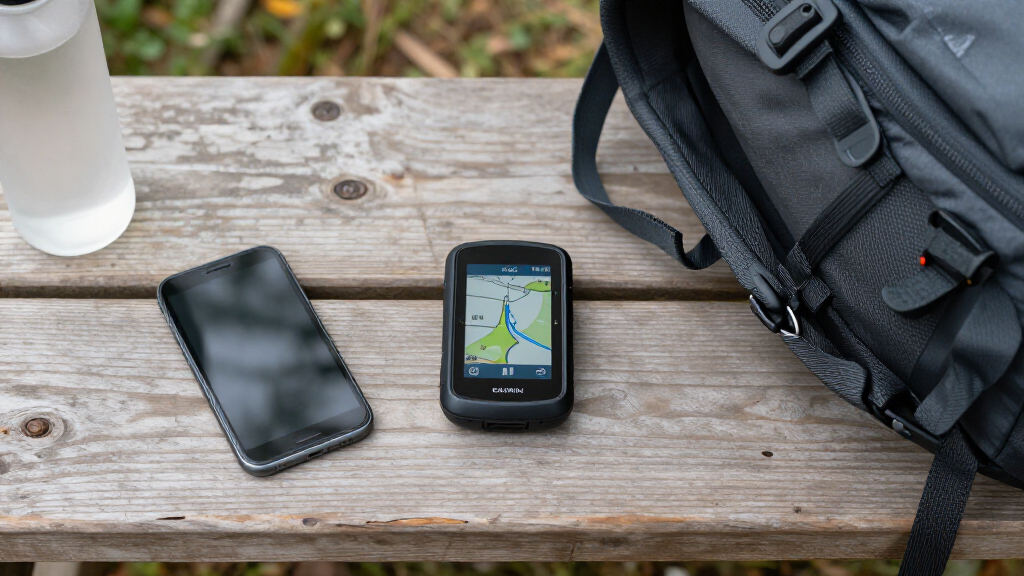

Choosing the right Garmin GPS device depends on your driving needs and preferences. For everyday commuting and detailed North American maps, the Garmin Drive 53 offers straightforward navigation with a bright display. If you want smarter features like traffic updates and voice control, the Garmin DriveSmart 55 provides an excellent balance of usability and connectivity. For road trip enthusiasts and those needing a larger, more detailed display, the Garmin DriveSmart 76 stands out with its high-resolution 7-inch screen and built-in Wi-Fi. Each model presents its own tradeoffs—smaller screens versus larger, basic features versus advanced connectivity—so understanding these differences helps find the best fit for your driving style.
Complete the kit



Key Takeaways
- The Garmin Drive 53 is ideal for drivers seeking simple, reliable navigation with a clear display, but it lacks advanced smart features.
- The DriveSmart 55 offers a good mix of ease of use and connectivity, though it requires a compatible smartphone for some functions.
- The DriveSmart 76 provides a larger, high-res screen and built-in Wi-Fi, making it perfect for frequent travelers but potentially overwhelming for casual users.
- All models focus on North American maps, with some requiring subscriptions or updates, impacting long-term cost.
- Battery life and screen size vary significantly, influencing portability and viewing comfort depending on user preferences.
| Garmin Drive 53 GPS Navigator with 5-Inch Touchscreen |  | Best Overall for Simplicity and North America Mapping | Display: 5-inch high-resolution touchscreen | Navigation: Detailed North America maps with updates | Features: Driver alerts, Tripadvisor ratings, national park directory, Garmin Real Directions | VIEW LATEST PRICE | See Our Full Breakdown |
| Garmin DriveSmart 55 and Traffic GPS Navigator, 5.5” Display |  | Best for Connectivity and Smart Features | Display Size: 5.5 inches | Control Method: Voice | Features: Live traffic, weather, traffic cams, parking, smart notifications, TripAdvisor, driver alerts | VIEW LATEST PRICE | See Our Full Breakdown |
| Garmin DriveSmart 76 7-inch Car GPS Navigator with Voice Assist and High-Resolution Maps |  | Best for Large Screen Road Trips and Advanced Features | Screen Size: 7 inches | Map Coverage: North America | Features: Voice assist, live traffic, weather, notifications, TripAdvisor, national parks, Garmin Real Directions, Alexa built-in, Wi-Fi | VIEW LATEST PRICE | See Our Full Breakdown |
| Garmin Drive 53 GPS Navigator with High-Resolution Touchscreen | | Best Compact Basic Navigation | Display: 5-inch high-resolution touchscreen | Navigation: Turn-by-turn with Garmin Real Directions | Maps: Detailed North America updates | VIEW LATEST PRICE | See Our Full Breakdown |
| Garmin GPS device | Features | Display | Navigation |
|---|---|---|---|
| Garmin Drive 53 GPS Navigator | Driver alerts, Tripadvisor ratings, national park directory, Garmin Real Directions | 5-inch high-resolution touchscreen | Detailed North America maps with updates |
| Garmin DriveSmart 55 and Traff | Live traffic, weather, traffic cams, parking, smart notifications, TripAdvisor, driver alerts | — | — |
| Garmin DriveSmart 76 7-inch Ca | Voice assist, live traffic, weather, notifications, TripAdvisor, national parks, Garmin Real Directions, Alexa built-in, Wi-Fi | — | — |
| Garmin Drive 53 GPS Navigator | Driver alerts, points of interest, national parks directory | 5-inch high-resolution touchscreen | Turn-by-turn with Garmin Real Directions |
More Details on Our Top Picks
Garmin Drive 53 GPS Navigator with 5-Inch Touchscreen
The Garmin Drive 53 stands out for its clear, high-resolution 5-inch touchscreen that makes viewing maps simple and intuitive. It provides detailed North American maps with regular updates, which is essential for accurate routing. Its real-time alerts for road conditions, landmarks, and points of interest enhance safety and convenience. Compared to larger, more feature-packed models, this device’s straightforward navigation is ideal for drivers who prefer a no-fuss experience. The main tradeoff is its limited coverage—restricted to North America—and the smaller screen size, which might be less comfortable for some users. Still, its simplicity and reliable maps make it a solid choice for everyday drivers.
Pros:- Bright, high-resolution touchscreen
- Comprehensive North America maps and updates
- Includes driver alerts and points of interest
Cons:- Limited to North America maps only
- No multimedia or smart features
- Small screen size may be less comfortable for some
Best for: Drivers who want straightforward, dependable navigation without extra bells and whistles.
Not ideal for: Those seeking advanced smart features or international map coverage.
- Display:5-inch high-resolution touchscreen
- Navigation:Detailed North America maps with updates
- Features:Driver alerts, Tripadvisor ratings, national park directory, Garmin Real Directions
Our verdict“A reliable, simple GPS device perfect for North American drivers who prioritize ease of use.”
Garmin DriveSmart 55 and Traffic GPS Navigator, 5.5” Display
The Garmin DriveSmart 55 offers a slightly larger 5.5-inch display, which improves viewing comfort. Its standout feature is built-in smart connectivity, including live traffic, weather updates, and smart notifications, making it suitable for drivers who want more than just navigation. The voice control and hands-free calling add to its convenience, especially for busy drivers. However, it requires a compatible smartphone for some features, and its external memory options are limited, which could hinder users needing extensive storage. The display size, while larger than the Drive 53, may still feel small for users who prefer a more expansive view on the road.
Pros:- Easy-to-use interface with simple menus
- Real-time traffic and weather updates
- Voice control and hands-free calling
Cons:- Requires smartphone for some features
- Limited external memory options
- Display size may be small for some users
Best for: Drivers who value smart features and real-time updates, without sacrificing ease of use.
Not ideal for: Those wanting standalone devices with no smartphone dependency or larger screens.
- Display Size:5.5 inches
- Control Method:Voice
- Features:Live traffic, weather, traffic cams, parking, smart notifications, TripAdvisor, driver alerts
- Connectivity:Built-in Wi-Fi
Our verdict“A versatile option for drivers seeking smart, connected navigation without the complexity of larger screens.”
Garmin DriveSmart 76 7-inch Car GPS Navigator with Voice Assist and High-Resolution Maps
The Garmin DriveSmart 76 offers a generous 7-inch high-resolution display, making it easier to see details at a glance. Its advanced features include voice assist, live traffic, weather updates, and smart notifications, perfect for long drives and road trips. The built-in Wi-Fi simplifies updating maps and software without the need for external devices. While the larger screen enhances visibility and usability, it also introduces a level of complexity that might overwhelm casual users. Pairing with a smartphone is often necessary to unlock some features, which could be a drawback for users preferring standalone devices. Overall, this model is best suited for frequent travelers who want an immersive navigation experience.
Pros:- Large, high-resolution 7-inch display
- Includes live traffic, weather, and notifications
- Built-in Wi-Fi for easy updates
- Voice assist and hands-free calling
Cons:- Requires pairing with a smartphone for full functionality
- Can be complex for users unfamiliar with GPS devices
Best for: Road trip enthusiasts and drivers wanting a large, detailed display with smart features.
Not ideal for: Casual drivers or those seeking minimalistic, straightforward navigation devices.
- Screen Size:7 inches
- Map Coverage:North America
- Features:Voice assist, live traffic, weather, notifications, TripAdvisor, national parks, Garmin Real Directions, Alexa built-in, Wi-Fi
Our verdict“An excellent choice for travelers who prioritize a large display and advanced connectivity features.”
Garmin Drive 53 GPS Navigator with High-Resolution Touchscreen
The Garmin Drive 53 features a bright 5-inch touchscreen that provides clear, easy-to-view maps. It offers turn-by-turn directions with Garmin Real Directions, along with driver alerts for school zones, speed changes, and sharp curves. Its detailed North America maps are regularly updated, ensuring accurate routing. This model’s simplicity makes it ideal for drivers who prefer a basic, no-frills device. However, the need for a renewed purchase for updates and its limited feature set—no voice commands or Bluetooth—may be a downside for users expecting more connectivity. Its compact size is a plus for portability but may feel restrictive for users who want larger visuals or multimedia features.
Pros:- Bright, high-resolution touchscreen
- Detailed North America maps and updates
- Driver alerts and points of interest
Cons:- Requires additional purchase for updates
- Limited to North America maps
- No voice command or Bluetooth connectivity
Best for: Casual drivers seeking a straightforward, affordable GPS for North America.
Not ideal for: Tech-savvy users or those wanting extensive smart features and multimedia options.
- Display:5-inch high-resolution touchscreen
- Navigation:Turn-by-turn with Garmin Real Directions
- Maps:Detailed North America updates
- Features:Driver alerts, points of interest, national parks directory
Our verdict“A compact, affordable GPS ideal for basic navigation needs and occasional use.”

How We Picked
Our selection process prioritized popular Garmin models that balance features, user reviews, and value for different driving needs. We considered screen size, map coverage, smart functionalities, and connectivity options to ensure a comprehensive comparison. Each device’s role was chosen to highlight its suitability for specific driver profiles—whether casual, tech-savvy, or road trip enthusiasts. We focused on models that represent the current Garmin lineup, emphasizing usability, update ease, and feature sets that align with real-world driving scenarios.
| Garmin GPS device | Navigation | Features |
|---|---|---|
| Garmin Drive 53 GPS Navigator | Detailed North America maps with updates | Driver alerts, Tripadvisor ratings, national park directory, Garmin Real Directions |
| Garmin DriveSmart 55 and Traff | — | Live traffic, weather, traffic cams, parking, smart notifications, TripAdvisor, driver alerts |
| Garmin DriveSmart 76 7-inch Ca | — | Voice assist, live traffic, weather, notifications, TripAdvisor, national parks, Garmin Real Directions, Alexa built-in, Wi-Fi |
| Garmin Drive 53 GPS Navigator | Turn-by-turn with Garmin Real Directions | Driver alerts, points of interest, national parks directory |
Factors to Consider When Choosing Best Garmin GPS Devices
When choosing a Garmin GPS device, it’s important to consider your typical driving environment, desired features, and budget. Basic models excel in simplicity and affordability, perfect for casual drivers or those with limited needs. Mid-range options add smart features like traffic updates and voice control, making daily commutes more convenient. For road trip enthusiasts or frequent travelers, larger screens with high-resolution displays and built-in Wi-Fi provide a more immersive navigation experience. Understanding these categories helps narrow down options and identify which features are most relevant to your driving habits.Basic Navigation Devices
These models prioritize simplicity and affordability. They typically include essential features like turn-by-turn directions, updated maps, and driver alerts. They are suitable for drivers who want reliable navigation without extra smart features or multimedia capabilities. However, they often lack connectivity options and may require manual updates, which could be inconvenient for some users.
Smart and Connected GPS Devices
These devices combine navigation with smart features such as live traffic, weather updates, voice control, and notifications. They are ideal for drivers who want real-time information and hands-free operation. Keep in mind that many require pairing with a smartphone, and some features may be limited without an active data connection.
Large Screen and Road Trip Models
For those who spend a lot of time on the road, larger screens (7 inches or more) improve visibility and ease of use. These models often include Wi-Fi for easy updates, detailed maps, and advanced features like Alexa integration. They are best suited for road trip lovers or drivers who prefer immersive, detailed navigation with robust connectivity options. However, they are generally more expensive and may require more setup and familiarity with GPS technology.
Frequently Asked Questions
How often do Garmin GPS devices need map updates?
Most Garmin GPS devices require periodic map updates to ensure accurate routing and access to new points of interest. Some models include built-in Wi-Fi, allowing you to update maps easily at home without connecting to a computer. Regular updates are recommended to avoid outdated directions and ensure the device functions optimally, especially if you travel in areas with frequent road changes.
Can Garmin GPS devices work outside North America?
Most Garmin models in this lineup focus on North American maps, but some higher-end or specific models offer international coverage. If you frequently travel abroad or want global maps, look for models with multi-region or global map options. Otherwise, these devices are best suited for use within North America, and additional regional maps would require separate purchases or updates.
Are Garmin GPS devices compatible with smartphones?
Many Garmin models, especially the DriveSmart series, offer Bluetooth and Wi-Fi connectivity to pair with smartphones. This pairing enables features like smart notifications, live traffic, and hands-free calling. However, some basic models like the Drive 53 do not require or support smartphone pairing, focusing solely on standalone navigation. Compatibility varies by device, so check the specifications if smart features are a priority.
How do I update my Garmin GPS device?
Updating your Garmin GPS can often be done via built-in Wi-Fi or by connecting the device to a computer using Garmin Express software. Devices with Wi-Fi capabilities can download updates automatically or manually when connected to a network. Regular updates ensure you have the latest maps, software improvements, and new points of interest, which are critical for maintaining accuracy and functionality.
What features should I consider if I want a GPS for road trips?
If road trips are your primary use, look for a device with a large, high-resolution screen, built-in Wi-Fi for easy updates, and features like live traffic and weather. Additional features like voice assist, notifications, and points of interest—such as national parks and roadside attractions—enhance the experience. The DriveSmart 76 is particularly well-suited for this purpose due to its sizable display and comprehensive feature set.
Conclusion
If you need a simple, reliable navigation device for daily North American driving, the Garmin Drive 53 is an excellent choice. For drivers who want smart features like traffic updates and voice control without a large screen, the Garmin DriveSmart 55 strikes a good balance. Those embarking on frequent or long road trips will find the Garmin DriveSmart 76 with its large display and advanced connectivity a worthwhile investment. Casual users or those on a budget should consider the Drive 53, while tech enthusiasts and travelers will appreciate the higher-end models with more features. Matching your driving habits with these options ensures you get the most suitable Garmin GPS device for your needs.