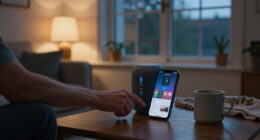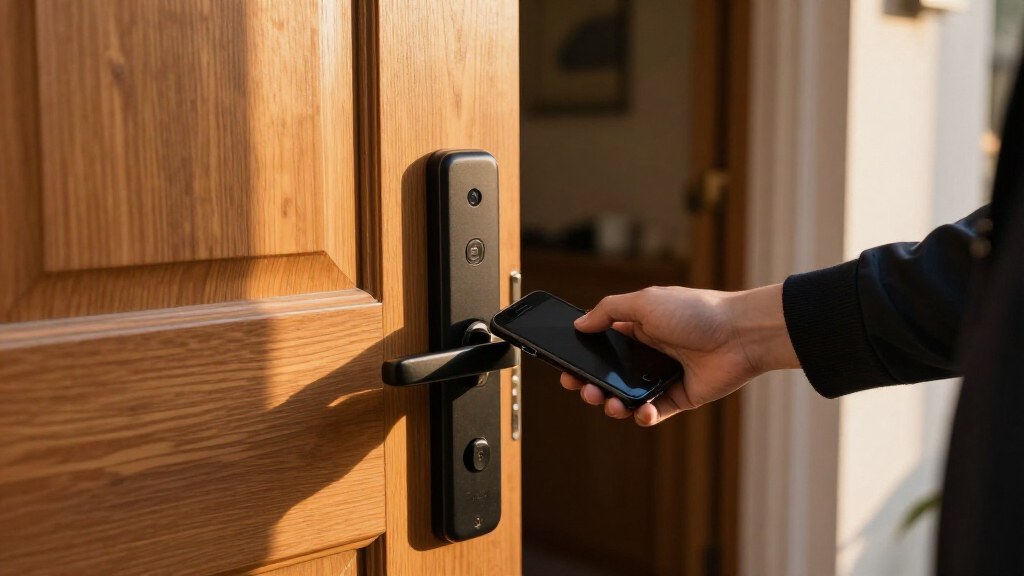
The best smart lock for most homes is the Schlage Encode Smart WiFi Deadbolt, which pairs keypad entry with built-in Wi-Fi and a familiar deadbolt format. For hands-free entry, the Aqara UWB Smart Lock U400 adds Apple Home Key, while the eufy FamiLock S3 Max combines palm recognition with a video doorbell. The tradeoffs are how you want to unlock the door, whether you need a hub or a particular smart home platform, and whether your existing door hardware will fit. A keypad keeps access simple for guests, while biometric and video features can add convenience but also complexity. Read on for the full comparison and help matching a lock to your door and daily routine.

Get the latest gadgets delivered free — and shop member deals
- Fast, free delivery on millions of items
- Access to Prime Big Deal Days deals on October 6–7
- Prime Video, Amazon Music and more included
Complete the kit



Key Takeaways
- Schlage Encode is the strongest all-around fit for buyers who want keypad access and built-in Wi-Fi in a conventional deadbolt; its two finishes are separate listings, not different lock designs.
- Aqara U400 stands apart for Apple Home Key and UWB access, making it a more specialized choice for households invested in Apple devices.
- eufy FamiLock S3 Max bundles a video doorbell with palm recognition, while the simpler Wyze Palm Lock focuses on palm and keypad entry without that same video-first setup.
- The Philips lineup includes several keypad deadbolts with handles or handle sets; buyers should compare the included hardware and finish carefully to avoid ordering a near-duplicate configuration.
- ULTRALOQ Bolt SE targets Matter over Thread setups, while Wi-Fi models such as Yale Assure Lock 2 and Schlage Encode suit buyers who prioritize direct remote access.
| Philips 4200 Series WiFi Keypad Deadbolt with Handle |  | Best for Fingerprint Entry | Connectivity: Built-in 2.4 GHz Wi-Fi; no hub required | Fingerprint unlock: 0.3 seconds | Voice assistants: Alexa and Google Assistant | VIEW LATEST PRICE | See Our Full Breakdown |
| Yale Assure Lock 2 WiFi Smart Lock Deadbolt with Keypad, Keyless Entry, Black Suede |  | Best for Scheduled Guest Access | Connectivity: 2.4 or 5 GHz Wi-Fi; no hub required | Entry methods: Keypad, Yale Access app, Apple Watch app, Auto-Unlock, backup key | Access codes: Unlimited, with scheduling and expiration | VIEW LATEST PRICE | See Our Full Breakdown |
| Wyze Palm Lock Smart Door Lock with Palm Vein Recognition and Keypad |  | Best for Contactless Biometrics | Unlock methods: Palm-vein recognition, keypad, mechanical key | Guest codes: Up to 50 unique or one-time codes | Connectivity: Wi-Fi | VIEW LATEST PRICE | See Our Full Breakdown |
| Philips Wi-Fi Smart Deadbolt Lock with Keyless Entry |  | Best for Multiple Entry Methods | Connectivity: Built-in 2.4 GHz Wi-Fi; no hub required | Unlock methods: App, passcode, fingerprint, physical key, voice | Passcode capacity: Up to 100 custom codes | VIEW LATEST PRICE | See Our Full Breakdown |
| eufy Security FamiLock S3 Max Video Smart Lock with Palm Vein Recognition |  | Best for an All-in-One Door Upgrade | Biometric entry: Palm-vein recognition; 0.6 seconds | Camera: 2K HD, f/1.8 lens | Field of view: 150° head-to-toe | VIEW LATEST PRICE | See Our Full Breakdown |
| Philips WiFi Keypad Door Lock with Handle, App-Controlled Smart Deadbolt |  | Best for Flexible Guest Access | Model: DDL242X-15HW-L | Connectivity: Built-in WiFi | Unlock methods: Voice (Alexa/Google Assistant), passcode, key, mobile app | VIEW LATEST PRICE | See Our Full Breakdown |
| eufy Security Smart Lock C220, Fingerprint Keyless Entry Door Lock |  | Best for Fingerprint Entry | Model: T8506 | Unlock methods: Fingerprint, app, keypad, physical key, Apple Watch, voice assistant | Connectivity: Built-in WiFi; no bridge required | VIEW LATEST PRICE | See Our Full Breakdown |
| Philips 4200 Series WiFi Keypad Door Lock with Handle, Satin Nickel |  | Best for Fast Fingerprint Access | Series: Philips 4200 Series | Connectivity: 2.4GHz WiFi; no hub required | Unlock methods: Fingerprint, PIN code, app, voice | VIEW LATEST PRICE | See Our Full Breakdown |
| Tapo DL110 Smart Wi-Fi Deadbolt Door Lock with Fingerprint Recognition |  | Best for Rechargeable Power | Lock type: Deadbolt | Access methods: Fingerprint, keypad passcode, WiFi, Bluetooth, smart-home assistant, backup key | Fingerprint recognition time: 0.42 seconds | VIEW LATEST PRICE | See Our Full Breakdown |
| ULTRALOQ Bolt SE Wi-Fi Smart Lock with Matter over Thread |  | Best for Smart-Home Integration | Model: ULTRALOQ Bolt SE | Access methods: Fingerprint, passcodes, app, web portal, eKey/code sharing, voice control, mechanical keys | Connectivity: Built-in 2.4GHz WiFi; Matter over Thread | VIEW LATEST PRICE | See Our Full Breakdown |
| Schlage Encode Smart WiFi Deadbolt Lock with Century Trim, Satin Nickel |  | Best for Straightforward Remote Access | Finish: Satin Nickel | Connectivity: Built-in WiFi | Voice assistants: Alexa, Google Home | VIEW LATEST PRICE | See Our Full Breakdown |
| Aqara UWB Smart Lock U400 with Apple Home Key and Fingerprint, Black |  | Best for Apple Home Key and Hands-Free Entry | Connectivity: Matter over Thread | Unlock methods: UWB, Apple Home Key, fingerprint, passcode, voice, app, NFC card, physical key | Battery: Removable rechargeable lithium battery; up to 6 months per charge | VIEW LATEST PRICE | See Our Full Breakdown |
| Wyze Auto-Lock Bolt v2 Fingerprint Keyless Entry Smart Lock |  | Best for Fast Fingerprint Entry | Model: WLCKB2 | Unlock methods: Fingerprint, app, keypad code, physical key | Fingerprint speed: 0.5 seconds | VIEW LATEST PRICE | See Our Full Breakdown |
| Philips Wi-Fi Smart Deadbolt Lock Set with Keypad and Handles |  | Best Complete Lock and Handle Set | Model: DDL240X-1HW-H2 | Connectivity: WiFi | Unlock methods: App, fingerprint, PIN code, key, voice | VIEW LATEST PRICE | See Our Full Breakdown |
| Schlage Encode Smart WiFi Deadbolt Lock with Century Trim, Matte Black |  | Best Matte Black Smart Deadbolt | Finish and trim: Matte Black, Century | Connectivity: Built-in WiFi | Compatible apps: Schlage Home app, Key by Amazon app | VIEW LATEST PRICE | See Our Full Breakdown |
| smart lock | Connectivity | Unlock methods |
|---|---|---|
| Philips 4200 Series WiFi Keypa | Built-in 2.4 GHz Wi-Fi; no hub required | — |
| Yale Assure Lock 2 WiFi Smart | 2.4 or 5 GHz Wi-Fi; no hub required | — |
| Wyze Palm Lock Smart Door Lock | Wi-Fi | Palm-vein recognition, keypad, mechanical key |
| Philips Wi-Fi Smart Deadbolt L | Built-in 2.4 GHz Wi-Fi; no hub required | App, passcode, fingerprint, physical key, voice |
| eufy Security FamiLock S3 Max | — | — |
| Philips WiFi Keypad Door Lock | Built-in WiFi | Voice (Alexa/Google Assistant), passcode, key, mobile app |
| eufy Security Smart Lock C220 | Built-in WiFi; no bridge required | Fingerprint, app, keypad, physical key, Apple Watch, voice assistant |
| Philips 4200 Series WiFi Keypa | 2.4GHz WiFi; no hub required | Fingerprint, PIN code, app, voice |
| Tapo DL110 Smart Wi-Fi Deadbol | — | — |
| ULTRALOQ Bolt SE Wi-Fi Smart L | Built-in 2.4GHz WiFi; Matter over Thread | — |
| Schlage Encode Smart WiFi Dead | Built-in WiFi | — |
| Aqara UWB Smart Lock U400 with | Matter over Thread | UWB, Apple Home Key, fingerprint, passcode, voice, app, NFC card, physical key |
| Wyze Auto-Lock Bolt v2 Fingerp | Built-in WiFi | Fingerprint, app, keypad code, physical key |
| Philips Wi-Fi Smart Deadbolt L | WiFi | App, fingerprint, PIN code, key, voice |
| Schlage Encode Smart WiFi Dead | Built-in WiFi | — |
More Details on Our Top Picks
Philips 4200 Series WiFi Keypad Deadbolt with Handle
The Philips 4200 Series pairs a matching handle with built-in Wi-Fi and a fingerprint reader that the product data says can unlock in 0.3 seconds. That makes it a strong fit for households that want quick entry without carrying a key or tapping a code. Its one-time, recurring, and periodic passcodes also offer more guest-access flexibility than a lock focused mainly on keypad entry, such as the Yale Assure Lock 2. Remote access does depend on a 2.4 GHz connection within the recommended router range, though, and the batteries are not included. I’d also factor in setup: auto-lock is off by default, so buyers who expect the door to lock itself need to enable and configure it in the app.
Pros:- Fingerprint entry is rated at 0.3 seconds
- Built-in Wi-Fi supports remote control without a separate hub
- One-time, recurring, and periodic codes suit different guest schedules
- Matching handle is included
Cons:- Remote connectivity requires 2.4 GHz Wi-Fi, with a recommended router distance of 33 feet or less
- Batteries are not included and rechargeable or lithium batteries are unsupported
- Auto-lock is off by default and must be enabled manually
Best for: Households that want fingerprint access, flexible guest codes, and a matching handle in one door upgrade.
Not ideal for: Buyers whose router is far from the door, who need 5 GHz Wi-Fi, or who expect auto-lock to be enabled out of the box.
- Connectivity:Built-in 2.4 GHz Wi-Fi; no hub required
- Fingerprint unlock:0.3 seconds
- Voice assistants:Alexa and Google Assistant
- Auto-lock:Adjustable from 0 to 180 seconds; off by default
- Battery life:Up to 6 months
- Batteries:1.5 V alkaline recommended; not included
- Door thickness:1-3/8 to 1-3/4 inches
- App:Philips Home Access
Our verdict“Choose the Philips 4200 Series if quick fingerprint entry and a complete handle set matter more than 5 GHz Wi-Fi or out-of-box auto-lock.”
Yale Assure Lock 2 WiFi Smart Lock Deadbolt with Keypad, Keyless Entry, Black Suede
The Yale Assure Lock 2 suits homes where managing many people’s access matters more than biometric entry. It supports unlimited scheduled and expiring codes, and its DoorSense feature can help the lock respond to the door’s status. Compared with the Philips 4200 Series, Yale offers both 2.4 and 5 GHz Wi-Fi and includes a backup key, while Philips adds fingerprint unlocking and a matching handle. The Yale’s keypad is backlit, and Auto-Unlock offers hands-free entry, but buyers should check the fit carefully: its stated door thickness range starts at 1-3/4 inches. The Yale Access app is limited to the US and Canada, which narrows its appeal for households elsewhere.
Pros:- Unlimited entry codes can have schedules and expiration
- Connects to 2.4 or 5 GHz Wi-Fi without a hub
- Auto-Unlock and DoorSense add hands-free and door-status features
- Includes a backup key and has BHMA Grade 2 certification
Cons:- Yale Access app functionality is limited to the US and Canada
- Specified door thickness range is 1-3/4 to 2-1/4 inches
- Requires periodic battery replacement
Best for: US and Canadian households that issue codes to frequent guests, service providers, or family members on changing schedules.
Not ideal for: Buyers outside the US and Canada, owners of thinner doors, or anyone who wants fingerprint access.
- Connectivity:2.4 or 5 GHz Wi-Fi; no hub required
- Entry methods:Keypad, Yale Access app, Apple Watch app, Auto-Unlock, backup key
- Access codes:Unlimited, with scheduling and expiration
- Certification:BHMA Grade 2
- Operating temperature:-22°F to 140°F
- Door thickness:1-3/4 to 2-1/4 inches
- Bore hole:2-1/8 inches
- App availability:Yale Access; US and Canada only
Our verdict“Pick the Yale Assure Lock 2 for extensive scheduled code management and broad Wi-Fi support if your door fits and you are in its supported app region.”
Wyze Palm Lock Smart Door Lock with Palm Vein Recognition and Keypad
The Wyze Palm Lock makes contactless palm-vein recognition its defining feature, pairing it with keypad and mechanical-key entry. That gives it a different feel from the fingerprint-based Philips 4200 Series: there is no fingerprint sensor to touch, and Wyze adds up to 50 guest codes with anti-peep protection. Its built-in gyroscope supports auto-lock, while a secondary battery and USB-C emergency charging provide extra ways to deal with depleted power. Those safeguards have limits: emergency charging requires a separate power bank, and app-based features depend on Wi-Fi and the Wyze app. Palm recognition may also be less dependable for some users in extreme weather. Choose it for its contactless access and layered entry options, rather than for a broad smart-home bundle.
Pros:- Contactless palm-vein recognition offers an alternative to fingerprint entry
- Supports up to 50 unique or one-time guest codes with anti-peep protection
- Dual-battery setup and USB-C emergency charging add backup options
- Includes gyroscope-based auto-lock and tamper and door-ajar alarms
Cons:- Emergency USB-C charging requires a separate power bank
- Full feature access depends on Wi-Fi and the Wyze app
- Palm recognition may be affected by extreme weather conditions
Best for: Households seeking touch-free biometric entry alongside guest PINs, a physical key, and a backup charging option.
Not ideal for: Buyers who do not want to rely on the Wyze app or Wi-Fi, or who lack a power bank for emergency USB-C charging.
- Unlock methods:Palm-vein recognition, keypad, mechanical key
- Guest codes:Up to 50 unique or one-time codes
- Connectivity:Wi-Fi
- Main battery life:6 months
- Secondary battery life:2 weeks
- Emergency charging:USB-C; compatible with a power bank
- Weather resistance:IP53
- Certification:BHMA Grade 3
- Voice assistants:Alexa and Google Assistant
Our verdict“Choose the Wyze Palm Lock if touch-free palm access and multiple backup entry methods are your priorities.”
Philips Wi-Fi Smart Deadbolt Lock with Keyless Entry
For households that want several ways into the same door, this Philips Wi-Fi Smart Deadbolt combines app, passcode, fingerprint, physical key, and voice control. It supports up to 100 custom passcodes, giving it more stated code capacity than the Philips 4200 Series, whose appeal leans more heavily on fingerprint speed and a bundled handle. The lock also includes Away Mode and a defined auto-lock range of 10 to 180 seconds. Those features make it a versatile choice for homes that share access with guests, but it only supports 2.4 GHz Wi-Fi and the router should be within 65 feet. There is no door sensor included, so it cannot provide the sensor-based door status offered by the Yale Assure Lock 2.
Pros:- Five listed entry methods cover app, passcode, fingerprint, key, and voice
- Supports up to 100 custom passcodes
- Built-in Wi-Fi enables remote control without an extra hub
- Auto-lock timer and Away Mode provide configurable security options
Cons:- Works only with 2.4 GHz Wi-Fi and has a stated 65-foot router range note
- Door sensor is not included
- AA alkaline batteries are not included
Best for: Families and hosts who want several entry methods and room to assign many passcodes to guests.
Not ideal for: Buyers who need 5 GHz Wi-Fi, a bundled door sensor, or a matching handle set.
- Connectivity:Built-in 2.4 GHz Wi-Fi; no hub required
- Unlock methods:App, passcode, fingerprint, physical key, voice
- Passcode capacity:Up to 100 custom codes
- Auto-lock:10 to 180 seconds
- Door thickness:1-3/8 to 2 inches
- Batteries:AA alkaline (LR6); not included
- Door sensor:Not included
- Voice assistants:Amazon Alexa and Google Assistant
Our verdict“Pick this Philips deadbolt for broad entry flexibility and high code capacity, provided its 2.4 GHz connection suits your doorway.”
eufy Security FamiLock S3 Max Video Smart Lock with Palm Vein Recognition
The eufy FamiLock S3 Max combines a smart lock with a 2K camera, video doorbell, visitor alerts, and an indoor screen. That makes it the most door-focused bundle here: unlike the Wyze Palm Lock, which centers on contactless entry and keypad access, eufy lets someone inside check the doorstep on the lock’s rear display without opening a phone app. Palm-vein unlocking stores data locally, and the lock also works with several major smart-home platforms. The tradeoff is a more involved setup: full features require the eufy app, and Matter does not carry camera streams. Its rechargeable battery is rated for up to four months, with AAA backup for an extra month, so it also calls for more power planning than a simpler keypad deadbolt.
Pros:- Combines a smart lock, 2K camera, and video doorbell
- 150° head-to-toe view and real-time visitor alerts
- Indoor screen lets household members check the door without a phone app
- Local palm-vein data storage and AAA backup power
Cons:- Full feature set requires the eufy app
- Camera streams are not supported through Matter
- Not compatible with HomeBase 2
Best for: Households that want a doorbell camera, indoor visitor screen, and smart lock in one integrated unit.
Not ideal for: Buyers who want a simple deadbolt, rely on HomeBase 2, or expect Matter to expose the camera stream.
- Biometric entry:Palm-vein recognition; 0.6 seconds
- Camera:2K HD, f/1.8 lens
- Field of view:150° head-to-toe
- Battery:Rechargeable; up to 4 months
- Backup batteries:Four AAA batteries; up to one extra month
- Data storage:Local
- Indoor display:Rear lock video screen
- Smart-home compatibility:Matter, Apple Home, Google Home, Alexa, SmartThings, eufy HomeBase 3
Our verdict“Choose the FamiLock S3 Max if you want a lock and doorstep monitoring system with an indoor screen in one unit.”
Philips WiFi Keypad Door Lock with Handle, App-Controlled Smart Deadbolt
The Philips DDL242X-15HW-L suits households that regularly share access with visitors, cleaners, or short-term guests. Its 100-code capacity and permanent, one-time, and timed passcodes make access easier to manage than on the eufy Security Smart Lock C220, whose standout advantage is fingerprint entry. Built-in WiFi also lets you manage the lock and receive alerts remotely without adding a hub. Four entry methods, including a physical key, give household members alternatives if they do not want to use the app. The tradeoff is a larger battery appetite: it takes eight AA batteries and lists up to six months of battery life, shorter than the C220’s approximate eight months. This is a useful access-management pick if you are comfortable keeping spare batteries on hand.
Pros:- Built-in WiFi enables remote locking, unlocking, and notifications without a separate hub
- Supports up to 100 permanent, one-time, and timed passcodes
- Offers keypad, app, voice assistant, and physical-key entry
- Includes two lever handles and fits many standard US deadbolt openings
Cons:- Uses eight AA batteries, which are not included
- Listed battery life of up to six months is shorter than the eufy C220’s approximate eight months
Best for: Households that need separate temporary or timed codes for visitors, service providers, or short-term guests
Not ideal for: Buyers who want longer stretches between battery changes or a fingerprint-first entry method
- Model:DDL242X-15HW-L
- Connectivity:Built-in WiFi
- Unlock methods:Voice (Alexa/Google Assistant), passcode, key, mobile app
- Password capacity:Up to 100 custom passwords
- Auto-lock timer:10–180 seconds
- Power:8 AA batteries, not included
- Listed battery life:Up to 6 months
- Water resistance:IP54
Our verdict“Choose this Philips if you need plentiful, flexible guest codes and remote access; choose the eufy C220 if fast fingerprint entry matters more.”
eufy Security Smart Lock C220, Fingerprint Keyless Entry Door Lock
The eufy Security Smart Lock C220 puts quick entry at the center of its design: its fingerprint reader is rated to unlock in under a second, so residents can get inside without entering a code or reaching for a phone. It also includes built-in WiFi, app access, keypad, key, Apple Watch, and voice-assistant options. Compared with the Philips DDL242X-15HW-L, the C220 trades a stated 100-code capacity for biometric convenience and a longer listed battery life of about eight months. Its BHMA Grade 3 certification and IP53 water resistance add useful durability details for a daily-use deadbolt. The catch is that fingerprint recognition may take several attempts while its self-learning system adapts, and results can vary with use. Pick it for a household that values hands-free entry and accepts some setup patience.
Pros:- Fingerprint entry is rated at under one second
- Six listed access methods include Apple Watch and a physical key
- Built-in WiFi supports remote control without a bridge
- Includes eight AA batteries and two backup keys
Cons:- Fingerprint recognition may need several attempts while the self-learning system adapts
- Battery life varies with how often the lock is used
Best for: Households whose residents want to enter by fingerprint, with app and keypad access as backups
Not ideal for: Buyers who need a high stated capacity for managed guest passcodes or want to avoid biometric setup
- Model:T8506
- Unlock methods:Fingerprint, app, keypad, physical key, Apple Watch, voice assistant
- Connectivity:Built-in WiFi; no bridge required
- Listed battery life:Approximately 8 months with 8 AA batteries
- Certification:BHMA Grade 3
- Water resistance:IP53
- Operating temperature:-22°F to 158°F (-30°C to 70°C)
- Installation:Approximately 15 minutes; no drilling required
Our verdict“Choose the eufy C220 for fingerprint-centered everyday entry, while the Philips DDL242X-15HW-L is a better fit for managing many guest codes.”
Philips 4200 Series WiFi Keypad Door Lock with Handle, Satin Nickel
The Philips 4200 Series combines a fingerprint reader rated at 0.3 seconds with PIN, app, and voice control, making it a strong fit for people who want several convenient ways through the door. Its included satin nickel handle set gives it a coordinated look for a front-door update. Like the Philips DDL242X-15HW-L, it connects directly to WiFi and offers flexible guest-code options; this model adds fingerprint entry, while the DDL242X-15HW-L specifies support for up to 100 custom passwords. That stated capacity makes the other Philips the clearer pick for code-heavy access management. The 4200 Series is limited to 2.4GHz WiFi, and its eight AA batteries are not included. Choose it for speed and a matching handle, provided your network and door fit its listed dimensions.
Pros:- Fingerprint unlock is rated at 0.3 seconds
- Direct 2.4GHz WiFi supports remote access without a hub
- PIN options include permanent, one-time, periodic, and recurring codes
- Matching satin nickel handle set is included
Cons:- Works only with 2.4GHz WiFi networks
- Requires eight AA alkaline batteries, which are not included
Best for: Homeowners replacing a deadbolt and handle who want quick fingerprint entry plus flexible guest PINs
Not ideal for: Buyers whose WiFi is 5GHz-only or whose door falls outside the listed thickness range
- Series:Philips 4200 Series
- Connectivity:2.4GHz WiFi; no hub required
- Unlock methods:Fingerprint, PIN code, app, voice
- Fingerprint unlock speed:0.3 seconds
- Voice assistants:Alexa, Google Assistant
- Auto-lock timer:0–180 seconds
- Door thickness compatibility:1-3/8 to 1-3/4 inches (38–50 mm)
- Finish:Satin nickel
Our verdict“Choose the 4200 Series for fast fingerprint entry and a matching handle, while the DDL242X-15HW-L is the better documented option for up to 100 custom codes.”
Tapo DL110 Smart Wi-Fi Deadbolt Door Lock with Fingerprint Recognition
The Tapo DL110 stands apart in this group with a rechargeable USB-C battery rated for up to a year in WiFi mode or two years in Bluetooth mode. That makes it appealing if replacing disposable cells is a chore. Its six access methods cover fingerprints, keypad codes, remote WiFi, nearby Bluetooth, smart-home assistants, and backup keys; it also stores up to 100 fingerprints and supports permanent, one-time, and scheduled codes. Against the eufy Security Smart Lock C220, the Tapo offers rechargeable power and a stated fingerprint capacity, while the eufy includes Apple Watch access and supplied AA batteries. The Tapo’s fingerprint sensor is rated at 0.42 seconds, and its speed or accuracy may vary with conditions and the number of enrolled prints. Pick it if rechargeable operation is your priority.
Pros:- Rechargeable battery uses USB-C and is rated for up to one year in WiFi mode
- Stores up to 100 registered fingerprints
- Supports permanent, one-time, and scheduled access codes
- Works with Alexa, Google Home, and Samsung SmartThings
Cons:- Battery life figures are based on lab testing and may vary in regular use
- Fingerprint speed and accuracy can change with conditions and enrolled fingerprint count
Best for: Homeowners who prefer USB-C charging and want to register fingerprints for multiple household members
Not ideal for: Buyers who prefer replaceable AA batteries or whose priority is the fastest stated fingerprint time in this group
- Lock type:Deadbolt
- Access methods:Fingerprint, keypad passcode, WiFi, Bluetooth, smart-home assistant, backup key
- Fingerprint recognition time:0.42 seconds
- Registered fingerprint capacity:Up to 100
- Battery life:Up to 1 year in WiFi mode; up to 2 years in Bluetooth mode
- Charging:USB-C
- Smart-home compatibility:Amazon Alexa, Google Home, Samsung SmartThings
- Access code types:Permanent, one-time, scheduled
Our verdict“Choose the Tapo DL110 if USB-C recharging and broad fingerprint registration matter more than the eufy C220’s Apple Watch access.”
ULTRALOQ Bolt SE Wi-Fi Smart Lock with Matter over Thread
The ULTRALOQ Bolt SE is the integration-focused pick here, pairing built-in WiFi with Matter over Thread for households building a broader smart-home setup. Its access options span fingerprint, passcodes, app, web portal, shared eKeys, voice assistants, and mechanical keys. Compared with the Tapo DL110, the Bolt SE adds Matter over Thread and lists ANSI BHMA certification plus IP65 weather resistance; the Tapo instead offers a rechargeable battery and capacity for 100 fingerprints. The Bolt SE’s battery life is listed at up to 18 months, but its Thread features require a compatible Thread Border Router, so that part of its appeal depends on other equipment. It also uses 2.4GHz WiFi and the router should be within 70 feet. Choose it when smart-home compatibility and longer battery intervals outweigh setup requirements.
Pros:- Combines built-in WiFi with Matter over Thread support
- Lists up to 18 months of battery life
- ANSI BHMA certified and rated IP65 for weather resistance
- Offers fingerprint, passcode, app, web portal, voice, shared eKey, and mechanical-key access
Cons:- Matter over Thread features require a compatible Thread Border Router
- Supports only 2.4GHz WiFi, with the router recommended within 70 feet
- Door sensor is not included
Best for: Smart-home owners who use or plan to add a Thread Border Router and want multiple ways to share access
Not ideal for: Buyers without a nearby 2.4GHz router or those who want Matter over Thread features without adding compatible Thread equipment
- Model:ULTRALOQ Bolt SE
- Access methods:Fingerprint, passcodes, app, web portal, eKey/code sharing, voice control, mechanical keys
- Connectivity:Built-in 2.4GHz WiFi; Matter over Thread
- Matter requirement:Thread Border Router required
- Listed battery life:Up to 18 months
- Weather resistance:IP65
- Certification:ANSI BHMA certified
- Installation:DIY; approximately 10 minutes
Our verdict“Choose the Bolt SE for a Thread-enabled smart home and broad access sharing; choose the Tapo DL110 if rechargeable USB-C power and 100 fingerprint registrations matter more.”
Schlage Encode Smart WiFi Deadbolt Lock with Century Trim, Satin Nickel
The Schlage Encode is a strong fit for households that want remote access without a separate hub. Its built-in WiFi and support for up to 100 codes make it easier to manage family, guests, or service access than a simpler keypad lock. Compared with the Wyze Auto-Lock Bolt v2, the Encode puts more emphasis on an alarm and a top BHMA residential rating, while Wyze offers fingerprint entry and longer stated battery life. The tradeoff is that the Encode relies on four AA batteries, rated for up to six months, and its app features need WiFi. Its touchscreen, backup key, and screwdriver-only installation keep daily use familiar, but buyers seeking rechargeable power or fingerprint access should look elsewhere.
Pros:- Built-in WiFi enables remote control without an added hub
- Supports up to 100 access codes
- Built-in alarm and top BHMA residential rating
- Installs with a screwdriver and includes a backup key
Cons:- Four AA batteries are rated for up to six months
- Remote and app features depend on WiFi and the Schlage Home app
Best for: Households that want app-based remote control, many guest codes, and a conventional deadbolt setup
Not ideal for: Buyers who want fingerprint unlocking, rechargeable power, or remote access without a stable WiFi connection
- Finish:Satin Nickel
- Connectivity:Built-in WiFi
- Voice assistants:Alexa, Google Home
- Access codes:Up to 100
- Power:4 AA batteries; up to 6 months
- Backup key:1 included
- Door thickness:1-3/8 in to 1-3/4 in
- Certification:BHMA highest residential Security, Durability and Finish rating
Our verdict“Choose the Schlage Encode if you want a familiar deadbolt with remote access and generous code capacity, and can live with periodic battery changes.”
Aqara UWB Smart Lock U400 with Apple Home Key and Fingerprint, Black
The Aqara U400 suits buyers who want entry to feel nearly automatic: UWB hands-free unlocking works alongside Apple Home Key, fingerprint, passcode, app, voice, and physical-key options. That breadth gives it a different emphasis from the Schlage Encode, which is simpler but centers on WiFi app control and access codes. Matter over Thread also makes the U400 a more connected-home-oriented choice, while its rechargeable battery avoids the recurring AA replacement routine of the Schlage. The tradeoff is compatibility: UWB needs a supported Apple device and Thread-enabled Apple Home hub, and the NFC card is sold separately. Its IP65 exterior rating and BHMA certification add useful reassurance, but buyers without compatible Apple equipment may not get the hands-free feature that defines this pick.
Pros:- UWB hands-free unlocking alongside Apple Home Key
- Offers fingerprint, passcode, app, voice, and physical-key entry
- Rechargeable removable battery rated for up to six months per charge
- BHMA-certified with an IP65-rated exterior
Cons:- UWB and Apple Home Key depend on compatible Apple devices and a Thread-enabled hub
- NFC card is sold separately
- Matter over Thread requires a compatible smart home setup
Best for: Apple Home households with a Thread-enabled hub that want hands-free unlocking plus fingerprint and passcode backups
Not ideal for: Buyers without compatible Apple devices or a Thread-enabled hub, especially if UWB entry is the main reason to choose it
- Connectivity:Matter over Thread
- Unlock methods:UWB, Apple Home Key, fingerprint, passcode, voice, app, NFC card, physical key
- Battery:Removable rechargeable lithium battery; up to 6 months per charge
- Charging:USB-C
- Security certification:BHMA-certified
- Weather resistance:IP65-rated exterior
- Additional modes:Auto Lock, Night Latch Mode, Do Not Disturb Mode
- Design:Rekeyable
Our verdict“Pick the Aqara U400 for hands-free Apple entry and varied backup methods if your home already meets its device and hub requirements.”
Wyze Auto-Lock Bolt v2 Fingerprint Keyless Entry Smart Lock
The Wyze Bolt v2 is the clearest choice here for people who prefer a finger over a code: its scanner is specified to unlock in 0.5 seconds, and it can store up to 50 fingerprints or keypad codes. Built-in WiFi adds app control, while a physical key and USB-C emergency power provide alternatives if the usual entry route fails. Compared with the Schlage Encode, Wyze trades the Schlage’s 100-code capacity and top BHMA rating for fingerprint access and a longer stated battery life of up to eight months. That battery life comes from eight AA cells, though, and the IP53 weather rating is less robust on paper than the Aqara U400’s IP65 exterior. Remote features also rely on WiFi and the Wyze app.
Pros:- Fingerprint unlocking specified at 0.5 seconds
- Stores up to 50 keypad codes or fingerprints
- Built-in WiFi supports remote app control
- USB-C emergency power and physical-key backup
Cons:- Uses eight AA batteries rather than a rechargeable main battery
- Remote features depend on WiFi and the Wyze app
- IP53 weather resistance is lower than the Aqara U400’s IP65 rating
Best for: Households that want quick fingerprint entry and a keypad backup, with Wyze app access over WiFi
Not ideal for: Buyers who need a high access-code count, a rechargeable main battery, or a stronger stated weather rating
- Model:WLCKB2
- Unlock methods:Fingerprint, app, keypad code, physical key
- Fingerprint speed:0.5 seconds
- Capacity:Up to 50 codes or fingerprints
- Connectivity:Built-in WiFi
- Battery:8 AA batteries; up to 8 months
- Emergency power:USB-C port
- Weather resistance:IP53
Our verdict“Choose the Wyze Bolt v2 if fast fingerprint access matters more than high code capacity or a rechargeable battery.”
Philips Wi-Fi Smart Deadbolt Lock Set with Keypad and Handles
The Philips DDL240X-1HW-H2 is a practical pick for anyone replacing both a deadbolt and its handle: the paired handle set is included, so the purchase addresses more of the door hardware in one step. Five entry methods cover app, fingerprint, PIN, key, and voice, and its one-time, temporary, recurring, and permanent PIN options give hosts more control over guest access than a basic keypad arrangement. Compared with the Schlage Encode, Philips adds fingerprint entry and the handle set, while Schlage has a stated top BHMA residential rating and a larger maximum of 100 codes. Philips also specifies 100 user codes, but its door fit is limited to 35–50 mm thickness. Check that measurement before choosing it.
Pros:- Includes a matching handle set with the deadbolt
- Offers app, fingerprint, PIN, key, and voice entry
- Supports up to 100 user codes and unlimited one-time PINs
- Auto-lock timer can be set from 30 to 180 seconds
Cons:- Door must be 35–50 mm thick for stated compatibility
- Product data does not specify a security certification
- Phone support is limited to weekdays and Saturdays
Best for: Homeowners replacing a compatible door lock and handle who want fingerprint entry and flexible guest PINs
Not ideal for: Buyers whose door is outside the 35–50 mm thickness range or who prioritize a stated BHMA rating
- Model:DDL240X-1HW-H2
- Connectivity:WiFi
- Unlock methods:App, fingerprint, PIN code, key, voice
- Voice assistants:Alexa, Google Assistant
- User codes:Up to 100; unlimited one-time PINs
- Auto-lock timer:30–180 seconds
- Door thickness:35–50 mm
- Included components:1 door lock, 1 handle set, 4 batteries
Our verdict“Choose this Philips set when you need both a smart deadbolt and handle and your door matches its specified thickness.”
Schlage Encode Smart WiFi Deadbolt Lock with Century Trim, Matte Black
This matte black Encode earns a distinct place for buyers matching a dark hardware scheme who still want built-in WiFi and familiar keypad access. Its core capabilities mirror the satin nickel Schlage Encode: up to 100 codes, Alexa and Google Home support, an alarm, a backup key, and a stated top BHMA residential rating. That makes finish the main distinction between the two Schlage entries, rather than a different feature set. Compared with the Philips DDL240X set, this model focuses on the deadbolt itself instead of adding a handle and fingerprint reader. It installs with a screwdriver and needs no hub, but four AA batteries are rated for up to six months, and app features depend on WiFi. Choose it for its finish and dependable feature mix, not for biometric entry.
Pros:- Matte black Century trim suits dark hardware schemes
- Built-in WiFi enables remote control without a separate hub
- Supports up to 100 access codes and Alexa or Google Home
- Includes a backup key and has a built-in alarm
Cons:- Four AA batteries are rated for up to six months of typical use
- App features depend on WiFi and the Schlage Home app
- No fingerprint unlocking
Best for: Homeowners coordinating matte black door hardware who want remote control, voice support, and many access codes
Not ideal for: Buyers seeking fingerprint entry, a bundled handle set, or longer-lasting rechargeable power
- Finish and trim:Matte Black, Century
- Connectivity:Built-in WiFi
- Compatible apps:Schlage Home app, Key by Amazon app
- Voice assistants:Alexa, Google Home
- Access codes:Up to 100
- Power:4 AA batteries; up to 6 months typical use
- Door fit:1-3/8 in to 1-3/4 in thick; 2-3/8 in or 2-3/4 in backset
- Certification:BHMA highest residential Security, Durability and Finish rating
Our verdict“Pick this Encode when matte black styling and hub-free remote deadbolt control matter more than fingerprint entry or a bundled handle.”

How We Picked
I ranked these smart locks by how well their access methods, connectivity, and included hardware fit common household needs. I gave more weight to practical entry options, clear smart home compatibility, and a conventional installation path than to feature counts alone. Locks that combine useful everyday access with fewer required components rise above models whose advantages depend on a specific ecosystem or extra setup.
That logic puts the Schlage Encode first as a balanced keypad and Wi-Fi deadbolt, with the Yale Assure Lock 2 and the more specialized palm, fingerprint, video, and Apple Home Key options serving distinct priorities. I treated similarly named Philips models as different configurations where the handle set or finish changes what the buyer receives. Product details can vary by listing, so I prioritized the stated model features and considered fit, maintenance, and likely setup needs alongside convenience.
Factors to Consider When Choosing Best Smart Locks
Before choosing a model, I would start with the door and household routine rather than the longest feature list. A lock only makes daily life easier when it fits the door, offers an access method everyone can use, and works with the smart home setup you already rely on.
Check Door Fit Before Comparing Features
Smart locks replace or attach to existing door hardware, so check your door thickness, backset, bore hole, and whether the current deadbolt is compatible. A handle bundle can be convenient when replacing a full entry set, but it may be unnecessary if you only need a deadbolt. Measure before ordering and compare the installation guide with your current door configuration. Also check whether the door and frame align cleanly; a sticky deadbolt can strain a motor and make an otherwise capable lock frustrating. If you rent or share a door with unusual hardware, favor a model whose installation requirements are clear and whose changes are allowed. Choosing fit first can prevent you from paying for features on a lock you cannot install as intended.
Choose an Entry Method Everyone Can Use
Keypads are straightforward for guests and household members who do not want to rely on a phone. Fingerprint and palm recognition can speed up entry, though users may need to enroll prints or palms and keep the sensor clean. Phone-based options can feel seamless for one person but create friction when a visitor needs access or a phone battery is dead. Think through the least tech-comfortable regular user, not only the person configuring the lock. A physical key backup can also matter during battery or network trouble, depending on the model. The best access method is the one your household will still find dependable during a rushed arrival.
Match Connectivity to Your Smart Home
Built-in Wi-Fi can provide remote access without a separate hub, but it ties the lock more directly to your home network and account setup. Thread and Matter options can be attractive in a compatible smart home, though they may require a border router or controller to deliver the features you expect. Apple Home Key is especially useful for buyers who already use supported Apple devices and want entry through that ecosystem. Before choosing, verify which voice assistants, automations, and remote controls are supported in your region and with your existing hub. Do not assume that a lock labeled smart will work equally well across every platform. A simpler standalone keypad may be the better fit if remote control and automation are not priorities.
Treat Video and Biometrics as Added Systems
A video-equipped lock can reduce the number of devices around the entry, but it also combines access control with camera placement, notifications, and video storage decisions. Palm or fingerprint readers add an alternative to codes, yet they require a reliable enrollment process for everyone who needs access. Consider who can manage user access and what happens when a sensor fails or a camera misses an event. Avoid choosing a combined device solely because it has more functions; the added system is useful only if you will configure and maintain it. For many homes, a dependable keypad plus a separate camera offers clearer upgrade choices. Buyers who want a single integrated entry device may accept the extra setup in exchange for fewer separate products.
Plan for Batteries, Guests, and Recovery
Every connected lock needs a plan for battery changes and access when the normal method is unavailable. Check the product instructions for low-battery alerts, emergency power options, and whether a physical key is included. Decide how you will issue and remove guest codes, especially for cleaners, house sitters, or short-term visitors. A lock with many access methods may still be inconvenient if managing those methods requires an account or app that only one person controls. Keep a fallback that does not depend on a single phone or network connection. These small operational choices often matter more over time than a rarely used automation.
Frequently Asked Questions
Do I need a smart lock with built-in Wi-Fi?
Built-in Wi-Fi is useful if you want to check lock status or manage access while away without relying on a separate bridge. It is less important if you mainly want keypad entry while at home. Some connected systems use Thread or a hub instead, which can suit a household that already has compatible smart home gear. Check whether remote features work directly or depend on another device before buying. For a simpler setup, a keypad-first model may cover the need without adding remote controls you rarely use.
Will a smart lock keep working if my internet goes down?
Keypad, fingerprint, and physical key entry can work locally, but remote app controls and cloud features may be unavailable during an internet outage. The exact behavior depends on the lock and its connection design, so check the manufacturer’s offline instructions. A lock that uses a hub or Thread may still communicate locally if the rest of that system is operating. Keep a backup entry method available and confirm how battery emergencies are handled. Do not assume that a phone app can always open the door when the network is down.
Is a fingerprint or palm reader better than a keypad?
Biometrics can make entry quick for enrolled household members and avoid remembering a code. Keypads are usually easier for temporary guests because you can provide a code without enrolling someone’s body data or device. Sensors can also need cleaning or repeated enrollment, while codes can be forgotten or shared. Some locks combine these methods, giving the household a fallback when one method is inconvenient. Choose based on who needs access regularly and how often you expect to host visitors.
Should I buy a lock with a video doorbell built in?
An integrated video lock can make sense when you want to see visitors and control entry from one device at the door. It also means camera positioning, video notifications, and storage settings become part of your lock setup. A separate doorbell camera can be easier to replace or upgrade independently, though it adds another device. Consider whether the combined product’s viewing angle covers the approach to your door and whether its video features suit your privacy preferences. The integration is most useful when you will actively use both the camera and access controls.
Can I install a smart lock on any front door?
No; compatibility depends on the door’s thickness, deadbolt dimensions, bore hole, backset, and existing hardware. Some listings include handles, while others replace only the deadbolt, so check exactly what comes in the box. A door that binds or does not line up with the strike plate can make a motorized lock unreliable even if the dimensions match. Compare the installation guide with your door before ordering, and ask a qualified installer if the setup is unusual. Renters should also check whether changing the lock is permitted and how the original hardware must be handled.
Conclusion
For the broadest mix of keypad access and connected control, I recommend the Schlage Encode as the best overall pick; the Century Trim Satin Nickel and Matte Black entries offer finish choices. Buyers seeking a value-oriented feature set should compare the Wyze Auto-Lock Bolt v2 and eufy Security C220 around their preferred fingerprint and keypad access needs, while confirming the exact connectivity and included hardware on the listing. The Yale Assure Lock 2 is a sensible starting point for beginners who want a familiar keypad deadbolt and app access. For a premium, ecosystem-led setup, choose the Aqara U400 for Apple Home Key or the eufy FamiLock S3 Max for integrated video and palm recognition. If you want Matter over Thread, look at ULTRALOQ Bolt SE; if your priority is a coordinated handle set, compare the Philips configurations and verify which hardware is included.
Fall Picks
fall essentials
As an affiliate, we earn on qualifying purchases.