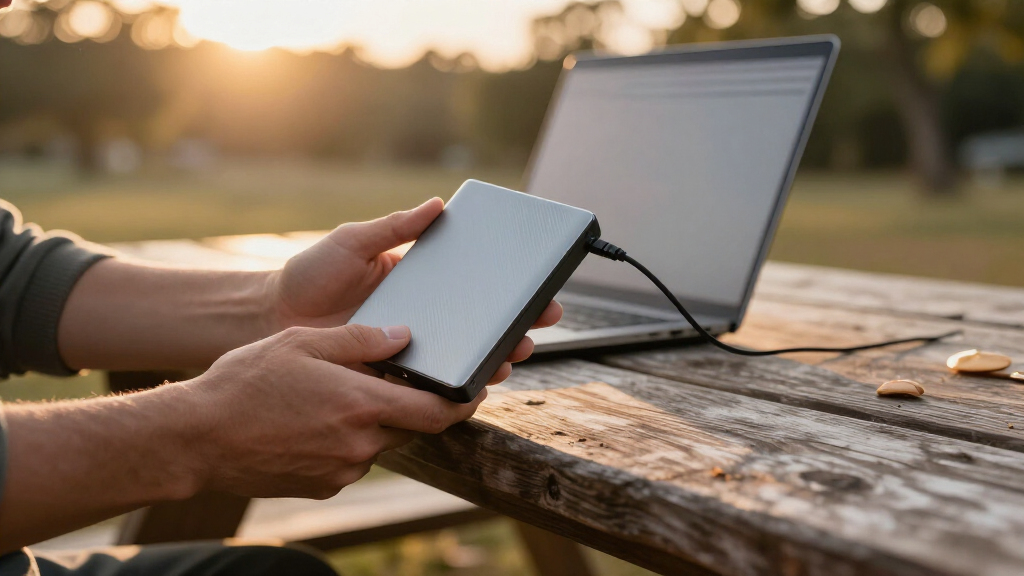

Finding the right portable external hard drive comes down to one main tradeoff: spinning-disk hard drives give you terabytes of cheap storage, while portable SSDs cost more per gigabyte but deliver far faster speeds and better durability on the road. My top pick overall is the WD 4TB My Passport, which balances a huge capacity, reliable backup software, and a pocket-friendly price. If speed matters more than space, the SanDisk 2TB Extreme Portable SSD is the clear upgrade path, while the Seagate Portable 1TB is the cheapest dependable option for casual backups and console expansion. Below, I break down all 15 drives — including the budget models worth buying and the ones with real compromises — so keep reading for the full comparison.

Get the latest gadgets delivered free with Prime
- Fast, free delivery on millions of items
- Prime Video, Amazon Music and more included
- Member-only deals all year
Complete the kit



Key Takeaways
- Western Digital dominates the value tier: the WD Elements line (2TB through 6TB) and the My Passport series took most of the top spots because they consistently pair the lowest cost per terabyte with hardware encryption options and long track records.
- The SanDisk Extreme Portable SSD is the only genuinely fast drive in this lineup — if you regularly move large video or photo libraries, the jump from ~130MB/s HDD speeds to ~1,000MB/s real-world SSD speeds justifies the price gap.
- The budget 500GB models (Aiolo, UnionSine, and the generic 500GB slim drives) cut corners on warranty length and brand support; they only make sense for light, non-critical storage or console game expansion.
- Capacity pricing is non-linear in this roundup: the 5TB and 6TB WD Elements drives cost only slightly more than their 2TB siblings, so bigger capacities deliver the best cost-per-terabyte value if you can spend a little more upfront.
- Console owners (PS4, PS5, Xbox) can use nearly every drive here, but the 1TB–2TB Seagate Portable models are the sweet spot for game storage since they balance load-time impact against price.
| WD 4TB My Passport Portable External Hard Drive |  | Best Overall | Capacity: 4TB | Interface: USB 3.1 / USB 3.0 | Security: 256-bit AES hardware encryption, password protection | VIEW LATEST PRICE | See Our Full Breakdown |
| SanDisk 2TB Extreme Portable SSD |  | Best Premium / Fastest Pick | Capacity: 2TB | Read Speed: Up to 1050MB/s | Write Speed: Up to 1000MB/s | VIEW LATEST PRICE | See Our Full Breakdown |
| Aiolo Innovation 500GB External Hard Drive Ultra Slim Portable HDD |  | Best for Console Gamers on a Budget | Capacity: 500GB | Read Speed: 110–133MB/s | Write Speed: 103MB/s | VIEW LATEST PRICE | See Our Full Breakdown |
| WD 2TB Elements Portable External Hard Drive |  | Best Value | Capacity: 2TB | Interface: USB 3.2 Gen 1 / USB 3.0 | Compatibility: Windows, Mac (reformat required) | VIEW LATEST PRICE | See Our Full Breakdown |
| Western Digital 5TB Elements Portable External Hard Drive |  | Best High-Capacity HDD | Capacity: 5TB | Interface: USB 3.2 Gen 1 / USB 3.0 (5Gbps) | Compatibility: Windows, Mac (reformat required) | VIEW LATEST PRICE | See Our Full Breakdown |
| Seagate Portable 1TB External Hard Drive HDD – USB 3.0 for PC, Mac, PlayStation, & Xbox |  | Best for Console Gamers | Storage Capacity: 1TB | Interface: USB 3.0 | Compatibility: PC, Mac, PlayStation, Xbox | VIEW LATEST PRICE | See Our Full Breakdown |
| Seagate 2TB Portable Hard Drive USB 3.0 |  | Best Budget Capacity Pick | Storage Capacity: 2TB | Connection: USB 3.0 | Compatibility: Windows and Mac | VIEW LATEST PRICE | See Our Full Breakdown |
| YOTUO 1TB External Hard Drive, Portable Storage Expansion HDD, USB 3.0 & USB-C |  | Best Connectivity Flexibility | Capacity: 1TB | Connection: USB 3.0 & USB-C | Transfer Speed: Up to 5Gbps | VIEW LATEST PRICE | See Our Full Breakdown |
| WD 6TB Elements Portable External Hard Drive for Windows and Mac | | Best High-Capacity HDD | Capacity: 6TB | Interface: USB 3.2 Gen 1 / USB 3.0 | Compatibility: Windows, Mac | VIEW LATEST PRICE | See Our Full Breakdown |
| UnionSine 500GB Ultra Slim Portable External Hard Drive HDD – USB 3.0 | 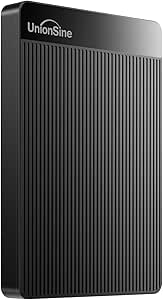 | Best Ultra-Slim Light-Duty Pick | Capacity: 500GB | Interface: USB 3.0 | Transfer Speed: Up to 125MB/s read, 103MB/s write | VIEW LATEST PRICE | See Our Full Breakdown |
| WD 4TB Elements Portable External Hard Drive |  | Best Capacity Value | Capacity: 4TB | Interface: USB 3.2 Gen 1 / USB 3.0 | Compatibility: Windows, Mac | VIEW LATEST PRICE | See Our Full Breakdown |
| SanDisk 1TB Portable SSD |  | Best Speed Pick | Capacity: 1TB | Read Speed: up to 800MB/s | Interface: USB-C, USB 3.2 Gen 2 | VIEW LATEST PRICE | See Our Full Breakdown |
| Seagate Portable 4TB External Hard Drive HDD | | Best for Console Gamers | Capacity: 4TB | Connectivity: USB 3.0 | Compatibility: PC, Mac, Xbox, PlayStation | VIEW LATEST PRICE | See Our Full Breakdown |
| 500 GB External Hard Drive, Portable USB 3.0 Slim HDD |  | Best Starter Pick | Capacity: 500 GB | Transfer Speed: 110-133MB/s read, 103MB/s write | Interface: USB 3.0 | VIEW LATEST PRICE | See Our Full Breakdown |
| WD 2TB My Passport Portable External Hard Drive |  | Best Security Pick | Capacity: 2TB | Interface: USB 3.1 / USB 3.0 | Security: Password protection, hardware encryption | VIEW LATEST PRICE | See Our Full Breakdown |
| portable external hard drife | Capacity | Interface | Compatibility | Setup |
|---|---|---|---|---|
| WD 4TB My Passport Portable Ex | 4TB | USB 3.1 / USB 3.0 | — | — |
| SanDisk 2TB Extreme Portable S | 2TB | — | — | — |
| Aiolo Innovation 500GB Externa | 500GB | — | PC, Mac, Linux, Android, PS4, Xbox One, Xbox 360 | Plug and play |
| WD 2TB Elements Portable Exter | 2TB | USB 3.2 Gen 1 / USB 3.0 | Windows, Mac (reformat required) | Plug and play, bus-powered |
| Western Digital 5TB Elements P | 5TB | USB 3.2 Gen 1 / USB 3.0 (5Gbps) | Windows, Mac (reformat required) | Plug and play, USB bus-powered |
| Seagate Portable 1TB External | — | USB 3.0 | PC, Mac, PlayStation, Xbox | Plug-and-play (reformat required for Mac) |
| Seagate 2TB Portable Hard Driv | — | — | Windows and Mac | Plug-and-play, drag-and-drop |
| YOTUO 1TB External Hard Drive | 1TB | — | PC, Mac, Linux, PS4, PS5, Xbox One, Xbox Series X/S, Smartphone | — |
| WD 6TB Elements Portable Exter | 6TB | USB 3.2 Gen 1 / USB 3.0 | Windows, Mac | Plug-and-play (reformat for Mac) |
| UnionSine 500GB Ultra Slim Por | 500GB | USB 3.0 | — | Plug-and-play, no software |
| WD 4TB Elements Portable Exter | 4TB | USB 3.2 Gen 1 / USB 3.0 | Windows, Mac | Plug-and-play |
| SanDisk 1TB Portable SSD | 1TB | USB-C, USB 3.2 Gen 2 | — | — |
| Seagate Portable 4TB External | 4TB | — | PC, Mac, Xbox, PlayStation | Plug-and-play, no software |
| 500 GB External Hard Drive | 500 GB | USB 3.0 | Windows, Mac, Linux, PS4, Xbox One, Xbox 360 | — |
| WD 2TB My Passport Portable Ex | 2TB | USB 3.1 / USB 3.0 | — | — |
More Details on Our Top Picks
WD 4TB My Passport Portable External Hard Drive
The WD 4TB My Passport earns the top spot because it bundles everything most buyers actually need into one slim shell: serious capacity, hardware encryption, password protection, and bundled backup software with ransomware protection. Compared with the WD 2TB Elements, you get double the storage and genuine security features for not much more money, which makes the Elements feel like the stripped-down budget option it is. The tradeoff is speed — this is a spinning hard drive, so anyone regularly moving 50GB video projects will be happier with the SanDisk 2TB Extreme Portable SSD, which runs roughly ten times faster. But for everyday backups, photo libraries, and travel archives, the My Passport hits the sweet spot of capacity, protection, and price.
Pros:- 4TB of capacity in a slim, travel-friendly enclosure
- Hardware encryption and password protection built in
- Bundled backup software with ransomware protection
- 3-year warranty, longer than most budget rivals
Cons:- Spinning-disk speeds far below any portable SSD
- Encryption and backup software work best on Windows setups
Best for: Everyday users who want large, secure backup storage for photos, documents, and media without paying SSD prices
Not ideal for: Video editors or photographers who regularly transfer huge files and need SSD-level speeds
- Capacity:4TB
- Interface:USB 3.1 / USB 3.0
- Security:256-bit AES hardware encryption, password protection
- Software:WD Backup with ransomware protection
- Color:Black
- Form Factor:Slim portable 2.5-inch HDD
- Warranty:3 years
Our verdict“If you want the best balance of capacity, security, and price in a portable drive, this is the one to buy.”
SanDisk 2TB Extreme Portable SSD
Speed is the entire story here, and the SanDisk 2TB Extreme Portable SSD delivers it: up to 1050MB/s reads over NVMe, roughly ten times faster than the WD My Passport or any spinning drive in this lineup. That difference means a 100GB transfer takes about two minutes instead of twenty. It’s also the only drive here built for genuine abuse, with IP65 water and dust resistance and 3-meter drop protection — a photographer shooting in rain or dust gets peace of mind no plastic-clad HDD offers. The real tradeoff is cost per terabyte: at 2TB it costs far more per gigabyte than the WD 5TB Elements. You’re paying for speed and durability, not raw space, so choose accordingly.
Pros:- NVMe speeds up to 1050MB/s read and 1000MB/s write
- IP65 water and dust resistance with 3m drop protection
- 256-bit AES hardware encryption and password protection
- Carabiner loop and pocket-sized form factor
Cons:- Much higher cost per terabyte than any hard drive here
- Real-world speeds depend on having a USB 3.2 Gen 2 port
Best for: Content creators, videographers, and outdoor photographers who need fast transfers and rugged durability
Not ideal for: Budget buyers who just want maximum storage per dollar for backups
- Capacity:2TB
- Read Speed:Up to 1050MB/s
- Write Speed:Up to 1000MB/s
- Durability:IP65 water/dust resistance, 3m drop protection
- Encryption:256-bit AES hardware encryption
- Operating Temperature:-20°C to 85°C
- Portability:Carabiner loop included
Our verdict“Buy it if transfer speed and ruggedness matter more than capacity per dollar; skip it for cheap bulk backup.”
Aiolo Innovation 500GB External Hard Drive Ultra Slim Portable HDD
The Aiolo 500GB fills a niche the big brands ignore: cheap, plug-and-play expansion for game consoles. It works with PS4, Xbox One, and even Xbox 360 out of the box, and the included USB-C adapter also makes it handy for Android phones and modern laptops — something neither the WD Elements nor My Passport offers in the box. Transfer speeds of roughly 110–133MB/s are typical USB 3.0 hard-drive territory, adequate for game installs and media. The obvious limitation is capacity: 500GB vanishes fast on a modern console, so the WD 2TB Elements makes more sense if your game library is large. There’s also no encryption or backup software, but console users rarely miss them.
Pros:- Broad compatibility including PS4, Xbox One, Xbox 360, and Android
- USB-C adapter included in the box
- Ultra-slim, lightweight, quiet operation
- Simple plug-and-play setup with no formatting hassle
Cons:- 500GB is small by today’s standards
- No encryption or bundled backup software
- Unknown brand with a shorter track record than WD or Seagate
Best for: Console gamers and casual users who need inexpensive, plug-and-play storage expansion across many devices
Not ideal for: Anyone with a large game or media library — 500GB fills up quickly
- Capacity:500GB
- Read Speed:110–133MB/s
- Write Speed:103MB/s
- Connectivity:USB 3.0 with USB-C adapter included
- Compatibility:PC, Mac, Linux, Android, PS4, Xbox One, Xbox 360
- Form Factor:Ultra-thin portable
- Setup:Plug and play
Our verdict“A cheap, flexible pick for light console storage needs — but capacity hunters should step up to a 2TB+ drive.”
WD 2TB Elements Portable External Hard Drive
Best value is usually about what you don’t pay for, and the WD 2TB Elements proves it. It strips out the encryption, backup software, and ransomware protection of the WD My Passport and passes the savings on to you — the hardware inside is fundamentally the same reliable WD spinning disk. For straightforward drag-and-drop storage of photos, videos, and documents, that simplicity is a feature, not a flaw. It also outclasses the budget Aiolo 500GB on capacity while carrying WD’s established reliability record. The compromises: 2TB is a ceiling, not a starting point, for heavy media collectors, and there’s no bundled software or security at all. Compared with the 5TB Elements below, it’s the smarter buy when your storage needs are modest.
Pros:- Trusted WD reliability at a very low price
- 2TB of capacity in a compact, lightweight body
- Fast USB 3.2 Gen 1 plug-and-play operation
- Works with both Windows and Mac (reformatting for Mac)
Cons:- No backup software, encryption, or password protection
- 2TB ceiling is limiting for large media libraries
Best for: Students and home users who want dependable, no-frills extra storage at the lowest sensible price
Not ideal for: Users storing sensitive files who need encryption, or media hoarders who’ll outgrow 2TB
- Capacity:2TB
- Interface:USB 3.2 Gen 1 / USB 3.0
- Compatibility:Windows, Mac (reformat required)
- Setup:Plug and play, bus-powered
- Software:None included
- Form Factor:Compact 2.5-inch portable
- Warranty:2 years
Our verdict“The smartest cheap drive here — dependable capacity with nothing you don’t need, as long as 2TB is enough.”
Western Digital 5TB Elements Portable External Hard Drive
When the priority is maximum storage in a pocketable drive, the WD 5TB Elements is the value king of this lineup. Per terabyte, it undercuts the 4TB My Passport, and unlike the WD 2TB Elements it gives archivists room to grow — 5TB holds roughly a million photos or a hundred hours of HD video. Like its smaller sibling, it’s pure plug-and-play simplicity over USB 3.2 Gen 1, with no software to install. The flip side of that bargain is the same as the 2TB model: no encryption, no backup utilities, no ransomware protection. If those matter, the My Passport justifies its premium. And it’s still a mechanical drive, so it trails the SanDisk SSD badly on speed while beating it massively on price per gigabyte.
Pros:- 5TB of capacity — the most storage per dollar in this batch
- Simple plug-and-play setup on Windows and Mac
- USB 3.2 Gen 1 speeds for quick large-file transfers
- Trusted WD mechanical drive reliability
Cons:- No backup software or security features of any kind
- Heavier and slower than SSD alternatives
- Bus-powered, so it depends on a strong USB port
Best for: Archivists and media collectors who need maximum portable capacity without paying SSD prices
Not ideal for: Users who want built-in backup automation or encryption for sensitive data
- Capacity:5TB
- Interface:USB 3.2 Gen 1 / USB 3.0 (5Gbps)
- Compatibility:Windows, Mac (reformat required)
- Setup:Plug and play, USB bus-powered
- Software:None included
- Form Factor:Portable 2.5-inch HDD
- Warranty:2 years
Our verdict“The best pick when raw portable capacity is the goal and software extras are irrelevant.”
Seagate Portable 1TB External Hard Drive HDD – USB 3.0 for PC, Mac, PlayStation, & Xbox
Among the budget 1TB drives in this lineup, this Seagate stands out for one reason: it works out of the box with PlayStation and Xbox consoles, not just computers. Compared with the YOTUO 1TB, which also targets gamers, the Seagate trades the shock-absorbing sleeve for a slightly lower price and a brand track record that console players tend to trust. Setup is genuinely simple — plug-and-play over USB 3.0, drag files, done. Mac users should know the drive arrives formatted for Windows, so reformatting is required before Time Machine backups will work. There’s also no bundled backup software, unlike what you’d get with a WD My Passport, so this is really a drag-and-drop storage expansion rather than a backup solution.
Pros:- Works directly with PlayStation and Xbox consoles
- True plug-and-play setup with no software needed
- Lightweight and genuinely pocketable
- Trusted brand with wide device compatibility
Cons:- Must be reformatted for Mac use
- No included backup software
- 1TB fills up fast if you archive video or large game libraries
Best for: Console gamers and casual users who want cheap plug-and-play storage expansion for a PS4, PS5, or Xbox without fiddling with software
Not ideal for: Mac users who want automatic backups — it needs reformatting first and ships with no backup software
- Storage Capacity:1TB
- Interface:USB 3.0
- Compatibility:PC, Mac, PlayStation, Xbox
- Setup:Plug-and-play (reformat required for Mac)
- Included Cable:18-inch USB 3.0 cable
- Form Factor:Portable 2.5-inch HDD
Our verdict“The most sensible cheap pick if your main goal is expanding console or PC storage with zero setup friction.”
Seagate 2TB Portable Hard Drive USB 3.0
This 2TB Seagate hits a strong price-per-gigabyte sweet spot for people who find 1TB too cramped but don’t want to pay for 4TB or 6TB they’ll never fill. Compared with the WD 2TB Elements elsewhere in this roundup, the Seagate keeps pace on speed and simplicity but leans on pure drag-and-drop convenience — no software to install, no accounts to create, which is exactly what many buyers actually want. The tradeoff is that it’s a bare-bones product: no backup utilities, no encryption, no durability features like the YOTUO’s silicone sleeve. Anyone with older USB 2.0-only hardware should also know that transfer speeds drop sharply without a USB 3.0 port, so this makes the most sense for reasonably modern laptops and desktops.
Pros:- 2TB of space for photo, video, and document archives
- No software installation required at all
- Works across Windows and Mac after formatting
- Better value per terabyte than 1TB models
Cons:- Slower on older USB 2.0 ports
- No backup or security software included
- Plastic shell offers little drop protection
Best for: Students and home users who need double the space of an entry-level drive at a minimal price bump
Not ideal for: Anyone who wants scheduled backups or hardware encryption — this drive ships with none of that
- Storage Capacity:2TB
- Connection:USB 3.0
- Compatibility:Windows and Mac
- Setup:Plug-and-play, drag-and-drop
- Cable Length:18 inches
- Form Factor:Portable 2.5-inch HDD
Our verdict“A straightforward value play: double the storage of the 1TB Seagate for buyers who just want space, not features.”
YOTUO 1TB External Hard Drive, Portable Storage Expansion HDD, USB 3.0 & USB-C
The YOTUO’s defining advantage over the Seagate 1TB is dual USB 3.0 and USB-C connectivity, which means one drive handles a modern laptop, an older desktop, and even a smartphone without adapters. Add the shock-absorbing silicone sleeve and you get a level of drop protection that none of the plastic-bodied Seagate or WD Elements drives in this lineup offer — a real benefit if the drive lives in a backpack. The honest limitation: it cannot run PS5 or Xbox Series X/S games directly, so next-gen console owners can only use it for archives and older titles. Compared with a SanDisk Portable SSD, it’s far slower, but at a fraction of the cost per terabyte, which is the whole point of choosing a spinning drive here.
Pros:- Both USB 3.0 and USB-C in one drive
- Shock-absorbing silicone sleeve protects against drops
- Broad compatibility including Linux and smartphones
- Transfer speeds up to 5Gbps over USB 3.0
Cons:- Cannot run or store PS5/Xbox Series X/S games directly
- Capped at 1TB capacity
- Less established brand than Seagate or WD for long-term reliability data
Best for: Multi-device users who juggle USB-C laptops, consoles, and phones and want one drive that connects to everything
Not ideal for: PS5 or Xbox Series X/S owners who want to play current-gen games directly from the drive
- Capacity:1TB
- Connection:USB 3.0 & USB-C
- Transfer Speed:Up to 5Gbps
- Compatibility:PC, Mac, Linux, PS4, PS5, Xbox One, Xbox Series X/S, Smartphone
- Protection:Shock-absorbing silicone sleeve
- Weight:0.16 kg
Our verdict“The right pick when connection flexibility and drop protection matter more than raw capacity or speed.”
WD 6TB Elements Portable External Hard Drive for Windows and Mac
When the priority is raw storage in a pocket-sized package, this 6TB WD Elements outmuscles everything else in this batch — it triples the 2TB Seagate’s space and beats even the WD 5TB Elements in this roundup. For photographers and video editors drowning in footage, that difference decides whether the drive holds one project year or several. WD’s USB 3.2 Gen 1 interface delivers the same practical speed class as every other spinning drive here, so the real story is capacity, not velocity — buyers needing speed for editing 4K footage directly off the drive should step up to a SanDisk Extreme SSD instead. Drawbacks are real: it’s physically larger and heavier than the slim drives here, there’s no bundled backup software, and it draws power from the USB port, so weak ports on aging machines can cause disconnects.
Pros:- Massive 6TB capacity for large media libraries
- USB 3.2 Gen 1 transfer speeds
- Plug-and-play on Windows and Mac
- Better cost per terabyte than smaller portable drives
Cons:- Bulkiest and heaviest option in this lineup
- No included backup software
- Requires a reliable powered USB port
Best for: Content creators and families who need to archive years of photos, videos, and backups in a single travel-ready drive
Not ideal for: Buyers who edit footage directly from the drive or want a shirt-pocket form factor — it’s bulkier and HDD-slow
- Capacity:6TB
- Interface:USB 3.2 Gen 1 / USB 3.0
- Compatibility:Windows, Mac
- Setup:Plug-and-play (reformat for Mac)
- Power:Bus-powered via USB
- Form Factor:Portable 2.5-inch HDD
Our verdict“The capacity king of this batch — buy it when terabytes matter more than speed or slimness.”
UnionSine 500GB Ultra Slim Portable External Hard Drive HDD – USB 3.0
The UnionSine competes directly with the Aiolo 500GB slim drive elsewhere in this roundup, and it differentiates itself with specified real-world speeds — up to 125MB/s read and 103MB/s write — plus visible heat dissipation strips that help sustain those speeds during long transfers. It’s the lightest-duty option in this batch, aimed at people who carry documents, photo libraries, or a modest game collection rather than terabytes of video. Compared with the Seagate 1TB, you’re trading half the capacity for a thinner, cheaper drive that slips into a laptop sleeve almost invisibly. The 500GB ceiling fills up surprisingly fast, though — a single large game install or a few video projects can exhaust it — and like the other budget picks, no backup software is included, so it’s manual drag-and-drop all the way.
Pros:- Genuinely slim and lightweight for everyday carry
- Fast stated speeds of 125MB/s read, 103MB/s write
- Heat dissipation strips stabilize long transfers
- Plug-and-play with no software needed
Cons:- Only 500GB of storage
- No backup software included
- Speed drops on older USB 2.0 ports
Best for: Students and commuters who carry documents and photos daily and want a drive that disappears into a bag
Not ideal for: Anyone storing video projects, large game libraries, or full system backups — 500GB runs out quickly
- Capacity:500GB
- Interface:USB 3.0
- Transfer Speed:Up to 125MB/s read, 103MB/s write
- Design:Ultra-slim, portable, heat dissipation strips
- Setup:Plug-and-play, no software
- Noise:Noise-reduction design
Our verdict“A sensible light-carry pick when slimness and price beat capacity — just know 500GB is a tight budget.”
WD 4TB Elements Portable External Hard Drive
This model earns its spot by delivering the lowest cost per terabyte among the mainstream drives here, which matters when your priority is fitting years of photos and video backups into a bag pocket. Compared with the WD 4TB My Passport, it drops the bundled backup software and hardware encryption in exchange for a lower price — a fair trade if you already have a backup routine. It shares the same basic USB 3.2 Gen 1 speed as the Seagate Portable 4TB, so the real choice between those two comes down to console compatibility versus pure price. The tradeoff is straightforward: this is a spinning drive, so it lags far behind the SanDisk 1TB Portable SSD for speed, and there is no software bundle whatsoever.
Pros:- Excellent price per terabyte at 4TB
- Compact, lightweight enclosure
- Fast plug-and-play USB 3.2 Gen 1 transfers
- Works with both Windows and Mac (with reformatting)
Cons:- No included backup or encryption software
- HDD speeds far below any portable SSD
- Stuck on USB 3.2 Gen 1 rather than Gen 2
Best for: Budget-conscious backup hoarders who want maximum gigabytes per dollar with plug-and-play simplicity
Not ideal for: Buyers who need bundled backup tools, encryption, or SSD-level speed for working directly off the drive
- Capacity:4TB
- Interface:USB 3.2 Gen 1 / USB 3.0
- Compatibility:Windows, Mac
- Design:Portable, lightweight
- Drive Type:HDD
- Setup:Plug-and-play
Our verdict“The pick if you measure value in raw capacity rather than features or speed.”
SanDisk 1TB Portable SSD
Speed is the whole story here: reads up to 800MB/s over USB 3.2 Gen 2 mean moving a 50GB video project takes well under two minutes, where every hard drive in this roundup — the WD Elements and Seagate Portable included — would still be grinding away at a fraction of that pace. Compared with the SanDisk 2TB Extreme Portable SSD, this model trades some raw ruggedness and capacity for a friendlier price while keeping 2-meter drop protection and a rubber carry hook. The tradeoff is capacity: a terabyte fills up fast if you edit 4K footage, and you are paying SSD premiums per gigabyte. Real-world speeds will also depend on your host device’s USB port.
Pros:- Read speeds up to 800MB/s via USB 3.2 Gen 2
- Drop protection up to 2 meters
- Rubber hook for attaching to bags or gear
- Silent, shock-resistant solid-state design
Cons:- Only 1TB at a price that buys 4TB of HDD storage
- Real-world performance varies by host device
- No bundled backup software mentioned
Best for: Content creators and frequent travelers who move large files regularly and need shock-tolerant speed
Not ideal for: Archival buyers who just want cheap bulk storage — an HDD like the WD 4TB Elements costs far less per terabyte
- Capacity:1TB
- Read Speed:up to 800MB/s
- Interface:USB-C, USB 3.2 Gen 2
- Drop Protection:Up to 2 meters
- Drive Type:SSD
- Carrying Feature:Rubber hook
Our verdict“The choice when transfer time matters more than capacity per dollar.”
Seagate Portable 4TB External Hard Drive HDD
What separates this drive from the WD 4TB Elements is out-of-the-box console support: Xbox and PlayStation recognize it immediately, which makes it the easiest way to offload a growing game library without deleting anything. Setup is genuinely zero-friction — drag and drop, no software, no accounts — a contrast to the WD 2TB My Passport, which pushes its own backup suite on you. The included 18-inch USB 3.0 cable is long enough to reach a console shelf, though you’ll want a longer one for a living-room setup. Be aware this is still a mechanical drive, so load times beat running games internally on nothing — and PlayStation 5 titles won’t run from it directly. No encryption or backup software ships with it either.
Pros:- Native compatibility with PC, Mac, Xbox, and PlayStation
- True plug-and-play with drag-and-drop file management
- 4TB of storage for game libraries
- 18-inch USB 3.0 cable included
Cons:- HDD speeds too slow to run modern AAA titles directly
- No backup software or encryption features
- 4TB ceiling may fill quickly with large game installs
Best for: Xbox and PlayStation owners who need extra game storage without deleting or reinstalling titles
Not ideal for: Current-gen console players who want to play PS5/Series X games directly from the drive, or anyone needing encryption
- Capacity:4TB
- Connectivity:USB 3.0
- Compatibility:PC, Mac, Xbox, PlayStation
- Included Cable:18-inch USB 3.0
- Drive Type:HDD
- Setup:Plug-and-play, no software
Our verdict“The simplest storage expansion for console gamers who don’t want software or setup hassles.”
500 GB External Hard Drive, Portable USB 3.0 Slim HDD
At roughly a third of a pound, this is the lightest drive in the lineup, and its 500GB size makes it a sensible first external drive for students or anyone backing up a laptop rather than an archive. Compared with the Aiolo 500GB and UnionSine 500GB, this one stands out for its unusually broad device list — Windows, Mac, Linux, PS4, and even Xbox 360 — plus a bundled quick start guide and cable. Transfer rates of 110–133MB/s read are respectable HDD territory, though the SanDisk 1TB SSD is several times faster if your budget stretches that far. The catch is that 500GB disappears quickly with modern games, and current-gen titles can’t run from it at all. Mac users also need to reformat before first use.
Pros:- Featherweight 0.35 lb design for true pocket portability
- Broad compatibility including Linux and older consoles
- Solid USB 3.0 speeds up to 133MB/s
- Quick start guide and USB cable included
Cons:- 500GB is tight for games or video collections
- Cannot run current-gen games directly
- Requires reformatting for Mac use
Best for: Students and first-time buyers who need a light, inexpensive drive for documents, photos, and laptop backups
Not ideal for: Gamers with modern libraries or media collectors — 500GB fills up fast and can’t run current-gen games
- Capacity:500 GB
- Transfer Speed:110-133MB/s read, 103MB/s write
- Interface:USB 3.0
- Weight:0.35 lbs
- Compatibility:Windows, Mac, Linux, PS4, Xbox One, Xbox 360
- Drive Type:HDD
- Included:USB cable, quick start guide
Our verdict“A low-commitment entry point for light backups, not for anyone with serious storage appetite.”
WD 2TB My Passport Portable External Hard Drive
No other drive in this roundup takes data protection this seriously: 256-bit hardware encryption, password protection, and backup software with ransomware defense come standard. That makes it the natural choice for freelancers or anyone carrying client files, tax documents, or medical records outside the home. The WD 2TB Elements offers the same core drive at a lower price, but without any of those safeguards — this is the model where paying more buys peace of mind. A 3-year warranty also outlasts what the budget drives here typically carry. The compromises: 2TB is modest next to the Seagate Portable 4TB at a similar price point, the software only covers Windows, and it’s still a mechanical drive, so it can’t touch the SanDisk SSD’s speeds.
Pros:- Password protection with hardware encryption
- Backup software includes ransomware defense
- 3-year limited warranty
- Slim, durable, travel-friendly chassis
Cons:- Only 2TB at a price near 4TB competitors
- Security software is Windows-only
- Mechanical drive speeds trail any portable SSD
Best for: Professionals and privacy-minded users who carry sensitive files and want encryption plus automated backups
Not ideal for: Capacity-first buyers — the Seagate 4TB or WD Elements 4TB deliver double the space for similar money
- Capacity:2TB
- Interface:USB 3.1 / USB 3.0
- Security:Password protection, hardware encryption
- Software:Backup software with ransomware defense
- Color:Black
- Warranty:3-year limited
- Drive Type:HDD
Our verdict“The pick when protecting the files on the drive matters more than how many files fit on it.”
How We Picked
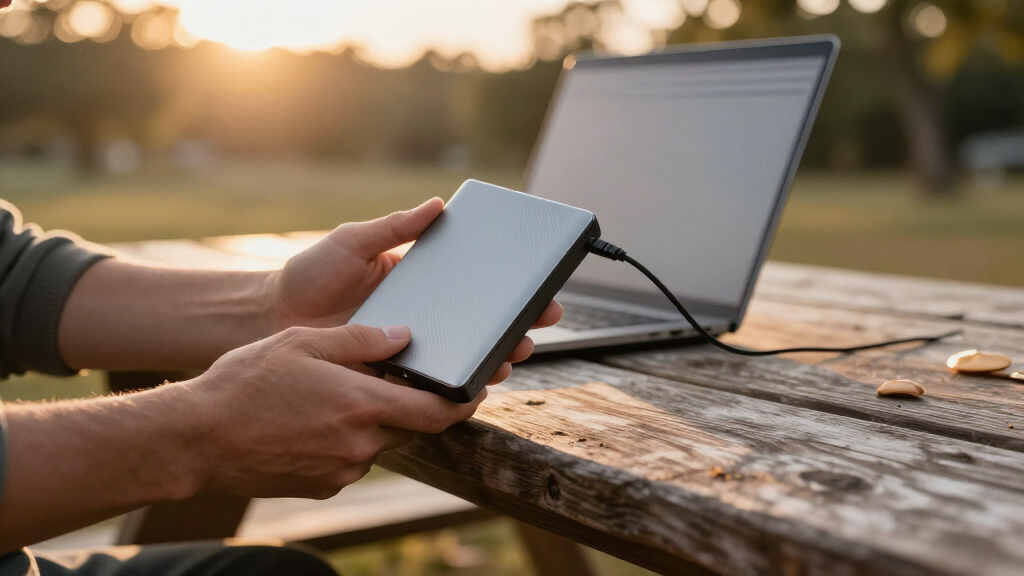
I ranked these 15 drives around four factors that actually change the buying decision for portable external hard drives: cost per terabyte, real-world transfer speed, durability and warranty, and software or compatibility extras. Speed separates the two formats in this lineup — every spinning-disk drive here tops out around 100–140MB/s regardless of brand, while the two SanDisk SSDs run five to eight times faster, which is why they occupy the premium tier rather than competing on price. Among the HDDs, ranking came down to cost per terabyte and reliability reputation, where WD and Seagate’s multi-year warranties and established support networks gave them a clear edge over the budget brands.
I also weighed how each drive fits a specific buyer. Drives bundled with backup and encryption software (the WD My Passport line) scored higher for general users, while bare-bones models (WD Elements, Seagate Portable) ranked on raw value alone. The budget 500GB drives were judged on a stricter curve: at that price, small differences in warranty, brand accountability, and USB-C support matter more, and those differences determined their lower placements rather than disqualifying them entirely.
| portable external hard drife | Interface |
|---|---|
| WD 4TB My Passport Portable Ex | USB 3.1 / USB 3.0 |
| SanDisk 2TB Extreme Portable S | — |
| Aiolo Innovation 500GB Externa | — |
| WD 2TB Elements Portable Exter | USB 3.2 Gen 1 / USB 3.0 |
| Western Digital 5TB Elements P | USB 3.2 Gen 1 / USB 3.0 (5Gbps) |
| Seagate Portable 1TB External | USB 3.0 |
| Seagate 2TB Portable Hard Driv | — |
| YOTUO 1TB External Hard Drive | — |
| WD 6TB Elements Portable Exter | USB 3.2 Gen 1 / USB 3.0 |
| UnionSine 500GB Ultra Slim Por | USB 3.0 |
| WD 4TB Elements Portable Exter | USB 3.2 Gen 1 / USB 3.0 |
| SanDisk 1TB Portable SSD | USB-C, USB 3.2 Gen 2 |
| Seagate Portable 4TB External | — |
| 500 GB External Hard Drive | USB 3.0 |
| WD 2TB My Passport Portable Ex | USB 3.1 / USB 3.0 |
Factors to Consider When Choosing Portable External Hard Drives
Before settling on one of the 15 drives above, it helps to understand the bigger patterns in this category — because most buyers overspend on the wrong thing or underspend on something they end up replacing within a year.HDD vs. SSD: The Tradeoff That Shapes Everything
Every product in this roundup falls into one of two camps, and the gap between them is bigger than most buyers expect. Portable hard drives use spinning platters, which caps real-world speeds at roughly 100–140MB/s no matter the brand — fine for backups and media libraries, slow for editing video directly off the drive. Portable SSDs like the SanDisk models have no moving parts, transfer files several times faster, and survive drops that would kill an HDD. The catch is price: an SSD costs roughly four to five times more per gigabyte. A useful rule of thumb — if the drive will sit on a desk doing scheduled backups, buy the HDD; if it travels in a bag daily or you work directly from the drive, pay for the SSD.
Buy More Capacity Than You Think You Need
The most common mistake with external storage is buying exactly what you currently need. Drive capacity pricing is heavily non-linear — as this roundup shows, the jump from 2TB to 5TB often costs only 30–50% more, while the per-terabyte price drops sharply. Since photos, videos, and game installs grow faster than most people anticipate, a drive that feels oversized today typically feels right in two years. Factor in the convention of rating storage in decimal gigabytes, too: a “4TB” drive shows up as roughly 3.6TB of usable space on your computer. Unless your budget is rigidly fixed, stepping up one capacity tier is almost always the smarter purchase.
USB Standards and the Port Situation
Nearly every hard drive here uses USB 3.0/3.2 Gen 1, which is fine — HDDs can’t saturate that connection anyway. But port compatibility varies more than speed: some drives ship with only a USB-A cable, which is a problem for modern laptops that carry nothing but USB-C. The YOTUO and the SanDisk drives handle this better with native USB-C or dual connectivity, while the WD and Seagate HDDs may need a separate adapter or cable swap. Check your actual ports before ordering rather than assuming the included cable will fit. For SSDs, the connection matters more, since an older port can throttle the SanDisk drives well below their rated speeds.
Brand Support, Warranty, and the Budget-Drive Question
The sub-$50 drives from Aiolo, UnionSine, and generic brands are tempting, but the hidden cost is what happens when something fails. WD and Seagate back their drives with multi-year warranties and maintain diagnostic and recovery ecosystems; most budget brands offer a year at best and little to no support infrastructure. That doesn’t make cheap drives useless — for non-critical storage like console game libraries (which can be re-downloaded), the risk is genuinely low. But for irreplaceable personal files, the small price difference between a budget brand and a WD Elements or Seagate Portable is the cheapest insurance you’ll ever buy. A backup that only exists on one no-name drive isn’t really a backup.
Console Storage Has Its Own Rules
Several drives here advertise PS4, PS5, and Xbox compatibility, and the fine print matters. Older consoles happily accept any USB 3.0 drive for game storage, which is why the mid-capacity Seagate and WD models are popular console picks. Newer consoles restrict what can be done from external storage: the PS5, for instance, stores PS5 games on external drives only for archiving, not playing, unless you use a fast NVMe SSD internally. Xbox One and Series consoles are more flexible, letting you move games freely between internal and external drives. If console expansion is your main goal, a 1TB–4TB HDD hits the value sweet spot, and you can skip SSD speeds since load-time gains from an external SSD are modest compared to internal upgrades.
Software, Encryption, and Power Draw
Portable drives are bus-powered — they draw electricity from the USB port — so no wall adapter is needed, but that also means weak laptop ports or unpowered hubs can cause dropouts, especially with 5TB and 6TB spinning drives that need more spin-up current. On the software side, WD’s My Passport line stands apart from the bare Elements drives by bundling backup utilities and 256-bit hardware encryption, which protects your files if the drive is lost or stolen. If you carry sensitive work documents or client data, encryption is worth prioritizing over raw capacity. For purely media-based storage, none of this matters much, and the cheaper software-free drives are the better spend.
Frequently Asked Questions
Is a portable SSD worth the extra money over a portable hard drive?
It depends entirely on how you use the drive. If you run scheduled backups, store media libraries, or expand console storage, a spinning-disk drive like the WD Elements or Seagate Portable delivers the same end result for a fraction of the price, and the speed difference barely affects your day. If you regularly move large files, edit photos or video directly from the drive, or toss the drive into a travel bag, the SanDisk Extreme Portable SSD is worth every extra dollar — transfers that take minutes on an HDD finish in seconds, and the lack of moving parts makes it far more drop-resistant. A practical compromise many people land on is a large cheap HDD for backups plus a smaller SSD for active work.
Can I use one of these hard drives with both my PC and my game console?
Yes, but with a caveat: most drives arrive formatted for one ecosystem, and a drive used on a PS4, PS5, or Xbox must be reformatted to the console’s own format, which erases everything on it. That means a single drive can’t easily share files between a PC and a console the way you might expect. The workaround is dedicating one drive to console duty and another to computer use — which is exactly why the cheaper 1TB–2TB models like the Seagate Portable are popular as dedicated console drives. On the PC side, drives formatted for Windows (NTFS) are read-only on Macs, so cross-platform users may want to reformat to exFAT, which both systems can read and write.
How much capacity do I actually need for backups?
A good starting rule is to buy at least twice the size of the data you’re backing up, which leaves room for growth and for keeping multiple backup versions. Someone with 1TB of photos and documents should look at the 4TB tier — and this roundup shows why: the WD 4TB Elements and Seagate 4TB Portable cost only modestly more than their 2TB siblings, making the larger drives the better per-terabyte deal. Console owners should think differently, since modern games routinely consume 50–150GB each; a 2TB drive fills up after roughly 15–25 game installs. Video editors and photographers working with 4K footage should treat 4TB as the minimum entry point.
Are the cheap 500GB drives from brands like Aiolo and UnionSine safe to buy?
They carry real but manageable risk. These drives typically use older or repurposed laptop hard drives inside, backed by shorter warranties and minimal manufacturer support — the tradeoff behind their low prices. The honest assessment is that any single hard drive, from any brand, can fail, so no drive should be the only copy of important files. If you’re using one for re-downloadable content like console games, or as a secondary copy alongside cloud storage or another backup, the risk is acceptable and the savings are genuine. For primary storage of irreplaceable files, spending a little more on a WD or Seagate with a longer warranty and established RMA process is the wiser call.
Do I need to worry about the USB version or cable that comes with the drive?
More than most buyers expect. For hard drives, USB 3.0 versus 3.2 Gen 1 is purely a naming difference — the speeds are identical, and an HDD can’t saturate either connection anyway. What actually matters is the connector on the end of the cable: several WD and Seagate drives ship with USB-A only, which won’t plug into modern USB-C-only laptops without an adapter. The SanDisk SSDs and the YOTUO drive are more future-friendly with USB-C support, and on the SSDs a USB-C 3.2 Gen 2 port is required to hit their advertised speeds. Before buying, check which ports your primary computer actually has and budget a few dollars for a cable or adapter if needed.
Conclusion
The right pick from these 15 drives depends less on which is “best” and more on how you’ll use it. For the best overall choice, the WD 4TB My Passport hits the sweet spot of capacity, price, and bundled backup software with hardware encryption — the safest all-around buy for most people. The best value is the WD 5TB Elements, which delivers the lowest cost per terabyte in the entire lineup for anyone who just needs maximum storage for minimum money. On the premium side, the SanDisk 2TB Extreme Portable SSD is the obvious pick if speed and durability justify the spend, with the 1TB SanDisk Portable SSD as the smaller-budget alternative.
Beginners and casual users should start simple with the Seagate Portable 1TB — plug it in, drag your files over, and you’re done. For console owners, the Seagate 2TB Portable is the dedicated game-storage sweet spot, while students and light users on tight budgets can get by with the UnionSine or Aiolo 500GB drives for non-critical files. Whatever you choose, remember the one rule that outranks every recommendation here: if the files matter, keep a second copy somewhere else.