
The best MacBook for most people in this lineup is the 13-inch MacBook Air with M5, 16GB of memory, and a 512GB SSD: it balances portability, everyday speed, and useful storage. For a larger screen without stepping up to a Pro, the 15-inch M5 MacBook Air is a strong alternative; for demanding creative work, the 16-inch MacBook Pro with M5 Pro adds more performance and a roomier display. Your main tradeoffs are portability versus screen space, Air simplicity versus Pro capability, and newer configurations versus renewed M4 models. Memory and storage matter as much as the chip if you keep laptops for years or work with large projects. Read on for the full comparison and guidance on which MacBook fits your needs.

Get the latest gadgets delivered free with Prime
- Fast, free delivery on millions of items
- Prime Video, Amazon Music and more included
- Member-only deals all year
Complete the kit



Key Takeaways
- The 13-inch M5 Air with 16GB memory and 512GB storage is the most balanced everyday choice: it pairs a portable size with more practical storage than the 256GB configurations.
- The 15-inch M5 Air favors workspace over compactness, making it a better fit for split-screen work and media viewing while retaining the Air lineup’s straightforward, lightweight role.
- The Pro models serve distinct workloads: the 14-inch M5 Pro models add a more capable display and stronger sustained-work focus, while the 16-inch M5 Pro and M5 Max options target larger creative workloads.
- The M5 Max configuration is a specialist pick, not a default upgrade; its 128GB memory, 40-core GPU, and 2TB SSD make most sense for demanding graphics, video, or development work.
- Renewed M4 Airs widen the choice but vary in configuration and condition: compare memory, SSD capacity, screen size, and the seller’s return and warranty terms instead of judging by chip generation alone.




| MacBook | Display | Memory | Storage | Battery life |
|---|---|---|---|---|
| Apple 16.2-inch MacBook Pro wi | 16.2-inch Liquid Retina XDR | 24GB unified memory | 1TB SSD | — |
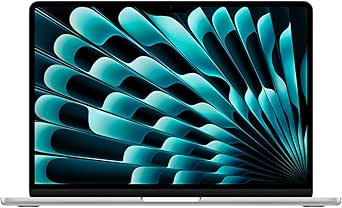
| Apple MacBook Air 13-inch with | 13.6-inch Liquid Retina | 16GB unified memory | 512GB SSD | Up to 18 hours |
| Apple MacBook Pro Laptop with | 16.2-inch Liquid Retina XDR | 128GB unified memory | 2TB SSD | — |
| Apple 2026 MacBook Neo 13-inch | 13-inch Liquid Retina, supports 1 billion colors | 8GB unified memory | 256GB SSD | Up to 16 hours |
| Apple MacBook Air with M4 Chip | 13.6-inch Liquid Retina LED | 16GB unified memory | 256GB SSD | Up to 18 hours |
| Apple 2026 MacBook Neo 13-inch | 13-inch Liquid Retina, 2408 × 1506, up to 500 nits | 8GB unified memory | 256GB SSD | Up to 16 hours |
| Apple 2025 MacBook Air with M4 | 15.3-inch Liquid Retina LED, 2880 × 1864 | 16GB unified memory | 512GB SSD | Up to 18 hours |
| Apple 2025 MacBook Pro 14.2-in | 14.2-inch Liquid Retina XDR, up to 1600 nits peak brightness | 16GB unified memory | 1TB SSD | — |
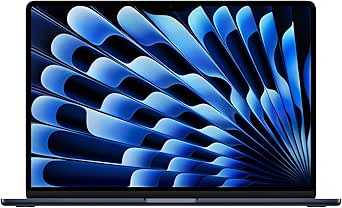
| Apple 2026 MacBook Air 15-inch | 15.3-inch Liquid Retina, supports 1 billion colors | 16GB unified memory | 512GB SSD | Up to 18 hours |
| Apple 2025 MacBook Air with M4 | 13.6-inch Liquid Retina, 2560 × 1664 | 24GB unified memory | 512GB SSD | Up to 18 hours |
| Apple 2025 MacBook Air with M4 | 15.3-inch Liquid Retina | 16GB unified memory | 256GB SSD | Up to 18 hours |
| Apple 2025 MacBook Pro Laptop | 14.2-inch Liquid Retina XDR | 24GB unified memory | 1TB SSD | All-day |
| Apple 2025 MacBook Air with M4 | 15.3-inch Liquid Retina | 16GB unified memory | 256GB SSD | Up to 18 hours |
| Apple 2025 MacBook Air 15-inch | 15.3-inch Liquid Retina, supports 1 billion colors | 16GB unified memory | 256GB SSD | Up to 18 hours |
| Apple 2026 MacBook Air 13-inch | 13.6-inch Liquid Retina | 16GB unified memory | 512GB SSD | Up to 18 hours |
More Details on Our Top Picks
Apple 16.2-inch MacBook Pro with M5 Pro, 18-core CPU, 20-core GPU, 24GB Memory, and 1TB SSD
The 16.2-inch MacBook Pro with M5 Pro is the balanced workhorse here: its 18-core CPU, 20-core GPU, and 24GB of unified memory suit demanding creative work without stepping up to the lineup’s far more expansive M5 Max configuration. The Liquid Retina XDR display gives detailed visual work a large, high-contrast canvas, while Thunderbolt 5, HDMI, and an SDXC slot make it easier to connect displays and media cards without a hub. Compared with the 13-inch MacBook Air with M5, this Pro offers more graphics headroom and a larger screen, but it weighs 4.71 pounds rather than 2.71. Its 1TB SSD is useful for sizable projects, though buyers who need extreme GPU capacity or 128GB of memory should look to the M5 Max model instead.
Pros:- M5 Pro with an 18-core CPU and 20-core GPU supports demanding creative and compute workloads.
- 16.2-inch Liquid Retina XDR display offers a large, high-contrast workspace.
- Three Thunderbolt 5 ports plus HDMI and SDXC support varied peripherals and media workflows.
- 24GB memory and a 1TB SSD provide room for multitasking and sizable project files.
Cons:- At 4.71 pounds, it is less convenient to carry than either 13-inch MacBook Air in this group.
- Its 20-core GPU and 24GB memory fall short of the M5 Max model for the most graphics-intensive work.
Best for: Video editors, photographers, and developers who need a large built-in display, strong graphics performance, and ports for work equipment.
Not ideal for: Students and frequent travelers who prioritize low weight; the 16-inch Pro is substantially heavier than the 13-inch MacBook Air with M5.
- Processor:Apple M5 Pro, 18-core CPU
- Graphics:20-core GPU
- Display:16.2-inch Liquid Retina XDR
- Memory:24GB unified memory
- Storage:1TB SSD
- Wireless:Wi-Fi 7, Bluetooth 6
- Ports:Three Thunderbolt 5, MagSafe 3, SDXC, HDMI, headphone jack
- Weight:4.71 pounds
Our verdict“Choose this MacBook Pro for demanding work that benefits from a large XDR screen and broad connectivity, but not if portability or maximum GPU capacity is your priority.”
Apple MacBook Air 13-inch with M5 Chip, 16GB Memory, 512GB SSD, Silver
The 13-inch MacBook Air with M5 is the most broadly suited pick in this group for everyday work: it combines 16GB of memory and a 512GB SSD with a light 2.71-pound build, without the bulk of a Pro. Its up to 18 hours of battery life makes it a strong match for full days away from a charger, and support for up to two external displays gives desk users room to expand. Against the MacBook Neo with A18 Pro, this Air has twice the listed memory and storage, giving multitaskers more breathing room. The tradeoff is that it lacks the Pro’s XDR screen, dedicated Pro-class graphics configuration, and wider built-in port selection. It is a portable general-purpose MacBook, not the right choice for sustained high-end creative workloads.
Pros:- Light 2.71-pound design is easier to carry than either 16.2-inch MacBook Pro.
- Up to 18 hours of battery life suits long work or study days away from an outlet.
- 16GB unified memory and 512GB SSD offer more everyday multitasking and file space than the MacBook Neo configuration.
- Supports up to two external displays.
Cons:- The Liquid Retina display lacks the size and XDR contrast of the 16.2-inch MacBook Pro.
- Two Thunderbolt 4 ports offer less connection variety than the Pro’s Thunderbolt 5, HDMI, and SDXC selection.
Best for: Students, office workers, and frequent commuters who want a light MacBook for multitasking, video calls, and long stretches away from power.
Not ideal for: Video professionals and other users who need the 16.2-inch XDR display, higher-end graphics, or the MacBook Pro’s HDMI and SDXC ports.
- Chip:Apple M5
- Display:13.6-inch Liquid Retina
- Memory:16GB unified memory
- Storage:512GB SSD
- Battery life:Up to 18 hours
- Camera:12MP Center Stage
- Wireless:Wi-Fi 7, Bluetooth 6
- Ports:Two Thunderbolt 4, MagSafe charging, headphone jack
- Weight:2.71 pounds
Our verdict“Pick this Air for a light, capable everyday MacBook with useful memory, storage, and battery life, rather than Pro-level graphics or screen size.”
Apple MacBook Pro Laptop with M5 Max, 18-core CPU, 40-core GPU, 16.2-inch Display, 128GB Memory, 2TB SSD, Space Black
For workloads that can use substantial graphics power and memory, the M5 Max MacBook Pro is the specialist pick. Its 40-core GPU, 128GB of unified memory, and 2TB SSD give complex video, graphics, and AI workflows far more capacity than the M5 Pro MacBook Pro, which has a 20-core GPU, 24GB of memory, and half the listed storage. The shared 16.2-inch Liquid Retina XDR display and broad port selection make either model a capable workstation, but the Max configuration is aimed at projects that justify its expanded resources. That headroom comes with a large, heavy laptop, and it will be excessive for routine office tasks or casual browsing. I’d choose the M5 Pro instead when the workload does not call for this much GPU or memory.
Pros:- 40-core GPU is suited to graphics-heavy creative and compute workloads.
- 128GB unified memory provides substantial capacity for memory-intensive projects.
- 2TB SSD offers more built-in project storage than the M5 Pro configuration.
- 16.2-inch Liquid Retina XDR screen and multiple ports support a workstation-style setup.
Cons:- The large, heavy 16.2-inch chassis is less convenient for frequent travel than the MacBook Air models.
- Its expanded GPU and memory capacity is unnecessary for many general-purpose users.
Best for: Video and 3D professionals, researchers, and AI developers whose demanding projects can make practical use of a 40-core GPU and 128GB of memory.
Not ideal for: Everyday users and mobile workers who would not benefit from the extra graphics and memory capacity and would rather carry the 13-inch MacBook Air with M5.
- Processor:M5 Max, 18-core CPU
- Graphics:40-core GPU
- Display:16.2-inch Liquid Retina XDR
- Memory:128GB unified memory
- Storage:2TB SSD
- Ports:Three Thunderbolt 5, MagSafe 3, SDXC, HDMI, headphone jack
- Connectivity:Wi-Fi 7, Bluetooth 6
- Color:Space Black
Our verdict“Choose the M5 Max when your professional workload needs its exceptional graphics and memory capacity; otherwise, the M5 Pro is the more restrained workstation option.”
Apple 2026 MacBook Neo 13-inch Laptop with A18 Pro Chip, 8GB Memory, 256GB SSD – Blush
The 13-inch MacBook Neo is the straightforward choice for students and everyday users whose work centers on writing, browsing, video calls, and macOS apps. Its A18 Pro chip, 1080p FaceTime HD camera, and display supporting 1 billion colors cover those routines in a portable aluminum laptop, while battery life is listed at up to 16 hours. The main compromise is its 8GB of unified memory and 256GB SSD: both are leaner than the 13-inch MacBook Air with M5, which has 16GB of memory, 512GB of storage, and up to 18 hours of battery life. That makes the Air a safer fit for heavier multitasking or a longer-term library of files. The Neo keeps its appeal for buyers with lighter needs who value a simple, colorful MacBook and iPhone integration.
Pros:- Portable 13-inch design with a recycled aluminum enclosure.
- Liquid Retina display supports 1 billion colors.
- Up to 16 hours of battery life suits a typical school or workday.
- 1080p FaceTime HD camera is suited to video calls.
Cons:- 8GB of unified memory leaves less multitasking headroom than the 16GB MacBook Air models.
- 256GB SSD can fill quickly with locally stored projects and media.
Best for: Students and first-time Mac buyers focused on notes, web research, streaming, video calls, and everyday macOS tasks.
Not ideal for: Users who keep large media libraries or run many demanding apps at once; its 8GB of memory and 256GB SSD provide less headroom than the MacBook Air with M5.
- Chip:A18 Pro
- Display:13-inch Liquid Retina, supports 1 billion colors
- Memory:8GB unified memory
- Storage:256GB SSD
- Camera:1080p FaceTime HD
- Battery life:Up to 16 hours
- Audio:Dual-mic array, two side-firing speakers
- Enclosure:Recycled aluminum, 60% recycled content by weight
- Color:Blush
Our verdict“Choose the MacBook Neo for school and everyday tasks if its 8GB memory and 256GB storage match your needs; step up to the M5 Air for more headroom.”
Apple MacBook Air with M4 Chip, 13-inch, 16GB RAM, 256GB SSD, Sky Blue (Renewed)
This renewed 13-inch MacBook Air with M4 offers a different tradeoff from the new M5 Air: it pairs 16GB of unified memory and a 13.6-inch Liquid Retina display with a compact design, but its 256GB SSD leaves less room for files than the M5 Air’s 512GB drive. The listed up to 18 hours of battery life supports portable work, while the M4 chip and 16GB memory suit general multitasking and many demanding everyday apps. Compared with the MacBook Neo, this Air has twice the listed memory and the supplied description specifies up to two hours more battery life; the Neo, however, is described as new and has a 256GB SSD as well. Renewed condition adds uncertainty around cosmetics and warranty coverage, so buyers who want a new-device experience should choose the M5 Air instead.
Pros:- M4 chip and 16GB unified memory support everyday productivity and multitasking.
- Up to 18 hours of battery life is suited to mobile work.
- 13.6-inch Liquid Retina display has a stated resolution of 2560 x 1664 pixels.
- Lightweight 1.24-kilogram design and Sky Blue finish make it portable.
Cons:- 256GB SSD offers less storage than the 512GB M5 MacBook Air.
- Renewed condition may involve cosmetic wear or limited warranty coverage.
- Integrated graphics are not aimed at high-end gaming or graphics-intensive professional workloads.
Best for: Buyers seeking a portable MacBook Air with 16GB of memory for everyday multitasking, and who are comfortable checking the renewed unit’s condition and warranty terms.
Not ideal for: People who need generous built-in storage, want a new device, or rely on a clearly specified warranty; the 256GB SSD and renewed condition may not suit them.
- Chip:Apple M4
- Display:13.6-inch Liquid Retina LED
- Resolution:2560 x 1664 pixels
- Memory:16GB unified memory
- Storage:256GB SSD
- Battery life:Up to 18 hours
- Weight:1.24 kilograms
- Operating system:macOS
- Condition:Renewed
Our verdict“Choose this renewed M4 Air if 16GB memory and portability matter more than extra storage or a new-device warranty.”
Apple 2026 MacBook Neo 13-inch Laptop with A18 Pro Chip – Silver
The 13-inch MacBook Neo is the simplest fit here for everyday tasks: web browsing, documents, video calls, and streaming. Its Liquid Retina display offers more brightness and resolution than a bare-bones screen, while the A18 Pro chip adds AI-focused processing in a durable aluminum body. Compared with the 2025 MacBook Air with M4 and 24GB memory, however, this Neo has less memory and storage, so juggling demanding apps or keeping a large library of files locally will be more limiting. The stated up to 16 hours of battery life should suit a day away from an outlet, though it trails the Air models’ stated 18 hours. I’d choose it for uncomplicated portable computing, not for heavy creative work or long-term storage needs.
Pros:- 13-inch Liquid Retina display reaches up to 500 nits
- A18 Pro chip is designed for performance and AI tasks
- Aluminum construction and four listed color options
- Battery life is stated at up to 16 hours
Cons:- 8GB of unified memory is restrictive for heavier multitasking
- 256GB SSD leaves limited room for large local files
- No dedicated GPU is specified for graphics-intensive work
Best for: Students and home users who mainly browse, write, stream, and want a compact MacBook with a bright display.
Not ideal for: People who regularly keep many demanding apps open, work with large media projects, or need substantial built-in storage.
- Display:13-inch Liquid Retina, 2408 × 1506, up to 500 nits
- Processor:Apple A18 Pro
- Memory:8GB unified memory
- Storage:256GB SSD
- Battery life:Up to 16 hours
- Weight:2.71 pounds
- Colors:Silver, Blush, Citrus, Indigo
Our verdict“Choose the MacBook Neo for everyday tasks and a compact display, but pick an M4 or M5 Air for more memory, storage, or longer stated battery life.”
Apple 2025 MacBook Air with M4 Chip, 15-inch, 16GB RAM, 512GB SSD, Midnight (Renewed)
This 15.3-inch M4 MacBook Air suits buyers who want a generous workspace for documents, split-screen apps, or video without moving up to a MacBook Pro. Its 16GB of memory and 512GB SSD give it a more flexible everyday setup than the 256GB MacBook Air configurations elsewhere in this roundup. The display supports a billion colors, and the stated 18-hour battery life makes the large screen easier to take on the go. Compared with the 2026 15-inch MacBook Air with M5, this renewed model uses an earlier chip and lists fewer current connectivity details, but it still provides a useful mix of screen area and capacity. The main caveat is its renewed condition: warranty coverage and unit condition may differ from a new laptop. Its listed weight is also 1.51 kg, so it is not the lightest choice.
Pros:- 15.3-inch display gives more room for side-by-side work
- 16GB unified memory supports everyday multitasking
- 512GB SSD offers more local space than 256GB Air options
- Battery life is stated at up to 18 hours
Cons:- Renewed condition can mean less predictable warranty coverage
- M4 is an older generation than the M5 Air models in this roundup
- Listed weight of 1.51 kg is higher than the compact Air options
Best for: Remote workers and students who want a spacious screen, 16GB memory, and 512GB storage in a renewed MacBook Air.
Not ideal for: Buyers who want a new device with clearly specified warranty coverage, or travelers prioritizing the lightest possible laptop.
- Model year:2025
- Processor:Apple M4
- Display:15.3-inch Liquid Retina LED, 2880 × 1864
- Memory:16GB unified memory
- Storage:512GB SSD
- Battery life:Up to 18 hours
- Weight:1.51 kg
- Features:Backlit keyboard, fingerprint reader
Our verdict“Pick this renewed M4 Air for a large screen and 512GB of storage, but choose the 2026 M5 Air if you want the newer chip generation.”
Apple 2025 MacBook Pro 14.2-inch with M5 Chip, 10-Core CPU, 10-Core GPU, 16GB Memory, 1TB SSD, Space Black
The 14.2-inch MacBook Pro with M5 is the lineup’s clearest choice for buyers who need a more capable display and built-in connections, not just a faster-feeling everyday laptop. Its Liquid Retina XDR screen is specified for up to 1600 nits peak brightness, and HDMI, SDXC, MagSafe, and three Thunderbolt 4 ports reduce the need to carry adapters. The 1TB SSD also doubles the listed capacity of the 15-inch M5 MacBook Air. That added flexibility comes with a tradeoff: at 3.41 pounds, this Pro is heavier than the Air, and its 14.2-inch screen is smaller than the Air’s 15.3-inch panel. With 16GB of memory, it is a strong fit for demanding general work, but buyers handling particularly large projects may prefer a higher-memory configuration.
Pros:- Liquid Retina XDR display with up to 1600 nits peak brightness
- 1TB SSD provides ample listed local storage
- HDMI, SDXC, MagSafe, and three Thunderbolt 4 ports
- 10-core M5 CPU and 10-core GPU
Cons:- At 3.41 pounds, it is heavier than the MacBook Air options
- 14.2-inch display is smaller than the 15.3-inch Air screens
- 16GB memory may limit work with especially large projects
Best for: Photographers, video editors, and frequent presenters who want an XDR display, 1TB of storage, and HDMI and SDXC built in.
Not ideal for: Travelers who value the lightest laptop above screen brightness and port selection, or professionals who need more than 16GB of memory.
- Chip:Apple M5
- CPU and GPU:10-core CPU, 10-core GPU
- Display:14.2-inch Liquid Retina XDR, up to 1600 nits peak brightness
- Memory:16GB unified memory
- Storage:1TB SSD
- Camera:12MP Center Stage
- Ports:Three Thunderbolt 4, MagSafe 3, SDXC, HDMI, headphone jack
- Weight:3.41 pounds
Our verdict“Choose this Pro for its bright XDR display, built-in ports, and 1TB SSD; opt for the 15-inch M5 Air if lower weight and a larger screen matter more.”
Apple 2026 MacBook Air 15-inch Laptop with M5 chip (16GB RAM, 512GB SSD, Midnight)
The 2026 15-inch MacBook Air balances a roomy display with current-generation M5 performance, making it the strongest Air fit here for people who work across several windows or watch video on a larger panel. Its 16GB of memory and 512GB SSD give it a more versatile base setup than the MacBook Neo’s 8GB and 256GB, while the 12MP Center Stage camera and listed Wi-Fi 7 and Bluetooth 6 add useful modern connectivity. The six-speaker system is another draw for calls and entertainment. Compared with the 14.2-inch M5 MacBook Pro, it offers more screen area and a lower listed weight, but gives up the Pro’s XDR display and wider port selection. Two Thunderbolt 4 ports and 512GB of storage may also feel limiting for users with many peripherals or large project libraries.
Pros:- 15.3-inch Liquid Retina display supports 1 billion colors
- M5 chip and 16GB unified memory for multitasking
- 12MP Center Stage camera and six-speaker audio system
- Wi-Fi 7, Bluetooth 6, and up to 18 hours of stated battery life
Cons:- Two Thunderbolt 4 ports may require a hub for multiple accessories
- 512GB SSD may be tight for large media libraries
- Lacks the XDR display and port range of the 14.2-inch MacBook Pro
Best for: Mobile professionals and students who want a large screen, current M5 chip, and strong everyday multitasking in an Air.
Not ideal for: Creative professionals who need an XDR display, more built-in ports, or more than 512GB of local storage.
- Display:15.3-inch Liquid Retina, supports 1 billion colors
- Chip:Apple M5 with 16-core Neural Engine
- Memory:16GB unified memory
- Storage:512GB SSD
- Camera:12MP Center Stage
- Battery life:Up to 18 hours
- Ports and wireless:Two Thunderbolt 4, MagSafe, headphone jack; Wi-Fi 7, Bluetooth 6
- Weight:3.32 pounds
Our verdict“Choose this Air for a large screen and newer M5 hardware in a lighter design, but get the MacBook Pro if display performance and ports take priority.”
Apple 2025 MacBook Air with M4 Chip, 13-inch, 24GB Memory, 512GB SSD, Midnight (Renewed)
This renewed 13-inch M4 Air stands apart from the other compact options through its 24GB of unified memory. That extra headroom can help buyers keep more apps and browser tabs active than the MacBook Neo with 8GB, while its 512GB SSD gives more room for files than either 256GB configuration. The 13.6-inch Liquid Retina display and 1.24 kg listed weight make it the more portable choice against the 15-inch M4 Air with 16GB, though the smaller screen is less comfortable for side-by-side work. Its stated 18-hour battery life adds flexibility for commuting or campus days. The compromise is buying renewed: the unit’s condition and warranty coverage may vary, and its limited port selection can call for adapters. I’d choose it for memory-heavy everyday multitasking, not for buyers who require a new device or a larger workspace.
Pros:- 24GB unified memory offers more headroom than the Neo and 16GB Air models
- 512GB SSD exceeds the capacity of 256GB configurations
- 13.6-inch Liquid Retina display in a compact design
- Battery life is stated at up to 18 hours
Cons:- Renewed status can mean less predictable condition and warranty coverage
- 13.6-inch screen gives less room for side-by-side tasks than the 15-inch Air
- Limited ports may require adapters for accessories
Best for: Frequent travelers and multitaskers who want a compact MacBook Air with 24GB of memory and 512GB storage.
Not ideal for: Buyers who want a new laptop with predictable warranty coverage, a large display, or extensive built-in ports.
- Model year:2025
- Processor:Apple M4
- Display:13.6-inch Liquid Retina, 2560 × 1664
- Memory:24GB unified memory
- Storage:512GB SSD
- Battery life:Up to 18 hours
- Weight:1.24 kg
- Features:Backlit keyboard, fingerprint reader
Our verdict“Pick this renewed M4 Air if compact size and 24GB of memory matter most, but choose the 15-inch M4 Air for a larger workspace.”
Apple 2025 MacBook Air with M4 Chip (15-inch, 16GB RAM, 256GB SSD, Midnight, QWERTY English) – Renewed
I’d choose this renewed 15.3-inch MacBook Air when a roomy screen matters more than having a new unit or ample built-in storage. Its M4 chip and 16GB of unified memory suit everyday multitasking, office work, and light creative projects, while the larger display makes split-screen work and video more comfortable than on the 13.6-inch MacBook Air M5. The claimed up-to-18-hour battery life also suits days away from an outlet. The tradeoff is the 256GB SSD, which can fill quickly with large photo or video libraries; the M5 Air’s 512GB configuration offers more breathing room and newer connectivity. Since this is renewed, warranty coverage and condition may vary. I’d rank it as a practical large-screen pick for buyers who accept those uncertainties.
Pros:- 15.3-inch display gives more room for documents, multitasking, and entertainment than a 13-inch Air.
- M4 chip and 16GB unified memory support responsive everyday multitasking.
- Advertised battery life of up to 18 hours suits long work or study days.
- Lightweight Air design is easier to carry than a MacBook Pro.
Cons:- 256GB SSD can constrain users with large files or apps.
- Renewed condition and warranty coverage may vary.
- Compared with the newer M5 Air, it has an older chip generation.
Best for: Students and mobile office workers who want a large display and M4 performance, mainly use cloud storage, and are comfortable buying renewed.
Not ideal for: People who keep large media libraries locally or want the clearest warranty and condition expectations of a new MacBook.
- Processor:Apple M4 chip
- Display:15.3-inch Liquid Retina
- Memory:16GB unified memory
- Storage:256GB SSD
- Battery life:Up to 18 hours
- Color:Midnight
- Keyboard:QWERTY English
- Condition:Renewed
Our verdict“Choose this renewed M4 Air if you want a large screen and can live with 256GB of storage and variable renewed-product coverage.”
Apple 2025 MacBook Pro Laptop with M5 Chip, 14.2-inch Liquid Retina XDR Display, 24GB RAM, 1TB SSD, Space Black
This 14.2-inch MacBook Pro is the work-focused choice here: its M5 chip, 24GB memory, and 1TB SSD give demanding creative apps and large project files more headroom than the 15-inch M4 Air models, whose configurations have 16GB memory and 256GB storage. The Liquid Retina XDR display is another meaningful step up for high-contrast imagery and detailed visual work, while the SDXC slot and HDMI port reduce the need for adapters when connecting cameras or displays. That capability comes with a less travel-friendly value proposition than the lighter Air, and the 14.2-inch screen is smaller than the 15.3-inch Air panels. I’d reserve this pick for buyers who will use the extra memory, storage, display quality, or ports; routine browsing and documents don’t call for this much machine.
Pros:- 24GB unified memory gives demanding apps and multitasking more headroom than the 16GB Air configurations.
- 1TB SSD provides substantially more local project space than the 256GB Air models.
- Liquid Retina XDR display is suited to high-contrast creative work.
- HDMI and SDXC slots add useful connections without relying solely on adapters.
Cons:- Its Pro-level capabilities are unnecessary for many everyday workloads.
- The 14.2-inch display is smaller than the 15.3-inch Air screens.
- Three Thunderbolt 4 ports still may not cover every multi-device setup without a hub.
Best for: Photographers, video editors, and other creative professionals who need more memory, a 1TB drive, an XDR display, and built-in media ports.
Not ideal for: Students and everyday users who prioritize a larger Air screen, lighter travel setup, or a simpler laptop for routine tasks.
- Processor:Apple M5 chip with 10-core CPU and GPU
- Display:14.2-inch Liquid Retina XDR
- Memory:24GB unified memory
- Storage:1TB SSD
- Battery life:All-day
- Ports:Three Thunderbolt 4, MagSafe 3, SDXC card slot, HDMI, headphone jack
- Color:Space Black
Our verdict“Pick this MacBook Pro for demanding creative work that benefits from its XDR display, 24GB memory, 1TB storage, and built-in ports.”
Apple 2025 MacBook Air with M4 Chip, 15-inch, 16GB RAM, 256GB SSD, Sky Blue (Renewed)
The Sky Blue renewed M4 Air makes the most sense for buyers who want a distinctive finish without giving up the spacious 15.3-inch display. Its core setup—M4, 16GB unified memory, and a 256GB SSD—matches the Midnight renewed model, so the meaningful difference is appearance rather than performance. Like that Midnight option, it offers a larger working area than the 13.6-inch M5 Air, but it gives up that newer model’s M5 chip and 512GB drive. The M4 and 16GB memory are suitable for everyday productivity and multitasking; the small SSD is a tighter fit for extensive offline media or editing libraries. I’d pick this version when Sky Blue is a genuine preference, not because it adds capability. Renewed condition and warranty terms also deserve attention before choosing it over a new Air.
Pros:- 15.3-inch Liquid Retina display offers generous space for work and entertainment.
- M4 chip and 16GB unified memory support everyday multitasking.
- Up-to-18-hour advertised battery life fits mobile routines.
- Sky Blue finish provides an alternative to the Midnight renewed model.
Cons:- 256GB SSD leaves limited room for large local libraries and project files.
- Renewed condition and warranty coverage may vary.
- The newer 13-inch M5 Air has a later-generation chip and a 512GB SSD.
Best for: Style-conscious students or remote workers who want a large-screen Air, use cloud storage, and prefer Sky Blue enough to choose a renewed model.
Not ideal for: Buyers who need plentiful local storage, want a new-product purchase, or would rather prioritize the M5 Air’s newer chip and 512GB SSD.
- Processor:Apple M4 chip
- Display:15.3-inch Liquid Retina
- Memory:16GB unified memory
- Storage:256GB SSD
- Battery life:Up to 18 hours
- Color:Sky Blue
- Condition:Renewed
Our verdict“Choose this renewed model if Sky Blue and a 15-inch screen matter more to you than extra storage or the newer M5 Air configuration.”
Apple 2025 MacBook Air 15-inch with M4 Chip, 16GB Memory, 256GB SSD, and Liquid Retina Display (Midnight)
I’d make this the straightforward large-screen Air choice for buyers who want the 15.3-inch M4 experience in a new model rather than taking the renewed-product uncertainty attached to the two other M4 Airs here. Its 16GB unified memory supports everyday multitasking, and the 12MP Center Stage camera helps keep video calls framed as you move. Wi-Fi 6E, MagSafe, and two Thunderbolt 4 ports cover common desk and travel needs, though the built-in port selection remains modest. Compared with the 14.2-inch M5 MacBook Pro, this Air trades the XDR screen, 24GB memory, 1TB SSD, and broader port selection for a larger display and a slimmer everyday-laptop focus. The main constraint is its 256GB SSD, so I’d choose it for cloud-based work rather than large local libraries.
Pros:- 15.3-inch Liquid Retina display supports 1 billion colors and gives work more screen space.
- M4 chip and 16GB unified memory suit everyday multitasking and light creative work.
- 12MP Center Stage camera is useful for video calls.
- MagSafe, Thunderbolt 4, and Wi-Fi 6E cover common charging and connectivity needs.
Cons:- 256GB SSD can be restrictive for large applications and media libraries.
- Two Thunderbolt 4 ports and the other built-in connections may require adapters for some setups.
- The M5 MacBook Pro offers more memory, storage, and an XDR display for demanding creative workloads.
Best for: Students, home-office workers, and frequent video-call users who want a new 15-inch MacBook Air for general productivity and cloud-based files.
Not ideal for: Creative professionals with large local projects, or anyone who needs the Pro’s XDR display, 1TB storage, and broader built-in port selection.
- Chip:Apple M4
- Display:15.3-inch Liquid Retina, supports 1 billion colors
- Memory:16GB unified memory
- Storage:256GB SSD
- Battery life:Up to 18 hours
- Camera:12MP Center Stage
- Ports:Two Thunderbolt 4 ports, MagSafe charging port, headphone jack
- Wireless connectivity:Wi-Fi 6E, Bluetooth 5.3
- Weight:3.32 pounds
Our verdict“Choose this new M4 Air if you want a large display and video-call features without the renewed status of the other 15-inch M4 options.”
Apple 2026 MacBook Air 13-inch Laptop with M5 chip (16GB RAM, 512GB SSD, Midnight)
For commuters and travelers, this 13.6-inch M5 Air is the most portable fit in this group: at 2.71 pounds, it is easier to carry than the 15-inch M4 Airs, and its 512GB SSD gives twice the built-in capacity of their 256GB configurations. The M5 chip and 16GB memory make it the more current compact Air choice, while Wi-Fi 7 and Bluetooth 6 add newer wireless standards than the M4 model’s listed Wi-Fi 6E and Bluetooth 5.3. Its smaller screen is the clear compromise; people who routinely split windows or work with detailed timelines may prefer the 15.3-inch Air. The two Thunderbolt 4 ports also limit direct connections, even with MagSafe and a headphone jack. I’d rank it for portability and a more generous base SSD, not for maximum screen area.
Pros:- 2.71-pound design is easier to carry than the 15-inch Air models.
- 512GB SSD provides more local storage than the 256GB M4 Air configurations.
- M5 chip, 16GB unified memory, and Apple Intelligence support current workloads.
- Wi-Fi 7, Bluetooth 6, MagSafe, and support for up to two external displays offer versatile connectivity.
Cons:- 13.6-inch screen gives less workspace than the 15.3-inch M4 Air models.
- Two Thunderbolt 4 ports may require a hub for multi-device setups.
- 512GB may still fall short for buyers who keep extensive video or photo libraries locally.
Best for: Commuters, students, and frequent travelers who want a light MacBook with a 512GB SSD and current wireless connectivity.
Not ideal for: People who work most often at a laptop screen and want the larger workspace of the 15.3-inch M4 Air or the XDR display of the MacBook Pro.
- Chip:Apple M5
- Display:13.6-inch Liquid Retina
- Memory:16GB unified memory
- Storage:512GB SSD
- Camera:12MP Center Stage
- Battery life:Up to 18 hours
- Connectivity:Wi-Fi 7, Bluetooth 6, two Thunderbolt 4 ports, MagSafe, headphone jack
- External displays:Up to two
- Weight:2.71 pounds
Our verdict“Pick this M5 Air if portability, a 512GB SSD, and newer wireless connectivity matter more than a larger built-in display.”

How We Picked
I ranked these MacBooks by how well each configuration serves a clear buyer need, weighing everyday performance, portability, display size, memory, storage, and the added capabilities of the Pro line. A laptop with a capable chip can still be a poor fit if its storage is tight or its screen size works against the owner’s routine, so I treated the full configuration as the unit of comparison rather than ranking by processor alone.
The order favors versatile options first, then models that make a stronger case for a particular workload or preference. The 13-inch M5 Air earns the broadest recommendation through its balance of mobility and practical capacity; the 15-inch Air and base 14-inch Pro follow for buyers who prioritize screen area or a more capable work machine. Higher-tier Pro and Max systems rank for specialized needs, while renewed M4 models are judged on the appeal of their configurations alongside the extra uncertainty of renewed condition. Where two listings share a family and chip, differences in memory, SSD size, screen size, and stated condition drive their distinct roles.
| MacBook | Processor | Battery life |
|---|---|---|
| Apple 16.2-inch MacBook Pro wi | Apple M5 Pro, 18-core CPU | — |
| Apple MacBook Air 13-inch with | — | Up to 18 hours |
| Apple MacBook Pro Laptop with | M5 Max, 18-core CPU | — |
| Apple 2026 MacBook Neo 13-inch | — | Up to 16 hours |
| Apple MacBook Air with M4 Chip | — | Up to 18 hours |
| Apple 2026 MacBook Neo 13-inch | Apple A18 Pro | Up to 16 hours |
| Apple 2025 MacBook Air with M4 | Apple M4 | Up to 18 hours |
| Apple 2025 MacBook Pro 14.2-in | — | — |
| Apple 2026 MacBook Air 15-inch | — | Up to 18 hours |
| Apple 2025 MacBook Air with M4 | Apple M4 | Up to 18 hours |
| Apple 2025 MacBook Air with M4 | Apple M4 chip | Up to 18 hours |
| Apple 2025 MacBook Pro Laptop | Apple M5 chip with 10-core CPU and GPU | All-day |
| Apple 2025 MacBook Air with M4 | Apple M4 chip | Up to 18 hours |
| Apple 2025 MacBook Air 15-inch | — | Up to 18 hours |
| Apple 2026 MacBook Air 13-inch | — | Up to 18 hours |
Factors to Consider When Choosing Best MacBooks
Choosing among these MacBooks is less about finding one universal winner and more about matching the configuration to your routine. I would settle the following questions before deciding between Air, Pro, current-generation, and renewed options.
Choose Screen Size Around Your Daily Setup
A 13-inch laptop is easier to carry and fits more naturally on crowded desks, but the smaller workspace can feel limiting when you keep several documents or windows open. A 15-inch Air gives you more room without moving into the Pro family, which can reduce the need for an external display at home or in class. The 14-inch Pro is a middle ground for people who want a more capable machine without the bulk of a 16-inch model. Screen size also affects how often you will bring the laptop along, so do not buy extra display area you will rarely use. If you work at a desk most days, compare the value of a larger built-in screen with a separate monitor rather than assuming the bigger laptop is automatically the better setup.
Buy Memory for the Work You Keep Open
Memory affects how comfortably a MacBook handles many open apps, large creative files, and longer-running projects. For browsing, writing, schoolwork, and routine office tasks, 16GB configurations in this lineup offer a more balanced starting point than the Neo’s 8GB listing. Buyers who edit large media projects, run heavier development tools, or keep demanding apps active together have a stronger reason to look at the 24GB or 128GB options. Extra memory is harder to compensate for later than a crowded desktop, so think about your workload over the laptop’s expected lifespan. Avoid paying for unusually high capacity just because it is available: if your work is light, the money and weight of a higher-tier Pro may bring little practical benefit.
Treat SSD Capacity as a Daily-Use Decision
A 256GB SSD can work for cloud-first users with modest local files, but it leaves less room for applications, downloads, photos, and offline media. The 512GB models provide more breathing room for a mixed personal and work library, while 1TB or 2TB configurations suit people who keep substantial projects on the laptop. External drives and cloud storage can help, but they add steps and may be inconvenient when traveling or handling large files. Before choosing, check how much storage your current computer uses and include room for future projects and system growth. Do not let a newer chip distract from a capacity that may force regular file cleanup.
Pay for Pro Only When the Work Benefits
The Air models are the simpler fit for everyday tasks and portability, while the Pro line is aimed at buyers who can use its stronger performance and more capable display. Video, graphics, and sustained professional workloads make a clearer case for a Pro than web browsing, notes, or streaming. The 14-inch M5 Pro and 16-inch M5 Pro differ in screen size and configuration, while the M5 Max’s substantial GPU and memory capacity are most relevant to specialized creative or technical work. If you cannot name the task that needs the extra capability, an Air may be the more sensible choice. A premium model should solve a recurring workload problem, not merely offer specifications you may never use.
Compare Renewed Listings by Condition and Configuration
The renewed M4 Airs can be attractive alternatives, but the word renewed does not describe a single uniform condition. Check the seller’s description, return window, warranty coverage, battery condition information, and included accessories before comparing them with new listings. These options also vary between 13- and 15-inch displays, 16GB and 24GB memory, and 256GB and 512GB SSDs, so two renewed Airs may serve quite different needs. A higher-capacity renewed model can be a better fit than a lower-capacity newer one if its condition terms are acceptable to you. Do not choose on the chip name alone; weigh the complete configuration and the protections attached to the specific listing.
Match the MacBook Neo to a Light-Duty Role
The Neo listings sit apart from the Air and Pro choices, with an A18 Pro chip and one listed 8GB memory, 256GB SSD configuration. That makes them worth examining for basic tasks such as browsing, writing, and schoolwork, but buyers should be realistic about multitasking demands and storage needs. The two Neo entries also differ in the details provided: one specifies Blush and the 8GB and 256GB capacities, while the Silver listing does not state those capacities in its name. Confirm the exact specification before ordering rather than assuming the listings are identical. If you expect demanding creative work or want more room for apps and files, the Air configurations offer a clearer path.
Frequently Asked Questions
Is the 13-inch M5 MacBook Air a better choice than the 14-inch M5 MacBook Pro?
For routine work and frequent travel, I would favor the 13-inch M5 Air because its role is straightforward: a portable everyday laptop with 16GB memory and 512GB storage. The 14-inch M5 Pro makes more sense when you need its more capable display or expect heavier work to benefit from the Pro line. Screen size is close, but the reason to buy the Pro is its work-oriented feature set, not simply a larger screen. If your workload is mainly browsing, documents, calls, and light creative tasks, the Air is the more focused fit. Choose the Pro when you can point to a recurring task that needs its additional capability.
Should I choose a 15-inch MacBook Air or a 16-inch MacBook Pro?
Pick the 15-inch Air if you want a larger workspace for everyday work without moving to a high-performance Pro configuration. The 16-inch Pro is aimed at demanding users who value its display and stronger processing options for creative or technical workloads. The Air is the more suitable match for general productivity and a simpler laptop setup; the Pro earns its place when your software and projects can use its extra capability. Also think about portability: a larger laptop can be less convenient to carry every day. If you mainly want more screen area, the 15-inch Air is the less specialized route.
Is 256GB of storage enough for a MacBook?
It can be enough if you mostly use browser-based services, keep few large files locally, and are comfortable storing photos or documents in the cloud. It becomes restrictive more quickly if you install many applications, download media, or work with video and other large projects. In this roundup, several Airs and the listed Neo configuration have 256GB, while the M5 Air options with 512GB offer more room for a varied local library. Check the storage currently used on your existing computer before choosing. If you are already close to 256GB, a larger SSD is likely to save ongoing cleanup and external-drive work.
Are the renewed M4 MacBook Airs worth choosing over an M5 Air?
A renewed M4 Air may suit you if its screen size and memory and storage configuration match your needs and the listing provides acceptable return and warranty terms. The M5 Air options are the simpler choice for buyers who prefer a current-generation listing and a clear 512GB configuration. Compare the complete setup rather than assuming every M4 listing has the same capacities: this roundup includes 13- and 15-inch models, 16GB and 24GB memory options, and SSDs ranging from 256GB to 512GB. Condition and seller protections matter more with renewed products, so read those details before committing. If uncertainty about condition outweighs the appeal of a particular configuration, choose a new listing.
Which MacBook in this roundup makes sense for video editing or other demanding creative work?
For sustained, demanding creative projects, the 16-inch MacBook Pro with M5 Pro or the M5 Max configuration is a stronger starting point than an Air. The M5 Max listing stands apart with a 40-core GPU, 128GB memory, and 2TB SSD, which are most relevant to large and resource-intensive workloads. A 14-inch Pro configuration may be a more manageable choice if you want Pro features in a smaller laptop, while the Air is better suited to lighter editing and general creative tasks. Match the machine to the software and file sizes you actually handle instead of buying the highest specification by default. If your work does not use the extra GPU or memory, a less specialized option may fit better.
Conclusion
For most buyers, my best overall pick is the 13-inch M5 MacBook Air with 16GB memory and 512GB SSD: it balances everyday capability, portability, and useful capacity. The best value direction is a renewed M4 Air whose screen size and storage fit your routine, provided its condition and return terms check out. For a premium work machine, choose the 16-inch M5 Pro MacBook Pro; reserve the M5 Max for especially demanding graphics or technical workloads. Beginners with light needs can look at the MacBook Neo, after confirming the exact listing configuration, while buyers wanting a bigger everyday screen should favor the 15-inch M5 Air. In short, choose by workload first, then screen size and capacity; that keeps you from paying for power or space you will not use.