

The best home electricity monitors depend on whether you want whole-panel tracking, circuit-level detail, or a simple readout for one appliance. My best overall pick is the Emporia Vue 3 Home Energy Monitor, which pairs broad circuit coverage with a focused whole-home monitoring setup. The Emporia Vue Bundle stands out for buyers who also want smart plugs, while the Eyedro WiFi and Ethernet monitor offers a different fit for people who value wired connectivity. The main tradeoff is between detailed installation and monitoring versus the simplicity of a plug-in meter. Read on for the full breakdown, selection criteria, and advice on matching a monitor to your home.

Get the latest gadgets delivered free with Prime
- Fast, free delivery on millions of items
- Prime Video, Amazon Music and more included
- Member-only deals all year
Complete the kit



Key Takeaways
- Whole-panel monitors and plug-in meters solve different problems: circuit sensors can track a home’s electrical use, while plug-in models focus on individual appliances.
- Emporia’s lineup covers two distinct needs: the Vue 3 is a direct whole-home pick, while the bundle adds smart plugs for appliance-level tracking.
- Home Assistant support matters most to automation-focused buyers: several Meross, Sungrass, and AI-analysis options advertise this integration, but app and setup preferences still matter.
- Sensor count alone does not define coverage: check whether the monitor can accommodate your panel layout and which circuits you actually want to track.
- Specialized options have narrower roles: the Eyedro three-phase meter suits a different electrical setup from residential plug-in watt meters such as the MECHEER two-pack.
| Meross Smart Home Energy Monitor, 18-Circuit, with Home Assistant Support |  | Best for Home Assistant and Local Data | Circuit monitoring: 2 main circuits (200A) and 16 branch circuits (60A) | Measurement accuracy: ±2% | Data storage: Up to 5 years | VIEW LATEST PRICE | See Our Full Breakdown |
| Emporia Vue Energy Monitor Bundle with 16 Sensors and 4 Smart Plugs |  | Best Bundle for Whole-Home and Outlet Tracking | Included sensors: 16 | Included smart plugs: 4 | Monitoring: Whole-home and up to 16 individual circuits | VIEW LATEST PRICE | See Our Full Breakdown |
| Eyedro Smart Home Energy Monitor with 200A Sensors, WiFi and Ethernet |  | Best for Flexible Wired or Wireless Connection | Model: EYEDRO-HOME | Current sensor capacity: 200A | Sensors included: 2 directional current sensors | VIEW LATEST PRICE | See Our Full Breakdown |
| Siemens Inhab Smart Home Energy Monitor with Circuit and Main Sensors |  | Best for Energy Management Features | Model: INHEM1216 | Main sensors: 2 x 200A CTs | Circuit sensors: 16 x 50A CTs | VIEW LATEST PRICE | See Our Full Breakdown |
| Emporia Vue 3 Home Energy Monitor with 16 Circuit Sensors |  | Best for Straightforward Circuit Monitoring | Model: EMV3A-2P-16 | Circuit sensors: 16 branch sensors, 50A | Accuracy: ±2% | VIEW LATEST PRICE | See Our Full Breakdown |
| Meross Smart Home Energy Monitor with Home Assistant Support | | Best for Home Assistant Circuit Coverage | Model: EM16 | Main circuit capacity: 2 circuits, up to 200A | Branch circuit capacity: 16 circuits, up to 60A each | VIEW LATEST PRICE | See Our Full Breakdown |
| Refoss Smart Home Energy Monitor with 16 Circuit Sensors |  | Best for Local Integration Flexibility | Model: EM16P | Main sensors: 2, up to 200A | Branch sensors: 16, up to 60A each | VIEW LATEST PRICE | See Our Full Breakdown |
| Eyedro 3-Phase Energy Meter, 200A/600V, Wi-Fi and Ethernet | 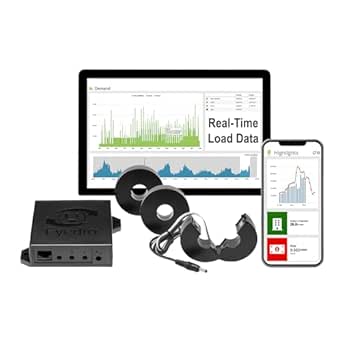 | Best for Three-Phase and Cloud Reporting | Model: EB6-EW-E3 | Phase: 3-phase | Voltage options: 600V Delta, 480V/277V Wye, 208V/120V, and other configurations | VIEW LATEST PRICE | See Our Full Breakdown |
| Smart Home Energy Monitor with 16 Circuit Sensors |  | Best for Time-of-Use Cost Tracking | Model: SEM-Meter | Circuit sensors: 16 × 50A | Voltage support: Up to 240VAC single-phase or split-phase; up to 415Y/240VAC three-phase | VIEW LATEST PRICE | See Our Full Breakdown |
| Sungrass eMonHub Home Energy Monitor for Home Assistant |  | Best for Home Assistant Solar Automations | Model: eMonHub-HNA0A-HA | Circuits monitored: 10 per unit | Connectivity: Wi-Fi and Ethernet | VIEW LATEST PRICE | See Our Full Breakdown |
| 10-Circuit Smart Home Energy Monitor with AI Analysis and Home Assistant Support |  | Best for Flexible Integrations | Circuit channels: 10 | Connectivity: Wi-Fi and Ethernet | Integrations: Home Assistant, MQTT API, and Modbus TCP | VIEW LATEST PRICE | See Our Full Breakdown |
| Plug-In Watt Meter and Home Energy Monitor |  | Best for Simple Appliance Checks | Power source: Corded electric | Minimum operating voltage: 120 volts | Display modes: 8 | VIEW LATEST PRICE | See Our Full Breakdown |
| MECHEER JK-PM07-2P-US Power Meter Plug, 2-Pack |  | Best Two-Pack for Appliance Comparisons | Quantity: 2-pack | Display modes: 8 | Measurements: Power, energy use, voltage, current, frequency, power factor, and estimated electricity cost | VIEW LATEST PRICE | See Our Full Breakdown |
| Refoss EM16P Smart Home Energy Monitor |  | Best for Broad Circuit Coverage and Local Data | Main circuit sensors: 2, rated 2–200 A each | Branch circuit sensors: 16, rated 1–60 A each | Accuracy: ±1%; ±2% at low current | VIEW LATEST PRICE | See Our Full Breakdown |
| Plug-In Watt Meter and Home Electricity Usage Monitor |  | Best for Detailed Readings at One Outlet | Display: 2.36 x 1.85-inch backlit LCD | Display modes: 7 | Monitored measurements: Power, energy, voltage, current, frequency, power factor, cost, minimum and maximum power | VIEW LATEST PRICE | See Our Full Breakdown |
| home electricity monitor | Connectivity | Model | Dimensions |
|---|---|---|---|
| Meross Smart Home Energy Monit | Open API and web control | — | — |
| Emporia Vue Energy Monitor Bun | — | — | — |
| Eyedro Smart Home Energy Monit | 2.4 GHz Wi-Fi or Ethernet | EYEDRO-HOME | 8 x 8 x 3 inches |
| Siemens Inhab Smart Home Energ | Wi-Fi and mobile app | INHEM1216 | 1.1 x 5.71 x 2.76 inches |
| Emporia Vue 3 Home Energy Moni | 2.4 GHz Wi-Fi and internet connection | EMV3A-2P-16 | 10 x 5 x 5 inches |
| Meross Smart Home Energy Monit | — | EM16 | — |
| Refoss Smart Home Energy Monit | — | EM16P | — |
| Eyedro 3-Phase Energy Meter | 2.4 GHz Wi-Fi or Ethernet | EB6-EW-E3 | — |
| Smart Home Energy Monitor with | 2.4 GHz Wi-Fi | SEM-Meter | — |
| Sungrass eMonHub Home Energy M | Wi-Fi and Ethernet | eMonHub-HNA0A-HA | 4.73 × 3.15 × 1.22 inches |
| 10-Circuit Smart Home Energy M | Wi-Fi and Ethernet | — | 4.73 x 3.15 x 1.22 inches |
| Plug-In Watt Meter and Home En | — | — | 5.5 x 3.5 x 2.5 inches |
| MECHEER JK-PM07-2P-US Power Me | — | — | 5.2 x 2.7 x 2.4 inches |
| Refoss EM16P Smart Home Energy | — | — | 4.5 x 3.5 x 1.1 inches |
| Plug-In Watt Meter and Home El | — | — | — |
More Details on Our Top Picks
Meross Smart Home Energy Monitor, 18-Circuit, with Home Assistant Support
The Meross EM16 is the strongest fit here for buyers who want broad circuit coverage paired with more control over their data and integrations. It tracks two main circuits plus up to 16 branch circuits, and its Home Assistant support, Open API, and local storage suit a setup built around custom dashboards rather than an app alone. Compared with the Emporia Vue Energy Monitor Bundle, Meross includes no smart plugs, but it offers up to five years of stored data and hourly report exports. Its clamp-on installation avoids inserting a meter into each circuit, though panel work still calls for care. The key limitation is electrical compatibility: it supports specified US system types but not Delta systems. Choose it for integration flexibility, not plug-in simplicity.
Pros:- Monitors two main circuits and up to 16 branch circuits
- Supports Home Assistant, Open API access, and web control
- Stores up to five years of data and supports hourly report exports
- ETL-certified and backed by a two-year warranty
Cons:- Does not support Delta electrical systems
- Requires a compatible electrical setup and access to the circuit panel
Best for: Home Assistant users with a supported US electrical system who want detailed monitoring across many circuits and locally stored history.
Not ideal for: Homes with Delta electrical systems, or buyers who want included smart plugs and a guided app-first setup.
- Circuit monitoring:2 main circuits (200A) and 16 branch circuits (60A)
- Measurement accuracy:±2%
- Data storage:Up to 5 years
- Compatibility:Single-phase 2-wire, split-phase 3-wire, and 3-phase 4-wire Wye systems with earthed neutral; no Delta
- Integrations:Home Assistant
- Connectivity:Open API and web control
- Installation:Clamp-on
- Certification and warranty:ETL-certified; compliant with UL 61010 testing standard; 2-year warranty
Our verdict“Choose the Meross EM16 if Home Assistant integration and long-term local data matter more to you than bundled smart plugs.”
Emporia Vue Energy Monitor Bundle with 16 Sensors and 4 Smart Plugs
The Emporia bundle makes the most sense when panel-level readings are only part of the job. Alongside whole-home and 16-circuit monitoring, it includes four smart plugs that add outlet-level usage data, remote control, and scheduling. That combination can help identify whether an appliance or an entire circuit is driving consumption. Compared with the Emporia Vue 3, this package gives you those plugs out of the box, while the Vue 3 keeps the focus on panel monitoring with 16 circuit sensors. The app supports solar systems and Alexa, with second-by-second tracking for close monitoring. The tradeoff is that energy data is stored in the cloud, and the supplied information does not specify installation details. I’d favor this bundle for app-led households that want to monitor and control individual plugged-in devices as well as circuits.
Pros:- Tracks whole-home use and up to 16 individual circuits
- Includes four smart plugs for outlet-level monitoring and remote control
- Smart plugs support scheduling through the Emporia app
- Supports solar net metering and Alexa-enabled devices
Cons:- Energy data is stored in the cloud
- Product information does not provide installation details
Best for: Households that want to track panel circuits and several plug-in appliances, with app-based scheduling and Alexa compatibility.
Not ideal for: Buyers who require local-only data storage or need clearly documented installation requirements before choosing a monitor.
- Included sensors:16
- Included smart plugs:4
- Monitoring:Whole-home and up to 16 individual circuits
- Tracking:Second-by-second energy tracking
- App:Emporia app for iOS and Android
- Solar support:Supports solar net metering
- Compatible devices:Smart plugs, energy monitors, solar systems, iOS and Android devices, and Alexa-enabled devices
- Data storage:Energy data stored in the cloud
Our verdict“Pick this Emporia bundle if you want circuit monitoring plus included smart plugs for tracking and scheduling individual appliances.”
Eyedro Smart Home Energy Monitor with 200A Sensors, WiFi and Ethernet
The Eyedro Home stands apart for connection flexibility: it can send readings over 2.4 GHz Wi-Fi or Ethernet, a useful choice when a panel is in a spot with unreliable wireless coverage. Its two 200A directional sensors can monitor grid energy, solar generation, or net metering, while the MyEyedro cloud provides history without a subscription. Compared with the Siemens Inhab, Eyedro does not offer monitoring for up to 16 individual branch circuits; it is a more focused option for whole-home or generation readings. It reports watts, amps, volts, and cost, but a single unit cannot track grid use and solar generation separately at the same time. Buyers who need both views should account for the need for two units. This is a sensible pick for dependable connectivity and straightforward system-level monitoring, not detailed circuit-by-circuit analysis.
Pros:- Connects through 2.4 GHz Wi-Fi or Ethernet
- Includes two 200A directional current sensors
- Provides cloud history without a subscription
- Can monitor grid energy, solar generation, or net metering
Cons:- A single unit cannot separately monitor grid use and solar generation at the same time
- Separate grid and solar monitoring requires two units
- Does not provide the 16-branch-circuit coverage offered by the Siemens Inhab and several Emporia options
Best for: Homeowners who want whole-home or solar readings and need the choice of Wi-Fi or wired Ethernet for the monitor’s connection.
Not ideal for: Buyers who need individual branch-circuit readings or simultaneous, separate grid-use and solar-generation monitoring from one unit.
- Model:EYEDRO-HOME
- Current sensor capacity:200A
- Sensors included:2 directional current sensors
- Connectivity:2.4 GHz Wi-Fi or Ethernet
- Monitored readings:Watts, amps, volts, and cost
- Cloud access:MyEyedro cloud, no subscription
- Power source:AC
- Dimensions:8 x 8 x 3 inches
Our verdict“Choose Eyedro if connection flexibility and subscription-free cloud history matter more than branch-circuit monitoring.”
Siemens Inhab Smart Home Energy Monitor with Circuit and Main Sensors
The Siemens Inhab is a good match for buyers who want a monitor to inform household energy decisions, not just display consumption. It measures at the main panel and on up to 16 circuits, with app features for time-of-use and peak-demand management, excess solar management, net metering, and load shedding for compatible devices. Compared with the Eyedro Home, it provides individual circuit readings rather than focusing on whole-home or solar measurements. Its package includes two 200A main sensors and 16 50A circuit sensors, giving buyers a defined sensor set for panel monitoring. That breadth comes with limits: the app is available only in the US and Canada, and load shedding depends on compatible devices. I’d choose it for energy management options and circuit visibility, but not if you need broad international app access or expect load shedding to work without compatible equipment.
Pros:- Measures energy use at the main panel and on up to 16 individual circuits
- Includes two 200A main sensors and 16 50A circuit sensors
- Offers time-of-use, peak-demand, excess-solar, and net-metering features
- UL Listed in the US and Canada
Cons:- Mobile app availability is limited to the US and Canada
- Load shedding requires compatible devices
Best for: US and Canadian homeowners who want main-panel and circuit readings alongside time-of-use, solar, and compatible-device load-management features.
Not ideal for: Buyers outside the US and Canada, or households expecting load shedding without compatible devices.
- Model:INHEM1216
- Main sensors:2 x 200A CTs
- Circuit sensors:16 x 50A CTs
- Connectivity:Wi-Fi and mobile app
- Energy management features:Time-of-use, peak-demand, excess-solar, net-metering, and compatible-device load shedding
- App compatibility:USA and Canada
- Certification:UL Listed in the US and Canada
- Dimensions:1.1 x 5.71 x 2.76 inches
Our verdict“Choose the Siemens Inhab if you want circuit-level visibility paired with energy-management features and live in its supported app regions.”
Emporia Vue 3 Home Energy Monitor with 16 Circuit Sensors
The Emporia Vue 3 focuses on the core task of a home electricity monitor: seeing whole-home and individual-circuit use in real time. Its 16 branch sensors, app-based readings, and support for solar and net metering make it a direct option for households trying to pinpoint where electricity goes. Compared with the Emporia Vue Energy Monitor Bundle, it does not include four smart plugs, so it is less suited to outlet-level monitoring and appliance scheduling. The tradeoff is a simpler emphasis on the panel and its circuits. It requires 2.4 GHz Wi-Fi and an internet connection, and installation means working at the electrical panel. Some three-phase setups also need an additional 200A sensor sold separately. With ±2% accuracy and UL and CE listings, it suits buyers who value circuit coverage over bundled controls, provided their panel and network fit the requirements.
Pros:- Monitors whole-home and individual circuit electricity use
- Includes 16 branch sensors rated at 50A
- Supports solar and net metering
- Offers ±2% accuracy and UL and CE listings
Cons:- Requires 2.4 GHz Wi-Fi and an internet connection
- Installation requires access to the circuit panel
- Some three-phase configurations require a separate additional 200A sensor
Best for: Homeowners who want real-time whole-home and 16-circuit readings, plus solar or net-metering support, without needing included smart plugs.
Not ideal for: Buyers who need local-only monitoring, lack reliable 2.4 GHz internet access, or want a bundle with outlet-level controls.
- Model:EMV3A-2P-16
- Circuit sensors:16 branch sensors, 50A
- Accuracy:±2%
- Connectivity:2.4 GHz Wi-Fi and internet connection
- Solar support:Supports solar and net metering
- Certifications:UL and CE Listed
- Warranty:1 year
- Dimensions:10 x 5 x 5 inches
Our verdict“Choose the Emporia Vue 3 if you want 16-circuit panel monitoring and solar support without paying for a smart-plug bundle you do not need.”
Meross Smart Home Energy Monitor with Home Assistant Support
The Meross EM16 is a strong fit for buyers who want detailed circuit-level data inside a local smart-home setup. It tracks two main circuits and as many as 16 branch circuits, while reporting power, voltage, current, and power factor. Compared with the 10-circuit Sungrass eMonHub, it can cover more individual loads; compared with the Refoss EM16P, its stated capabilities are similar, so the choice may come down to system compatibility and the included kit.
Its claimed ±1% accuracy, long-term data storage, alerts, and Open API offer useful detail without a subscription. The tradeoff is panel compatibility: it does not support Delta systems, and installation requires confirming the home’s wiring type. I’d shortlist it for a compatible US panel, not for buyers who need a plug-in monitor or a broad range of electrical-system support.
Pros:- Monitors two main circuits and up to 16 branch circuits
- Provides power, voltage, current, and power-factor readings with claimed ±1% accuracy
- Supports Home Assistant, local data, Open API, and web control
- Includes alerts, data export, up to five years of stored data, and a two-year warranty
Cons:- Does not support Delta electrical systems
- Requires checking panel compatibility and installing sensors in the electrical panel
Best for: Home Assistant users with a compatible US panel who want to track both main feeds and up to 16 individual circuits locally.
Not ideal for: Owners of Delta electrical systems or anyone seeking a plug-in monitor that avoids breaker-panel installation.
- Model:EM16
- Main circuit capacity:2 circuits, up to 200A
- Branch circuit capacity:16 circuits, up to 60A each
- Measurement accuracy:Claimed ±1%
- Data storage:Up to 5 years
- Compatibility:Home Assistant; specified US single-phase, split-phase, and 3-phase Wye systems
- Certification:ETL-certified; compliant with UL 61010 testing standard
- Warranty:2 years
Our verdict“Choose the Meross EM16 if you want extensive circuit coverage and local Home Assistant data and your electrical system is supported.”
Refoss Smart Home Energy Monitor with 16 Circuit Sensors
The Refoss EM16P is aimed at buyers who want choice in how their energy data reaches a smart home. Alongside Home Assistant, it lists a Local Web UI, Open API, MQTT, and WebSocket support, giving technically minded owners more routes for dashboards and automations than the simpler app-focused options. It monitors two main circuits and up to 16 branch circuits, matching the Meross EM16’s broad circuit coverage.
Its stated support for single-phase, split-phase, and 3-phase 4-wire Wye systems, plus solar monitoring and five years of daily data, makes it a flexible panel-based pick. The tradeoff is setup: access to the breaker panel is required, and the listing does not describe a subscription-free cloud service. Compared with the Eyedro 3-Phase meter, Refoss favors local integrations and branch-level monitoring over cloud reports and bill projections.
Pros:- Tracks two main circuits and up to 16 branch circuits
- Offers Local Web UI, Open API, MQTT, WebSocket, and Home Assistant integration
- Stores daily data for five years and supports data export and unusual-use alerts
- Supports solar monitoring and several listed electrical system types
Cons:- Installation requires access to the breaker box
- No subscription-free cloud service is described
- Remote access may depend on the buyer’s local network setup
Best for: Home Assistant or DIY automation users who want local API options, solar tracking, and monitoring across many branch circuits.
Not ideal for: Buyers who want cloud-based remote access with clearly described service terms or who cannot work with their breaker panel.
- Model:EM16P
- Main sensors:2, up to 200A
- Branch sensors:16, up to 60A each
- Accuracy:±1%
- Supported systems:Single-phase, split-phase, and 3-phase 4-wire Wye
- Connectivity and integrations:Local Web UI, Open API, MQTT, WebSocket, and Home Assistant
- Data retention:Daily data stored for 5 years
- Certification and warranty:ETL-certified; 2-year warranty
Our verdict“Pick the Refoss EM16P if you value local integration choices and broad circuit coverage more than turnkey cloud access.”
Eyedro 3-Phase Energy Meter, 200A/600V, Wi-Fi and Ethernet
The Eyedro EB6-EW-E3 fills a different role from the circuit-by-circuit monitors: it is built for three-phase systems and cloud-based oversight. Its three included 200A split-core sensors track energy, power, current, voltage, and power factor, while the MyEyedro platform adds history, reports, alerts, and bill projections without a subscription fee. Compared with the Refoss EM16P, it is more focused on whole-system and solar reporting than on monitoring a large set of individual branch circuits.
Wi-Fi and Ethernet give buyers two connection paths, and the non-invasive sensors avoid changes to electrical wiring. Solar tracking is supported, but a net-metering breakdown requires two EB6-EW-E3 units, an important limitation for buyers trying to separate imports from exports. It is a more specialized choice than the Meross EM16 and is best matched to a suitable three-phase installation.
Pros:- Designed for three-phase monitoring with three included 200A split-core sensors
- Tracks energy, power, current, voltage, power factor, and cost
- Connects through 2.4 GHz Wi-Fi or Ethernet
- Provides cloud history, reports, alerts, and bill projections without a subscription fee
Cons:- A net-metering breakdown requires two EB6-EW-E3 units
- The included European Type C adapter is not part of the package
- Its three-phase focus is less suited to buyers seeking extensive branch-circuit monitoring
Best for: Owners of compatible three-phase properties or small facilities who want cloud reports, alerts, and solar-generation tracking.
Not ideal for: Buyers who need monitoring across many branch circuits or a single-unit breakdown of net-metered imports and exports.
- Model:EB6-EW-E3
- Phase:3-phase
- Voltage options:600V Delta, 480V/277V Wye, 208V/120V, and other configurations
- Included current sensors:3 × 200A split-core CTs
- Compatible sensor range:5A–6000A
- Connectivity:2.4 GHz Wi-Fi or Ethernet
- Cloud service:MyEyedro history and reports with no subscription fee
- Dimensions and weight:10 × 7 × 3 inches; 1.85 pounds
Our verdict“Choose the Eyedro EB6-EW-E3 for three-phase and solar reporting with cloud tools, not for detailed monitoring of many household circuits.”
Smart Home Energy Monitor with 16 Circuit Sensors
This SEM-Meter stands out for buyers who care as much about when electricity is used as how much is used. Its app supports configurable time-of-use rates, so circuit-level readings can be translated into usage costs for different rate periods. It monitors up to 16 circuits with included 50A clamps and supports local MQTT operation with Home Assistant. Compared with the Meross EM16 and Refoss EM16P, its listed branch sensors have a lower 50A capacity, and its history details are more limited.
Hourly exports are retained for 90 days, while day, month, and year exports are permanent—a useful distinction for anyone keeping long-term records. The monitor supports compatible single-phase, split-phase, and three-phase systems but not Delta. It also carries a one-year warranty and may need separately available flexible sensors when panel access is limited to busbars. I’d choose it for rate-aware tracking, not for the longest stated daily data retention.
Pros:- Monitors up to 16 circuits with included 50A sensors
- Supports configurable time-of-use rates and cost tracking
- Provides real-time readings, usage history, and exports
- Works with Home Assistant through local MQTT
Cons:- Does not support three-phase Delta systems
- Hourly export history is retained for 90 days, though longer-period exports are permanent
- Some panels may require separately available flexible sensors, and the warranty is one year
Best for: Households on time-of-use electricity plans that want circuit-level cost estimates and local Home Assistant MQTT integration.
Not ideal for: Owners of Delta systems, panels needing separate flexible sensors, or buyers who need branch sensors rated above 50A.
- Model:SEM-Meter
- Circuit sensors:16 × 50A
- Voltage support:Up to 240VAC single-phase or split-phase; up to 415Y/240VAC three-phase
- Connectivity:2.4 GHz Wi-Fi
- Accuracy:1%
- Data history:Hourly exports for 90 days; day, month, and year exports are permanent
- Smart home integration:Home Assistant via MQTT
- Warranty:1 year
Our verdict“Choose the SEM-Meter if time-of-use cost estimates and MQTT matter more to you than higher-capacity branch sensors or longer hourly history.”
Sungrass eMonHub Home Energy Monitor for Home Assistant
The Sungrass eMonHub is the most focused pick here for Home Assistant owners building automations around whole-home use and energy flows. It monitors up to 10 circuits per unit and supports bidirectional metering for solar, vehicle-to-grid, and battery systems. Local data storage keeps readings on the network, while Wi-Fi and Ethernet provide a choice of connection. Compared with the Meross EM16 or Refoss EM16P, it covers fewer circuits, but its stated bidirectional support makes it a better match for solar-and-storage automation plans.
The main tradeoff is that the product information gives less detail about accuracy, sensor capacity, and data retention than those alternatives. Installation also requires access to a circuit panel, so it is not a simple plug-in option. I’d consider it when Home Assistant integration and energy-flow automations matter more than maximum circuit count or detailed published measurement specifications.
Pros:- Integrates with Home Assistant for real-time metrics, trends, and automations
- Supports bidirectional monitoring for solar, V2G, and battery systems
- Stores data locally on the network
- Offers both Wi-Fi and Ethernet connectivity
Cons:- Monitors 10 circuits per unit, fewer than the 16-circuit Meross and Refoss options
- The supplied product data does not specify accuracy, sensor capacity, or data-retention duration
- Installation requires access to the circuit panel
Best for: Home Assistant users with solar, battery, or V2G equipment who want local monitoring for up to 10 circuits.
Not ideal for: Buyers who need 16-circuit coverage, published accuracy and sensor-capacity figures, or monitoring without panel installation.
- Model:eMonHub-HNA0A-HA
- Circuits monitored:10 per unit
- Connectivity:Wi-Fi and Ethernet
- Integration:Home Assistant
- Energy systems:Bidirectional monitoring for solar, V2G, and battery systems
- Data storage:Local network storage
- Dimensions:4.73 × 3.15 × 1.22 inches
- Weight:2.8 pounds
Our verdict“Pick the eMonHub if local Home Assistant automations for solar or storage take priority over extensive circuit coverage and detailed published specifications.”
10-Circuit Smart Home Energy Monitor with AI Analysis and Home Assistant Support
This monitor is a strong fit for buyers who want circuit-level readings and control over how their energy data connects to the rest of the home. It tracks up to 10 circuits with bidirectional metering, while Wi-Fi and Ethernet offer a choice between wireless setup and a wired connection. Its support for Home Assistant, MQTT, and Modbus TCP makes it more adaptable for custom dashboards and automation than a basic app-only monitor such as the Plug-In Watt Meter and Home Energy Monitor.
The tradeoff is capacity: the Refoss EM16P can cover up to 16 branch circuits, making it a better match for larger panels or more detailed circuit coverage. This model also retains minute-level data for only 45 days, though longer-term summaries remain available. I’d choose it for flexible integrations in a modestly sized setup, not for maximum circuit coverage.
Pros:- Monitors up to 10 circuits with bidirectional metering
- Offers both Wi-Fi and Ethernet connectivity
- Supports Home Assistant, MQTT, and Modbus TCP
- Provides app and web analysis with data export
Cons:- Minute-level data is retained for only 45 days
- Covers fewer branch circuits than the Refoss EM16P
- Requires installation in a residential electrical panel
Best for: Home Assistant users who want wired or wireless connectivity and circuit monitoring for up to 10 household circuits.
Not ideal for: Owners seeking coverage for more than 10 branch circuits or long-term minute-by-minute history; the Refoss EM16P offers more circuit channels and up to five years of storage.
- Circuit channels:10
- Connectivity:Wi-Fi and Ethernet
- Integrations:Home Assistant, MQTT API, and Modbus TCP
- Minute-data retention:45 days
- Summary retention:36 months for monthly and yearly summaries
- Supported systems:North American split-phase, Brazil two-phase three-wire, and configurable single-phase or three-phase
- Dimensions:4.73 x 3.15 x 1.22 inches
- Included components:Energy monitor, current transformers, wire harness, Wi-Fi antenna, and cable
Our verdict“Choose this monitor if integration flexibility matters more than the wider circuit coverage and longer history offered by the Refoss EM16P.”
Plug-In Watt Meter and Home Energy Monitor
For someone who wants to check one appliance without opening an electrical panel or setting up a connected system, this plug-in meter keeps the job straightforward. It displays power, energy, voltage, current, frequency, power factor, and cumulative cost across eight modes, so a buyer can compare an appliance’s draw with its accumulated use. The backlit LCD is easier to read than a screen with no lighting, and memory preserves settings and cumulative data if the meter loses power.
That simplicity sets it apart from the 10-Circuit Smart Home Energy Monitor, which tracks household circuits and connects to home-automation platforms but requires panel installation. This plug-in model only measures equipment connected to a standard US socket, and its backlight switches off after 10 minutes without a button press. I’d use it for occasional appliance investigations, not ongoing whole-home tracking.
Pros:- Measures several electrical readings plus cumulative estimated cost
- Eight display modes make it easy to move between readings
- Backlit LCD improves visibility
- Retains settings and cumulative data during power loss or unplugging
Cons:- Only works with appliances that fit a standard US socket
- Does not monitor household circuits or provide remote access
- Backlight turns off after 10 minutes without a button press
Best for: Renters or homeowners who want to measure the energy use and estimated cost of individual appliances from a standard US outlet.
Not ideal for: Buyers seeking whole-home or circuit-level monitoring, remote access, or a screen that stays lit without button presses.
- Power source:Corded electric
- Minimum operating voltage:120 volts
- Display modes:8
- Measurements:Power, energy use, voltage, frequency, current, power factor, and cumulative cost
- Overload warning:1800 W
- Compatible devices:Appliances that fit a standard US socket
- Dimensions:5.5 x 3.5 x 2.5 inches
- Display:Backlit LCD; backlight turns off after 10 minutes without a button press
Our verdict“Pick this meter for quick, local checks of individual plug-in appliances rather than whole-home monitoring.”
MECHEER JK-PM07-2P-US Power Meter Plug, 2-Pack
The two-plug format is the main reason to choose this MECHEER meter: buyers can monitor two appliances without moving a single device back and forth. Each plug reports eight electrical and usage views, including estimated energy cost, and offers adjustable overload and energy-consumption alarms. Compared with the single Plug-In Watt Meter and Home Energy Monitor, the pair is more convenient when comparing appliances over the same period.
Its adjustable backlight timeout—from 10 minutes through always on—also gives more control than that single-plug alternative’s fixed timeout. The limitation is that only saved usage data and settings persist through a power interruption; current, voltage, power, and power-factor readings are not saved. The backlight also works only while connected to AC power. I’d pick this set for side-by-side appliance tracking, but not for whole-home monitoring or keeping a record of every instantaneous reading.
Pros:- Two meters allow simultaneous monitoring of separate appliances
- Displays multiple electrical measurements and estimated energy cost
- Adjustable overload and energy-consumption alarms
- Backlight timeout can be set from 10 minutes to always on
Cons:- Current, voltage, power, and power-factor readings are not saved
- Backlight works only while the meter is connected to AC power
- Measures plug-in appliances rather than whole-home circuits
Best for: Households comparing two appliances at once, such as refrigerators, dehumidifiers, or home-office equipment, at standard outlets.
Not ideal for: Buyers who need circuit-panel monitoring, remote data access, or saved records of instantaneous electrical readings.
- Quantity:2-pack
- Display modes:8
- Measurements:Power, energy use, voltage, current, frequency, power factor, and estimated electricity cost
- Overload adjustment:0 to 3680 W
- Backlight settings:10 minutes, 1 hour, 4 hours, 8 hours, or always on
- Data memory:Saves settings and cumulative usage data during power loss
- Dimensions:5.2 x 2.7 x 2.4 inches
- Weight:13 ounces
Our verdict“Choose this two-pack over a single plug-in meter when you want to compare two appliances at once and can do without saved live readings.”
Refoss EM16P Smart Home Energy Monitor
The Refoss EM16P is the strongest fit here for buyers who want extensive circuit coverage without making cloud access the center of their setup. It measures two main circuits and up to 16 branch circuits, then offers local web access, Open API, MQTT, and Home Assistant support. Compared with the 10-Circuit Smart Home Energy Monitor, it can track more branches and stores historical data for up to five years, with export available. That makes it a better match for detailed energy tracking and local automation.
There are tradeoffs: installation requires access to the electrical panel, and accuracy drops from ±1% to ±2% at low current. It also carries more sensors and accessories than a plug-in meter, so it is not the quick, outlet-level option represented by the MECHEER two-pack. I’d shortlist it for a panel-level system where broad coverage and local data matter most.
Pros:- Monitors two main circuits and up to 16 branch circuits
- Local web access, Open API, MQTT, and Home Assistant support
- Stores and exports data for up to five years
- Includes sensors for both main and branch circuits
Cons:- Installation requires access to the home’s circuit panel
- Accuracy is ±2% at low current rather than ±1%
- More involved to install than a plug-in appliance meter
Best for: Homeowners with many circuits who want local access, Home Assistant or MQTT integrations, and long-term exportable energy history.
Not ideal for: Renters or buyers unwilling to work with an electrical panel; a plug-in meter is simpler for checking individual appliances.
- Main circuit sensors:2, rated 2–200 A each
- Branch circuit sensors:16, rated 1–60 A each
- Accuracy:±1%; ±2% at low current
- Connectivity and integrations:Wi-Fi, local web UI, Open API, MQTT, and Home Assistant
- Data storage:Up to 5 years; exportable
- Certifications:ETL certified; compliant with UL 61010
- Warranty:2 years
- Dimensions:4.5 x 3.5 x 1.1 inches
Our verdict“Choose the Refoss EM16P for wide circuit coverage, local integrations, and long historical records in a panel-installed monitor.”
Plug-In Watt Meter and Home Electricity Usage Monitor
This single-outlet meter suits buyers who want more detail than a basic power reading while keeping setup to a plug-and-display routine. Its seven modes cover power, energy, voltage, current, frequency, power factor, estimated cost, and minimum and maximum power. That min/max information can help identify changing appliance draw, while adjustable overload protection lets the user set a threshold up to 3680 W. The display timeout can also be extended or set to stay on, unlike the Plug-In Watt Meter and Home Energy Monitor, whose backlight turns off after 10 minutes without a button press.
It remains an appliance-level tool, not a home energy monitor in the panel-installed sense. The Refoss EM16P is a better fit for tracking several circuits and retaining years of history, while this meter keeps the experience local and simple. The overload threshold may need adjustment before use, so buyers should check that setting rather than assume it suits every appliance.
Pros:- Reports a broad set of electrical measurements, including minimum and maximum power
- Large backlit LCD offers several viewing-time settings
- Overload protection is adjustable up to 3680 W
- Retains recent readings after unplugging or a power failure
Cons:- The overload threshold may need adjustment before use
- Monitors one plug-in appliance rather than household circuits
- Does not provide the local network integrations or long-term history of the Refoss EM16P
Best for: People who want detailed live and min/max readings for one plug-in appliance, with adjustable display lighting and overload settings.
Not ideal for: Buyers who need remote monitoring, multiple-circuit coverage, or a hands-off setup that does not involve checking the overload threshold.
- Display:2.36 x 1.85-inch backlit LCD
- Display modes:7
- Monitored measurements:Power, energy, voltage, current, frequency, power factor, cost, minimum and maximum power
- Backlight settings:10 minutes, 1 hour, 4 hours, 8 hours, or always on
- Overload protection:Adjustable from 0 to 3680 W
- Data memory:Retains readings after unplugging or power failure
Our verdict“Choose this meter for detailed readings from one appliance, but select a panel monitor like the Refoss EM16P for whole-home circuit tracking.”

How We Picked
I compared these 15 products by the job they can do in a home: monitor a panel, track selected circuits, integrate with smart-home software, measure an individual outlet, or serve a specialized electrical setup. The ranking favors useful coverage, clear product positioning, practical connectivity, and a setup path that matches the intended buyer. I also treated sensor count, included plugs, Ethernet, and Home Assistant support as meaningful only when they address a real monitoring need.
The list places the Emporia Vue 3 first as a strong all-around panel-monitoring choice, then separates bundle value, connectivity options, and integration-focused picks. Products with less specific naming or a narrower stated role rank below options whose intended use is clearer. Plug-in meters appear near the end because they cannot replace whole-panel monitoring, though they may be the better fit for buyers who only need appliance readings. Product titles alone do not establish compatibility, accuracy, or installation requirements, so I recommend checking current manufacturer documentation before purchase.
Factors to Consider When Choosing Best Home Electricity Monitors
Before choosing, decide what you want to learn from the data and how much installation your home can support. These factors help separate whole-home insight from convenient appliance checks.
Choose Whole-Panel or Plug-In Monitoring
Whole-panel monitors use sensors at the electrical panel to track household demand, and some can show readings for individual circuits. Plug-in meters measure only the device connected through the outlet, so they are easier to place but cannot explain total home use. A common mistake is buying a plug meter expecting it to identify which circuit is driving a high utility bill. The reverse mistake is paying for panel monitoring when the only question is how much a particular appliance draws. Start with the decision you need the data to support, such as comparing appliances or spotting a circuit that runs often. That answer determines the product class before brand or app features enter the picture.
Check Panel Layout and Installation Needs
A sensor count is not a promise that every circuit in every panel will be covered. Panel space, circuit arrangement, and the monitor’s supported wiring can affect installation and the number of useful readings. Before ordering, compare the manufacturer’s installation guide with your panel and confirm whether professional electrical work is appropriate for your situation. Do not assume that a product labeled for 16 circuits will fit every home or account for every circuit type. Also ask whether you need main sensors, branch-circuit sensors, or both for the view you want. If panel work is outside your comfort level, include installation support in your decision rather than treating it as an afterthought.
Match Connectivity to Your Network and Data Habits
Wi-Fi is convenient when the panel area has reliable signal, but a monitor installed in a basement or utility space may have a weaker connection than a phone elsewhere in the home. Ethernet, as offered by the Eyedro WiFi and Ethernet model, can appeal to buyers who want a wired option and have a network connection nearby. Home Assistant support is valuable when energy readings should feed existing automations or dashboards, but it may involve more configuration than a standard app. Check whether the device depends on a cloud account, a local connection, or both, and review how data is accessed. A feature list can sound impressive while still mismatching your preferred setup. Choose the connection you can maintain, not just the one with the most options.
Decide How Much Circuit Detail You Will Use
More circuit channels can help separate large loads, but extra readings only add value when you know what each circuit serves and will act on the information. Some homes have unlabeled breakers, shared loads, or equipment that is difficult to associate with a single circuit. A basic monitoring plan can start with major loads such as heating, cooling, or water heating, then expand if the data raises a useful question. Buyers focused on whole-home trends may not need every branch circuit measured. If identifying individual appliances is the goal, consider whether circuit data can actually distinguish them or whether a plug-in meter is more direct. Prioritize interpretable readings over the highest sensor count.
Weigh Smart Plugs Against Dedicated Appliance Meters
Bundles that include smart plugs can make it easier to compare outlet-powered devices without buying separate meters. They are useful for appliances that plug into accessible outlets, but they do not cover hardwired equipment or loads on other circuits. A dedicated plug-in watt meter may suit someone who wants a direct reading without adding a smart-home layer. Before choosing, check the plug’s electrical limits and whether its shape or size will block neighboring outlets. Also think about whether you want remote switching, usage history, or measurement alone, since those are separate functions. Paying for bundled plugs makes sense only when you expect to use them.
Treat Specialized Electrical Ratings as a Compatibility Check
Some monitors target three-phase systems or higher-voltage environments rather than a typical residential panel. The Eyedro three-phase meter is a specialized option, so buyers should confirm their electrical service matches its intended use before comparing it with standard home monitors. A stated current or voltage rating does not by itself confirm that a device suits a particular installation. Verify phase type, conductor arrangement, and local installation requirements in the manufacturer’s documentation. Avoid choosing a specialized meter just because its ratings appear larger. For ordinary appliance checks, a plug-in meter is often a more direct tool; for a standard panel, choose a monitor explicitly designed for that panel type.
Frequently Asked Questions
Can a plug-in electricity meter replace a whole-home monitor?
No. A plug-in meter measures the load connected through that outlet, so it cannot report total household demand or cover hardwired equipment. It can still be the better choice when you only want to compare the energy use of a fridge, computer, or other accessible appliance. If your goal is to understand which parts of the home drive overall consumption, a panel monitor is the more suitable category. Some buyers benefit from both: panel data for the whole home and a plug meter for closer checks on selected devices.
Do I need a monitor with sensors for every circuit?
Not necessarily. Full circuit coverage can give a more detailed view, but it is useful only if the readings answer questions you care about. Many buyers can start by tracking the main supply and a few major loads, then decide whether added circuit data would change their choices. Check how the monitor handles circuits that are shared, paired, or hard to identify in your panel. If you mainly want to follow total usage over time, broad whole-home readings may be enough.
Should I choose Home Assistant support or a standard app?
Choose Home Assistant support if you already use that platform and want energy data in your own dashboards or automations. A standard manufacturer app may be a simpler fit if you only need to review consumption and do not plan to connect the monitor to other devices. Integration labels do not tell the whole story: check whether setup is local or cloud-based, what configuration is required, and which data points are exposed. If household members need easy access, consider how readable and convenient the everyday interface will be. The best choice is the one you will continue using after installation.
Can I install a panel-mounted energy monitor myself?
Installation depends on the device, panel, local rules, and your electrical experience. Panel-mounted monitors may require access to electrical conductors, so do not assume that a DIY label makes the work suitable for every buyer. Read the manufacturer’s installation instructions and check local requirements before opening or modifying a panel. If you are unsure about safe installation, hire a qualified electrician and confirm that the chosen model is compatible with the panel. A plug-in meter avoids panel work, but it measures only the connected device.
Will an electricity monitor tell me exactly which appliance is using power?
Not always. A circuit monitor reports usage at the circuit level, and several appliances may share one circuit, making individual loads hard to separate. A plug-in meter can give a more direct reading for a single outlet-connected device, provided the device is within the meter’s supported limits. Some products advertise AI analysis or appliance identification, but buyers should check what the feature can identify and whether it relies on particular data or setup. For a specific appliance, direct measurement is usually easier to interpret than guessing from a shared circuit.
Conclusion
For most buyers seeking panel-level insight, I recommend the Emporia Vue 3 as the best overall choice in this lineup. The Emporia Vue Bundle is my best value-style pick for households that will use its included smart plugs, while buyers seeking a wired connection can compare the Eyedro WiFi and Ethernet monitor. Beginners who only need to check one appliance may find a plug-in watt meter easier to start with than panel sensors and installation. For Home Assistant users, compare the Meross, Sungrass, and AI-analysis options by their documented integration and setup needs; for three-phase systems, review the specialized Eyedro model’s compatibility. Choose by monitoring scope first, then confirm panel fit, connectivity, and installation requirements before buying.
Fall Picks
fall essentials
As an affiliate, we earn on qualifying purchases.