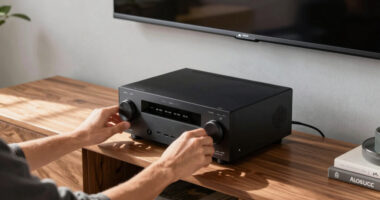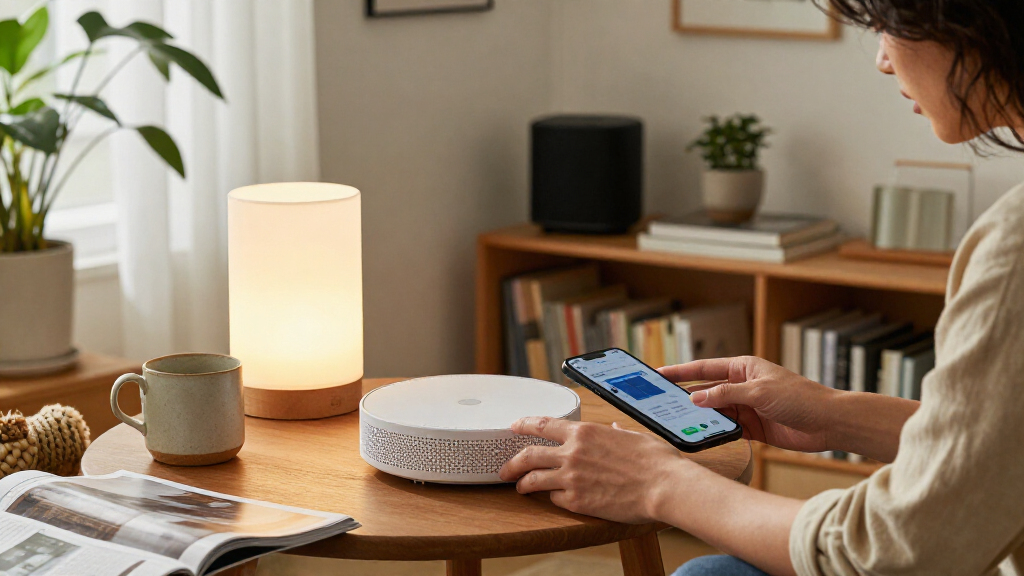
Finding the best Matter smart home hubs requires balancing broad protocol support with reliable local control. The Homey Pro (2026) stands out as the best overall choice for users who demand extensive device compatibility and true local processing, while the Aqara Smart Home Hub M3 offers the best value for those needing Thread and Zigbee integration at a competitive price. The primary tradeoff in this category involves choosing between cloud-dependent simplicity and the privacy and speed of local execution. Most hubs now support Matter, but their ability to act as a Thread Border Router or bridge legacy protocols like Z-Wave varies widely. Continue reading to see how these fourteen options stack up against specific use cases and budget constraints.

Get the latest gadgets delivered free with Prime
- Fast, free delivery on millions of items
- Prime Video, Amazon Music and more included
- Member-only deals all year
Complete the kit



Key Takeaways
- Hubs with native Thread Border Router capabilities (like Aqara and Homey) provide the most future-proof foundation for low-power devices.
- Local processing remains a key differentiator; hubs like Hubitat and Homey Pro function without internet, unlike cloud-heavy alternatives.
- IR control is a niche but valuable feature found in SwitchBot and Aqara hubs, bridging the gap for older appliances.
- Z-Wave support is rare in budget Matter hubs; Aeotec and Homey Pro are the primary options for Z-Wave device owners.
- Setup complexity correlates with feature depth: beginner-friendly hubs (Yeelight) offer fewer automation capabilities than enthusiast-focused models.
| SwitchBot Hub 2 (2nd Gen) – Wi‑Fi Thermometer, Hygrometer, IR Remote & Light Sensor, compatible with Alexa, Google Home, Apple Home |  | Best for Climate Monitoring | Connectivity: 2.4 GHz Wi-Fi and Bluetooth | Matter support: Matter support for compatible Apple Home integration | Sensors: Temperature, humidity, and ambient light | VIEW LATEST PRICE | See Our Full Breakdown |
| TP-Link Tapo H110 Matter-Certified Smart IR Hub with Chime |  | Best for Legacy IR Appliances | Model: H110 | Connectivity: 2.4 GHz Wi-Fi | Matter and voice compatibility: Matter; Alexa, Google Assistant, and Apple Home via Matter | VIEW LATEST PRICE | See Our Full Breakdown |
| Aqara Smart Home Hub M3 with Matter, Zigbee, Thread, and IR Control |  | Best for Aqara Multi-Protocol Setups | Model: HM-G01E | Protocols: Zigbee, Thread, Matter, Bluetooth, and Wi-Fi | Device capacity: Up to 127 Aqara Zigbee devices and 127 Thread devices | VIEW LATEST PRICE | See Our Full Breakdown |
| SwitchBot Hub 3 (3rd Gen) Smart Home Hub with IPS Screen, Knob Control, and IR Remote |  | Best for Hands-On Control | Model number: W7202100 | Display: 2.4-inch IPS screen | Connectivity: 2.4 GHz Wi-Fi, Bluetooth, and Matter | VIEW LATEST PRICE | See Our Full Breakdown |
| Yoolax Zigbee Matter Smart Hub |  | Best for a Compact Yoolax Zigbee Network | Protocols: Zigbee and Matter | Maximum device capacity: 128 devices | Coverage range: 590 square feet | VIEW LATEST PRICE | See Our Full Breakdown |
| Aeotec Smart Home Hub with SmartThings, Z-Wave, Zigbee, and Matter |  | Best for SmartThings and Legacy Protocols | Model: V3 Smart Home Hub (2020) | Model number: GP-AEOHUBV3US | Connectivity: Ethernet, Wi-Fi, Z-Wave, Zigbee, Matter | VIEW LATEST PRICE | See Our Full Breakdown |
| Aqara Smart Hub M100 Matter Controller with Wi-Fi 6 |  | Best Compact Aqara Starter Hub | Connectivity: Zigbee, Thread, 2.4 GHz Wi-Fi 6 | Matter support: Matter Bridge and Controller | Device capacity: Up to 20 Aqara Zigbee devices and 20 Thread devices | VIEW LATEST PRICE | See Our Full Breakdown |
| Yeelight E1 Smart Home Hub with Matter Controller and Thread Border Router |  | Best for Yeelight Lighting and Multi-Platform Control | Model: YP-0751 | Connectivity: Wi-Fi and Ethernet | Wireless compatibility: 802.11b | VIEW LATEST PRICE | See Our Full Breakdown |
| Zemismart M1 Pro Matter Smart Home Hub with Thread, Zigbee, and IR |  | Best for Tuya Zigbee and Infrared Control | Protocols: Matter, Thread, Zigbee, infrared | Connectivity: 10/100 Mbps Ethernet, 2.4/5 GHz Wi-Fi, USB-C | Initial activation: Ethernet connection required | VIEW LATEST PRICE | See Our Full Breakdown |
| Homey Pro (2026) Smart Home Hub with Z-Wave Plus, Zigbee, Wi-Fi, BLE, Infrared, Matter and Thread |  | Best Premium Multi-Protocol Hub | Connectivity: Wi-Fi, Zigbee, Z-Wave Plus, infrared, BLE, Matter, Thread | Control: App and voice | Compatible assistants: Siri, Alexa, Google Home | VIEW LATEST PRICE | See Our Full Breakdown |
| Aqara Smart Hub M200 Matter Controller with Zigbee, Wi-Fi, IR, and PoE |  | Best for Mixed-Protocol Power Users | Model: HM-G03E | Zigbee Device Capacity: Up to 40 Aqara Zigbee devices | Thread Device Capacity: Up to 40 Thread devices | VIEW LATEST PRICE | See Our Full Breakdown |
| Hubitat Elevation C-8 Pro Smart Home Hub |  | Best for Local Control Enthusiasts | Model: C-8 Pro | Protocols: Matter 1.5, Z-Wave 800 Series, Zigbee 3.0, Bluetooth | Voice Assistant Compatibility: Amazon Alexa, Google Home, Apple HomeKit | VIEW LATEST PRICE | See Our Full Breakdown |
| Zemismart M6 Matter and Zigbee Smart Home Hub |  | Best Budget Matter Bridge | Brand: Blindsmart | Model: M6 – Zigbee | Protocols: Zigbee, Matter | VIEW LATEST PRICE | See Our Full Breakdown |
| Linkind Matter Smart Hub 2 for BLE Mesh Outdoor Lights |  | Best for Outdoor Lighting Control | Brand: Linkind | Model: LKGW20032 | Connectivity: Bluetooth, Matter, Wi-Fi | VIEW LATEST PRICE | See Our Full Breakdown |
| Matter smart home hub | Connectivity | Model |
|---|---|---|
| SwitchBot Hub 2 | 2.4 GHz Wi-Fi and Bluetooth | — |
| TP-Link Tapo H110 Matter-Certi | 2.4 GHz Wi-Fi | H110 |
| Aqara Smart Home Hub M3 with M | — | HM-G01E |
| SwitchBot Hub 3 | 2.4 GHz Wi-Fi, Bluetooth, and Matter | — |
| Yoolax Zigbee Matter Smart Hub | — | — |
| Aeotec Smart Home Hub with Sma | Ethernet, Wi-Fi, Z-Wave, Zigbee, Matter | V3 Smart Home Hub (2020) |
| Aqara Smart Hub M100 Matter Co | Zigbee, Thread, 2.4 GHz Wi-Fi 6 | — |
| Yeelight E1 Smart Home Hub wit | Wi-Fi and Ethernet | YP-0751 |
| Zemismart M1 Pro Matter Smart | 10/100 Mbps Ethernet, 2.4/5 GHz Wi-Fi, USB-C | — |
| Homey Pro | Wi-Fi, Zigbee, Z-Wave Plus, infrared, BLE, Matter, Thread | — |
| Aqara Smart Hub M200 Matter Co | Zigbee, Thread, Bluetooth, dual-band Wi-Fi, PoE, USB-C, IR | HM-G03E |
| Hubitat Elevation C-8 Pro Smar | — | C-8 Pro |
| Zemismart M6 Matter and Zigbee | — | M6 – Zigbee |
| Linkind Matter Smart Hub 2 for | Bluetooth, Matter, Wi-Fi | LKGW20032 |
More Details on Our Top Picks
SwitchBot Hub 2 (2nd Gen) – Wi‑Fi Thermometer, Hygrometer, IR Remote & Light Sensor, compatible with Alexa, Google Home, Apple Home
The SwitchBot Hub 2 stands out for buyers who want Matter connectivity alongside useful at-a-glance room readings. Its temperature, humidity, and light sensors make it more informative than the TP-Link Tapo H110, which focuses on IR control and a chime rather than environmental monitoring. Matter support can bring compatible SwitchBot functions into Apple Home, while Alexa and Google Home support broadens voice-control options. Two programmable buttons also offer a straightforward way to trigger controls without opening an app.
The tradeoff is scale: support for up to six devices makes this a focused hub, not a foundation for a large smart home. Its Bluetooth range is listed at 10 meters, and Wi-Fi is limited to 2.4 GHz. Choose it for sensor-led routines and a small SwitchBot setup; skip it if you need extensive device capacity or a broad multi-protocol controller like the Aqara Hub M3.
Pros:- Temperature and humidity readings support sensor-driven routines and at-a-glance room monitoring.
- Matter support enables compatible integration with Apple Home.
- Ambient light sensing can adjust the display brightness automatically.
- Two programmable buttons provide simple physical controls for household members.
Cons:- Listed support for up to six devices limits its usefulness as a growing system hub.
- Bluetooth range is limited to 10 meters.
- Wi-Fi connectivity is restricted to the 2.4 GHz band.
Best for: Apple Home or cross-platform users who want room temperature, humidity, and light readings plus Matter-connected control for a small SwitchBot setup.
Not ideal for: Buyers building a large multi-protocol system, since the listed capacity is six devices and the hub lacks the Aqara Hub M3’s Zigbee and Thread support.
- Connectivity:2.4 GHz Wi-Fi and Bluetooth
- Matter support:Matter support for compatible Apple Home integration
- Sensors:Temperature, humidity, and ambient light
- Maximum supported devices:6
- Bluetooth range:Up to 10 meters
- Buttons:2 programmable buttons
- Weight:36 g
- Color:White
Our verdict“Choose the SwitchBot Hub 2 for a compact Matter setup where climate sensing matters more than broad device capacity.”
TP-Link Tapo H110 Matter-Certified Smart IR Hub with Chime
The Tapo H110 earns its place by extending Matter-connected control to older infrared appliances, with support for more than 8,000 IR brands and 18 appliance types. That makes it a different proposition from the sensor-focused SwitchBot Hub 2: the Tapo is the better fit when the goal is to bring an existing IR-controlled device into app or voice routines. Its built-in chime adds a practical alert function, and compatible local automations can continue during internet outages.
It also supports schedules, location-based automations, and IR learning through the Tapo app. The main limitation is physical: infrared needs a usable path to the appliance, so it cannot control devices beyond IR range. The Aqara Hub M3 offers Zigbee and Thread support for a broader device mix, while this hub focuses on IR and Tapo-compatible control. A 5V/2A adapter is required and sold separately.
Pros:- Works with infrared devices from more than 8,000 brands and 18 appliance types.
- Matter support connects compatible control with Alexa, Google Assistant, and Apple Home.
- Local automations can continue during internet outages.
- Built-in chime offers an additional alert function.
Cons:- Requires a separate 5V/2A USB power adapter.
- Infrared control depends on the hub being within range of the appliance.
- Its feature set centers on IR and Tapo devices rather than Zigbee or Thread.
Best for: Tapo users who want to add IR-controlled TVs, air conditioners, or other compatible appliances to app and voice routines.
Not ideal for: Buyers who need Zigbee or Thread support, or who cannot place an IR hub within range of the appliances they want to control.
- Model:H110
- Connectivity:2.4 GHz Wi-Fi
- Matter and voice compatibility:Matter; Alexa, Google Assistant, and Apple Home via Matter
- IR brand support:More than 8,000 brands
- Supported appliance types:18
- Built-in alarm volume:93 dB
- Power requirement:5V/2A USB power adapter, sold separately
- Included items:Hub, USB-C power cable, and Quick Start Guide
Our verdict“Pick the Tapo H110 if you want Matter-linked routines for older IR appliances and can place the hub within their infrared range.”
Aqara Smart Home Hub M3 with Matter, Zigbee, Thread, and IR Control
The Aqara Hub M3 is the strongest choice here for an Aqara-centered home that needs a bridge between compatible Zigbee and Thread devices and Matter ecosystems. Its capacity of up to 127 Aqara Zigbee devices and 127 Thread devices gives it far more room to grow than the SwitchBot Hub 2, which lists support for six devices. Local automation and encrypted local storage also suit buyers who want core control and data handling centered on the hub.
Connectivity is a standout: dual-band Wi-Fi, PoE, and USB-C provide more placement options than the simpler Wi-Fi-only Tapo H110. The 360-degree IR blaster adds appliance control, including exposing one compatible AC unit to Matter. The key boundary is ecosystem scope: it supports Aqara Zigbee devices, not third-party Zigbee products, and Thread devices need Thread repeaters. Some cloud notifications also require internet access.
Pros:- Supports up to 127 Aqara Zigbee devices and 127 Thread devices.
- Bridges compatible Aqara devices and automations to Matter ecosystems.
- Local automation and encrypted local storage support a more hub-centered setup.
- PoE, dual-band Wi-Fi, USB-C, and 360-degree IR provide flexible installation and control.
Cons:- Zigbee support is limited to Aqara devices rather than third-party Zigbee products.
- Thread devices require Thread repeaters for network support.
- Some cloud notifications require an internet connection.
Best for: Aqara households planning to connect many Aqara Zigbee devices and Thread devices while bringing compatible controls into Matter ecosystems.
Not ideal for: Buyers with a mixed collection of third-party Zigbee devices, or those expecting the hub alone to provide Thread coverage without repeaters.
- Model:HM-G01E
- Protocols:Zigbee, Thread, Matter, Bluetooth, and Wi-Fi
- Device capacity:Up to 127 Aqara Zigbee devices and 127 Thread devices
- Wi-Fi:Dual-band 2.4 GHz and 5 GHz; WPA3
- Wired connectivity:Power over Ethernet (PoE)
- Port:USB-C
- Infrared control:360-degree IR blaster with status feedback and learning
- Local storage:8 GB end-to-end encrypted
Our verdict“Choose the Aqara Hub M3 for a large Aqara-based system that needs Matter bridging, local automation, and flexible wired or wireless placement.”
SwitchBot Hub 3 (3rd Gen) Smart Home Hub with IPS Screen, Knob Control, and IR Remote
The SwitchBot Hub 3 is the hands-on pick: its 2.4-inch screen, tactile rotary knob, and buttons put common adjustments within reach without relying on a phone. That physical interface distinguishes it from the sensor-and-button-focused SwitchBot Hub 2, while its IR support lets one hub manage many compatible household appliances alongside SwitchBot and Matter devices. Built-in temperature and humidity sensing adds useful context for routines, and Alexa, Google Home, and Apple Home compatibility helps it fit into mixed-platform homes.
This is a better choice for visible, manual control than for maximum protocol breadth. The listed connectivity is Wi-Fi, Bluetooth, and Matter; unlike the Aqara Hub M3, it does not list Zigbee or Thread. Its Wi-Fi is 2.4 GHz only, and IR cannot control RF devices such as certain ceiling fans or garage door openers. The larger screen and controls make sense when a shared household interface is the priority, but add less value if most control happens through automations.
Pros:- Screen, rotary knob, and buttons allow direct control without opening a phone app.
- IR support covers a broad range of compatible appliances.
- Built-in temperature and humidity sensors can inform automations.
- Works with Alexa, Google Home, Apple Home, and the SwitchBot ecosystem.
Cons:- Wi-Fi connectivity is limited to 2.4 GHz.
- IR control does not support RF devices such as some ceiling fans and garage door openers.
- The listed connectivity does not include Zigbee or Thread.
Best for: Households that want a shared, physical control point with a screen and dial for SwitchBot, Matter, and compatible IR appliances.
Not ideal for: Buyers needing a Zigbee or Thread hub, or anyone whose key appliances use RF rather than infrared control.
- Model number:W7202100
- Display:2.4-inch IPS screen
- Connectivity:2.4 GHz Wi-Fi, Bluetooth, and Matter
- Sensors:Temperature and humidity
- Compatibility:Alexa, Google Home, Apple Home, and SwitchBot ecosystem
- Dimensions:3.7 x 1.5 x 4.96 inches
- Weight:1.1 pounds
- Manufacturer:Wonderlabs
Our verdict“Choose the SwitchBot Hub 3 when a visible screen and tactile controls matter more than Zigbee or Thread support.”
Yoolax Zigbee Matter Smart Hub
The Yoolax Zigbee Matter Smart Hub suits buyers who want a straightforward gateway for a Yoolax-centered Zigbee setup. Its stated capacity of up to 128 devices is a substantial step beyond the SwitchBot Hub 2’s six-device limit, making it more suited to adding a collection of compatible accessories. Sub-GHz transmission is intended to reduce competition with Wi-Fi signals, while the Yoolax Home App and Alexa and Google Assistant support provide familiar ways to manage devices.
Its scope is narrower than the Aqara Hub M3, which lists Zigbee, Thread, Bluetooth, Wi-Fi, PoE, and IR. The Yoolax listing identifies Zigbee and Matter but does not specify Thread or a broad range of third-party device compatibility, so buyers should confirm their devices work with the Yoolax ecosystem. The stated 590-square-foot coverage may also call for additional hubs in larger or multilevel homes. This is a focused gateway, not the most flexible choice for a mixed-protocol installation.
Pros:- Supports up to 128 connected devices.
- Sub-GHz transmission is designed to reduce interference with Wi-Fi signals.
- Works with Alexa and Google Assistant for voice control.
- Yoolax Home App supports remote management and automation.
Cons:- The stated coverage is 590 square feet, which may not suit larger or multilevel homes.
- The listed protocols do not include Thread, unlike the Aqara Hub M3.
- The product data does not establish broad compatibility with third-party Zigbee devices.
Best for: Yoolax users who want a Zigbee gateway for a moderate-size home and plan to manage devices through Alexa, Google Assistant, or the Yoolax app.
Not ideal for: Buyers with large multilevel homes or mixed Zigbee and Thread devices who need wider coverage and broader protocol support than the listing specifies.
- Protocols:Zigbee and Matter
- Maximum device capacity:128 devices
- Coverage range:590 square feet
- Transmission frequency:Sub-GHz
- Voice assistant compatibility:Amazon Alexa and Google Assistant
- App:Yoolax Home App
Our verdict“Pick the Yoolax hub for a Yoolax-focused Zigbee network in a modest-size home, but choose a broader multi-protocol hub for mixed devices or larger coverage needs.”
Aeotec Smart Home Hub with SmartThings, Z-Wave, Zigbee, and Matter
SmartThings users with a mix of older and newer devices get a practical bridge between Matter, Z-Wave Plus, and Zigbee here. Unlike the Aqara M100, which limits Zigbee support to Aqara products, the Aeotec is built around broader SmartThings device compatibility. Local automations can also reduce dependence on cloud access, while Wi-Fi and Ethernet let buyers choose wireless setup or a wired connection. Alexa and Google Home voice control add familiar ways to manage connected devices.
The tradeoff is that this is a North America-focused hub, and its feature set is less expansive than the Homey Pro’s broad protocol mix. Choose it when SmartThings is your preferred ecosystem and Z-Wave support matters; skip it if you want a platform-neutral hub or need compatibility outside its intended region.
Pros:- Combines Matter, Z-Wave Plus, Zigbee, and SmartThings device support
- Offers both Wi-Fi and Ethernet setup
- Local automations can improve response and reduce reliance on cloud access
- Works with Alexa and Google Assistant voice control
Cons:- Designed for use in North America
- Z-Wave Plus support is specific to the V3 model
- Less protocol breadth than the Homey Pro, which also includes Thread, BLE, and infrared
Best for: North American SmartThings households combining Z-Wave Plus or Zigbee devices with newer Matter products
Not ideal for: Buyers outside North America or those seeking a platform-neutral hub with broader protocol coverage like Homey Pro
- Model:V3 Smart Home Hub (2020)
- Model number:GP-AEOHUBV3US
- Connectivity:Ethernet, Wi-Fi, Z-Wave, Zigbee, Matter
- Z-Wave frequency:908.42 MHz
- Voice assistants:Amazon Alexa, Google Assistant
- App compatibility:Android, iOS, iPadOS
- Region:North America
- Warranty:1 year
Our verdict“Choose the Aeotec if your North American SmartThings setup needs Matter alongside Z-Wave Plus and Zigbee devices.”
Aqara Smart Hub M100 Matter Controller with Wi-Fi 6
Aqara-focused households get a compact way to bring supported Zigbee devices into Matter ecosystems while adding Thread support. The M100 can connect up to 20 Aqara Zigbee devices and 20 Thread devices, and its local automation support helps eligible routines keep running when internet access drops. Compared with the Aeotec Smart Home Hub, it is narrower by design: the Aeotec supports Z-Wave Plus and broader SmartThings device use, while this hub concentrates on Aqara gear.
Wi-Fi 6 with WPA3 and USB-A power make placement and network security appealing, though the 5V adapter is not included. The main limitation is compatibility: third-party Zigbee devices are not supported, and cloud-dependent features such as push notifications still need an internet connection. Pick it for a small Aqara and Thread setup, not as a universal Zigbee gateway.
Pros:- Bridges supported Aqara Zigbee products to Matter ecosystems
- Supports up to 20 Aqara Zigbee devices and 20 Thread devices
- Local automation can continue for supported devices during internet outages
- Wi-Fi 6, WPA3, USB-A power, and an adjustable shaft offer flexible placement
Cons:- Does not support third-party Zigbee devices
- 5V 0.5A power adapter is not included
- Some functions, including cloud push notifications, require cloud access
Best for: Aqara users who want to bridge supported Aqara Zigbee devices into Matter and add a modest Thread network
Not ideal for: Households with mixed-brand Zigbee devices or buyers who need a supplied power adapter and broad protocol support
- Connectivity:Zigbee, Thread, 2.4 GHz Wi-Fi 6
- Matter support:Matter Bridge and Controller
- Device capacity:Up to 20 Aqara Zigbee devices and 20 Thread devices
- Third-party Zigbee:Not supported
- Security:WPA3
- Automation:Local execution for Zigbee and Matter devices
- Power:USB-A; requires a 5V 0.5A adapter, not included
- Adjustable shaft:210-degree range
Our verdict“Pick the M100 for a focused Aqara setup with local routines and Thread support, but not for mixed-brand Zigbee coverage.”
Yeelight E1 Smart Home Hub with Matter Controller and Thread Border Router
Yeelight lighting owners get a Matter controller and Thread Border Router with a notably broad list of platform connections: Apple Home, Alexa, Google Home, and SmartThings. Ethernet and Wi-Fi provide setup flexibility, while local automations and a capacity of up to 150 sub-devices make it more suited to a growing Yeelight-centered system than the Aqara M100, which has lower stated device limits. LAN API and Home Assistant compatibility also give technically inclined buyers more ways to integrate local control.
The boundary is device support. Non-Yeelight products are limited to color-capable or adjustable color-temperature lights, so the large device count should not be mistaken for universal compatibility. The listed Wi-Fi specification is 802.11b, another point to weigh against newer network expectations. This is a lighting-focused pick, not the best fit for a mixed-brand sensor and switch collection.
Pros:- Connects with Apple Home, Alexa, Google Home, and SmartThings
- Includes a Matter controller and Thread Border Router
- Supports local automations and up to 150 sub-devices
- Offers Ethernet, LAN API, and Home Assistant compatibility
Cons:- Non-Yeelight device support is limited to color-capable and adjustable color-temperature lights
- Wireless compatibility is listed as 802.11b
- Less suitable for broad mixed-device coverage than the Aeotec Smart Home Hub
Best for: Yeelight lighting households seeking Matter, Thread, and control across Apple Home, Alexa, Google Home, and SmartThings
Not ideal for: Buyers building a mixed-brand smart home with non-lighting devices or expecting broad third-party device support
- Model:YP-0751
- Connectivity:Wi-Fi and Ethernet
- Wireless compatibility:802.11b
- Matter platform compatibility:Apple Home, Alexa, Google Home, SmartThings
- Maximum sub-devices:150
- Special features:Matter controller, Thread Border Router, LAN API, local automation, Home Assistant compatibility
- Network type:Hybrid
- Warranty:1 year
Our verdict“Choose the Yeelight E1 if your system centers on Yeelight lights and you want several major smart home platforms in the mix.”
Zemismart M1 Pro Matter Smart Home Hub with Thread, Zigbee, and IR
Tuya Zigbee users who also want infrared control get several jobs in one hub: a Matter bridge, Thread Border Router, Zigbee gateway, and 38 kHz IR controller. Its support for up to 128 compatible Tuya Zigbee devices gives it a larger stated Zigbee capacity than the Aqara M100, while Ethernet and dual-band Wi-Fi allow more network flexibility after setup. Hub-side local scenes can keep supported automations running when internet access is unavailable.
Setup is less flexible than that connectivity list suggests: initial activation requires Ethernet, and app pairing requires 2.4 GHz Wi-Fi. IR control also depends on clear placement, with range varying by direction and obstructions. Matter exposure and third-party ecosystem support vary by device and firmware, so this is a stronger match for buyers comfortable with Tuya compatibility limits than for anyone expecting every connected device to behave uniformly.
Pros:- Combines Matter bridging, Thread, Tuya Zigbee, and 38 kHz infrared
- Supports up to 128 compatible Tuya Zigbee devices
- Supported hub-side automations can run locally during internet outages
- Offers Ethernet and dual-band Wi-Fi connectivity
Cons:- Initial activation requires Ethernet, and app pairing requires 2.4 GHz Wi-Fi
- Matter features and third-party ecosystem support vary by device and firmware
- Infrared range depends on unobstructed placement and direction
Best for: Tuya Zigbee households that want a Thread Border Router and IR control for compatible appliances in one hub
Not ideal for: Buyers who cannot connect Ethernet during initial activation or need predictable support for a wide range of third-party devices
- Protocols:Matter, Thread, Zigbee, infrared
- Connectivity:10/100 Mbps Ethernet, 2.4/5 GHz Wi-Fi, USB-C
- Initial activation:Ethernet connection required
- Initial app pairing:2.4 GHz Wi-Fi required
- IR frequency:38 kHz
- IR range:Up to 9 m in front; approximately 4 m to the side under unobstructed conditions
- Zigbee capacity:Up to 128 compatible Tuya Zigbee devices
- Dimensions:95 x 95 x 24 mm
Our verdict“Pick the M1 Pro if you have compatible Tuya Zigbee gear and want local scenes plus IR control, provided its wired first-time activation works for you.”
Homey Pro (2026) Smart Home Hub with Z-Wave Plus, Zigbee, Wi-Fi, BLE, Infrared, Matter and Thread
Homey Pro is the broadest protocol pick in this group, combining Matter and Thread with Z-Wave Plus, Zigbee, Wi-Fi, Bluetooth Low Energy, and infrared. That range makes it a stronger fit for a home assembled from different brands than the Yeelight E1, whose non-Yeelight support is restricted to certain lighting products. Local processing and hub-stored data can support responsive control without making every routine dependent on cloud access; energy history, sensor alerts, and Homey Flow add useful ways to monitor and automate a larger setup.
The tradeoff is that breadth does not guarantee every device will work identically: compatibility may depend on official or community-built apps. The supplied dimensions are incomplete, so planning a precise mounting location is harder. Choose it for protocol variety and flexible automations; skip it if you only need a compact hub for one ecosystem, such as the Aqara M100.
Pros:- Combines seven technologies: Wi-Fi, Zigbee, Z-Wave Plus, infrared, BLE, Matter, and Thread
- Processes controls locally and stores data on the hub
- Supports app and voice control through Siri, Alexa, and Google Home
- Adds Homey Flow automations, energy history, and sensor alerts
Cons:- Some device compatibility depends on official or community-built apps
- Product dimensions are listed incompletely
- Broader capabilities may be unnecessary for buyers with a small, single-brand setup
Best for: Experienced smart home builders combining devices across Matter, Thread, Z-Wave Plus, Zigbee, BLE, and infrared
Not ideal for: New or single-ecosystem users who want a simple, narrowly focused hub or need complete published dimensions before planning placement
- Connectivity:Wi-Fi, Zigbee, Z-Wave Plus, infrared, BLE, Matter, Thread
- Control:App and voice
- Compatible assistants:Siri, Alexa, Google Home
- Compatible devices:Over 70,000 products from more than 2,000 brands
- Local processing:Supported
- Additional functions:Energy usage tracking, sensor alerts, Homey Flow automations
- Color:Black/Grey
- Dimensions:4.9 x 4.9 x incomplete
Our verdict“Choose Homey Pro for a multi-brand home that needs broad protocol coverage and local automation, rather than a simple ecosystem-specific hub.”
Aqara Smart Hub M200 Matter Controller with Zigbee, Wi-Fi, IR, and PoE
This hub stands out for its versatile connectivity options, specifically the inclusion of PoE power, which allows for flexible placement away from standard outlets. Unlike the Aeotec Smart Home Hub, which relies heavily on cloud processing for certain features, the M200 supports local automation for both Zigbee and Matter devices, ensuring faster response times and offline reliability. Its 360° IR blaster with feedback is a significant upgrade over basic IR hubs like the TP-Link Tapo H110, as it confirms commands were received. However, the limitation to 40 devices per protocol might feel restrictive for large estates. While it bridges Aqara devices effectively, it lacks the universal Zigbee support found in more premium hubs, making it less ideal for users with a diverse brand ecosystem.
Pros:- Supports Matter control, bridging, and Thread Border Router functions
- 360° IR blaster provides status feedback and learns commands
- Supports PoE and USB-C power options for flexible installation
- Local automation can run without Wi-Fi or cloud access
Cons:- Does not support third-party Zigbee devices
- Only one air conditioning device can be exposed to Matter
- Some automations require cloud access
Best for: Tech-savvy users who need PoE connectivity and want local control for a moderate number of Aqara and Matter devices.
Not ideal for: Users with large, mixed-brand Zigbee networks or those who need more than 40 devices per protocol.
- Model:HM-G03E
- Zigbee Device Capacity:Up to 40 Aqara Zigbee devices
- Thread Device Capacity:Up to 40 Thread devices
- Connectivity:Zigbee, Thread, Bluetooth, dual-band Wi-Fi, PoE, USB-C, IR
- Wi-Fi Security:WPA3
- Dimensions:3.93 x 3.93 x 1.21 inches
- Weight:4.6 ounces
Our verdict“This pick is ideal for Aqara-centric households that value local automation and need the flexibility of Power over Ethernet.”
Hubitat Elevation C-8 Pro Smart Home Hub
The Hubitat Elevation C-8 Pro is built for those who prioritize local processing above all else, keeping automations running even when the internet fails. Compared to the Homey Pro (2026), which offers a more polished but complex interface, Hubitat provides a rawer, more powerful automation engine that appeals to tinkerers. Its two dedicated external antennas provide extended wireless reach for Z-Wave and Zigbee, a feature missing in compact options like the Aqara Smart Hub M100. While it supports a vast array of devices without a subscription, the lack of a guided setup means advanced configurations take time. It is not for casual users who want plug-and-play simplicity, but rather for those who want total command over their smart home logic.
Pros:- Local processing keeps automations running when the internet is down
- Supports multiple smart home protocols and major voice assistants
- Two dedicated antennas extend wireless reach
- Includes advanced automation tools without a recurring subscription
Cons:- Advanced automation features may require time to configure
- The compact hub still needs space for its two external antennas
Best for: Advanced users who want robust local automation, no subscription fees, and support for both Z-Wave and Zigbee.
Not ideal for: Beginners or those who prefer a simple, app-driven setup process with minimal technical configuration.
- Model:C-8 Pro
- Protocols:Matter 1.5, Z-Wave 800 Series, Zigbee 3.0, Bluetooth
- Voice Assistant Compatibility:Amazon Alexa, Google Home, Apple HomeKit
- Device Compatibility:1,000+ devices across 100+ brands
- Antennas:2 dedicated external antennas for Z-Wave and Zigbee
- Processing:Local automation processing
- Dimensions:2.95 x 3.23 x 0.67 inches
Our verdict“This hub is the go-to choice for power users who demand offline reliability and deep customization without ongoing costs.”
Zemismart M6 Matter and Zigbee Smart Home Hub
This hub serves as an accessible entry point into Matter compatibility for Zigbee devices, particularly those using the Tuya ecosystem. Unlike the Zemismart M1 Pro, which adds Thread support, the M6 focuses strictly on Zigbee-to-Matter bridging, keeping costs lower. It supports over 125 devices, offering more capacity than smaller hubs like the Yeelight E1. However, the absence of Alexa support is a significant drawback compared to competitors like the Aeotec Smart Home Hub, which integrates seamlessly with Amazon’s ecosystem. It relies on cloud processing for many features, meaning automations may lag or fail during internet outages. This makes it a practical choice for budget-conscious Google Home or SmartThings users who don’t need Alexa integration or offline reliability.
Pros:- Supports both Zigbee and Matter
- Connects with more than 125 smart devices
- Offers app-based scenes, schedules, and automations
- Includes an antenna and automatic remote updates
Cons:- Alexa is not currently supported
- Matter integration requires a border router
Best for: Budget-conscious users with Tuya Zigbee devices who use Google Home or SmartThings and don’t need Alexa.
Not ideal for: Amazon Alexa users or those who require offline automation capabilities and Thread support.
- Brand:Blindsmart
- Model:M6 – Zigbee
- Protocols:Zigbee, Matter
- Compatible Platforms:Tuya, Google Home, SmartThings
- Device Capacity:125+ smart devices
- Wireless Compatibility:802.11ac, 802.11ax
- Coverage:Large or multi-story homes
Our verdict“This option makes the most sense for Google Home or SmartThings users looking to bridge Zigbee devices to Matter without paying a premium.”
Linkind Matter Smart Hub 2 for BLE Mesh Outdoor Lights
Unlike general-purpose hubs like the SwitchBot Hub 3 that try to do everything, this device specializes in BLE Mesh outdoor lighting. It connects up to 200 compatible Linkind lights, offering centralized control and energy monitoring that standard Wi-Fi bulbs lack. The real-time battery monitoring is particularly useful for solar-powered garden lights, a feature absent in most indoor-focused hubs. However, its utility is strictly limited to Linkind BLE Mesh products, making it a poor choice if you already own a mixed-brand lighting setup. Compared to the TP-Link Tapo H110, which offers broader smart home integration, the Linkind hub is a niche tool. It works best as a dedicated controller for a specific outdoor lighting ecosystem rather than a central smart home brain.
Pros:- Connects up to 200 compatible outdoor lights with one-touch bulk pairing
- Provides real-time battery and energy monitoring
- Works with Matter and several major smart home platforms
- Supports schedules, custom lighting effects, and app, button, or voice control
Cons:- Compatible lighting is limited to Linkind BLE Mesh outdoor lights
- Requires 2.4 GHz Wi-Fi
- IP20 rating provides limited protection for outdoor placement
Best for: Homeowners with a large inventory of Linkind BLE Mesh outdoor lights who want centralized management and energy tracking.
Not ideal for: Users looking for a general-purpose smart home hub or those with non-Linkind lighting devices.
- Brand:Linkind
- Model:LKGW20032
- Connectivity:Bluetooth, Matter, Wi-Fi
- Maximum Connected Lights:200
- Connection Range:131 ft (40 m)
- Wi-Fi Band:2.4 GHz
- Compatible Platforms:Alexa, Google Home, Apple Home, SmartThings
Our verdict“This is a specialized hub for Linkind outdoor lighting owners who need robust scheduling and battery monitoring for their garden lights.”
How We Picked
I evaluated these fourteen hubs based on their ability to serve as a central nervous system for a mixed-protocol smart home. The primary criterion was protocol breadth—specifically, how well each device handles Matter, Thread, Zigbee, Z-Wave, and Bluetooth simultaneously. I prioritized hubs that offer local control and automation processing, ensuring that critical routines do not fail when the internet goes down. Build quality and ecosystem integration were also weighed, with special attention to how seamlessly each hub connects with major platforms like Apple Home, Google Home, and Amazon Alexa. Finally, I considered the long-term viability of the manufacturer’s software updates and community support, which determines whether a hub remains useful as new Matter standards emerge.
Factors to Consider When Choosing Best Matter Smart Home Hubs
Choosing the right hub is less about brand loyalty and more about matching technical capabilities to your existing device inventory. This guide breaks down the critical factors that separate a simple dongle from a robust automation engine.
Protocol Compatibility and Bridging
Not all Matter hubs are created equal because Matter is just a standard, not a radio. You must check if the hub acts as a Thread Border Router, which is necessary for connecting low-power Thread devices like smart locks and sensors. Many budget hubs support Matter over Wi-Fi but lack Thread, limiting your device options. If you own Zigbee or Z-Wave devices, verify that the hub can bridge these protocols to Matter; otherwise, they will remain isolated in their native ecosystems. Legacy device support is often the deciding factor for upgraders.
Local vs. Cloud Processing
Local processing means the hub executes automations on its own hardware, while cloud processing relies on the manufacturer’s servers. Hubs with local control offer faster response times and continue to function during internet outages, which is critical for security and convenience. Cloud-dependent hubs are often easier to set up but introduce privacy concerns and latency. If you prioritize reliability and privacy, look for hubs that explicitly advertise local automation engines, such as Hubitat or Homey. This distinction is the most significant difference between enthusiast-grade and consumer-grade products.
Ecosystem Interoperability
Matter is designed to break down walled gardens, but implementation details still matter. Check whether the hub allows you to share devices with Apple Home, Google Home, and Alexa simultaneously or if it forces an exclusive partnership. Some hubs, like the SwitchBot models, integrate deeply with their own apps while offering Matter bridges, which can create a confusing user experience. A good hub should act as a neutral translator, allowing you to control devices from any major platform without losing functionality. Verify that the hub supports multi-admin control if you have family members using different ecosystems.
Physical Connectivity and Power
Wireless hubs are convenient, but wired options like the Aqara M200 with PoE offer superior stability for critical infrastructure. Ethernet connections reduce Wi-Fi congestion and provide power over the same cable, simplifying installation in hard-to-reach places. Consider the physical size and placement; a hub with a strong antenna design may cover a larger home without needing repeaters. If you plan to mount the hub in a server closet, PoE support is a major advantage. For most users, Wi-Fi is sufficient, but power users often prefer wired backhaul for the central controller.
Software Ecosystem and Longevity
Hardware specs mean little if the software becomes abandoned. Investigate the manufacturer’s track record for Firmware Updates and app stability. Hubs with active developer communities, like Hubitat or Homey, often offer more advanced automation logic and community-created drivers. Conversely, closed ecosystems may lock you into specific device brands or limit customization. Before buying, check recent forum activity or release notes to ensure the company is actively maintaining the platform. A hub is a long-term investment, so software support is as important as hardware specs.
Frequently Asked Questions
Do I need a Thread Border Router to use Matter devices?
You do not strictly need a Thread Border Router to use Matter, as Matter also works over Wi-Fi and Ethernet. However, Thread is the preferred protocol for battery-powered sensors and locks due to its low power consumption and mesh networking capabilities. If you plan to buy Thread devices, you must have at least one Thread Border Router in your home, which many modern smart speakers and hubs now include. Without one, you will be limited to Wi-Fi Matter devices, which are generally more expensive and power-hungry. Therefore, while not mandatory for basic Matter functionality, a Thread Border Router significantly expands your device options.
Can I use multiple Matter hubs in one home?
Yes, you can use multiple Matter hubs, but they cannot act as a single unified controller. Each hub operates independently, and you would need to bridge devices through your chosen ecosystem (like Apple Home or Google Home). Running multiple hubs can create management complexity, as you will need to manage automations across different apps or platforms. It is generally better to consolidate control into one powerful hub like the Homey Pro or Hubitat C-8 Pro to maintain a streamlined experience. Multiple hubs are only recommended for very large homes with distinct zones or specific protocol needs that one hub cannot cover.
Will my existing Zigbee devices work with a Matter hub?
Existing Zigbee devices will only work with a Matter hub if that hub explicitly supports bridging Zigbee to Matter. Not all Matter hubs have a Zigbee radio or the software capability to expose those devices to the Matter network. You must check the product specifications to confirm it acts as a Zigbee Bridge. If the hub lacks Zigbee support, your old devices will remain isolated in their original ecosystem. For example, the Aqara M3 can bridge Zigbee, but a simple Wi-Fi-only Matter dongle cannot.
Is local control really necessary for a smart home?
Local control is highly recommended for reliability, privacy, and speed, though not strictly required for basic functionality. Cloud-based hubs rely on internet connectivity, meaning your lights might not turn on if your router restarts or your internet goes down. Local hubs process commands on-device, resulting in near-instant response times and uninterrupted operation during outages. Privacy-conscious users also prefer local processing because their data stays within their home network rather than being sent to third-party servers. For critical systems like security locks or lighting, local control provides a layer of resilience that cloud hubs cannot match.
What is the difference between a Matter Controller and a Matter Border Router?
A Matter Controller is the device you use to commission and manage your smart home, such as a smartphone or a dedicated hub. A Matter Border Router connects Thread devices to your IP network, acting as a gateway between the Thread mesh and your Wi-Fi or Ethernet. Many hubs, like the Aqara M3 or Homey Pro, function as both a Controller and a Border Router. However, some devices, like the Amazon Echo, act only as a Border Router and cannot serve as the primary Controller for complex automations. Understanding this distinction helps you determine if a device can manage your home or just connect to it.
Conclusion
Selecting the right hub depends on your technical comfort level and existing device inventory. For most users seeking the best overall balance of protocol support and local control, the Homey Pro (2026) is the superior choice, offering unmatched versatility. If you are on a budget but still want Thread and Zigbee support, the Aqara Smart Home Hub M3 provides excellent value without sacrificing essential features. Beginners who prioritize simplicity over advanced automation should consider the Yeelight E1 or SwitchBot Hub 2 for their straightforward setup. Enthusiasts who demand total privacy and local execution should look no further than the Hubitat Elevation C-8 Pro. Finally, if you rely heavily on Z-Wave devices, the Aeotec Smart Home Hub remains one of the few reliable bridges to Matter. Assess your current devices and future plans carefully to avoid buying a hub that restricts your smart home growth.