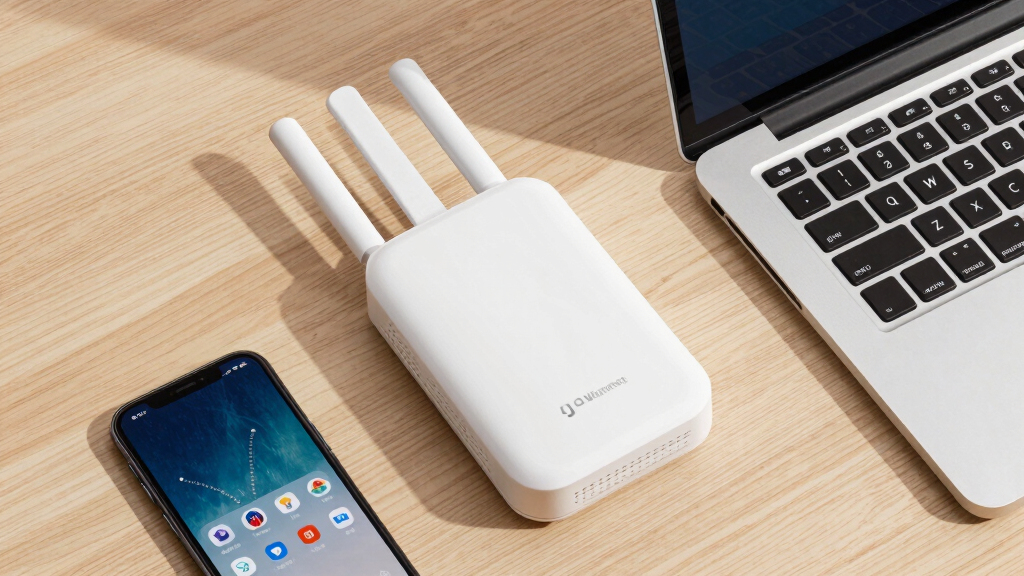

Choosing the best enterprise WiFi access point involves balancing performance, scalability, and ease of management. The Ubiquiti UniFi nanoHD stands out for its compact size and robust MU-MIMO capabilities, making it ideal for medium-sized deployments. For outdoor needs, the TP-Link Long Range Outdoor Access Point offers weatherproof reliability and long-range coverage. Meanwhile, the Ubiquiti U7-PRO-MAX introduces WiFi 7 performance for future-proof networks. As options grow increasingly feature-rich, buyers face tradeoffs between cost, complexity, and speed. Continue reading for a detailed breakdown of these top picks, so you can identify the best fit for your enterprise needs.
Key Takeaways
- Top-ranked products balance high throughput with ease of management, especially for growing networks.
- WiFi 6 and WiFi 7 options are increasingly vital for future-proofing enterprise infrastructure.
- Outdoor and specialized deployments benefit greatly from weatherproof and long-range models.
- Higher-priced models typically offer better scalability, security, and advanced features for large organizations.
- Choosing the right access point depends heavily on the network size, environment, and management preferences.


More Details on Our Top Picks
TP-Link Long Range Outdoor Access Point (EAP225-Outdoor) – AC1200 Dual Band, IP65 Weatherproof, Free Expert Help, Remote Managed
This outdoor access point stands out for its weatherproof design and remarkable range, making it a top choice for expansive outdoor environments. Compared to indoor-only options like the Ubiquiti UniFi nanoHD, the EAP225-Outdoor offers superior outdoor durability, supporting stable coverage over 200 meters. While it supports dual-band speeds up to 1200 Mbps, it relies on traditional Wi-Fi tech without WiFi 6 or 7, which could limit future-proofing. The inclusion of Omada SDN integration enables centralized management across multiple sites, but the setup is more complex than plug-and-play models. Its PoE support allows flexible installation, though it requires additional power sourcing hardware. Overall, this pick makes the most sense for organizations needing outdoor, long-range Wi-Fi with manageable complexity, but less so for indoor high-density environments.
Pros:- Weatherproof IP65 enclosure suitable for harsh outdoor conditions
- Supports long-range coverage over 200 meters at 2.4GHz
- Integrated with Omada SDN for centralized cloud or local management
- Supports multiple SSIDs and advanced wireless features like Mesh WiFi and Beamforming
Cons:- Limited to 802.11ac Wave 2 technology, lacking WiFi 6 or 7 features
- Setup and management are more complex than plug-and-play indoor APs
- Requires PoE switch or injector, adding to installation costs
Best for: Organizations deploying outdoor wireless networks requiring extensive coverage and weather resistance.
Not ideal for: Indoor venues with high user density where WiFi 6 or WiFi 7 would offer better performance and capacity.
- Wi-Fi Technology:802.11ac Wave 2 MU-MIMO
- Speed:1200 Mbps dual-band
- Range:200+ meters outdoor
- Weatherproof:IP65
- PoE Support:802.3af/at, Passive PoE
- Management:Omada SDN cloud/local
Bottom line: Ideal for outdoor spaces needing robust, long-distance Wi-Fi coverage with centralized control, but less suited to dense indoor environments.
Zyxel WiFi 7 BE6500 Wireless Access Point | 4-Stream Dual-Radio | Small Business | Smart Mesh MLO | 2.5GbE | Power Adapter Included | Nebula App/Cloud or Standalone | TAA Compliant [NWA50BE PRO]
” image=”https://m.media-amazon.com/images/I/31bItOl52jL._AC_SY300_SX300_QL70_ML2_.jpg” link=”0″]Best for Cutting-Edge WiFi 7 Performance in Small Business Settings
View Latest PriceThis WiFi 7 AP is designed for future-ready small business networks, supporting up to 6.5 Gbps across 2.4GHz, 5GHz, and 6GHz bands. Compared with WiFi 6 options like the NETGEAR WAX210PA, the BE6500 offers significantly higher speeds and band flexibility, making it suitable for high-density environments. Its BandFLEX technology allows switching between 5GHz and 6GHz, ensuring seamless deployment as devices adopt new bands. Dual-radio backhaul with Smart Mesh MLO provides dynamic, interference-resistant connectivity without extensive cabling. Management flexibility via NebulaApp or standalone operation offers versatility, but the setup might be more complex for non-technical users. The 2.5GbE port ensures high-speed wired backhaul, ideal for demanding networks. Overall, this AP is perfect for small businesses aiming to harness WiFi 7’s capabilities without overhauling their existing infrastructure, though it may be overkill for simple setups.
Pros:- Supports WiFi 7 with speeds up to 6.5 Gbps
- Dual-band, tri-radio operation with BandFLEX technology
- Smart Mesh MLO for automatic, interference-resistant mesh links
- 2.5GbE port for high-speed wired backhaul
Cons:- Higher cost and complexity compared to WiFi 6 APs
- Requires compatible devices to fully utilize WiFi 7 speeds
- Management setup may be complex for less experienced users
Best for: Small business networks seeking the latest WiFi 7 technology with high throughput and flexible management.
Not ideal for: Home users or small offices with basic internet needs, where WiFi 6 or WiFi 5 would suffice and be simpler to deploy.
- WiFi Generation:WiFi 7
- Speed:Up to 6.5 Gbps
- Radio Bands:2.4GHz, 5GHz, 6GHz
- Management:Nebula Cloud or standalone
- Ethernet Port:2.5GbE
- Mesh Technology:Smart Mesh MLO
Bottom line: Best suited for small businesses eager to implement WiFi 7 with high performance and flexible mesh, but not ideal for simple or budget-conscious deployments.
Ubiquiti UniFi nanoHD Compact 802.11ac Wave2 MU-MIMO Enterprise Access Point ( UAP-NANOHD-US)
The nanoHD stands out for its compact size and high user capacity, supporting over 200 concurrent clients with 4×4 MU-MIMO. Compared to larger indoor APs like the Ubiquiti UniFi U6 Pro, it offers a smaller footprint while maintaining enterprise-grade performance, making it ideal for dense indoor spaces such as offices or venues. Its dual-band 802.11ac Wave 2 technology provides reliable speeds but lacks WiFi 6 features, which could limit scalability as device density increases. The device’s discreet form factor allows easy installation in ceiling or wall mounts, blending into most environments. Since it requires PoE, installation is flexible but necessitates compatible switches or injectors. It’s best for high-density indoor setups where space is limited but high throughput is needed, though it doesn’t support WiFi 6 or WiFi 7 for future expansion.
Pros:- Supports over 200 concurrent users
- Compact, discreet design suitable for ceiling/wall mounting
- Supports 4×4 MU-MIMO for high throughput
- Enterprise-grade performance in a small form factor
Cons:- Limited to WiFi 5 (802.11ac) without WiFi 6/7 features
- Requires PoE switch or injector for power
- No built-in mesh or cloud management (requires controller setup)
Best for: Indoor high-density environments needing discreet, high-capacity Wi-Fi with reliable MU-MIMO performance.
Not ideal for: Home users or outdoor deployments where weatherproofing or WiFi 6/7 are required.
- Wi-Fi Technology:802.11ac Wave 2 MU-MIMO
- Speed:Up to 1733 Mbps
- Concurrent Clients:200+
- Form Factor:Ceiling/Wall Mount
- PoE Compatibility:802.3af
- Management:Requires external controller
Bottom line: Excellent for high-density indoor spaces where discreet installation and reliable performance matter, but limited by older WiFi tech.
NETGEAR Wireless Access Point (WAX210PA) – WiFi 6 Dual-Band AX1800 Speed | 1 x 1G Ethernet PoE Port | Up to 128 Devices | 802.11ax | WPA3 | Compact Size | Up to 4 SSID Networks | with Power Adapter
The WAX210PA offers a streamlined WiFi 6 solution suitable for small businesses seeking secure, modern connectivity. Compared to older WiFi 5 models like the Ubiquiti UniFi UAP-AC-PRO, it provides faster speeds (up to 1800 Mbps) and support for WPA3, enhancing security. Its compact size makes it easy to deploy in retail or office environments, supporting up to 128 devices, ideal for small to medium networks. Setup is straightforward via a web UI, with managed SSID and security options. However, it lacks the advanced mesh features found in WiFi 6 mesh APs, and its single Ethernet port may limit wired flexibility. It’s suitable for shops or offices wanting a reliable, secure WiFi 6 network without extensive infrastructure upgrades, but less ideal for high-density or outdoor environments.
Pros:- Supports WiFi 6 with speeds up to 1800 Mbps
- WPA3 security protocol for enhanced protection
- Compact, easy to install in small spaces
- Supports up to 128 devices simultaneously
Cons:- Limited to single Ethernet port, less wired flexibility
- No mesh or cloud management features built-in
- Designed primarily for small scale, not high-density environments
Best for: Small businesses needing modern WiFi 6 security and speed, with simple deployment and management.
Not ideal for: Large enterprise networks or outdoor environments requiring extensive coverage or mesh capabilities.
- Wi-Fi Technology:WiFi 6 (802.11ax)
- Speed:Up to 1800 Mbps
- Maximum Devices:128
- Security:WPA3
- Ethernet Port:1GbE PoE
- Size:Compact
Bottom line: A solid choice for small businesses seeking modern WiFi 6 with easy management, but not suited for large or outdoor deployments.
Ubiquiti UniFi AP AC PRO 802.11ac Scalable Enterprise Wi-Fi Access Point (UAP-AC-PRO-E-US) PoE Adapter Sold Separately
The UAP-AC-PRO remains a staple for scalable enterprise Wi-Fi deployments, supporting 3×3 MIMO in dual-band with speeds up to 1300 Mbps on 5GHz. Compared with the newer Ubiquiti U6 Pro, it offers a more budget-friendly, proven solution with broad compatibility. Its simple setup via the UniFi Controller makes management straightforward, especially for growing networks. However, it does not support WiFi 6 or WiFi 7, which could limit capacity in high-density scenarios. Its PoE power supply is sold separately, adding some extra cost. The device’s classic design blends into most environments, but its performance ceiling might be reached in very dense setups. Best for enterprises seeking reliable, scalable Wi-Fi without the latest tech overkill.
Pros:- Scalable for large networks with multiple units
- Supports 3×3 MU-MIMO with speeds up to 1300 Mbps
- Easy management via UniFi Controller
- Discreet, enterprise-grade design
Cons:- Limited to WiFi 5 (802.11ac), no WiFi 6/7 support
- PoE power supply sold separately
- Performance may be insufficient in very high-density environments
Best for: Large indoor enterprise networks needing scalable Wi-Fi with proven reliability and manageable complexity.
Not ideal for: Homes or small offices where ultra-high throughput or WiFi 6/7 are desired, or outdoor use cases.
- Wi-Fi Technology:802.11ac MU-MIMO
- Speed:Up to 1300 Mbps
- Client Support:200+
- Design:Ceiling/Wall Mount
- Management:UniFi Controller
- PoE:Separate purchase
Bottom line: Reliable, scalable Wi-Fi for indoor enterprise environments, but not future-proof for WiFi 6/7 demands.
Ubiquiti Networks 6 Pack UAP-AC-PRO UniFi Access Point Enterprise Wi-Fi System
This bundle of six Ubiquiti UAP-AC-PRO access points offers a compelling combination of enterprise scalability and affordability. Compared to the Ubiquiti U7-PRO-MAX, it lacks WiFi 7 but makes up for it with proven reliability, a robust dual-band 3×3 MIMO setup, and extensive coverage up to 400 feet. The inclusion of a user-friendly UniFi controller simplifies management, even for those with some networking experience, though configuring VLANs with switch integration can be tricky for newcomers. While it doesn’t support WiFi 6E or WiFi 7, its mature ecosystem and outdoor/indoor versatility make it ideal for large-scale deployments. The 802.3af PoE support and sleek design allow flexible mounting options. The main tradeoff is that it doesn’t offer the latest WiFi standards, but its proven performance and manageability make it a versatile choice for enterprise networks ready for expansion.
Pros:- Supports simultaneous dual-band, 3×3 MIMO for robust performance
- Easy to manage with the free UniFi controller interface
- Supports indoor and outdoor installations with a sleek, mountable design
- Cost-effective for large deployments with six units included
Cons:- Lacks WiFi 6E or WiFi 7 support, limiting future-proofing
- Configuration of VLANs and switch integration can be complex for beginners
- No integrated internet connectivity, requiring existing network infrastructure
Best for: IT professionals seeking a scalable, reliable enterprise WiFi solution for large or multi-site deployments without the need for WiFi 6E or WiFi 7.
Not ideal for: Small businesses or tech enthusiasts wanting the latest WiFi 7 features or simple plug-and-play setups, as they might prefer newer standards or easier configurations.
- Model Number:UAP-AC-PRO-US
- Number of Units:6
- Radio Bands:Dual
- Max Speed:1300 Mbps (5 GHz), 450 Mbps (2.4 GHz)
- Range:Up to 400 feet
- Ports:2 Gigabit Ethernet
- Power:802.3af PoE
- Design:Indoor/Outdoor, Ceiling/Wall Mount
Bottom line: This product makes the most sense for network administrators needing a scalable, proven enterprise WiFi system with extensive coverage and manageable infrastructure.
TP-Link Omada WiFi 6 Wireless Access Point – AX3000 Dual Band, 1G Port, PoE+ or DC Powered, 5yr Warranty, Captive Portal, Mesh, WPA3, Roaming, Business WiFi Experience(EAP650)
Compared to the Ubiquiti U7-PRO-MAX, which supports WiFi 7, the TP-Link EAP650 delivers excellent WiFi 6 performance at a significantly lower cost, making it an attractive choice for small to medium enterprises. Its AX3000 dual-band setup provides up to 2976 Mbps, and with native Omada management, it offers cloud-based control without additional hardware. The device supports Mesh, Seamless Roaming, WPA3 security, and PoE+ for flexible deployment, with a 5-year warranty adding peace of mind. Installation is straightforward via the Omada app, and its compact design fits well into modern office environments. The main tradeoff is that it doesn’t support WiFi 7, limiting future network capacity and speed ceiling, but for most small business needs, this is a well-rounded, budget-conscious choice.
Pros:- Supports WiFi 6 with speeds up to 2976 Mbps
- Cloud management with Omada app, no extra controller needed
- Mesh and seamless roaming capabilities
- 5-year warranty for extended peace of mind
Cons:- No WiFi 7 or WiFi 6E support, limiting future speeds
- Limited to 1G Ethernet port, may bottleneck large data transfers
- Requires Omada controller or app for management
Best for: Small to medium-sized businesses seeking a reliable, management-friendly WiFi 6 access point with enterprise features at a competitive price.
Not ideal for: Organizations planning to upgrade to WiFi 7 or needing ultra-high-density environments with maximum future-proofing, as it doesn’t support WiFi 7 or WiFi 6E.
- Model Number:EAP650
- Speed:Up to 2976 Mbps
- Frequency:Dual-Band
- Coverage:Indoor/Outdoor, Mesh support
- Ports:1 x 1G Ethernet
- Security:WPA3
- Warranty:5 years
- Power:PoE+
Bottom line: This AP offers a compelling balance of speed, security, and management ease for small to medium business applications on a budget.
TP-Link EAP610 Omada Business WiFi 6 AX1800 Wireless Gigabit Access Point – Support Mesh, OFDMA, Seamless Roaming & MU-MIMO, SDN Integrated, Cloud Access & Omada App, PoE+ Powered, White, Dual-Band
Compared to the Ubiquiti U7-PRO-MAX, which supports WiFi 7, the TP-Link EAP610 offers a more compact form factor while delivering WiFi 6 AX1800 speeds suitable for dense office environments. Its integrated SDN platform enables centralized management with cloud access, and features like OFDMA, MU-MIMO, and seamless roaming optimize performance for multiple devices. Installation is simplified through the Omada app, and PoE+ power supplies make deployment flexible. Its coverage of roughly 160 m² suits small to medium offices, but it doesn’t support WiFi 7, limiting peak performance and future capacity. Nonetheless, it balances advanced features with a small footprint, making it ideal for space-constrained settings needing reliable WiFi 6 performance.
Pros:- Supports WiFi 6 with MU-MIMO and OFDMA
- Centralized SDN management via Omada
- Mesh support for seamless coverage expansion
- Compact, space-saving design
Cons:- Lacks WiFi 7 support for future-proofing
- Limited coverage area (~160 m²)
- Requires cloud or Omada app for management
Best for: Small to medium enterprises seeking a space-efficient WiFi 6 access point with enterprise management features and mesh support.
Not ideal for: Networks requiring WiFi 7 or ultra-high-density device support, as it’s limited to WiFi 6 and smaller coverage areas.
- Model Name:EAP610 V2
- Speed:AX1800 (approx. 1200 Mbps)
- Frequency:Dual-Band
- Coverage:Approx. 160 m²
- Ports:1 x 1G Ethernet
- Security:WPA3
- Management:Omada SDN
- Power:PoE+
Bottom line: This AP provides a strong, space-efficient WiFi 6 solution with enterprise management for smaller spaces and moderate density environments.
Ubiquiti U7-PRO-MAX U7 Pro Max WiFi 7 Ceiling Mounted Access Point with 2.5GbE Uplink
This WiFi 7 access point from Ubiquiti, supporting 8 spatial streams and speeds up to 8.6 Gbps, is designed for high-density, large-scale environments. In comparison with the Ubiquiti UAP-AC-PRO, it offers the latest WiFi 7 features, including tri-band connectivity and AI-driven RRM for interference management. The 2.5GbE uplink ensures high-speed backhaul, ideal for future-proofing enterprise networks with massive bandwidth needs. Its support for over 500 devices and seamless roaming makes it suitable for dense environments like stadiums or large campuses. Installation supports ceiling mounting, and advanced security features like guest isolation and RADIUS over TLS are included. The main tradeoff is its higher cost and current limited availability, but for organizations demanding the newest WiFi standard, this is a game-changing investment.
Pros:- Supports WiFi 7 (802.11be) with speeds up to 8.6 Gbps
- Tri-band with 8 spatial streams for high-density environments
- 2.5GbE uplink for fast wired backhaul
- AI-powered interference management and seamless roaming
Cons:- Premium price and limited current availability
- Requires compatible network infrastructure for full performance
- Higher power consumption (up to 25W PoE+)
Best for: Enterprises deploying WiFi 7 in high-density, future-focused environments needing maximum throughput and device capacity.
Not ideal for: Small businesses or environments not prepared to leverage WiFi 7’s capabilities, as it might be overkill and cost-prohibitive.
- Model Number:U7-PRO-MAX
- WiFi Standard:WiFi 7 (802.11be)
- Max Speed:8.6 Gbps
- Radio Streams:8
- Coverage:Large-scale, high-density
- Ports:1 x 2.5GbE
- Device Support:500+
- Power:PoE 25W
Bottom line: This access point is ideal for organizations eager to adopt WiFi 7 with high-density, high-performance needs in demanding environments.
TP-Link Omada WiFi 7 Wireless Access Point – BE5000 Dual Band, 2.5G Port, PoE+ or DC Powered, DC Adapter Included, 5yr Warranty, Captive Portal, Mesh, WPA3, Roaming, Business WiFi Experience(EAP720)
The TP-Link Omada EAP720 stands out as the best choice for those seeking a scalable, high-performance Wi-Fi 7 solution. Its support for Wi-Fi 7 technology means higher speeds, increased reliability, and greater capacity for dense environments compared to Wi-Fi 6 options like the Ubiquiti U6+. The inclusion of a 2.5G Ethernet port offers a clear advantage for future broadband upgrades without hardware changes. Its integration with Omada Cloud Management enables centralized remote control, network monitoring, and advanced features like captive portals—making it ideal for multi-site deployments. However, the advanced tech comes with a slightly higher price and complexity, which might be a barrier for smaller businesses or less tech-savvy users. Compared to the Ubiquiti U6+, the EAP720 offers faster Wi-Fi 7 speeds but requires more setup effort. This pick makes the most sense for growing enterprises prioritizing speed, capacity, and centralized management, willing to invest in future-proof infrastructure.
Pros:- Supports Wi-Fi 7 technology for faster speeds and higher capacity
- Includes a 2.5G Ethernet port for future broadband needs
- Centralized management via Omada Cloud Platform for remote control
- Robust security features like WPA3 and captive portal
Cons:- Higher cost compared to Wi-Fi 6 or older standards
- Complex setup process may require technical expertise
- Limited to indoor ceiling/wall mounting, not ideal for outdoor or rugged environments
Best for: IT managers and network administrators in medium to large businesses needing scalable, high-speed Wi-Fi 7 deployment.
Not ideal for: Small business owners or remote office setups with basic Wi-Fi needs and limited technical support capacity.
- Wi-Fi Generation:Wi-Fi 7
- Max Speed:5.0 Gbps
- Ethernet Port:2.5G
- Power Supply:PoE+ or DC
- Coverage Area:up to 1500 sq ft
- Security Protocols:WPA3, Captive Portal
- Management:Omada Cloud Platform
- Warranty:5 years
Bottom line: The TP-Link EAP720 is best suited for organizations seeking cutting-edge Wi-Fi 7 performance with scalable management, accepting some complexity and higher investment.
Ubiquiti UniFi 6 Pro Access Point | US Model, Wireless | PoE Adapter not Included (U6-Pro-US)
The Ubiquiti UniFi 6 Pro delivers exceptional performance for large, high-density enterprise settings, supporting over 300 clients with a combined throughput of 5.3 Gbps. Its dual-band Wi-Fi 6 (802.11ax) technology with 4×4 MU-MIMO and 160 MHz bandwidth ensures high speeds and reliable multi-device connectivity. Compared with Wi-Fi 7 options like the TP-Link EAP720, the U6 Pro offers solid performance in environments where Wi-Fi 7’s advanced features are less critical, but it lacks the latest Wi-Fi 7 benefits such as multi-link operation. Its design supports seamless mesh expansion, making it suitable for sprawling campuses or multi-floor offices. The main tradeoffs include the need for a separate PoE adapter and a slightly older wireless standard, which may limit future capacity gains. It’s ideal for enterprises prioritizing proven Wi-Fi 6 tech with high client density, but less so for those planning to upgrade to Wi-Fi 7 soon.
Pros:- Supports over 300 concurrent clients with high throughput
- Dual-band Wi-Fi 6 (802.11ax) with MU-MIMO and 160 MHz channels
- Supports seamless mesh networking for expansive coverage
- Includes a universal mounting kit for flexible deployment
Cons:- PoE adapter sold separately, increasing overall cost
- Does not support Wi-Fi 7’s advanced features
- Limited to indoor use, not weatherproof
Best for: Large enterprises and campuses requiring reliable, high-density wireless coverage with proven Wi-Fi 6 tech.
Not ideal for: Businesses looking to invest in the latest Wi-Fi 7 technology or with tight budgets for accessories like PoE adapters.
- Wi-Fi Generation:Wi-Fi 6 (802.11ax)
- Max Speed:5.3 Gbps
- Client Capacity:Over 300 devices
- MIMO:4×4 MU-MIMO
- Bandwidth:160 MHz
- PoE:PoE (adapter sold separately)
- Coverage Area:Up to 1500 sq ft
- Security:WPA3, Guest Isolation
Bottom line: The Ubiquiti UniFi 6 Pro excels in high-density environments requiring high client capacity with proven Wi-Fi 6 tech, though it lacks Wi-Fi 7’s future enhancements.
Ubiquiti U6+ Dual Band IEEE 802.11 a/b/g/n/ac/ax 3 Gbit/s Wireless Access Point
The Ubiquiti U6+ offers a versatile, high-speed wireless solution supporting all major Wi-Fi standards up to Wi-Fi 6E, with a maximum throughput of 3 Gbps. Its multi-standard compatibility makes it adaptable for mixed environments that require legacy device support alongside the latest Wi-Fi 6E devices. While it doesn’t support Wi-Fi 7, its broad compatibility and solid performance make it a flexible choice for enterprises with diverse device ecosystems. Its internal antennas and wall-mountable design provide easy deployment, and its security protocols like WPA3 ensure enterprise-level protection. The main tradeoffs involve it not supporting Wi-Fi 7’s cutting-edge features and slightly lower maximum speeds compared to newer models. This makes it a good fit for organizations needing a highly adaptable, all-in-one access point that’s ready for current standards and future device integration.
Pros:- Supports Wi-Fi 6E and all previous Wi-Fi standards
- Maximum throughput of 3 Gbps for fast data transfer
- Versatile, compatible with legacy and modern devices
- Wall-mountable with internal antennas for discreet deployment
Cons:- Does not support Wi-Fi 7 technology
- Price may be higher than basic Wi-Fi 5/6 models
- No weatherproofing for outdoor use
Best for: Enterprises with mixed device environments seeking a flexible, multi-standard Wi-Fi access point.
Not ideal for: Organizations aiming for the highest future-proof speeds with Wi-Fi 7 or deploying in outdoor or weather-exposed locations.
- Wi-Fi Standards:a/b/g/n/ac/ax/6E
- Max Speed:3 Gbps
- Number of Radios:Dual
- Coverage Area:Up to 1500 ft²
- Mounting:Wall and ceiling
- Security Protocols:WPA3
- Antenna:Internal
- Power:PoE
Bottom line: The Ubiquiti U6+ provides flexible, multi-standard Wi-Fi coverage suitable for diverse device ecosystems, but it falls short on Wi-Fi 7 future readiness.
Ubiquiti UniFi Wi-Fi 6 Mesh Access Point with PoE Injector
The Ubiquiti UniFi Wi-Fi 6 Mesh is tailored for environments requiring expandability and high-density coverage, delivering speeds of up to 4.8 Gbps on the 5GHz band and supporting multiple devices simultaneously. Its mesh capability allows for easy expansion across large campuses or complex layouts, making it an excellent choice for high-density, multi-floor offices or outdoor environments. The included PoE injector simplifies installation, reducing the need for additional power sources. While it’s optimized for Wi-Fi 6, it doesn’t support Wi-Fi 7, which might limit future speed and capacity upgrades. Its security features are robust, with enterprise-grade protocols. The main tradeoff involves a higher price point and the need for some network configuration knowledge. This access point is ideal for organizations seeking flexible, scalable coverage with high-speed Wi-Fi 6 tech, especially in challenging or large spaces.
Pros:- Supports Wi-Fi 6 with speeds up to 4.8 Gbps
- Seamless mesh expansion for large or complex spaces
- Includes PoE injector for simplified wiring
- Enterprise security protocols
Cons:- Higher overall cost due to mesh setup
- Does not support Wi-Fi 7’s latest features
- Requires technical knowledge for optimal deployment
Best for: Enterprises deploying expansive, high-density Wi-Fi mesh networks in large offices or outdoor setups.
Not ideal for: Small offices or setups focused on Wi-Fi 7 technology or where budget constraints prohibit mesh expansion costs.
- Wi-Fi Generation:Wi-Fi 6
- Max Speed:4.8 Gbps
- Coverage:Expandable via mesh
- MIMO:4×4 MU-MIMO
- PoE:Yes, PoE injector included
- Security:WPA3
- Suitable Environments:Indoor and outdoor
- Client Capacity:High-density environments
Bottom line: The Ubiquiti UniFi Wi-Fi 6 Mesh AP is best for large, expandable environments needing high-density coverage, accepting higher costs and setup complexity.

How We Picked
The products in this roundup were selected based on a combination of performance metrics, build quality, ease of deployment, scalability, and value. We prioritized models that support the latest WiFi standards like WiFi 6 and WiFi 7, as these ensure faster speeds and better device handling. Compatibility with enterprise management tools, such as cloud or on-premise controllers, was also a key factor. Additionally, we considered form factor, weather resistance, and PoE support, which are critical for diverse deployment environments. Our ranking reflects a balance between cutting-edge features and real-world usability, making these options suitable for different enterprise scales and needs.Factors to Consider When Choosing Best Enterprise WiFi Access Point
When selecting an enterprise WiFi access point, understanding key factors can help prevent costly mistakes. While features like speed and range are important, other aspects such as deployment environment, scalability, and management tools often matter more in the long run. Making the right choice requires balancing current network demands with future growth, security needs, and budget constraints. Here are some critical considerations to keep in mind.Performance and Speed Standards
Prioritize models supporting WiFi 6 or WiFi 7, as these standards deliver higher speeds, better device density, and improved efficiency. For large networks with many concurrent users, high throughput is essential to avoid bottlenecks. However, for smaller deployments or less demanding environments, WiFi 5 or WiFi 6 models might suffice and offer better value. Matching the access point’s capabilities to your expected network load prevents overspending on features you won’t need.
Coverage and Scalability
Assess your space and choose a model with sufficient coverage, considering factors like building materials and interference. Outdoor or expansive facilities benefit from specialized weatherproof or long-range models. Scalability is key; if you plan to expand, select a system that supports multiple units with seamless management. Multi-unit deployments require centralized control or cloud management to simplify administration and ensure consistent performance across locations.
Management and Security
Enterprise networks demand robust management tools, whether cloud-based or on-premises. Look for platforms that support easy configuration, firmware updates, and centralized monitoring. Security features like WPA3, VLAN support, and advanced threat protection are non-negotiable for business environments. Avoid models with limited management options or outdated security protocols, as these can expose your network to vulnerabilities.
Deployment Environment
Indoor vs. outdoor use significantly influences your choice. Outdoor units should be weatherproof and capable of long-range coverage, while indoor models focus on aesthetic design and compactness. PoE support simplifies wiring by powering devices through Ethernet cables, reducing installation complexity. Consider whether your deployment requires PoE+ for higher power needs or if simpler passive PoE suffices.
Price and Total Cost of Ownership
Higher upfront costs often translate into better performance, security, and scalability, but not always. Evaluate the total cost, including management software licenses, maintenance, and potential expansion. Cheaper models might save money initially but could lead to higher expenses down the line if they lack scalability or security features. Invest in a solution that aligns with your current needs and future growth plans to avoid replacements or upgrades soon after deployment.
Frequently Asked Questions
How do I know if a WiFi access point supports my network’s device density?
Device density support depends on the access point’s MU-MIMO capabilities, channel bandwidth, and overall throughput. Models supporting WiFi 6 or WiFi 7 are designed to handle many simultaneous connections efficiently. Check the specifications for maximum device counts and ensure they align with your expected network load. For very high-density environments like conference centers, opting for enterprise-grade models with advanced features is advisable to maintain performance.
Should I prioritize WiFi 6 or WiFi 7 for my enterprise network?
WiFi 7 is the latest standard and offers higher speeds, lower latency, and improved efficiency, making it future-proof for demanding enterprise environments. However, WiFi 6 remains a highly capable and more mature technology, often at a lower cost, suitable for most current needs. If your budget allows and you want the best long-term investment, choosing WiFi 7-compatible access points makes sense. For immediate deployment, WiFi 6 models offer excellent performance and compatibility with existing devices.
What size of deployment should I consider for outdoor WiFi access points?
Outdoor access points vary greatly in coverage, with some designed for small yard areas and others for large campuses. Weatherproof models with high-gain antennas tend to cover more extensive outdoor spaces. For large outdoor areas, look for units with long-range capabilities and weather resistance, ensuring reliable operation in harsh conditions. Be mindful of interference sources like trees or nearby structures, which can impact coverage and performance.
How important is PoE support in choosing an enterprise WiFi access point?
PoE support simplifies installation by providing power and data over a single Ethernet cable, reducing wiring complexity and costs. For large-scale or ceiling-mounted deployments, PoE or PoE+ support is often essential, especially when power outlets are scarce or hard to access. However, if power sources are readily available, non-PoE models may suffice, although they might require additional power adapters. Overall, PoE support adds flexibility and scalability to enterprise deployments.
Is it worth investing in high-end enterprise access points for small businesses?
For small businesses, investing in high-end enterprise access points can offer benefits like better security, management, and future scalability. However, if your current needs are modest, more affordable models with WiFi 6 or WiFi 5 might be sufficient. High-end options tend to be more expensive but can save costs long-term by supporting growth and providing enhanced security features. Evaluate your current network demands and growth plans carefully before committing to premium models.
Conclusion
If you need the best overall enterprise WiFi access point, the Ubiquiti UniFi nanoHD balances performance, management, and cost effectively for most mid-sized deployments. For those prioritizing value, models like the NETGEAR WAX210PA or TP-Link EAP610 deliver solid WiFi 6 features at a lower price point. Premium users with demanding environments should consider the Ubiquiti U7-PRO-MAX or the TP-Link Omada EAP720 for WiFi 7 support. Beginners or smaller setups will find the TP-Link AC1200 or Ubiquiti UniFi Wi-Fi 6 Mesh easier to manage. For outdoor or large-scale deployments, specialized weatherproof and long-range models like the TP-Link Long Range Outdoor Access Point are ideal. Your choice ultimately depends on network size, environment, and future expansion plans.