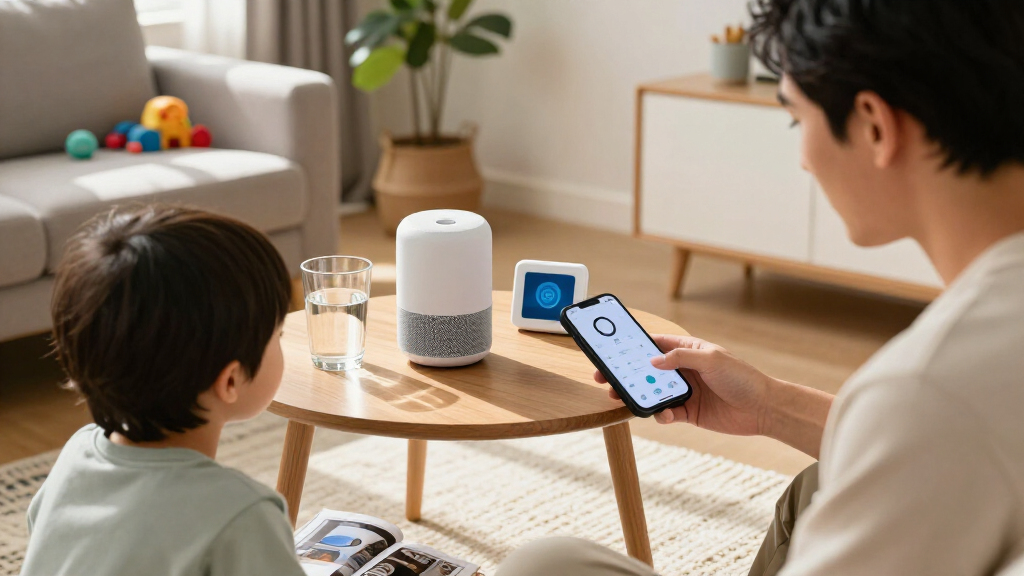

Choosing the best smart home devices for families requires balancing ease of use, privacy, and integration across multiple users. My top overall pick is the Amazon Echo Hub, which simplifies control with a dedicated 8-inch panel that eliminates voice-command ambiguity for busy households. For those seeking a central command center, the Echo Show 15 offers a wall-mounted dashboard ideal for family calendars and video calls, while the Greenlight Family Hub provides a non-voice alternative for managing schedules. The main tradeoff you will face is between voice-first convenience and screen-based clarity, as well as choosing between the Amazon ecosystem’s convenience and the interoperability of third-party standards. Continue reading to see how these twelve devices stack up against specific family needs like security, energy savings, and kid-friendly interfaces.

Get the latest gadgets delivered free with Prime
- Fast, free delivery on millions of items
- Prime Video, Amazon Music and more included
- Member-only deals all year
Complete the kit



Key Takeaways
- The Amazon Echo Hub outperforms voice-only devices for family coordination by providing a visual interface that reduces errors in multi-user households.
- Dedicated family calendars like the Greenlight Family Hub solve scheduling conflicts better than general-purpose smart displays because they lack distracting entertainment features.
- Starter kits like the Amazon Echo Hub Smart Home Starter Kit offer lower barrier-to-entry setup but may limit future expansion compared to buying components individually.
- Smart thermostats provide the highest measurable return on investment for families due to direct energy savings, whereas smart plugs offer convenience with less immediate financial impact.
- Voice assistant accuracy varies by room size; larger displays like the Echo Show 11 handle ambient noise better than compact speakers like the Echo Spot in open-plan living areas.
| Echo Dot Max (newest model) with Alexa, Room-Filling Sound, and Built-in Smart Home Hub |  | Best for a Voice-Controlled Family Room | Dimensions: 4.27 × 4.27 × 3.9 inches | Weight: 17.82 ounces | Audio bandwidth: 53 Hz–16 kHz | VIEW LATEST PRICE | See Our Full Breakdown |
| Amazon Echo Show 5 (Newest Model) – Smart Display with Alexa, 5.5″ Screen, Better Sound, Cloud Blue |  | Best Compact Smart Display for Bedrooms | Display: 5.5 inches | Camera: 2 MP | Sound: Improved sound with deeper bass and clearer vocals | VIEW LATEST PRICE | See Our Full Breakdown |
| Greenlight Family Hub 15.6″ Digital Calendar with Touch Screen Display |  | Best for Shared Family Scheduling | Screen size: 15.6 inches | Display type: Touchscreen | Connectivity: Wi-Fi | VIEW LATEST PRICE | See Our Full Breakdown |
| Govee Smart Plug, WiFi Outlet Compatible with Alexa & Google Assistant, 4 pcs |  | Best Value for Simple Appliance Automation | Pack size: Four smart plugs | Voltage: 120 volts | Amperage: 11 A | VIEW LATEST PRICE | See Our Full Breakdown |
| Amazon Echo Hub Smart Home Starter Kit with Smart Plug and Four Smart Bulbs |  | Best Complete Smart-Home Starter Kit | Included items: Echo Hub, Amazon Smart Plug, and four Amazon Basics Smart Bulbs | Display: 8-inch touchscreen, 1280 × 800 resolution | Connectivity: Dual-band Wi-Fi, Ethernet, and Bluetooth | VIEW LATEST PRICE | See Our Full Breakdown |
| Amazon Smart Thermostat |  | Best Value Energy Saver | Connectivity: 2.4 GHz Wi-Fi (802.11 b/g/n) | Compatibility: Most 24V HVAC systems (C-wire required) | Certifications: ENERGY STAR, ECOLOGO Gold | VIEW LATEST PRICE | See Our Full Breakdown |
| Amazon Echo Spot (latest model), Smart Alarm Clock with Alexa, Glacier White |  | Best Compact Nightstand Device | Display: 2.83″ touch screen (240x320px) | Wi-Fi: Dual-band 802.11a/b/g/n/ac (2.4 and 5 GHz) | eero Coverage: Up to 1,000 sq. ft. | VIEW LATEST PRICE | See Our Full Breakdown |
| Amazon Echo Hub (newest model), 8″ Smart Home Control Panel with Alexa+ |  | Best Dedicated Control Panel | Display Size: 8 inches | Protocols: Zigbee, Matter, Thread, Sidewalk | Connectivity: Wi-Fi, Bluetooth | VIEW LATEST PRICE | See Our Full Breakdown |
| Amazon Echo Dot (5th Gen) – Vibrant Sound, Alexa, Smart Home, Mesh Wi-Fi, Deep Sea Blue |  | Best Beginner Smart Speaker | Speaker Driver: 1.6″ full range driver | Wi-Fi: Dual-band 802.11a/b/g/n/ac | eero Coverage: Up to 1,000 sq. ft. | VIEW LATEST PRICE | See Our Full Breakdown |
| Echo Show 15 (latest model), 15.6″ Full HD Smart Display with Fire TV and Alexa |  | Best Premium Family Hub | Display: 15.6 inches, 1920 x 1080 resolution | Camera: 13 MP with physical shutter | Audio: Two 2″ woofers + two 0.6″ tweeters | VIEW LATEST PRICE | See Our Full Breakdown |
| Amazon Echo Show 11 (2025 Model) |  | Best Large-Screen Family Hub | Display: 11-inch Full-HD touchscreen (1920 x 1200) | Processor: AZ3 Pro with AI Accelerator | Camera: 13 MP with auto framing | VIEW LATEST PRICE | See Our Full Breakdown |
| Kasa Smart Plug HS103P4, 4-Pack |  | Best Value Starter Pack | Quantity: 4-Pack | Connectivity: Wi-Fi (2.4GHz) | Controller Type: Amazon Alexa, Google Assistant | VIEW LATEST PRICE | See Our Full Breakdown |
| smart home devices for familie | Connectivity | Dimensions |
|---|---|---|
| Echo Dot Max | Wi-Fi 6E and Bluetooth 5.3 | 4.27 × 4.27 × 3.9 inches |
| Amazon Echo Show 5 | — | — |
| Greenlight Family Hub 15.6" Di | Wi-Fi | — |
| Govee Smart Plug | Wi-Fi and Bluetooth | — |
| Amazon Echo Hub Smart Home Sta | Dual-band Wi-Fi, Ethernet, and Bluetooth | 7.9 × 5.4 × 0.6 inches |
| Amazon Smart Thermostat | 2.4 GHz Wi-Fi (802.11 b/g/n) | 3.56 x 3.56 x 0.84 inches |
| Amazon Echo Spot | — | — |
| Amazon Echo Hub | Wi-Fi, Bluetooth | — |
| Amazon Echo Dot | — | 3.9" x 3.9" x 3.5" |
| Echo Show 15 | — | 16.1" W x 10.1" H x 1.4" D |
| Amazon Echo Show 11 | Wi-Fi 6E, Bluetooth 5.4 | 10” x 5” x 7.2” |
| Kasa Smart Plug HS103P4 | Wi-Fi (2.4GHz) | 1.57 x 1.5 x 2.62 inches |
More Details on Our Top Picks
Echo Dot Max (newest model) with Alexa, Room-Filling Sound, and Built-in Smart Home Hub
The Echo Dot Max makes the most sense for families who want a single speaker to handle music and smart-home control. Its Zigbee, Matter, and Thread support lets it connect directly to a broad range of compatible devices, while eero Built-in can extend coverage for homes with a compatible eero router. That gives it a more capable home-control role than the Echo Show 5, which adds a screen and camera but has a smaller footprint for sound. The Dot Max’s larger body and stronger bass suit shared spaces where family members listen together, though it may be awkward on a crowded bedside table. Setup for advanced features can involve app and account linking, and the Wi-Fi extension function is tied to compatible eero equipment. Choose it for a speaker-led smart home, not a screen-led one.
Pros:- Built-in Zigbee, Matter, and Thread hub supports compatible devices without relying on a separate hub for each protocol.
- Room-filling sound and nearly three times the bass of previous models suit shared family spaces.
- eero Built-in can extend mesh Wi-Fi coverage when paired with a compatible eero router.
- Supports multiple streaming services and device pairing.
Cons:- Wi-Fi extension features require a compatible eero router.
- Its larger size can be difficult to place in a crowded room or on a small bedside surface.
- Some advanced features require app setup and account linking.
Best for: Families setting up compatible smart devices who want a shared-room speaker and voice control in one unit.
Not ideal for: Households without a compatible eero router that expect Wi-Fi extension, or families who need a display for video calls and visual schedules.
- Dimensions:4.27 × 4.27 × 3.9 inches
- Weight:17.82 ounces
- Audio bandwidth:53 Hz–16 kHz
- Drivers:One 0.8-inch tweeter and one 2.5-inch woofer
- Connectivity:Wi-Fi 6E and Bluetooth 5.3
- Smart home hub:Zigbee, Matter, and Thread
- Additional features:eero Built-in, Amazon Sidewalk, and privacy controls
Our verdict“Choose the Echo Dot Max if your family wants strong shared-room audio and broad smart-home connectivity, especially with an eero network.”
Amazon Echo Show 5 (Newest Model) – Smart Display with Alexa, 5.5″ Screen, Better Sound, Cloud Blue
The Echo Show 5 brings visual information into a small footprint, making it a practical bedside helper for families who want weather, news, video calls, or basic smart-home controls within view. Its 5.5-inch display is easier to place than the larger Greenlight Family Hub, but it is not a substitute for a wall-sized family calendar or a shared schedule board. The built-in camera adds a way to call family members, and the shutter and mic-off button give households direct privacy controls. Sound has deeper bass and clearer vocals than earlier models, though a compact screen and basic 2 MP camera limit its appeal for extended video viewing. It is best for quick check-ins and bedroom routines; families who need a central planning surface should look at the Greenlight instead.
Pros:- Compact 5.5-inch screen fits bedside tables and other small surfaces.
- Displays news, weather, photos, and compatible smart-home controls.
- Built-in camera supports video calls and home monitoring.
- Camera shutter and mic-off button provide straightforward privacy controls.
Cons:- The small screen is less useful for shared schedules or extended viewing.
- The 2 MP camera may not satisfy families seeking sharper video calls.
- Smart-home control is limited to compatible devices.
Best for: Families who want a compact bedside display for video calls, daily updates, and control of compatible smart devices.
Not ideal for: Households that want a large shared family calendar, frequent video viewing, or higher-detail camera calls.
- Display:5.5 inches
- Camera:2 MP
- Sound:Improved sound with deeper bass and clearer vocals
- Color:Cloud Blue
- Privacy features:Mic/camera off button and camera shutter
- Ring video privacy:End-to-end encrypted Ring video
- Materials:Recycled polyester yarn and recycled aluminum
- Packaging:Recyclable
Our verdict“Pick the Echo Show 5 for compact bedroom updates and calls, but choose a larger display such as the Greenlight Family Hub for household-wide planning.”
Greenlight Family Hub 15.6″ Digital Calendar with Touch Screen Display
The Greenlight Family Hub is the most purpose-built option here for coordinating family life: its large touchscreen brings calendars, chores, grocery lists, photos, and location features together in one shared place. Support for Google, Apple, and Outlook calendars helps families with different devices keep schedules visible without choosing a single phone ecosystem. Compared with the Echo Show 5, it offers far more room for household planning, but it is much larger and less suited to quick bedside updates. Its hands-free AI assistant and safety features add convenience, while the optional premium tier means some functions may involve an ongoing subscription. Families should also check that they have a suitable place to mount or position a 15.6-inch display. This is a planning hub first, rather than a general-purpose smart speaker or plug-and-play control panel.
Pros:- Combines family calendars, chores, grocery lists, and photos on one shared screen.
- Syncs with Google, Apple, and Outlook calendars.
- Family location tracking and safety features support household coordination.
- Hands-free AI assistant can make common interactions more convenient.
Cons:- Its 15.6-inch display needs more space than compact devices such as the Echo Show 5.
- Some features require an optional premium subscription.
- It is a dedicated family planning display rather than a compact, general-purpose speaker.
Best for: Families juggling multiple calendars, chores, grocery lists, and shared household responsibilities across different devices.
Not ideal for: Families with limited wall or counter space, or buyers who want all features without an optional subscription.
- Screen size:15.6 inches
- Display type:Touchscreen
- Connectivity:Wi-Fi
- Calendar compatibility:Google, Apple, and Outlook calendars
- Features:Photos, chores, lists, safety features, and AI assistant
- Subscription:Optional premium tier
Our verdict“Choose the Greenlight Family Hub when shared schedules and chores matter more than a compact screen or a speaker-led smart-home setup.”
Govee Smart Plug, WiFi Outlet Compatible with Alexa & Google Assistant, 4 pcs
This four-pack of Govee Smart Plugs is a straightforward way for families to add scheduled control to lamps and other compatible appliances without buying a dedicated smart-home display. Alexa and Google Assistant support makes voice control accessible across common setups, while group control can switch several connected items together—for example, lights in a shared room. Compared with the Amazon Echo Hub Smart Home Starter Kit, Govee provides multiple outlets but does not include a touchscreen hub or bulbs, so buyers need to supply their own smart-home controller and devices. The plugs use 2.4 GHz Wi-Fi, with Bluetooth also listed for connectivity; they do not support 5 GHz networks. Their stated maximum load is 1200 W, so families should check appliance requirements rather than assume every device can be connected. This is a practical automation add-on, not a full smart-home starter system.
Pros:- Four plugs add scheduled control to multiple compatible household devices.
- Works with Alexa and Google Assistant for voice commands.
- Scheduling and group control can simplify recurring routines.
- Supports Wi-Fi and Bluetooth connections and carries ETL certification.
Cons:- Wi-Fi operation is limited to 2.4 GHz networks.
- The 1200 W maximum power rating rules out appliances that exceed its stated capacity.
- Unlike the Echo Hub starter kit, it does not include bulbs or a central touchscreen.
Best for: Families who already use Alexa or Google Assistant and want scheduled control for several compatible lamps or appliances.
Not ideal for: Households relying only on 5 GHz Wi-Fi, or buyers who want a display, bulbs, and central hub in one package.
- Pack size:Four smart plugs
- Voltage:120 volts
- Amperage:11 A
- Maximum power:1200 W
- Wi-Fi frequency:2.4 GHz
- Connectivity:Wi-Fi and Bluetooth
- Plug type:Type B
- Certification:ETL
Our verdict“Choose the Govee four-pack for basic voice and schedule control of compatible appliances, provided your network uses 2.4 GHz Wi-Fi.”
Amazon Echo Hub Smart Home Starter Kit with Smart Plug and Four Smart Bulbs
The Echo Hub Smart Home Starter Kit gives families more of a ready-made start than the Govee plug pack: the box includes an 8-inch control screen, one smart plug, and four bulbs, so there are devices to control as well as a central interface. Support for Zigbee, Thread, Matter, Bluetooth, and Wi-Fi can help connect compatible products from different categories, while routines let families control several devices together. Its touchscreen makes it more visual than the Echo Dot Max, which is better suited to voice-led use and room-filling audio. The tradeoff is that setup requires an internet connection, the stand is sold separately, and this panel is designed to stay put rather than move around the home. Matter support is listed as controller-only, so compatibility depends on the device and its role. Choose this kit for a fixed household control point, not portability.
Pros:- Includes an Echo Hub, Amazon Smart Plug, and four smart bulbs for a more complete initial setup.
- The 8-inch touchscreen provides a visual control point for the household.
- Supports Wi-Fi, Bluetooth, Zigbee, Thread, and Matter as a controller.
- Voice routines can operate multiple compatible devices together.
Cons:- An internet connection is required for setup.
- The stand is sold separately.
- It is intended for fixed use rather than handheld or portable control.
Best for: Families starting an Alexa-based smart home who want a touchscreen controller, smart plug, and bulbs in one package.
Not ideal for: Buyers who need a portable device, a stand included in the box, or offline setup.
- Included items:Echo Hub, Amazon Smart Plug, and four Amazon Basics Smart Bulbs
- Display:8-inch touchscreen, 1280 × 800 resolution
- Connectivity:Dual-band Wi-Fi, Ethernet, and Bluetooth
- Smart-home compatibility:Wi-Fi, Bluetooth Low Energy Mesh, Zigbee, Thread, and Matter (controller only)
- Dimensions:7.9 × 5.4 × 0.6 inches
- Weight:12.9 ounces
- Power:12.5 W adapter included; compatible with USB-C Power Delivery accessories
- Warranty:1-year limited warranty
Our verdict“Choose this starter kit if your family wants a fixed touchscreen hub with bulbs and a plug included, rather than buying each piece separately.”
Amazon Smart Thermostat
This thermostat stands out as the most accessible entry point into smart climate control for households already using Alexa. Unlike the premium Echo Hub, which requires a dedicated wall spot and higher investment, this device focuses purely on efficiency with a simple, unobtrusive design. It integrates directly with the Alexa app for guided installation, removing the typical technical barriers of HVAC upgrades. The ENERGY STAR certification is a key differentiator, providing verified savings that justify the cost over time. However, the requirement for a C-wire can be a dealbreaker for older homes without pre-existing wiring, unlike more universal competitors. It lacks the visual feedback of larger displays, making it better suited for users who prefer setting schedules via smartphone rather than interacting with a screen on the wall.
Pros:- Guided DIY installation via the Alexa app simplifies setup
- ENERGY STAR certified for verified energy savings
- Seamless integration with Alexa voice commands and Ring security
- Automatic air filter ordering based on usage data
Cons:- Requires a C-wire or separate power adapter for operation
- Limited to 2.4 GHz Wi-Fi networks only
- No built-in microphone; relies on external Alexa devices
Best for: Families already invested in the Alexa ecosystem who want to reduce utility bills without complex installation.
Not ideal for: Homeowners in older properties lacking a C-wire or those seeking a high-resolution interface for direct control.
- Connectivity:2.4 GHz Wi-Fi (802.11 b/g/n)
- Compatibility:Most 24V HVAC systems (C-wire required)
- Certifications:ENERGY STAR, ECOLOGO Gold
- Dimensions:3.56 x 3.56 x 0.84 inches
- Control Interface:3 touch buttons
- Key Features:Humidity sensing, schedules, vacation mode, energy dashboard
Our verdict“This is the practical choice for families prioritizing energy efficiency and simple Alexa integration over visual flair.”
Amazon Echo Spot (latest model), Smart Alarm Clock with Alexa, Glacier White
The Echo Spot carves out a specific niche as a bedside companion, offering a more focused experience than the larger Echo Show 15. Its vibrant sound quality belies its small footprint, making it ideal for personal listening rather than filling a large room. The addition of eero Built-in is a significant upgrade, allowing it to extend Wi-Fi coverage up to 1,000 square feet, a feature absent in many competitors. However, the lack of a camera means it cannot participate in video calls or home security monitoring, limiting its role compared to display-heavy options. It is best viewed as a dedicated audio and alarm station rather than a central command hub, appealing to those who value privacy and minimalism on their nightstand.
Pros:- Clear vocals and deep bass for its size
- Built-in eero extends Wi-Fi coverage up to 1,000 sq. ft.
- Customizable display with various clock faces
- Privacy-focused with a physical mic off button
Cons:- No camera for video calls or security integration
- Wi-Fi extension requires a compatible eero router
- Smaller screen limits usability for viewing detailed smart home data
Best for: Individuals or couples who need a compact bedside alarm clock with strong audio and Wi-Fi extension capabilities.
Not ideal for: Families needing video calling features or a central dashboard for managing multiple smart home devices.
- Display:2.83″ touch screen (240x320px)
- Wi-Fi:Dual-band 802.11a/b/g/n/ac (2.4 and 5 GHz)
- eero Coverage:Up to 1,000 sq. ft.
- Speaker:1.73″ full-range driver
- Camera:None
- Materials:36% recycled materials
Our verdict“A sleek, privacy-conscious alarm clock that doubles as a Wi-Fi booster, perfect for bedrooms where space is tight.”
Amazon Echo Hub (newest model), 8″ Smart Home Control Panel with Alexa+
Unlike the multi-purpose Echo Show 15, the Echo Hub is designed exclusively for managing your home, not for entertainment. Its customizable dashboard allows family members to quickly access lights, locks, and cameras without navigating through menus or streaming apps. This simplicity makes it ideal for households with varying tech comfort levels, as the interface is stripped down to essential controls. While it supports Matter, Thread, and Zigbee, making it a robust hub, it lacks the large screen real estate needed for detailed video monitoring or media consumption. It is a functional appliance rather than a gadget, prioritizing ease of use and quick access over versatility and visual immersion.
Pros:- Customizable dashboards for quick access to frequent devices
- Supports Matter, Thread, Zigbee, and Sidewalk protocols
- Privacy-focused design with mic off button
- Simplifies complex routines into one-tap actions
Cons:- Requires separate purchase of mounting accessories
- Some advanced features depend on compatible subscriptions
- 8-inch display may feel small for detailed camera feeds
Best for: Households with numerous smart devices who want a simple, wall-mounted interface for daily automation tasks.
Not ideal for: Users looking for a device to watch movies, make video calls, or serve as a primary entertainment center.
- Display Size:8 inches
- Protocols:Zigbee, Matter, Thread, Sidewalk
- Connectivity:Wi-Fi, Bluetooth
- Materials:27% recycled materials
- Privacy:Mic off button, multiple privacy controls
- Integration:Alexa, Ring
Our verdict“The definitive choice for families who want a dedicated, easy-to-use command center for their smart home ecosystem.”
Amazon Echo Dot (5th Gen) – Vibrant Sound, Alexa, Smart Home, Mesh Wi-Fi, Deep Sea Blue
The Echo Dot (5th Gen) remains the gateway device for most smart home setups, offering a balance of vibrant sound and compact design that the Echo Spot struggles to match in purely audio-focused contexts. Its 1.6-inch full-range driver delivers surprisingly rich bass for its size, making it suitable for living rooms or offices where music is a priority. Like the Echo Spot, it includes eero Built-in for Wi-Fi extension, but its spherical form factor blends into decor more naturally than a square clock. However, the lack of a screen means all visual feedback must occur on a phone, which can be less convenient for checking weather or timers than devices with displays. It is the quintessential ‘first purchase’ for families testing the waters of voice-controlled living.
Pros:- Rich sound quality with a full-range driver
- Compact design fits easily in any room
- Built-in eero extends Wi-Fi coverage
- Affordable entry point into the Alexa ecosystem
Cons:- No screen requires smartphone for visual information
- Bluetooth pairing can be finicky with some devices
- eero performance varies based on network congestion
Best for: New smart home users who want a versatile, room-filling speaker that doubles as a Wi-Fi extender.
Not ideal for: Users who need visual feedback for weather, timers, or smart home statuses without using a smartphone.
- Speaker Driver:1.6″ full range driver
- Wi-Fi:Dual-band 802.11a/b/g/n/ac
- eero Coverage:Up to 1,000 sq. ft.
- Dimensions:3.9″ x 3.9″ x 3.5″
- Weight:10.7 oz
- Audio Bandwidth:62 Hz – 19 kHz
Our verdict“The essential starting point for any family building an Alexa-based smart home, combining great audio with network utility.”
Echo Show 15 (latest model), 15.6″ Full HD Smart Display with Fire TV and Alexa
The Echo Show 15 redefines the smart display category by functioning as a central family command center rather than just a tablet on a wall. Its massive 15.6-inch Full HD screen supports portrait and landscape modes, making it ideal for shared calendars, photo frames, and streaming content, far surpassing the utility of the Echo Hub‘s 8-inch panel. The integration of Fire TV transforms it into a legitimate entertainment hub for the kitchen or living area. While the 13 MP camera with shutter offers robust video calling and security features, the premium price and large footprint mean it demands a dedicated wall space. It is a comprehensive solution for families who want to consolidate organization, entertainment, and smart home control into a single, high-visibility device.
Pros:- Large 15.6-inch display supports both portrait and landscape
- Built-in Fire TV enables extensive streaming options
- 13 MP camera with physical shutter for privacy
- Supports Zigbee, Matter, and Thread for broad device compatibility
Cons:- Premium price point compared to smaller displays
- Requires mounting hardware for wall installation
- Large size may overwhelm smaller rooms
Best for: Large families who need a shared digital calendar, streaming hub, and smart home controller in one prominent location.
Not ideal for: Renters or those with limited wall space who cannot accommodate a 16-inch wide device.
- Display:15.6 inches, 1920 x 1080 resolution
- Camera:13 MP with physical shutter
- Audio:Two 2″ woofers + two 0.6″ tweeters
- Wi-Fi:WiFi 6E, tri-band
- Smart Home Hub:Zigbee, Matter, Thread
- Processor:Octa-core SoC with Amazon AZ2 neural engine
- Dimensions:16.1″ W x 10.1″ H x 1.4″ D
Our verdict“A powerful all-in-one hub that centralizes family organization and entertainment, best suited for kitchens or family rooms.”
Amazon Echo Show 11 (2025 Model)
This device stands out as the best large-screen family hub for households that want a central command center for video calls and media. Compared with the smaller Echo Show 5, the Echo Show 11 offers 60% more viewing area, making it far better for shared activities like cooking or video chatting with relatives. The AZ3 Pro processor handles complex tasks smoothly, though this power comes with a larger footprint that may overwhelm compact kitchens. While it supports Wi-Fi 6E for faster speeds, families with older routers might not see the full benefit. It excels at spatial audio and smart home control, but its size and price point make it less ideal for bedrooms or small apartments where a more modest device would suffice.
Pros:- 11-inch Full-HD display provides ample space for group viewing
- AZ3 Pro processor ensures smooth navigation and quick responses
- 13 MP camera with auto-framing improves video call quality
- Built-in Zigbee, Matter, and Thread hub simplifies device pairing
Cons:- Large dimensions require significant counter space
- Optimal performance relies on Wi-Fi 6E, which is not yet universal
- Heavier and more expensive than smaller Echo Show models
Best for: Families with open-concept living spaces who need a dedicated screen for video calls, calendars, and smart home control.
Not ideal for: Renters or owners of small apartments where the 11-inch footprint is too bulky for limited counter space.
- Display:11-inch Full-HD touchscreen (1920 x 1200)
- Processor:AZ3 Pro with AI Accelerator
- Camera:13 MP with auto framing
- Audio:1 x 2.8” woofer, 2 full-range drivers
- Connectivity:Wi-Fi 6E, Bluetooth 5.4
- Smart Home Hub:Zigbee, Matter, Thread
- Dimensions:10” x 5” x 7.2”
Our verdict“Choose this if you want the most versatile and visually impressive Alexa display for a busy family home.”
Kasa Smart Plug HS103P4, 4-Pack
The Kasa Smart Plug HS103P4 earns the title of best value starter pack because it delivers reliable automation without the complexity of hubs. Unlike the Govee Smart Plug, which sometimes requires additional bridge hardware for certain features, these plugs connect directly to your 2.4GHz Wi-Fi network. This makes them easy to set up for automating lamps, fans, or coffee makers. However, they lack the physical switch found on some competitors, meaning you rely entirely on app or voice control. While the UL certification provides peace of mind regarding safety, the reliance on 2.4GHz Wi-Fi can be a hurdle for homes with congested networks. It is a straightforward choice for beginners who want immediate results without investing in a full ecosystem.
Pros:- Direct Wi-Fi connection eliminates the need for a separate hub
- UL certified for safety and durability
- Intuitive Kasa app and voice assistant compatibility
- Four-pack offers cost-effective coverage for multiple rooms
Cons:- Strictly requires a 2.4GHz Wi-Fi network
- No physical on/off switch on the plug body
- Limited to standard 120V household devices
Best for: Budget-conscious families starting their smart home journey who want to automate existing appliances.
Not ideal for: Users with only 5GHz Wi-Fi networks or those needing to control high-wattage appliances beyond 1800 watts.
- Quantity:4-Pack
- Connectivity:Wi-Fi (2.4GHz)
- Controller Type:Amazon Alexa, Google Assistant
- Max Wattage:1800 watts
- Safety Certification:UL Certified
- Dimensions:1.57 x 1.5 x 2.62 inches
- Control Method:Voice, remote, scheduling
Our verdict“This is the most practical entry point for families wanting to automate lights and fans without technical hurdles.”

How We Picked
I evaluated these devices based on their ability to reduce friction in daily family routines, prioritizing intuitive interfaces that children and non-tech-savvy adults can use without assistance. I looked for features that support multi-user profiles, such as personalized music recommendations and separate household routines, which are essential for harmonious family living. Build quality and physical durability were also weighed heavily, as family devices often face accidental bumps and frequent handling.
Integration depth was another key criterion, specifically how well each device bridges gaps between lighting, climate, and security systems. I favored devices that offer seamless ecosystem compatibility while acknowledging the limitations of closed systems. Finally, I considered long-term utility, ensuring that picks like the Amazon Smart Thermostat offer tangible benefits beyond novelty, such as energy efficiency and simplified maintenance.
Factors to Consider When Choosing Best Smart Home Devices For Families
Selecting the right smart home technology goes beyond picking the latest gadget; it requires understanding how these tools fit into your household’s specific dynamics and infrastructure. Here are the critical factors to weigh before making a purchase.Ecosystem Lock-In Versus Interoperability
Most families start with a single brand ecosystem, typically Amazon Alexa or Google Home, because it simplifies initial setup and reduces connectivity errors. However, this convenience comes with the risk of vendor lock-in, where adding devices from other brands becomes difficult or impossible without third-party bridges. If you already own devices from different manufacturers, prioritize hubs that support Matter or Thread protocols, as these standards are designed to bridge gaps between competing ecosystems. Families who value flexibility should avoid proprietary starter kits that bundle only one brand’s products, opting instead for modular setups that allow mixing and matching. This approach requires more technical effort upfront but saves money and frustration if you decide to switch voice assistants later.
Privacy Controls For Children
Smart speakers and displays constantly listen for wake words, raising valid privacy concerns for households with minors. Look for devices with physical microphone mute switches and clear indicators when audio is being recorded, such as the light rings on Echo devices. It is also important to review data retention policies, as some manufacturers store voice recordings indefinitely unless manually deleted. Families should enable child profiles that restrict access to age-appropriate content and disable purchasing capabilities to prevent accidental orders. Choosing devices that process voice commands locally rather than sending them to the cloud can further reduce privacy risks, though this feature is less common in budget-friendly models.
Physical Placement And Screen Size
The utility of a smart display depends heavily on where it is placed, as a small screen like the Echo Spot works well on a bedside table but fails as a central family hub. Large displays like the Echo Show 15 are designed for wall mounting in high-traffic areas like kitchens, allowing multiple family members to view calendars and controls simultaneously. Consider the viewing angle and brightness, especially if the device will be placed near windows or in brightly lit rooms. Compact speakers are better suited for private spaces like bedrooms, where voice commands are less likely to disturb others. Matching the device form factor to its intended location prevents frustration and ensures the technology remains accessible to everyone in the house.
Network Stability And Wi-Fi Requirements
Adding dozens of smart devices can strain a standard home router, leading to laggy responses and dropped connections. Devices that support Wi-Fi 6 or mesh networking protocols help maintain stability in crowded households. If your home has dead zones, prioritize devices with built-in mesh capabilities, such as the Echo Dot series, which can act as nodes to extend coverage. Families should assess their current internet plan and router age before expanding their smart home setup, as upgrading the network infrastructure may be necessary to support multiple high-bandwidth devices like smart cameras and displays. A robust network is the foundation of a reliable smart home, regardless of the specific devices chosen.
Ease Of Installation For Non-Techies
Complex wiring requirements for thermostats or cameras can deter non-technical family members from using smart home features regularly. Look for devices that offer plug-and-play functionality and guided app setups that walk users through each step. Battery-operated sensors and smart plugs are generally easier to install than hardwired switches, making them better entry points for beginners. However, hardwired options often provide more reliable power and connectivity, reducing the need for frequent battery changes. Weigh the initial installation effort against the long-term maintenance burden to determine which type of device fits your household’s willingness to handle technical tasks.
Frequently Asked Questions
Do I need a separate hub if I already have an Echo speaker?
Most modern Echo speakers include a built-in Zigbee or Thread hub, which allows them to control compatible lights, locks, and sensors without additional hardware. However, a dedicated hub like the Amazon Echo Hub offers a physical screen for direct control, which can be more convenient than using a smartphone app or voice commands alone. If you have a large home with many devices, a dedicated hub can also improve network performance by acting as a more powerful coordinator. For small apartments with fewer than ten devices, a smart speaker is usually sufficient to start.
How do smart displays handle multiple users in the same household?
Smart displays use voice recognition to identify individual users and apply personalized settings, such as music preferences and calendar views. You must set up separate voice profiles for each family member in the app to enable this feature. Without distinct profiles, all users share the same preferences, which can lead to confusion and conflicts over recommendations. Some advanced displays allow you to pin specific views for different users, ensuring that parents see work schedules while children see school activities. This personalization is key to making shared devices feel tailored to each person.
Are smart thermostats worth the cost for a small family?
Yes, smart thermostats often pay for themselves within a year or two through energy savings, regardless of family size. They learn your schedule and adjust heating or cooling when the house is empty, which is particularly beneficial for working parents. Even in a small home, the ability to control temperature remotely prevents wasting energy on an empty house. Additionally, many utility companies offer rebates for installing certified smart thermostats, further reducing the upfront cost. The convenience of automated climate control also reduces the mental load of manually adjusting settings throughout the day.
What happens to my smart home devices if my internet goes out?
Most smart devices rely on cloud servers for processing, meaning they will stop responding to voice commands or app controls if your internet connection drops. However, devices with local processing capabilities, such as those using Zigbee or Z-Wave, can still communicate with each other and execute pre-set routines. For example, a local smart light switch will still turn on the light even without internet, but you might not be able to control it from outside your home. To maintain functionality, choose devices that support local automation and keep a backup power source for your router.
Is it safe to let children use smart home devices unsupervised?
Children can safely use smart home devices if you configure parental controls and restrict access to sensitive functions. You should disable purchasing capabilities and limit content to age-appropriate filters to prevent exposure to inappropriate media. It is also wise to place cameras and microphones in common areas rather than bedrooms to respect privacy boundaries. Regularly review usage history to ensure the technology is being used as intended. With proper setup, smart devices can teach children responsibility and digital literacy without compromising safety.
Conclusion
For most families, the Amazon Echo Hub stands as the best overall choice because it combines voice control with a dedicated touchscreen, reducing friction for all household members. If you are looking for the best value, the Amazon Echo Hub Smart Home Starter Kit provides a low-risk entry point with essential components included. For beginners who want to avoid complex setups, the Greenlight Family Hub offers a simple, focused interface for managing schedules without the distraction of entertainment features. Those seeking premium integration should consider the Echo Show 15, which serves as a powerful central dashboard for larger homes. Finally, for families focused on energy efficiency, the Amazon Smart Thermostat delivers tangible savings and comfort improvements that justify the investment.