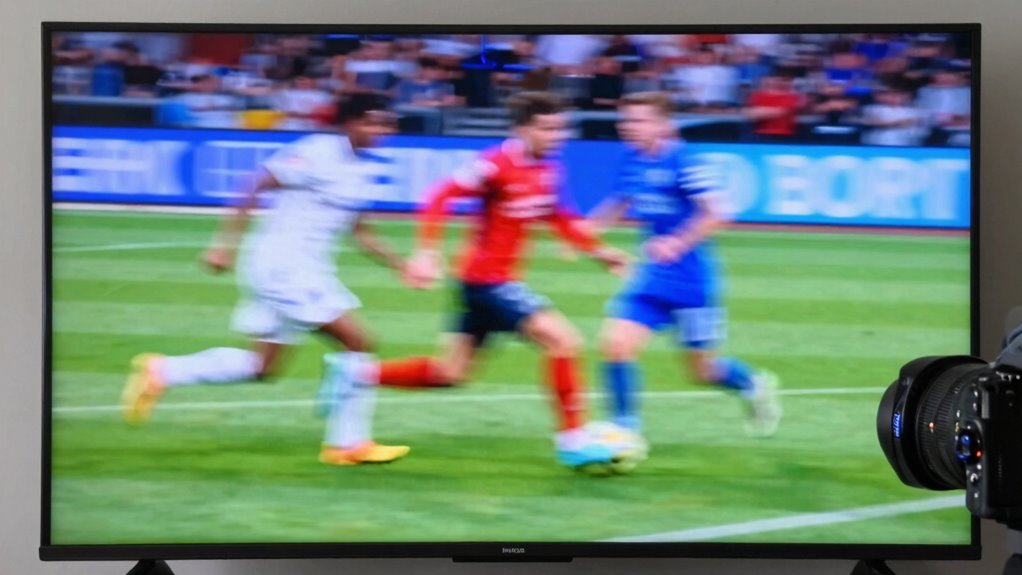

If your TV picture looks too smooth, it’s likely due to motion smoothing, a feature that artificially increases frame rates to make fast scenes look more fluid. While it can reduce motion blur during sports or gaming, it often creates an unnatural, soap opera-like effect that sacrifices the film’s original cinematic feel. Turning off this setting restores authentic motion and enhances your viewing experience. Want to find out how to tweak your settings? Keep going for more tips.

Get the latest gadgets delivered free — and shop member deals
- Fast, free delivery on millions of items
- Access to Prime Big Deal Days deals on October 6–7
- Prime Video, Amazon Music and more included
Key Takeaways
- Motion smoothing artificially inserts frames to create a more fluid appearance during fast-moving scenes.
- It removes natural motion blur, making the picture look overly sharp and unnatural.
- Designed for sports and gaming, but often diminishes cinematic feel and emotional impact in movies.
- Most TVs allow easy disabling of motion smoothing to restore a more authentic image.
- Turning off motion smoothing preserves original footage’s motion characteristics and enhances viewing authenticity.

Motion smoothing is a technology designed to make fast-moving scenes appear more fluid on your TV screen, especially during sports, movies, or gaming. While this feature aims to improve the viewing experience, it often results in a picture that looks unnaturally smooth, almost like a soap opera. This effect, sometimes called the “soap opera effect,” can be distracting because it removes the natural motion blur that our eyes expect in real life. Instead of the cinematic effect you’re used to, the picture feels overly crisp and hyper-realistic, which can diminish the emotional impact of a film or show.
Motion smoothing creates an overly crisp, soap opera-like effect that can detract from the cinematic experience.
If you’re a movie enthusiast, you might find that motion smoothing strips away the intended atmosphere created by filmmakers. Movies are traditionally shot with specific motion characteristics to evoke a certain mood, and when motion smoothing is turned on, it can make scenes appear too sharp and hyper-detailed. This can make the viewing experience feel less authentic and less cinematic. Many cinephiles prefer to turn off this feature to preserve the director’s artistic intent, ensuring the picture maintains that classic film look. Understanding how video processing techniques influence image quality can help you better manage your TV settings.
On the other hand, when it comes to gaming performance, motion smoothing can be a double-edged sword. Some gamers believe it enhances the smoothness of fast-paced gameplay, making movements look more fluid and reducing motion blur. However, it can also introduce input lag or make the game feel less responsive because the technology artificially inserts frames, which might interfere with the real-time interaction you need during competitive play. If you’re serious about gaming, you might want to disable motion smoothing altogether to get the purest, most accurate representation of the game’s motion, ensuring your reactions are not hindered. Additionally, understanding TV settings can help you customize your experience and find the right balance between smoothness and authenticity.
Understanding why your TV picture looks too smooth is key to customizing your viewing experience. While motion smoothing can be beneficial for certain content, like sports or casual viewing, it often detracts from the cinematic effect and can negatively impact gaming performance. Most modern TVs provide easy options to turn this feature off, allowing you to enjoy movies the way they were intended to be seen and games with maximum responsiveness. By adjusting your settings, you ensure that your picture aligns with your preferences, whether you’re watching a film or gaming. Remember, the goal is to enjoy a natural, immersive experience** that stays true to the original content, and recognizing motion smoothing technology** is crucial in achieving that balance.
TV motion smoothing off remote control
As an affiliate, we earn on qualifying purchases.
As an affiliate, we earn on qualifying purchases.
Frequently Asked Questions
Can Motion Smoothing Be Turned off on All TVS?
Yes, you can turn off motion smoothing on most TVs. To do this, access your TV’s picture settings and look for options related to picture processing or motion enhancement. Many TVs offer a dedicated setting like “Motion Smoothing” or “TruMotion,” which you can disable for a more natural picture. Proper TV calibration helps you customize these settings, ensuring you enjoy authentic image quality free from unwanted smoothing.
Does Motion Smoothing Cause Eye Strain or Headaches?
Yes, motion smoothing can cause visual discomfort and eye fatigue for some viewers. When the picture appears unnaturally smooth, your eyes work harder to process the unrealistic motion, leading to strain and headaches. If you notice these symptoms, try turning off motion smoothing or adjusting the settings. Reducing screen flicker and maintaining proper viewing distance can also help minimize eye discomfort and improve your overall viewing experience.
How Does Motion Smoothing Affect TV Refresh Rates?
Imagine your TV’s refresh rate as a dancer’s rhythm, suddenly sped up or slowed down by frame interpolation. Motion smoothing adjusts this rate to produce smoother images, but it can create a ghostly, overly-fluid effect. When you enable or disable refresh rate adjustment, you’re fundamentally tuning the dancer’s tempo, making motion appear more natural or unnaturally slick. This tweak directly impacts how fluid and comfortable your viewing experience feels.
Is Motion Smoothing Different on OLED and LED TVS?
Yes, motion smoothing works differently on OLED and LED TVs. On OLEDs, the perfect contrast enhances motion clarity, making smoothing less noticeable. LEDs, with higher brightness levels, often emphasize motion artifacts, so smoothing can seem more pronounced. You might notice that motion appears smoother on OLEDs due to contrast, while LED TVs may display more ghosting or artifacts because of their brightness capabilities. Adjust settings to find your preferred balance.
Can Professional Filmmakers Disable Motion Smoothing for Movies?
Think of a film preservationist in 1920s Hollywood, fighting to keep cinematic authenticity alive. Yes, professional filmmakers can disable motion smoothing for movies, ensuring the original intent remains untouched. This preserves cinematic authenticity, much like safeguarding film history. Directors and editors often turn off motion smoothing during post-production or on set, so you experience the film as it was meant to be seen—true to its artistic vision, not artificially smoothed.
Conclusion
Imagine watching your favorite action scene with motion smoothing turned on—that’s like adding extra whipped cream to a perfectly crafted dessert. It might look appealing at first, but it can drown out the authentic flavor. Just like savoring a true taste, embracing the natural motion of your TV reveals the genuine experience behind every scene. Sometimes, turning off that extra “whip” lets the picture’s real beauty shine through—so trust your eyes and enjoy the movie as it was meant to be seen.
Fall Picks
fall essentials
As an affiliate, we earn on qualifying purchases.