If you’re choosing between NVMe and SATA SSDs, you’ll notice NVMe offers much faster speeds because it connects directly via PCIe, allowing data transfer rates of several gigabytes per second. SATA SSDs are limited by the older SATA interface, capping speeds around 550 MB/s, but still faster than traditional hard drives. Speed affects how quickly your system boots and loads applications. To understand how these differences impact your performance, keep exploring the details below.

Get the latest gadgets delivered free with Prime
- Fast, free delivery on millions of items
- Prime Video, Amazon Music and more included
- Member-only deals all year
Key Takeaways
- NVMe SSDs use PCIe interface for higher data transfer speeds, often several GB/s, compared to SATA SSDs capped at around 550 MB/s.
- SATA SSDs are compatible with older systems but offer slower performance due to the SATA protocol’s limitations.
- NVMe drives provide faster data access, reducing lag in tasks like gaming, video editing, and large file transfers.
- The speed of an SSD depends on the data transfer protocol (NVMe vs SATA) and NAND flash architecture.
- Faster SSDs improve system boot times, application load speeds, and overall responsiveness.
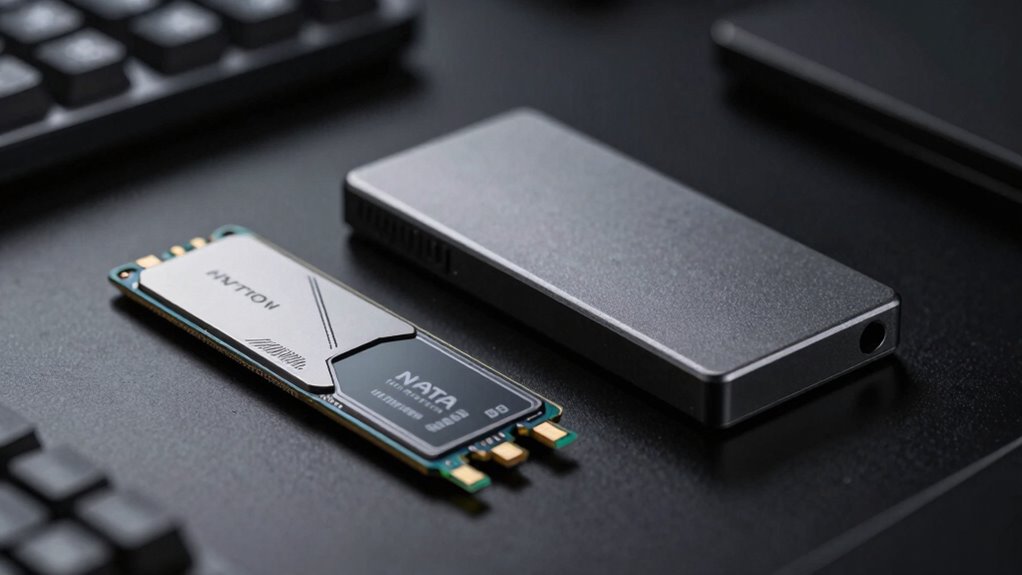
Solid State Drives, or SSDs, have become a popular choice for storage because they deliver faster performance and greater durability than traditional hard drives. Their speed largely depends on how data moves between the drive and your system, which is governed by data transfer protocols. These protocols determine how efficiently data is transferred and can considerably influence overall performance. For example, SATA (Serial ATA) is a common protocol used in many SSDs, especially those designed for compatibility with older systems. Meanwhile, NVMe (Non-Volatile Memory Express) is a newer protocol built specifically for SSDs, leveraging the PCIe (Peripheral Component Interconnect Express) interface to deliver much higher data transfer speeds. When you’re choosing between these options, understanding how these protocols work helps you get the performance you need. Additionally, the NAND flash architecture of an SSD plays a significant role in its speed and durability, with newer designs like 3D NAND stacking memory cells vertically to increase storage density and access speeds. The core of an SSD’s speed capability also lies in its NAND flash architecture. NAND flash is a type of non-volatile memory that retains data even when power is off. It’s arranged in memory cells, and the architecture of these cells—such as the number of bits stored per cell—affects both speed and durability. Multi-layered architectures like 3D NAND stack memory cells vertically, allowing for higher storage densities and faster data access. This design means your SSD can read and write data more rapidly compared to older planar NAND architectures. The result is a drive that can handle more complex data operations efficiently, making tasks like file transfers, gaming, and video editing smoother and faster.
When comparing NVMe and SATA SSDs, the key difference comes down to data transfer protocols and NAND flash architecture. NVMe SSDs use the PCIe interface, which offers a direct, high-bandwidth connection to your motherboard, enabling much faster data transfer rates—often reaching several gigabytes per second. This means your system can access data almost instantaneously, minimizing lag and wait times. SATA SSDs, on the other hand, are limited by the SATA interface, which caps transfer speeds at around 550 MB/s. While still notably faster than traditional hard drives, SATA SSDs can’t match the speed of NVMe drives because of these protocol and interface limitations.
Speed in SSDs isn’t just about raw numbers; it translates directly into how quickly your system boots, loads applications, and transfers files. The faster data transfer protocols and advanced NAND flash architecture in NVMe drives give you an edge in overall performance, especially for demanding tasks. So, when you’re evaluating SSD options, keep in mind that the underlying technology—data transfer protocols and NAND architecture—plays a crucial role in how fast and reliable your storage solution will be.
As an affiliate, we earn on qualifying purchases.
Frequently Asked Questions
How Do SSDS Impact Overall Gaming Performance?
SSDs substantially improve your overall gaming performance by reducing game load times, allowing you to start games faster and switch between levels smoothly. They can also lead to frame rate improvements, especially with NVMe drives, by providing quicker data access for game assets. This means fewer stutters and smoother gameplay, giving you a better experience. Upgrading to an SSD is one of the best ways to boost your gaming setup’s responsiveness.
Are SSDS More Reliable Than Traditional HDDS?
You’ll find SSDs are more reliable than traditional HDDs, like a steady heartbeat in your tech setup. They handle wear leveling effectively, spreading out data wear to prevent failure, and boast impressive data retention even during power loss. While no storage device is invincible, SSDs’ resilience against mechanical failure and their ability to maintain data integrity make them a more dependable choice for your digital life.
Can I Upgrade My Existing Laptop With an SSD?
Yes, you can upgrade your existing laptop with an SSD, but first, check your laptop’s compatibility for SSD types and size. Follow the upgrade procedures carefully, which usually involve opening the back panel, disconnecting the battery, and replacing or adding the SSD. Make sure you back up your data and reinstall your operating system if needed. With the right steps, this upgrade greatly enhances your laptop’s speed and performance.
Do SSDS Slow Down Over Time?
Think of your SSD as a marathon runner; it can slow down over time, but proper care keeps it running strong. While SSDs don’t exactly slow down considerably, wear leveling helps distribute data evenly, preventing premature wear. This process, along with good data management, ensures your SSD maintains its speed and data longevity. Regular firmware updates and avoiding full capacity also help your drive stay swift and reliable longer.
What Are the Differences in Power Consumption?
You’ll find that NVMe SSDs generally consume more power than SATA SSDs due to their faster speeds and advanced technology, impacting energy efficiency. This means your device’s battery life might decrease slightly with NVMe drives. However, both types are designed to be energy-efficient, so if you prioritize longer battery life, SATA SSDs could be a better choice. Overall, power consumption differences are manageable and depend on your usage needs.
Conclusion
Understanding SSDs is like choosing between a sprint and a marathon—NVMe drives race ahead with lightning-fast speeds, transforming your daily tasks, while SATA SSDs offer reliable performance without breaking the bank. Both have their place, but knowing the difference helps you decide what suits your needs best. In a world obsessed with speed, it’s not just about how fast you go, but how you use that speed to get ahead.
Halloween Picks
halloween
As an affiliate, we earn on qualifying purchases.