
If you’re comparing NVMe and SATA SSDs, you’ll notice NVMe drives are much faster because they connect directly via PCIe, reducing latency and boosting transfer speeds into the gigabytes per second. This means quicker boot times, faster file transfers, and more responsive gaming or editing experiences. SATA drives, while slower, still offer a big upgrade over HDDs and are more budget-friendly. To get the most out of your storage choice, understanding how protocols impact performance is key — keep exploring to learn more.

Get the latest gadgets delivered free with Prime
- Fast, free delivery on millions of items
- Prime Video, Amazon Music and more included
- Member-only deals all year
Key Takeaways
- NVMe SSDs offer significantly higher data transfer speeds than SATA SSDs due to direct PCIe connection.
- You’ll notice faster load times, quicker file transfers, and improved responsiveness with NVMe drives.
- SATA SSDs are a good upgrade over HDDs but won’t match NVMe’s speed for demanding tasks.
- The difference in speed impacts gaming, video editing, and large file management more noticeably.
- Cost varies; NVMe provides better performance but at a higher price, suitable for performance-focused users.
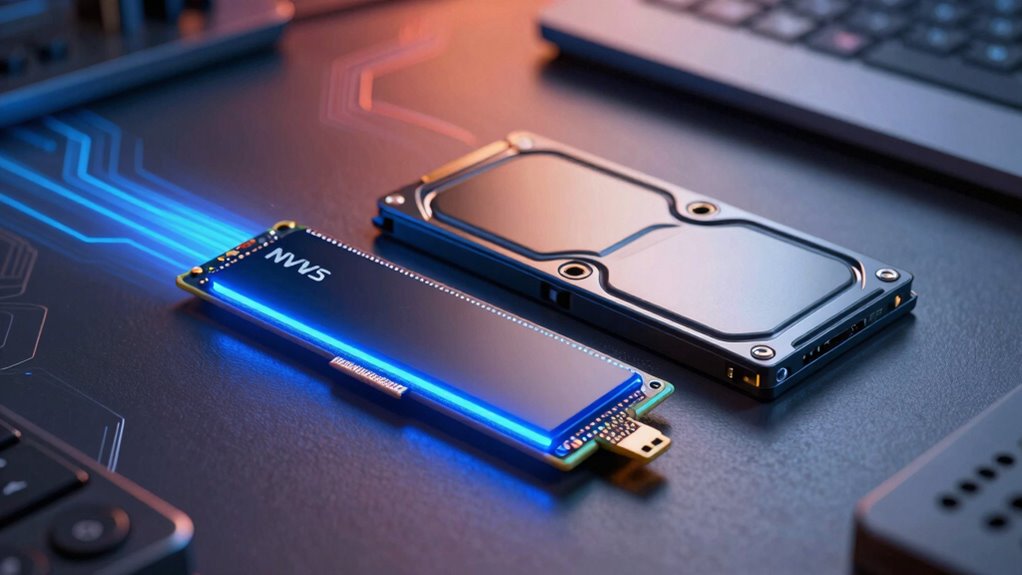
Solid State Drives (SSDs) have revolutionized storage by offering particularly faster data access compared to traditional hard drives. When you’re choosing between different SSD types, understanding how data transfer protocols impact speed can make a big difference. NVMe and SATA are the primary protocols at play, and they influence not only raw speed but also how reliable and durable your storage will be over time.
SATA SSDs use the older AHCI protocol, which was designed for spinning disks. This limits their potential speed because the protocol introduces bottlenecks, especially when handling multiple data requests. You might notice that SATA drives feel faster than traditional HDDs, but they still fall behind NVMe options. NVMe SSDs, on the other hand, connect directly to the motherboard via the PCIe interface. This allows for much higher data transfer rates, often reaching several gigabytes per second, making your system considerably more responsive. The key difference is that NVMe’s protocol is optimized for SSDs, minimizing latency, and maximizing throughput.
While speed is a vital factor, it’s also wise to take into account storage endurance. SSDs have a finite number of write cycles, and how quickly they wear out depends partly on the data transfer protocols in use. NVMe drives tend to have better storage endurance because they handle data more efficiently, reducing unnecessary write amplification. This means NVMe SSDs can often sustain intensive workloads longer than SATA drives before performance degrades. Knowing this helps you choose a drive that won’t just be fast initially but will also maintain its performance over the lifespan of your device.
Additionally, the data transfer protocols used in SSDs can impact how efficiently data is written and read, affecting overall longevity. Understanding the underlying technology behind these protocols can help you make a more informed decision when selecting a drive. For example, NVMe drives typically incorporate advanced error correction methods that enhance data integrity over time. Moreover, understanding these protocols can shed light on how technology evolution influences current storage options. In everyday use, the difference between NVMe and SATA SSDs may not always be immediately noticeable. For simple tasks like browsing, document editing, or streaming videos, even a SATA SSD provides a substantial upgrade over traditional HDDs. However, if you’re engaged in data-heavy activities such as gaming, video editing, or large file transfers, the faster data transfer protocols of NVMe will be tangible. You’ll see quicker load times, faster file transfers, and a more seamless overall experience.
Ultimately, your choice depends on your specific needs and budget. NVMe drives offer superior speed and storage endurance but tend to be pricier. SATA SSDs are more affordable yet still considerably faster than HDDs. An understanding of technology standards can further assist in making a well-rounded decision. Understanding these differences enables you to pick the right SSD, ensuring you get a storage solution that’s both speedy and durable enough for your use case.
Products Worth Considering

LG UltraGear 32GS60QC-B 32-inch Curved QHD Gaming Monitor (180Hz, 1ms, 1000R, AMD FreeSync, HDR10)

LG UltraGear 34GX90SA-W 34-inch WQHD Curved OLED Gaming Monitor

LG UltraGear 32GX850A-B 32-inch 4K UHD Glossy OLED Gaming Monitor
As an affiliate, we earn on qualifying purchases.
Frequently Asked Questions
Can SSD Speed Affect Gaming Performance Significantly?
Yes, SSD speed can considerably impact your gaming performance, especially during load times and in open-world games. Faster data transfer protocols like NVMe allow quicker access to game files, reducing lag and load screens. Storage capacity matters too, so make sure your SSD has enough space for your games. Upgrading to a high-speed SSD enhances your overall gaming experience, making everything feel smoother and more responsive.
How Does SSD Endurance Relate to Speed?
Your SSD’s endurance, driven by wear leveling and write endurance, doesn’t directly affect its speed. Wear leveling distributes data writes evenly, maintaining performance over time, while higher write endurance allows more data to be written without degrading. So, an SSD with better endurance can last longer, but its speed remains primarily determined by its type (NVMe or SATA). You’ll notice longevity, not necessarily faster performance, from an endurance-focused SSD.
Are All NVME Drives Compatible With Every Motherboard?
Not all NVMe drives are compatible with every motherboard. You need to check your motherboard’s compatibility, specifically its motherboard compatibility and NVMe slot limitations. Some motherboards only support certain NVMe drives or require specific M.2 slots. Confirm your motherboard has an available M.2 slot that supports NVMe, and verify the drive’s interface and size. Reading your motherboard manual or manufacturer’s website helps confirm compatibility before purchasing.
Does SSD Speed Impact Everyday Web Browsing?
Think of your SSD speed as the heartbeat of your digital world. When you choose an NVMe drive, it’s like turbocharging your browser responsiveness, making pages load in a flash. Streaming performance also sharpens, reducing buffering and lag. In everyday web browsing, faster SSDs create a smoother, more responsive experience, turning what once felt sluggish into effortless browsing. Speed truly transforms how seamlessly you navigate your digital life.
How Do I Measure My Ssd’s Real-World Speed?
To measure your SSD’s real-world speed, use benchmark tools like CrystalDiskMark or AS SSD Benchmark. These tools test transfer rates by performing read and write operations, giving you an accurate idea of your SSD’s performance. Run the tests multiple times to get consistent results. Keep in mind, actual transfer rates can vary depending on your system setup, but these benchmarks offer a solid estimate of your SSD’s true speed.
Conclusion
Think of your SSD as a race car—NVMe is like a sleek, turbocharged model zooming down the track, while SATA is a reliable but slower vehicle. Depending on your needs, you might prefer the thrill of speed or the steady pace. Either way, understanding these differences helps you choose what best suits your journey. So, gear up and pick the ride that’ll get you where you want to go, faster and more efficiently.