Your SSD’s lifespan depends on total data written (TBW), wear leveling, and good maintenance. TBW indicates how much data you can write before wear issues may occur, while wear leveling spreads data evenly to avoid early failures. To maximize your drive’s life, monitor SMART data and keep firmware updated. When you notice slow performance or SMART warnings, it’s time to contemplate replacing it—learn more about how to protect your drive over time.
Key Takeaways
- TBW (Terabytes Written) indicates the total data an SSD can handle before wear issues may arise.
- Wear leveling evenly distributes write cycles across NAND cells, extending SSD lifespan.
- Monitoring SMART data helps track drive health, including wear level and remaining lifespan.
- Signs of imminent failure include slow performance, SMART errors, and unexpected drive disconnection.
- Replacing an SSD is recommended when TBW limits are approached or SMART data shows significant degradation.
SSD health monitoring tools
As an affiliate, we earn on qualifying purchases.
As an affiliate, we earn on qualifying purchases.
What Factors Affect How Long Your SSD Lasts?
Several factors influence how long your SSD lasts, and understanding them can help you maximize its lifespan. One key factor is data encryption, which adds security but can increase write activity, potentially wearing out the drive faster if not managed properly. Firmware updates also play an essential role; manufacturers release these updates to fix bugs, improve performance, and enhance reliability. Regularly applying firmware updates ensures your SSD operates efficiently and reduces the risk of unexpected failures. Additionally, encryption and updates can impact write cycles, so balancing security with wear leveling techniques is imperative. Implementing smart monitoring tools can help track the health of your SSD and predict potential issues before they lead to failure. Properly managing these factors can extend your SSD’s longevity, helping it perform at its best over time. Staying informed about these influences allows you to make smarter decisions about your drive’s maintenance and security. Understanding wear leveling techniques can further optimize your SSD’s lifespan. For example, advanced garbage collection algorithms help distribute write and erase cycles evenly, thereby reducing premature wear. Moreover, consistent temperature management is crucial, as higher operating temperatures can accelerate wear and reduce lifespan.
SSD firmware update software
As an affiliate, we earn on qualifying purchases.
As an affiliate, we earn on qualifying purchases.
How Long Do SSDs Usually Last? (Including TBW and Other Limits)

Understanding how long your SSD will last depends largely on its durability limits, primarily measured by Total Bytes Written (TBW) and Drive Writes Per Day (DWPD). Generally, SSDs are designed to handle hundreds of terabytes of data before wear becomes a concern. For most users, this means an average lifespan of 5 to 10 years, depending on usage patterns. Data retention also plays a role; even after reaching limits, stored data remains intact for years if the drive isn’t actively used. Manufacturing quality varies among brands and models, influencing longevity and reliability. High-quality SSDs tend to have higher TBW ratings and better data retention capabilities, making them more durable over time. durability limits are crucial in predicting SSD lifespan. Additionally, factors like wear leveling help distribute write cycles evenly, extending the drive’s usable life. Ultimately, understanding these limits helps you predict when it’s time to replace your drive.
TBW limit SSD
As an affiliate, we earn on qualifying purchases.
As an affiliate, we earn on qualifying purchases.
How Does Wear Leveling Help Your SSD Last Longer?
Wear leveling spreads data evenly across your SSD, preventing certain areas from wearing out too quickly. This reduces wear concentration and helps extend the drive’s overall lifespan. By maintaining balanced usage, your SSD stays healthy longer and performs reliably over time. Additionally, understanding skin care and maintenance can help optimize your overall device management for better longevity. Regularly monitoring your drive’s health and proper data management can further enhance its lifespan and overall performance. Implementing preventive measures based on your drive’s usage patterns can also contribute to its durability.
Even Data Distribution
When your SSD writes data, it doesn’t just fill up one area; instead, it distributes the data evenly across the drive. This process, known as data distribution, is crucial for maintaining the health of your SSD. Wear leveling ensures that no single memory cell endures excessive writes, which can cause premature failure. By spreading data out uniformly, your SSD prevents certain areas from wearing out faster than others. This balancing act extends the overall lifespan of your drive and preserves performance over time.
- Reduces risk of early failure in specific cells
- Maintains consistent write performance
- Maximizes the effective lifespan of your SSD
Reduces Wear Concentration
Because SSDs have a limited number of write cycles per cell, uneven writing can cause some areas to wear out faster than others. Wear leveling works by evenly distributing data writes across all memory cells, preventing concentrated wear in specific regions. This process guarantees that no single area bears the brunt of constant writing, which extends the overall lifespan of your SSD. Effective data distribution through wear leveling helps maintain consistent cell health, reducing the risk of early failure in high-use zones. By spreading out write operations, your SSD can handle more data over time without degrading performance or reliability. Ultimately, wear leveling plays a vital role in prolonging your SSD’s durability and ensuring it remains functional for as long as possible.
SSD wear leveling software
As an affiliate, we earn on qualifying purchases.
As an affiliate, we earn on qualifying purchases.
How Can You Tell If Your SSD Is Starting to Fail?

Noticing early signs of SSD failure can save you from unexpected data loss. Keep an eye out for unusual behaviors that indicate trouble ahead. You might notice frequent system crashes, files taking longer to open, or files becoming corrupted unexpectedly. Firmware updates can sometimes fix bugs causing issues, so verify your SSD’s firmware is current. If your drive shows signs of failure, data recovery options might still help salvage important files before complete failure. Additionally, slow performance or the drive disappearing from your system unexpectedly are red flags. Monitoring your drive’s health regularly can help you catch these signs early. Understanding SSD lifespan and how it relates to TBW and wear leveling is crucial for proactive maintenance. Be aware that drive health status can provide valuable insights into the remaining lifespan of your SSD. Regularly checking SMART data can help you assess the drive’s condition more accurately. Recognizing the importance of wear leveling in distributing data writes can extend your SSD’s usability and prevent premature failure. Remember, early detection allows you to back up your data and replace the drive before losing everything.
How to Check Your SSD’s Health and Remaining Lifespan
To effectively assess your SSD’s health and estimate its remaining lifespan, you need to use specialized tools that analyze drive performance and SMART data. These tools reveal crucial info like wear leveling, total bytes written (TBW), and drive temperature. Keep your SSD’s firmware updated, as firmware updates often improve reliability and fix bugs that could affect lifespan. Additionally, check if your drive supports data encryption, which can impact security and longevity. Many SSD monitoring tools, like CrystalDiskInfo or Samsung Magician, provide user-friendly interfaces to review health status and predict failures. Regularly checking these metrics helps you catch early signs of wear and plan for timely replacements, ensuring your data remains safe and your drive performs efficiently over its lifespan. Understanding wear leveling is essential, as it distributes write and erase cycles evenly across the drive to extend its useful life. Moreover, some drives have total bytes written (TBW) limits that indicate how much data can be written before the drive’s reliability may decline, making it important to monitor this metric regularly. Performing firmware updates can also optimize drive performance and lifespan, contributing to better drive health management. Additionally, monitoring drive temperature is crucial, as excessive heat can accelerate wear and reduce your SSD’s longevity. To further extend your SSD’s lifespan, consider enabling TRIM support, which helps maintain optimal performance over time.
Tips to Maximize Your SSD’s Durability and Extend Its Life
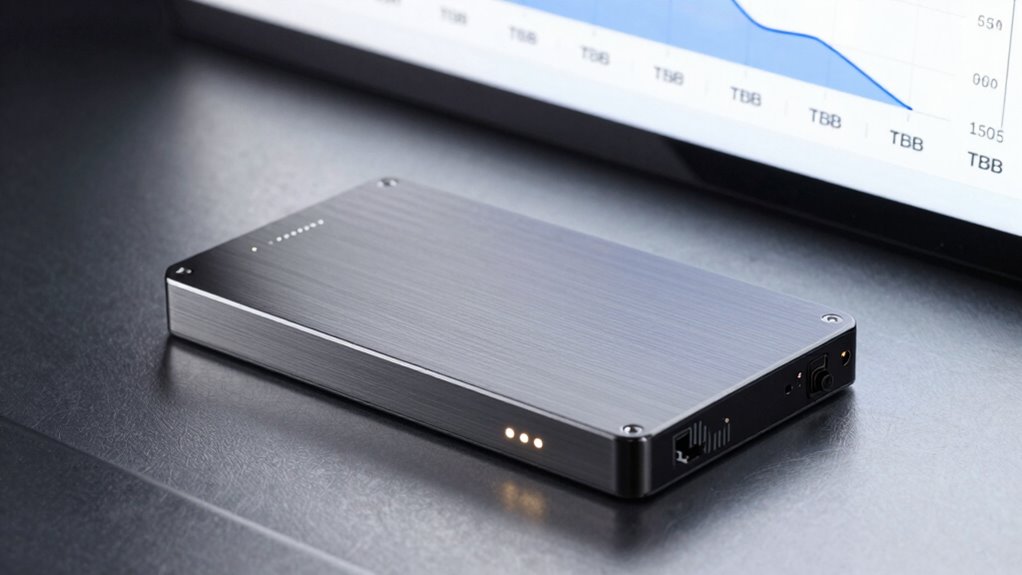
To get the most out of your SSD, you should enable TRIM support, which helps maintain speed and longevity. Avoid excessive writes by managing large files carefully, since too many updates can wear down the drive. Keep an eye on your drive’s health regularly to catch potential issues early and extend its lifespan.
Enable TRIM Support
Enabling TRIM support is a simple yet effective way to prolong your SSD’s lifespan. TRIM helps your drive manage deleted data more efficiently, reducing unnecessary write operations and preventing performance degradation. To maximize benefits, consider overprovisioning, which allocates extra space for wear leveling and bad block management. Keeping your firmware updated ensures your SSD operates with the latest optimizations and bug fixes, enhancing durability.
- Enable TRIM in your operating system settings for automatic support
- Regularly check for firmware updates from your SSD manufacturer
- Maintain sufficient free space to allow ideal overprovisioning and wear leveling
Avoid Excessive Writes
While enabling TRIM helps manage deleted data efficiently, minimizing unnecessary write operations is key to maximizing your SSD’s lifespan. Excessive writes can reduce write endurance and accelerate wear leveling, shortening your drive’s usable life. To avoid this, limit heavy write tasks like large file transfers or frequent updates. Use lightweight applications that generate fewer write cycles, and avoid running unnecessary background processes that cause constant data writes. Be mindful of write amplification, which occurs when small changes result in multiple write operations, further wearing out the NAND cells. Additionally, monitoring your drive’s write workload can help you identify and reduce excessive activity. Implementing wear leveling techniques can also distribute write and erase cycles more evenly across the NAND cells, extending the drive’s life. By reducing unnecessary writes, you help preserve your SSD’s health and prolong its lifespan, ensuring it continues to perform reliably over time. Proper management of write activity is essential for maintaining ideal SSD durability.
Monitor Drive Health
How can you guarantee your SSD stays healthy and lasts longer? Monitoring drive health is key. Use tools like SMART monitoring to track parameters such as wear level and TBW. Regularly check for firmware updates, as these can improve performance and fix bugs that may affect longevity. Implement data encryption to protect your data and prevent unnecessary write cycles caused by data recovery processes. Additionally, keep an eye on error reports and temperature levels to prevent overheating and potential failures. By staying proactive, you ensure your SSD performs at its best and extends its lifespan. Remember, consistent monitoring helps you catch issues early, so you can take action before it’s too late. Stay vigilant, update firmware regularly, and secure your data effectively.
When Is the Right Time to Replace Your SSD? Key Signs to Watch For

Knowing when to replace your SSD is crucial to maintaining peak performance and avoiding data loss. Watch for signs like slower read/write speeds, which indicate wear or failing NAND cells. If you notice frequent firmware updates that don’t improve performance or fix issues, it might signal that your drive is nearing the end of its lifespan. Also, if data encryption becomes sluggish or corrupted, it could be a warning sign of underlying problems. Keep an eye on SMART data and drive health reports, but trust your instincts—unusual noises, frequent crashes, or error messages are clear indicators. Replacing your SSD before catastrophic failure protects your data and ensures smooth operation. Regular backups and monitoring help you catch these signs early, avoiding unexpected disruptions.
Do Different Types of SSDs Have Different Lifespans? SATA, NVMe, and More

Different types of SSDs, such as SATA and NVMe, vary in their design and technology, which can influence their overall lifespan. Manufacturing differences, like the quality of NAND chips and controller durability, play a significant role. Interface impacts also matter—NVMe drives, connected via PCIe, typically offer faster speeds but may experience more heat, affecting longevity. Conversely, SATA SSDs often have a simpler architecture, potentially leading to a longer lifespan under heavy use.
- NVMe SSDs deliver high performance but might wear out faster due to increased data transfer rates.
- SATA SSDs tend to have a more straightforward design, possibly extending their lifespan.
- Manufacturing quality and interface impacts are key factors in determining the durability of any SSD.
Frequently Asked Questions
How Does Temperature Affect SSD Longevity?
Temperature affects your SSD’s longevity by accelerating thermal degradation if it runs too hot. High temperatures can cause components to wear out faster, reducing lifespan. To protect your drive, you should prioritize proper temperature management by ensuring good airflow and avoiding extreme heat. Keeping your SSD cool helps maintain ideal performance and prolongs its lifespan, so monitor temperatures regularly and take action if it gets too hot.
Can Firmware Updates Prolong SSD Lifespan?
Firmware updates can indeed prolong your SSD lifespan by enhancing its performance and reliability. When you install these updates, they often include bug fixes, security patches, and improvements to wear leveling algorithms. This helps prevent premature wear, manages data more efficiently, and reduces the risk of failures. Regularly updating your SSD firmware ensures you’re getting the most out of your drive, ultimately extending its overall lifespan and maintaining peak performance.
Do Encryption Methods Impact SSD Wear Levels?
Encryption methods do impact SSD wear levels by adding encryption overhead that increases data processing, which can lead to more write cycles. This extra workload stresses wear leveling, pushing the drive to distribute writes evenly and extend its lifespan. While encryption enhances security, it’s important to recognize that heavier encryption overhead may accelerate wear, making you more aware of your SSD’s health and when to contemplate replacements.
What Is the Impact of Power Loss on SSD Health?
Power loss can negatively impact your SSD’s health by causing sudden shutdowns, which may disrupt ongoing write processes. This affects power stability and can lead to data corruption or loss. Frequent power interruptions strain your drive’s wear leveling and data integrity, potentially reducing its lifespan. To protect your SSD, use an uninterruptible power supply (UPS) or enable safe shutdown features, ensuring stable power and preserving your drive’s longevity.
Are There Specific Workloads That Shorten SSD Lifespan?
Intense workloads with constant data transfer patterns can shorten your SSD’s lifespan. Heavy workloads, like video editing or large database operations, cause frequent write and erase cycles, increasing wear leveling. Studies show that sustained, high-intensity workload environments accelerate TBW (total bytes written), leading to faster wear. To maximize longevity, avoid continuous high workload intensity when possible and monitor your drive’s health regularly.
Conclusion
By understanding TBW, wear leveling, and signs of failure, you can make your SSD last longer than a marathon runner’s stamina. Regularly check its health and follow best practices to prevent unexpected crashes. Remember, your SSD isn’t invincible; treat it well, and it’ll serve you like a trusty sidekick for years. When in doubt, replacing it early is smarter than waiting for a catastrophic meltdown—trust me, you don’t want your data vanishing into the digital abyss!