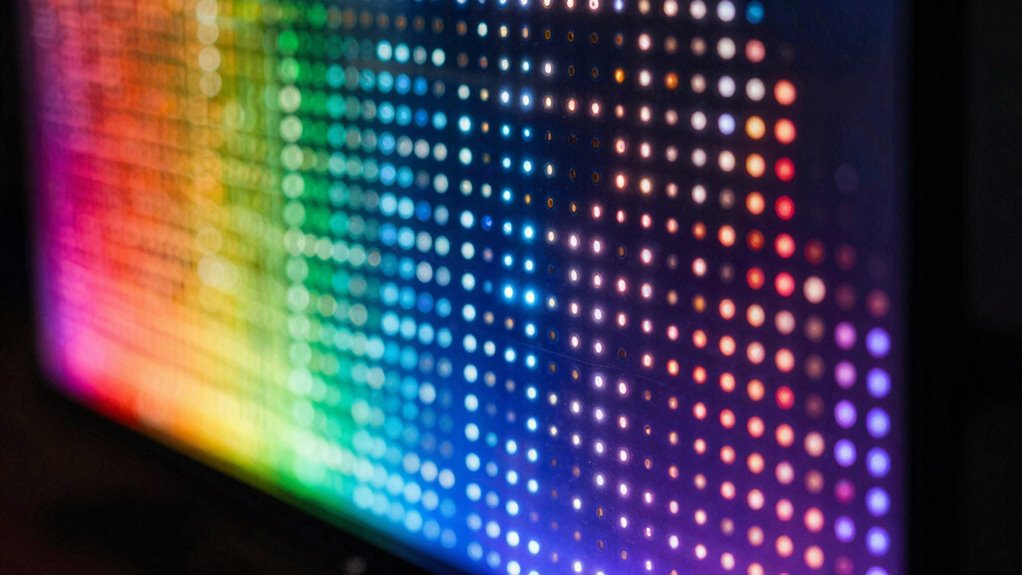

Mini-LED blooming happens when bright objects on your screen have a glowing halo around them. It’s caused by imperfect light control in the backlighting system, which leaks light into darker areas. You’ll mainly notice blooming during high-contrast scenes or HDR content, especially with sharp highlights against dark backgrounds. As display tech improves, blooming can be minimized, but understanding how it occurs helps you decide which screens suit your viewing habits best. Keep exploring to learn more about how to reduce this effect.

Get the latest gadgets delivered free — and shop member deals
- Fast, free delivery on millions of items
- Access to Prime Big Deal Days deals on October 6–7
- Prime Video, Amazon Music and more included
Key Takeaways
- Blooming occurs when light from bright areas leaks into darker regions, creating halos around bright objects on Mini-LED screens.
- It is most noticeable during high-contrast scenes or HDR content with sharp highlights against dark backgrounds.
- Less precise local dimming zones and backlight control increase the likelihood of visible blooming effects.
- Technological advancements, like more local dimming zones and improved algorithms, help reduce blooming.
- Blooming is a trade-off for better contrast and brightness, but higher-end displays aim to make halos less noticeable.

Have you ever noticed a glow or haze around bright objects on your Mini-LED screen? If so, you’re not alone. This phenomenon, known as blooming, occurs when light from a bright area spills over into neighboring darker sections. It’s a common challenge in displays that use Mini-LED technology, but understanding what causes blooming can help you decide whether it’s a deal-breaker for your viewing experience.
Mini-LED screens use thousands of tiny LEDs as backlights, which provide more precise local dimming compared to traditional LED displays. While this allows for better contrast and deeper blacks, it also introduces the potential for blooming. When the backlight for a bright object isn’t perfectly confined, some light leaks into surrounding darker areas, creating a halo effect around bright objects on your screen. This is especially noticeable during high-contrast scenes or when watching HDR content, where bright highlights are common.
Mini-LEDs enable better contrast but can cause halos around bright objects due to imperfect light confinement.
You might notice blooming more often with content that features sharp, bright highlights against dark backgrounds. For example, in a movie scene with a bright star against a dark sky, the glow around the star may seem exaggerated or extend beyond its intended boundary. This effect can be more prominent on screens that lack advanced local dimming zones or when the backlight isn’t finely controlled. Improving local dimming technology can significantly reduce this issue, making the image appear more seamless. Additionally, advancements in display technology are continuously working to address this by enhancing backlight precision and control. As technology progresses, manufacturers are also exploring new backlight control algorithms to further minimize light spill and improve overall picture quality.
However, newer technologies are mitigating this issue. Quantum dot technology, used in some high-end Mini-LED displays, enhances color accuracy and brightness, which can improve HDR enhancements and overall picture quality. These enhancements help make bright objects look more vibrant and natural, but they also require precise backlight control to prevent blooming from becoming distracting. Manufacturers continually refine local dimming algorithms to minimize light spill and improve contrast, making blooming less noticeable in newer models. Moreover, the number of local dimming zones significantly impacts the occurrence of blooming, with more zones generally providing better control.
When you’re considering a Mini-LED TV or monitor, it’s important to keep in mind that blooming isn’t necessarily a flaw but a trade-off. It becomes more noticeable when scenes have stark contrast, especially in HDR content. Still, advancements in display technology are reducing its prominence. If you’re sensitive to halos or halos around bright objects, look for models with more local dimming zones, better contrast control, and technologies aimed at reducing blooming. With these improvements, you can enjoy the benefits of Mini-LED technology—like impressive brightness, rich contrast, and vibrant colors—while minimizing the impact of blooming on your viewing experience. Knowing about Mini-LED blooming and how it’s managed can help you make a more informed choice.
As an affiliate, we earn on qualifying purchases.
Frequently Asked Questions
Can Blooming Be Completely Eliminated in Mini-Led Displays?
Blooming can’t be completely eliminated in mini-LED displays, but you can minimize it. Manufacturers use advanced techniques like local dimming zones to improve contrast enhancement and reduce blooming effects. To get the best color accuracy and contrast, look for models with more dimming zones and better control algorithms. While some blooming may still occur, these improvements make it less noticeable, giving you a clearer and more vibrant viewing experience.
How Does Blooming Affect Gaming Versus Movie Watching?
A picture is worth a thousand words, but blooming can still blur that clarity. During gaming, blooming may cause glare and reduce contrast enhancement, making dark scenes less immersive. For movies, it can slightly soften image details but generally isn’t distracting. While blooming impacts contrast and color accuracy differently for each activity, it’s usually less noticeable in movies, but can hinder fast-paced gaming with bright light bleed.
Are There Specific Brands Known for Minimal Blooming?
Some brands are known for minimal blooming, especially those that focus on OLED contrast and wide viewing angles. LG and Sony often excel in this area because their OLED TVs deliver deep blacks and uniform screens, reducing blooming effects. While Mini‑LEDs can still have blooming, these brands optimize contrast and viewing angles, making the blooming less noticeable during movies or gaming. You’ll notice better picture quality with their models.
Does Blooming Worsen Over Time With Usage?
A stitch in time saves nine; blooming typically doesn’t worsen with usage, but factors like prolonged use or aging can affect screen uniformity. Over time, you might notice slight color accuracy shifts or uneven lighting, but modern Mini‑LED displays are designed to maintain performance. Regular maintenance and avoiding excessive use can help preserve your screen’s quality, ensuring consistent brightness and minimal blooming, even as years go by.
Can Settings Adjustments Reduce the Appearance of Blooming?
Adjusting brightness settings and employing calibration techniques can help reduce the appearance of blooming. Lowering the brightness may minimize light bleed around bright objects, making blooming less noticeable. Proper calibration guarantees your display is optimized, balancing contrast and brightness effectively. Experiment with these settings to see what works best for your mini-LED screen. While these adjustments improve the visual experience, they might not completely eliminate blooming, especially in high-contrast scenes.
Conclusion
Now that you understand mini-LED blooming, you’re better equipped to spot subtle screens’ flaws. By noticing the nuanced nuances of blooming, you can confidently choose screens that suit your style. Remember, this phenomenon isn’t perfect, but knowing what to look for makes your viewing experience more pleasurable. So stay sharp, scrutinize screens carefully, and savor stunning visuals without succumbing to subtle surprises. With these tips, you’ll master the art of spotting and selecting superb, seamless displays!
Fall Picks
fall essentials
As an affiliate, we earn on qualifying purchases.