

HDR10, HDR10+, and Dolby Vision are different HDR formats offering varying picture quality. HDR10 uses static metadata for consistent settings, while HDR10+ and Dolby Vision employ dynamic metadata for scene-by-scene adjustments, resulting in brighter, more vibrant images. Dolby Vision often supports higher bit depths and luminance levels, providing richer colors and contrast. Understanding these differences helps you choose the best option for your setup, and exploring further reveals how each format impacts your viewing experience.
Key Takeaways
- HDR10 uses static metadata, while HDR10+ and Dolby Vision employ dynamic metadata for scene-by-scene adjustments.
- Dolby Vision supports higher brightness (up to 10,000 nits) and 12-bit color depth, offering richer image quality.
- HDR10 is widely compatible and supports 10-bit color, but HDR10+ and Dolby Vision provide superior contrast and color accuracy.
- Dolby Vision’s scene-specific adjustments result in more vivid, lifelike visuals compared to static HDR10.
- Device and content support vary; Dolby Vision generally offers the best quality but may require specific hardware and licensing.
As an affiliate, we earn on qualifying purchases.
What Are HDR10, HDR10+, and Dolby Vision?
Have you ever wondered what makes some HDR content look more vibrant and lifelike than others? It all starts with HDR formats like HDR10, HDR10+, and Dolby Vision, which define how content is created and displayed. During HDR content creation, color grading techniques are vital for enhancing brightness, contrast, and color accuracy. HDR10 is the most common, offering static metadata that sets a consistent picture across the entire content. HDR10+ and Dolby Vision take it further by using dynamic metadata, allowing for scene-by-scene adjustments. This means colors pop more vividly, and details are preserved in both shadows and highlights. Understanding these formats helps you appreciate the technical differences that greatly impact your viewing experience. Additionally, the color accuracy of a display plays a crucial role in how true-to-life HDR content appears on your screen. Moreover, metadata management is essential for optimizing visual quality and ensuring the intended aesthetic is maintained throughout playback. Proper display calibration can further enhance your viewing experience by ensuring the settings align with each HDR format’s specifications. For a better viewing experience, choosing a display with high color fidelity can make a significant difference in how HDR content appears.
How Do HDR Formats Work to Improve Your Picture?

HDR formats work by enhancing the way your display interprets and presents brightness, contrast, and color. They achieve this through advanced color grading techniques that optimize how colors are rendered, making images more vibrant and realistic. Content adaptation is key; each HDR format adjusts the picture dynamically, ensuring scenes look better regardless of your device or viewing environment. Dolby Vision, for example, uses metadata to tailor brightness and contrast on a scene-by-scene basis, improving detail in dark and bright areas. HDR10 and HDR10+ also adapt content, with HDR10+ adding dynamic metadata for better precision. These processes work behind the scenes, allowing your display to deliver richer, more accurate images that bring out the intended visual experience.
Key Differences in Color Depth and Brightness Among HDR Formats
Understanding the differences in color depth and brightness helps you see why HDR formats vary in quality. You’ll notice that some formats support richer, more detailed colors, while others offer higher brightness levels. These variations in dynamic range influence how vivid and lifelike your viewing experience feels. Additionally, knowing about safety tips for portable oil radiators can help ensure your setup remains secure and efficient.
Color Depth Capabilities
Different HDR formats offer varying levels of color depth and brightness, which substantially impact image quality. Higher color depth enhances color accuracy by allowing smoother gradations and more detailed tones, making images appear more lifelike. HDR10 typically supports 10-bit color, providing over a billion colors, while Dolby Vision can go up to 12-bit, offering even richer color representation. HDR10+ also supports dynamic tone mapping, adjusting color and contrast scene-by-scene for ideal accuracy. These differences directly influence how accurately you see details and subtle color variations, especially in complex scenes. The greater the color depth, the more precise the tone mapping, resulting in a more immersive and realistic viewing experience. This distinction is essential when choosing an HDR format based on image fidelity.
Brightness Range Differences
While color depth plays a crucial role in image quality, brightness range is equally important in delivering stunning HDR visuals. Different HDR formats vary noticeably in contrast ratios and peak luminance, affecting overall picture quality. Here’s what you need to know:
- HDR10 typically offers a peak luminance of 1,000 nits, providing decent contrast ratios.
- HDR10+ can reach up to 4,000 nits, enhancing contrast and detail in bright scenes.
- Dolby Vision supports up to 10,000 nits, delivering the widest brightness range for the deepest blacks and brightest highlights.
- These differences in peak luminance directly impact contrast ratios, influencing how vivid and dynamic your viewing experience appears.
- Peak luminance standards are critical for understanding how different formats can enhance your visual experience and overall image quality.
- Recognizing these differences can help you optimize your home theater setup for the best possible HDR viewing experience.
- Understanding the brightness capabilities of each format can also inform your choice of display and content for a more immersive experience.
- Being aware of these variations can also assist in selecting displays with appropriate HDR compatibility to match your viewing preferences.
- Additionally, understanding standardization differences among formats can help you better evaluate content quality and device performance.
Dynamic Range Variations
HDR formats vary considerably in their color depth and overall brightness capabilities, which directly influence the visual richness and realism of your content. These differences impact dynamic contrast, allowing some formats to better distinguish subtle shades between bright and dark areas. Dolby Vision, for example, offers a higher bit depth, enhancing color accuracy and providing more nuanced hues. HDR10+ dynamically adjusts brightness and contrast scene by scene, delivering sharper details in highlights and shadows. In contrast, HDR10 provides a static metadata approach, limiting its ability to optimize each scene’s dynamic range. Your viewing experience benefits from these variations, as formats with enhanced dynamic contrast and precise color accuracy produce more vibrant, lifelike images. Understanding these differences helps you select the right HDR format for superior visual impact.
How Content Is Mastered and Played in HDR Formats
You need to understand how HDR content is mastered and played to make sure the best viewing experience. Different formats require specific mastering processes and compatibility with your devices. Knowing this helps ensure your content looks great and works smoothly on your setup. Additionally, understanding performance parts like flywheels and engine upgrades can enhance your overall driving experience.
Mastering Content Formats
Mastering content formats involves carefully creating and optimizing visual data so that it displays accurately across different HDR standards. This process requires precise color grading to enhance visual impact while maintaining consistency. You must also consider content distribution, ensuring the master meets technical specifications for various platforms. Key steps include:
- Adjusting luminance levels to match HDR standards.
- Fine-tuning color accuracy for vibrant, lifelike images.
- Encoding metadata to communicate format-specific information.
- Testing across multiple devices to ensure consistent playback.
Playback Compatibility and Devices
To guarantee your content looks great across various devices, understanding playback compatibility is essential. Not all devices support the same HDR formats, affecting color accuracy and overall quality. For excellent viewing, check your hardware requirements—older TVs or monitors may lack the necessary support for Dolby Vision or HDR10+. Modern devices often include HDR10+ or Dolby Vision support, but compatibility varies.
| Device Type | Supported HDR Formats |
|---|---|
| Basic TVs | HDR10 |
| Advanced TVs | HDR10, HDR10+, Dolby Vision |
| Streaming Devices | HDR10, HDR10+, Dolby Vision |
| Gaming Consoles | HDR10, Dolby Vision |
| Blu-ray Players | HDR10, Dolby Vision |
Which Devices Support HDR10, HDR10+, and Dolby Vision?

Ever wondered which devices can deliver the stunning visuals of HDR10, HDR10+, or Dolby Vision? Many modern gadgets support these formats, but compatibility varies. If you’re into HDR gaming or want precise HDR calibration, check these devices:
- 4K Ultra HD TVs from brands like Samsung, LG, and Sony, supporting all three formats.
- Gaming consoles such as PlayStation 5 and Xbox Series X, which offer HDR gaming with Dolby Vision support.
- Streaming devices like Roku Ultra and Apple TV 4K that handle HDR10+ and Dolby Vision seamlessly.
- High-end monitors designed for HDR calibration, often supporting HDR standards for professional and immersive gaming experiences.
- Device compatibility is key to enjoying the full benefits of HDR content across your entertainment setup.
Additionally, ensuring your content sources are HDR supported can make a significant difference in visual quality.
Streaming Services and Content Availability for HDR Formats
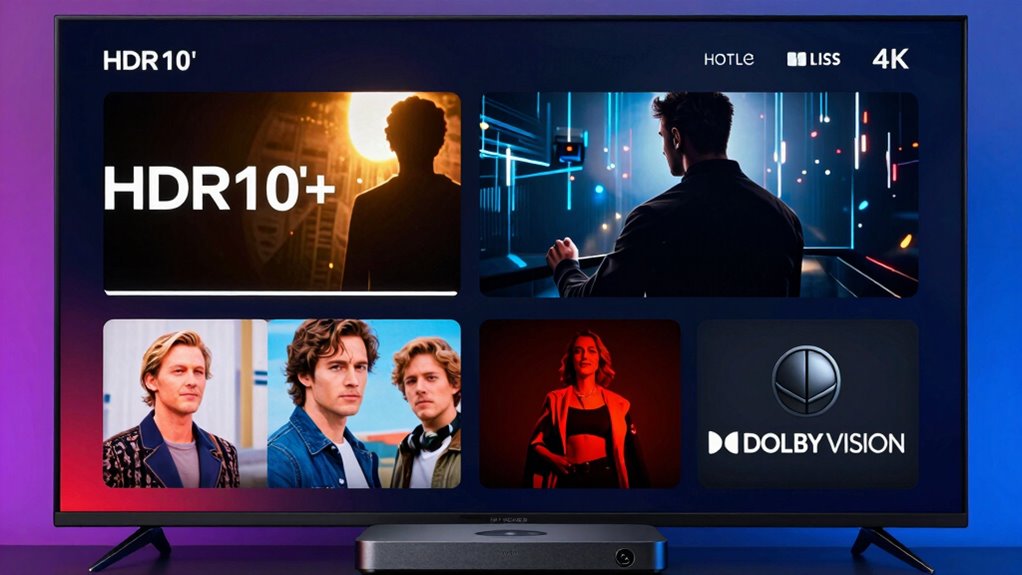
Streaming services have expanded their offerings to include a variety of HDR formats, making it easier for you to enjoy stunning visuals on compatible devices. Many platforms now support HDR10, HDR10+, and Dolby Vision, each using different methods of HDR metadata to optimize your viewing experience. However, content licensing plays a pivotal role—not all titles are available in every HDR format, as rights agreements can limit what’s offered. You might find some movies or shows only in HDR10, while others support Dolby Vision or HDR10+. This means your access to specific HDR content depends on licensing agreements with studios and streaming providers. To get the best experience, check which HDR formats are supported for your favorite titles before subscribing or streaming.
Which HDR Format Delivers the Best Picture Quality?

Which HDR format truly offers the best picture quality? It depends on your needs, but Dolby Vision often leads with superior contrast and color accuracy, especially in HDR gaming and HDR photography. To understand why, consider these factors:
- Dynamic Metadata: Dolby Vision uses dynamic metadata, optimizing brightness and color scene-by-scene for vivid detail.
- Bit Depth: It supports 12-bit color depth, delivering smoother gradients and richer visuals.
- Compatibility: Dolby Vision’s broader support enhances content variety, essential for HDR gaming and photography workflows.
- Encoding Efficiency: HDR10+ improves on HDR10 with dynamic metadata, but Dolby Vision’s consistent quality often makes it the top choice for perfectionists. Ultimately, Dolby Vision’s advanced technology provides the most immersive, high-quality picture.
Do You Need Dolby Vision for the Best Viewing Experience?

While Dolby Vision offers the most advanced picture quality features, whether you need it depends on your viewing habits and equipment. If you prioritize perfect color calibration and vibrant, detailed images, Dolby Vision can enhance your experience, especially on compatible screens. However, ambient lighting plays a role too; in a dark room, Dolby Vision’s contrast and brightness benefits shine through more clearly. If your setup lacks proper calibration or you watch in well-lit spaces, the differences may be less noticeable. For casual viewing or budget setups, HDR10 or HDR10+ might suffice. Proper power protection can help ensure your equipment’s longevity and optimal performance, particularly when considering the demands of high-quality display technology. Additionally, understanding visual enhancements can help you decide if Dolby Vision is worth the investment. According to Vetted – Tanning Trends, content availability varies between different HDR formats, which can influence your choice. Ultimately, if you want the best possible picture quality and your gear supports Dolby Vision, it’s worth considering, but it’s not a must for every viewer.
How to Choose the Right HDR Format for Your Home Setup
Choosing the right HDR format for your home setup depends on your TV’s capabilities, your viewing environment, and your content preferences. To make an informed decision, consider these factors:
- Verify your TV supports advanced color calibration to accurately display HDR content.
- Check if the device offers seamless audio synchronization for immersive sound.
- Evaluate whether your content library contains formats like Dolby Vision or HDR10+ for superior quality.
- Determine if your setup benefits from dynamic metadata, which enhances contrast and color accuracy. Understanding color calibration can help optimize your display settings for the best HDR experience.
- Additionally, knowing the technological differences between formats can guide you toward the best choice for your viewing needs. Recognizing how content compatibility impacts your selection ensures a seamless viewing experience.
Matching these features to your needs ensures a better HDR experience. If your TV supports Dolby Vision, prioritize formats with dynamic metadata for superior picture quality. For general compatibility, HDR10 remains a solid choice, but understanding your device’s capabilities leads to better color calibration and synchronized audio.
Frequently Asked Questions
Can Older TVS Support HDR Formats Without Upgrades?
Older TVs generally can’t support HDR formats without upgrades because of limited legacy compatibility. Some models might get firmware updates that improve HDR performance, but most won’t fully support newer HDR standards like HDR10+ or Dolby Vision. To enjoy HDR content, you may need a newer TV or an external device that can handle these formats. Always check your TV’s specifications and firmware update options to see what’s possible.
Are There Significant Cost Differences Between HDR Formats?
The cost differences between HDR formats can be staggering, like comparing a luxury sports car to a bicycle! Generally, HDR10 is the most affordable, with minimal cost implications for compatibility. HDR10+ and Dolby Vision often require pricier hardware upgrades due to licensing and advanced processing needs. If you want format compatibility without breaking the bank, sticking with HDR10 is your best bet, while Dolby Vision offers premium quality for those willing to invest.
How Do HDR Formats Affect Gaming Experiences?
HDR formats enhance your gaming experience by providing better color accuracy and richer visuals, making games look more vibrant and realistic. They can also impact input lag slightly, but modern technology minimizes this delay. Overall, using compatible HDR formats gives you more immersive gameplay, sharper details, and more true-to-life colors, elevating your gaming sessions without considerably affecting responsiveness.
Do All Streaming Devices Automatically Detect HDR Formats?
Think of your streaming device as a vigilant guardian, always on the lookout. Not all devices automatically detect HDR formats; some need manual adjustments or updates. They rely on HDR metadata to guarantee content compatibility, so you get the best picture quality. If your device doesn’t support a specific HDR format, you might miss out on vivid colors and contrast. Check your device’s specs to ensure seamless HDR playback and a truly immersive viewing experience.
Can You Upgrade a Non-Hdr TV to Support HDR Content?
You can’t truly upgrade a non-HDR TV to support HDR content. However, you can improve your viewing experience by performing HDR calibration and adjusting your screen brightness settings. This helps optimize picture quality, but it won’t add HDR capabilities. To enjoy true HDR content, consider upgrading to a TV that natively supports HDR formats, ensuring you get vibrant colors, better contrast, and an overall enhanced viewing experience.
Conclusion
Ultimately, choosing between HDR10, HDR10+, and Dolby Vision is like selecting a paintbrush for your masterpiece—each offers unique strokes of brilliance. While Dolby Vision may seem to hold the crown, your ideal choice depends on your device, content, and preferences. Remember, as with any great story, it’s the quality of the experience that matters most—so pick the format that helps you see your favorite scenes in their best light.