
Understanding email security is vital to protect your inbox. Phishing tricks you into trusting fake messages, so look out for suspicious links and requests. SPF, DKIM, and DMARC are fundamental protocols that verify your emails’ authenticity, preventing spoofing and impersonation. SPF checks if emails come from authorized servers, DKIM signs messages to ensure integrity, and DMARC guides how to handle suspicious emails. Mastering these tools helps keep your emails secure, and exploring further reveals how you can strengthen your defenses even more.

Get the latest gadgets delivered free with Prime
- Fast, free delivery on millions of items
- Prime Video, Amazon Music and more included
- Member-only deals all year
Key Takeaways
- Phishing involves deceptive emails impersonating trusted entities to steal sensitive information.
- SPF verifies that incoming emails originate from authorized IP addresses to prevent spoofing.
- DKIM adds digital signatures to emails, ensuring message integrity and authenticity.
- DMARC directs email servers on how to handle unauthenticated messages, reducing spam and fraud.
- Combining SPF, DKIM, and DMARC enhances overall email security and protects against phishing attacks.
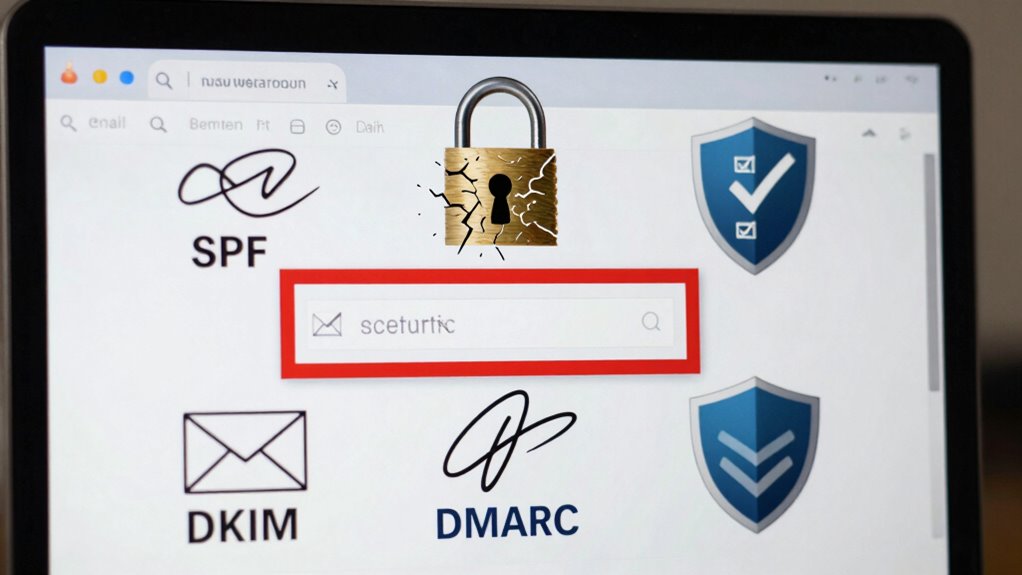
Have you ever wondered how safe your email account really is? In today’s digital world, email security isn’t just about having a password. It’s about understanding the layers of protection that keep your messages private and authentic. User authentication plays a pivotal role here. When you log in, the system verifies your identity, often through passwords, two-factor authentication, or biometric methods. But beyond that, encryption protocols are essential for safeguarding your emails from prying eyes. These protocols scramble your messages during transmission, making them unreadable to anyone who intercepts them. Technologies like SSL/TLS ensure that your emails are encrypted as they travel from your device to the recipient’s server, creating a secure tunnel that prevents eavesdropping.
However, even with encryption in place, you need to trust that the emails you receive are genuinely from who they claim to be. Phishing attacks exploit this vulnerability by tricking you into revealing sensitive information or clicking malicious links. Attackers often masquerade as trusted entities, making it imperative to verify email authenticity. That’s where email authentication mechanisms like SPF, DKIM, and DMARC come into play. SPF, or Sender Policy Framework, allows email servers to verify that incoming messages originate from authorized IP addresses. When a message fails SPF checks, it’s more likely to be spam or spoofed. DKIM, or DomainKeys Identified Mail, adds a digital signature to your outgoing emails, ensuring that the message hasn’t been altered in transit and confirming the sender’s identity. Finally, DMARC (Domain-based Message Authentication, Reporting, and Conformance) combines SPF and DKIM to give domain owners a way to instruct receiving servers on how to handle unauthenticated messages, whether to quarantine or reject them.
Together, these protocols build a formidable defense against email spoofing and phishing. They help guarantee that the emails you send and receive are legitimate, reducing the risk of falling victim to scams. To stay protected, you should regularly update your email security settings and be vigilant about suspicious messages. If your email provider supports these authentication protocols, enable them and encourage your organization to do the same. Remember, no single security measure can promise complete safety, but combining user authentication, encryption protocols, and proper email authentication practices creates a strong barrier against cyber threats. Staying informed and cautious is your best defense in maintaining a secure email environment**. Additionally, understanding email security protocols can help you better recognize potential threats and safeguard your digital communication. Regularly reviewing your email security settings and staying up to date with the latest email security best practices is also crucial in adapting to evolving threats. Implementing these measures also helps in preventing email spoofing**, which is a common tactic used in cyberattacks.
Products Worth Considering

Logitech MX Keys S Wireless Keyboard, Graphite

Bose QuietComfort Ultra Wireless Noise-Cancelling Headphones with Spatial Audio, Black

Bose SoundLink Flex (2nd Gen) Portable Bluetooth Speaker
As an affiliate, we earn on qualifying purchases.
Frequently Asked Questions
How Often Should I Update My Email Security Protocols?
You should review and update your email security protocols at least quarterly, aligning with your email policy and emerging threats. Regular updates help you stay ahead of phishing tactics and guarantee SPF, DKIM, and DMARC records are current. Incorporate ongoing user training to reinforce best practices, making certain your team recognizes and responds to email threats effectively. Consistent updates and education are key to maintaining strong email security.
Can Small Businesses Implement These Email Security Measures Effectively?
Implementing email security measures for your small business isn’t just possible—it can be as straightforward as flipping a switch. With proper email authentication like SPF, DKIM, and DMARC, you’ll shield your business from cyber threats. All it takes is a bit of security awareness and some guided setup, making it accessible and effective. Don’t let size fool you—small businesses can become mighty with strong email security!
What Are Common Signs of a Phishing Email?
You can spot a phishing email by watching for signs like email spoofing, where the sender’s address looks suspicious or mimics a trusted source. Be cautious of unexpected requests for sensitive info or urgent messages. Malicious links that don’t match official website URLs or that seem odd are red flags. Always verify through official channels before clicking on links or sharing details, helping you avoid falling victim to scams.
Are There Free Tools to Help Manage SPF, DKIM, and DMARC?
Managing SPF, DKIM, and DMARC is like setting up a sturdy security gate—protecting your domain from unauthorized access. Luckily, free management tools and DNS configuration software, such as DMARCian or Postmark, make it simple to implement and monitor these protocols without extra cost. You can regularly check your email authentication records, guarantee proper alignment, and safeguard your domain from spoofing, all with user-friendly, free resources.
How Does Email Encryption Differ From SPF, DKIM, and DMARC?
Email encryption differs from SPF, DKIM, and DMARC because it focuses on protecting the contents of your emails from unauthorized access, ensuring only intended recipients can read them. While email authentication methods verify your email’s sender identity and prevent spoofing, email encryption secures the message data itself during transmission. Together, these tools provide an all-encompassing security approach: authentication confirms sender legitimacy, and encryption safeguards message confidentiality.
Conclusion
Understanding email security basics like phishing, SPF, DKIM, and DMARC helps you protect your inbox from threats. Did you know that over 90% of cyberattacks start with a phishing email? By implementing these protocols and staying vigilant, you can substantially reduce your risk of falling victim. Keep learning and practicing good email habits—your digital safety depends on it. Stay secure and keep your information protected!