
TL;DR
The Chuwi Minibook X is a 10.5-inch, budget-friendly mini laptop with 16GB RAM and a 512GB SSD, running Linux well despite hardware quirks. It offers a portable, low-cost option for Linux enthusiasts and casual users alike.
The Chuwi Minibook X has been officially announced as a compact, budget-friendly laptop designed for Linux users, featuring a 10.5-inch display, 16GB RAM, and a 512GB NVMe drive, making it a notable entry in the low-cost portable computing market.
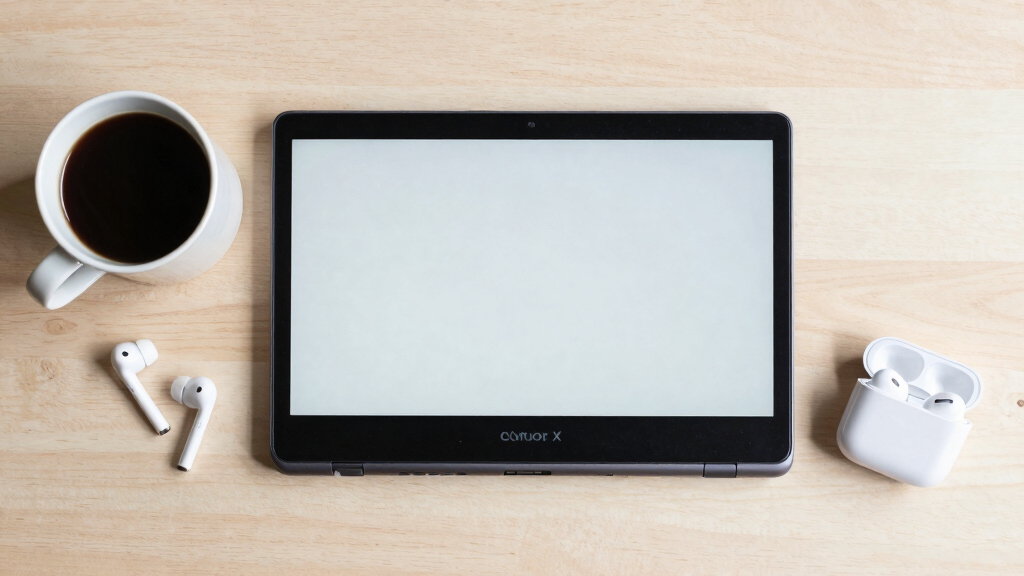
The Minibook X is a 10.5-inch, x86_64 sub-ultrabook weighing just under a kilogram (912 grams). It is powered by a quad-core Intel N150 Twin Lake processor running at 3.6GHz, with 16GB of soldered LPDDR5 RAM and a 512GB NVMe SSD that is user-upgradable. Its screen is a 2K IPS panel with a 16:10 aspect ratio, though it is mounted sideways due to hardware issues, which users can fix via software tweaks.
The device features two USB-C ports (one supporting Power Delivery), Wi-Fi 6, Bluetooth, HDMI, and a built-in touchscreen. The battery capacity is 28.88Wh, providing approximately six hours of usage under typical conditions. It is bundled with a 12V/2A USB-C charger, though it functions well with standard PD chargers, indicating a cost-saving design choice.
Running Linux distributions like Debian and NixOS, the Minibook X performs surprisingly well, with support for camera, microphone, speakers, touchscreen, and wireless connectivity. However, users face hardware quirks such as the screen orientation, which requires multiple software adjustments at different system layers to fix. Despite these issues, the device remains functional and portable, making it suitable for experimentation and casual use.
Why It Matters
The Minibook X’s release demonstrates that affordable, Linux-compatible laptops with solid hardware are still viable options in 2026, especially for users seeking portable, low-cost devices for experimentation or everyday tasks. Its hardware quirks highlight ongoing challenges in designing small, budget-friendly laptops, but also show that these issues can be managed with software tweaks. This device offers a new option for enthusiasts and students who need a lightweight machine without breaking the bank.
Chuwi Minibook X Linux compatible mini laptop
As an affiliate, we earn on qualifying purchases.
As an affiliate, we earn on qualifying purchases.
Background
While netbooks have largely disappeared from the mainstream market, the Minibook X revives the concept in a modern form, emphasizing portability and affordability. Previous efforts in this space often struggled with hardware limitations or poor Linux support. The Minibook X’s hardware specs—such as 16GB RAM and NVMe storage—are notably high for a device in this category, reflecting advances in low-cost hardware. Its release aligns with a broader trend of Linux-friendly, miniaturized laptops gaining popularity among enthusiasts and casual users.
“The Minibook X scratches the same itch as old netbooks but with modern specs and Linux support.”
— Hacker News user
“It’s surprisingly powerful for its size and price, and I love how portable it is.”
— Device owner
“Fixing the screen orientation was a journey, but now it runs Linux ‘boringly well.'”
— Linux enthusiast
What Remains Unclear
It remains unclear how well the Minibook X will perform under intensive workloads over the long term, or how durable its hardware will prove. Additionally, widespread availability and support for Linux distributions on this device are still developing, and some hardware components, like the touchscreen and audio, may require further tweaks or driver updates.
What’s Next
Further reviews and user experiences will shed light on the device’s long-term reliability and Linux support. Chuwi may release firmware updates to address hardware quirks, and community-developed guides could improve ease of use. The next step is for potential buyers and Linux enthusiasts to test the device in real-world scenarios and share feedback.
Key Questions
Can the Chuwi Minibook X run Windows instead of Linux?
While primarily designed for Linux, there is potential for Windows installation, but compatibility and driver support may vary. Confirming support would require further testing.
How upgradeable is the hardware?
The SSD is upgradable, but RAM is soldered and non-upgradable. Storage expansion options are limited but sufficient for most users.
What are the main hardware issues users should be aware of?
The primary hardware concern is the screen orientation, which requires software adjustments. The keyboard and touchpad are also subpar compared to modern laptops, but functional.
Is the battery life sufficient for daily use?
Battery life averages around six hours during typical use, which is adequate for portable, casual computing but may vary based on workload.
Source: Hacker News


![How to Write to SSDs [pdf]](https://t3chbillion.com/wp-content/uploads/2026/05/how-to-write-to-ssds-pdf-featured-380x200.jpg)