
TL;DR

Get the latest gadgets delivered free with Prime
- Fast, free delivery on millions of items
- Prime Video, Amazon Music and more included
- Member-only deals all year
Valve has rolled out a public beta update for the Steam Link app on Quest, enabling wired USB-C streaming. This development aims to improve VR performance by reducing latency and dependency on Wi-Fi. The feature requires opting into multiple beta programs and using supported cables.
Valve has introduced a public beta update to the Steam Link app on Quest, adding wired USB-C streaming support for the first time. This feature allows Quest users to connect their headsets directly to their PC via a USB-C cable, potentially reducing latency and improving VR performance. The update is available now for users who opt into the beta programs, marking a significant step forward in PC VR streaming capabilities for Quest owners.
The recent update, identified as version 2.17.8, was first spotted by data miner and leaker ‘Luna’ via UploadVR. Valve’s patch notes confirm the addition of initial support for USB streaming, which can be enabled by participating in the Steam Client Beta and SteamVR Beta branches. To access the feature, users must subscribe to the public beta on the Horizon Store, opt into the SteamVR beta, and select the Steam Client Beta option within Steam settings.
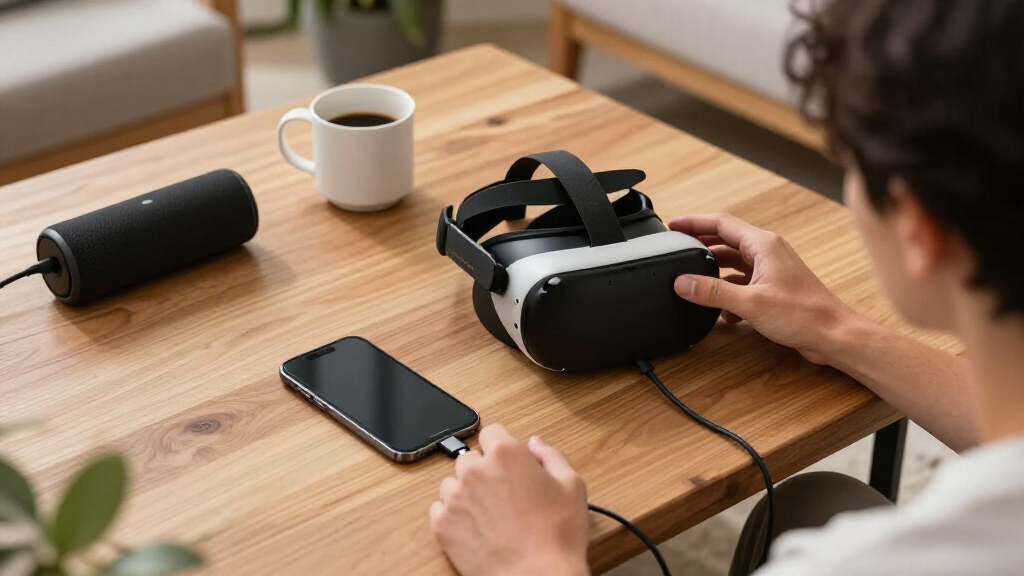
Valve has not specified the exact type of USB-C cable required, but industry standards suggest using USB 3.0 or higher cables, preferably no shorter than five meters (~16.5 feet) for comfort and optimal performance. The move aims to provide a more stable and responsive VR experience, especially as Meta has recently upgraded Quest 3’s refresh rate to 240Hz. Additionally, other VR streaming apps like Virtual Desktop have already begun supporting higher refresh rates, with Virtual Desktop now supporting up to 144 FPS on Quest 3.
Requirements for optimal performance include a PC running Windows 10 or newer, a GPU such as NVIDIA GTX 970 or better, a broadband internet connection, and a compatible 5GHz Wi-Fi network if wireless streaming is used as a fallback. For wired streaming, a wired network connection is recommended, along with a supported USB-C cable.
Steam Link for Quest Adds Wired USB-C Streaming
Valve is testing a direct cable path between Quest headsets and Windows PCs. The public beta is designed to reduce reliance on Wi-Fi, improve connection consistency, and create a more responsive route into high-fidelity PC VR.
Three switches unlock the wired path
Access requires coordinated beta enrollment across the Quest storefront and both major Steam components. Missing any one branch may prevent the USB streaming option from appearing.
Join the Horizon Store beta
Subscribe to the public beta channel for the Steam Link app on the Quest platform.
Enable SteamVR Beta
Open the SteamVR properties menu and select its beta branch before launching the headset connection.
Select Steam Client Beta
Use the Steam settings menu to join the desktop client beta, then install all available updates.
Why a cable can change the experience
Wired USB-C removes the local wireless hop from the headset-to-PC path. That can improve repeatability, although the final result still depends on encoding, GPU performance, cable quality, headset settings, and beta stability.
Expected connection profile
Conceptual comparison only. These bars illustrate likely trade-offs, not measured benchmark results.
| Experience factor | Wired USB-C | Wi-Fi streaming |
|---|---|---|
| Local interference | ✓Reduced exposure | ~Varies by network |
| Movement freedom | ~Cable attached | ✓Untethered |
| Setup burden | ~Three beta branches | ~Network tuning |
| Consistency target | ✓Direct data path | ~Shared airspace |
| Current maturity | ~Public beta | ✓Established option |
Build a beta-ready setup
The published guidance remains incomplete, but the supplied report identifies a practical baseline for the PC, graphics hardware, network, and physical connection.
Windows 10 or newer
Keep the operating system, Steam client, graphics drivers, and SteamVR installation current.
GTX 970 or better
Higher-resolution rendering and elevated refresh targets may require substantially stronger hardware.
5 GHz Wi-Fi
A compatible 5 GHz network remains useful when wireless streaming is needed as an alternative.
Cable guidance is provisional
Valve has not confirmed an exact cable specification in the supplied material. USB 3.0 or higher and approximately five meters of reach are practical recommendations, not official requirements. Active extension technology may be necessary at longer distances.
From connection to experience
The beta’s value proposition is a chain, not a single specification. Each stage must hold up for the player to notice a meaningful improvement.
USB data path
A compatible cable links the Quest headset directly to the PC.
Less Wi-Fi dependence
The stream avoids local congestion and radio interference.
More stable frames
A steadier link may reduce spikes and visible compression shifts.
More responsive VR
Consistency can improve comfort and control in demanding PC VR titles.
The exact supported cable specifications and full device compatibility list.
The size of latency and image-quality gains across different PC configurations.
The date for a stable-channel release or support beyond Quest devices.
“Valve’s Steam Link app now supports wired USB-C streaming in a public beta, offering a potential performance boost for VR users.”
Reported by Road to VR
Potential Impact of Wired USB-C Streaming on VR Experience
The addition of wired USB-C streaming support in the Steam Link app could significantly enhance VR performance and latency for Quest users. By bypassing Wi-Fi, which can be subject to interference and bandwidth limitations, wired connections promise more stable and responsive gameplay, especially for high-fidelity VR titles. This update positions Valve’s Steam Link as a more competitive option against other VR streaming solutions and upcoming hardware like Meta’s Steam Frame, which is nearing release and may feature higher refresh rates and lower latency.
However, the feature is still in beta, and users should be aware that performance may vary depending on hardware setup and cable quality. The broader adoption of wired streaming could influence future VR hardware and software development, emphasizing low-latency, high-fidelity experiences for PC VR on standalone headsets.
USB-C cable for Oculus Quest VR streaming
As an affiliate, we earn on qualifying purchases.
As an affiliate, we earn on qualifying purchases.
Background of VR Streaming and Valve’s Development Efforts
Valve’s Steam Link app for Quest has been evolving since its initial release, offering wireless PC VR streaming via Wi-Fi. The recent push toward wired support reflects ongoing industry efforts to improve VR latency and stability, especially as standalone headsets like Quest 3 push higher refresh rates. Meta’s recent Quest 3 update increased its refresh rate to 240Hz, surpassing Steam Frame’s experimental 144Hz support, intensifying competition among VR hardware and software providers.
Prior to this update, wireless streaming via Wi-Fi 5 or Wi-Fi 6 was the primary method, but it could suffer from bandwidth constraints and interference, impacting experience quality. Virtual Desktop and other apps have already begun supporting higher refresh rates, indicating a trend toward wired solutions for more demanding VR applications. Valve’s move to include wired USB-C streaming in Steam Link aims to address these limitations and provide a more consistent experience for PC VR gamers on Quest devices.
“Valve’s Steam Link app now supports wired USB-C streaming in a public beta, offering a potential performance boost for VR users.”
— Road to VR
Unconfirmed Details and User Limitations in Beta
Details about the specific USB-C cables recommended for optimal performance remain unconfirmed by Valve, though industry standards suggest USB 3.0 or higher cables. It is also unclear how widespread the performance improvements will be across different hardware setups, as beta features often vary in stability and compatibility. Additionally, it is not yet known how quickly Valve plans to move this feature out of beta or whether it will be integrated into the main release.
Further testing is required to determine the full impact on latency, image quality, and overall usability, especially on different PC configurations and cable lengths. There is also no official statement on whether this wired streaming support will be extended to other VR headsets or remain exclusive to Quest devices.
Next Steps for Valve and Oculus Users
Valve is expected to continue refining the wired USB-C streaming feature based on user feedback during the beta phase. Once stability and performance are validated, it may be rolled out as a standard feature in future updates. Oculus users participating in the beta should monitor for improvements and potential issues, as well as official announcements regarding wider release and hardware compatibility.
In the coming months, industry analysts anticipate further enhancements in VR streaming technology, including higher refresh rates and lower latency. The competition among VR platforms will likely intensify, with Meta’s Quest 3 updates and third-party apps pushing the boundaries of wireless and wired VR experiences.
Users are advised to stay updated on official channels for instructions on how to participate in beta programs and to test different cables for optimal results.
Key Questions
How do I access the wired USB-C streaming feature in Steam Link for Quest?
You need to subscribe to the public beta on the Horizon Store, opt into the SteamVR beta branch, and select the Steam Client Beta within Steam settings. Follow the instructions in the patch notes for detailed steps.
What type of USB-C cable should I use for wired streaming?
Valve has not specified exact cable requirements, but industry standards suggest using USB 3.0 or higher cables, preferably no shorter than five meters (~16.5 feet) for optimal performance.
Will this wired streaming feature improve latency and image quality?
Preliminary testing indicates that wired connections can reduce latency and improve responsiveness, but actual performance gains will depend on hardware setup and cable quality. The feature is still in beta, so results may vary.
Is wired USB-C streaming available for all VR headsets?
Currently, this update is specific to Quest devices using the Steam Link app in beta. It is not confirmed whether other headsets will receive similar support in the near future.
When will this feature be officially released outside of beta?
Valve has not announced a timeline for the full release. The feature is currently in testing, and further updates will depend on user feedback and stability assessments.
Source: Road to VR
Halloween Picks
halloween
As an affiliate, we earn on qualifying purchases.