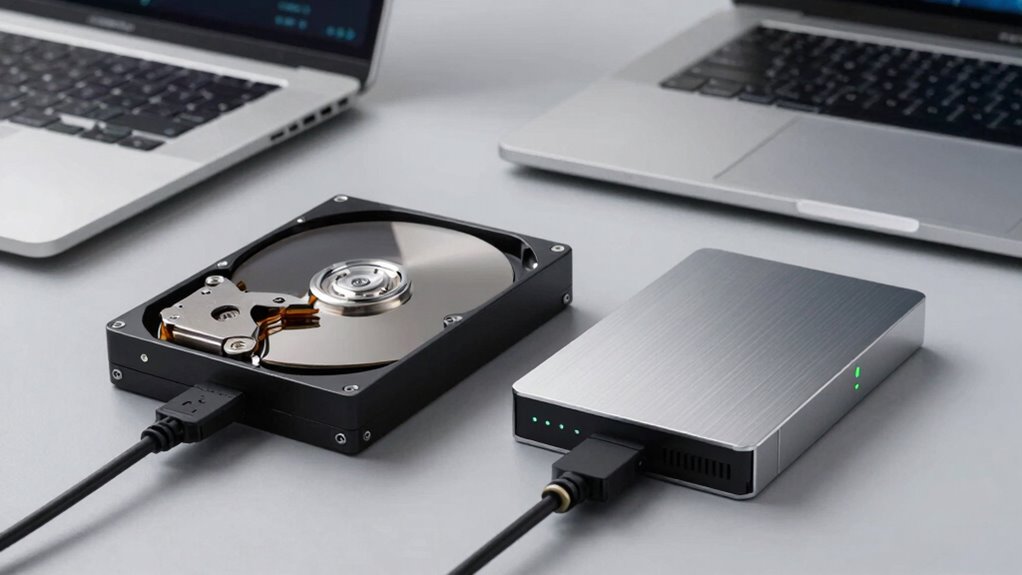

When choosing between an HDD and an SSD for your external drive, consider your primary use. If you need fast data access for tasks like gaming or editing videos, an SSD offers superior speed and durability. For large storage at a budget-friendly price, HDDs are better. If portability and shock resistance are important, go with an SSD. To understand which option suits your needs best and make an informed decision, keep exploring your options.

Get the latest gadgets delivered free with Prime
- Fast, free delivery on millions of items
- Prime Video, Amazon Music and more included
- Member-only deals all year
Key Takeaways
- Prioritize SSDs for faster data transfer and performance-intensive tasks like gaming and video editing.
- Choose HDDs for large storage needs at a lower cost, especially for backup and archival purposes.
- Opt for SSDs in portable, mobile scenarios due to their durability, shock resistance, and lightweight design.
- Consider HDDs for stationary setups requiring high capacity and budget-friendly storage solutions.
- Ensure drive compatibility with your device and assess long-term reliability for critical data security.
Choosing the right external drive can markedly enhance your data storage and backup solutions, but with so many options available, it’s easy to feel overwhelmed. When deciding between an HDD and an SSD, you need to weigh how you’ll use the drive. If you prioritize quick data transfer speeds, an SSD is your best bet. Unlike traditional HDDs, which rely on spinning disks and read/write heads, SSDs use flash memory, allowing for much faster data access. This means you can transfer large files, run applications, or back up data more swiftly, saving you time and frustration. If speed is critical—say, for video editing, gaming, or frequent backups—an SSD offers the performance edge you need.
Durability and portability are other key factors to evaluate. HDDs, with their moving parts, tend to be more vulnerable to shocks, drops, or rough handling. If you’re someone who travels a lot or needs a drive that can withstand the rigors of daily use, an SSD’s solid-state design makes it a more durable choice. They’re less susceptible to damage from bumps or vibrations, and their compact size makes them easier to carry around. However, HDDs often offer larger storage capacities at a lower cost, which might appeal if you need to store massive amounts of data without breaking the bank.
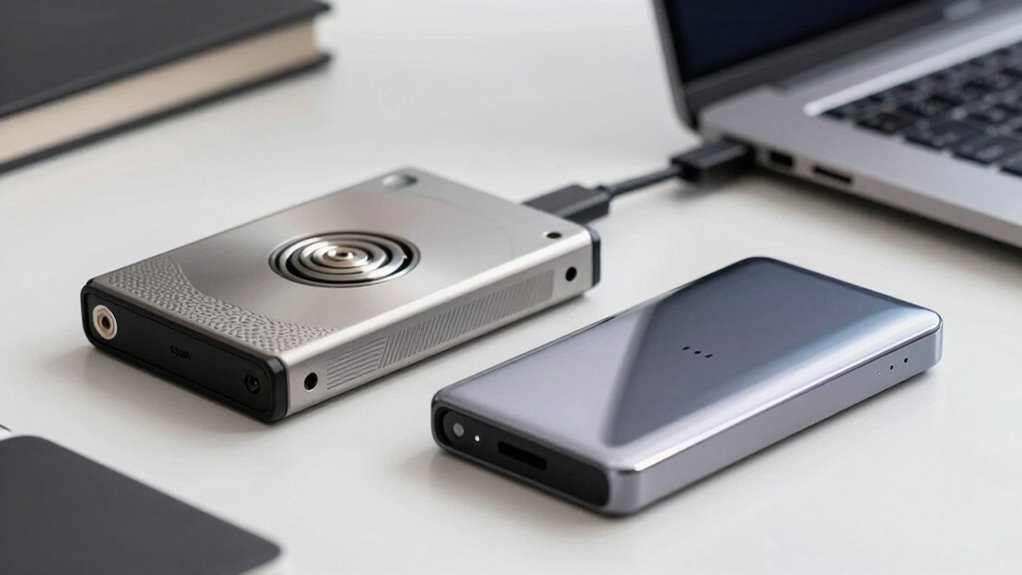
When it comes to portability, SSDs generally win. They’re lighter, smaller, and don’t require external power sources, making them ideal for on-the-go use. You can slip one into your pocket or bag without much fuss. HDDs, although larger and heavier, still offer good portability, especially portable models designed for travel but at the expense of added weight. If you plan to move your external drive frequently and need something reliable that can handle the bumps of travel, an SSD is typically the better choice. Additionally, understanding the difference between HDD and SSD can help you make a more informed decision based on your specific needs and budget. Considering the cost difference and long-term performance benefits can also guide your purchase to ensure you select the best option for your use case. Furthermore, looking into external drive compatibility can prevent potential issues with your devices or operating systems.
Being aware of the long-term reliability of each type can also influence your decision, especially if you need a drive for critical data backup.
As an affiliate, we earn on qualifying purchases.
Frequently Asked Questions
Are External Drives Compatible With All Operating Systems?
External drives are generally compatible with most operating systems, but you need to check file transfer and data encryption support. For example, drives formatted with exFAT work seamlessly across Windows and macOS, simplifying file transfer. Some drives offer built-in data encryption, making them more secure. Always verify your OS supports the drive’s file system and encryption features to avoid compatibility issues and guarantee smooth data transfer.
How Do I Securely Backup Sensitive Data on External Drives?
To securely back up sensitive data on external drives, you should use strong encryption methods like AES-256 to protect your files. Combine this with effective backup strategies, such as creating multiple copies and storing them in different locations. Regularly update your backups, verify their integrity, and guarantee your encryption keys are stored securely. This approach keeps your data safe from unauthorized access and minimizes the risk of data loss.
What Is the Typical Lifespan of an External HDD or SSD?
Like a wise old tree standing tall, your external drive’s lifespan depends on its type. HDDs typically last about 3 to 5 years, while SSDs tend to endure 5 to 7 years with proper care. Drive durability influences data recovery chances, so handle them gently and keep backups. Regularly check for signs of wear, and you’ll guarantee your data stays safe, no matter the journey ahead.
Can External Drives Be Used for Gaming or High-Performance Tasks?
Yes, external drives can be used for gaming and high-performance tasks, especially if they offer fast data transfer speeds. An external SSD considerably enhances gaming performance by reducing load times and improving responsiveness compared to HDDs. Choose an SSD for smoother gameplay and quick access to large files. While HDDs can handle these tasks, they may cause slower load times and less ideal performance, making SSDs the better choice for high-performance needs.
How Much Storage Do I Need for Future Data Growth?
You should plan for at least double your current storage needs to accommodate future data growth. Data growth projections can vary, but it’s wise to take into account how your storage capacity planning will support new projects, larger files, and backups. Don’t underestimate your future needs—buying a drive with more capacity now saves you from frequent upgrades later. Think ahead to guarantee your external drive handles your expanding data comfortably.
Conclusion
When choosing an external drive, consider your specific needs—whether you prioritize speed, capacity, or portability. SSDs offer faster performance, ideal for editing or quick backups, while HDDs provide larger storage at a lower cost for long-term storage. Did you know that by 2025, it’s estimated that over 90% of data will be stored on SSDs? Understanding these stats can help you make smarter choices and find the perfect drive for your use case.
Halloween Picks
halloween
As an affiliate, we earn on qualifying purchases.