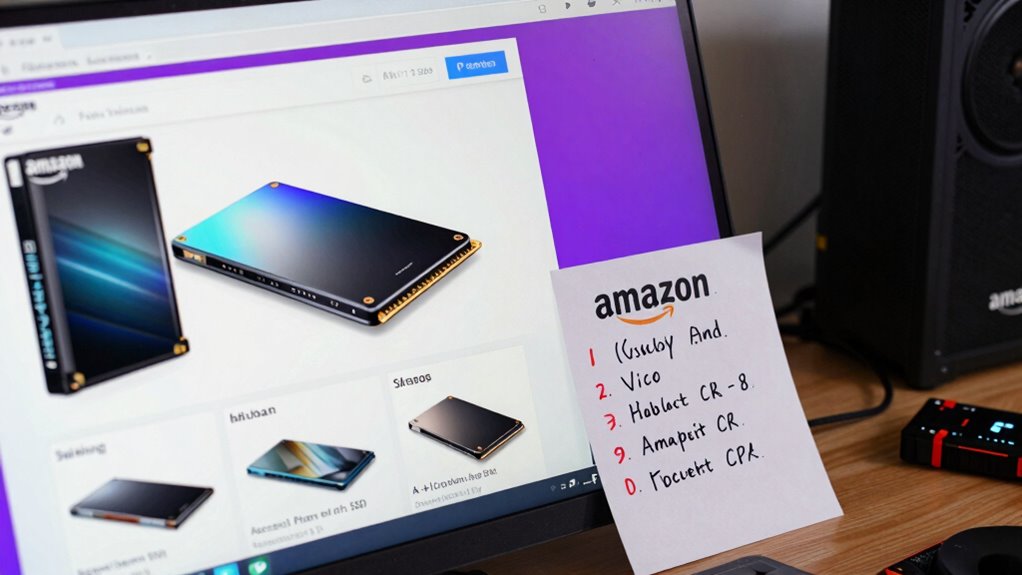

To avoid fake SSDs on Amazon, look for listings with detailed security features like data encryption and official certification marks. Be wary of vague descriptions, low prices, or missing warranty info, as these are red flags. Check seller credibility by verifying authorized dealers or high ratings. Also, scrutinize product images for authenticity and consistency. If you keep exploring, you’ll discover more tips to help you spot genuine drives and protect your data.

Get the latest gadgets delivered free with Prime
- Fast, free delivery on millions of items
- Prime Video, Amazon Music and more included
- Member-only deals all year
Key Takeaways
- Check for detailed specifications, especially encryption features, and verify authenticity through official websites or certification marks.
- Be cautious of significantly discounted prices; compare sellers and read customer reviews for legitimacy.
- Ensure the seller is reputable, such as authorized retailers or highly-rated third-party sellers.
- Look for clear warranty policies; fake products often lack valid or comprehensive warranties.
- Scrutinize product images and descriptions for vague or missing security details and official branding.

With the rise of online shopping, spotting fake SSDs on Amazon has become more important than ever. Counterfeit drives can look convincing, but they often come with hidden issues that could cost you more in the long run. One way to protect yourself is to carefully examine the product listing for red flags. Legitimate sellers usually provide detailed information about the SSD’s specifications, including data encryption features, which are essential for security-conscious buyers. If the listing lacks specifics about data encryption or offers vague descriptions, it’s a sign to proceed with caution. Authentic SSD manufacturers emphasize these security features, so their absence can indicate a fake or subpar product. Additionally, product authenticity can often be verified by checking if the SSD listing includes information about the manufacturer’s official website or certification marks. It’s also helpful to verify if the seller provides clear proof of product origin, such as official branding or authorized reseller status.
Watch for vague specs and missing encryption details to spot fake SSDs on Amazon.
Another critical factor is the warranty policy. Reputable sellers stand behind their products with clear, all-encompassing warranties that cover defects and performance issues. If a listing offers no warranty or provides a suspiciously short or vague policy, it’s a sign that the seller might not be legitimate. Fake SSDs often come without valid warranty coverage, leaving you stranded if the drive fails prematurely. Always verify that the warranty is backed by the manufacturer or authorized distributor, rather than just being a generic or overly broad promise. This is especially important because warranty policies are a good indicator of a product’s authenticity and quality.
Pricing can also be a telltale sign of a fake. If the SSD is listed at a price markedly lower than what’s typical for the brand and model, it’s likely too good to be true. While discounts are common, drastically reduced prices should raise your suspicion. Many counterfeit drives mimic the look of genuine products but cut corners on performance and durability. These fake drives might also lack the same data encryption capabilities that genuine models offer, putting your data at risk. When browsing, compare listings across multiple sellers and check customer reviews for mentions of authenticity issues or problems with the product.
Lastly, scrutinize seller information. Authorized retailers or well-known third-party sellers with high ratings tend to be more reliable. Be wary of new accounts with few reviews, especially if they have inconsistent or vague seller profiles. These accounts might be operating solely to unload counterfeit drives. Remember, reputable sellers will provide clear contact information, return policies, and transparent details about their inventory. By paying close attention to these aspects, you greatly reduce your chances of ending up with a fake SSD. Protect your data and your investment by staying vigilant and doing your due diligence before clicking ‘buy’.
Products Worth Considering

Apple MacBook Air 15-inch with M5 chip, 24GB RAM, 512GB SSD, Midnight

Samsung Galaxy Tab A11 (2026) – 8.7 90Hz Android Tablet, 64GB/4GB Wi‑Fi, Octa-core MediaTek Helio G99, Dual Dolby Speakers, 20W Fast Charger

DJI Osmo Mobile 8 Gimbal with Mic Mini Transmitter, Infinity Black
As an affiliate, we earn on qualifying purchases.
Frequently Asked Questions
Can I Return a Fake SSD if I Suspect It’s Counterfeit?
Yes, you can return a fake SSD if you suspect it’s counterfeit. Start with counterfeit detection and authenticity verification by checking the seller’s reviews and product details. Contact Amazon customer support promptly, explain your concerns, and request a return or refund. Keep all packaging, receipts, and photos as evidence. Amazon’s policies generally protect buyers from counterfeit products, so acting quickly increases your chances of a successful return.
Are There Specific Brands More Prone to Fakes on Amazon?
Certain brands are more prone to fake SSDs on Amazon, especially those with lower brand reputation or less established names. To protect yourself, use counterfeit detection tools and read reviews carefully. Reputable brands usually have verified sellers, making it easier to spot genuine products. Always check for official certifications and avoid deals that seem too good to be true. Staying vigilant helps guarantee you buy authentic SSDs and avoid counterfeit risks.
How Can I Verify a Seller’s Credibility Before Purchase?
Think of verifying a seller’s credibility like inspecting a lighthouse before sailing. You should check seller reviews for consistency and authenticity, as these reveal real customer experiences. Look at the overall rating and read detailed feedback to gauge product authenticity. A reputable seller will have numerous positive reviews, transparent ratings, and clear communication. Avoid listings with few reviews or suspiciously perfect ratings, which often signal fake products.
Do Fake SSDS Have Different Packaging or Labeling?
Fake SSDs often have suspicious packaging or labeling. You should perform a packaging inspection, looking for inconsistencies like poor print quality, misspellings, or flimsy boxes. Check label authenticity carefully; genuine products usually have clear, professional labels with proper branding and serial numbers. If the packaging looks amateurish or the labels seem off, it’s a red flag. Always compare with official product images to spot discrepancies before buying.
What Are the Legal Consequences of Selling Counterfeit SSDS?
Selling counterfeit SSDs can lead to serious legal consequences, including fines and criminal charges. You could face lawsuits for infringing on intellectual property rights and violating counterfeit detection laws. Authorities actively monitor such activities to protect consumers and brands. If caught, you might be subject to seizure of counterfeit products and even imprisonment. Always guarantee your products are genuine to avoid these legal risks and uphold integrity in the marketplace.
Conclusion
To avoid fake SSDs on Amazon, stay vigilant, scrutinize listings, and verify seller reputations. Recognize red flags like suspiciously low prices, vague descriptions, and poor reviews. Trust genuine sources, compare specs, and ask questions when in doubt. By staying informed, double-checking details, and trusting your instincts, you protect your investment, guarantee quality, and enjoy peace of mind. Ultimately, being cautious, being thorough, and being persistent are your best defenses against counterfeit SSDs.