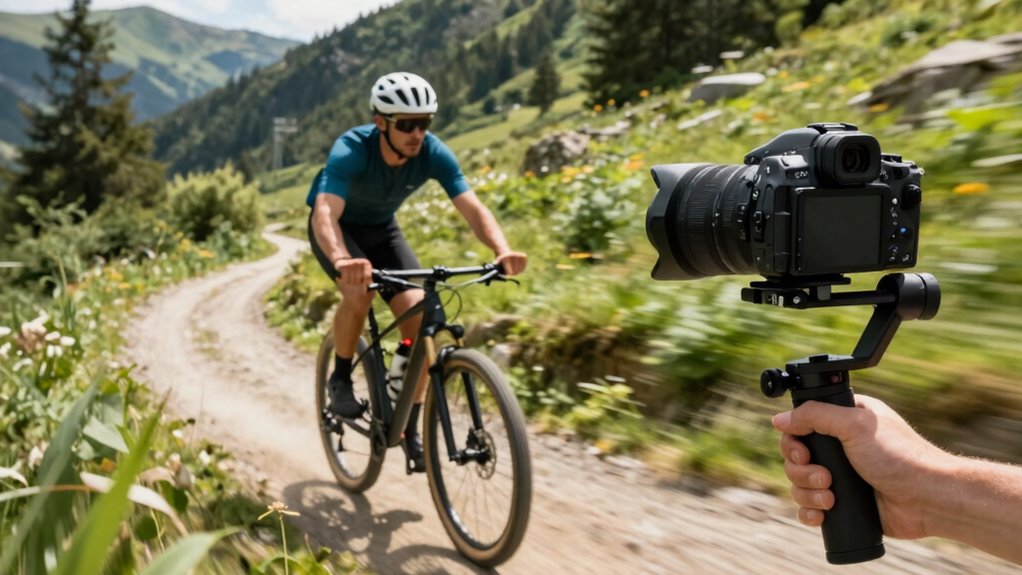

Gimbals are great for achieving smooth, professional-looking footage when you need steady movement, especially in complex or dynamic shots. But if you overuse or mismanage them, they can make your footage look unnatural or robotic, stripping away authenticity. Knowing when stabilization enhances storytelling and when it potentially ruins the scene is key. Keep these tips in mind, and you’ll better understand how to use gimbals effectively—so, explore further to master your craft.
Key Takeaways
- Gimbals enhance footage by providing smooth, professional movements but can produce unnatural or robotic motion if overused or improperly calibrated.
- Proper balancing, handling, and technique are crucial; poor setup can cause jittery footage and diminish stabilization benefits.
- Gimbals are most beneficial in complex environments, dynamic shots, or high-mobility scenes, but may limit certain angles or rapid movements.
- Excessive reliance or aggressive movements can make footage appear stiff or fake, reducing authenticity and viewer engagement.
- Combining gimbals with good camera handling and accessories ensures stabilization supports natural, cinematic results without ruining footage.
professional camera gimbal stabilizer
As an affiliate, we earn on qualifying purchases.
As an affiliate, we earn on qualifying purchases.
What Is a Gimbal and How Does It Stabilize Footage?

Ever wondered how filmmakers achieve smooth, professional-looking shots even while moving? That’s where a gimbal plays a key role. It’s a device designed to keep your camera steady, helping you create a cinematic style by reducing unwanted shake. The secret lies in camera balancing—gimbals use motors and sensors to detect and counteract movements, ensuring your footage remains smooth no matter your motion. This stabilization technology is especially crucial in dynamic shooting environments, allowing for more creative freedom. This stabilization allows you to focus on your shot without worrying about jitters or wobble. Whether you’re walking, running, or steering through tight spaces, a gimbal maintains your camera’s level and stability. By understanding how a gimbal works to balance your camera, you can elevate your footage to professional quality, even in challenging conditions. Proper camera setup and understanding of gimbal functions are essential for achieving optimal results. Additionally, being aware of the appropriate lighting conditions can further enhance the quality of your footage. Developing a solid understanding of leadership and management principles can also help you approach your filmmaking projects with greater confidence and strategic planning. Gold IRA markets offer insights into trustworthy investments that can help secure your financial future.
camera stabilization accessories for filmmaking
As an affiliate, we earn on qualifying purchases.
As an affiliate, we earn on qualifying purchases.
Should You Use a Gimbal? Key Signs It’s Right for Your Scene

If your scene requires dynamic camera movements or smooth footage through complex environments, a gimbal can be a game-changer. You’ll notice when handheld shots become shaky or unstable, signaling that stabilization gear might be needed. Consider using a gimbal if you want professional-quality results in challenging shooting conditions. Additionally, understanding digital content formats can help you optimize your footage for various platforms and audiences. To enhance your footage further, selecting the right camera stabilization equipment can make a significant difference in achieving smooth, cinematic results.
Dynamic Camera Movements
Dynamic camera movements can critically enhance the energy and immersion of your scene, but knowing when to use a gimbal is essential. When your shot calls for creative framing or heightened emotional storytelling, a gimbal can bring fluidity and precision. Look for moments where you want to guide your audience’s focus seamlessly or evoke a visceral response.
Consider using a gimbal if:
- You need smooth, continuous motion through complex environments
- You want to emphasize a character’s journey with dynamic angles
- You aim to create an engaging, cinematic experience that pulls viewers in
Using a gimbal for these scenes helps you craft immersive visuals that elevate storytelling, making your scene feel alive and intentional.
Need for Smooth Footage
When your scene demands steady, professional-looking footage, a gimbal becomes your best tool. If smoothness is vital—such as for cinematic shots, interviews, or product videos—a gimbal ensures your camera stays stable, reducing jitters and unwanted movement. It’s a valuable camera accessory that simplifies capturing polished footage without extensive editing techniques. If shaky shots compromise the quality or distract viewers, using a gimbal is a clear sign it’s right for your scene. Conversely, if intentional camera shake enhances the mood or energy, stabilization might hinder your vision. Ultimately, a gimbal helps achieve seamless, fluid motion, making your footage look more refined and engaging. When smoothness is non-negotiable, leveraging this tool elevates your production quality effortlessly.
Complex Shooting Environments
Moving through complex shooting environments often demands more than just a steady hand; it calls for reliable stabilization to maintain professional-quality footage. When your scene involves dynamic elements like drone shots soaring over rugged terrain, underwater filming maneuvering unpredictable currents, or crowded urban streets, a gimbal can be vital. It keeps your camera steady despite challenging conditions. You’ll notice it’s especially helpful when:
- Capturing smooth drone shots in windy conditions
- Filming underwater where currents cause constant movement
- Traversing tight spaces with rapid, unpredictable motion
In these scenarios, a gimbal helps you maintain control and produce stable footage, even in chaotic environments. If your scene involves high mobility or unpredictable movement, using a gimbal is often the key to achieving polished results.
handheld gimbal for DSLR cameras
As an affiliate, we earn on qualifying purchases.
As an affiliate, we earn on qualifying purchases.
When Do Gimbals Make Your Shots Look More Professional?

When you want your shots to appear polished and steady, a gimbal can make a big difference. It guarantees smooth camera movements that keep your footage flowing seamlessly. With consistent shot quality, your videos will look more professional and engaging.
Smooth Camera Movements
Gimbals excel at creating smooth, professional-looking camera movements that can elevate your footage considerably. When used correctly, they allow you to follow moving subjects seamlessly, glide through complex angles, and create cinematic sweeps. To maximize these benefits, focus on proper camera ergonomics—holding the gimbal steadily and comfortably—and keep up with regular gimbal maintenance to ensure smooth operation. You’ll notice that well-executed movements can make your shots feel more polished and engaging. Imagine effortlessly tracking a moving subject, capturing dynamic scenes, or executing fluid pans without jerkiness. This level of control helps your footage look intentional and refined. With practice, you’ll develop an intuitive sense of how to manipulate the gimbal for the most professional results.
Consistent Shot Quality
Achieving consistent shot quality with a gimbal hinges on how well you control and fine-tune your movements. Smooth, deliberate actions reduce camera shake, creating polished footage that looks professional. When you master handheld techniques, you can maintain stability even without a gimbal, but a gimbal ensures your shots stay steady during complex movements. To enhance shot consistency, focus on steady pacing and avoid abrupt jerks or quick accelerations. Practice slow, fluid motions, and keep your body relaxed. Proper calibration of your gimbal is essential to prevent unwanted jitters. Additionally, understanding stabilization principles can help you optimize your setup and technique. Incorporating sensor calibration techniques can further improve stabilization accuracy and reduce drift. Paying attention to balance and weight distribution can also significantly impact the effectiveness of your stabilization system. Developing a rigorous calibration routine ensures your equipment functions at peak performance, leading to more reliable stabilization. With disciplined control and proper technique, your footage will exhibit a uniform quality that elevates your production, making it appear more professional and refined.
3-axis camera stabilizer for video
As an affiliate, we earn on qualifying purchases.
As an affiliate, we earn on qualifying purchases.
Common Gimbal Challenges and When They Can Ruin Your Shots
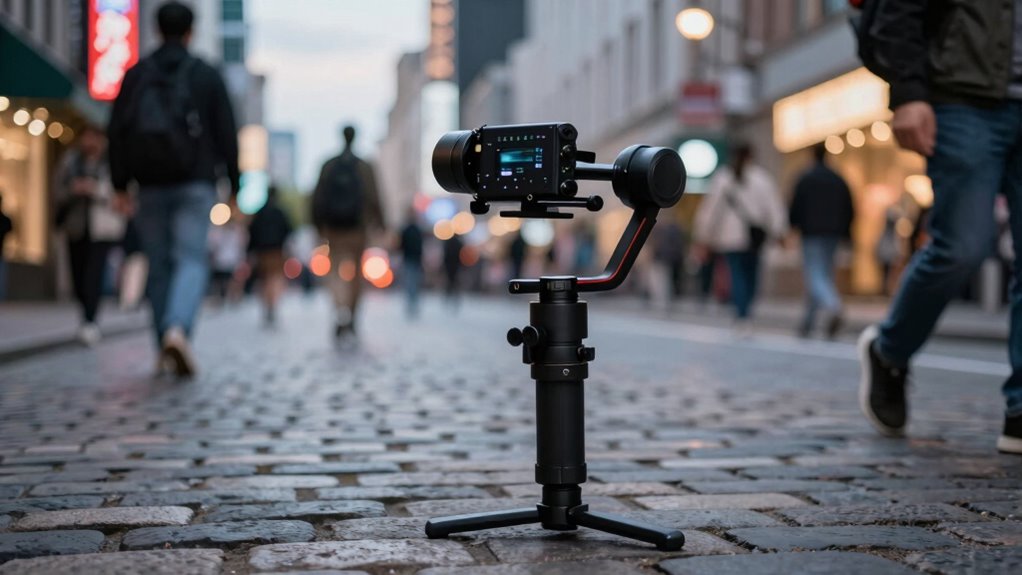
Despite their reputation for smooth footage, gimbals can still present challenges that threaten your shot’s stability. Poor weight distribution can cause unwanted camera shake, especially during quick movements or uneven terrain. Additionally, if your camera isn’t balanced properly, the gimbal struggles to compensate, leading to jitters or tilting. You might also encounter issues like:
Even with smooth footage, poor balance can cause jitters and shake during filming.
- Unintended jerks or rapid movements disrupting smoothness
- Overly sensitive responses to small shifts
- Battery drain or overheating from constant motor effort
These problems can ruin your footage, making it look shaky or unprofessional. To avoid this, verify proper weight distribution and balance before filming. Recognizing these common challenges helps you troubleshoot quickly and maintain steady, high-quality shots.
Limitations of Gimbals: Technical and Practical Challenges

While gimbals can improve your shots, they come with limitations you need to contemplate. Power and battery life can restrict how long you shoot, and setting up the gimbal takes time and effort. Additionally, movement restrictions may prevent capturing certain angles smoothly. For professional results, understanding styling tips can help you select the right equipment and accessories to enhance your footage effectively. Being aware of free floating techniques can also assist in achieving more natural camera movements when needed.
Power and Battery Limits
Power and battery limitations pose significant challenges for gimbals, especially when it comes to prolonged use. You depend on the power capacity to keep the device running smoothly, but battery life can restrict your shooting sessions. When the battery drains quickly, you might need to carry extra batteries or pause for recharging, disrupting your workflow.
Consider these factors:
- Shorter battery life limits continuous operation, especially during long shoots
- Power consumption varies with motor load and stabilization intensity
- Recharge times can impact your schedule during back-to-back shoots
Understanding these limitations helps you plan better, ensuring your gimbal has enough juice to stabilize your footage without interruptions. Managing power efficiently becomes vital to maximize your shooting time.
Complexity and Setup Time
Setting up a gimbal can be a complex process that requires patience and attention to detail. Its ergonomic design aims to make handling easier, but the setup complexity can still be intimidating, especially for beginners. You’ll need to balance your camera precisely, which can be time-consuming, and configuring the controls might involve browsing multiple menus and settings. Adjustments for different camera sizes and weights add to the initial setup time. Additionally, aligning the gimbal’s axes correctly is critical for smooth footage, but it often involves trial and error. While many models offer quick calibration features, achieving ideal stability still demands effort and understanding of the device. Expect a learning curve, especially when switching between different gear and shooting scenarios.
Movement Restrictions
Despite their impressive stabilization capabilities, gimbals have inherent movement restrictions that can limit your filming options. They often struggle with precise manual stabilization, making subtle adjustments difficult without causing jerks. Using a tripod with a gimbal can also be challenging, as switching between handheld and tripod shots may require re-balancing. Additionally, rapid or complex movements can be restricted because the gimbal’s motors may not keep up, leading to shaky footage. You might find yourself unable to capture tight or awkward angles comfortably. These limitations mean you need to plan your shots carefully and recognize when a gimbal’s smoothness might be compromised. Being aware of these constraints prevents disappointment and helps you decide when manual stabilization or tripod use is more appropriate.
How to Tell If a Gimbal Is the Right Tool for You

Deciding if a gimbal is right for you depends on your filming needs and how much you value smooth, stable footage. If you often shoot handheld or want professional-looking results, a gimbal can be a game-changer. Consider your camera ergonomics—if your gear feels comfortable and balanced in your hands, a gimbal will enhance your control. Also, think about gimbal accessories that might improve your experience, like extra batteries or mounting options. If your shooting style involves quick moves or complex angles, a gimbal offers stability that’s hard to achieve otherwise. Additionally, understanding AI-powered stabilization can help you evaluate whether a gimbal is necessary or if software solutions might suffice. Recognizing visual stability is crucial for assessing when a gimbal genuinely benefits your footage. However, if you prefer lightweight, spontaneous shots or work in tight spaces, a gimbal might feel cumbersome. Moreover, assessing camera weight distribution can inform whether your gear is compatible with gimbal use, ensuring smoother operation. Ultimately, match your filming style and equipment needs to determine if a gimbal will elevate your footage or hinder your workflow. For additional insights, explore yourmindandbody.com for tips on maintaining balance and stability in various activities.
Tips for Using Gimbals Effectively and Avoiding Overstabilization
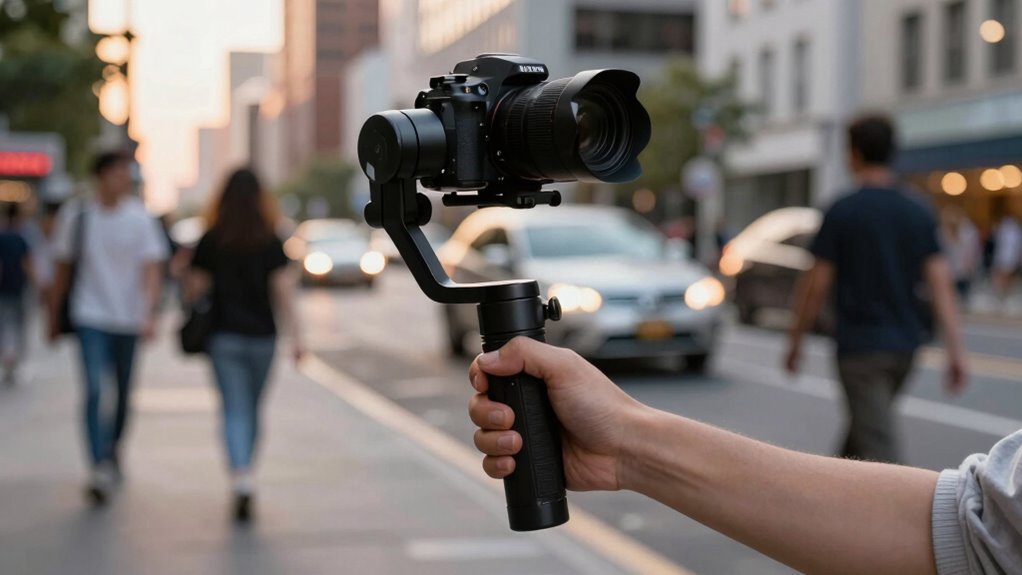
To use your gimbal effectively, focus on smooth, deliberate movements rather than quick jerks or abrupt stops, which can cause shaky footage or overcompensation. Overstabilization can make shots look unnatural, hindering your creative storytelling. To avoid this, pay attention to camera ergonomics: keep your grip steady, maintain a relaxed posture, and plan your shots in advance.
Master smooth, controlled movements and proper ergonomics to achieve natural, professional-looking footage with your gimbal.
Consider these tips:
- Use slow, controlled movements to maintain fluidity.
- Limit excessive pan and tilt to prevent robotic effects.
- Practice balancing your gimbal to reduce unnecessary corrections.
Alternatives to Gimbals for Stabilization in Difficult Environments
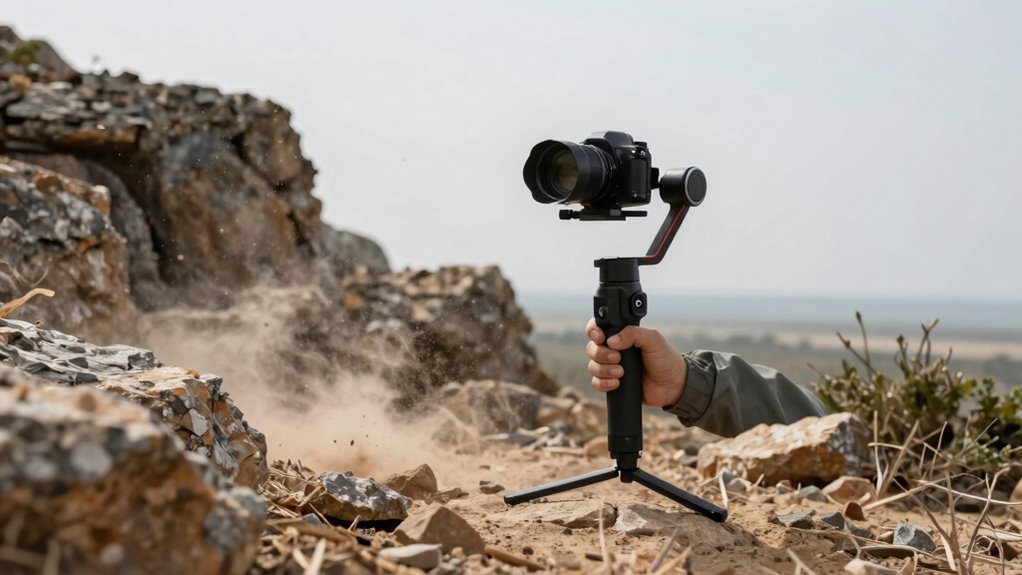
Have you ever faced challenging conditions where a gimbal isn’t practical or effective? In such cases, consider alternatives like drone footage or handheld stabilization techniques. Drones excel at capturing smooth footage in rough terrains or aerial shots that are hard to stabilize on the ground. They help you achieve steady shots without bulky equipment. Handheld stabilization devices, such as shoulder rigs or electronic stabilizers, also work well for dynamic environments, allowing you to move freely while keeping your footage steady. Using these methods requires skill, but they can be more adaptable in tight or unpredictable spaces. When gimbals aren’t feasible, combining drone footage with handheld stabilization offers a versatile way to produce smooth, professional-looking footage in difficult environments. Additionally, understanding the diverse urban pursuits or scenic landscapes can help tailor your stabilization approach to the environment’s specific challenges. Exploring alternative stabilization techniques can further expand your options for capturing high-quality footage in tough situations. For example, incorporating knowledge of camera accessories can enhance your ability to stabilize footage without traditional gimbals. Moreover, mastering proper camera handling techniques can significantly improve footage stability in unpredictable settings.
How Gimbal Movements Impact Authenticity and Viewer Engagement

Gimbal movements play a crucial role in shaping how authentic and engaging your footage feels to viewers. Smooth, controlled motions can enhance viewer immersion, making scenes feel immersive and professional. However, overly perfect movements can strip away authenticity, reducing emotional impact. Sudden or unnatural gimbal actions may introduce camera shake, making viewers feel disconnected from the scene. To paint a clearer picture:
- Gentle, intentional moves build realism without feeling staged
- Overly perfect stabilization can seem robotic or fake
- Erratic or exaggerated movements can create discomfort, breaking immersion
- Thoughtful gimbal techniques can elevate the storytelling experience and maintain viewer engagement
Using appropriate stabilization settings ensures that your footage remains natural and authentic. Balancing these movements ensures your footage remains genuine and captivating. When used thoughtfully, gimbal motions can elevate storytelling, but excessive or unnatural use risks damaging the authenticity viewers crave.
Troubleshooting Gimbal Issues That Could Damage Your Footage
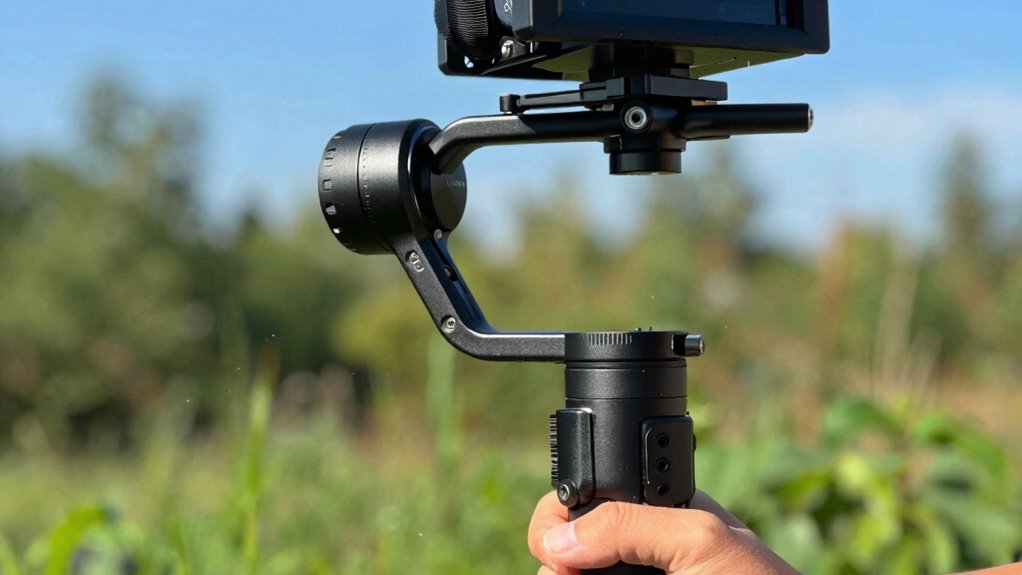
Even with careful handling, gimbal issues can creep into your footage and cause problems that undermine your scene’s quality. To troubleshoot, start by checking your balancing techniques—improper balance can lead to jittery footage or motor strain. Make sure your camera is securely mounted and level. Using the right gimbal accessories, like counterweights or extension arms, can help stabilize uneven loads. Also, verify that your gimbal’s firmware is updated; outdated software may cause erratic movements. Here’s a quick troubleshooting guide:
| Issue | Solution |
|---|---|
| Jittery footage | Rebalance with precise techniques |
| Sudden shakes | Check for loose accessories |
| Motor overheating | Reduce load or update firmware |
Regular maintenance and correct setup ensure smooth, professional results.
Frequently Asked Questions
Can Gimbals Be Used With Smartphones or Only Professional Cameras?
You can absolutely use gimbals with smartphones, thanks to their compatibility features. Many gimbals are designed specifically for smartphones, offering easy smartphone compatibility for smooth shots. While professional camera integration is also possible, it often requires larger, more specialized gimbals. For everyday use, a smartphone-compatible gimbal provides excellent stabilization, making your videos look professional without needing expensive equipment.
How Do Weather Conditions Affect Gimbal Performance?
Weather conditions can be a tricky dance for your gimbal. Wind impact might make your footage feel a bit shaky, so look for models with good wind resistance. Rain or snow can threaten the electronics, so keep your gear protected. Hot or humid weather might affect battery life and motor performance. To keep your shots smooth, use weather-resistant models and avoid harsh conditions whenever possible.
What Are the Best Practices for Balancing a Gimbal?
To balance a gimbal properly, start by calibrating it to guarantee peak performance. Then, adjust the weight distribution by sliding your camera along the mounting plate until it’s centered and balanced on all axes. Make small tweaks and test the gimbal’s movement. Proper calibration and balanced weight distribution prevent motor strain and deliver smooth footage, so take your time to get it just right before filming.
Are There Specific Gimbals for Drone Footage?
Your drone footage deserves the best gear, and yes, there are gimbals specifically designed for drones. These drone-specific stabilization systems are lightweight, compact, and built to handle the unique dynamics of aerial shots. They seamlessly integrate with aerial camera rigs, ensuring smooth, professional-quality footage. Investing in a dedicated drone gimbal allows you to capture breathtaking, cinematic shots without jitter or shakiness, elevating your aerial videography to new heights.
How Long Does a Typical Gimbal Battery Last During Filming?
A typical gimbal battery lasts around 4 to 8 hours during filming, depending on the model and usage. To maximize battery life, practice good power management by turning off the gimbal when not in use, reducing unnecessary movements, and using eco modes if available. Keep spare batteries on hand, so you won’t miss important shots, and regularly check the battery status to guarantee smooth filming sessions.
Conclusion
Remember, a gimbal isn’t a magic wand—overstabilizing can make your footage feel robotic and drain the emotion from your shots. When used correctly, it’s your secret weapon for cinematic perfection. But if you rely on it blindly, you risk turning authentic moments into soulless, mechanical clips. So, master the craft, know when to let your camera breathe, and let your storytelling shine through. Otherwise, you might just turn your masterpiece into a sterile, lifeless video.