
TL;DR

Get the latest gadgets delivered free with Prime
- Fast, free delivery on millions of items
- Prime Video, Amazon Music and more included
- Member-only deals all year
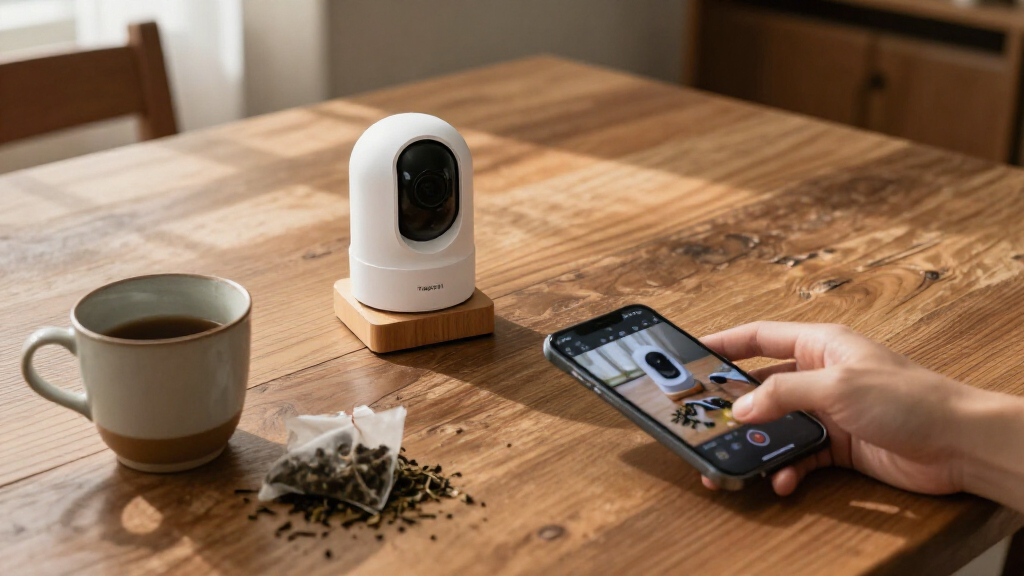
The TP-Link Tapo C210 is a roughly $30 indoor pan-and-tilt camera that supports RTSP and ONVIF, allowing local video access through compatible recorders and software. That can reduce reliance on cloud subscriptions and keep local monitoring available during an internet outage, but local setup requires extra steps and the camera cannot use all recording options at once.
A new XDA Developers report published Oct. 26 points to the TP-Link Tapo C210, an indoor camera priced at about $30, as a lower-cost alternative for people who want to store or view footage locally rather than depend on a cloud subscription. Its support for RTSP and ONVIF lets it connect to compatible network video recorders and software, though using those options takes setup and comes with recording limits.
The first distinction is local access through standard protocols. XDA says the C210 supports RTSP, which carries live video streams, and ONVIF Profile S, a standard used to connect cameras with compatible recording systems. That can let owners use a local NVR, NAS-based setup or home-automation software instead of relying exclusively on the manufacturer’s app and cloud services. The report names VLC, Home Assistant, Frigate and Agent DVR as examples of software or systems that can work with local camera streams.
The second difference is the option to keep video traffic inside a home network. The camera needs initial onboarding through the Tapo app, according to the report. After setup, an owner can configure local stream credentials and, if their router supports it, block the camera’s access to the wider internet while retaining local streaming. That may reduce the amount of footage sent to outside services and allow a local recorder to continue receiving video during an internet-service outage. It does not, by itself, establish that every configuration is secure; owners still need to manage network access and credentials.
The third distinction is the possibility of using the camera without a paid cloud plan. XDA presents the C210 as a way to avoid recurring fees for cloud-dependent features by recording locally to a microSD card or compatible recorder. However, the camera has a stated limit: it supports only two of three recording or streaming methods at the same time—Tapo Care cloud backup, microSD recording and local NVR/RTSP streaming. The report says enabling cloud backup alongside microSD recording disables local NVR/RTSP recording until one option is turned off.
Camera guide / Local control / October 2026
3 Reasons the Tapo C210 Stands Out from Cloud-only Cameras
The TP-Link Tapo C210 is a roughly $30 indoor pan-and-tilt camera with RTSP and ONVIF support. It gives owners more ways to view and store video locally—with setup, upkeep and recording limits to consider.
“The Tapo C210 supports RTSP and ONVIF Profile S.”
Reported by XDA DevelopersMore control over where footage goes, in exchange for extra setup and owner-managed maintenance.
Budget indoor camera
RTSP + ONVIF Profile S
Can run simultaneously
2026, XDA Developers
Three practical differences
Why local access matters
The C210’s appeal is choice: compatible local systems can work alongside the camera’s app-based setup.
Connect to local tools
RTSP carries the live stream; ONVIF Profile S helps connect the camera to compatible recording systems. Examples named in the report include VLC, Home Assistant, Frigate and Agent DVR.
Keep video closer to home
After onboarding, owners can configure local stream credentials and use a router rule to block wider internet access. A local recorder may keep receiving video during an internet outage if the home network and equipment stay operational.
Skip a cloud plan
Video can be recorded to a microSD card or compatible local recorder, reducing reliance on paid cloud features. Local storage shifts setup, device upkeep and credential security to the owner.
Local setup path
Make the stream work before restricting access
The report describes app onboarding as the starting point, even for owners planning a local-only setup.
Complete Tapo app onboarding and install available firmware updates.
Create a separate camera account for local stream credentials.
Connect a compatible player, recorder or home-automation system.
Only then consider router restrictions and plan firmware check-ins.
Recording choices
Pick two paths at a time
The camera supports only two of its three recording or streaming methods simultaneously, according to the report.
Available methods
- ✓Tapo Care cloud backup
- ✓microSD card recording
- ✓Local NVR / RTSP streaming or recording
Stated interaction: enabling cloud backup alongside microSD recording disables local NVR/RTSP recording until one option is turned off.
What local control changes
- ✓A compatible recorder on the home network may continue receiving video during an outside internet outage.
- ~Remote viewing generally still needs internet access.
- ~Blocking internet access also disables online functions through the Tapo app.
- ~Owners may need to reconnect for firmware checks and updates.
The practical balance
More choice brings more responsibility
Local storage can change the cost equation, but it does not remove all cost, effort or security considerations.
Potential benefits
- ✓Less dependence on recurring cloud subscriptions for local recording.
- ✓More control over where video is stored and which software accesses it.
- ✓Local recording can remain available through an internet-service outage if local equipment stays up.
Owner responsibilities
- ~Choose and maintain a card, recorder or home server.
- ~Protect stream credentials and configure network access sensibly.
- ~Plan firmware maintenance; local access is not an automatic privacy or security guarantee.
What the report does not establish
Know the limits of the available details
The report focuses on existing local-use options and trade-offs, not a new product announcement.
The supplied material does not say how long TP-Link will provide firmware updates.
About $30 is a reported price point; consistency across retailers is not established.
The material does not confirm identical local-stream behavior across every hardware or firmware version.
No independent security audit or performance comparison across routers and recorders is provided.
Source: XDA Developers report published October 26, 2026. Capabilities, setup steps and limits summarized from the supplied report.
Local Recording Changes the Cost Equation
For buyers comparing camera prices, the up-front cost is only part of the expense. Cloud plans can add recurring charges, while local storage shifts more responsibility to the owner: choosing and maintaining a card, recorder or home server, and keeping credentials and devices secure. The C210’s appeal is not that it removes all cost or effort, but that it offers a choice about where video is stored and how it is accessed.
Local streaming also matters when an internet connection fails. A compatible recorder on the same network can continue receiving a feed even when the household loses outside connectivity, according to the report. That benefit depends on the local network and recording equipment remaining operational. It is different from remote viewing, which generally requires an internet connection, and from vendor-app features that may stop working when the camera is blocked from the internet.
Privacy is another reason some buyers prefer local control. Keeping streams off a vendor’s cloud can limit exposure to outside data handling, but it is not an automatic guarantee of privacy or security. Firmware maintenance, strong local credentials and sensible network configuration remain the owner’s responsibility. The practical trade-off is more control in exchange for more setup and upkeep.
Products Worth Considering

LG UltraGear 27-Inch QHD OLED Gaming Monitor, 240Hz, 0.03ms, G-SYNC Compatible, FreeSync Premium Pro, HDMI 2.1

Jackery Explorer 300 Portable Power Station, 292Wh

LG 34GX90SA-W 34-inch Ultragear WQHD OLED Curved Gaming Monitor
As an affiliate, we earn on qualifying purchases.
How the Camera Fits Local Setups
Many consumer cameras are designed around an app and a manufacturer-operated service. Depending on the product and plan, cloud services can provide remote access, event history or other features. XDA criticizes that model for tying useful functions to subscriptions and placing video under third-party management. Those concerns are the report’s assessment; the material provided does not compare current plans or data practices across specific brands.
The C210 is not a fully independent, app-free device from the outset. The report says owners must first complete setup in the Tapo app, update firmware and create a separate camera account for local stream authentication. They can then enter the stream address in a compatible local client or recorder. A router rule can restrict internet access after the local feed works, but doing so also disables online functions through the Tapo app.
That restriction has a maintenance consequence: owners may need to reconnect the camera to the internet to check for or install firmware updates, XDA says. The report also describes the C210 as an indoor pan-and-tilt model, positioning it as a budget option rather than a substitute for every camera system or installation.
“The Tapo C210 supports RTSP and ONVIF Profile S.”
— XDA Developers report
Limits on Features and Support
The supplied material does not establish how long TP-Link will support the camera with firmware updates, whether its current price is consistent across retailers, or whether every version and firmware release offers the same local-stream behavior. It also provides no independent security audit or detailed comparison of the privacy policies and subscription costs of competing camera brands.
Local use depends on compatible software, network configuration and correct credentials. The report does not specify the performance owners should expect across different routers, recorders or home-automation systems. Nor does it describe how the camera behaves in every possible outage scenario. The clearest stated limitation is the two-of-three recording-mode cap, alongside the loss of app-based online functions when internet access is blocked.
Setup, Updates and Recording Choices
Owners considering local use should first complete app onboarding, install available firmware updates and create credentials for the camera’s local stream, following the device’s instructions. They can then test playback and recording through their chosen NVR, media player or home-automation setup before changing router access. That sequence helps confirm the local feed works before the camera is isolated from the internet.
After testing, users need to choose which two recording paths they want active: Tapo Care cloud backup, microSD or local NVR/RTSP. Anyone blocking internet access should also plan how to reconnect the camera periodically for firmware checks, and understand that online app features will not remain available while access is blocked. The report does not identify a new product announcement or a forthcoming update; its focus is on the C210’s existing local-use options and the trade-offs involved.
Key Questions
What makes the Tapo C210 different from a cloud-dependent camera?
According to XDA, it supports RTSP and ONVIF, which can connect it to compatible local recorders and software. This can reduce dependence on a vendor’s cloud service, although initial setup still uses the Tapo app.
Can the C210 record without a cloud subscription?
The report says owners can use microSD recording or local NVR/RTSP streaming without relying on Tapo Care cloud backup. The camera supports only two of its three listed recording methods at a time.
Will local recording keep working during an internet outage?
A recorder on the same functioning home network can continue receiving the local stream during an internet-service outage, according to the report. Remote access and internet-dependent app functions may not work.
What happens if the camera is blocked from the internet?
Local streaming can remain available if the network and recorder are configured correctly, but the report says Tapo app online functionality stops. The camera may need internet access again for firmware checks or updates.
Can it use cloud backup, a microSD card and an NVR together?
No. The report says the C210 supports only two of those three options simultaneously. Using Tapo Care cloud backup with microSD recording disables local NVR/RTSP recording until one of the other methods is switched off.
Source: XDA Developers