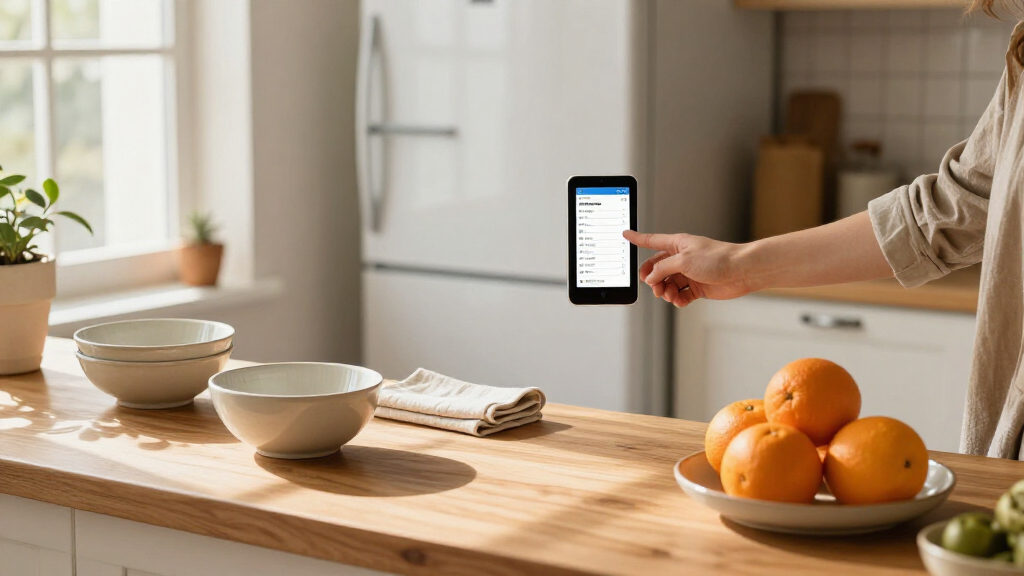

The best digital shopping list displays make it easier for a household to add groceries, check shared plans, and keep everyday tasks visible. My best overall pick is the LOOFII 15.6-Inch Full HD Smart Digital Calendar and Family Planner, which offers a larger shared surface than the 10.1-inch models. The EVERBLOG HomeCal 21.5-Inch stands out for families who want an especially large display, while the Moonka 10.1-Inch is a more compact choice for a kitchen counter or smaller wall space. The main tradeoffs are screen size, placement, and whether everyone in the household will actually use a shared digital list. Read on for how these six options compare and which one best fits your routine.

Get the latest gadgets delivered free — and shop member deals
- Fast, free delivery on millions of items
- Access to Prime Big Deal Days deals on October 6–7
- Prime Video, Amazon Music and more included
Complete the kit



Key Takeaways
- LOOFII’s 15.6-inch screen is the most balanced choice when a family wants a larger shared planning area without stepping up to the 21.5-inch EVERBLOG.
- EVERBLOG HomeCal is the large-display pick; its size suits a central household hub, but buyers need a wall or counter location where the screen will be easy to see.
- Moonka, Dragon Touch, and CYPID all use 10.1-inch screens, making placement and the household’s viewing distance more important than screen size as a differentiator.
- A digital calendar is not automatically a useful shopping list. Check how list entry and sharing work for your household before choosing based on the display alone.
- The lineup spans three screen sizes—10.1, 15.6, and 21.5 inches—so the best fit depends on where the display will live and how many people need to read it at once.
| Moonka 10.1-Inch Full HD Smart Digital Calendar and Chore Chart |  | Best for Calendar Compatibility | Screen size: 10.1 inches | Display: Full HD touchscreen | Connectivity: Wi-Fi | VIEW LATEST PRICE | See Our Full Breakdown |
| Dragon Touch 10.1-Inch Digital Family Calendar and Chore Chart |  | Best for Grocery-List Planning | Screen size: 10.1 inches | Display: Touchscreen | Model: TM10 | VIEW LATEST PRICE | See Our Full Breakdown |
| EVERBLOG HomeCal 21.5-Inch Digital Family Calendar |  | Best for Large, Shared Kitchens | Display: 21.5-inch FHD touchscreen | Calendar integrations: Google Calendar, Apple iCloud, Outlook, Yahoo, Cozi, TeamSnap, and more | Connectivity: Wi-Fi | VIEW LATEST PRICE | See Our Full Breakdown |
| LOOFII 15.6-Inch Full HD Smart Digital Calendar and Family Planner |  | Best Mid-Size Wall Display | Display size: 15.6 inches | Resolution: 1920 × 1080 Full HD | Connectivity: Wi-Fi | VIEW LATEST PRICE | See Our Full Breakdown |
| 10.1-Inch Touchscreen Digital Family Calendar and Wall Organizer |  | Best for No-Subscription List Making | Screen size: 10.1 inches | Display: Touchscreen | Calendar sync: Google Calendar, iCloud, and Outlook | VIEW LATEST PRICE | See Our Full Breakdown |
| CYPID 10.1-Inch Smart Digital Family Calendar |  | Best for Multi-Service Calendar Sync | Brand: CYPID | Screen size: 10.1 inches | Connectivity: Dual-band Wi-Fi | VIEW LATEST PRICE | See Our Full Breakdown |
| digital shopping list display | Planning features | Screen size | Display | Connectivity |
|---|---|---|---|---|
| Moonka 10.1-Inch Full HD Smart | Family scheduling, chore chart, to-do list, and meal planner | 10.1 inches | Full HD touchscreen | Wi-Fi |
| Dragon Touch 10.1-Inch Digital | Chore chart, dinner planner, and grocery list | 10.1 inches | Touchscreen | — |
| EVERBLOG HomeCal 21.5-Inch Dig | Shared calendar, chore chart, meal planner, lists, reminders, timers, and fridge inventory | — | 21.5-inch FHD touchscreen | Wi-Fi |
| LOOFII 15.6-Inch Full HD Smart | Chore and reward tracker, meal planner, and touchscreen | — | — | Wi-Fi |
| 10.1-Inch Touchscreen Digital | Chore lists, meal planning, grocery lists, and to-do lists | 10.1 inches | Touchscreen | — |
| CYPID 10.1-Inch Smart Digital | — | 10.1 inches | — | Dual-band Wi-Fi |
More Details on Our Top Picks
Moonka 10.1-Inch Full HD Smart Digital Calendar and Chore Chart
The Moonka 10.1-Inch is a good fit for households whose schedules already live across several calendar services. Its support for Google, iCloud, Outlook, Cozi, Yahoo, and TeamSnap gives it a wider stated mix than the Dragon Touch 10.1-Inch, which specifically lists iOS and Google calendars. Alongside events, Moonka puts chores, to-do lists, and meal planning on the same touchscreen, so the display can support daily household routines as well as appointments. It also doubles as a shared photo and video frame. The tradeoff is its compact 10.1-inch screen, which gives a family less room to scan than the larger EVERBLOG HomeCal. Calendar syncing depends on Wi-Fi, and initial updates may make setup take time.
Pros:- Supports six named calendar services, including Cozi, Yahoo, and TeamSnap
- Combines schedules, chores, to-do lists, and meal planning
- Can show photos and videos shared from a phone
- Includes a one-year warranty and online support
Cons:- Calendar syncing requires Wi-Fi
- First-time updates and processing can lengthen setup
- The 10.1-inch display offers less shared viewing space than the EVERBLOG HomeCal 21.5-Inch
Best for: Families using a mix of calendar services, including Cozi, Yahoo, or TeamSnap, who want chores and meal plans on a compact display
Not ideal for: Households that want a large, easy-to-scan shared screen or need calendar features to work without Wi-Fi
- Screen size:10.1 inches
- Display:Full HD touchscreen
- Connectivity:Wi-Fi
- Calendar compatibility:Google Calendar, iCloud, Outlook, Cozi, Yahoo Calendar, and TeamSnap
- Planning features:Family scheduling, chore chart, to-do list, and meal planner
- Media:Photo and video slideshows
- Warranty:One year
Our verdict“Choose Moonka if broad calendar compatibility matters more than having a large family-wide display.”
Dragon Touch 10.1-Inch Digital Family Calendar and Chore Chart
The Dragon Touch TM10 earns its place for buyers who want grocery planning included in a familiar family-calendar setup. Its feature set brings schedules, chores, dinner planning, and grocery lists together, while a photo display can fill the screen when the household is not checking plans. That makes it more directly shopping-list-oriented than the Moonka 10.1-Inch, whose supplied feature list names to-do lists and meal planning but not a grocery list. Both have compact 10.1-inch touchscreens and depend on Wi-Fi and app setup. Dragon Touch’s main caveat is that Magic Import and some advanced features require payment, so buyers should distinguish the included list tools from paid extras. Its calendar sync details are also less specific than Moonka’s named list of supported services.
Pros:- Includes grocery lists with calendar, chore, and dinner-planning tools
- Syncs multiple calendars through a mobile app
- Can display family photos when idle
- Combines several household planning tasks in one touchscreen
Cons:- Some advanced features, including Magic Import, require payment
- Requires Wi-Fi and app setup
- The 10.1-inch screen is smaller than the LOOFII 15.6-Inch and EVERBLOG HomeCal 21.5-Inch
Best for: Families who want grocery lists alongside shared calendars, chore tracking, and dinner planning on one compact touchscreen
Not ideal for: Buyers who want every advanced feature included without extra payment or need a large display visible across a busy kitchen
- Screen size:10.1 inches
- Display:Touchscreen
- Model:TM10
- Model year:2025
- Calendar sync:iOS, Google, and other personal calendars
- Planning features:Chore chart, dinner planner, and grocery list
- Media:Family photo display
Our verdict“Pick the Dragon Touch if a built-in grocery list is a priority and a compact screen suits your kitchen.”
EVERBLOG HomeCal 21.5-Inch Digital Family Calendar
The EVERBLOG HomeCal is the standout when a shopping list needs to be readable by several people at once. Its 21.5-inch FHD touchscreen gives schedules, grocery lists, reminders, and fridge inventory more room than the Dragon Touch or LOOFII, both of which have smaller screens. That extra space suits a central kitchen hub where family members need to check plans at a glance. The feature set also reaches beyond lists with meal planning, timers, AI recipe suggestions, photos, and entertainment apps; remote updates use a free mobile app with no monthly subscription required. The tradeoff is its larger footprint and Wi-Fi dependence for connected features. The description also leaves storage capacity and detailed hardware specifications unspecified, so buyers seeking those details have less to go on.
Pros:- The 21.5-inch FHD screen offers more shared viewing space than the other listed displays
- Combines grocery lists and fridge inventory with schedules, chores, and meal planning
- Free mobile app supports remote updates without a monthly subscription
- Can sit on a tabletop or mount on a wall in portrait or landscape orientation
Cons:- Connected features and calendar syncing require Wi-Fi
- Its large screen needs more wall or tabletop space than the Dragon Touch or LOOFII
- Storage capacity and detailed hardware specifications are not provided
Best for: Larger households that want a wall or tabletop kitchen hub with visible grocery lists, fridge inventory, and shared schedules
Not ideal for: Buyers with limited wall or counter space, or those who prefer a simple compact calendar display
- Display:21.5-inch FHD touchscreen
- Calendar integrations:Google Calendar, Apple iCloud, Outlook, Yahoo, Cozi, TeamSnap, and more
- Connectivity:Wi-Fi
- Planning features:Shared calendar, chore chart, meal planner, lists, reminders, timers, and fridge inventory
- Additional features:AI recipe suggestions, photo frame, and app center
- Audio:Four built-in speakers
- Mounting and orientation:Tabletop or wall-mounted; portrait or landscape
- Mobile app:Free app; no monthly subscription required
Our verdict“Choose the EVERBLOG HomeCal if several people need to read and update household lists from one large kitchen display.”
LOOFII 15.6-Inch Full HD Smart Digital Calendar and Family Planner
The LOOFII 15.6-Inch sits between the compact 10.1-inch options and EVERBLOG’s much larger 21.5-inch hub. That middle size gives family members more room to read plans than the Dragon Touch while taking up less space than the EVERBLOG. For a shopping-list display, its meal planner and chore tracker support the routines that often shape what a household needs to buy, though the supplied details do not explicitly list a grocery-list feature. Its wall-mountable Full HD screen also adds a photo frame, weather, and auto-brightness and auto-rotation, which can make it more convenient as a shared fixture. The compromise is that Wi-Fi is needed for calendar syncing and updates, and power or battery details are not specified.
Pros:- 15.6-inch Full HD screen offers more viewing room than the 10.1-inch models
- Syncs Google, iCloud, Outlook, and other calendars
- Combines chore and reward tracking with meal planning
- Includes auto-brightness, auto-rotation, weather, and sleep mode
Cons:- The supplied feature details do not explicitly list grocery lists
- Calendar syncing and firmware updates require Wi-Fi
- Power or battery details are not specified
Best for: Households seeking a wall-mounted, mid-size family planner for calendars, chores, and meal planning
Not ideal for: Buyers who require a clearly specified grocery-list feature, battery information, or the broadest listed calendar compatibility
- Display size:15.6 inches
- Resolution:1920 × 1080 Full HD
- Connectivity:Wi-Fi
- Calendar sync:Google, iCloud, Outlook, and other calendars
- Planning features:Chore and reward tracker, meal planner, and touchscreen
- Additional features:Photo frame, weather, auto-brightness, auto-rotation, and sleep mode
- Mounting:Wall-mountable
- Color:Black White
Our verdict“The LOOFII suits families who want a wall-mounted mid-size planner, provided a dedicated grocery-list function is not essential.”
10.1-Inch Touchscreen Digital Family Calendar and Wall Organizer
This 10.1-inch wall organizer is the clearest match for buyers who want a shopping-list display without a required subscription. It syncs Google Calendar, iCloud, and Outlook and brings grocery lists together with chores, to-do lists, weekly meal plans, reminders, and local weather. Compared with the Dragon Touch, it explicitly states that no subscription is required; Dragon Touch notes that some advanced features need payment. The tradeoff is thinner hardware information: the description does not specify connectivity or setup requirements, and it omits screen resolution and storage capacity. The compact touchscreen also offers less room for a shared kitchen list than the LOOFII 15.6-Inch or EVERBLOG HomeCal. Its wall mounting and smart sleep make it a practical fit where counter space is limited.
Pros:- Includes grocery lists alongside schedules, chores, and meal plans
- States that no subscription is required
- Syncs Google Calendar, iCloud, and Outlook
- Wall mounting and smart sleep suit a space-conscious kitchen
Cons:- Connectivity and setup requirements are not specified
- Screen resolution and storage capacity are not provided
- The 10.1-inch display is smaller than the LOOFII and EVERBLOG screens
Best for: Budget-conscious households seeking a compact wall-mounted grocery-list and family-planning display with no required subscription
Not ideal for: Buyers who need confirmed Wi-Fi and setup details, detailed hardware specifications, or a large screen for shared viewing
- Screen size:10.1 inches
- Display:Touchscreen
- Calendar sync:Google Calendar, iCloud, and Outlook
- Planning features:Chore lists, meal planning, grocery lists, and to-do lists
- Additional features:Photo slideshow, reminders, and local weather
- Mounting:Wall-mountable
- Subscription:No subscription required
- Power behavior:Smart sleep
Our verdict“Choose this organizer if you want a compact wall display with grocery lists and no required subscription, and can accept sparse hardware details.”
CYPID 10.1-Inch Smart Digital Family Calendar
The CYPID suits households whose schedules already live across different calendar services: it syncs with Google, iCloud, Outlook, Cozi, and Yahoo, giving it broader stated calendar compatibility than a display tied to a narrower set of services. Its 10.1-inch touchscreen also brings chores, meal planning, and to-do lists into the same family hub, so grocery reminders can sit alongside the week’s plans. Compared with the much larger EVERBLOG HomeCal 21.5-Inch, CYPID takes up less display space, though its smaller screen gives a whole family less room to scan at once. Photo and video display adds a personal touch when the planner is idle. The tradeoff is that calendar syncing and remote photo uploads need Wi-Fi; this is a connected planning display, not a standalone list board.
Pros:- Syncs calendars from five named services, including Cozi and Outlook.
- Combines calendar, chore chart, meal planner, and to-do list functions.
- Can show photos and videos when not being used as a planner.
- Supports wall mounting or use with a desk stand.
Cons:- Calendar syncing and remote photo uploads require Wi-Fi.
- The 10.1-inch screen offers less shared viewing space than larger options such as EVERBLOG HomeCal 21.5-Inch.
- The product data does not specify dedicated grocery-list features beyond its general to-do list.
Best for: Families combining calendars from several services who want chores, meal planning, and shopping to-dos on one compact display.
Not ideal for: Households seeking a large, glanceable kitchen screen or a planner that remains useful for synced schedules without Wi-Fi.
- Brand:CYPID
- Screen size:10.1 inches
- Connectivity:Dual-band Wi-Fi
- Calendar sync:Google, iCloud, Outlook, Cozi, and Yahoo
- Functions:Calendar, chore chart, meal planner, to-do list, and digital photo frame
- Mounting:Wall-mounted or desk stand
- Item weight:5 ounces
- Model number:digital calendar
Our verdict“Choose CYPID if your family needs one Wi-Fi-connected hub for calendars across multiple services plus meal and shopping to-dos.”

How We Picked
I ranked these products around their value as shared shopping list displays, rather than treating a family calendar or chore chart as a substitute for a grocery workflow. The comparison considers screen size and legibility, household placement, the usefulness of the listed calendar and chore functions alongside shopping lists, and the practical fit for different family routines. A larger screen can make a list easier for several people to read, but it also needs more space; a compact display is easier to place but gives a household less room to see information at a glance.
The LOOFII 15.6-Inch takes the top position for its middle-ground screen size and family-planner focus. I place the EVERBLOG HomeCal 21.5-Inch next for households that put shared visibility first, followed by the 10.1-inch choices for buyers prioritizing compact placement. Since the product names alone do not establish differences in app compatibility, list syncing, or setup, I do not treat those as proven advantages; buyers should confirm those details for the exact model before deciding.
| digital shopping list display | Connectivity | Planning features | Calendar sync | Additional features |
|---|---|---|---|---|
| Moonka 10.1-Inch Full HD Smart | Wi-Fi | Family scheduling, chore chart, to-do list, and meal planner | — | — |
| Dragon Touch 10.1-Inch Digital | — | Chore chart, dinner planner, and grocery list | iOS, Google, and other personal calendars | — |
| EVERBLOG HomeCal 21.5-Inch Dig | Wi-Fi | Shared calendar, chore chart, meal planner, lists, reminders, timers, and fridge inventory | — | AI recipe suggestions, photo frame, and app center |
| LOOFII 15.6-Inch Full HD Smart | Wi-Fi | Chore and reward tracker, meal planner, and touchscreen | Google, iCloud, Outlook, and other calendars | Photo frame, weather, auto-brightness, auto-rotation, and sleep mode |
| 10.1-Inch Touchscreen Digital | — | Chore lists, meal planning, grocery lists, and to-do lists | Google Calendar, iCloud, and Outlook | Photo slideshow, reminders, and local weather |
| CYPID 10.1-Inch Smart Digital | Dual-band Wi-Fi | — | Google, iCloud, Outlook, Cozi, and Yahoo | — |
Factors to Consider When Choosing Best Digital Shopping List Displays
Choosing a display starts with the household routine around the list: who adds items, where they check them, and whether everyone can access the same information. These factors can matter more than the number of extra planner features on a product page.
Start With the Shopping List Workflow
Before choosing a screen, map how groceries enter your household’s list. Some families add items as soon as they run out, while others plan a weekly shop from a meal plan. Check whether the exact model supports a shared list and how household members add or remove items, including when they are away from the display. A calendar and chore chart can make a device look versatile, but they do not answer whether grocery changes sync in a way your family can use. Avoid assuming that two devices with similar names offer the same apps or list features. Choose the workflow first, then compare screens.
Match Screen Size to Viewing Distance
A screen should be readable from the place where people will actually use the list. A 10.1-inch display can suit a nearby counter or a small wall, while a larger screen may be easier to read from across a busy kitchen. Bigger is not automatically better if the display crowds the room or sits where nobody stops to check it. Consider who needs to read it, including children or anyone who prefers larger text. Check the screen dimensions and intended orientation against the available spot before buying. A paper list nearby can also help guests or family members who do not use the shared device.
Choose a Location Before Choosing a Display
Decide whether the display belongs on a wall, counter, or another shared surface before comparing models. Wall placement can make a family hub visible to more people, while a counter position may be convenient for adding items during meal preparation. Check the product’s mounting and stand options, power needs, and cable path for the location you have in mind. A large screen can be awkward if it blocks a backsplash or takes over a narrow counter. For the 21.5-inch EVERBLOG, available space deserves particular attention; compact 10.1-inch options can be easier to fit. The best position is one that people pass often and can interact with comfortably.
Check Who Can Add and Update Items
A shared list only helps when the right people can update it without friction. Think through whether adults, children, or other household members need separate access, and whether each person will use a phone, the display, or both. Verify supported devices, accounts, and sharing steps for the specific product rather than inferring them from a generic family-calendar label. A complicated sign-in process can discourage quick additions, leaving the list incomplete. Ask how the display behaves when a person is away from home or the internet connection drops. If household members prefer different tools, prioritize compatibility with the routine they already follow.
Decide Which Extra Features Will Earn Their Space
Calendar and chore functions can make a kitchen display useful throughout the day, but they can also compete with the grocery list for attention. Decide whether your household will use those features regularly or whether a focused shopping list would be easier to maintain. A family juggling school schedules and chores may value a shared planner, while a shopper who mainly needs pantry reminders may prefer a simpler setup. Look for a layout that keeps the next grocery items easy to find. Do not pay for a larger or more elaborate display solely because it can show more information. Match added functions to habits your household already has.
Plan for Setup and Ongoing Use
Think beyond the initial setup and consider how the display will stay current week after week. Confirm what is required to connect accounts, keep lists in sync, and add household members. Check the manufacturer’s documentation for software support, app requirements, and any account or connectivity limits. A display that is easy to read but tedious to update may become background décor. Decide who will manage the first setup and how the family will agree on what belongs on the list. A brief shared routine, such as adding items during meal planning, can help the device become part of everyday shopping.
Frequently Asked Questions
Can these family calendar displays work as shared grocery lists?
The product names identify family calendars and planners, but they do not establish how each model handles grocery lists or list sharing. Check the exact product documentation for a dedicated list feature, supported apps, and whether changes sync between household members’ devices. A calendar note or chore entry may not behave like a list that people can check off while shopping. If a shared grocery workflow is the main reason for buying, confirm that feature before comparing screen sizes. Ask whether every intended user can add and update items from their own phone or account.
Is a 10.1-inch screen large enough for a kitchen shopping list?
It can be large enough when the display sits near the person reading it, such as on a counter or a nearby wall. From farther away, a 10.1-inch screen may make a busy list harder to scan, especially if several people need to check it at once. Compare the screen dimensions with the distance from the usual viewing spot, and consider whether the interface allows readable text. The Moonka, Dragon Touch, and CYPID models in this lineup all list 10.1-inch screens, so placement will be a key part of choosing among them. If the display needs to serve as a room-wide family hub, compare them with the larger LOOFII or EVERBLOG.
Should I choose the 21.5-inch EVERBLOG or the 15.6-inch LOOFII?
Choose based on where the display will go and how many people need to read it at once. The EVERBLOG’s 21.5-inch size suits a spacious, central spot where visibility across the room matters. The LOOFII’s 15.6-inch screen is a more moderate choice for households that want a larger planning surface but have less room. Check mounting, stand, and power arrangements for both models before deciding. Also confirm that the list features and sharing workflow match your needs; screen size alone does not establish how well a model handles groceries.
What should I check before mounting a digital shopping list display?
Measure the intended location and confirm that the display can be mounted or stood there in its supported orientation. Check where its power cable will run and whether the screen will be comfortable to reach and read. Avoid placing it where doors, cabinets, or kitchen activity will hide or obstruct it. A location near the normal path between the kitchen and pantry may encourage people to add items when they notice something is running low. Confirm the model’s mounting hardware and installation guidance before drilling. If you are unsure about a wall location, test the viewing position with a paper outline first.
Will a digital display replace a phone shopping list?
It can serve as a shared household hub, but whether it replaces phone lists depends on how the chosen model syncs and which devices it supports. People who shop away from home may still need a phone view to check or update items while at the store. Verify that list changes appear where each household member expects them and that the feature works with their devices. If a model only presents information on its own screen, it may complement a phone list instead of replacing it. Decide whether your priority is a central place to add groceries, mobile access while shopping, or both.
Conclusion
For the broadest mix of shared visibility and manageable size, I recommend the LOOFII 15.6-Inch as the best overall choice. The 10.1-inch models—Moonka, Dragon Touch, and CYPID—are the best fit for compact spaces and can be the value-minded route when a smaller display suits your routine; compare their verified list and sharing features before choosing between them. The EVERBLOG HomeCal 21.5-Inch is my premium pick for households with room for a large, central screen. For beginners, I would start with whichever display has the clearest setup and list-sharing instructions for the devices your family already uses, rather than assuming a particular model is easiest from its name alone. If your specific need is a highly visible family hub, favor the larger screen; if you mainly need a nearby reminder surface, a 10.1-inch option is a more practical fit. In every case, confirm the grocery-list workflow before buying.
Fall Picks
fall essentials
As an affiliate, we earn on qualifying purchases.