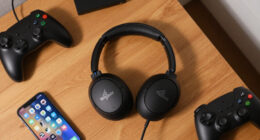

When it comes to elevating my gaming setup, Razer consistently delivers gear that balances performance, customization, and durability. Today, I’m focusing on four standout accessories that meet different needs: the Razer Basilisk V3 for precision and customization, the Razer Cobra Pro Wireless for wireless freedom, the Razer BlackWidow V4 Pro for compact versatility, and the Razer BlackShark V2 X for immersive audio. Each of these models emphasizes different strengths, and understanding their tradeoffs can help you choose the best fit for your gameplay style and setup.
Complete the kit



Key Takeaways
- The Razer Basilisk V3 offers extensive customization but is pricier and complex to configure.
- The Cobra Pro Wireless excels in wireless connectivity and battery life, ideal for extended gaming sessions.
- The BlackWidow V4 Pro balances compact design with high responsiveness and advanced features.
- The BlackShark V2 X provides excellent sound and comfort, with some limitations on software features on non-Windows platforms.
- Choosing the right accessory depends heavily on whether you prioritize wired or wireless options, customization, or comfort.
| Razer Basilisk V3 Customizable RGB Wired Ergonomic Gaming Mouse |  | Best Overall for Precision and Customization | Number of Buttons: 11 | Lighting: RGB with 16.8 million colors | Sensor: Focus Plus 26K DPI optical sensor | VIEW LATEST PRICE | See Our Full Breakdown |
| Razer Cobra Pro Wireless Gaming Mouse, 2.4 GHz, 170 Hr Battery |  | Best Wireless for Extended Play | Connectivity: 2.4 GHz, Bluetooth | Battery Life: Up to 170 hours | Sensor: Focus Pro 30K optical sensor | VIEW LATEST PRICE | See Our Full Breakdown |
| Razer BlackWidow V4 Pro 75% Wireless Gaming Keyboard, Orange Switches |  | Best Compact Wireless Keyboard | Wireless Connectivity: 4K Hz wireless & Bluetooth 5.1 | Switch Compatibility: Hot-swappable with 3 or 5-pin switches | Display: OLED with command dial | VIEW LATEST PRICE | See Our Full Breakdown |
| Razer BlackShark V2 X Gaming Headset |  | Best Audio and Comfort | Surround Sound: 7.1 | Drivers: 50mm | Weight: 240g | VIEW LATEST PRICE | See Our Full Breakdown |
| Razer gaming accessorie | Lighting | Sensor | Switches | Compatibility |
|---|---|---|---|---|
| Razer Basilisk V3 Customizable | RGB with 16.8 million colors | Focus Plus 26K DPI optical sensor | Optical Mouse Switches Gen 2 | PC |
| Razer Cobra Pro Wireless Gamin | 11 Chroma RGB zones | Focus Pro 30K optical sensor | Gen-3 optical switches, 90 million click lifecycle | — |
| Razer BlackWidow V4 Pro 75% Wi | Per-key RGB and 2-side underglow | — | — | Supports multiple Bluetooth devices |
| Razer BlackShark V2 X Gaming H | — | — | — | — |
More Details on Our Top Picks
Razer Basilisk V3 Customizable RGB Wired Ergonomic Gaming Mouse
The Razer Basilisk V3 stands out for its extensive customization, with 11 programmable buttons and RGB lighting that can be tailored to your preferences. Its high-precision Focus Plus 26K DPI optical sensor ensures pinpoint accuracy, making it ideal for competitive gamers. The ergonomic design, featuring a thumb rest, adds comfort for long sessions. Compared with the Cobra Pro, it’s wired, which means no latency concerns but limits mobility. It’s more expensive than simpler mice, which could be a barrier for casual players. Overall, this mouse offers top-tier responsiveness and flexibility, but the complexity and cost may be overkill for casual or budget-conscious gamers.
Pros:- Highly customizable with programmable buttons and RGB lighting
- Precise tracking thanks to high-DPI optical sensor
- Ergonomic design reduces fatigue during long gaming sessions
Cons:- Price may be prohibitive for casual users
- Requires software for full customization, which can be complex
Best for: Competitive gamers who want maximum customization and precision
Not ideal for: Casual gamers or those seeking a wireless setup
- Number of Buttons:11
- Lighting:RGB with 16.8 million colors
- Sensor:Focus Plus 26K DPI optical sensor
- Switches:Optical Mouse Switches Gen 2
- Actuation Speed:0.2ms
- Compatibility:PC
Our verdict“A versatile, high-performance mouse best suited for competitive players willing to invest in customization.”
Razer Cobra Pro Wireless Gaming Mouse, 2.4 GHz, 170 Hr Battery
The Razer Cobra Pro offers a compelling wireless experience, boasting a remarkable 170-hour battery life and a Focus Pro 30K optical sensor for precise tracking. Its 10 customizable controls and five onboard profiles make it flexible for various games and settings. The 11 Chroma RGB zones provide immersive lighting, but compared to the Basilisk V3, it sacrifices some programmability for wireless convenience. The complex customization options might intimidate new users, but for those wanting freedom from cords without sacrificing responsiveness, this mouse is a top contender. The main tradeoff is that it’s slightly heavier and may lack the raw customization depth of wired models.
Pros:- Exceptional battery life for marathon sessions
- Highly customizable with controls and profiles
- Precise tracking with advanced optical sensor
Cons:- Lacks some of the depth of wired customization
- Complex setup might be daunting for some
Best for: Gamers needing long-lasting wireless performance
Not ideal for: Players who prefer wired mice or less customization complexity
- Connectivity:2.4 GHz, Bluetooth
- Battery Life:Up to 170 hours
- Sensor:Focus Pro 30K optical sensor
- Lighting:11 Chroma RGB zones
- Controls:10 customizable controls, 5 onboard profiles
- Switches:Gen-3 optical switches, 90 million click lifecycle
Our verdict“An excellent choice for gamers prioritizing wireless play without sacrificing precision or battery longevity.”
Razer BlackWidow V4 Pro 75% Wireless Gaming Keyboard, Orange Switches
The BlackWidow V4 Pro combines a compact 75% layout with impressive wireless capabilities, including 4K Hz wireless and Bluetooth 5.1. Its hot-swappable switches and per-key RGB lighting create a highly customizable experience, complemented by an OLED display with a command dial for quick access to settings. Compared with larger keyboards, it’s more portable and space-efficient, but the premium price reflects these advanced features. The inclusion of an OLED display sets it apart, providing real-time info and controls, yet that feature might be unnecessary for casual users. If you need a high-performance keyboard that saves space without sacrificing features, this pick excels, though it commands a steep price.
Pros:- Wireless connectivity with high refresh rate for responsiveness
- Customizable switches and lighting for personalized setup
- OLED display with useful controls and system metrics
Cons:- Price point is high for a keyboard
- Features may be overwhelming for casual users
Best for: Gamers seeking a compact, feature-rich wireless keyboard
Not ideal for: Players who prefer full-sized keyboards or budget options
- Wireless Connectivity:4K Hz wireless & Bluetooth 5.1
- Switch Compatibility:Hot-swappable with 3 or 5-pin switches
- Display:OLED with command dial
- Lighting:Per-key RGB and 2-side underglow
- Design Features:Gasket-mounted FR4 plate, sound-dampening foam
- Compatibility:Supports multiple Bluetooth devices
Our verdict“A premium, space-saving wireless keyboard perfect for gamers who want advanced features in a compact form.”
Razer BlackShark V2 X Gaming Headset
The BlackShark V2 X delivers excellent passive noise cancellation and immersive sound with its 50mm drivers and 7.1 surround sound support. Its lightweight design (just 240g) makes it comfortable for hours, and the hypercardioid microphone ensures clear communication. Compared to the BlackShark V2, this model is more affordable but offers slightly fewer advanced features, especially in software-enabled surround sound, which is limited on non-Windows platforms. It’s ideal for players who want quality audio and comfort on multiple platforms, but audiophiles seeking advanced sound customization might prefer higher-end models. The variable mic quality might also be a concern for some users.
Pros:- Excellent noise isolation and passive soundproofing
- Clear, immersive 7.1 surround sound
- Lightweight and comfortable for long sessions
Cons:- Requires Xbox stereo adapter for Xbox One in some cases
- Software surround sound limited outside Windows 10
- Mic quality can vary depending on use
Best for: Multiplatform gamers who prioritize comfort and sound clarity
Not ideal for: Players requiring advanced surround sound customization on non-Windows systems
- Surround Sound:7.1
- Drivers:50mm
- Weight:240g
- Microphone:HyperClear Cardioid
- Platform Compatibility:PC, Mac, PS4, Xbox One, Switch
Our verdict“A comfortable, high-quality headset suited for most platforms seeking immersive sound and long-wear comfort.”

How We Picked
My selection process focused on key performance metrics, customization options, build quality, and user feedback. I prioritized accessories that are well-regarded in the gaming community for their reliability and feature sets, ensuring each product addresses specific gaming needs—from competitive precision to immersive audio. I also considered potential tradeoffs, such as price versus feature richness and software complexity versus user-friendliness. This approach helps create a balanced, practical lineup tailored to different types of gamers.
| Razer gaming accessorie | Sensor | Switches | Compatibility |
|---|---|---|---|
| Razer Basilisk V3 Customizable | Focus Plus 26K DPI optical sensor | Optical Mouse Switches Gen 2 | PC |
| Razer Cobra Pro Wireless Gamin | Focus Pro 30K optical sensor | Gen-3 optical switches, 90 million click lifecycle | — |
| Razer BlackWidow V4 Pro 75% Wi | — | — | Supports multiple Bluetooth devices |
| Razer BlackShark V2 X Gaming H | — | — | — |
Factors to Consider When Choosing Best Razer Gaming Accessories
Selecting the right Razer gaming accessory hinges on your specific needs—whether that’s ultimate precision, wireless freedom, space-saving design, or immersive audio. It’s essential to weigh features like customization, connectivity, comfort, and price to match your gaming style and setup. This guide breaks down key considerations for each category to help you make an informed decision.
Performance and Precision
If you prioritize responsiveness and accuracy, look for accessories with high DPI sensors and low latency. The Razer Basilisk V3 stands out here with a 26K DPI sensor and optical switches, making it perfect for competitive gaming. However, wired connections generally offer lower latency, which can be decisive for fast-paced titles. Wireless options like the Cobra Pro deliver impressive tracking but may introduce slight input lag, so consider your tolerance for wireless latency depending on your gameplay style.
Customization and Features
For a personalized experience, focus on devices with programmable controls and RGB lighting. The BlackWidow V4 Pro offers a highly customizable keyboard with a display, while the BlackShark V2 X emphasizes sound and comfort with fewer software dependencies. Be aware that extensive customization can add complexity and cost, so evaluate whether you need every feature or prefer a more streamlined device.
Connectivity and Portability
Wireless accessories like the Cobra Pro provide freedom of movement and long battery life, ideal for multi-device setups or gaming on the go. Conversely, wired options like the Basilisk V3 eliminate latency issues but restrict movement. The BlackWidow V4 Pro strikes a balance with high-performance wireless and wired modes, offering versatility but at a premium price.
Comfort and Compatibility
Long gaming sessions demand comfortable, ergonomic designs, such as the Basilisk V3’s thumb rest or the lightweight BlackShark V2 X. Compatibility with various platforms varies; most Razer gear works well across PC, but specific features like surround sound may be limited outside Windows. Always consider your primary gaming platform when choosing accessories.
Frequently Asked Questions
Are Razer accessories compatible with consoles?
Many Razer accessories, including headsets like the BlackShark V2 X, offer broad platform compatibility via standard connections like 3.5mm jacks, making them suitable for consoles such as PlayStation, Xbox, and Switch. However, some advanced features like RGB lighting or software customization may be limited or require additional adapters, especially on consoles that do not support Razer Synapse or similar software.
Does wireless gaming gear have noticeable latency issues?
Modern wireless gaming accessories like the Cobra Pro have minimized latency to levels that are often imperceptible for most players, especially with technologies like 2.4 GHz wireless. For competitive gaming, wired options typically still offer the lowest possible input lag, but the gap has narrowed significantly. If latency is critical, a wired mouse like the Basilisk V3 might be the safer choice.
How important is software customization for Razer gear?
Software customization via Razer Synapse unlocks advanced features like macros, lighting effects, and profile management, which can enhance your gaming experience. For casual gamers, these features might be optional, but enthusiasts who want precise control and personalization will find the software indispensable. Keep in mind that some devices require software to access their full capabilities, and initial setup can be complex.
Are Razer gaming headsets suitable for all platforms?
Most Razer headsets, including the BlackShark V2 X, are designed with cross-platform compatibility via standard audio jacks or USB, making them suitable for PC, consoles, and mobile devices. However, features like surround sound are often Windows-specific, and additional adapters may be needed for Xbox or other consoles. Always verify your platform’s compatibility before purchasing.
What should I consider when choosing a gaming keyboard?
When selecting a gaming keyboard, consider factors like layout size (full, tenkeyless, or 75%), wireless versus wired connectivity, switch type (mechanical, optical, or membrane), and additional features such as programmable keys or displays. The BlackWidow V4 Pro offers a compact design with wireless capability and a display, suited for players who value space saving and features, but at a higher price point.
Conclusion
For competitive players prioritizing customization and precision, the Razer Basilisk V3 offers unparalleled control, though at a higher cost. Those who prefer wireless setups and long endurance should consider the Cobra Pro. Gamers seeking space-efficient, feature-rich keyboards will find the BlackWidow V4 Pro compelling, while players who value comfort and immersive sound should opt for the BlackShark V2 X. Each of these accessories caters to different gaming styles, making it easier to build a setup that matches your specific needs and preferences.