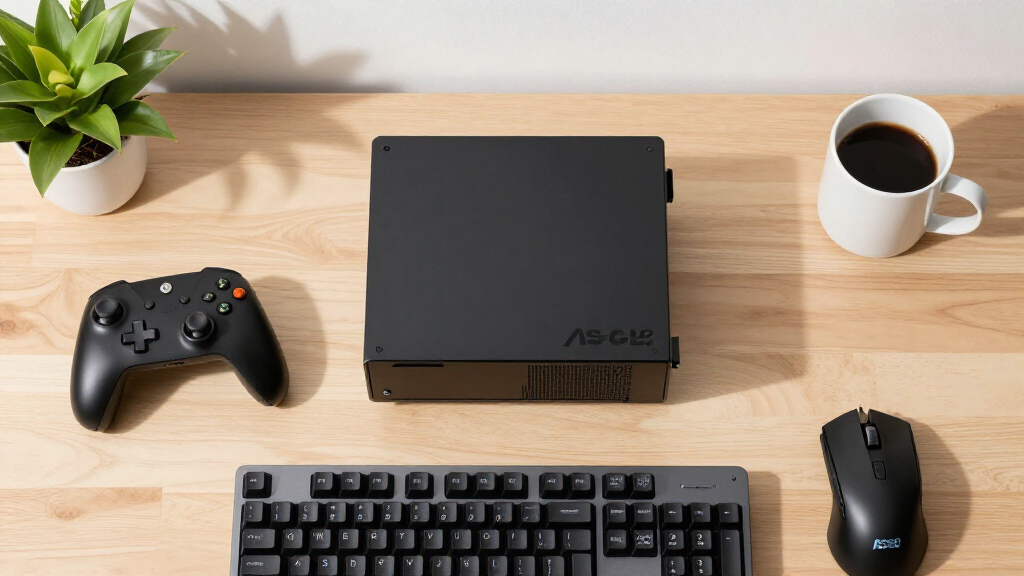

TL;DR
This guide details how to build a cost-effective Steam gaming PC using the ASRock BC-250 motherboard. It covers hardware setup, performance tuning, and key configurations for optimal gaming at low cost.
A comprehensive guide has been shared on how to build a budget Steam gaming PC using the ASRock BC-250 motherboard. The guide emphasizes cost-effective hardware choices, performance optimizations, and software configurations, making it accessible for enthusiasts seeking affordable gaming setups without sacrificing performance.
The guide recommends using a 6GB VRAM allocation for better game texture quality, disabling Steam’s precached shader downloads to prevent unnecessary re-downloads, and overclocking the CPU to reach around 4GHz for improved performance. You can also explore 15 Best Steam Gaming PCs in 2026 for more hardware ideas. Hardware suggestions include a single high-quality fan (like the Artic P12 Pro or Noctua NF-A12x25) and a USB Bluetooth/WiFi adapter for connectivity. For detailed build options, see our 15 Best Steam Machine Gaming PCs in 2026. Software tweaks involve installing the cyan-skillfish-smu GPU governor to dynamically scale GPU clocks, and unlocking 40 compute units (CUs) on the GPU, which are typically disabled in the default configuration. The guide also provides detailed steps for undervolting, overclocking, and managing thermal performance. To see example builds, check out the 15 Best Steam Gaming PCs in 2026.
How To Build A Budget-Friendly Steam Gaming PC Using ASRock BC-250
A value-first roadmap for assembling, cooling, configuring, and testing the BC-250 platform—then carefully extracting more gaming performance through VRAM allocation, dynamic GPU clocks, CPU tuning, and optional compute-unit unlocking.
Prioritize texture capacity when configuring the shared memory allocation.
A tuning goal—not a guarantee. Cooling and silicon quality determine stability.
Optional community unlock with meaningful stability and warranty risks.
Spend where the build actually benefits
The BC-250’s appeal is its low entry cost and tuning flexibility. Keep the surrounding parts simple, reliable, and reusable rather than erasing the savings with unnecessary upgrades.
ASRock BC-250 board
Start with a verified board and inspect its condition, firmware state, connectors, and included cooling hardware before buying supporting parts.
Confirm seller documentation + return policyOne excellent fan
A focused airflow path can outperform several cheap, noisy fans. Suggested examples include the Arctic P12 Pro or Noctua NF-A12x25.
Aim airflow across the hottest componentsUSB wireless adapter
Add Bluetooth and Wi-Fi without complicating the board layout. Choose an adapter with current Linux support if SteamOS or another Linux distribution is planned.
Verify chipset support before purchaseResponsive game drive
Use dependable solid-state storage with enough free space for Steam updates, shader caches, and the games you genuinely play.
Capacity and reliability beat peak benchmarksStable power delivery
Match the power solution to the board’s requirements and expected tuned load. Avoid unverified adapters or undersized supplies.
Leave headroom for transient demandController-first setup
A compact controller-led Steam interface makes the machine feel like a console while keeping keyboard and mouse access for maintenance.
Configure recovery access before couch modeUnlock performance in controlled stages
Establish a stable baseline first. Record temperatures, power behavior, crashes, and game performance before moving to higher-risk modifications.
Change one variable, then test
Bundling multiple tweaks makes failures difficult to diagnose. Save known-good settings after every stable stage.
Tuning ladder
These bars represent setup complexity and risk—not promised frame-rate gains. Stop whenever the build meets your performance target.
Best-value stopping point: optimized software, sensible cooling, and a validated undervolt may deliver most of the practical benefit without relying on an unstable hardware unlock.
What each adjustment changes
Use the lowest-risk intervention that solves the actual bottleneck. Every board can behave differently, particularly when overclocking or enabling disabled hardware.
| Adjustment | Primary benefit | Complexity | Thermal effect | Recommendation |
|---|---|---|---|---|
| 6GB VRAM allocation | More texture headroom and potentially steadier asset handling | ✓ Low | Usually limited | Start here |
| Disable shader precaching | Avoid repeated cache downloads in affected configurations | ✓ Low | None directly | Test per game |
| cyan-skillfish-smu governor | Dynamic GPU clock scaling under changing workloads | ~ Medium | Depends on configuration | Monitor clocks |
| CPU overclock toward 4GHz | Higher CPU-limited performance when stable | ~ Medium–high | Higher heat and power | Increment slowly |
| GPU 40-CU unlock | Potentially more graphics compute resources | ✗ High risk | Potentially substantial | Advanced users only |
Stability gate before daily use
- Record stock idle and gaming temperatures before tuning.
- Run repeatable CPU, GPU, memory, and real-game workloads.
- Check for visual artifacts, driver resets, audio glitches, and clock drops.
- Confirm cold boot, restart, sleep, network, and controller behavior.
- Keep a recovery path and a copy of every known-good configuration.
- Reduce clocks or voltage changes immediately after unexplained instability.
Using 6GB VRAM and disabling shader precaching makes a noticeable difference in game quality and stability.
Hacker News user · Community reportUnlocking the 40 CUs on the GPU significantly boosts performance, bringing it closer to mid-range gaming levels.
Anonymous hardware enthusiast · Unverified resultBudget machine, measured ambitions
The goal is affordable, playable Steam gaming—not universal high-end performance. Tune graphics settings per title and judge the build by consistency, noise, temperature, and total cost.
Can the BC-250 handle high-end gaming?
It can be optimized for gaming, but it remains a budget platform. Expect lower settings or frame rates than a modern system with a dedicated gaming GPU.
What are the risks of unlocking GPU compute units?
The system may become unstable or fail, and the modification may reduce lifespan or void warranty coverage. Compatibility varies from board to board.
Is CPU overclocking safe?
No overclock is risk-free. Higher clocks increase heat and power demand, so capable cooling, small increments, monitoring, and stability tests are essential.
Which tuning software is suggested?
The shared guide recommends cyan-skillfish-smu for GPU management and community scripts for compute-unit unlocking. Review current documentation before use.
How does the cost compare with a conventional gaming PC?
The platform aims to cost substantially less than a typical prebuilt desktop while delivering playable results in many Steam games. Total value depends on local board and component prices.
What should builders watch next?
Monitor community reports for compatible revisions, improved thermal guidance, safer automation, firmware findings, and evidence of long-term reliability.
Impact of Performance Tweaks on Budget Gaming Builds
This guide demonstrates that with targeted hardware choices and software optimizations, affordable hardware like the ASRock BC-250 can deliver decent gaming performance. It offers enthusiasts a way to maximize value, potentially reducing overall costs while maintaining playable frame rates in Steam games. The ability to unlock additional GPU compute units further enhances performance, making this a viable option for budget-conscious gamers.
As an affiliate, we earn on qualifying purchases.
Background of the ASRock BC-250 and Gaming Use
The ASRock BC-250 is a mini PC motherboard known for its low cost and flexible hardware options. Originally designed for light computing tasks, it has gained popularity among DIY gamers due to its compatibility with performance tuning and hardware unlocking. Prior to this guide, most users relied on default configurations, limiting performance. Recent community efforts have focused on unlocking GPU compute units and optimizing thermal and power settings to turn this budget platform into a capable gaming machine.
“Using 6GB VRAM and disabling shader precaching makes a noticeable difference in game quality and stability.”
— Hacker News user
Uncertainties in Hardware Compatibility and Stability
While many users report success with unlocking GPU compute units and overclocking, hardware variability means some boards may not support all modifications. The stability of overclocked and unlocked configurations can vary, and long-term reliability remains unconfirmed. Additionally, the impact of these tweaks on thermal performance and component lifespan is still being evaluated by the community.
Next Steps for Building and Optimizing Your Budget Gaming PC
Future developments include more refined guides on thermal management, automated scripts for unlocking CUs, and community feedback on long-term stability. Buyers should monitor community forums for updates on hardware compatibility and software tools. The next milestone is achieving a stable, high-performance setup that balances cost, performance, and durability.
Key Questions
Can I use the ASRock BC-250 for high-end gaming?
The BC-250 can be optimized for gaming with hardware unlocking and tuning, but it remains a budget platform. Expect lower settings and frame rates compared to dedicated gaming PCs.
What are the risks of unlocking GPU compute units?
Unlocking CUs can cause system instability or hardware failure if not done carefully. It may also void warranties and reduce component lifespan.
Is overclocking the CPU safe on the BC-250?
Overclocking can improve performance but increases heat and power consumption. Proper cooling and stability testing are essential to avoid damage.
What software tools are recommended for performance tuning?
The guide recommends using cyan-skillfish-smu for GPU management and specific scripts for unlocking CUs. Community-developed tools are also available for further optimization.
How much does this build cost compared to traditional gaming PCs?
This setup aims to be very budget-friendly, significantly cheaper than prebuilt gaming desktops, while still offering playable performance for many Steam titles.
Source: Hacker News