Finding the 15 best 4K OLED gaming monitors requires balancing pixel density, refresh rate, and panel technology. The ASUS ROG XG27UCDMG stands out as the overall leader, thanks to its Tandem QD-OLED panel that boosts brightness and longevity. For those preferring larger screens, the LG UltraGear 32GX850A-B offers exceptional color accuracy and dual-mode flexibility. Buyers face a choice between 27-inch compact precision and 32-inch immersive real estate, alongside tradeoffs in burn-in risk versus peak brightness. Continue reading for a detailed breakdown of each model to match your specific gaming needs and budget constraints.

Get the latest gadgets delivered free with Prime
- Fast, free delivery on millions of items
- Prime Video, Amazon Music and more included
- Member-only deals all year
Complete the kit



Key Takeaways
- Tandem QD-OLED panels, like those in the ASUS ROG XG27UCDMG, offer higher brightness and better burn-in resistance than standard WOLED or single-layer QD-OLED.
- 240Hz refresh rates are becoming the new standard for competitive 4K gaming, replacing the 144Hz baseline seen in earlier generations.
- 32-inch 4K OLEDs provide superior pixel density for productivity and immersive single-player games, while 27-inch models offer higher pixels-per-inch for sharper text.
- Dual-mode monitors, such as the LG 32GX870A-B, allow users to switch between 4K@240Hz and 1080p@480Hz, catering to both AAA and esports titles.
- Glossy finishes dominate the high-end segment for vibrant colors but require careful lighting control to manage reflections, unlike matte alternatives.
| ASUS ROG XG27UCDMG 27 Inch 4K 240Hz Tandem QD-OLED G-SYNC Gaming Monitor |  | Best Overall for Compact 4K Speed | Screen size: 26.5 inches | Resolution: 3840 x 2160 (4K UHD) | Panel type: Fourth-generation QD-OLED | VIEW ON AMAZON | See Our Full Breakdown |
| MSI MAG 272UP QD-OLED X24 26.5-Inch 4K UHD Gaming Monitor |  | Best for Console and PC Versatility | Screen size: 26.5 inches | Resolution: 3840 x 2160 (4K UHD) | Panel type: Fourth-generation Quantum Dot OLED | VIEW ON AMAZON | See Our Full Breakdown |
| Samsung 27-inch Odyssey OLED G8 G80SH 4K Gaming Monitor |  | Best for Flexible Laptop-and-Gaming Setups | Screen size: 27 inches | Resolution: 3840 x 2160 (4K) | Panel type: QD-OLED | VIEW ON AMAZON | See Our Full Breakdown |
| LG UltraGear 32GX850A-B 32-inch 4K UHD OLED Gaming Monitor |  | Best for Dual-Mode Competitive Play | Screen size: 32 inches | Resolution: 3840 x 2160 (4K UHD) | Display type: Glossy OLED | VIEW ON AMAZON | See Our Full Breakdown |
| MSI MPG 321URX QD-OLED 31.5-Inch 4K UHD 240Hz Gaming Monitor |  | Best Large-Screen 4K 240Hz Pick | Screen size: 31.5 inches | Resolution: 3840 x 2160 (4K UHD) | Panel type: QD-OLED | VIEW ON AMAZON | See Our Full Breakdown |
| ASUS ROG Strix XG32UCWG 32-Inch 4K Glossy OLED Gaming Monitor |  | Best Dual-Mode Glossy Pick | Screen size: 32 inches | Panel: WOLED | Resolution: 3840 x 2160 (4K UHD) | VIEW ON AMAZON | See Our Full Breakdown |
| ASUS ROG Swift OLED PG32UCDM 32-inch 4K 240Hz Gaming Monitor |  | Best Premium 32-Inch 240Hz Pick | Screen size: 32 inches | Panel: QD-OLED | Resolution: 3840 x 2160 (4K UHD) | VIEW ON AMAZON | See Our Full Breakdown |
| MSI MAG 321UPX QD-OLED 31.5-Inch 4K UHD 240Hz Gaming Monitor |  | Best for Straightforward 4K 240Hz Gaming | Screen size: 31.5 inches | Panel: QD-OLED | Resolution: 3840 x 2160 (4K UHD) | VIEW ON AMAZON | See Our Full Breakdown |
| Samsung 32-inch Odyssey OLED G7 4K Gaming Monitor (G73SH) |  | Best Dual-Mode Pick for Bright Rooms | Screen size: 32 inches | Panel: OLED | Resolution: 3840 x 2160 (4K UHD) | VIEW ON AMAZON | See Our Full Breakdown |
| MSI MAG 321UP QD-OLED 32-inch 4K Gaming Monitor, 165Hz |  | Best 4K QD-OLED for Moderate Refresh Rates | Screen size: 32 inches | Panel: QD-OLED | Resolution: 3840 x 2160 (4K UHD) | VIEW ON AMAZON | See Our Full Breakdown |
| LG 32GX870A-B 32-inch UltraGear 4K UHD OLED Gaming Monitor |  | Best for Switching Between 4K and Competitive Play | Screen size: 32 inches | Resolution: 3840 x 2160 (4K UHD) | Display type: OLED | VIEW ON AMAZON | See Our Full Breakdown |
| Samsung 27-inch Odyssey OLED G7 (G70SH) 4K 165Hz Gaming Monitor |  | Best Compact 4K OLED | Screen size: 27 inches | Resolution: 3840 x 2160 (4K) | Display type: QD-OLED | VIEW ON AMAZON | See Our Full Breakdown |
| ASUS ROG PG27UCDM 27-inch 4K 240Hz QD-OLED Gaming Monitor |  | Best 27-Inch High-Refresh Pick | Screen size: 26.5 inches | Resolution: 3840 x 2160 (4K UHD) | Display type: Fourth-generation QD-OLED | VIEW ON AMAZON | See Our Full Breakdown |
| Acer Predator X32 31.5-inch Curved 4K QD-OLED Gaming Monitor |  | Best Large Curved OLED | Screen size: 31.5 inches | Resolution: 3840 x 2160 (4K UHD) | Display type: QD-OLED | VIEW ON AMAZON | See Our Full Breakdown |
| Samsung 27-inch Odyssey QD-OLED G8 4K 240Hz Gaming Monitor |  | Best Glare-Reduced 27-Inch OLED | Screen size: 27 inches | Resolution: 4K | Display type: QD-OLED | VIEW ON AMAZON | See Our Full Breakdown |
| 4k oled gaming monitor | Screen size | Resolution | Refresh rate | Response time |
|---|---|---|---|---|
| ASUS ROG XG27UCDMG 27 Inch 4K | 26.5 inches | 3840 x 2160 (4K UHD) | 240Hz | 0.03ms |
| MSI MAG 272UP QD-OLED X24 26.5 | 26.5 inches | 3840 x 2160 (4K UHD) | 240Hz | 0.03ms GtG |
| Samsung 27-inch Odyssey OLED G | 27 inches | 3840 x 2160 (4K) | 240Hz | 0.03ms GtG |
| LG UltraGear 32GX850A-B 32-inc | 32 inches | 3840 x 2160 (4K UHD) | Up to 165Hz at 4K; up to 330Hz at Full HD | 0.03ms GtG |
| MSI MPG 321URX QD-OLED 31.5-In | 31.5 inches | 3840 x 2160 (4K UHD) | 240Hz | 0.03ms |
| ASUS ROG Strix XG32UCWG 32-Inc | 32 inches | 3840 x 2160 (4K UHD) | 4K at 165Hz; Full HD at 330Hz | 0.03ms |
| ASUS ROG Swift OLED PG32UCDM 3 | 32 inches | 3840 x 2160 (4K UHD) | 240Hz | 0.03ms GTG |
| MSI MAG 321UPX QD-OLED 31.5-In | 31.5 inches | 3840 x 2160 (4K UHD) | 240Hz | 0.03ms |
| Samsung 32-inch Odyssey OLED G | 32 inches | 3840 x 2160 (4K UHD) | 4K at 165Hz; Full HD up to 330Hz | — |
| MSI MAG 321UP QD-OLED 32-inch | 32 inches | 3840 x 2160 (4K UHD) | 165Hz | 0.03ms |
| LG 32GX870A-B 32-inch UltraGea | 32 inches | 3840 x 2160 (4K UHD) | Up to 240Hz at 4K; up to 480Hz at Full HD | 0.03ms (GtG) |
| Samsung 27-inch Odyssey OLED G | 27 inches | 3840 x 2160 (4K) | 165Hz | 0.03ms (GtG) |
| ASUS ROG PG27UCDM 27-inch 4K 2 | 26.5 inches | 3840 x 2160 (4K UHD) | 240Hz | 0.03ms |
| Acer Predator X32 31.5-inch Cu | 31.5 inches | 3840 x 2160 (4K UHD) | 240Hz | 0.03ms (GtG) |
| Samsung 27-inch Odyssey QD-OLE | 27 inches | 4K | 240Hz | 0.03ms (GtG) |
More Details on Our Top Picks
ASUS ROG XG27UCDMG 27 Inch 4K 240Hz Tandem QD-OLED G-SYNC Gaming Monitor
I rank the ASUS ROG XG27UCDMG first for combining a compact 26.5-inch screen with 4K, 240Hz, and 0.03ms response time. Its fourth-generation QD-OLED panel is positioned to improve text clarity and longevity over earlier OLED designs, making it a stronger fit for a desk shared by gaming and creative work than a screen chosen only for fast play. The Neo Proximity Sensor can blank the display when you step away, while ASUS also specifies burn-in coverage in its three-year warranty. Compared with the larger MSI MPG 321URX, this is easier to fit into a tight setup and has a higher stated DCI-P3 coverage, but its smaller image is less absorbing for couch-distance gaming. OLED care features help manage risk; they cannot remove the need to account for static content and OLED upkeep.
Pros:- 4K resolution, 240Hz refresh rate, and 0.03ms response time combine fine detail with fast motion.
- Fourth-generation QD-OLED is specified to improve text clarity and panel longevity over earlier generations.
- Neo Proximity Sensor and OLED Care Pro add practical burn-in safeguards.
- 99% DCI-P3 coverage and true 10-bit color suit color-conscious creative work.
Cons:- The 26.5-inch panel feels small for players who want a large-screen or couch gaming setup.
- OLED care features reduce risk but do not eliminate burn-in concerns for static desktop use.
- Its HDR certification is DisplayHDR 400 True Black rather than a higher-tier HDR class.
Best for: PC players who want high pixel density and 240Hz motion on a compact desk, with occasional photo or video editing.
Not ideal for: Gamers who prefer a large, immersive screen or need a monitor primarily for bright, sunlit rooms.
- Screen size:26.5 inches
- Resolution:3840 x 2160 (4K UHD)
- Panel type:Fourth-generation QD-OLED
- Refresh rate:240Hz
- Response time:0.03ms
- Color gamut:99% DCI-P3
- HDR certification:VESA DisplayHDR 400 True Black
- Adaptive sync:FreeSync Premium Pro and G-SYNC Compatible
- Warranty:Three years, with burn-in coverage specified
Our verdict“Choose the XG27UCDMG if you want compact 4K sharpness, 240Hz gaming, and useful OLED care in one desk-friendly monitor.”
MSI MAG 272UP QD-OLED X24 26.5-Inch 4K UHD Gaming Monitor
The MSI MAG 272UP QD-OLED X24 suits buyers who want a small-footprint 4K OLED screen with modern console connectivity and fast PC performance. Its HDMI 2.1, 240Hz refresh rate, and 0.03ms response time make it a flexible match for a gaming PC and current consoles, while FreeSync Premium Pro helps smooth supported variable-frame-rate play. Compared with the ASUS ROG XG27UCDMG, it has a similar compact 4K/240Hz profile, but its listed 98% color gamut is a little less expansive than ASUS’s 99% DCI-P3 specification. USB-C adds convenience for connecting a laptop, though the 15W power delivery is too limited to serve as a meaningful charging solution for many laptops. OLED Care 2.0 addresses panel maintenance, but the small screen and OLED’s static-image considerations remain part of the tradeoff.
Pros:- 4K QD-OLED combines deep blacks with a 240Hz refresh rate and 0.03ms response time.
- HDMI 2.1 supports current console gaming setups.
- FreeSync Premium Pro and OLED Care 2.0 support smoother play and panel-care routines.
- USB-C provides an additional display connection for compatible devices.
Cons:- USB-C power delivery is limited to 15W, so it is not a substitute for most laptop chargers.
- The 26.5-inch screen may feel cramped for players who favor larger displays.
- Listed color gamut is 98%, slightly below the ASUS XG27UCDMG’s stated 99% DCI-P3.
Best for: Players switching between a 4K gaming PC and HDMI 2.1 consoles who also want USB-C for a laptop connection.
Not ideal for: Laptop users expecting USB-C to charge a power-hungry computer, or buyers seeking a larger 31.5-inch gaming image.
- Screen size:26.5 inches
- Resolution:3840 x 2160 (4K UHD)
- Panel type:Fourth-generation Quantum Dot OLED
- Refresh rate:240Hz
- Response time:0.03ms GtG
- Color depth:10-bit
- HDR certification:VESA DisplayHDR True Black 400
- Adaptive sync:AMD FreeSync Premium Pro
- USB-C power delivery:15W
Our verdict“Pick the MAG 272UP if you need compact 4K OLED gaming with HDMI 2.1 and USB-C, but do not expect USB-C to power a laptop.”
Samsung 27-inch Odyssey OLED G8 G80SH 4K Gaming Monitor
The Samsung Odyssey OLED G8 G80SH stands apart from the smaller-screen alternatives with a useful combination of DP 2.1 and up to 98W USB-C power delivery. That makes it the most compelling option here for someone who wants to connect a high-end PC while also docking and charging a laptop through one cable. Its 27-inch QD-OLED panel keeps 4K detail dense, and the 240Hz refresh rate and 0.03ms response time match the speed of the ASUS XG27UCDMG. Samsung adds a fully adjustable stand and Glare Free finish, giving it more flexibility across seating positions and room lighting than the glossy MSI MPG 321URX. The tradeoff is that the provided specs list FreeSync Premium but not G-SYNC compatibility, and the screen remains smaller than 32-inch choices for players seeking a more cinematic view.
Pros:- DP 2.1 supports a high-bandwidth PC connection.
- USB-C delivers up to 98W, useful for docking and charging many laptops.
- 240Hz and 0.03ms response time deliver high-speed gaming performance.
- Glare Free screen and height, tilt, swivel, and pivot adjustments support flexible desk use.
Cons:- The supplied specifications list AMD FreeSync Premium but do not specify G-SYNC compatibility.
- Its 27-inch size offers less immersion than the 31.5- and 32-inch alternatives.
- The QD-OLED panel still calls for sensible OLED care when displaying static desktop elements.
Best for: PC gamers and laptop users who want a 27-inch 4K OLED display with high-bandwidth DisplayPort and substantial USB-C charging.
Not ideal for: Players who require listed G-SYNC compatibility or want a 32-inch screen for more immersive gaming.
- Screen size:27 inches
- Resolution:3840 x 2160 (4K)
- Panel type:QD-OLED
- Pixel density:166 PPI
- Refresh rate:240Hz
- Response time:0.03ms GtG
- DisplayPort:DP 2.1, up to 80 Gbps
- USB-C power delivery:Up to 98W
- Stand adjustments:Height, tilt, swivel, and pivot
Our verdict“Choose the Odyssey OLED G8 if laptop docking, DP 2.1, and glare reduction matter as much as fast 4K gaming.”
LG UltraGear 32GX850A-B 32-inch 4K UHD OLED Gaming Monitor
The LG UltraGear 32GX850A-B is the lineup’s clearest choice for players who want one monitor to serve two different gaming priorities. At native 4K it runs up to 165Hz, while its Full HD mode reaches 330Hz for games where frame rate matters more than fine detail. That split gives it a different purpose from the MSI MPG 321URX, which keeps 4K resolution at 240Hz instead of switching to a lower resolution for higher refresh. LG’s 32-inch glossy OLED, fast 0.03ms response time, and support for both G-SYNC Compatible and FreeSync Premium Pro make it appealing across PC setups. The compromise is clear: the headline 330Hz mode is Full HD, not 4K, and the stated typical brightness of 275 nits may limit its appeal in bright rooms.
Pros:- Dual mode offers 4K at up to 165Hz or Full HD at up to 330Hz.
- 32-inch OLED panel delivers deep blacks and a large gaming image.
- 0.03ms response time supports crisp motion.
- G-SYNC Compatible and FreeSync Premium Pro cover both major adaptive-sync ecosystems.
Cons:- The 330Hz mode runs at Full HD, not 4K.
- The 4K refresh ceiling of 165Hz is below the 240Hz offered by the MSI MPG 321URX.
- Typical brightness is listed at 275 nits, which can be limiting in a bright space.
Best for: Competitive players who want a large OLED for detailed 4K games and a separate high-refresh Full HD mode for esports.
Not ideal for: Buyers who require 240Hz at native 4K or play in a bright room where modest typical brightness is a concern.
- Screen size:32 inches
- Resolution:3840 x 2160 (4K UHD)
- Display type:Glossy OLED
- Refresh rate:Up to 165Hz at 4K; up to 330Hz at Full HD
- Response time:0.03ms GtG
- Typical brightness:275 nits
- HDR certification:VESA DisplayHDR True Black 400
- Adaptive sync:NVIDIA G-SYNC Compatible and AMD FreeSync Premium Pro
- Stand adjustments:Height, tilt, swivel, and pivot
Our verdict“Choose the LG if you value a 330Hz esports mode more than keeping every game at 4K and 240Hz.”
MSI MPG 321URX QD-OLED 31.5-Inch 4K UHD 240Hz Gaming Monitor
For buyers who want 4K OLED without settling for a compact panel, the MSI MPG 321URX brings a 31.5-inch QD-OLED screen together with 240Hz at native 4K. Its 0.03ms response time and 99% DCI-P3 coverage give it a strong balance for fast games and saturated visuals, while AI KVM and PiP/PbP features are useful for people who move between a gaming PC and another source. Compared with the 27-inch ASUS ROG XG27UCDMG, the MSI offers a more spacious image and multi-source tools, but gives up the ASUS’s compact footprint and specified fourth-generation panel advances. The listed brightness is 250 nits, and its glossy finish can reflect windows or lamps. Buyers should also plan for OLED care around persistent interface elements, rather than treating the panel as maintenance-free.
Pros:- 31.5-inch 4K QD-OLED panel runs at 240Hz with a 0.03ms response time.
- 99% DCI-P3 coverage and True Black 400 HDR support vivid, high-contrast imagery.
- AI KVM and PiP/PbP help manage multiple devices and sources.
- HDMI 2.1, DisplayPort, USB-C, and a four-way adjustable stand offer flexible setup options.
Cons:- Listed brightness is 250 nits, which may disappoint in a bright room.
- Glossy finish can reflect nearby windows and lights.
- Its 31.5-inch footprint is less suitable for compact desks than the 26.5-inch ASUS XG27UCDMG.
Best for: PC and console gamers who want a large 4K 240Hz OLED and regularly switch between multiple connected sources.
Not ideal for: Buyers with a small desk, a bright room with direct reflections, or a preference for a compact high-density screen.
- Screen size:31.5 inches
- Resolution:3840 x 2160 (4K UHD)
- Panel type:QD-OLED
- Refresh rate:240Hz
- Response time:0.03ms
- Color depth:10-bit
- Color gamut:99% DCI-P3
- HDR certification:VESA DisplayHDR True Black 400
- Ports:HDMI 2.1, DisplayPort 1.4a, and USB Type-C
Our verdict“Pick the MPG 321URX if you want a large 4K OLED running at 240Hz and will benefit from its multi-device features.”
ASUS ROG Strix XG32UCWG 32-Inch 4K Glossy OLED Gaming Monitor
The ROG Strix XG32UCWG suits players who want one screen for detailed 4K games and faster, lower-resolution competition. Its 4K 165Hz and Full HD 330Hz modes let you trade image detail for refresh rate when a game benefits more from speed. Compared with the Samsung Odyssey OLED G7 G73SH, it offers a similar dual-mode idea but adds a glossy WOLED panel and USB-C; the Samsung instead has a matte finish that may be easier to place in a bright room. The glossy surface can make colors feel vivid, but it can also reflect windows and lamps. A proximity sensor and three-year burn-in coverage address OLED ownership concerns, while USB-C’s 15W output is too limited to power most laptops meaningfully.
Pros:- Two refresh-rate modes cover detailed 4K play and faster Full HD gaming.
- Glossy WOLED panel pairs deep blacks with 99% DCI-P3 color coverage.
- OLED Care Pro proximity sensor and three-year burn-in coverage.
- HDMI 2.1, DisplayPort 1.4, and USB-C provide flexible connections.
Cons:- USB-C supplies only 15W, insufficient for charging most laptops during use.
- Glossy finish can reflect nearby lights and windows.
- Full HD 330Hz mode gives up the fine detail of 4K.
Best for: PC players who switch between visually rich 4K games and high-frame-rate Full HD esports, and whose setup has controlled lighting.
Not ideal for: Laptop-first desk users who need USB-C charging, or players gaming opposite bright windows who would rather have a matte panel.
- Screen size:32 inches
- Panel:WOLED
- Resolution:3840 x 2160 (4K UHD)
- Refresh rate:4K at 165Hz; Full HD at 330Hz
- Finish:Glossy
- Response time:0.03ms
- HDR:VESA DisplayHDR 400 True Black
- Connectivity:DisplayPort 1.4 (DSC), HDMI 2.1, USB-C
- USB-C power delivery:15W
Our verdict“Choose the XG32UCWG if you want a glossy 32-inch OLED that can alternate between 4K detail and high-refresh Full HD, not if you need strong USB-C charging.”
ASUS ROG Swift OLED PG32UCDM 32-inch 4K 240Hz Gaming Monitor
The ROG Swift OLED PG32UCDM is the premium-fit choice here for players who want a single 32-inch screen with both sharp 4K detail and a 240Hz refresh rate. Its QD-OLED panel, 0.03ms response time, and Dolby Vision support make it better suited to demanding PC gaming and HDR media than the dual-mode ROG Strix XG32UCWG, which tops out at 165Hz in 4K. The ASUS also stands out for 90W USB-C power delivery, enough to charge many compatible laptops while carrying a display signal. A custom heatsink and graphene film are designed to manage heat and help reduce burn-in risk, but they do not remove that risk. Its full feature set is less compelling for players who do not need 240Hz or laptop connectivity.
Pros:- 4K resolution at 240Hz combines high detail with smooth motion.
- QD-OLED, true 10-bit color, and 99% DCI-P3 support vivid imagery.
- USB-C delivers up to 90W for compatible laptops.
- Custom heatsink, graphene film, and three-year burn-in coverage support OLED care.
Cons:- Burn-in risk is reduced, not eliminated, so static content still calls for care.
- The 240Hz capability may go unused with less powerful gaming systems.
- At 19.4 pounds, it is a substantial monitor to position or mount.
Best for: Enthusiast PC gamers who want 4K at 240Hz, HDR support, and a USB-C connection capable of powering a laptop.
Not ideal for: Players who mainly use consoles or do not need 240Hz, and anyone unwilling to follow OLED care practices.
- Screen size:32 inches
- Panel:QD-OLED
- Resolution:3840 x 2160 (4K UHD)
- Refresh rate:240Hz
- Response time:0.03ms GTG
- HDR:VESA DisplayHDR 400 True Black; Dolby Vision
- Color gamut:99% DCI-P3
- USB-C power delivery:Up to 90W
- Warranty:3 years, including burn-in coverage
Our verdict“Pick the PG32UCDM for premium 4K 240Hz gaming and useful laptop charging, but choose a slower model if those extras would go unused.”
MSI MAG 321UPX QD-OLED 31.5-Inch 4K UHD 240Hz Gaming Monitor
The MSI MAG 321UPX gives buyers the central draw of this category—4K at 240Hz on QD-OLED—without making dual-mode switching its selling point. Its 31.5-inch screen, 0.03ms response time, and DisplayHDR True Black 400 suit players who want sharp detail and quick motion from one main gaming display. Compared with the ASUS ROG Swift OLED PG32UCDM, it keeps the same broad resolution-and-refresh target but offers just 15W over USB-C rather than 90W, making it a weaker desk hub for laptop owners. The glossy finish can produce rich-looking images in controlled light; in a bright room, reflections may distract. FreeSync support and an adjustable stand add practical flexibility, while the supplied information does not specify a USB-C power role beyond its 15W output.
Pros:- 4K resolution and 240Hz refresh rate suit detailed, fast-paced gaming.
- QD-OLED panel offers deep blacks and DisplayHDR True Black 400 support.
- 0.03ms response time supports crisp motion.
- HDMI 2.1, DisplayPort, and an adjustable stand offer useful setup flexibility.
Cons:- USB-C power output is limited to 15W.
- Glossy screen can reflect windows and room lighting.
- Does not provide the 90W laptop charging offered by the ASUS PG32UCDM.
Best for: Desktop PC gamers seeking a 31.5-inch QD-OLED with 4K 240Hz performance and an adjustable stand.
Not ideal for: Laptop users who want one cable for substantial charging, or players whose monitors face strong ambient light.
- Screen size:31.5 inches
- Panel:QD-OLED
- Resolution:3840 x 2160 (4K UHD)
- Refresh rate:240Hz
- Response time:0.03ms
- Finish:Glossy
- HDR:VESA DisplayHDR True Black 400
- Connectivity:HDMI 2.1, DisplayPort, USB Type-C
- USB-C power:15W
Our verdict“Choose the MAG 321UPX for 4K 240Hz QD-OLED gaming with a conventional desktop setup, not as a high-power USB-C laptop dock.”
Samsung 32-inch Odyssey OLED G7 4K Gaming Monitor (G73SH)
The Samsung Odyssey OLED G7 G73SH makes dual-mode gaming more room-friendly with a matte screen finish. It runs at 4K up to 165Hz or Full HD up to 330Hz, giving players a way to favor image detail or a higher refresh rate depending on the game. That puts it in direct comparison with the ASUS ROG Strix XG32UCWG: both offer the same stated mode ceilings, but the Samsung’s matte surface is the more sensible fit where reflections are a concern, while the ASUS adds USB-C. Samsung also lists HDR10+ Gaming and an ergonomic stand with pivot, tilt, and swivel adjustments. Its 275 cd/m² brightness specification is a limitation for buyers seeking a particularly bright screen, and the Full HD mode sacrifices 4K sharpness for speed.
Pros:- Dual modes offer 4K at 165Hz or Full HD up to 330Hz.
- Matte finish can reduce distracting reflections compared with glossy OLED alternatives.
- HDR10+ Gaming and DisplayHDR True Black 400 support HDR content.
- Stand adjusts for height, tilt, swivel, and pivot.
Cons:- 330Hz mode runs at Full HD rather than 4K.
- Listed brightness is 275 cd/m².
- Connectivity lists DisplayPort and HDMI, but not USB-C.
Best for: Players who want a dual-mode 32-inch OLED and need a matte finish for a room with windows or overhead lighting.
Not ideal for: Buyers prioritizing higher listed brightness, USB-C connectivity, or 4K resolution at refresh rates above 165Hz.
- Screen size:32 inches
- Panel:OLED
- Resolution:3840 x 2160 (4K UHD)
- Refresh rate:4K at 165Hz; Full HD up to 330Hz
- Finish:Matte
- Brightness:275 cd/m²
- HDR:VESA DisplayHDR True Black 400; HDR10+ Gaming
- Adaptive sync:AMD FreeSync Premium Pro; G-SYNC compatible
- Stand adjustments:Height, tilt, swivel, pivot
Our verdict“Choose the Odyssey OLED G7 if you want dual-mode flexibility with a matte screen, and favor another model if USB-C or brighter output matters more.”
MSI MAG 321UP QD-OLED 32-inch 4K Gaming Monitor, 165Hz
The MSI MAG 321UP is for buyers who want 4K QD-OLED image quality but do not need to chase 240Hz. Its 165Hz refresh rate still supports fast gaming, while the 0.03ms response time and FreeSync Premium Pro address motion and variable frame rates. Compared with the MSI MAG 321UPX, this model has a lower refresh-rate ceiling, so the 321UPX is the stronger fit for competitive players targeting 240Hz. The 321UP instead pairs its more moderate refresh rate with OLED Care 2.0, HDMI 2.1, and a height- and tilt-adjustable stand. Its glossy screen can reflect room lighting, and OLED care features reduce rather than remove burn-in concerns. This is a focused gaming display, not a listed USB-C laptop hub.
Pros:- 4K QD-OLED panel combines fine image detail with deep blacks.
- 165Hz refresh rate and 0.03ms response time support responsive gameplay.
- FreeSync Premium Pro and HDMI 2.1 suit compatible gaming systems.
- OLED Care 2.0 and height and tilt adjustments support everyday use.
Cons:- 165Hz is below the 240Hz offered by the MSI MAG 321UPX.
- Glossy finish may reflect ambient light.
- OLED Care 2.0 does not eliminate burn-in risk.
Best for: Players building a 4K gaming setup who want QD-OLED contrast and 165Hz performance without requiring 240Hz.
Not ideal for: Competitive gamers specifically seeking 240Hz at 4K, or buyers who need USB-C connectivity or a matte screen.
- Screen size:32 inches
- Panel:QD-OLED
- Resolution:3840 x 2160 (4K UHD)
- Refresh rate:165Hz
- Response time:0.03ms
- Finish:Glossy
- Adaptive sync:AMD FreeSync Premium Pro
- Connectivity:HDMI 2.1, DisplayPort 1.4a
- Adjustments:Height and tilt
Our verdict“Pick the MAG 321UP if 165Hz is enough and you value QD-OLED gaming, but move to the MAG 321UPX for a 240Hz target.”
LG 32GX870A-B 32-inch UltraGear 4K UHD OLED Gaming Monitor
The LG 32GX870A-B earns its place for players who want one display to cover two very different styles of gaming: it runs 4K at up to 240Hz for visual detail, then switches to Full HD at up to 480Hz for faster-paced competitive games. That flexibility is a sharper distinction than the standard high-refresh 4K focus of the Samsung Odyssey QD-OLED G8. Its 32-inch OLED panel, anti-glare finish, and claimed 1300-nit peak brightness support vivid, high-contrast play, while DisplayPort 2.1 and USB-C broaden its usefulness beyond gaming. The tradeoff is size: players who prefer a compact, denser 27-inch view may be better matched to the ASUS ROG PG27UCDM. The 480Hz mode also runs at Full HD, not 4K, so it is a speed option rather than a resolution upgrade.
Pros:- Dual mode offers 4K at up to 240Hz or Full HD at up to 480Hz.
- OLED contrast, DisplayHDR True Black 400, and up to 1300-nit peak brightness.
- Anti-glare screen and adjustable stand support varied rooms and setups.
- DisplayPort 2.1, USB-C, and built-in speakers add connection and setup flexibility.
Cons:- The 480Hz setting reduces resolution to Full HD.
- Its 32-inch size takes more desk space than 27-inch alternatives.
- Reaching the highest refresh rates depends on compatible graphics hardware and connections.
Best for: PC gamers with a capable system who alternate between graphics-heavy 4K games and fast competitive titles, and want a large screen for both.
Not ideal for: Desk-limited buyers or players who want a compact 4K image at the highest available refresh rate without switching to Full HD.
- Screen size:32 inches
- Resolution:3840 x 2160 (4K UHD)
- Display type:OLED
- Refresh rate:Up to 240Hz at 4K; up to 480Hz at Full HD
- Response time:0.03ms (GtG)
- HDR:VESA DisplayHDR True Black 400
- Adaptive sync:NVIDIA G-SYNC Compatible; AMD FreeSync Premium Pro
- Connections:DisplayPort 2.1, HDMI, USB-C
Our verdict“Choose the LG if you want a large OLED that can shift from detailed 4K gaming to a 480Hz Full HD competitive mode.”
Samsung 27-inch Odyssey OLED G7 (G70SH) 4K 165Hz Gaming Monitor
The Samsung Odyssey OLED G7 G70SH is a compact choice for gamers who want 4K OLED sharpness without moving to a larger 32-inch display. Its 27-inch panel packs 4K into a small footprint, while the 165Hz refresh rate and 0.03ms response time deliver responsive play for single-player games and competitive sessions alike. Compared with the 240Hz Samsung Odyssey QD-OLED G8, this model gives up some refresh-rate headroom, but retains QD-OLED color, glare-reducing treatment, and HDR10+ Gaming. Samsung also lists burn-in safeguards and a three-year warranty, which may appeal to buyers planning long desktop sessions. The compromise is straightforward: players with high-end PCs who prioritize maximum refresh at 4K will get more headroom from the G8 or ASUS ROG PG27UCDM.
Pros:- Compact 27-inch size pairs with 4K resolution and high pixel density.
- QD-OLED panel, glare-reducing finish, and HDR10+ Gaming support.
- 165Hz refresh rate and 0.03ms response time suit responsive gameplay.
- Listed burn-in safeguards and a three-year warranty.
Cons:- 165Hz is slower than the 240Hz refresh rates of several other monitors in this lineup.
- The 27-inch screen may feel small to players who prefer a more immersive large-format view.
- The listed adaptive-sync support is AMD FreeSync Premium rather than a stated combination of FreeSync Premium Pro and G-SYNC compatibility.
Best for: Gamers with limited desk space who want a 27-inch 4K OLED for a mix of detailed games, everyday desktop use, and moderate-to-fast competitive play.
Not ideal for: Players specifically seeking a 240Hz 4K panel or a larger, more immersive screen.
- Screen size:27 inches
- Resolution:3840 x 2160 (4K)
- Display type:QD-OLED
- Refresh rate:165Hz
- Response time:0.03ms (GtG)
- Pixel density:166 PPI
- HDR:VESA DisplayHDR True Black 400; HDR10+ Gaming
- Adaptive sync:AMD FreeSync Premium
- Warranty:Three years
Our verdict“Pick the G70SH if compact 4K OLED clarity matters more to you than matching the 240Hz speed of the Odyssey G8.”
ASUS ROG PG27UCDM 27-inch 4K 240Hz QD-OLED Gaming Monitor
The ASUS ROG PG27UCDM combines a compact 26.5-inch format with 4K at 240Hz, making it a strong match for players who want high pixel density without giving up refresh-rate headroom. Its fourth-generation QD-OLED panel is presented as an improvement in image clarity and longevity over earlier OLED generations, while the Neo Proximity Sensor can blank the screen when you step away. That protection and the included three-year burn-in coverage give it a more explicit OLED-care story than the Acer Predator X32. The ASUS also adds DisplayPort 2.1a at full 80Gbps bandwidth and USB-C with 90W power delivery. The tradeoff is that its smaller screen is less enveloping than the Acer’s 31.5-inch curved panel, and the advanced connectivity is most useful when the rest of your system can take advantage of it.
Pros:- 4K resolution and 240Hz refresh rate in a compact 26.5-inch QD-OLED panel.
- DisplayPort 2.1a UHBR20 provides up to 80Gbps bandwidth.
- USB-C supports up to 90W power delivery.
- Neo Proximity Sensor, OLED Care Pro, and three-year burn-in coverage.
Cons:- The 26.5-inch screen is less immersive than 31.5- and 32-inch alternatives.
- Some features depend on compatible connected hardware and setup.
- USB-C power delivery and high-bandwidth DisplayPort may be unnecessary for buyers with a simple desktop connection.
Best for: Competitive and graphics-focused PC gamers who want 4K 240Hz in a compact footprint, plus USB-C charging or added OLED protection.
Not ideal for: Buyers who want a large, curved gaming display or whose devices and graphics hardware cannot use the high-bandwidth connections.
- Screen size:26.5 inches
- Resolution:3840 x 2160 (4K UHD)
- Display type:Fourth-generation QD-OLED
- Refresh rate:240Hz
- Response time:0.03ms
- DisplayPort:DisplayPort 2.1a UHBR20, up to 80Gbps
- USB-C power delivery:Up to 90W
- Warranty:Three years, including burn-in coverage
Our verdict“Choose the PG27UCDM if you want compact 4K 240Hz performance with unusually extensive connectivity and OLED-care features.”
Acer Predator X32 31.5-inch Curved 4K QD-OLED Gaming Monitor
The Acer Predator X32 stands apart from the smaller flat panels here by pairing a 31.5-inch curved QD-OLED screen with 4K resolution and a 240Hz refresh rate. Its 1700R curve gives the large display a more enveloping feel, while 99% DCI-P3 coverage and DisplayHDR True Black 400 support saturated color and OLED contrast. Compared with the flat 32-inch LG 32GX870A-B, the Acer’s appeal is its curved presentation and practical KVM switch, which can help people share a desk across computers. USB-C power delivery and an adjustable stand add to that mixed-use role. The drawbacks are tied to the format: a curved 31.5-inch screen needs room, and its listed adaptive sync is AMD FreeSync Premium rather than the broader named sync support on the LG. OLED image-refresh care also remains part of ownership.
Pros:- Large 31.5-inch curved QD-OLED panel with 4K resolution.
- 240Hz refresh rate and 0.03ms response time.
- Built-in KVM, USB-C with 65W power delivery, and two DisplayPort connections.
- Adjustable stand and 99% DCI-P3 color gamut.
Cons:- The 1700R curve and large screen may not suit compact desks or flat-screen preferences.
- The provided listing names AMD FreeSync Premium but does not specify G-SYNC compatibility.
- OLED image-refresh care is needed to help limit image retention.
Best for: Gamers with a spacious desk who want a large curved 4K OLED and switch between multiple computers at one workstation.
Not ideal for: Small-desk users, buyers who prefer flat screens, or people seeking explicitly listed NVIDIA G-SYNC compatibility.
- Screen size:31.5 inches
- Resolution:3840 x 2160 (4K UHD)
- Display type:QD-OLED
- Curvature:1700R
- Refresh rate:240Hz
- Response time:0.03ms (GtG)
- HDR:VESA DisplayHDR True Black 400
- Connections:2 HDMI, 2 USB, USB-C, 2 DisplayPort
- USB-C power delivery:65W
Our verdict“The Predator X32 fits buyers who want a spacious curved OLED gaming view and useful workstation features in one display.”
Samsung 27-inch Odyssey QD-OLED G8 4K 240Hz Gaming Monitor
The Samsung Odyssey QD-OLED G8 G81SF brings the core high-end combination to a compact screen: 4K resolution, a 240Hz refresh rate, and a 0.03ms response time. Its Glare Free technology is the main point of difference for players whose setup has nearby windows or room lighting, while DisplayHDR True Black 400 preserves the OLED contrast that makes dark game scenes stand out. Adaptive cooling and static-image dimming are also intended to help reduce burn-in risk. Compared with the 165Hz Samsung Odyssey OLED G7 G70SH, the G8 gives fast-PC owners more refresh headroom and adds AMD FreeSync Premium Pro alongside G-SYNC compatibility. The tradeoff is that its compact 27-inch size will not deliver the expansive view of the Acer Predator X32, and the listed features do not include the LG’s dual 480Hz Full HD mode.
Pros:- 4K resolution, 240Hz refresh rate, and 0.03ms response time.
- Glare Free treatment helps manage reflections from room lighting.
- DisplayHDR True Black 400 and QD-OLED support high-contrast imagery.
- G-SYNC Compatible, AMD FreeSync Premium Pro, and burn-in risk-reduction features.
Cons:- The 27-inch screen is less immersive than larger options such as the Acer Predator X32.
- Adaptive-sync benefits require a compatible graphics card.
- It does not offer the LG 32GX870A-B’s listed dual-mode 480Hz Full HD setting.
Best for: PC gamers who want a compact 4K 240Hz QD-OLED for a bright or reflective room and have a compatible graphics card for adaptive sync.
Not ideal for: Players seeking a large curved display, dual-mode 480Hz play, or a monitor with listed USB-C power delivery.
- Screen size:27 inches
- Resolution:4K
- Display type:QD-OLED
- Pixel density:166 PPI
- Refresh rate:240Hz
- Response time:0.03ms (GtG)
- HDR:VESA DisplayHDR True Black 400
- Adaptive sync:G-SYNC Compatible; AMD FreeSync Premium Pro
Our verdict“Pick the Odyssey G8 if you want compact 4K 240Hz OLED performance and glare reduction matters more than a larger screen.”
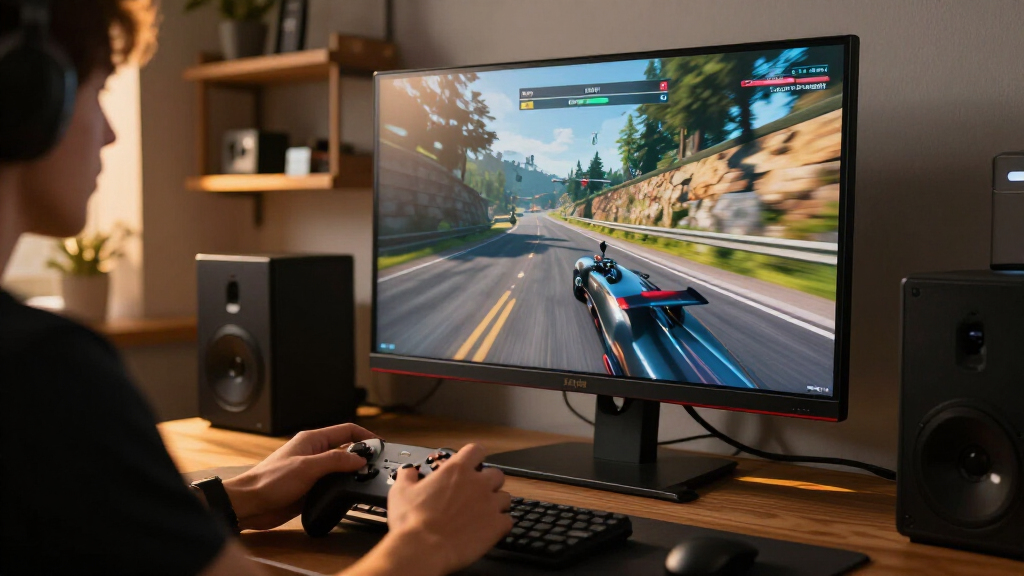
How We Picked
I evaluated these monitors based on panel technology, refresh rate, response time, and feature set. Tandem QD-OLED and WOLED panels were prioritized for their superior contrast ratios and color volume. I ranked models higher if they offered 240Hz refresh rates at 4K resolution, as this represents the current performance ceiling for most GPUs. Build quality, stand ergonomics, and connectivity options like USB-C with power delivery also influenced the final order.
The ranking logic favors versatility and future-proofing. Monitors with burn-in protection algorithms and higher peak brightness received preference over older single-layer OLEDs. I also considered value proposition, weighing the cost against the performance uplift for competitive gamers versus casual players.
| 4k oled gaming monitor | HDR |
|---|---|
| ASUS ROG XG27UCDMG 27 Inch 4K | — |
| MSI MAG 272UP QD-OLED X24 26.5 | — |
| Samsung 27-inch Odyssey OLED G | — |
| LG UltraGear 32GX850A-B 32-inc | — |
| MSI MPG 321URX QD-OLED 31.5-In | — |
| ASUS ROG Strix XG32UCWG 32-Inc | VESA DisplayHDR 400 True Black |
| ASUS ROG Swift OLED PG32UCDM 3 | VESA DisplayHDR 400 True Black; Dolby Vision |
| MSI MAG 321UPX QD-OLED 31.5-In | VESA DisplayHDR True Black 400 |
| Samsung 32-inch Odyssey OLED G | VESA DisplayHDR True Black 400; HDR10+ Gaming |
| MSI MAG 321UP QD-OLED 32-inch | — |
| LG 32GX870A-B 32-inch UltraGea | VESA DisplayHDR True Black 400 |
| Samsung 27-inch Odyssey OLED G | VESA DisplayHDR True Black 400; HDR10+ Gaming |
| ASUS ROG PG27UCDM 27-inch 4K 2 | — |
| Acer Predator X32 31.5-inch Cu | VESA DisplayHDR True Black 400 |
| Samsung 27-inch Odyssey QD-OLE | VESA DisplayHDR True Black 400 |
Factors to Consider When Choosing 15 Best 4k Oled Gaming Monitors
Choosing a 4K OLED monitor involves more than just picking the highest spec. You must consider how your graphics card, room lighting, and game genres interact with the display technology. This guide breaks down the critical factors that influence your decision.
Panel Technology: QD-OLED vs. WOLED vs. Tandem
Standard QD-OLED panels offer vibrant colors but can suffer from lower brightness in HDR scenarios. WOLED panels, often found in LG models, provide excellent black levels but may exhibit slight color washing in bright rooms. Tandem QD-OLED stacks two emission layers, significantly increasing brightness and extending panel life. If you play in a bright room, prioritize Tandem or high-brightness WOLED options. For dark rooms, standard QD-OLED remains a strong value choice.
Refresh Rate and Resolution Tradeoffs
4K resolution demands significant GPU power, especially at 240Hz. If your hardware struggles to maintain high frame rates in AAA titles, consider a monitor with Dual-Mode capabilities. This feature allows you to switch to 1080p at higher refresh rates for esports titles. Without dual-mode, you may find yourself locked at 4K@60Hz in demanding games, wasting the monitor’s potential. Assess your GPU’s capability before committing to a 240Hz 4K panel.
Screen Size: 27-inch vs. 32-inch
A 27-inch 4K monitor offers extremely high pixel density, resulting in crisp text and fine detail. However, it requires sitting closer to the screen for full immersion. 32-inch 4K monitors provide a more comfortable viewing distance for desktop use and immersive gaming. Choose 27-inch for competitive precision and text clarity. Opt for 32-inch if you want a larger canvas for single-player adventures and multitasking.
Connectivity and USB-C Power Delivery
Modern gaming setups often involve laptops or consoles. A monitor with USB-C power delivery can charge your device while transmitting video, reducing cable clutter. Ensure the monitor supports DisplayPort 2.1 or HDMI 2.1 to handle 4K@240Hz without compression. Some cheaper models may lack sufficient ports, forcing you to use adapters. Check the port layout to ensure it fits your desk setup and cable management needs.
Burn-in Protection and Maintenance
OLED panels are susceptible to image retention and permanent burn-in over time. Premium models include advanced pixel shifting, screen savers, and heat dissipation systems. Read the warranty terms carefully, as some manufacturers offer better burn-in coverage than others. To minimize risk, avoid static HUD elements for extended periods and use dark mode in operating systems. Regular maintenance routines can significantly extend the lifespan of your OLED.
Frequently Asked Questions
Is 4K 240Hz overkill for my GPU?
It depends on your graphics card and the games you play. A NVIDIA RTX 4080 or AMD RX 7900 XTX can handle 4K 240Hz in esports titles like Counter-Strike 2. For AAA games like Cyberpunk 2077, you may need to lower settings or use upscaling technologies like DLSS 3. If your GPU is below this tier, a 4K 144Hz monitor might be a more realistic target. Consider a dual-mode monitor if you want flexibility between high-fidelity and high-frame-rate gaming.
How significant is the burn-in risk on modern OLEDs?
Modern OLED monitors have improved significantly with better heat management and pixel refresh cycles. While the risk is lower than in early OLED TVs, it is not zero. Static elements like taskbars or HUDs can cause retention over months of heavy use. Using dark mode and hiding static interfaces helps mitigate this. Most manufacturers offer warranties that cover burn-in, but prevention remains the best strategy for long-term ownership.
Do I need a curved monitor for 4K OLED gaming?
Curved monitors, like the Acer Predator X32, enhance immersion by wrapping the image around your peripheral vision. This can be beneficial for racing or flight simulators. However, for competitive shooters, a flat screen ensures straight lines and consistent perspective. Some users find curvature causes distortion in productivity tasks like video editing. Decide based on your primary use case: immersion favors curved, while precision and productivity often favor flat panels.
Are Tandem QD-OLED monitors worth the extra cost?
Tandem QD-OLED panels, such as those in the ASUS ROG XG27UCDMG, offer higher peak brightness and better longevity. This makes them superior for HDR gaming and mixed-use scenarios involving productivity. Standard QD-OLED panels may dim more during large-area highlights. If you play in a bright room or watch HDR content frequently, the extra cost is justified. For dim-room gaming only, standard QD-OLED remains a viable and cheaper option.
What is the difference between WOLED and QD-OLED for gaming?
QD-OLED panels use a blue OLED emitter with quantum dots, resulting in wider color gamut and more vibrant hues. WOLED panels use white OLED emitters with color filters, offering excellent black levels and stability. QD-OLED can appear slightly brighter and more saturated, while WOLED may have slightly lower brightness. For most gamers, the difference is subtle, but QD-OLED is often preferred for its visual pop in HDR content.
Conclusion
Choosing the right 4K OLED monitor depends on your specific priorities. For the best overall performance, the ASUS ROG XG27UCDMG leads with its Tandem QD-OLED technology and 240Hz refresh rate. If you seek the best value without sacrificing core OLED benefits, the MSI MAG 272UP QD-OLED X24 offers strong specs at a competitive tier. The LG UltraGear 32GX850A-B stands out as the best premium choice for those needing dual-mode flexibility and large-screen immersion. For beginners entering the OLED space, the Samsung 27-inch Odyssey OLED G7 provides a user-friendly entry point with solid reliability. Match your GPU capabilities and usage patterns to these picks to make a confident decision.
Halloween Picks
halloween
As an affiliate, we earn on qualifying purchases.