TL;DR
This article reveals five key hacks to enhance your Garmin Forerunner 970 experience. These tips help users customize settings, improve data management, and optimize training accuracy.
Garmin Forerunner 970 users can now optimize their device’s performance and usability by applying five practical hacks, according to recent user guides and Garmin’s feature updates. These tips help runners avoid data overload, improve training accuracy, and extend battery life, making the watch more effective for everyday use.
One confirmed tip is customizing the watch buttons via Garmin Connect, allowing users to assign shortcuts like auto-pause or toggle DND mode directly, which simplifies on-the-fly adjustments during runs. Garmin’s customization options are accessible through the watch menu, enabling tailored controls for different training needs.
Another verified tip involves managing data screens. Users can reduce clutter by limiting visible metrics during workouts, focusing on pace, heart rate, and cadence, which are most relevant during intense efforts. This customization can be done directly on the watch or through Garmin Connect, ensuring that vital information is readily accessible without distraction.
Additionally, runners are advised to delay syncing activities with Strava or TrainingPeaks immediately after finishing a run. Waiting two to three minutes allows Garmin Connect to complete GPS smoothing and segment matching, preventing inaccuracies like jagged pace spikes or missed segments. This advice is based on user reports and Garmin’s processing guidelines.
Further, the watch’s advanced metrics such as lactate threshold and performance condition require multiple high-quality workouts over several weeks for accurate calibration. Garmin recommends running varied workouts—tempo, intervals, hills—to let the algorithms learn your body’s responses, which is confirmed by Garmin’s own setup instructions.
Finally, users can extend battery life and navigate unfamiliar routes more efficiently by using ‘Record Only’ mode, which logs a breadcrumb trail without full navigation. This lighter GPS mode conserves power while providing enough data to retrace your steps if needed, according to Garmin’s navigation tips.
Why These Hacks Improve Your Running Experience
Implementing these five hacks can significantly enhance the usability and accuracy of the Garmin Forerunner 970, making it a more effective training partner. Custom button controls streamline workouts, while managing data screens reduces cognitive overload during runs. Delaying syncs ensures data integrity, and understanding calibration needs improves the reliability of advanced metrics. Using ‘Record Only’ mode extends battery life, especially on longer or remote runs. Together, these tips help runners get more precise insights, better training adjustments, and longer device lifespan, directly impacting performance and user satisfaction.
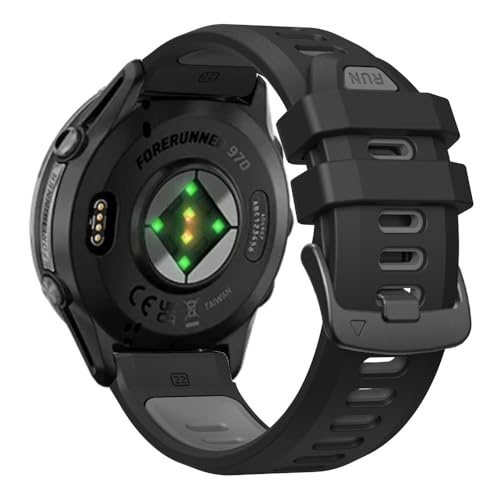
22mm Watch Band for Garmin Forerunner 970/965/955/945/935 – Soft Silicone Replacement Band Watch Strap for Garmin Watch (Black/Grey)
- Wide Compatibility: Fits Garmin Forerunner 935-970 models
- Adjustable Fit: Wrist sizes 6.8" to 8.9"
- Comfortable Material: Soft silicone for all-day wear
As an affiliate, we earn on qualifying purchases.
As an affiliate, we earn on qualifying purchases.
Background on Garmin Forerunner 970 Features and User Tips
The Garmin Forerunner 970, launched in late 2023, is packed with sensors and advanced metrics aimed at serious runners. Its features include auto-detection of workouts, performance condition metrics, and customizable data screens. However, many users find the default settings overwhelming and underutilize its potential. Prior user guides and Garmin’s official instructions emphasize the importance of personalization for optimal performance. The device’s complex data outputs can lead to information overload, and calibration of advanced metrics requires consistent, varied training over time—details that are often overlooked by new users. These insights have prompted experienced runners and Garmin experts to share practical hacks for better device utilization.
“Customizing your buttons and data screens can make your device more intuitive and aligned with your training needs.”
— Garmin Support
What Aspects of the Hacks Are Still Unverified or Developing
While these hacks are based on user reports and Garmin’s official guidance, some specifics—such as the precise impact of delayed sync on data accuracy—remain anecdotal and not formally tested in controlled studies. Additionally, the long-term effects of frequent customization or battery-saving modes have not been extensively documented. Garmin may update firmware or software features, which could alter or enhance these tips, but current details are still emerging.
Next Steps for Garmin Forerunner 970 Users and Firmware Updates
Garmin is expected to release firmware updates that may improve customization options and data management features. Users should stay informed about these updates through Garmin’s official channels. Additionally, runners are encouraged to experiment with these hacks and share feedback to refine best practices. Garmin’s support forums and user communities will likely continue to evolve as more users adopt these tips, potentially leading to further official guidance or feature enhancements in future firmware releases.
Key Questions
Yes, assigning functions to buttons can reduce unnecessary screen activations or GPS usage, potentially conserving battery, but the impact is generally minimal compared to overall device settings.
How long should I wait before syncing my Garmin activity with Strava for accurate data?
It is recommended to wait at least two to three minutes after finishing your run to allow Garmin Connect to process GPS smoothing and segment matching properly.
Are the advanced metrics like lactate threshold reliable immediately after initial setup?
No, Garmin advises running multiple varied workouts over several weeks to calibrate these metrics accurately. Initial readings are estimates that improve with data collection.
Is ‘Record Only’ mode suitable for all types of runs?
‘Record Only’ mode is ideal for conserving battery on longer or remote routes where turn-by-turn navigation isn’t necessary, but it doesn’t provide real-time guidance.
Source: Lifehacker