
TL;DR

Get the latest gadgets delivered free with Prime
- Fast, free delivery on millions of items
- Prime Video, Amazon Music and more included
- Member-only deals all year
Building your own AI workstation used to be cheaper, but recent shortages and price spikes now make prebuilt systems competitive or even cheaper. The decision hinges on your need for control, speed, and support, not just cost.
Imagine you’re ready to jump into AI development, but the decision looms: build your own machine or buy one ready-made. Years ago, the answer was simple—build for savings, buy for speed. Not anymore.
Today, the market has shifted. Component shortages, price spikes, and the complexity of thermal management turn this choice into a nuanced balancing act. This guide cuts through the noise, helping you decide which path aligns with your goals, budget, and timeline.
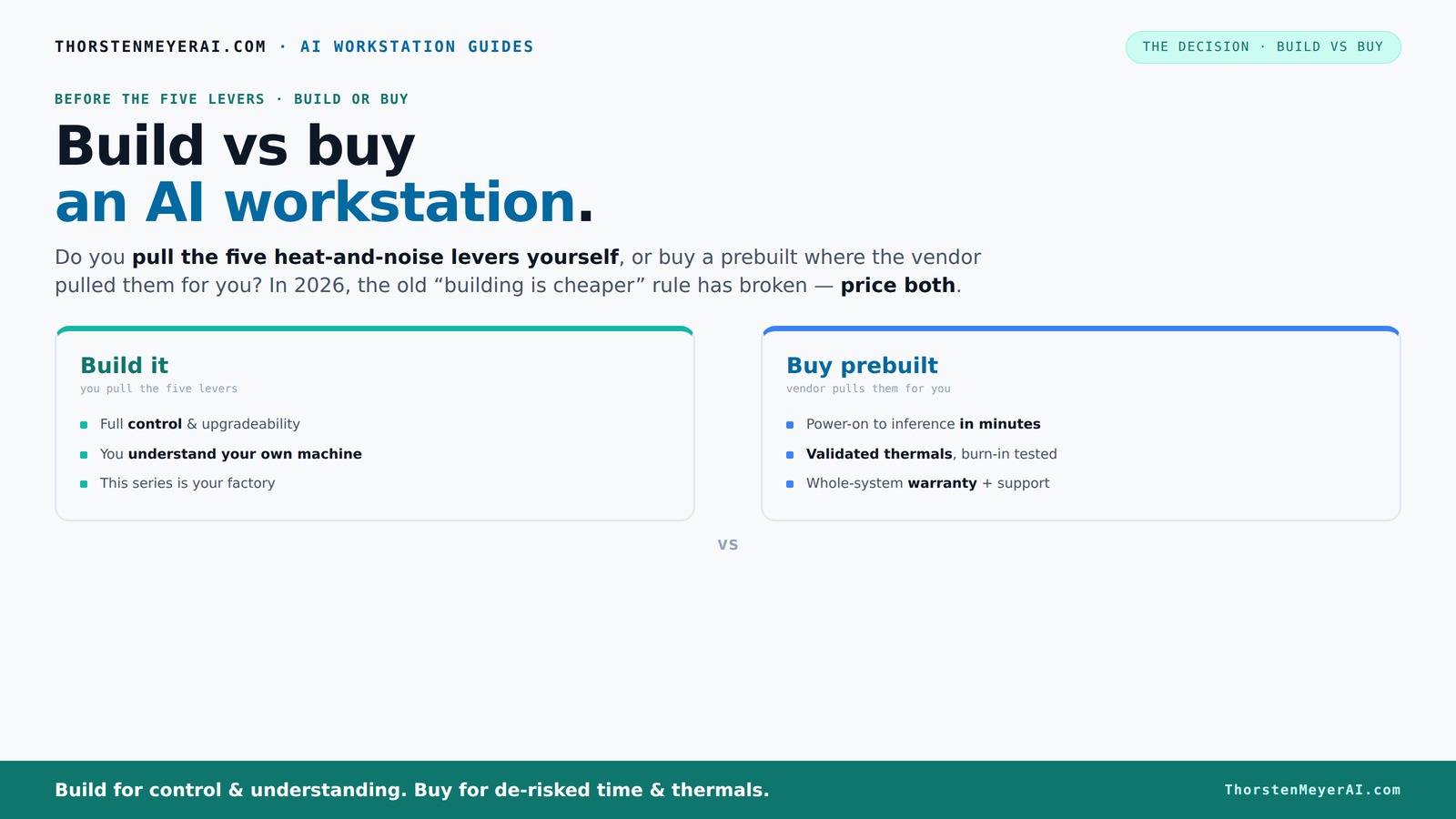
Build vs buy
an AI workstation.
The real question behind this whole series: do you pull the five heat-and-noise levers yourself, or buy a prebuilt where the vendor pulled them for you? And in 2026, the old “building is cheaper” rule has broken. Match your situation in Part 3.
Key Takeaways
- Component shortages and price hikes in 2026 often make prebuilt AI workstations equally or more affordable than DIY builds.
- Building your own machine gives you maximum control over thermal management, noise, and customization, but requires expertise and time.
- Prebuilt systems save significant time, come with validated thermals, and include support and warranties—ideal for quick deployment or high-stakes projects.
- Hybrid approaches—buy the platform, customize the software—are becoming increasingly popular for balancing control and speed.
- Your decision should hinge on your specific needs: control and learning versus speed and support.
As an affiliate, we earn on qualifying purchases.
Why Building Your Own AI Workstation Is No Longer Always Cheaper
Building your own AI workstation used to be a clear-cut way to save money. Now, soaring prices for GPUs, RAM, and SSDs due to global shortages have flipped that script. Learn more at WiredGuide.
For example, a DIY build that once cost $1,200 now easily exceeds $1,500, especially when factoring in cooling solutions and assembly time. Some prebuilt systems, thanks to bulk buying, are matching or undercutting those prices. See more at TechTrendTrove.
According to [2], the cost of component shortages and inflated prices is pushing many hobbyists and professionals to reconsider their budget assumptions. It’s no longer just about parts — it’s about the total cost to get a working, reliable system.
This shift means that the traditional advantage of DIY—cost savings— is diminishing. When you factor in the time spent troubleshooting, sourcing hard-to-find components, and ensuring compatibility, the overall cost and effort may outweigh the benefits. For more insights, visit CoderFacts.
Who Pulls the Levers? The Real Difference Between Build and Buy
Pulling the five levers—undervolt the GPU, optimize cooling, tweak airflow, tune fans, and position the case—determines your machine’s thermal and acoustic performance.
If you buy prebuilt, the vendor handles all this. They validate thermals, optimize fans, and often include water-cooling for quieter, cooler operation (4).
Building it yourself means you wield these levers. You select a quiet GPU ([3]), undervolt it ([4]), pick a silent cooler ([5]), set up airflow ([6]), and tune fans ([7])—gaining control but also taking on the complexity.
This control over thermal and acoustic management isn’t just about noise levels; it directly impacts the system’s stability, longevity, and performance under load. Poor thermal management can lead to throttling, reduced lifespan, or hardware failure, especially when running intensive AI workloads. The tradeoff is that while DIY offers the potential for a finely tuned, silent, and efficient system, it requires a deep understanding of component interactions and thermal dynamics. Conversely, prebuilt systems, optimized by manufacturers, often sacrifice some customization for guaranteed performance and lower maintenance hassle. This distinction highlights how control over thermal management influences not just user experience but also long-term operational costs and system reliability.
When Buying a Prebuilt Makes Your Life Easier
If saving time and reducing hassle matter more than total control, prebuilt is the way to go. These systems come ready to run, with OS and AI frameworks like CUDA, TensorFlow, and Docker installed ([2]).
For example, a BIZON system arrives with thermal tuning done, tested under sustained loads, and backed by a warranty. If your priority is quick deployment—say, just days before a project deadline—buying wins.
Additionally, prebuilt systems often feature expertly designed cooling solutions, including custom water-cooling loops or advanced airflow configurations, that would be complex and time-consuming to implement on your own. This ensures consistent performance, reduces the risk of thermal throttling, and minimizes the need for ongoing maintenance. For professionals or teams with tight schedules or limited hardware expertise, such turnkey solutions reduce the risk of errors that could lead to hardware failures or suboptimal performance, ultimately saving time and resources in the long run.
When Building Your Own AI Workstation Is the Better Choice
If you crave full control, customization, or have specific constraints, building is still attractive. Hobbyists and students with time and technical skill can tailor every component—GPU, cooler, case—to their exact needs ([3]).
For instance, if you need a machine with a specific GPU like the RTX 4090 or a ultra-silent case, building allows you to choose parts that fit your workflow perfectly.
Beyond customization, building your own system can be a valuable learning experience. Understanding how different components interact, optimizing thermal performance, and troubleshooting hardware issues deepen your technical expertise—an advantage that can pay off in future upgrades and system longevity. Moreover, if your project requires specialized hardware, such as workstation-grade GPUs with ECC memory or custom cooling solutions, DIY gives you the flexibility to meet these exact specifications, which might not be available in prebuilt options.
Comparison Table: Build or Buy — Which Fits Your Needs?
| Criteria | Build Your Own | Buy Prebuilt |
|---|---|---|
| Cost | Often higher due to shortages and assembly time, but customizable | |
| Time to Deploy | Weeks to months, depending on sourcing and assembly | |
| Thermal & Noise Tuning | Full control, requires expertise | |
| Performance Validation | Up to you, depends on your skills | |
| Support & Warranty | Limited, DIY troubleshooting | |
| Upgradeability | High, if planned carefully | |
| Control & Customization | Maximum | |
| Risk & Hassle | Higher, depends on your experience | |
| Speed of Deployment | Slower, but tailored | |
| Support & Reliability | Depends on your skills or third-party support |
Key Takeaways for Your AI Workstation Decision
- Cost is no longer a clear win for DIY. Component shortages and inflated prices often make prebuilt systems equally or more affordable today ([1], [2]).
- Control vs. convenience. Building offers unmatched customization, but prebuilt provides validated thermals, lower hassle, and support.
- Time to deploy matters. Buying usually wins on speed—getting your AI system up and running in days versus weeks or months.
- Support and warranty are key. Prebuilts come with support, burn-in testing, and peace of mind, especially for high-stakes projects.
- Hybrid strategies are rising. Many now buy the platform and customize the software or models, blending control with speed ([4], [5]).
Final Word: Your Choice Depends on Your Goals, Not Just Budget
Choosing between build and buy in 2026 isn’t just about saving a few dollars. It’s about balancing control, speed, support, and long-term flexibility.
If you value hands-on mastery and customization, building offers a rewarding challenge. But if you need quick, reliable performance with less fuss, prebuilt systems are more than competitive—they might be the smarter move.
Think about your project’s priorities. Then pick the path that aligns best. Either way, your AI journey is just getting started.
Frequently Asked Questions
Is it cheaper to build or buy an AI workstation right now?
Due to component shortages and price spikes, prebuilt workstations often match or beat DIY costs today. Always compare specific configurations, but don't assume DIY is cheaper without a fresh price check ([1], [2]).How much performance do I lose by buying prebuilt?
Modern prebuilt systems are designed for high performance and often include optimized thermals and cooling. For most users, performance is comparable to a custom build, especially when validated by the vendor ([4]).Can I upgrade a prebuilt AI workstation later?
It depends on the design. Many prebuilt systems allow upgrades to RAM, storage, and sometimes GPUs, but proprietary components or tight layouts can limit future expansion. Check the vendor’s upgrade policy before purchasing.Is a consumer GPU enough for AI tasks, or do I need workstation-grade hardware?
Most high-end consumer GPUs like the RTX 4090 are sufficient for many AI tasks, including inference and small-scale training. For large-scale training or enterprise workloads, workstation-grade GPUs with ECC memory might be better, but they come at a higher cost.How do I decide if I need a hybrid approach?
If you want the reliability and speed of a prebuilt but need specific model customization or data control, buying the platform and customizing the software layers offers a good middle ground. It’s especially useful if your requirements evolve quickly.Conclusion
In 2026, the choice isn’t black and white. It’s about what matters most to you—cost, control, speed, or support.
Remember, a well-chosen prebuilt can get you into AI faster, while building your own deepens your mastery. Either way, your next move shapes how quickly and effectively you’ll master AI’s future.
Halloween Picks
halloween
As an affiliate, we earn on qualifying purchases.