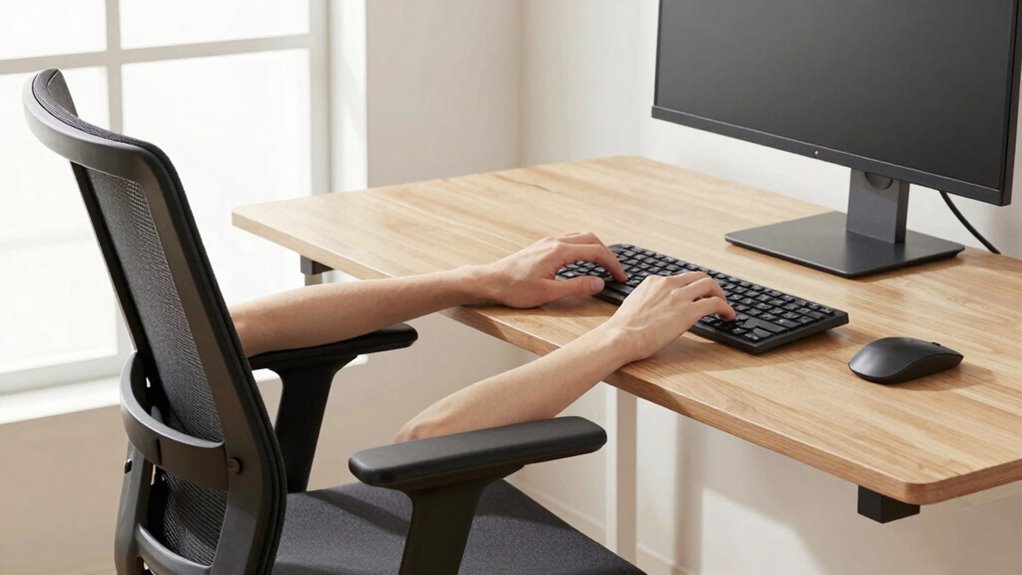

To set up your ergonomic desk, adjust your chair height so your feet are flat on the floor, knees at about 90 degrees, and hips slightly above your knees. Keep your elbows close to your sides, bent between 90-120 degrees, with forearms parallel to the floor. Position your monitor so it’s about an arm’s length away at eye level. If you want to optimize your workspace further, there’s more to discover on creating the perfect ergonomic layout.

Get the latest gadgets delivered free with Prime
- Fast, free delivery on millions of items
- Prime Video, Amazon Music and more included
- Member-only deals all year
Key Takeaways
- Adjust chair height so feet rest flat, knees are at a 90-degree angle, and hips are level with or slightly above knees.
- Position the monitor at eye level and about an arm’s length away to maintain neutral neck and eye posture.
- Set the keyboard height to keep forearms parallel to the floor, ensuring elbows are bent between 90-120 degrees.
- Ensure the chair supports proper spinal alignment, promoting good posture and reducing lower back strain.
- Incorporate regular movement and posture adjustments to prevent stiffness and maintain ergonomic comfort.
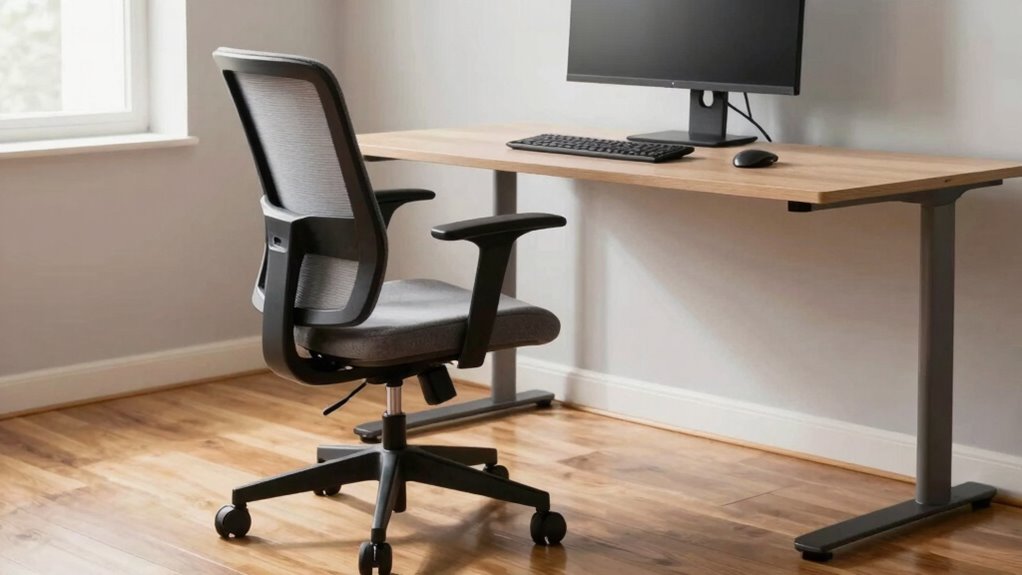
Creating an ergonomic desk setup is vital for maintaining comfort and preventing strain during long work or study sessions. One of the first steps in achieving this is focusing on your chair height. When your chair is set correctly, your feet should rest flat on the floor, with your knees bent at roughly a 90-degree angle. This position helps improve circulation and reduces pressure on your lower back. If your chair is adjustable, take the time to fine-tune it so that your hips are level with or slightly above your knees. Proper chair height also encourages good posture, which is a foundation of effective workspace organization. When your chair supports your natural spinal curve, you’re less likely to develop discomfort or fatigue over time.
Next, consider your elbow angle. As you work at your desk, your elbows should be close to your sides and bent roughly 90 to 120 degrees. This angle minimizes strain on your shoulders and neck, making it easier to type or write for extended periods. To achieve this, confirm your desk and keyboard are positioned correctly — your keyboard should be at a height that allows your forearms to be parallel to the floor. If it’s too high or low, you’ll end up compensating with awkward shoulder movements, which can lead to discomfort. Maintaining an ideal elbow angle is vital for workspace organization because it helps you keep your arms relaxed and your movements natural, reducing unnecessary tension. Additionally, ergonomic principles suggest that adjusting your setup can significantly decrease the risk of repetitive strain injuries over time. Proper workspace ergonomics can also boost your overall productivity by making your work environment more comfortable and sustainable. Being mindful of posture alignment during setup ensures long-term health benefits and supports sustained focus. Incorporating regular movement into your routine is essential, as staying still for long periods can contribute to stiffness and fatigue, even with an ergonomic setup.
ergonomic adjustable office chair
As an affiliate, we earn on qualifying purchases.
As an affiliate, we earn on qualifying purchases.
Frequently Asked Questions
How Often Should I Adjust My Ergonomic Desk Setup?
You should adjust your ergonomic desk setup whenever you notice discomfort or after prolonged use, ideally every few weeks. Check your desk height to make sure your elbows are at a 90-degree angle and your monitor positioning aligns with eye level. Regular adjustments help prevent strain and maintain comfort. Pay attention to any aches or tension, and fine-tune your desk height and monitor placement accordingly to stay ergonomic throughout the day.
What Are Signs My Desk Setup Is Causing Discomfort?
If you’re feeling persistent aches or tingling, your desk setup might be causing discomfort. Look out for signs like slouching, neck strain, or eye fatigue—these are clues to poor posture correction. Make sure your desk accessories, like a supportive chair or monitor riser, are properly adjusted. When your body starts protesting, it’s time to reassess your setup—don’t ignore the warning signs or you’ll be fighting an uphill battle.
Can Ergonomic Setups Reduce Long-Term Health Issues?
Yes, ergonomic setups can considerably reduce long-term health issues. By promoting proper postural alignment, they help prevent muscle strain, especially in your neck, shoulders, and back. When your chair height, monitor distance, and elbow angle are adjusted correctly, you reduce the risk of developing chronic discomfort and repetitive strain injuries. Maintaining good ergonomics encourages healthier movement patterns, ultimately supporting your long-term musculoskeletal health and productivity.
Is There a Recommended Posture for Prolonged Sitting?
Think of your posture as a steady ship steering through long hours at your desk. You should keep your back supported by proper lumbar support, sit upright, and avoid slouching. Your wrists need gentle wrist support, and your elbows should be close to your body at a comfortable angle. Keep your monitor at eye level to prevent strain. This posture helps reduce fatigue and keeps you sailing smoothly through your workday.
How Do I Customize My Setup for Different Tasks?
You customize your setup for different tasks by adjusting your chair height and monitor placement. For tasks requiring focus, set your chair height so your feet are flat and knees at a 90-degree angle, maintaining good posture. When working on detailed work, position your monitor directly in front of you at eye level to reduce neck strain. Switch between these adjustments as needed to stay comfortable and productive throughout your work.
Conclusion
Picture yourself sinking into your chair, feeling the gentle support of the perfect height, your elbows comfortably at a 90-degree angle. Your monitor sits just at eye level, like a window inviting natural light, reducing strain and fatigue. With these simple adjustments, your workspace becomes a haven of comfort, where productivity flows effortlessly. When you prioritize your ergonomic setup, you create a daily retreat that keeps you energized and focused, ready to conquer whatever comes next.
Fall Picks
fall essentials
As an affiliate, we earn on qualifying purchases.