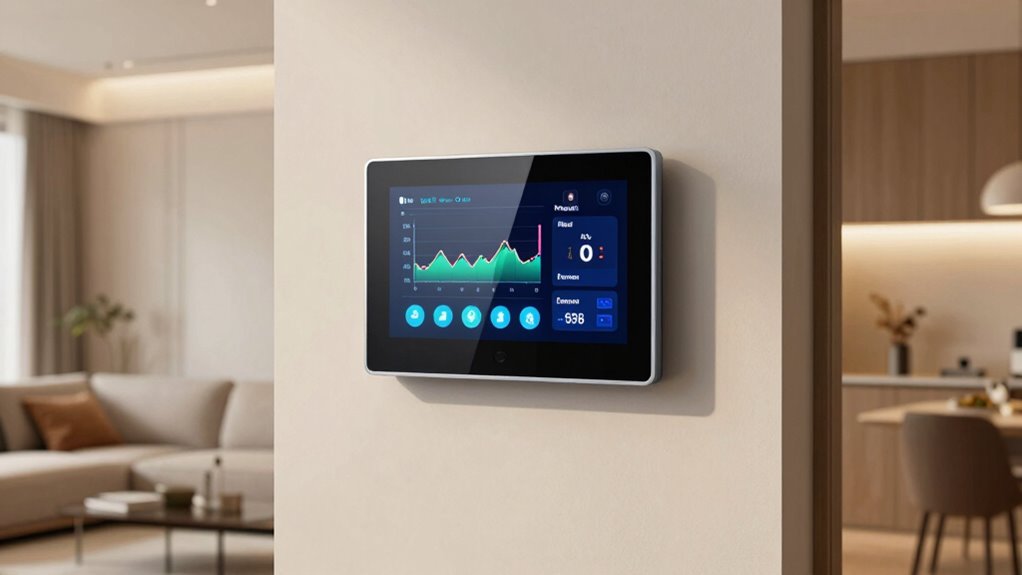

A smart home energy monitor can show how much electricity your home uses and, with circuit sensors, which parts of the house account for it. My best overall pick is the Emporia Vue 3 for its circuit-level monitoring options; the Eyedro stands out for WiFi and Ethernet connectivity, while the Refoss EM16P is a better match for shoppers who value an open API and Home Assistant support. The main tradeoffs are whole-home versus circuit-by-circuit detail, cloud features versus local control, and the number of sensors your panel can accommodate. Compatibility and installation needs matter as much as the monitor’s headline circuit count. Read on for the full breakdown of all 14 options and guidance on choosing a setup that suits your home.

Get the latest gadgets delivered free with Prime
- Fast, free delivery on millions of items
- Prime Video, Amazon Music and more included
- Member-only deals all year
Complete the kit



Key Takeaways
- Emporia Vue 3 is the most adaptable pick in this lineup: it appears as a base monitor and an eight-sensor bundle, so buyers can match the setup to how much circuit detail they need.
- Eyedro emphasizes connection choice: WiFi and Ethernet provide different ways to connect the monitor, a useful distinction for homes with unreliable wireless coverage near the electrical panel.
- Sensor count is not the only measure of useful coverage: the 8-, 16-, and 18-circuit options may offer more detail, but panel space, circuit layout, and sensor compatibility determine what can actually be monitored.
- Local-control and integration needs separate the Refoss models: the EM16P calls out an open API and Home Assistant, while the 16-sensor Refoss model highlights local control.
- Several products overlap or appear in multiple configurations: the two Emporia Vue 3 listings and two Meross listings make it especially important to compare the exact bundle and included sensors before choosing.
| Eyedro Smart Home Energy Monitor with 200A Sensors, WiFi and Ethernet |  | Best for Wired Connectivity | Model: EYEDRO-HOME | Current sensors: 2 × 200A directional sensors | Connectivity: 2.4 GHz Wi-Fi and Ethernet | VIEW ON AMAZON | See Our Full Breakdown |
| Emporia Vue 3 Home Energy Monitor |  | Best for Expandable Circuit Monitoring | Model: EMV3A-2P-WH | Electrical system support: Single phase, single-split phase, and 2-wire; some 3-wire and 3-phase systems with an additional sensor | Sensor accuracy: ±2% | VIEW ON AMAZON | See Our Full Breakdown |
| Square D Wiser Energy Monitor System |  | Best for Smart-Home Alerts | Model: WISEREMPV | Panel compatibility: Most single-phase 120/240V panels up to 200A | Connectivity: Wireless | VIEW ON AMAZON | See Our Full Breakdown |
| Siemens Inhab Smart Home Energy Monitor with Circuit-Level Sensors |  | Best for Whole-Panel Circuit Coverage | Model: INHEM1216 | Main sensors: 2 × 200A CTs | Circuit sensors: 16 × 50A CTs | VIEW ON AMAZON | See Our Full Breakdown |
| Smart Home Energy Monitor with 8 Circuit-Level Sensors |  | Best for Local Monitoring | Model: SEM-Meter | Included sensors: 8 × 50A circuit-level sensors | Expandable sensors: Up to 8 additional sensors | VIEW ON AMAZON | See Our Full Breakdown |
| SEM-Meter Smart Home Energy Monitor with 16 Circuit Sensors |  | Best for Local Home Assistant Control | Circuit sensors: 16 × 50A clamp-on sensors | Accuracy: 1% | Connectivity: 2.4 GHz Wi-Fi; local MQTT mode | VIEW ON AMAZON | See Our Full Breakdown |
| Emporia Vue 3 Home Energy Monitor |  | Best for Broad Circuit Coverage | Circuit sensors: 16 × 50A branch sensors | Connectivity: 2.4 GHz Wi-Fi and Emporia app | Monitoring: Whole-home, circuit-level, solar, and net-metering insights | VIEW ON AMAZON | See Our Full Breakdown |
| Meross Smart Home Energy Monitor with 18-Circuit Monitoring |  | Best for Long-Term Local History | Circuit monitoring: 2 main circuits (200A) and 16 branch circuits (60A) | Accuracy: ±2% | Supported systems: Single-phase 2-wire, split-phase 3-wire, and 3-phase 4-wire Wye with earthed neutral; no Delta | VIEW ON AMAZON | See Our Full Breakdown |
| Blindsmart WiFi Home Energy Monitor with 2 × 120A CTs |  | Best for Single-Phase Solar Export Tracking | Current transformers: 2 × 120A split-core CTs | System type: Single-phase, 3-wire | Monitoring: Bidirectional energy tracking | VIEW ON AMAZON | See Our Full Breakdown |
| Emporia Vue 3 Home Energy Monitor with 8 Circuit Sensors |  | Best Entry Point for Circuit Monitoring | Circuit sensors: 8 | Accuracy: ±2% | Connectivity: 2.4 GHz Wi-Fi with internet connection | VIEW ON AMAZON | See Our Full Breakdown |
| Refoss EM16P Smart Home Energy Monitor with Open API and Home Assistant |  | Best for Open-Platform Automation | Main circuit sensors: 2, 2–200A each | Branch circuit sensors: 16, 1–60A each | Accuracy: ±1%; ±2% at low current | VIEW ON AMAZON | See Our Full Breakdown |
| Refoss Smart Home Energy Monitor with 16 60A Circuit Sensors, Local Control |  | Best for Solar and Time-of-Use Management | Model: EM16P | Circuit coverage: Up to 18 circuits | Accuracy: ±1% stated | VIEW ON AMAZON | See Our Full Breakdown |
| Nestool WiFi Home Energy Monitor with Three 80A CT Clamps |  | Best for Monitoring a Few Circuits | Model: PW03 | CT clamps: 3, rated 80A | Wi-Fi: 2.4GHz | VIEW ON AMAZON | See Our Full Breakdown |
| Meross Smart Home Energy Monitor | | Best for Balanced Whole-Panel Monitoring | Circuit support: 2 main circuits (200A) and 16 branch circuits (60A) | Measurement accuracy: ±1% | Data storage: Up to 5 years | VIEW ON AMAZON | See Our Full Breakdown |
| smart home energy monitor | Connectivity | Warranty | Model |
|---|---|---|---|
| Eyedro Smart Home Energy Monit | 2.4 GHz Wi-Fi and Ethernet | — | EYEDRO-HOME |
| Emporia Vue 3 Home Energy Moni | — | 1 year | EMV3A-2P-WH |
| Square D Wiser Energy Monitor | Wireless | 18 months | WISEREMPV |
| Siemens Inhab Smart Home Energ | Wi-Fi and mobile app | — | INHEM1216 |
| Smart Home Energy Monitor with | 2.4 GHz Wi-Fi; local MQTT mode available | 1 year | SEM-Meter |
| SEM-Meter Smart Home Energy Mo | 2.4 GHz Wi-Fi; local MQTT mode | 1 year | — |
| Emporia Vue 3 Home Energy Moni | 2.4 GHz Wi-Fi and Emporia app | — | EMV3A-2P-16 |
| Meross Smart Home Energy Monit | — | 2 years | — |
| Blindsmart WiFi Home Energy Mo | 2.4 GHz Wi-Fi | — | — |
| Emporia Vue 3 Home Energy Moni | 2.4 GHz Wi-Fi with internet connection | 1 year | — |
| Refoss EM16P Smart Home Energy | Wi-Fi, Open API, MQTT | 2 years | — |
| Refoss Smart Home Energy Monit | — | 2 years | EM16P |
| Nestool WiFi Home Energy Monit | — | — | PW03 |
| Meross Smart Home Energy Monit | — | 2 years | — |
More Details on Our Top Picks
Eyedro Smart Home Energy Monitor with 200A Sensors, WiFi and Ethernet
The Eyedro is a strong fit when reliable network access matters as much as seeing household energy use. It connects over 2.4 GHz Wi-Fi or Ethernet, and its two directional 200A sensors can monitor grid use, solar generation, or net metering. The MyEyedro cloud has no subscription requirement, so usage data and history remain accessible without a recurring service fee. Compared with the Emporia Vue 3, Eyedro offers Ethernet as an alternative to Wi-Fi, while Emporia can add branch-circuit monitoring with separately purchased sensors. The main limitation is that one Eyedro monitor handles only one monitoring mode at a time: households wanting separate grid and solar readings need two units. Choose it for straightforward whole-home or solar monitoring, not detailed circuit-by-circuit analysis.
Pros:- Offers Wi-Fi and wired Ethernet connectivity.
- Includes two directional 200A sensors for a selected grid, solar, or net-metering setup.
- Provides real-time readings and usage history through MyEyedro without a subscription.
- Reports watts, amps, volts, and cost.
Cons:- A single monitor cannot track grid energy and solar generation at the same time.
- Separate grid and solar monitoring requires a second monitor.
- Does not provide the branch-circuit expansion available with the Emporia Vue 3.
Best for: Homeowners who want whole-home grid, solar, or net-metering data and prefer Ethernet or subscription-free cloud access.
Not ideal for: Solar households seeking grid use and solar production from one monitor, or buyers who want branch-circuit breakdowns.
- Model:EYEDRO-HOME
- Current sensors:2 × 200A directional sensors
- Connectivity:2.4 GHz Wi-Fi and Ethernet
- Power source:AC
- Cloud access:MyEyedro cloud; no subscription required
- Monitoring modes:Grid, solar, or net metering; one mode per monitor
- Dimensions:8 × 8 × 3 inches
- Weight:1.54 pounds
Our verdict“Choose Eyedro for subscription-free whole-home monitoring with Ethernet, but look elsewhere if you need simultaneous grid-and-solar or circuit-level readings.”
Emporia Vue 3 Home Energy Monitor
The Emporia Vue 3 makes sense for homeowners who want to start with whole-home energy tracking and add circuit detail later. It supports solar production and net metering, while separately sold sensors can extend monitoring to up to 16 branch circuits. That expansion can help identify which appliances or areas drive use, unlike the Eyedro, which focuses on a selected whole-home monitoring mode. Emporia also includes app settings and notifications for energy management, and its stated sensor accuracy is ±2%. The tradeoff is that the extra circuit sensors—and sensors needed for some electrical systems—are not included. It also depends on 2.4 GHz Wi-Fi and an internet connection, so it is less suited to buyers seeking wired connectivity or local-only monitoring like the eight-sensor SEM-Meter.
Pros:- Tracks whole-home use, solar production, and net metering.
- Can expand to monitor up to 16 additional branch circuits with separately sold sensors.
- App provides energy-management settings and notifications.
- UL and CE listed, with stated sensor accuracy of ±2%.
Cons:- Requires 2.4 GHz Wi-Fi and an internet connection.
- Branch-circuit sensors are sold separately.
- Some supported electrical systems require an additional sensor.
Best for: Homeowners with a compatible panel who want whole-home and solar monitoring now, with the option to add appliance and branch-circuit detail.
Not ideal for: Buyers who need Ethernet or local MQTT operation, or who want branch-circuit sensors included in the initial setup.
- Model:EMV3A-2P-WH
- Electrical system support:Single phase, single-split phase, and 2-wire; some 3-wire and 3-phase systems with an additional sensor
- Sensor accuracy:±2%
- Wi-Fi requirement:2.4 GHz Wi-Fi with internet connection
- Additional circuit monitoring:Up to 16 branch circuits with separately sold sensors
- Certifications:UL and CE
- Warranty:1 year
- Dimensions:10 × 5 × 5 inches
Our verdict“Pick the Emporia Vue 3 if you want a flexible, app-based system that can grow into circuit-level monitoring and do not mind buying extra sensors.”
Square D Wiser Energy Monitor System
Square D Wiser stands apart for buyers who want energy monitoring to connect with a broader smart-home routine. It tracks household use in real time and can send customizable alerts when devices turn on or off, while supporting compatible platforms and devices including Alexa, Google Home, Philips Hue, TP-Link, and WeMo. That makes it more oriented toward notifications and smart-home interaction than the Eyedro, which emphasizes cloud-based readings and alternative Ethernet connectivity. Wiser also supports energy budgets and appliance-level tracking, giving alerts a practical role in understanding changing use. Its main boundary is electrical compatibility: it supports most single-phase 120/240V panels up to 200A, not every panel type. Buyers who need the Siemens Inhab’s included sensors for up to 16 branch circuits should compare those options before choosing Wiser.
Pros:- Tracks energy use in real time and supports energy budgets.
- Sends customizable alerts when devices turn on or off.
- Works with compatible Alexa, Google Home, Philips Hue, TP-Link, and WeMo devices.
- Supports wireless DIY installation on compatible panels.
Cons:- Limited to most single-phase 120/240V panels up to 200A.
- Does not match the Siemens Inhab’s included package of sensors for up to 16 branch circuits.
- Smart-home features depend on compatible devices and platforms.
Best for: Owners of compatible single-phase panels who want energy alerts and connections to supported smart-home devices.
Not ideal for: Households with three-phase or otherwise incompatible panels, or buyers whose priority is included sensors for many individual circuits.
- Model:WISEREMPV
- Panel compatibility:Most single-phase 120/240V panels up to 200A
- Connectivity:Wireless
- Compatible devices:Amazon Alexa, Google Home, Philips Hue, TP-Link, and WeMo
- Power source:Corded electric
- Voltage:240 volts
- Installation:Wireless DIY
- Warranty:18 months
Our verdict“Choose Wiser if smart-home alerts and device integrations matter more than broad panel compatibility or extensive included circuit sensing.”
Siemens Inhab Smart Home Energy Monitor with Circuit-Level Sensors
The Siemens Inhab is the strongest choice here for seeing how energy use is distributed across many individual circuits without piecing together an expanded sensor package. It includes two 200A main sensors and 16 50A circuit sensors, measuring whole-home use and branch circuits through a mobile app. Alerts, time-of-use management, net metering, and load shedding give the data potential uses beyond simply watching consumption. Compared with the Emporia Vue 3, which can monitor up to 16 extra circuits only with separately sold sensors, Siemens includes the circuit sensors in the package. That broader coverage comes with a specific tradeoff: load shedding needs compatible devices, and availability is limited to the USA and Canada. Buyers with a smaller monitoring goal may find the less circuit-focused Eyedro a simpler fit.
Pros:- Includes two 200A main sensors and 16 50A circuit sensors.
- Tracks whole-home energy use and production alongside individual branch circuits.
- Provides real-time and historical data through a mobile app.
- Offers alerts, time-of-use management, and net-metering features.
Cons:- Available for use only in the USA and Canada.
- Load shedding depends on compatible devices.
- The included circuit sensors may be unnecessary for buyers seeking only whole-home readings.
Best for: Homeowners in the USA or Canada who want whole-home readings plus a detailed view of up to 16 branch circuits from the included sensors.
Not ideal for: Buyers outside the USA and Canada, or those who do not need circuit-level coverage and want a simpler monitor.
- Model:INHEM1216
- Main sensors:2 × 200A CTs
- Circuit sensors:16 × 50A CTs
- Monitoring:Whole-home and up to 16 branch circuits
- Connectivity:Wi-Fi and mobile app
- Compatibility:USA and Canada
- Certification:CE marked and UL listed
- Weight:4.8 pounds
Our verdict“Choose the Siemens Inhab when included coverage for up to 16 circuits is the priority and your location and devices are compatible.”
Smart Home Energy Monitor with 8 Circuit-Level Sensors
This SEM-Meter model is a good match for buyers who want circuit-level readings without cloud dependence. It comes with eight 50A clamp-on sensors, supports up to eight more, and can run locally through MQTT without cloud or app access. That local option is its clearest distinction from the cloud-oriented Eyedro and Emporia Vue 3. Its stated 1% accuracy and support for several single-phase, split-phase, and three-phase configurations also make it flexible for varied panel setups, although Delta three-phase is not supported. Compared with the Siemens Inhab, it starts with sensors for eight circuits rather than 16, so buyers with many circuits may prefer Siemens’ larger included set. Some panels may also need separately available flexible sensors, a detail worth checking before installation.
Pros:- Includes eight 50A circuit-level sensors and supports up to eight additional sensors.
- Supports local MQTT operation without cloud access.
- Lists 1% accuracy and offers real-time monitoring and usage history.
- Supports several single-phase, split-phase, and three-phase configurations.
Cons:- Does not support Delta three-phase systems.
- Some panels may require separately available flexible sensors.
- Includes eight circuit sensors, fewer than the 16 supplied with the Siemens Inhab.
Best for: Homeowners and home-automation users who want local MQTT energy data and monitoring for up to 16 circuits.
Not ideal for: Owners of Delta three-phase systems, or buyers who want a package with 16 circuit sensors included.
- Model:SEM-Meter
- Included sensors:8 × 50A circuit-level sensors
- Expandable sensors:Up to 8 additional sensors
- Supported electrical systems:Single-phase up to 240VAC line-neutral; split-phase 120/240VAC; three-phase up to 415Y/240VAC; no Delta
- Connectivity:2.4 GHz Wi-Fi; local MQTT mode available
- Accuracy:1%
- Dimensions:3.1 × 1.2 × 4.2 inches
- Warranty:1 year
Our verdict“Pick this SEM-Meter if local MQTT access and expandable circuit monitoring matter more than a 16-sensor starter package or Delta compatibility.”
SEM-Meter Smart Home Energy Monitor with 16 Circuit Sensors
The SEM-Meter pairs 16 circuit sensors with live cost tracking, making it a strong fit for households that need to find which circuits drive their bills. Its main distinction from the Emporia Vue 3 is optional local operation through MQTT and Home Assistant, so cloud access is not required for that setup. It also supports solar monitoring and custom time-of-use rates, which helps owners compare usage against changing utility charges.
The tradeoff is a more involved installation and setup: the unit connects at the electrical panel, and local mode requires your own MQTT server and Home Assistant. Its hourly history is retained for 90 days, though day, month, and year exports are permanent. Unlike the Meross EM16, it does not list an extended multi-year local history or a two-year warranty. Skip it if your system is Delta three-phase or you want monitoring without managing integrations.
Pros:- Tracks real-time usage and electricity costs across as many as 16 circuits.
- Supports solar monitoring and customizable peak, off-peak, and holiday rates.
- Offers local MQTT operation with Home Assistant, without cloud access.
- Supports several single-phase, split-phase, and three-phase configurations.
Cons:- Panel installation may require an electrician and additional flexible sensors for busbar-only access.
- Local mode depends on a user-provided MQTT server and Home Assistant.
- Does not support three-phase Delta systems, and hourly exports are retained for only 90 days.
Best for: Homeowners and technically confident renters who want circuit-level cost tracking with local MQTT and Home Assistant control.
Not ideal for: People who want a plug-and-play cloud setup, lack safe access to their electrical panel, or have a three-phase Delta system.
- Circuit sensors:16 × 50A clamp-on sensors
- Accuracy:1%
- Connectivity:2.4 GHz Wi-Fi; local MQTT mode
- Electrical support:Single-phase up to 240VAC line-neutral; split-phase 120/240VAC; three-phase up to 415Y/240VAC; no Delta
- Data history:Hourly exports retained for 90 days; day, month, and year exports permanent
- Dimensions:3.1 × 1.2 × 4.18 inches
- Warranty:1 year
Our verdict“Choose the SEM-Meter if local Home Assistant control and detailed cost tracking matter more than a simpler setup or longer hourly history.”
Emporia Vue 3 Home Energy Monitor
With 16 branch sensors and whole-home monitoring, this Vue 3 configuration suits buyers who want a detailed picture of many circuits from one app. It is a more ready-made choice than the eight-sensor Emporia Vue 3: more included sensors mean fewer major loads are left grouped together or untracked. UL and CE certification also gives safety-conscious buyers a documented point of distinction, while solar and net-metering insights make it useful for homes that generate power.
The limitation is its dependence on 2.4 GHz Wi-Fi and internet access; unlike the SEM-Meter, it has no listed local MQTT mode. Real-time one-second readings are available only while the app is open, so it is less suited to continuous high-frequency viewing in the background. Larger panels may also need a separately purchased 200A sensor. Choose another setup if local data control is a priority.
Pros:- Includes sixteen 50A branch sensors for wide circuit coverage.
- Provides whole-home, solar, and net-metering insights.
- UL and CE certified.
- Offers one-second readings while the app is active.
Cons:- Requires 2.4 GHz Wi-Fi and internet access.
- One-second data is available only while the app remains open.
- A 200A sensor for larger panels must be purchased separately.
Best for: Homeowners with many branch circuits who want broad app-based monitoring, solar insights, and listed safety certifications.
Not ideal for: Privacy-focused users who need local-only monitoring, or owners of larger panels who need a high-amp sensor included.
- Circuit sensors:16 × 50A branch sensors
- Connectivity:2.4 GHz Wi-Fi and Emporia app
- Monitoring:Whole-home, circuit-level, solar, and net-metering insights
- Supported systems:Single-phase, split-phase, and 3-wire/3-phase systems
- Certifications:UL and CE
- Dimensions:10 × 5 × 5 inches
- Model:EMV3A-2P-16
Our verdict“Pick this 16-sensor Vue 3 when broad circuit coverage and app-based solar monitoring outweigh the need for local control.”
Meross Smart Home Energy Monitor with 18-Circuit Monitoring
The Meross EM16 stands out for pairing 18-circuit coverage—two 200A mains and 16 branch circuits—with up to five years of stored data. That combination helps households compare long-term patterns while keeping an eye on individual loads. Compared with the Emporia Vue 3’s 16 branch sensors, Meross adds two separately monitored main circuits and lists local storage, Home Assistant, Open API, and web control, giving technically minded owners more ways to access their data.
Its stated ±2% accuracy is less precise on paper than the SEM-Meter’s 1%, and Meross supports only specific systems: single-phase two-wire, split-phase three-wire, or three-phase four-wire Wye with an earthed neutral. Delta systems are excluded. The ETL certification and two-year warranty add reassurance, but buyers should confirm their wiring configuration before choosing it. This is a better match for data history and integrations than for universal electrical compatibility.
Pros:- Monitors two 200A mains and 16 branch circuits.
- Stores up to five years of data locally.
- Supports Home Assistant, Open API, web control, and solar surplus detection.
- ETL-certified and backed by a two-year warranty.
Cons:- Does not support Delta electrical systems.
- Requires a compatible system with an earthed neutral.
- Its stated ±2% accuracy is less precise than the SEM-Meter’s 1% specification.
Best for: Homeowners with a supported earthed-neutral system who want long data retention, Home Assistant access, and monitoring across mains and branch circuits.
Not ideal for: Owners of Delta systems or anyone who needs better-than-±2% stated accuracy or broad electrical compatibility.
- Circuit monitoring:2 main circuits (200A) and 16 branch circuits (60A)
- Accuracy:±2%
- Supported systems:Single-phase 2-wire, split-phase 3-wire, and 3-phase 4-wire Wye with earthed neutral; no Delta
- Data storage:Up to 5 years
- Integration:Home Assistant, Open API, and web control
- Certification:ETL-certified; compliant with UL 61010 testing standard
- Warranty:2 years
Our verdict“Choose the Meross EM16 if your wiring is compatible and long local history plus broad integration options matter most.”
Blindsmart WiFi Home Energy Monitor with 2 × 120A CTs
Blindsmart is the focused choice here for homes that need to track both grid consumption and solar export on a single-phase, three-wire system. Its two 120A split-core CTs measure bidirectional energy flow, while Smart Life adds alerts, automations, dynamic load balancing, and zero-grid-export support. Compared with the circuit-heavy Emporia Vue 3, Blindsmart is less about identifying usage across many branch circuits and more about following household import and export through a compact two-CT setup.
That narrower job is also its main limitation: it is designed for a specific electrical system and does not provide the 8- or 16-circuit breakdown offered by the Emporia models. It relies on 2.4 GHz Wi-Fi and the Smart Life app, so it is not the pick for buyers seeking local MQTT control like the SEM-Meter. Choose it when solar flow and load controls are the priority, after confirming system compatibility.
Pros:- Tracks both household consumption and solar power export.
- Supports Smart Life alerts, automations, dynamic load balancing, and zero-grid-export mode.
- Includes two 120A split-core CTs.
- Battery-powered energy module.
Cons:- Designed for single-phase, three-wire systems only.
- Requires 2.4 GHz Wi-Fi and the Smart Life app.
- Does not offer the many branch-circuit sensors included with the Emporia Vue 3 options.
Best for: Solar-equipped households on a single-phase, three-wire system that want bidirectional tracking and Smart Life automations.
Not ideal for: Homeowners who need circuit-by-circuit breakdown, local-only integrations, or support for other electrical configurations.
- Current transformers:2 × 120A split-core CTs
- System type:Single-phase, 3-wire
- Monitoring:Bidirectional energy tracking
- Connectivity:2.4 GHz Wi-Fi
- App compatibility:Smart Life
- Power source:Battery powered
- Controls:Alerts, automation, dynamic load balancing, and zero grid export mode
Our verdict“Pick Blindsmart for bidirectional solar tracking and Smart Life controls on a compatible single-phase, three-wire home, not for circuit-level diagnosis.”
Emporia Vue 3 Home Energy Monitor with 8 Circuit Sensors
This eight-sensor Vue 3 is a practical starting point for buyers who want whole-home and circuit-level data without needing to monitor every branch circuit at once. It shares the app, solar, and net-metering focus of the 16-sensor Emporia Vue 3, but includes half as many circuit sensors. That makes it better suited to tracking a handful of major loads—such as heating, laundry, or an EV circuit—while leaving room to expand only if more detail becomes useful.
The tradeoff is that coverage is limited from the outset, and some electrical configurations need an additional sensor sold separately. Like the larger Emporia, it depends on 2.4 GHz Wi-Fi and internet access, unlike the SEM-Meter’s local MQTT option. Its one-second data is retained for only three hours, so it is not the stronger choice for long-term high-resolution analysis. Pick it for basic circuit insights, not maximum coverage or local control.
Pros:- Combines whole-home and circuit-level monitoring.
- Supports solar and net-metering monitoring.
- Emporia app offers energy management, notifications, and data export.
- UL and CE listed.
Cons:- Includes only eight circuit sensors, compared with sixteen in the other Vue 3 configuration.
- Requires 2.4 GHz Wi-Fi and an internet connection.
- One-second data is retained for only three hours; some configurations need an additional sensor.
Best for: Homeowners who want app-based whole-home readings and a few key circuit measurements, including solar or net-metering data.
Not ideal for: Buyers who need to monitor many circuits immediately, want local-only data access, or need long-term one-second history.
- Circuit sensors:8
- Accuracy:±2%
- Connectivity:2.4 GHz Wi-Fi with internet connection
- Compatible devices:iPhone, Android, and web app
- Supported systems:Single-phase, single-split phase, and 2-wire systems
- Certifications:UL and CE Listed
- Warranty:1 year
Our verdict“Choose the eight-sensor Vue 3 if you want to track a small set of important circuits through an app and do not need broad panel coverage.”
Refoss EM16P Smart Home Energy Monitor with Open API and Home Assistant
The EM16P is my pick for homeowners who want circuit-level data they can use outside a manufacturer’s app. It tracks two main circuits and up to 16 branch circuits, then makes readings available through a local web interface, Open API, and MQTT. Native Home Assistant support gives automation-minded buyers more control than a basic app-centered monitor, including ways to build solar-use alerts. Its five years of exportable history also helps with longer-term comparisons rather than just checking current draw. Compared with the Nestool PW03, the EM16P covers far more circuits and is better suited to whole-panel analysis; Nestool adds a relay for controlling one circuit. The tradeoff is panel-level installation, plus accuracy that drops to ±2% at low current.
Pros:- Local web access, Open API, and MQTT allow integrations without cloud services.
- Native Home Assistant integration supports custom monitoring and automations.
- Monitors two main circuits and up to 16 branch circuits.
- Stores up to five years of exportable data.
Cons:- Clamp-on sensors must be installed in the home’s circuit panel.
- Accuracy is specified at ±2% at low current rather than ±1%.
Best for: Home Assistant users who want local, exportable circuit data and solar-related automations across a large electrical panel.
Not ideal for: Renters or buyers who only need to monitor a few appliances and cannot arrange circuit-panel installation.
- Main circuit sensors:2, 2–200A each
- Branch circuit sensors:16, 1–60A each
- Accuracy:±1%; ±2% at low current
- Connectivity:Wi-Fi, Open API, MQTT
- Home Assistant:Native integration
- Data storage:Up to 5 years, exportable
- Installation:Clamp-on current transformers
- Certification:ETL certified; compliant with UL 61010
- Warranty:2 years
Our verdict“Choose the EM16P if local integrations and broad circuit coverage matter more than plug-and-play setup or low-current precision.”
Refoss Smart Home Energy Monitor with 16 60A Circuit Sensors, Local Control
This Refoss version suits homeowners who want circuit data to guide solar self-consumption and time-of-use decisions, while keeping usage records local. Its web interface, Open API, MQTT, and WebSocket support give Home Assistant users several routes for building automations; five years of stored analytics make it easier to compare patterns over time. The listing describes monitoring up to 18 circuits and highlights flip-sensor reversal in the app, which can simplify correcting sensor direction without rewiring. Compared with the earlier Refoss EM16P, this model emphasizes installation convenience and broader integration options, though both share the EM16P model number and a similar circuit-monitoring premise. Its limits are practical: panel work may call for an electrician, and the supported wiring configurations exclude some homes.
Pros:- Local web UI, Open API, MQTT, and WebSocket support provide flexible integrations.
- Supports solar self-consumption and time-of-use management.
- Stores up to five years of usage analytics.
- App-based sensor reversal can avoid rewiring when a clamp is oriented incorrectly.
Cons:- Installation may require electrical knowledge or professional assistance.
- Supported only on single-phase, split-phase, or 3-phase 4-wire Wye systems.
- The listing gives limited sensor and accuracy detail compared with the other Refoss EM16P entry.
Best for: Homeowners with solar or time-of-use electricity plans who want local analytics and Home Assistant automation across many circuits.
Not ideal for: Buyers with a Delta electrical system, or anyone seeking monitoring that avoids circuit-panel installation.
- Model:EM16P
- Circuit coverage:Up to 18 circuits
- Accuracy:±1% stated
- Integrations:Home Assistant via WebSocket, Open API, MQTT
- Data storage:Up to 5 years
- Sensor feature:App-based flip-sensor reversal
- Supported systems:Single-phase, split-phase, or 3-phase 4-wire Wye
- Weight and dimensions:4.27 pounds; 4.5 × 3.5 × 1.1 inches
- Warranty:2 years
Our verdict“Pick this Refoss monitor for local solar and time-of-use workflows, provided your electrical system is supported and panel installation is workable.”
Nestool WiFi Home Energy Monitor with Three 80A CT Clamps
The Nestool PW03 is the simpler fit when you want readings from up to three selected circuits rather than a whole-panel map. Its Smart Life and Tuya app access covers voltage, current, power, and energy, while historical tracking and a temperature alert add useful context without the larger monitoring scope of the Refoss EM16P. Nestool also includes a 15A remote relay for one connected circuit, so it can control a selected load instead of only reporting usage. That feature is narrower than the Refoss monitors’ circuit-wide integrations, and the three 80A clamps cannot match their coverage of up to 16 branch circuits. Wiring is part of installation, so this is not a casual plug-in monitor; a qualified electrician may be needed.
Pros:- Tracks up to three selected circuits with included 80A CT clamps.
- Shows voltage, current, power, and energy in Smart Life or Tuya.
- Historical usage data helps identify changes in circuit consumption.
- Adds a temperature alert and remote control for one circuit up to 15A.
Cons:- Covers only three circuits, far fewer than either Refoss monitor or the Meross EM16.
- Remote switching is limited to one connected circuit rated up to 15A.
- Electrical wiring may require a qualified electrician.
Best for: Smart Life or Tuya users who want to track a few specific circuits and remotely switch one compatible load.
Not ideal for: Homeowners seeking whole-panel monitoring, extensive Home Assistant integrations, or remote control of multiple high-current circuits.
- Model:PW03
- CT clamps:3, rated 80A
- Wi-Fi:2.4GHz
- App compatibility:Smart Life and Tuya
- Input voltage:AC 100–240V
- Remote relay control:One connected circuit, up to 15A
- Temperature alert:Above 50°C
- Weight and dimensions:13.4 ounces; 4.2 × 2.5 × 1.2 inches
Our verdict“Choose Nestool if three-circuit monitoring and one modestly rated remote-controlled load are enough for your home.”
Meross Smart Home Energy Monitor
The Meross EM16 is a strong fit for buyers who want broad circuit coverage, local data, and Home Assistant support without relying on a subscription. It monitors two main circuits and 16 branch circuits, with stated ±1% accuracy and up to five years of stored usage—an appealing balance for tracking household loads over time. Compared with the Nestool PW03, Meross is built for whole-panel visibility rather than three selected circuits, but it does not list Nestool’s remote relay control. The included transformers and installation hardware give the package a clearly panel-focused scope; clamp-on installation still requires access to the electrical panel. Compatibility is another dividing line: Meross supports specified single-phase, split-phase, and Wye systems, but not Delta. Its fit depends on matching that electrical setup.
Pros:- Monitors two 200A main circuits and up to 16 60A branch circuits.
- States ±1% measurement accuracy and stores up to five years of data.
- Home Assistant support and local storage avoid subscription dependence.
- Includes current transformers and wiring accessories for panel installation.
Cons:- Does not support Delta electrical systems.
- Clamp-on installation requires access to a compatible electrical panel.
- Does not list a remote switching relay like the Nestool PW03.
Best for: Homeowners with a supported electrical system who want accurate main- and branch-circuit tracking, local storage, and Home Assistant compatibility.
Not ideal for: Buyers with Delta wiring or anyone who wants a simple monitor that requires no electrical-panel work.
- Circuit support:2 main circuits (200A) and 16 branch circuits (60A)
- Measurement accuracy:±1%
- Data storage:Up to 5 years
- Home Assistant:Supported
- Electrical compatibility:Single-phase 2-wire, split-phase 3-wire, and Wye 3-phase 4-wire; no Delta
- Certification:ETL-certified; compliant with UL 61010 testing standard
- Warranty:2 years
- Weight and dimensions:3.19 pounds; 4.5 × 3.48 × 1.1 inches
- Included components:Wire harness, 2 × 200A CTs, 16 × 60A CTs, insulation plugs, wire nuts, extra wire, monitor, and Wi-Fi antenna
Our verdict“Choose the Meross EM16 if you want accurate, local whole-panel monitoring and have a supported wiring system.”

How We Picked
I ranked these monitors around the questions that affect a household’s day-to-day use: whether a model reports whole-home consumption or individual circuits, how many circuits its listed sensor bundle covers, what connectivity or control options it highlights, and how clearly its configuration can be matched to a home. A higher sensor count can reveal more detail, but it does not automatically make a monitor a better fit; panel capacity and sensor compatibility can limit practical coverage.
The ranking favors options with a clear advantage for a defined buyer, such as flexible circuit coverage, more than one connection method, or stated smart-home integration. I also weighed usability and the potential effort of choosing and installing the correct configuration. Models with repeated or broadly named listings rank by the value of the specific features stated, rather than assumptions about unlisted capabilities. Because installation and panel compatibility vary by home, I treat those as key decision points rather than making blanket claims.
Factors to Consider When Choosing Smart Home Energy Monitor
Before choosing a smart home energy monitor, I would start with the information you want to act on, then check what your panel and home network can support. The monitor with the most sensors is not automatically the best choice if you only need a whole-home view or cannot fit the sensors safely.
Decide Whether You Need Whole-Home or Circuit-Level Data
A whole-home reading answers how much electricity the house is using overall, while circuit-level readings help identify where that use is concentrated. Start with a specific question: are you trying to spot broad changes in consumption, or distinguish a major appliance from other loads? Circuit monitoring can offer more actionable detail, but each sensor needs a suitable circuit and adds setup complexity. A large sensor bundle may leave some sensors unused if the circuits you care about are already covered. Check whether the product listing describes the base monitor, included sensors, or an optional bundle. Choose based on the decisions you plan to make, not the largest circuit number on the box.
Check Your Panel Before Choosing a Sensor Bundle
Panel layout can decide whether a monitor is a practical fit, even when its headline specifications look appealing. Check the manufacturer’s compatibility guidance for your panel, service configuration, and supported sensor type before ordering. Also review how much physical room is available around the conductors; sensor count does not guarantee that every clamp will fit neatly. Do not assume a kit with 16 or 18 circuit sensors is right for every home. If you are unsure about access, wiring, or electrical safety, ask a qualified electrician to review the installation. Confirming fit first can prevent buying a bundle whose extra sensors cannot be used.
Choose Connectivity That Matches the Panel Location
An energy monitor often sits near the electrical panel, where wireless reception may be weaker than it is in living areas. If your panel is in a basement, garage, or utility space, think about whether your home network reaches it reliably before choosing a WiFi-dependent setup. A product listing that specifies Ethernet, such as the Eyedro option here, gives buyers another connection path to investigate. Check how the monitor reports data when the network is unavailable, if that behavior matters to you. Do not confuse a supported network connection with guaranteed reach throughout the home. The best connection is the one you can maintain consistently where the monitor will be installed.
Decide How Much You Value Local Control and Integrations
Some buyers want a straightforward app, while others want energy data available to a broader smart-home system. If you use Home Assistant or want to build your own automations, examine the exact integration method rather than relying on a vague claim of smart-home compatibility. The Refoss EM16P listing specifically names an open API and Home Assistant, while another Refoss model highlights local control; those terms point to different features and should not be treated as interchangeable. Check whether key functions depend on an account, an internet connection, or a third-party service. More control can bring added setup work, so decide whether you will actually use it. A simpler connected monitor may be a better fit if your goal is just to check household consumption.
Compare Bundles Carefully, Not Just Product Names
Several listings in this roundup share a product family or a broad name, but the included sensors and stated capabilities can differ. Compare the exact model and bundle contents, especially for the Emporia Vue 3 and Meross listings. Confirm how many sensors are included, what loads they are intended to measure, and whether extra components are required for the coverage you want. A monitor-only package may be a sensible starting point if you want whole-home data, but it may not deliver circuit-by-circuit visibility without additional sensors. Avoid assuming that two listings with similar names contain the same hardware. The package details are more useful than the name alone when comparing options.
Plan for Installation, Safety, and Future Changes
Energy monitors connect to electrical equipment, so installation is not just another app setup task. Read the installation instructions and confirm whether the manufacturer recommends or requires a qualified electrician for your situation. Think ahead about likely changes, such as adding a major appliance, changing your network, or deciding later that you want circuit-level monitoring. A modular setup can make it easier to start with a smaller scope, while a larger bundle may make sense if you already know which circuits you want to track. Do not choose extra sensors solely because they might be useful someday; unused hardware adds cost and complexity without improving the readings you act on. A safe, well-matched installation is more valuable than maximum sensor coverage.
Frequently Asked Questions
Do I need circuit sensors, or is a whole-home monitor enough?
A whole-home monitor can show overall electricity use and help you notice changes, which may be enough if you only want a broad household view. Circuit sensors are more useful when you need to separate usage by areas or loads and want to investigate what is driving consumption. They also require a compatible panel layout and more installation planning. If you are unsure which level of detail you will use, check whether the monitor can be expanded with sensors later. Match the added detail to a real question you want the data to answer.
How can I tell whether a monitor will fit my electrical panel?
Start with the manufacturer’s compatibility information and compare it with your panel and service setup; do not rely on the sensor count alone. Check the sensor type, supported electrical configurations, and space around the conductors where the sensors would attach. Panel layouts vary, so a kit that works in one home may not work in another. If the details are unclear or accessing the panel raises safety concerns, ask a qualified electrician to assess it. Confirming fit before buying is particularly helpful for larger circuit-sensor bundles.
Is Ethernet worth prioritizing over WiFi for an energy monitor?
Ethernet can be useful when the electrical panel is in a location with weak or inconsistent WiFi and a wired network connection is practical. WiFi may be simpler if your network already reaches the panel reliably. The Eyedro listing in this roundup specifies both WiFi and Ethernet, giving buyers a connection choice to check against their setup. Before buying any model, find out where it must connect and whether that connection supports the features you plan to use. A dependable link matters more than choosing one connection type on principle.
Should I pick the monitor with the most circuit sensors?
Not automatically. More sensors can give you more circuit-level detail, but only if your panel can accommodate them and you have specific loads you want to track. A larger bundle may add setup work and leave sensors unused in a home with fewer relevant circuits. Also check whether the listing describes included sensors or a maximum supported count, since those are not always the same. Choose a sensor count that fits your panel and monitoring goals rather than treating the biggest number as the best value.
What should I check before choosing a model for Home Assistant or local control?
Check the exact model’s stated integration and control features instead of assuming that every product from a brand supports the same options. In this roundup, the Refoss EM16P specifically lists an open API and Home Assistant, while a separate Refoss listing calls out local control. Confirm what data and functions are available through the integration and whether setup depends on an account or internet access. An open API can offer flexibility, but it may require more configuration than a standard app. Choose it if you will use that added control; otherwise, prioritize a setup that is simpler to maintain.
Conclusion
For most shoppers who want a flexible path to circuit-level monitoring, I would start with the Emporia Vue 3; the eight-sensor listing is the clearer choice when that added coverage matches your panel. For best value, compare the base Vue 3 and the specific Meross or other smaller-scope package against the sensors you actually need, rather than paying for unused coverage. The Eyedro is my pick for buyers who want to weigh Ethernet alongside WiFi, while the Refoss EM16P suits Home Assistant users seeking an open API. For a beginner, I’d favor the simplest compatible whole-home setup and add circuit sensors only when there is a clear use for them. For homes needing extensive circuit visibility, compare the SEM-Meter, Meross 18-circuit, and Refoss 16-sensor listings against panel fit and included components before deciding. My final recommendation is to confirm compatibility and installation requirements first, then choose the monitoring scope and connectivity you will use.