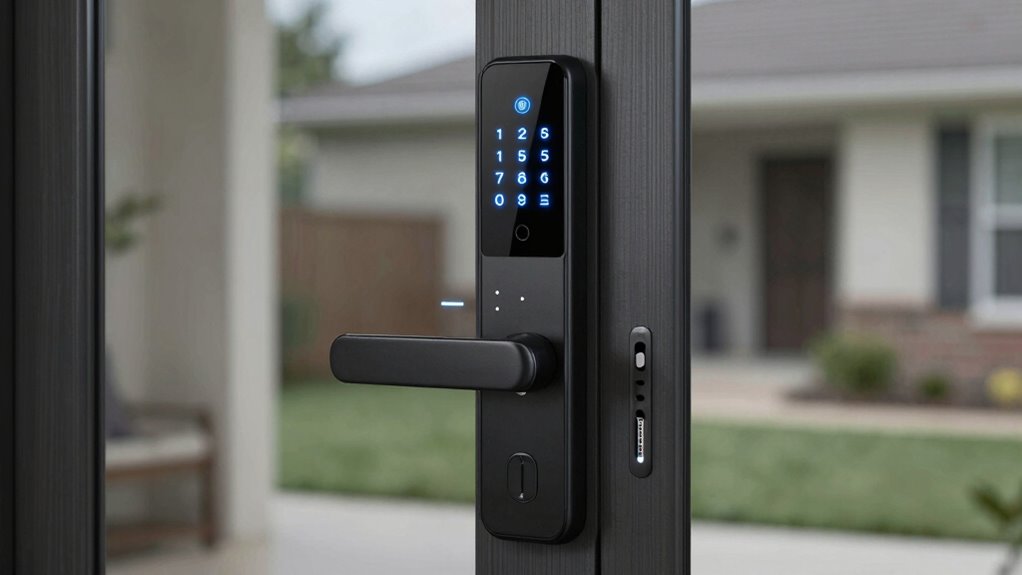
A smart lock with built-in Wi-Fi lets you manage access remotely without buying a separate bridge, but models differ in how they balance fingerprint entry, keypad controls, and a matched handle set. My best overall pick is the Schlage Encode for buyers who value a recognized lock-focused design and straightforward remote access. The Philips 4200 Series stands out for households wanting a keypad and handle together, while the Firstriver T2 appeals to shoppers who want fingerprint entry alongside built-in Wi-Fi. The main tradeoffs are entry methods, door compatibility, and whether the included hardware suits your existing setup. Read on for the full breakdown and help matching a lock to your priorities.

Get the latest gadgets delivered free with Prime
- Fast, free delivery on millions of items
- Prime Video, Amazon Music and more included
- Member-only deals all year
Complete the kit



Key Takeaways
- The Schlage Encode is the clearest pick for buyers prioritizing a dedicated deadbolt design, while several Philips and Sifely options bundle a handle for a more coordinated door setup.
- Fingerprint entry appears across multiple models, including options from Sifely, Veise, Firstriver, and Philips, so compare the exact model rather than assuming every lock in a brand lineup has it.
- Built-in Wi-Fi is the shared convenience, not a guarantee of identical remote features. Check app functions, notifications, and guest-access controls for the specific model before choosing.
- Handle sets can simplify a full hardware replacement, but they may be unnecessary if the existing handle is staying; a deadbolt-only option can avoid paying for hardware you do not need.
- The lineup favors feature variety over one universal winner: prioritize keypad simplicity, fingerprint access, matched handles, or a familiar lock brand based on who uses the door most.
| Philips 4200 Series Wi-Fi Keypad Deadbolt with Handle |  | Best Overall | Wi-Fi: 2.4 GHz; no hub required | App: Philips Home Access | Entry methods: Fingerprint, PIN code, app, voice assistant | VIEW ON AMAZON | See Our Full Breakdown |
| Sifely S WiFi Fingerprint Smart Door Lock with Handle and Keypad |  | Best for Multiple Entry Options | Lock type: Biometric deadbolt with keypad | Connectivity: Built-in Wi-Fi and Bluetooth | Unlock methods: Fingerprint, passcode, app, FOB, mechanical key | VIEW ON AMAZON | See Our Full Breakdown |
| Sifely Wi-Fi Smart Door Lock with Handle |  | Best for High Code Capacity | Connectivity: Built-in Wi-Fi | Access methods: App, passcode, card, physical key, voice control | Passcode capacity: Up to 200 | VIEW ON AMAZON | See Our Full Breakdown |
| Philips Wi-Fi Smart Deadbolt Lock Set with Keypad and Handles |  | Best for Temporary and Scheduled Guest Access | Model: Philips DDL240X-1HW-H2 | Unlock methods: App, fingerprint, PIN code, key, Alexa or Google Assistant voice command | User codes: Up to 100, plus unlimited one-time PIN codes | VIEW ON AMAZON | See Our Full Breakdown |
| Sifely S Model WiFi Fingerprint Smart Door Lock with Handle and Keypad |  | Best for Broad Door-Fit Compatibility | Connectivity: Built-in Wi-Fi | Unlock methods: Fingerprint, keypad code, RFID card, app, physical key, Alexa or Google voice command | Access capacity: 200 codes and 100 fingerprints | VIEW ON AMAZON | See Our Full Breakdown |
| Philips Wi-Fi Smart Deadbolt Lock with Keyless Entry |  | Best for Flexible Access | Connectivity: Built-in Wi-Fi | Unlock methods: Fingerprint, passcode, key, voice assistant, and remote app | Voice assistants: Amazon Alexa and Google Assistant | VIEW ON AMAZON | See Our Full Breakdown |
| Veise VE027 WiFi Smart Lock Fingerprint Keyless Entry Deadbolt Matte Black |  | Best for Exterior-Door Durability | Connectivity: 2.4GHz Wi-Fi; no hub required | Fingerprint speed: 0.2 seconds | Fingerprint accuracy: 99.8% | VIEW ON AMAZON | See Our Full Breakdown |
| Firstriver T2 Built-in WiFi Smart Deadbolt with Fingerprint and Keypad |  | Best for Adjustable Auto-Lock | Model: T2-BWF | Connectivity: Built-in 2.4GHz Wi-Fi | Unlock methods: App, fingerprint, passcode, IC card, mechanical key, and voice control | VIEW ON AMAZON | See Our Full Breakdown |
| Philips Wi-Fi Fingerprint Smart Door Lock with Touchscreen and Handles |  | Best for Handle-Set Convenience | Wi-Fi: Built-in 2.4GHz; no hub required | Unlock methods: Fingerprint, PIN code, key, and app | Fingerprint capacity: Up to 50 fingerprints | VIEW ON AMAZON | See Our Full Breakdown |
| Philips 4200 Series Wi-Fi Smart Deadbolt with Handle, Fingerprint and Keypad Entry, Satin Nickel |  | Best for a Coordinated Lock-and-Handle Upgrade | Wi-Fi: 2.4GHz; hub not required | Unlock methods: Fingerprint, PIN code, app, Alexa, and Google Assistant | Fingerprint unlock speed: 0.3 seconds | VIEW ON AMAZON | See Our Full Breakdown |
| Philips Wi-Fi Smart Deadbolt Lock |  | Best for Flexible Access | Connectivity: Built-in 2.4GHz Wi-Fi | Unlock methods: App, passcode, fingerprint, physical key, Alexa and Google Assistant voice commands | Passcode capacity: Up to 100 custom passcodes | VIEW ON AMAZON | See Our Full Breakdown |
| Veise VE012W WiFi Fingerprint Smart Lock for Front Door, Satin Nickel |  | Best for Access Monitoring | Model: VE012W | Finish: Satin Nickel | Connectivity: Built-in 2.4GHz Wi-Fi | VIEW ON AMAZON | See Our Full Breakdown |
| Schlage Encode Smart WiFi Deadbolt Lock with Century Trim, Matte Black |  | Best for Security-Focused Buyers | Connectivity: Built-in Wi-Fi | Compatibility: Alexa, Google Home, Schlage Home app, Key by Amazon app | Power: 4 AA batteries, included | VIEW ON AMAZON | See Our Full Breakdown |
| smart lock with built in wifi | Connectivity | Unlock methods |
|---|---|---|
| Philips 4200 Series Wi-Fi Keyp | — | — |
| Sifely S WiFi Fingerprint Smar | Built-in Wi-Fi and Bluetooth | Fingerprint, passcode, app, FOB, mechanical key |
| Sifely Wi-Fi Smart Door Lock w | Built-in Wi-Fi | — |
| Philips Wi-Fi Smart Deadbolt L | — | App, fingerprint, PIN code, key, Alexa or Google Assistant voice command |
| Sifely S Model WiFi Fingerprin | Built-in Wi-Fi | Fingerprint, keypad code, RFID card, app, physical key, Alexa or Google voice command |
| Philips Wi-Fi Smart Deadbolt L | Built-in Wi-Fi | Fingerprint, passcode, key, voice assistant, and remote app |
| Veise VE027 WiFi Smart Lock Fi | 2.4GHz Wi-Fi; no hub required | — |
| Firstriver T2 Built-in WiFi Sm | Built-in 2.4GHz Wi-Fi | App, fingerprint, passcode, IC card, mechanical key, and voice control |
| Philips Wi-Fi Fingerprint Smar | — | Fingerprint, PIN code, key, and app |
| Philips 4200 Series Wi-Fi Smar | — | Fingerprint, PIN code, app, Alexa, and Google Assistant |
| Philips Wi-Fi Smart Deadbolt L | Built-in 2.4GHz Wi-Fi | App, passcode, fingerprint, physical key, Alexa and Google Assistant voice commands |
| Veise VE012W WiFi Fingerprint | Built-in 2.4GHz Wi-Fi | App, fingerprint, one-time codes, PIN, physical keys, voice commands |
| Schlage Encode Smart WiFi Dead | Built-in Wi-Fi | — |
More Details on Our Top Picks
Philips 4200 Series Wi-Fi Keypad Deadbolt with Handle
The Philips 4200 Series is my most balanced pick for buyers who want built-in Wi-Fi alongside quick everyday entry. It connects to 2.4 GHz Wi-Fi without a hub, and its 0.3-second fingerprint reader can spare household members from remembering a code. Compared with the Sifely S WiFi Fingerprint Smart Door Lock with Handle and Keypad, it spells out useful code schedules and router-distance guidance, while offering a matching handle set. Remote access and access history add visibility when you are away.
The tradeoffs are practical: the stated Wi-Fi range works best within 33 feet of the router, batteries are not included, and auto-lock is off until you enable it. Choose this over the Philips Wi-Fi Smart Deadbolt Lock Set with Keypad and Handles if you prefer the 4200 model’s stated fingerprint speed and six-month battery estimate; skip it if your Wi-Fi signal is weak at the door.
Pros:- Built-in 2.4 GHz Wi-Fi supports remote app control without a hub
- Fingerprint entry is specified to unlock in 0.3 seconds
- Supports permanent, one-time, periodic, and recurring PIN codes
- Matching handle set is included
Cons:- Wi-Fi works best within 33 feet of the router
- Standard alkaline batteries are not included
- Auto-lock is off by default and must be enabled
Best for: Households seeking a hub-free Wi-Fi deadbolt with fingerprint entry, flexible guest codes, and a matching handle set.
Not ideal for: Buyers with a distant or weak 2.4 GHz router near the door, or anyone who wants auto-lock active without setup.
- Wi-Fi:2.4 GHz; no hub required
- App:Philips Home Access
- Entry methods:Fingerprint, PIN code, app, voice assistant
- PIN code types:Permanent, one-time, periodic, recurring
- Fingerprint unlock speed:0.3 seconds
- Auto-lock:Adjustable from 0 to 180 seconds; off by default
- Battery life:Up to 6 months with standard 1.5 V alkaline batteries; batteries not included
- Door thickness compatibility:1-3/8 to 1-3/4 inches (38 to 50 mm)
- Included:Matching handle set
Our verdict“Choose the Philips 4200 Series for a well-rounded built-in Wi-Fi lock with fast fingerprint access and flexible codes, provided your router reaches the door.”
Sifely S WiFi Fingerprint Smart Door Lock with Handle and Keypad
The Sifely S WiFi stands out for households that want several ways to get inside, including fingerprint, passcode, app, FOB, and mechanical key. Its built-in Wi-Fi enables remote access without a separate gateway, and app-based user management and access logs help keep track of who can enter. Compared with the Philips 4200 Series, this Sifely adds a FOB and supplied cards, giving buyers more credential choices, though the Philips provides clearer published details about code schedules and battery life.
Alexa and Google Assistant support, auto-lock, and low-battery alerts round out the feature set. The main drawback is that the supplied details do not specify battery life or weather resistance, so buyers have less information to judge upkeep and outdoor suitability. Consider it if entry flexibility is your priority; skip it if you need documented endurance or weather guidance before choosing a lock.
Pros:- Five stated entry methods include FOB and mechanical key
- Built-in Wi-Fi allows remote app access without a separate gateway
- App supports user and code management plus access logs
- Includes auto-lock, low-battery alerts, and Alexa and Google Assistant support
Cons:- Battery life is not specified in the supplied product details
- Weather resistance is not specified
- Remote features depend on app access and a working connection
Best for: Families or shared households that want fingerprint, keypad, FOB, app, and keyed entry options in one built-in Wi-Fi lock.
Not ideal for: Buyers who need published battery-life and weather-resistance details before selecting a lock for an exposed entrance.
- Lock type:Biometric deadbolt with keypad
- Connectivity:Built-in Wi-Fi and Bluetooth
- Unlock methods:Fingerprint, passcode, app, FOB, mechanical key
- Fingerprint recognition:0.3 seconds
- Smart assistant compatibility:Amazon Alexa and Google Assistant
- Material:Aluminum and zinc
- Dimensions:7 x 3 x 1.12 inches
- Included components:Front panel, back panel, mounting plate, manuals, installation screws, 2 keys, 2 cards
Our verdict“Pick the Sifely S WiFi if you value a wide range of entry methods more than having published battery-life and weather-resistance details.”
Sifely Wi-Fi Smart Door Lock with Handle
If you expect to manage many different users, the Sifely Wi-Fi Smart Door Lock with Handle has a clear advantage: it stores up to 200 passcodes and supports app, card, physical key, and voice access as well. Built-in Wi-Fi provides remote unlocking and real-time updates without a gateway, while auto-lock and access management address routine household needs. Compared with the Sifely S WiFi Fingerprint Smart Door Lock with Handle and Keypad, this model emphasizes passcode capacity and lists a Type-C backup; the other Sifely offers fingerprint entry and a FOB.
The stated up-to-six-month battery life gives buyers a useful maintenance estimate, but a Type-C backup may be needed when power runs low. Some management features are described as premium, which could limit the value of its broad access-management pitch. I’d choose it for code-heavy shared access, not for buyers who specifically want a fingerprint reader or unrestricted access tools.
Pros:- Stores up to 200 passcodes
- Built-in Wi-Fi supports remote unlocking and real-time updates without a gateway
- Includes app, passcode, card, physical-key, and voice access
- Lists up to six months of battery life and Type-C backup power
Cons:- Fingerprint entry is not listed among its access methods
- Some management features are described as premium
- Type-C backup may be needed when the battery runs low
Best for: Hosts, landlords, and busy households that need to issue and manage many passcodes through a built-in Wi-Fi lock.
Not ideal for: Buyers who require fingerprint unlocking or want all access-management features clearly included without premium limitations.
- Connectivity:Built-in Wi-Fi
- Access methods:App, passcode, card, physical key, voice control
- Passcode capacity:Up to 200
- Battery life:Up to 6 months
- Backup power:Type-C
- Compatibility:Amazon Alexa and Google Home
- Lock type:Deadbolt, keypad, and handle
- Material and color:Zinc; silver
- Dimensions:7 x 3 x 1.12 inches
Our verdict“Choose this Sifely model for high passcode capacity and remote code management, but look elsewhere if fingerprint entry is a requirement.”
Philips Wi-Fi Smart Deadbolt Lock Set with Keypad and Handles
This Philips set is a strong fit for people who regularly grant short-term or repeating access. It supports up to 100 user codes plus unlimited one-time PINs, with temporary and recurring code options, remote status monitoring, and access history in the app. The included handle set makes it a complete lock-and-handle package. Compared with the Philips 4200 Series Wi-Fi Keypad Deadbolt with Handle, this model specifies a larger stated user-code limit and includes four batteries, while the 4200 lists a six-month battery estimate and a fingerprint unlock speed.
Its five entry methods include fingerprint and key access, and the auto-lock timer can be set from 30 to 180 seconds. The fit is less flexible on paper: it requires a 35–50 mm-thick door, and voice unlocking needs Alexa or Google Assistant. I’d favor this Philips for managed guest access, but check door thickness before choosing it.
Pros:- Supports up to 100 user codes and unlimited one-time PINs
- App provides remote control, lock status, and access history
- Offers app, fingerprint, PIN, key, and voice-command entry
- Includes a matching handle set and four batteries
Cons:- Fits only doors 35–50 mm thick
- Voice control depends on Amazon Alexa or Google Assistant
- Auto-lock timer starts at 30 seconds rather than allowing a shorter setting
Best for: Hosts and households that need one-time or recurring codes, remote lock-status checks, and an included handle set.
Not ideal for: Buyers with doors outside the specified 35–50 mm thickness range or those who want voice control without Alexa or Google Assistant.
- Model:Philips DDL240X-1HW-H2
- Unlock methods:App, fingerprint, PIN code, key, Alexa or Google Assistant voice command
- User codes:Up to 100, plus unlimited one-time PIN codes
- Auto-lock timer:30–180 seconds
- Compatible door thickness:35–50 mm
- App features:Remote control, status monitoring, and access history
- Included components:Door lock, handle set, 4 batteries
- Recommended use:Home
Our verdict“Choose this Philips set if temporary and recurring guest codes are central to your routine and your door fits its stated dimensions.”
Sifely S Model WiFi Fingerprint Smart Door Lock with Handle and Keypad
The Sifely S Model WiFi is the most flexible fit on paper among these five: it lists compatibility with doors 1-3/8 to 2-1/4 inches thick and provides two backset options. That makes it a useful alternative to the Philips 4200 Series, whose listed door range ends at 1-3/4 inches. It also packs six entry methods—fingerprint, keypad, RFID card, app, physical key, and voice command—plus capacity for 200 codes and 100 fingerprints. Built-in Wi-Fi allows remote access without an extra gateway.
For everyday resilience, it adds auto-lock and a Type-C emergency power port, with battery life listed up to six months. The tradeoff is that the broader fit still depends on matching the specified thickness and backset, so measure before ordering. Compared with the Sifely Wi-Fi Smart Door Lock with Handle, this model adds fingerprint access and clearly lists door-fit dimensions, but it remains a zinc-alloy lock with a stated battery-life ceiling.
Pros:- Specified for door thicknesses from 1-3/8 to 2-1/4 inches
- Supports six entry methods, including fingerprint and RFID card
- Built-in Wi-Fi provides remote app access without an extra gateway
- Includes auto-lock and Type-C emergency power
Cons:- Requires a compatible 2-3/8 or 2-3/4-inch backset
- Battery life is listed as up to six months
- Door dimensions must be checked carefully before installation
Best for: Buyers whose doors are thicker than standard or who want a broad set of access methods with built-in Wi-Fi.
Not ideal for: Shoppers who cannot verify their door thickness and backset, or who prefer a lock with a longer stated battery interval.
- Connectivity:Built-in Wi-Fi
- Unlock methods:Fingerprint, keypad code, RFID card, app, physical key, Alexa or Google voice command
- Access capacity:200 codes and 100 fingerprints
- Door thickness:1-3/8 to 2-1/4 inches
- Backset:2-3/8 or 2-3/4 inches
- Battery life:Up to 6 months
- Emergency power:Type-C port
- Material and color:Zinc alloy; silver
- Dimensions:7 x 3 x 1.12 inches
Our verdict“Pick the Sifely S Model if your door needs the wider stated fit range and you want fingerprint, RFID, and remote Wi-Fi access in one lock.”
Philips Wi-Fi Smart Deadbolt Lock with Keyless Entry
The Philips Wi-Fi Smart Deadbolt suits households where different people need different ways to get inside. Fingerprint, passcodes, a physical key, app control, and voice assistants give it a broader access mix than the Philips 4200 Series Wi-Fi Smart Deadbolt with Handle, whose listed methods omit a physical key. Built-in Wi-Fi also enables remote locking, alerts, and entry history without relying only on local keypad access. Its capacity for up to 100 custom passcodes, including scheduled or one-time codes, can help hosts and households manage access without sharing a permanent code. The tradeoff is that remote functions depend on a working Wi-Fi connection, and voice-assistant access takes setup. Choose it for access flexibility; skip it if you want a supplied handle set or need the simplest possible configuration.
Pros:- Fingerprint, passcode, key, app, and voice-assistant entry offer several ways inside.
- Built-in Wi-Fi supports remote locking, alerts, and entry history.
- Up to 100 custom passcodes, including scheduled and one-time options.
- Auto-lock, anti-tamper alarm, low-battery alert, and emergency key access add security and backup options.
Cons:- Remote access and alerts rely on an available Wi-Fi connection.
- Voice-assistant functions may require extra setup.
- The listed package does not include a handle set.
Best for: Households with family members, guests, or service providers who need different entry methods and individually managed access codes.
Not ideal for: Buyers who want a lock-and-handle bundle or who prefer to avoid app, Wi-Fi, and voice-assistant setup.
- Connectivity:Built-in Wi-Fi
- Unlock methods:Fingerprint, passcode, key, voice assistant, and remote app
- Voice assistants:Amazon Alexa and Google Assistant
- Fingerprint recognition:0.3 seconds
- Passcode capacity:Up to 100 custom passcodes
- Security features:Auto-lock, anti-tamper alarm, and low-battery alert
- Backup access:Emergency key access
Our verdict“Pick this Philips deadbolt if your priority is accommodating many users with varied entry methods, and pass if you want a bundled handle or minimal setup.”
Veise VE027 WiFi Smart Lock Fingerprint Keyless Entry Deadbolt Matte Black
The Veise VE027 is the strongest fit here for buyers prioritizing weather protection alongside built-in Wi-Fi. Its IP65 rating is a step up from the Firstriver T2’s IP64 rating, making the Veise the more compelling choice for exposed exterior installations based on the supplied specifications. It also connects to 2.4GHz Wi-Fi without a hub and pairs fast fingerprint access with app, PIN, voice, card, and key options. That mix helps accommodate both residents and visitors, while the anti-peep PIN feature adds a layer of privacy when entering a code in view of others. The tradeoffs are practical: it takes eight batteries, which are not included, and setup may be more involved than the Philips Wi-Fi Smart Deadbolt with Keyless Entry. Check your door measurements before choosing it.
Pros:- Connects directly to 2.4GHz Wi-Fi without a separate hub.
- 0.2-second fingerprint unlocking and stated 99.8% fingerprint accuracy.
- IP65 weather protection and BHMA & ANSI Grade 3 security rating.
- Supports app, fingerprint, PIN, voice, card, and key access, with an anti-peep PIN feature.
Cons:- Requires eight batteries, which are not included.
- Initial app setup may be complex for some buyers.
- Door thickness and installation-hole dimensions must match the listed fit requirements.
Best for: Homeowners fitting an exposed exterior door who want direct Wi-Fi, fingerprint entry, and multiple backup access methods.
Not ideal for: Buyers who want a simpler app setup, do not want to supply eight batteries, or have a door outside the listed thickness and hole dimensions.
- Connectivity:2.4GHz Wi-Fi; no hub required
- Fingerprint speed:0.2 seconds
- Fingerprint accuracy:99.8%
- Fingerprint capacity:20+ fingerprints
- PIN capacity:100+ remote codes with anti-peep feature
- Weather protection:IP65
- Security grade:BHMA & ANSI Grade 3
- Power and backup:Eight batteries required (not included); Type-C backup port
- Door fit:1-3/8 to 1-3/4 inches thick; 1-1/2 or 2-1/8-inch installation hole
Our verdict“Choose the Veise VE027 for a weather-exposed door and broad access options, but look elsewhere if battery demands or setup complexity are deal-breakers.”
Firstriver T2 Built-in WiFi Smart Deadbolt with Fingerprint and Keypad
The Firstriver T2 stands out for its unusually broad 5-to-900-second auto-lock range, giving buyers more control over how quickly the deadbolt locks after use than the Philips 4200 Series, whose timer tops out at 180 seconds. That flexibility can suit households that need extra time to bring in groceries or move through a busy entry, while still allowing a short delay when preferred. It also offers six access methods, including fingerprint, IC card, mechanical key, app, passcode, and voice control, with built-in Wi-Fi and no hub requirement. The fingerprint system detects in 0.3 seconds, though the listed unlock time is 1.5 seconds. Compared with the more weather-protected Veise VE027, the T2’s IP64 rating is lower. It also requires a 2.4GHz network.
Pros:- Built-in 2.4GHz Wi-Fi enables app control without a separate hub.
- Auto-lock can be adjusted from 5 to 900 seconds.
- Six listed access methods include fingerprint, IC card, mechanical key, and voice control.
- Includes a stated three-year replacement plan.
Cons:- Requires a 2.4GHz Wi-Fi network.
- IP64 weather resistance is lower than the Veise VE027’s IP65 rating.
- Fingerprint detection is listed at 0.3 seconds, but the full unlock time is 1.5 seconds.
Best for: Households that want to tailor auto-lock timing closely and use several access methods, including IC cards and voice control.
Not ideal for: Buyers with no 2.4GHz Wi-Fi network or those seeking the stronger listed weather protection of the Veise VE027.
- Model:T2-BWF
- Connectivity:Built-in 2.4GHz Wi-Fi
- Unlock methods:App, fingerprint, passcode, IC card, mechanical key, and voice control
- Fingerprint timing:0.3-second detection; 1.5-second unlock
- Auto-lock range:5–900 seconds
- Weather resistance:IP64
- Voice assistants:Alexa and Google Assistant
- Warranty:Three-year replacement plan
Our verdict“Choose the Firstriver T2 if fine-grained auto-lock timing and six access methods matter more than higher weather protection.”
Philips Wi-Fi Fingerprint Smart Door Lock with Touchscreen and Handles
Unlike the Philips Wi-Fi Smart Deadbolt with Keyless Entry, this Philips touchscreen lock includes two lever handles, so it makes more sense when replacing both the lock and the existing handles. Its built-in 2.4GHz Wi-Fi supports remote access, alerts, and entry history without a hub, and its capacity for 50 fingerprints and 100 user PINs gives larger households room to assign individual access. One limitation changes how I’d use its auto-lock: the lock has no door-closed sensor, so it cannot confirm the door has latched before locking. Timed and recurring PIN sharing also requires a separately sold Wi-Fi Gateway, narrowing its advantage for managing scheduled guest access. Compared with the Philips 4200 Series, it offers a larger listed fingerprint capacity, but buyers should verify the door fit and account for these access-management limits.
Pros:- Includes the Wi-Fi lock and two lever handles for a combined replacement.
- Built-in 2.4GHz Wi-Fi enables remote access, alerts, and access history without a hub.
- Stores up to 50 fingerprints and 100 user PINs, plus unlimited one-time PINs.
- Offers fingerprint, PIN, key, and app unlocking.
Cons:- No door-closed sensor means auto-lock cannot verify that the door is fully shut.
- Timed and recurring PIN sharing requires a separately sold Wi-Fi Gateway.
- Fits only doors 1-3/8 to 1-3/4 inches thick.
Best for: Homeowners replacing a deadbolt and lever handles together who need room for many fingerprints and user PINs.
Not ideal for: Buyers who need door-closed detection or want timed and recurring PIN sharing without buying a separate gateway.
- Wi-Fi:Built-in 2.4GHz; no hub required
- Unlock methods:Fingerprint, PIN code, key, and app
- Fingerprint capacity:Up to 50 fingerprints
- PIN capacity:Up to 100 user PINs; unlimited one-time PINs
- Door compatibility:1-3/8 to 1-3/4 inches thick
- Included components:Wi-Fi lock and two lever handles
- Voice assistants:Alexa and Google Assistant
- Auto-lock sensor:No door-closed sensor
Our verdict“Pick this Philips set when you need both a Wi-Fi lock and matching handles, but skip it if door-state sensing or gateway-free scheduled codes matter.”
Philips 4200 Series Wi-Fi Smart Deadbolt with Handle, Fingerprint and Keypad Entry, Satin Nickel
The Philips 4200 Series is a practical choice for buyers who want a matching handle included with a fingerprint-and-keypad deadbolt. It connects directly to 2.4GHz Wi-Fi, so remote management does not call for a separate hub, and the app covers user codes, fingerprints, lock status, and access history. Compared with the Philips Wi-Fi Fingerprint Smart Door Lock with Touchscreen and Handles, this model offers several PIN schedules—permanent, one-time, periodic, and recurring—while the other Philips set lists more fingerprint capacity and unlimited one-time PINs. Its 0–180-second auto-lock timer is useful for routine adjustments, but offers less range than the Firstriver T2. The main practical catch is power: it needs eight AA alkaline batteries, not included, and it works on 2.4GHz Wi-Fi only.
Pros:- Built-in 2.4GHz Wi-Fi supports remote app management without a hub.
- Supports fingerprint, PIN, app, Alexa, and Google Assistant access.
- PIN options include permanent, one-time, periodic, and recurring codes.
- Matching satin nickel handle set is included.
Cons:- Requires eight AA alkaline batteries, which are not included.
- Connects only to 2.4GHz Wi-Fi.
- Auto-lock timer is limited to 180 seconds, shorter than the Firstriver T2’s maximum.
Best for: Homeowners replacing a deadbolt and handle who want app-managed fingerprints, multiple PIN schedules, and direct Wi-Fi.
Not ideal for: Buyers who need 5GHz Wi-Fi, want to avoid supplying eight AA batteries, or need an auto-lock delay longer than three minutes.
- Wi-Fi:2.4GHz; hub not required
- Unlock methods:Fingerprint, PIN code, app, Alexa, and Google Assistant
- Fingerprint unlock speed:0.3 seconds
- PIN code types:Permanent, one-time, periodic, and recurring
- Auto-lock timer:0–180 seconds
- Compatible door thickness:1-3/8 to 1-3/4 inches
- Power:Eight AA alkaline batteries, not included
- Included hardware:Matching handle set
- Finish:Satin nickel
Our verdict“Choose the Philips 4200 Series for a coordinated lock-and-handle replacement with flexible PIN scheduling, provided 2.4GHz Wi-Fi and eight AA batteries suit your setup.”
Philips Wi-Fi Smart Deadbolt Lock
The Philips Wi-Fi Smart Deadbolt is a strong fit for households that want several ways to get through the door without adding a hub. It combines fingerprint, passcode, app, key, and voice entry, while support for up to 100 custom codes makes it easier to assign access to guests or service providers. Compared with the Schlage Encode, which emphasizes a built-in alarm and a more established deadbolt setup, this Philips offers fingerprint unlocking and a wider stated door-thickness range. Its tradeoffs are practical: it needs 2.4GHz Wi-Fi, batteries are not included, and it has no door sensor to report whether the door itself is open. Choose it for adaptable entry methods, not detailed door-status monitoring.
Pros:- Built-in Wi-Fi enables remote access without a separate hub.
- Fingerprint, passcode, app, physical key, and voice entry offer varied ways to unlock.
- Supports up to 100 custom passcodes, including one-time and scheduled options.
- Auto-Lock can be set from 10 to 180 seconds.
Cons:- Works with 2.4GHz Wi-Fi only, with the router recommended within 65 feet.
- AA alkaline batteries are not included.
- No door sensor for monitoring whether the door is open or closed.
Best for: Households that want fingerprint access alongside many guest or service-provider codes and remote control without a hub.
Not ideal for: Buyers who need door-open status monitoring, use only 5GHz Wi-Fi, or want batteries included.
- Connectivity:Built-in 2.4GHz Wi-Fi
- Unlock methods:App, passcode, fingerprint, physical key, Alexa and Google Assistant voice commands
- Passcode capacity:Up to 100 custom passcodes
- Battery:AA alkaline (LR6), not included
- Door thickness:1-3/8 to 2 inches (38 to 50 mm)
- Auto-Lock range:10 to 180 seconds
- Recommended Wi-Fi range:Keep router within 65 feet of the lock
Our verdict“Choose this Philips if you want fingerprint entry and generous code capacity in a hub-free lock, and can do without door-status sensing.”
Veise VE012W WiFi Fingerprint Smart Lock for Front Door, Satin Nickel
The Veise VE012W suits buyers who want more than remote unlocking: its real-time access monitoring, one-time codes, and anti-peeping PIN feature support tighter control over who enters and when. The fingerprint reader is specified to recognize a print in 0.2 seconds, and the lock stores up to 20 fingerprints and 100 PINs. Compared with the Philips Wi-Fi Smart Deadbolt Lock, Veise adds stated AES-128 local data encryption and an IP55 rating, while keeping hub-free 2.4GHz Wi-Fi. The cost of that broader access-control feature set is an eight-AA battery requirement, with batteries not included. Its BHMA/ANSI Grade 3 rating is also a limiting point for buyers seeking a higher stated security grade.
Pros:- Built-in 2.4GHz Wi-Fi provides remote control without a separate hub.
- Real-time access monitoring and one-time codes support controlled guest entry.
- Anti-peeping PIN technology helps obscure a code from nearby observers.
- Stores up to 20 fingerprints and 100 custom PINs.
Cons:- Requires eight AA alkaline batteries, which are not included.
- Supports 2.4GHz Wi-Fi only.
- BHMA/ANSI Grade 3 certification may not suit buyers seeking a higher stated grade.
Best for: Families or rental hosts who want fingerprint entry, temporary codes, and access alerts in a hub-free lock.
Not ideal for: Buyers who prioritize a higher stated security grade, need 5GHz Wi-Fi support, or prefer a lock with fewer batteries to supply.
- Model:VE012W
- Finish:Satin Nickel
- Connectivity:Built-in 2.4GHz Wi-Fi
- Unlock methods:App, fingerprint, one-time codes, PIN, physical keys, voice commands
- Fingerprint and PIN capacity:20 fingerprints and up to 100 custom PINs
- Voice assistants:Amazon Alexa and Google Assistant
- Battery:8 AA/LR6 alkaline batteries, not included
- Security:BHMA/ANSI Grade 3; AES-128 local data encryption
- Door thickness:1-3/8 to 2 inches
Our verdict“Pick the Veise VE012W for fingerprint-based entry and detailed access control, but skip it if battery demands or its Grade 3 rating are deal-breakers.”
Schlage Encode Smart WiFi Deadbolt Lock with Century Trim, Matte Black
The Schlage Encode is the most security-focused choice of these three, pairing built-in Wi-Fi with encrypted connections and a built-in tamper alarm. It also supports up to 100 access codes and works with the Schlage Home app, Alexa, Google Home, and Key by Amazon. Compared with the Philips Wi-Fi Smart Deadbolt Lock and Veise VE012W, the Schlage’s appeal is its alarm and included batteries rather than fingerprint entry; neither of those features is listed here. The stated fit range is narrower, too: it suits doors from 1-3/8 to 1-3/4 inches thick, while both other locks accommodate doors up to 2 inches. Battery life is listed at up to six months, so this is a better fit for buyers willing to monitor and replace batteries.
Pros:- Built-in Wi-Fi supports remote access without a separate hub.
- Encrypted connections and a built-in tamper alarm add security features.
- Supports up to 100 access codes and works with Alexa, Google Home, and Key by Amazon.
- Four AA batteries are included, and installation requires no hardwiring.
Cons:- Does not list fingerprint unlocking, unlike the Philips and Veise options.
- Fits doors only from 1-3/8 to 1-3/4 inches thick.
- Battery life is listed at up to six months, requiring periodic replacement.
Best for: Homeowners who want hub-free remote locking, app and voice access, a tamper alarm, and compatibility with Key by Amazon.
Not ideal for: Buyers who want fingerprint unlocking, have a door thicker than 1-3/4 inches, or prefer less frequent battery changes.
- Connectivity:Built-in Wi-Fi
- Compatibility:Alexa, Google Home, Schlage Home app, Key by Amazon app
- Power:4 AA batteries, included
- Listed battery life:Up to 6 months
- Access codes:Up to 100
- Door thickness:1-3/8 to 1-3/4 inches
- Backset:2-3/8 or 2-3/4 inches
- Finish and trim:Matte Black, Century trim
Our verdict“Choose the Schlage Encode if its tamper alarm and app ecosystem matter more to you than fingerprint entry or a wider door-thickness fit.”

How We Picked
I compared these 13 models around the needs that matter most when Wi-Fi is built into the lock: remote access without an extra bridge, practical ways to unlock, and how well the hardware fits different front-door setups. I also weighed the usefulness of keypad and fingerprint options, whether a handle is included, and the everyday implications of managing access through an app. Product names and variants can be similar, so I treated each listed model as its own option rather than assuming features carry across a brand family.
The ranking favors locks with a clear use case and a balanced mix of access methods and installation fit. A model with a handle set may rank higher for a full hardware refresh, while a deadbolt-only option may suit buyers keeping existing handles. Fingerprint models are placed for households that benefit from quick code-free entry, not as automatic upgrades for everyone. Since the listed information does not establish every model’s compatibility, app details, or installation requirements, I recommend checking the exact product specification and door measurements before purchase.
Factors to Consider When Choosing Smart Lock With Built In Wifi
Choosing among these models is less about collecting the most unlocking methods and more about matching the lock to your door, household, and approach to access. I would settle the physical fit and everyday entry routine before comparing secondary app features.
Confirm Wi-Fi and Remote Features on the Exact Model
Built-in Wi-Fi usually means the lock can connect to a home network without a separate bridge, but that alone does not tell you which remote controls or alerts an app supports. Before buying, check whether the exact listing describes remote locking, access-code management, activity notifications, and any account or app requirements you care about. Do not assume two locks from the same brand share the same app functions, especially when model names are nearly identical. A strong home Wi-Fi signal near the door also matters; a lock installed at the edge of coverage may respond less reliably. If the signal is weak, plan for improving coverage rather than expecting the lock to solve a network problem.
Choose Entry Methods Around the People Who Use the Door
A keypad suits visitors or household members who need independent codes, while fingerprint entry can reduce the need to remember or share one. These are different conveniences, not automatic substitutes: a keypad still depends on entering a code, and fingerprint use may be less suitable for people whose prints are hard for a reader to recognize. Think through who needs access, how often codes must change, and whether a physical key matters as a backup. The lineup includes several fingerprint-equipped options, but not every lock offers that feature. Avoid paying for extra entry methods unless they solve a real routine or accessibility need.
Measure the Door and Decide Whether You Need a Handle Set
Some options pair a deadbolt with a handle, while others focus on the deadbolt itself. A bundle can make sense when replacing both pieces of door hardware, but it can create extra expense and finish-matching work if your current handle stays. Check door thickness, backset, hole dimensions, handing, and the lock’s installation requirements against the manufacturer’s specifications. Do not rely on a product photo to judge whether the included handle will fit your door or match its existing hardware. Resolving fit questions first can prevent a convenient Wi-Fi upgrade from turning into a more involved hardware project.
Treat Power and Backup Access as Part of the Plan
Connected locks depend on batteries, so think about how you will notice low power and how you can enter if a battery runs down. Review the specific model’s battery type, low-battery alerts, emergency power provisions, and physical-key options rather than assuming these details are shared across the lineup. Make a habit of checking battery status in the app or on the lock if the manufacturer supports it. Households with frequent guests may want a backup entry method that does not depend on one person’s phone. This small bit of planning can matter more than an additional smart feature.
Compare App Access and Household Administration
For a busy household, the value of remote connectivity often comes down to how easy it is to grant, change, and remove access. Check whether the app supports separate user codes, temporary access, activity history, or notifications, and confirm which features work remotely. A lock that offers many entry methods may still be awkward if managing family or visitor access is unclear. Decide who will administer the lock and what happens when a phone is replaced or a guest no longer needs access. These questions are especially useful when comparing similarly named variants from Philips or Sifely.
Pay for Features That Solve a Specific Problem
Fingerprint recognition, a touchscreen keypad, and a bundled handle each add potential convenience, but they also narrow the choice to particular hardware and routines. Pay more for a feature when it removes a recurring hassle, such as managing entry for frequent visitors or replacing a full set of door hardware. If you mainly want remote lock control and a code for occasional access, a simpler deadbolt may be a better fit. Compare the exact included parts and access methods rather than judging by a model name or feature count. A clear must-have list keeps convenience from becoming unnecessary complexity.
Frequently Asked Questions
Does built-in Wi-Fi mean I can control every feature remotely?
No. Built-in Wi-Fi indicates that the lock can connect to a network without a separate bridge, but the app determines which functions are available from outside the home. Remote locking, code changes, notifications, and activity records can vary by model. Check the product’s current feature details and app requirements before buying. Also confirm that the lock will receive a reliable Wi-Fi signal where it is installed.
Should I choose fingerprint entry or a keypad?
Choose based on who needs access and what they will find easiest to use consistently. A keypad works well for sharing or changing codes, while fingerprint entry can make routine arrivals quicker without entering a code. Fingerprint recognition may be less dependable for some users, so check whether the lock has a useful alternative entry method. If several people share the door, consider whether each person can use their preferred method rather than relying on one feature for everyone.
Do I need to replace my handle when I install a smart deadbolt?
Not necessarily. Several products in this roundup include a handle, but a deadbolt-only model may be more suitable if your current handle is in good condition. Before selecting a bundle, verify its dimensions, finish, and installation requirements alongside your door measurements. Replacing both pieces can create a coordinated look, but it adds hardware you may not need. Treat the handle as a separate purchase decision, not an automatic benefit.
Can I choose between similar Philips or Sifely models by brand alone?
I would compare the exact model names and listed features instead. The roundup includes variants with different combinations of handles, keypads, and fingerprint entry, so a brand label does not identify the access methods or included hardware. Confirm the precise model number, what’s in the box, and app functions on the product listing. This is particularly useful when two names differ by only a few words.
What should I check before installing a Wi-Fi smart lock on my front door?
Start with door thickness, backset, bore-hole dimensions, and any compatibility requirements stated by the manufacturer. Check whether the lock replaces only the deadbolt or also includes a handle, then decide if that matches your setup. Confirm that Wi-Fi reaches the door and review the lock’s battery and backup-entry provisions. If the door or existing hardware is nonstandard, resolve that fit question before choosing based on app features.
Conclusion
For the best overall, I would start with the Schlage Encode if you want a focused Wi-Fi deadbolt option. The best fit for a full hardware refresh is the Philips 4200 Series Wi-Fi Keypad Deadbolt with Handle, while the Firstriver T2 is a strong match for buyers who specifically want fingerprint and keypad entry. For a beginner-friendly choice, prioritize a model whose access methods and app controls suit your household rather than choosing by feature count; the Philips keypad-and-handle combination is a straightforward place to compare. For fingerprint-focused needs, examine the Sifely, Veise, Firstriver, and Philips fingerprint variants side by side and confirm the exact hardware included. The best choice is the one that fits your door and access routine, with built-in Wi-Fi as the convenience that connects it all.
Fall Picks
fall essentials
As an affiliate, we earn on qualifying purchases.