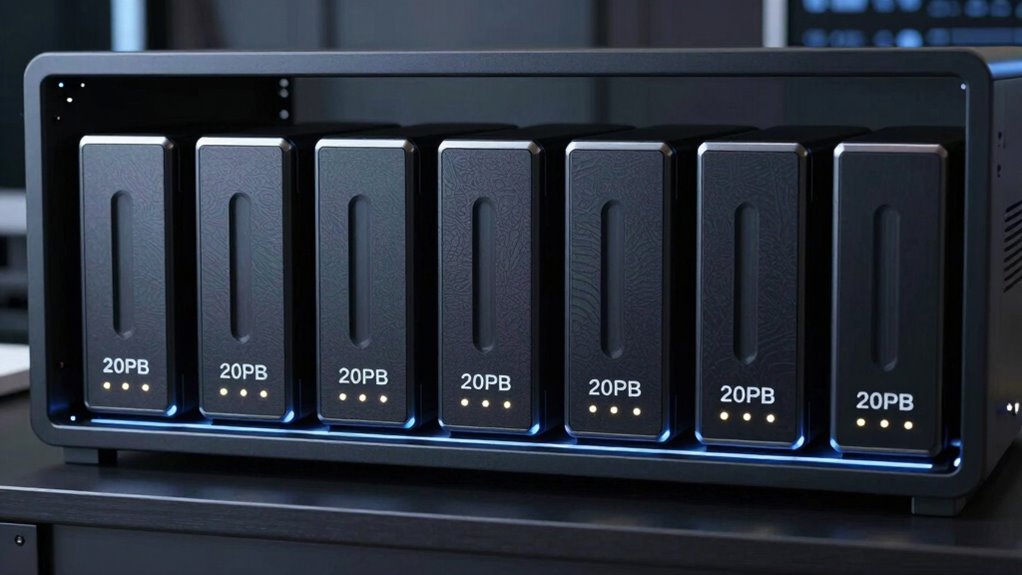

A 20TB NAS hard drive can add substantial capacity to a home or business server, but workload support, drive condition, and compatibility matter as much as capacity. My best overall pick is the Seagate IronWolf Pro 20TB, with NAS-focused features and a full-capacity option for demanding multi-bay systems. The Toshiba N300 20TB stands out for buyers comparing cache and rotational speed, while the WD Red Pro 20TB is a strong alternative for a NAS-centered WD lineup. The main tradeoffs are new versus renewed condition, workload suitability, and whether a 16TB model makes more sense than paying for a full 20TB. Read on for the complete comparison and help matching a drive to your NAS and workload.

Get the latest gadgets delivered free with Prime
- Fast, free delivery on millions of items
- Prime Video, Amazon Music and more included
- Member-only deals all year
Complete the kit



Key Takeaways
- Three full-capacity 20TB NAS models lead this comparison: Seagate IronWolf Pro, WD Red Pro, and Toshiba N300; the choice among them depends on NAS workload needs and the drive ecosystem you prefer.
- The IronWolf Pro 20TB is the strongest all-round NAS fit in this lineup, while the WD Red Pro 20TB offers a direct alternative for buyers already focused on WD Red Pro drives.
- The Toshiba N300 20TB pairs 7200 RPM operation with a 512MB cache, but those specs should be weighed against noise, heat, and system cooling in a multi-drive enclosure.
- Renewed listings change the value calculation. The MDD 20TB and WD Ultrastar 20TB renewed options may suit budget-minded or technically confident buyers, but condition and warranty terms need careful checking.
- The two 16TB NAS drives are capacity alternatives, not direct 20TB substitutes. WD Red Pro 16TB and IronWolf Pro 16TB can make sense when workload fit or capacity-per-drive needs outweigh matching the stated 20TB target.


| nas hard drive 20tb | Capacity | Interface | Rotational speed | Cache |
|---|---|---|---|---|
| Western Digital WD Red Pro 16T | 16 TB | SATA 6 Gb/s | 7200 rpm | 512 MB |
| MDD 20TB 7200RPM 256MB Cache S | 20 TB | SATA 6.0 Gb/s | 7200 rpm | 256 MB |
| Toshiba N300 20TB NAS 3.5-Inch | 20 TB | SATA 6 Gb/s | 7200 rpm | 512 MB |
| Seagate IronWolf Pro 20 TB NAS | 20 TB | SATA 6 Gb/s | 7,200 RPM | 256 MB |
| Western Digital WD Red Pro 20T | 20 TB | SATA 6 Gb/s | 7200 rpm | 512 MB |
| Western Digital Ultrastar 20TB | 20 TB | SATA 6 Gb/s (Serial ATA-600) | 7200 rpm | 512 MB |
| Seagate IronWolf Pro 16 TB NAS | 16 TB | SATA 6 Gb/s | 7,200 RPM | 256 MB (title); 270 MB (product information) |
More Details on Our Top Picks
Western Digital WD Red Pro 16TB NAS Internal Hard Drive
The WD Red Pro 16TB is the sensible pick when you need a NAS-rated replacement or want to add capacity without stepping up to a 20TB drive. Its 7200 rpm spindle, 512 MB cache, and stated 259 MB/s read speed suit shared storage and RAID workloads better than a general desktop drive. Compared with the WD Red Pro 20TB, you give up 4TB per drive, but the same product family makes it a straightforward capacity match for an array already built around Red Pro models. The tradeoff is clear: this is not a 20TB solution, and its NAS-focused design may be unnecessary for a single-disk desktop. I’d choose it for compatible multi-bay systems where dependable NAS operation matters more than maximizing capacity per bay.
Pros:- Designed for continuous 24/7 operation in medium to large NAS systems
- Supports RAID configurations
- 7200 rpm speed and 512 MB cache suit demanding shared-storage use
- Compatible with a wide range of NAS enclosures
Cons:- 16TB capacity falls short of the 20TB target of most options in this roundup
- NAS-oriented features may be unnecessary for a basic single-drive desktop setup
Best for: NAS owners replacing a 16TB disk or adding a drive to an existing array who want a NAS-focused model and do not need 20TB per bay.
Not ideal for: Buyers building a new system around 20TB drives or people seeking an everyday desktop disk rather than a NAS-rated model.
- Capacity:16 TB
- Interface:SATA 6 Gb/s
- Rotational speed:7200 rpm
- Cache:512 MB
- Form factor:3.5 inches
- Read speed:259 MB/s
- Model:WD161KFGX
Our verdict“Choose this WD Red Pro when you need a NAS-rated 16TB replacement, but pick the WD Red Pro 20TB if capacity per bay is your priority.”
MDD 20TB 7200RPM 256MB Cache SATA 3.5-Inch Internal Surveillance Hard Drive (Renewed)
The renewed MDD 20TB is the capacity-focused alternative for buyers whose storage is mainly surveillance footage and who can accept a renewed drive. Its 24/7 surveillance design and 7200 rpm speed fit continuous recording and playback, while the listing also names desktop, RAID, and NAS compatibility. Compared with the new Toshiba N300 20TB, this model offers a stated 20TB capacity but has a smaller 256 MB cache and a listed 150 MB/s transfer rate; it is a more specialized, less clearly NAS-focused choice. It ships as a bare drive, requires formatting before detection, and includes no cables or screws. I’d favor it when footage storage is the main job and the reseller’s three-year warranty is acceptable, not when a new NAS-specific drive is the priority.
Pros:- 20TB capacity for long surveillance recording retention
- Designed for continuous 24/7 recording and playback
- 7200 rpm and SATA 6.0 Gb/s interface
- Listed compatibility includes desktop computers, RAID systems, and NAS storage
Cons:- Renewed condition may not suit buyers seeking a new drive
- Bare-drive package omits screws, cables, and accessories
- Listed 150 MB/s transfer rate is lower than the stated read rates of several NAS-focused alternatives
Best for: Surveillance-system owners who need a high-capacity disk for continuous recording and are comfortable installing and formatting a renewed bare drive.
Not ideal for: Buyers who want a new, NAS-first drive, supplied mounting accessories, or the stronger listed transfer rate of the Toshiba N300.
- Capacity:20 TB
- Condition:Renewed
- Form factor:3.5 inches
- Interface:SATA 6.0 Gb/s
- Rotational speed:7200 rpm
- Cache:256 MB
- Data transfer rate:150 MB/s
- Package contents:Bare drive only; no screws, cables, or accessories
- Warranty:3 years from reseller
Our verdict“Pick the renewed MDD for surveillance-led storage on a limited accessory setup, but choose the Toshiba N300 or WD Red Pro 20TB for a more NAS-focused new drive.”
Toshiba N300 20TB NAS 3.5-Inch Internal Hard Drive – CMR SATA 6 Gb/s 7200 RPM 512 MB Cache
The Toshiba N300 20TB makes the most sense for home and small-office NAS owners who want a drive built around continuous operation, rather than a surveillance disk adapted for NAS use. It pairs CMR recording with a 7200 rpm spindle, 512 MB cache, vibration sensors, and a stated 180 TB/year workload rating. Compared with the MDD 20TB surveillance drive, the N300 has a clearer NAS purpose and a larger cache; compared with the WD Red Pro 20TB, its stated workload rating is lower than that drive’s 550 TB/year. That makes workload a key dividing line: the N300 fits regular home or small-office storage, while heavier multi-user activity may favor the WD. Its 3.5-inch size and typical 7200 rpm power draw also rule it out for compact, low-power builds.
Pros:- 20TB capacity with CMR recording for NAS storage
- Designed for 24/7 operation with a stated 180 TB/year workload rating
- 512 MB cache and 7200 rpm spindle
- Vibration sensors and Native Command Queuing are listed features
Cons:- 3.5-inch size does not suit compact systems that cannot accept full-size drives
- 7200 rpm operation typically draws more power than slower-spinning drives
- Workload rating is below the WD Red Pro 20TB’s stated 550 TB/year
Best for: Home and small-office NAS owners who want a 20TB CMR drive for continuous operation, routine shared storage, and a rated 180 TB/year workload.
Not ideal for: High-intensity multi-user NAS operators who need the WD Red Pro 20TB’s stated 550 TB/year workload rating, or builders working with compact drive bays.
- Capacity:20 TB
- Recording technology:CMR
- Interface:SATA 6 Gb/s
- Form factor:3.5 inches
- Rotational speed:7200 rpm
- Cache:512 MB
- Additional features:Vibration sensors; Native Command Queuing
Our verdict“Choose the N300 for a home or small-office 20TB NAS with a moderate workload, and step up to the WD Red Pro 20TB for heavier multi-user activity.”
Seagate IronWolf Pro 20 TB NAS Internal Hard Drive
The Seagate IronWolf Pro 20TB is aimed at multi-bay NAS users who value drive-management support alongside capacity. Its CMR recording, rotational vibration sensors, and AgileArray firmware are intended for 24/7 RAID environments, while IronWolf Health Management offers system health recommendations. The five-year limited warranty and three years of data recovery services add a support package not listed for the Toshiba N300 20TB. Against the WD Red Pro 20TB, though, the Seagate has a smaller 256 MB cache and a lower stated read speed of 180 MB/s versus 285 MB/s. Its strength is the NAS support and recovery offering, not the highest listed throughput. This is a better fit for a compatible NAS where those services matter; a desktop user gets less value from its specialized features.
Pros:- Built for continuous 24/7 operation in multi-bay NAS and RAID systems
- CMR recording, AgileArray firmware, and rotational vibration sensors
- Five-year limited warranty and three years of data recovery services
- IronWolf Health Management provides system health recommendations
Cons:- 256 MB cache is smaller than the 512 MB cache in the Toshiba N300 and WD Red Pro 20TB
- Listed 180 MB/s read speed is below the WD Red Pro 20TB’s stated 285 MB/s
- NAS-specific features may offer little benefit in a basic desktop setup
Best for: Owners of multi-bay NAS or RAID systems who want 20TB CMR storage, vibration-aware operation, health guidance, and included recovery services.
Not ideal for: Buyers prioritizing the highest listed read speed or a general-purpose desktop disk, where the WD Red Pro 20TB or a less NAS-specific option may fit better.
- Capacity:20 TB
- Recording technology:CMR
- Form factor:3.5 inches
- Interface:SATA 6 Gb/s
- Rotational speed:7,200 RPM
- Cache:256 MB
- Read speed:180 MB/s
- Warranty:5-year limited warranty
- Data recovery service:3 years
Our verdict“Pick the IronWolf Pro when multi-bay NAS support and included recovery services matter more than the WD Red Pro 20TB’s larger cache and higher stated read speed.”
Western Digital WD Red Pro 20TB NAS Internal Hard Drive
The WD Red Pro 20TB earns the lead for buyers who want one high-capacity disk suited to demanding, shared NAS storage. Its 550 TB/year workload rating, CMR recording, 7200 rpm speed, and 512 MB cache make it a stronger fit for sustained multi-user activity than the Toshiba N300, whose stated workload rating is 180 TB/year. It also has a higher listed read speed than the Seagate IronWolf Pro 20TB—285 MB/s versus 180 MB/s—though those figures alone do not define performance in every NAS. The tradeoff is that this drive is specifically aimed at NAS and RAID systems, so a casual desktop user may not benefit from its workload rating. Capacity available to the operating system can also be lower than the nominal 20TB.
Pros:- 20TB capacity for high-density NAS storage
- Rated for workloads up to 550 TB/year
- CMR recording and RAID-optimized design for multi-bay systems
- 7200 rpm speed, 512 MB cache, and a stated 285 MB/s read speed
Cons:- NAS-focused design may be unnecessary for general-purpose desktop use
- Usable capacity can be lower than the nominal 20TB depending on the operating environment
Best for: Owners of multi-user, multi-bay NAS systems with heavy ongoing workloads who want 20TB capacity and a high stated annual workload rating.
Not ideal for: Single-drive desktop users or NAS owners with light workloads who do not need the 550 TB/year rating or RAID-focused design.
- Capacity:20 TB
- Recording technology:CMR
- Interface:SATA 6 Gb/s
- Form factor:3.5 inches
- Rotational speed:7200 rpm
- Cache:512 MB
- Read speed:285 MB/s
- Model:WD202KFGX
Our verdict“Choose the WD Red Pro 20TB for demanding multi-user NAS workloads; the Toshiba N300 is a better match for a lighter-duty small-office system.”
Western Digital Ultrastar 20TB Internal Hard Drive (WD200EDGZ, Renewed)
20TB capacity and a 7200 rpm spindle make this renewed Ultrastar a fit for buyers who want substantial storage from one 3.5-inch SATA drive. Its 24/7 design suits NAS, server, backup, and archive workloads, while the SATA 6 Gb/s interface works with systems that accept standard internal SATA hard drives. Compared with the Seagate IronWolf Pro 16 TB, it offers 4 TB more space, but that Seagate is purpose-built for multi-bay NAS and includes health-management features and recovery service. This Ultrastar’s renewed condition is the main compromise: buyers who want a new drive should choose a new 20TB option such as the Toshiba N300 instead. Check system compatibility and the seller’s renewal terms before choosing it for important data.
Pros:- 20TB capacity consolidates large storage needs onto one drive
- Designed for continuous 24/7 operation
- 7200 rpm and 512 MB cache suit demanding storage workloads
- SATA 6 Gb/s provides broad compatibility with supported systems
Cons:- Renewed condition may be unsuitable for buyers seeking a new drive
- Requires a compatible 3.5-inch SATA bay
- Does not list the NAS health-management and data recovery services offered with the Seagate IronWolf Pro 16 TB
Best for: NAS and server owners with a compatible 3.5-inch SATA bay who want 20TB for backups, archives, or large media collections and accept a renewed drive.
Not ideal for: Buyers who require a new drive, want NAS-specific health and recovery services, or have a system without a 3.5-inch SATA bay.
- Capacity:20 TB
- Interface:SATA 6 Gb/s (Serial ATA-600)
- Form factor:3.5 inches
- Rotational speed:7200 rpm
- Cache:512 MB
- Designed availability:24/7
- Drive type:Internal HDD
- Condition:Renewed
Our verdict“Choose this renewed Ultrastar for 20TB of always-on storage if capacity matters more than buying new or getting NAS-specific support features.”
Seagate IronWolf Pro 16 TB NAS Internal Hard Drive
The IronWolf Pro 16 TB is the NAS-focused pick here: CMR recording, vibration sensors, and AgileArray firmware are aimed at continuous operation in multi-bay RAID systems. IronWolf Health Management adds drive-health recommendations, and the listed five-year limited warranty plus three years of Rescue Data Recovery Services give buyers support beyond the hardware itself. Compared with the renewed Western Digital Ultrastar 20TB, this Seagate holds 4 TB less, but its NAS-specific features and stated recovery service make it better suited to a managed multi-drive setup. Its 16 TB capacity also falls short of this roundup’s 20TB target, so buyers focused on maximum space per bay should look at the Seagate IronWolf Pro 20 TB or WD Red Pro 20TB. The listed cache differs between title and product information, so verify the exact specification before purchase.
Pros:- CMR recording and vibration sensors suit multi-bay RAID use
- Designed for continuous 24/7 NAS operation
- IronWolf Health Management provides drive-health recommendations
- Includes a five-year limited warranty and three years of Rescue Data Recovery Services
Cons:- 16 TB capacity is below the 20TB target of this roundup
- NAS-focused features may be unnecessary in a basic single-drive setup
- Cache information is inconsistent: 256 MB in the title and 270 MB in product information
Best for: Home-office and small-business NAS owners building a multi-bay RAID system who value vibration management, drive-health guidance, and included recovery service.
Not ideal for: Buyers who specifically need a 20TB drive, use a single-drive desktop setup, or do not need NAS-oriented firmware and support services.
- Capacity:16 TB
- Recording technology:CMR
- Form factor:3.5 inches
- Interface:SATA 6 Gb/s
- Rotational speed:7,200 RPM
- Cache:256 MB (title); 270 MB (product information)
- MTBF:2.5 million hours
- Warranty:5-year limited warranty
- Data recovery service:3 years of Rescue Data Recovery Services
Our verdict“Pick the IronWolf Pro 16 TB for a supported multi-bay NAS where NAS-specific features matter more than reaching 20TB in a single drive.”

How We Picked
I ranked these drives by how well they fit the specific job implied by a 20TB NAS hard drive: sustained operation in network storage, capacity, and suitability for multi-drive systems. I gave the strongest standing to the 20TB models explicitly marketed for NAS use, then compared their stated specifications and how clearly each option fits a buyer’s likely workload. Rotational speed and cache can inform performance expectations, but neither is a substitute for checking NAS compatibility, workload limits, acoustic needs, and warranty support.
I also separated new NAS models from renewed drives and from the 16TB alternatives rather than treating all seven as equivalent. Renewed status introduces added uncertainty around condition and support, while a 16TB drive does not meet a strict 20TB-per-drive requirement. That is why the IronWolf Pro 20TB leads as the balanced NAS choice, other new 20TB NAS drives follow as strong use-case alternatives, and renewed or lower-capacity options rank lower for buyers whose priority is a dependable full-capacity NAS drive.
| nas hard drive 20tb | Interface |
|---|---|
| Western Digital WD Red Pro 16T | SATA 6 Gb/s |
| MDD 20TB 7200RPM 256MB Cache S | SATA 6.0 Gb/s |
| Toshiba N300 20TB NAS 3.5-Inch | SATA 6 Gb/s |
| Seagate IronWolf Pro 20 TB NAS | SATA 6 Gb/s |
| Western Digital WD Red Pro 20T | SATA 6 Gb/s |
| Western Digital Ultrastar 20TB | SATA 6 Gb/s (Serial ATA-600) |
| Seagate IronWolf Pro 16 TB NAS | SATA 6 Gb/s |
Factors to Consider When Choosing Nas Hard Drive 20tb
Before choosing a drive, I would match the model to the NAS workload and the whole storage system, not just the capacity printed on the label. These factors help avoid paying for unused performance or choosing a drive that creates support, heat, or reliability compromises.
Match NAS Workload and Bay Count
NAS-rated drives are designed for storage systems that may run for long periods and handle multiple users or disks at once. Check the manufacturer’s workload rating and supported bay count against your actual NAS, especially if the enclosure will run several drives continuously. A single-disk home backup setup has different demands from a busy multi-bay server with frequent writes. Do not assume that any SATA desktop or surveillance drive is interchangeable just because it fits the bay. Also check the NAS vendor’s compatibility list, since firmware and vibration behavior can affect support. Paying for a higher-tier NAS drive makes more sense when the system’s workload and number of bays use that added headroom.
Treat CMR and SMR as a Compatibility Check
Recording technology can affect sustained write behavior, particularly during RAID rebuilds and large backup jobs. For a multi-drive NAS, many buyers favor CMR models because their write behavior is more predictable under sustained workloads than SMR drives. Do not infer recording type from capacity, cache size, or a product-family name alone; verify the exact model number and manufacturer documentation. This matters most when replacing one disk in an established RAID or expanding an array, where mixing drive behavior can complicate maintenance. A drive marketed for surveillance or general internal storage should not be treated as NAS-ready without verifying its recording technology and intended workload. Confirm the NAS vendor’s guidance before adding it to an array.
Plan Usable Capacity, Not Just Per-Drive Capacity
A 20TB label describes one drive’s raw capacity, not the space available to store files after formatting and redundancy. RAID or similar protection uses capacity for fault tolerance, and the exact usable amount depends on the number and size of disks and the selected layout. If the NAS already contains smaller drives, adding a 20TB model may not immediately give the full expected capacity; some systems limit an array to the size of its smallest member. Check the NAS’s expansion rules before buying a single replacement or a mixed-size set. Also leave room for snapshots, filesystem overhead, and future growth rather than filling an array to its limit. For some buyers, two smaller matching drives may be more useful than one 20TB disk because they enable a planned redundancy setup.
Balance Speed Against Heat, Noise, and Power
7200 RPM drives can suit heavy transfers and frequent access, but they may also generate more heat, vibration, and audible noise than slower options. In a multi-bay NAS, several drives running together can magnify those effects. Check enclosure airflow and cooling capacity before choosing a high-speed model, particularly for a NAS located in a quiet room or a compact cabinet. Cache figures can be useful context, but they do not tell the whole story of real NAS performance. Network speed, the NAS processor, RAID layout, and concurrent users may set the practical limit first. Choose speed for a workload that can use it, rather than assuming a larger cache or faster spindle automatically means a faster NAS.
Compare Warranty and Renewed-Drive Risk
A renewed drive can lower the barrier to high capacity, but its condition and support terms may differ from a new retail drive. Before buying, check who refurbished or renewed it, what warranty applies, whether the return window is clear, and how a failure would be handled. For a NAS holding the only copy of important files, the uncertainty can outweigh the savings. Buyers with backups, spare-drive plans, and comfort with testing may accept more risk than a small business relying on continuous availability. A model name alone does not establish the drive’s health or remaining service life. When comparing new and renewed options, include the cost and effort of a replacement in the decision.
Choose a Replacement Strategy Before a Drive Fails
High-capacity disks can take a long time to rebuild in a protected array, so plan for recovery before installation day. Keep an independent backup: RAID can help maintain access after a disk failure, but it does not protect against accidental deletion, malware, theft, or enclosure failure. Check whether your NAS supports hot swapping, drive health alerts, and the particular replacement capacity you are considering. If a drive is part of an existing array, follow the NAS maker’s procedure rather than moving disks or changing layouts casually. Buying a matching spare can reduce downtime, though it ties up capacity and money outside the active array. The right plan depends on how quickly you need the data back and whether you can tolerate an interruption.
Frequently Asked Questions
Is a 20TB drive always a better choice than a 16TB NAS drive?
No. A 20TB model provides more raw capacity per bay, which can help when the NAS has limited slots, but it may not increase usable array space right away if the other installed drives are smaller. A 16TB NAS model can be a sensible fit for a workload that does not need the extra capacity or for a system built around matching drives. Compare the full array plan, not just the capacity of one disk. Also check whether the NAS supports the exact 20TB model. Choose 20TB when the added per-bay capacity solves a real expansion or replacement need.
Can I mix the 20TB drives in this roundup in one RAID array?
Sometimes, but compatibility depends on the NAS, RAID type, drive firmware, recording technology, and the rules of the existing array. A mixed-capacity array may use only the capacity of its smallest drive for each member, leaving part of a larger disk unused until the layout changes. Different drive behavior can also make rebuilds or performance less consistent. Check the NAS maker’s compatibility list and expansion instructions for every exact model number. Back up important data before making changes, and avoid assuming that matching SATA connectors mean a safe mix.
Should I buy a renewed 20TB drive for a NAS that stores my only copy of files?
I would not make a renewed drive the only protection for important files. The MDD 20TB and WD Ultrastar 20TB listings may appeal to buyers who can accept condition uncertainty, but renewed status calls for careful checks of warranty, return terms, and seller support. A NAS array is not a backup, since it cannot protect against many forms of data loss. If choosing renewed, test the drive’s health on arrival and keep a separate copy of the data. For a system where downtime or data loss would be costly, a new NAS-rated drive and an independent backup are the more cautious setup.
Do 7200 RPM and a larger cache guarantee faster NAS transfers?
No. Rotational speed and cache are only two parts of performance, and your network link, NAS processor, RAID configuration, and workload can become the bottleneck. The Toshiba N300’s listed 7200 RPM and 512MB cache may appeal to buyers handling frequent or large transfers, but those figures do not guarantee faster results for every use. Small files, media streaming, and backups can behave differently from sustained sequential writes. Faster-spinning drives may also add heat and noise to a multi-bay enclosure. Match the specification to a workload that can use it, and check the NAS’s own performance limits.
What should I verify before replacing a smaller NAS drive with a 20TB model?
Start with the NAS compatibility list, maximum supported capacity, and the vendor’s steps for replacing a disk in your RAID or storage pool. Confirm that the new model uses an appropriate recording technology and that the system supports its sector format and firmware behavior. The replacement may not expand usable capacity until every relevant array member has been upgraded or the storage pool is reshaped. Keep a current backup before starting, since a rebuild puts additional activity on the remaining drives. Check available cooling and power capacity as well, particularly in an older or fully populated enclosure. Plan the upgrade around the NAS’s documented process rather than assuming the larger disk will be recognized and used automatically.
Conclusion
For most buyers seeking a full-capacity NAS drive, my best overall recommendation is the Seagate IronWolf Pro 20TB, with the WD Red Pro 20TB as a close alternative for buyers who prefer that NAS-focused lineup. The Toshiba N300 20TB is my pick for shoppers drawn to its listed 7200 RPM speed and larger cache, provided their enclosure can handle the heat and noise tradeoff. For best value, compare the MDD renewed 20TB only if its condition, warranty, and return terms are acceptable; I would not choose it as the sole home for important files. Beginners are better served by a new, NAS-rated model on their enclosure’s compatibility list, even if they do not need every performance feature. For specific needs, the WD Red Pro 16TB or IronWolf Pro 16TB may suit a smaller capacity plan, while the renewed Ultrastar 20TB may appeal to a technically confident buyer who accepts additional uncertainty. In every case, pair the drive with a separate backup and confirm array compatibility before installation.