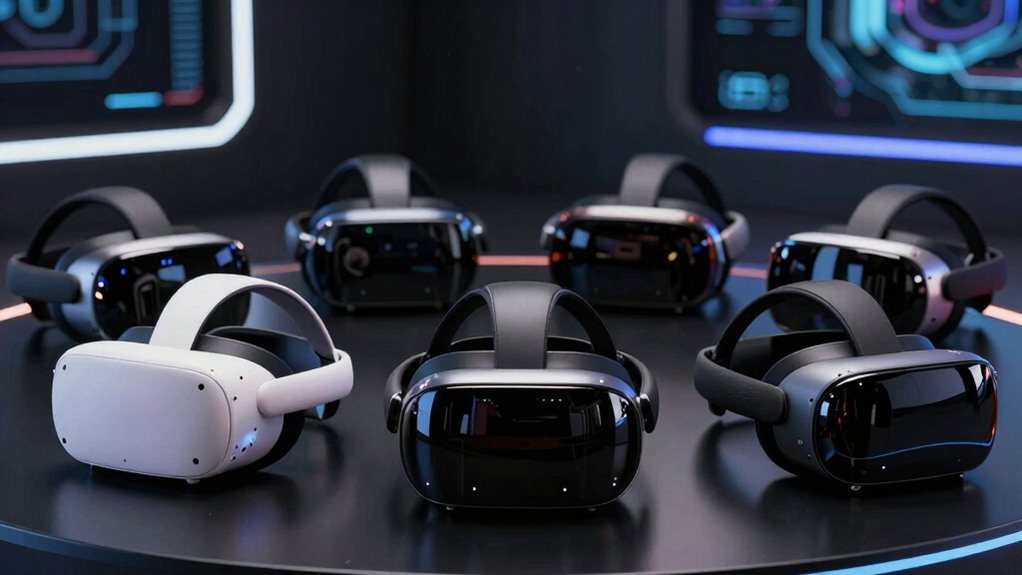

A high-end VR headset can mean sharper PC visuals, mixed-reality features, or a flexible standalone system, so the right choice depends on how you plan to play. I rank the Pimax Crystal Super as the best overall pick for PC users prioritizing detailed visuals, while the Galaxy XR stands out for mixed reality and the Meta Quest 3 for a more accessible standalone experience. The main tradeoffs are image quality versus setup demands, PC performance versus standalone convenience, and premium features versus practical value. Read on for how each option compares and which compromises matter for your use case.

Get the latest gadgets delivered free with Prime
- Fast, free delivery on millions of items
- Prime Video, Amazon Music and more included
- Member-only deals all year
Complete the kit
Key Takeaways
- Pimax Crystal Super takes the overall lead for PC-focused buyers because this lineup’s strongest case for premium visual detail comes with a dedicated PC setup and greater hardware demands.
- Galaxy XR and Meta Quest 3 serve different mixed-reality priorities: Galaxy XR is the dedicated XR pick, while Quest 3 is the more approachable choice for standalone VR and a broad gaming routine.
- Pimax Crystal Light is the focused PC alternative for buyers who want a high-resolution display without making mixed reality the center of the decision.
- HTC VIVE Focus Vision offers a wired XR route for shoppers comparing headset flexibility and PC use, but buyers should confirm the bundle and connection setup match their needs.
- The two Crystal Super listings require careful comparison; check the exact configuration and included items before choosing, rather than assuming similarly named listings are identical.
| Galaxy XR Mixed Reality Headset, 256 GB, Silver Shadow |  | Best for Mixed-Reality Productivity | Display resolution: 3840 × 2160 | Field of view: 109 degrees | Storage: 256 GB | VIEW ON AMAZON | See Our Full Breakdown |
| Meta Quest 3 512GB VR Headset with Gorilla Tag Bundle and 3-Month Meta Horizon+ Trial |  | Best Standalone All-Rounder | Display resolution: 2064 × 2208 pixels per eye | Maximum display resolution: 4128 × 2208 pixels | Display type: LCD | VIEW ON AMAZON | See Our Full Breakdown |
| Pimax Crystal Super PC VR Headset |  | Best for Maximum PC Visual Detail | Resolution: 3840 × 3840 per eye | Display: QLED and MiniLED with local dimming | Pixel density: 57 PPD | VIEW ON AMAZON | See Our Full Breakdown |
| Pimax Crystal Light VR Headset for PC – 2880×2880 per eye, 8K QLED display with local dimming and inside-out tracking (Full Payment Version) |  | Best High-Refresh PC VR Alternative | Resolution per eye: 2880 × 2880 | Display: 8K QLED with HDR and local dimming | Refresh rate: Up to 120 Hz | VIEW ON AMAZON | See Our Full Breakdown |
| HTC VIVE Focus Vision Wired Bundle XR Headset |  | Best Expandable Hybrid Headset | Display resolution: 2448 × 2448 pixels per eye | Field of view: Up to 120 degrees | Refresh rate: 90 Hz | VIEW ON AMAZON | See Our Full Breakdown |
| Pimax Crystal Super VR Headset for PC |  | Best for High-Detail Simulation | Resolution: 3840 × 3840 per eye | Field of view: 140° | Display: QLED with Mini-LED local dimming | VIEW ON AMAZON | See Our Full Breakdown |
| vr headset high end | Tracking | Refresh rate | Field of view | Display resolution |
|---|---|---|---|---|
| Galaxy XR Mixed Reality Headse | Head, hand, and eye tracking | — | 109 degrees | 3840 × 2160 |
| Meta Quest 3 512GB VR Headset | — | Up to 120 Hz | — | 2064 × 2208 pixels per eye |
| Pimax Crystal Super PC VR Head | Eye tracking; Lighthouse tracker support | 72 Hz and 90 Hz | 138 degrees listed; 106 degrees horizontal in description | — |
| Pimax Crystal Light VR Headset | Inside-out camera tracking | Up to 120 Hz | — | — |
| HTC VIVE Focus Vision Wired Bu | Eye and hand tracking; supports up to 5 VIVE Ultimate Trackers | 90 Hz | Up to 120 degrees | 2448 × 2448 pixels per eye |
| Pimax Crystal Super VR Headset | Inside-out | Up to 90 Hz and beyond | 140° | — |
More Details on Our Top Picks
Galaxy XR Mixed Reality Headset, 256 GB, Silver Shadow
I’d put the Galaxy XR on the shortlist for buyers who want eye, hand, and head tracking to support more than conventional gaming. Its 3840 × 2160 display, passthrough video, and spatial audio suit virtual meetings, learning, and mixed-reality tasks where clear visuals and hands-free interaction matter. Compared with the Meta Quest 3, it has a stated focus on eye tracking, while Quest 3 offers more storage and a 120 Hz refresh rate. The Galaxy XR’s 256 GB capacity is the smaller allowance, and its listed two-hour battery life limits long untethered sessions. I’d choose it for spatial work and media, not as the obvious pick for marathon play or a large offline game library.
Pros:- 3840 × 2160 display resolution
- Head, hand, and eye tracking
- Passthrough video supports mixed-reality use
- 545 g weight with adjustable strap and soft facial cushion
Cons:- Listed battery life is only two hours
- 256 GB storage is less than the Meta Quest 3 bundle’s 512 GB
- Compatible devices are listed as smartphones, so buyers should check compatibility before purchase
Best for: Buyers interested in eye- and hand-tracked mixed-reality work, virtual meetings, education, and entertainment in a lightweight headset.
Not ideal for: Players who want long untethered sessions or extensive onboard storage; the listed battery life is two hours and capacity is 256 GB.
- Display resolution:3840 × 2160
- Field of view:109 degrees
- Storage:256 GB
- Operating system:Android XR
- Tracking:Head, hand, and eye tracking
- Battery life:2 hours
- Weight:545 g
- Connectivity:Wi-Fi; USB Type-C
Our verdict“Choose the Galaxy XR for tracked mixed-reality activities and a high-resolution display, but skip it if battery runtime or storage capacity is your main priority.”
Meta Quest 3 512GB VR Headset with Gorilla Tag Bundle and 3-Month Meta Horizon+ Trial
The Meta Quest 3 is the most straightforward high-end choice here for buyers who want wireless VR and mixed reality without making a PC part of the setup. Its Snapdragon XR2 Gen 2 processor, 8 GB of RAM, and 512 GB of storage give it more room for standalone apps and games than the Galaxy XR. The 120 Hz LCD display also offers a higher listed refresh rate than the HTC VIVE Focus Vision’s 90 Hz. Its dual RGB cameras support color mixed-reality use, while the included Gorilla Tag items and trial add bundle-specific content. The tradeoff is a listed 2.2-hour battery life, and its LCD display may not suit buyers prioritizing the QLED and local-dimming image approach of the Pimax Crystal Light. I’d favor Quest 3 for versatile wireless use over specialist PC simulation features.
Pros:- Standalone wireless VR with mixed-reality support
- 512 GB storage and 8 GB RAM
- 120 Hz refresh rate
- Dual RGB color cameras and included Gorilla Tag bundle content
Cons:- Listed battery life is approximately 2.2 hours
- LCD display lacks the QLED and local-dimming approach specified for the Pimax Crystal Light
- The bundle’s trial and game items may matter less to buyers who already have a preferred library
Best for: Standalone VR buyers who want wireless play, mixed-reality features, substantial onboard storage, and a headset that does not require a PC.
Not ideal for: PC simulation enthusiasts seeking high-resolution per-eye panels or local dimming, or anyone who needs longer sessions between charges.
- Display resolution:2064 × 2208 pixels per eye
- Maximum display resolution:4128 × 2208 pixels
- Display type:LCD
- Refresh rate:Up to 120 Hz
- Storage:512 GB
- Processor:Snapdragon XR2 Gen 2
- Memory:8 GB RAM
- Battery life:Up to 2.2 hours
Our verdict“Pick the Meta Quest 3 for a capable wireless all-rounder with generous storage, rather than a PC-only headset built around specialist display or tracking priorities.”
Pimax Crystal Super PC VR Headset
For PC VR buyers who rank per-eye detail above simplicity, the Pimax Crystal Super has the strongest resolution claim in this group: 3840 × 3840 per eye, paired with QLED and MiniLED displays and local dimming. That combination is aimed at revealing fine detail and producing more controlled contrast in demanding simulations. It goes beyond the Pimax Crystal Light’s listed 2880 × 2880 per-eye resolution, but the Super is a more specialized commitment: it requires a Windows PC and connects by USB. Eye tracking and automatic IPD adjustment add useful fitting and interaction features, while Lighthouse tracker support allows an external tracking setup. The listed field-of-view figures conflict—138 degrees in the specifications and 106 degrees horizontally in the description—so I would verify the exact measurement before buying. Its 1.8-pound weight and limited Lighthouse solution are further compromises.
Pros:- 3840 × 3840 resolution per eye
- QLED and MiniLED displays with local dimming
- Eye tracking and automatic IPD adjustment
- Supports Lighthouse tracking and includes built-in speakers and microphone
Cons:- Requires a Windows PC and USB connection
- Field-of-view figures differ between the specifications and description
- Lighthouse tracking solution is described as limited
Best for: PC VR simulation and enthusiast users with a capable Windows computer who prioritize per-eye resolution, local dimming, and eye tracking.
Not ideal for: Buyers wanting a standalone wireless headset, a simple setup, or a clearly stated and consistent field-of-view figure.
- Resolution:3840 × 3840 per eye
- Display:QLED and MiniLED with local dimming
- Pixel density:57 PPD
- Refresh rate:72 Hz and 90 Hz
- Field of view:138 degrees listed; 106 degrees horizontal in description
- IPD adjustment:58–72 mm, automatic
- Tracking:Eye tracking; Lighthouse tracker support
- Weight:1.8 pounds
Our verdict“Choose the Crystal Super for high-detail PC VR and local dimming, provided you accept its PC requirement and confirm which field-of-view figure applies.”
Pimax Crystal Light VR Headset for PC – 2880×2880 per eye, 8K QLED display with local dimming and inside-out tracking (Full Payment Version)
The Pimax Crystal Light suits PC VR buyers who want a sharp QLED image but would rather use inside-out tracking than plan around Lighthouse hardware. Its 2880 × 2880 resolution per eye, HDR, and local dimming target detailed scenes with stronger contrast than the Meta Quest 3’s listed LCD display. A refresh rate of up to 120 Hz gives it an advantage over the Crystal Super’s listed maximum of 90 Hz when smoother motion is the priority. The tradeoff is substantial hardware demand: the listing says a high-performance PC is needed to drive the display and refresh rate. At 815 g, it is also heavier than the Galaxy XR’s 545 g, and inside-out tracking may not suit buyers who specifically want an external Lighthouse setup. I’d choose it for PC display performance, not portability or standalone convenience.
Pros:- 2880 × 2880 resolution per eye
- QLED display with HDR and local dimming
- Refresh rate up to 120 Hz
- Inside-out camera tracking with compatibility for SteamVR controllers
Cons:- Requires a high-performance PC for its display and high refresh rates
- 815 g weight is substantial compared with the Galaxy XR
- Inside-out tracking may not meet the preferences of users seeking Lighthouse tracking
Best for: PC VR players seeking QLED, HDR, local dimming, and a refresh rate up to 120 Hz without relying on external Lighthouse tracking.
Not ideal for: Buyers without a high-performance PC, those seeking standalone use, or users who favor a lighter headset or external tracking.
- Resolution per eye:2880 × 2880
- Display:8K QLED with HDR and local dimming
- Refresh rate:Up to 120 Hz
- Weight:815 g
- Tracking:Inside-out camera tracking
- Compatibility:SteamVR, Valve Index Knuckles, HTC Vive
Our verdict“Choose the Crystal Light for high-refresh QLED PC VR with inside-out tracking, but not if you need standalone play or a lightweight fit.”
HTC VIVE Focus Vision Wired Bundle XR Headset
The HTC VIVE Focus Vision is the most flexible choice here for buyers splitting time between standalone use and PC VR. Its DisplayPort connection supports wired PC use, while Wi-Fi and mixed-reality features leave room for less tethered sessions. The 2448 × 2448-per-eye display and up-to-120-degree field of view give it a different emphasis from the Crystal Super, which pushes higher per-eye resolution but is PC-dependent. VIVE’s eye and hand tracking, hot-swappable battery, and MicroSD expansion up to 2 TB are useful for buyers planning longer or more varied sessions. That flexibility comes with setup dependencies: some functions need a PC or compatible accessories, and PC streaming may call for wired Ethernet to the router. Its 90 Hz refresh rate is also lower than the Crystal Light’s stated maximum of 120 Hz.
Pros:- Supports standalone and PC VR use
- 2448 × 2448 pixels per eye and field of view up to 120 degrees
- Eye and hand tracking with mixed-reality features
- Hot-swappable battery and MicroSD storage expansion up to 2 TB
Cons:- Some features require a PC, compatible accessories, or additional trackers
- PC VR streaming setup may require wired Ethernet to the router
- 90 Hz refresh rate is below the Pimax Crystal Light’s stated maximum of 120 Hz
Best for: VR users who want both standalone and DisplayPort-connected PC play, plus expandable storage, eye and hand tracking, and a replaceable battery.
Not ideal for: Buyers who want a plug-and-play PC headset without accessory or network setup, or who prioritize a refresh rate above 90 Hz.
- Display resolution:2448 × 2448 pixels per eye
- Field of view:Up to 120 degrees
- Refresh rate:90 Hz
- Memory:12 GB RAM
- Expandable storage:Up to 2 TB via MicroSD
- Tracking:Eye and hand tracking; supports up to 5 VIVE Ultimate Trackers
- Connectivity:DisplayPort, USB, Wi-Fi
- Battery:Detachable hot-swappable battery with reserve front battery
Our verdict“Choose the VIVE Focus Vision if you value hybrid use, expandable storage, and battery swapping more than a simple setup or the highest refresh rate.”
Pimax Crystal Super VR Headset for PC
I’d rank the Pimax Crystal Super for PC sim players who want fine visual detail and a broad view of the cockpit or virtual landscape. Its 3840 × 3840 resolution per eye, 50 pixels per degree, and 140° field of view make visual clarity and peripheral coverage its defining strengths. Compared with the Pimax Crystal Light, this model offers higher listed per-eye resolution and a wider field of view, making it the more ambitious choice for demanding simulation setups. Inside-out tracking avoids the need for external tracking stations, though a DisplayPort-connected PC remains mandatory. The QLED and Mini-LED display system adds local dimming, while the refresh rate is listed as up to 90 Hz and beyond. The tradeoff is a more involved, tethered setup, and comfort over long sessions may vary despite its replaceable facial interfaces and balanced weight distribution.
Pros:- 3840 × 3840 resolution per eye and 50 pixels per degree support detailed visuals
- 140° field of view suits cockpit and simulation use
- Inside-out tracking reduces reliance on external tracking equipment
- Replaceable facial interfaces and balanced weight distribution support fit adjustment
Cons:- Requires a DisplayPort connection to a capable PC
- Comfort during long sessions may vary
- The demanding visual specifications make it a specialized choice compared with more general-purpose headsets such as the Meta Quest 3
Best for: PC flight and driving sim enthusiasts who prioritize high visual detail, a wide field of view, and flexible inside-out tracking.
Not ideal for: Buyers seeking a standalone headset, a cable-free setup, or a reliably comfortable choice for extended sessions.
- Resolution:3840 × 3840 per eye
- Field of view:140°
- Display:QLED with Mini-LED local dimming
- Pixel density:50 pixels per degree
- Refresh rate:Up to 90 Hz and beyond
- Tracking:Inside-out
- Audio:Integrated 3D spatial audio and noise-canceling microphone
- Connection:DisplayPort to PC
Our verdict“Choose the Crystal Super if detailed PC simulation visuals and a wide field of view matter more than standalone convenience or assured long-session comfort.”

How We Picked
I ranked these headsets by how well they suit a high-end buyer’s actual setup, not by treating every premium feature as equally useful. The main criteria were visual capability, whether the headset is designed around PC VR or standalone use, mixed-reality versatility, and the practical demands of getting it running. I also weighed how clearly each model fits a distinct buyer, since a technically ambitious headset is a poor match if its connection requirements or use case do not fit the owner.
The Pimax Crystal Super leads for PC users seeking premium visual detail, while Galaxy XR and Quest 3 rank higher for buyers who value XR features or a simpler standalone path. Crystal Light and VIVE Focus Vision fill more specific PC and wired-XR needs. I treat the two Crystal Super entries as separate listings, but their similar names make configuration verification especially important; buyers should compare the exact product contents before ordering.
| vr headset high end | Tracking |
|---|---|
| Galaxy XR Mixed Reality Headse | Head, hand, and eye tracking |
| Meta Quest 3 512GB VR Headset | — |
| Pimax Crystal Super PC VR Head | Eye tracking; Lighthouse tracker support |
| Pimax Crystal Light VR Headset | Inside-out camera tracking |
| HTC VIVE Focus Vision Wired Bu | Eye and hand tracking; supports up to 5 VIVE Ultimate Trackers |
| Pimax Crystal Super VR Headset | Inside-out |
Factors to Consider When Choosing Vr Headset High End
Before choosing a high-end headset, match the hardware to the way you will use it. A premium display cannot compensate for an underpowered PC, an awkward room setup, or a library that does not support your preferred platform. These broader checks can help prevent paying for capabilities that do not improve your day-to-day use.
Start With Your PC and Connection Setup
PC VR performance depends on the computer, graphics hardware, connection method, and the headset working together. Check the headset’s current compatibility requirements before buying, then compare them with your PC rather than relying on a general label like gaming-ready. A wired connection can reduce dependence on wireless conditions, but it also affects where and how you play. If your PC is near the edge of the required performance range, a headset with more demanding visuals may call for settings compromises. Avoid treating resolution alone as a measure of the experience; a stable frame rate matters during long sessions. Standalone models sidestep some PC requirements, but they do not provide the same PC-first use case by default.
Choose Between Standalone VR, PC VR, and Mixed Reality
These categories solve different problems, even when a headset supports more than one mode. Standalone VR is convenient for quick sessions and avoids making a computer part of every setup. PC VR suits buyers who want their headset tied to a computer-based experience, with setup and compatibility becoming part of the decision. Mixed reality adds the ability to blend digital content with the room, but that feature matters only if the apps and activities you want make use of it. Do not pay extra for XR capabilities simply because they sound future-facing. Write down your two or three most common uses first, then choose the device category that supports them with the fewest workarounds.
Look Beyond Resolution When Judging Visual Quality
Resolution figures are useful for comparing displays, but they do not tell the whole story. Lens characteristics, image clarity across the viewing area, refresh behavior, and the PC’s ability to drive the headset all shape what you see. A high-resolution model can still disappoint if it forces your computer to lower performance settings. Local dimming may appeal to buyers who care about contrast in compatible content, but it is not a substitute for checking the full display experience. Consider the kinds of games or simulations you use: readable instruments and fine detail may matter more in some PC applications than in fast, casual play. Treat published display specifications as a starting point, not a complete ranking.
Account for Fit, Weight, and Session Length
A headset that feels manageable in a short session may become uncomfortable during longer play. Fit depends on more than the headset’s weight: facial shape, strap design, balance, glasses compatibility, and adjustment range can all affect comfort. If possible, check return policies and accessory compatibility before purchase, since a different strap or facial interface may be needed for a secure fit. Buyers who share a headset should also think about how quickly each person can adjust it. Do not assume that premium hardware automatically suits every face or play style. For frequent, extended sessions, comfort deserves as much attention as display specifications.
Check the Software Library and Ongoing Setup Needs
Headset features have value only when they work with the software you actually want to use. Check whether your preferred games, productivity tools, and social experiences run on the headset directly, require a PC, or depend on a particular platform. Also verify how updates, account requirements, and accessories fit into your routine. A bundle can include useful extras, but its contents should not distract from whether the underlying headset suits your library. PC-focused devices may offer a compelling display but call for more troubleshooting than a standalone option. Build a short list of must-play software before comparing hardware so compatibility can rule out poor matches early.
Compare Exact Listings, Not Just Model Names
Similar product names can hide differences in bundles, payment versions, included accessories, or configuration. This matters particularly when multiple listings in a roundup use nearly identical model names. Read the listing details closely and confirm what is included, what must be purchased separately, and whether the version matches your region and intended setup. A bundled trial or game can be a welcome extra, but it should not outweigh core fit and compatibility. Keep a record of the exact model designation when comparing products, especially if you are shopping across retailers. This simple check can prevent ordering a version that does not match your expectations.
Frequently Asked Questions
Do I need a powerful PC for a high-end VR headset?
Not for every headset, but PC-focused models rely on a compatible computer to run VR content. Check the manufacturer’s current graphics, processor, port, and operating requirements for the exact model you plan to buy. Higher visual settings can place a greater load on the computer, so meeting a basic requirement does not always mean you can use every setting at once. Standalone headsets can run supported content without a PC, though that is a different use case. If your computer is older or near minimum requirements, compare upgrade needs before choosing a PC-first headset.
Should I choose a standalone headset or one designed for PC VR?
Choose standalone if quick setup, portability, and playing without a computer are your main priorities. A PC-oriented headset is a better match when your preferred experiences depend on computer hardware and you accept the extra connection and compatibility checks. Some buyers want both, but support for multiple modes does not mean every headset offers the same experience in each. List the games and applications you expect to use, then verify where each one runs. The best fit is usually the option that supports your regular routine without requiring repeated setup changes.
Is a higher-resolution headset always the better choice?
No. Resolution can improve visible detail, but the computer must be capable of driving the display at settings that maintain smooth performance. Lens design, fit, contrast, and the quality of the software experience also affect perceived image quality. Some buyers will notice fine detail more in simulation or productivity applications than in fast-moving games. A headset with a less demanding display may be a better practical match for a modest PC. Compare the whole system rather than selecting by resolution figures alone.
What should I verify when two listings have nearly the same headset name?
Compare the full model name, version, included accessories, software bundle, and connection components. Listings may use similar wording while describing different packages or configurations, so do not rely on the headline alone. Check whether required cables, controllers, or other parts are included if they matter to your setup. Review the retailer’s return terms as well, particularly if you cannot confirm fit or compatibility before ordering. This is especially relevant for the two Pimax Crystal Super listings in this roundup.
When does mixed reality justify choosing an XR headset over a VR-focused model?
Mixed reality is a meaningful reason to choose an XR headset when you expect to use digital content alongside your physical room, rather than only inside fully virtual environments. Before paying for that capability, check that the apps and tasks you care about support it on the specific device. Room conditions, passthrough quality, and how often you will use those features can change their practical value. If most of your time will be spent in PC VR games, a headset focused on that use may be a better match. Think of XR as a distinct use case, not an automatic upgrade for every buyer.
Conclusion
For PC users who prioritize premium visual detail, I recommend the Pimax Crystal Super as the best overall, with the caveat that the computer and exact listing configuration deserve close checks. The Pimax Crystal Light is my value-minded PC pick for buyers who want a high-resolution-focused headset without making mixed reality their main goal. Choose Galaxy XR as the best premium mixed-reality option if XR use is central to your plans, while the Meta Quest 3 is the best beginner-friendly choice for a more approachable standalone route. The HTC VIVE Focus Vision suits buyers seeking a wired XR setup; compare its bundle and connection needs against your equipment before deciding. If you are considering either Crystal Super listing, verify the precise configuration before purchase.